mirror of
https://github.com/89luca89/distrobox.git
synced 2026-08-19 01:14:49 -05:00
 TheRsKing
11ef0e3ec7
TheRsKing
11ef0e3ec7
* Update microos -> aeon in run_libvirt_in_distrobox.md

* microos -> aeon

* microos -> Aeon in README.md

* Mention Kalpa in: run_libvirt_in_distrobox.md

* Mention Kalpa in: README.md

* Mention Kalpa in: compatibility.md
88 lines
3.5 KiB
Markdown
88 lines
3.5 KiB
Markdown
- [Distrobox](../README.md)
|
|
- [Run Libvirt using distrobox](run_libvirt_in_distrobox.md)
|
|
- [Prepare the container](#prepare-the-container)
|
|
- [Launch from the container](#launch-from-the-container)
|
|
- [Connect via SSH](#connect-via-ssh)
|
|
|
|
# Using an immutable distribution
|
|
|
|
If you are on an immutable distribution (Silverblue/Kionite, Aeon/Kalpa) chances are that
|
|
installing lots and lots of packages on the base system is not advisable.
|
|
|
|
One way is to use a distrobox for them.
|
|
|
|
## Prepare the container
|
|
|
|
To run libvirt/qemu/kvm we need a systemd container and we need a **rootful** container
|
|
to be able to use it, see [this tip](../useful_tips.md#using-init-system-inside-a-distrobox)
|
|
to have a list of compatible images.
|
|
We will use in this example OpenSUSE's dedicated distrobox image:
|
|
|
|
Assembly file:
|
|
|
|
```ini
|
|
[libvirt]
|
|
image=registry.opensuse.org/opensuse/distrobox:latest
|
|
pull=true
|
|
init=true
|
|
root=true
|
|
entry=true
|
|
start_now=false
|
|
unshare_all=true
|
|
additional_packages="systemd"
|
|
# Basic utilities for terminal use
|
|
init_hooks="zypper in -y --no-recommends openssh-server patterns-server-kvm_server patterns-server-kvm_tools qemu-arm qemu-ppc qemu-s390x qemu-extra qemu-linux-user qemu-hw-display-virtio-gpu-pci qemu-hw-display-virtio-gpu"
|
|
init_hooks="systemctl enable sshd.service"
|
|
init_hooks="systemctl enable virtqemud.socket virtnetworkd.socket virtstoraged.socket virtnodedevd.socket"
|
|
# Add the default user to the libvirt group
|
|
init_hooks="usermod -aG libvirt ${USER}"
|
|
# Expose container ssh on host
|
|
additional_flags="-p 2222:22"
|
|
# Export virt-manager
|
|
exported_apps="virt-manager"
|
|
```
|
|
|
|
Alternatively, command line:
|
|
|
|
```console
|
|
distrobox create --pull --root --init --unshare-all --image registry.opensuse.org/opensuse/distrobox:latest --name libvirtd --additional-flags "-p 2222:22" \
|
|
--init-hooks "zypper in -y --no-recommends openssh-server patterns-server-kvm_server patterns-server-kvm_tools qemu-arm qemu-ppc qemu-s390x qemu-extra qemu-linux-user qemu-hw-display-virtio-gpu-pci qemu-hw-display-virtio-gpu && systemctl enable sshd.service && systemctl enable virtqemud.socket virtnetworkd.socket virtstoraged.socket virtnodedevd.socket && usermod -aG libvirt $USER"
|
|
|
|
distrobox-enter --root libvirtd -- distrobox-export --app virt-manager
|
|
```
|
|
|
|
## Launch from the container
|
|
|
|
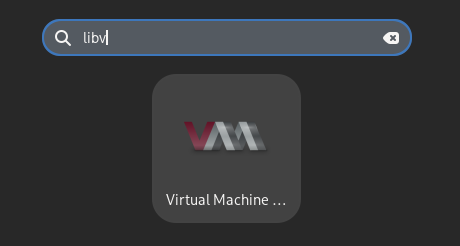
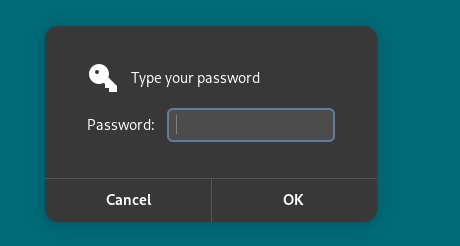
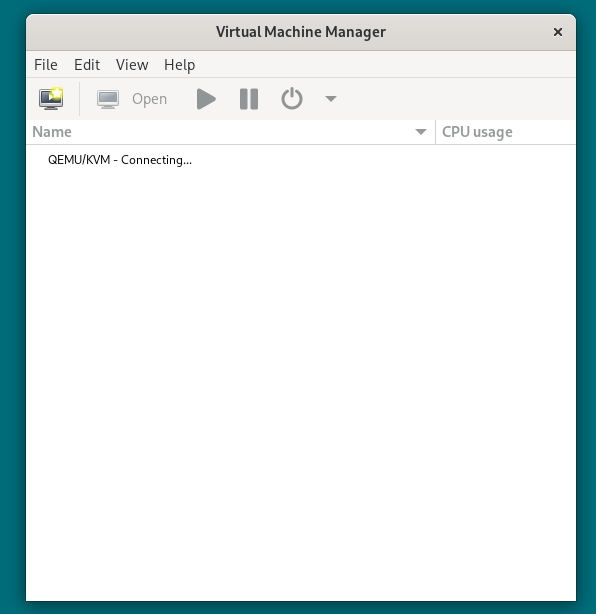
Simply select the `Virt Manager (on libvirt)` entry in your menu, entry your root password and you're done!
|
|
|
|
|
|
|
|
|
|
|
|
## Connect via SSH
|
|
|
|
You can alternatively connect from an existing VirtManager
|
|
|
|
Now you will need to **Add a connection**:
|
|
|
|

|
|
|
|
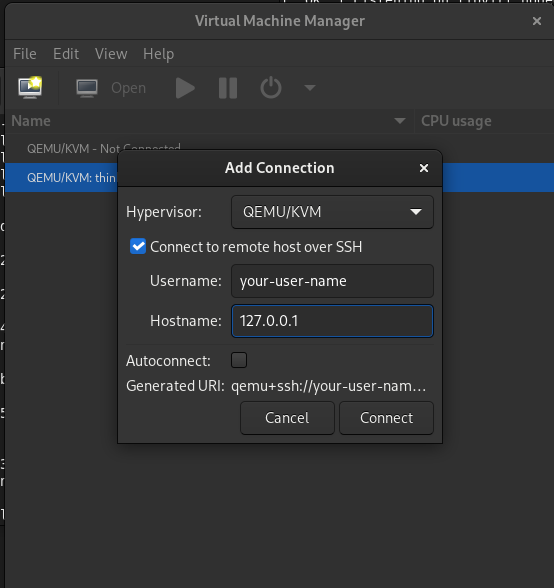
Then set it like this:
|
|
|
|
|
|
|
|
- Tick the "Use ssh" option
|
|
- username: `<your-user-name>`
|
|
- hostname: 127.0.0.1:2222
|
|
|
|
Optionally you can set it to autoconnect.
|
|
|
|
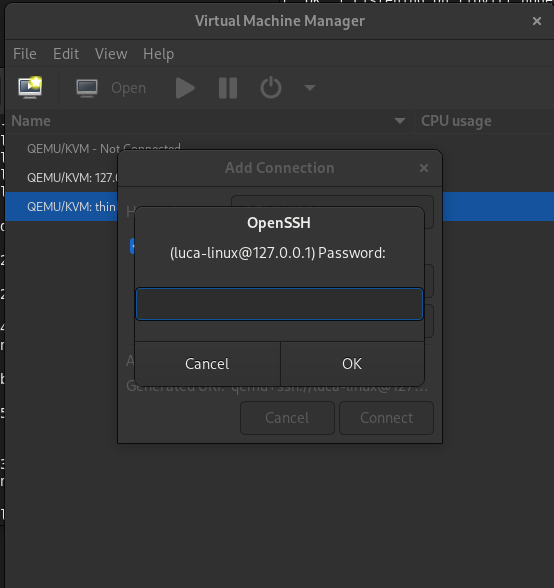
Now you can simply double click the connection to activate it, you'll be prompted
|
|
with your password, insert the same password as the host:
|
|
|
|
|
|
|
|
And you should be good to go!
|
|
|
|

|