Compare commits
117 Commits
dependabot
...
2021.4.1
| Author | SHA1 | Date | |
|---|---|---|---|

|
c2bfbf29fb | ||

|
14e67d8663 | ||
|
|
d98cb7bdf8 | ||

|
fa18eecfb7 | ||

|
3aa2f02240 | ||

|
a4fdc1c947 | ||

|
f14f28f32b | ||
|
|
e3baff25a6 | ||

|
708825b439 | ||

|
91d85a88a1 | ||

|
f77c3d7fdc | ||
|
|
36f2e63c9c | ||

|
d474617d12 | ||

|
64a896c22e | ||
|
|
2dcd09055f | ||

|
1a656f4e44 | ||
|
|
0702b44174 | ||

|
ce21344585 | ||

|
3a28ffaf57 | ||

|
f63be649eb | ||

|
32a9e98437 | ||

|
b76c903745 | ||
|
|
4714b8edb8 | ||
|
|
47d1f2147a | ||
|
|
61aa366706 | ||

|
b16ce268eb | ||

|
629de56910 | ||
|
|
dad76527d6 | ||

|
b86ab12f0f | ||
|
|
170e4d2cce | ||

|
2a9eec1c3f | ||
|
|
92420cd0d5 | ||
|
|
886254c5b9 | ||

|
e75e647ebe | ||

|
6e45b62be6 | ||

|
4a70806d10 | ||

|
761c645f14 | ||
|
|
e19b3befb7 | ||
|
|
fb3ceb6aa4 | ||

|
9a8d8440a5 | ||
|
|
543ea75813 | ||

|
f03763defe | ||
|
|
114ed1cb4b | ||
|
|
3117879c54 | ||
|
|
2f48787fc4 | ||
|
|
7848ac7a74 | ||

|
62f126cdd2 | ||
|
|
4d1c358aa3 | ||
|
|
bf51d49ad1 | ||
|
|
6d9699681f | ||

|
0b248b68dd | ||
|
|
d286e0a9ad | ||

|
21ed761569 | ||
|
|
2639f35543 | ||

|
1bbd91506b | ||

|
9a31a3d821 | ||

|
9acc3dfe68 | ||
|
|
205c23b382 | ||

|
e48965683b | ||

|
eaa5a22979 | ||

|
bfdd1a199f | ||

|
096a92dcb3 | ||

|
7a05a12190 | ||
|
|
5d39724934 | ||

|
7cec19fe6e | ||
|
|
568096ddeb | ||
|
|
34bda79333 | ||
|
|
0da68d9c70 | ||

|
a82011199a | ||

|
6bbec510b0 | ||
|
|
90eaa2666a | ||
|
|
4eb4ee1882 | ||

|
fadeaecb6d | ||

|
a5c930eeaa | ||

|
5135425bb9 | ||

|
204c4ba79a | ||
|
|
640ab71b6a | ||
|
|
0361fc8e2d | ||
|
|
ccae439943 | ||
|
|
5cee8bbf29 | ||
|
|
a220a0a7af | ||
|
|
af2fec9a00 | ||
|
|
cca57782ce | ||
|
|
c2e8c3bd92 | ||
|
|
4833c8db72 | ||
|
|
3352b483b9 | ||
|
|
c40da68a2b | ||

|
0a959ef8e5 | ||

|
cd81789d29 | ||
|
|
55fb7c6663 | ||

|
1aa89edbf3 | ||
|
|
6ab6983778 | ||

|
fb4d52068b | ||

|
21514fa9d5 | ||

|
bb8e2c3137 | ||
|
|
7a316dcde3 | ||

|
abe9005ffb | ||
|
|
c6654b9c81 | ||
|
|
58dd421d58 | ||
|
|
64bc081abc | ||

|
c5b65f2cb1 | ||
|
|
59ffa90724 | ||
|
|
cb4dcbce83 | ||
|
|
5670e9d8d0 | ||
|
|
e47287264c | ||

|
fe1563f0f0 | ||
|
|
e87ab16e7c | ||

|
cf5c072cf4 | ||

|
6b3a652e54 | ||
|
|
66eef3c3d9 | ||

|
0accd09c45 | ||
|
|
f339cf70c6 | ||

|
2ec6d9590c | ||

|
ca116ab8d1 | ||
|
|
84e935c0f2 | ||
|
|
5859d44abc | ||
|
|
7b67a83d8c |
@@ -11,8 +11,6 @@ jobs:
|
||||
system.debug: true
|
||||
VSTS_HTTP_RETRY: 5
|
||||
VSTS_HTTP_TIMEOUT: 200
|
||||
WORKERS_NUMBER: 8
|
||||
BUILD_TYPE: Release
|
||||
REPO_DIR: $(Build.Repository.LocalPath)
|
||||
WORK_DIR: $(Pipeline.Workspace)/_w
|
||||
MODELS_DIR: /mount/cinfsshare/onnxtestdata
|
||||
|
||||
@@ -9,7 +9,6 @@ jobs:
|
||||
system.debug: true
|
||||
VSTS_HTTP_RETRY: 5
|
||||
VSTS_HTTP_TIMEOUT: 200
|
||||
WORKERS_NUMBER: 8
|
||||
BUILD_TYPE: Release
|
||||
REPO_DIR: $(Build.Repository.LocalPath)
|
||||
ONNXRUNTIME_REPO_DIR: $(REPO_DIR)/../onnxruntime
|
||||
|
||||
@@ -22,7 +22,6 @@ jobs:
|
||||
system.debug: true
|
||||
VSTS_HTTP_RETRY: 5
|
||||
VSTS_HTTP_TIMEOUT: 200
|
||||
WORKERS_NUMBER: 3
|
||||
BUILD_TYPE: Release
|
||||
REPO_DIR: $(Build.Repository.LocalPath)
|
||||
OPENVINO_CONTRIB_REPO_DIR: $(REPO_DIR)/../openvino_contrib
|
||||
|
||||
@@ -16,13 +16,12 @@ jobs:
|
||||
timeoutInMinutes: 120
|
||||
|
||||
pool:
|
||||
name: WIN_VMSS_VENV_F8S_WU2
|
||||
name: WIN_VMSS_VENV_F16S_WU2
|
||||
|
||||
variables:
|
||||
system.debug: true
|
||||
VSTS_HTTP_RETRY: 5
|
||||
VSTS_HTTP_TIMEOUT: 200
|
||||
WORKERS_NUMBER: 8
|
||||
BUILD_TYPE: Release
|
||||
REPO_DIR: $(Build.Repository.LocalPath)
|
||||
OPENVINO_CONTRIB_REPO_DIR: $(REPO_DIR)\..\openvino_contrib
|
||||
@@ -35,14 +34,13 @@ jobs:
|
||||
MSVC_COMPILER_PATH: C:\Program Files (x86)\Microsoft Visual Studio\2019\Enterprise\VC\Tools\MSVC\14.24.28314\bin\Hostx64\x64\cl.exe
|
||||
INSTALL_DIR: $(WORK_DIR)\install_pkg
|
||||
SETUPVARS: $(INSTALL_DIR)\bin\setupvars.bat
|
||||
IB_DIR: C:\Program Files (x86)\IncrediBuild
|
||||
IB_TESTCONSOLE: $(IB_DIR)\IBTestConsole.exe
|
||||
TEST_ENV_PATH: $(REPO_DIR)\inference-engine\temp\tbb\bin;$(REPO_DIR)\inference-engine\temp\opencv_4.5.2\opencv\bin;$(IB_DIR);%PATH%
|
||||
TEST_ENV_PATH: $(REPO_DIR)\inference-engine\temp\tbb\bin;$(REPO_DIR)\inference-engine\temp\opencv_4.5.2\opencv\bin;%PATH%
|
||||
|
||||
steps:
|
||||
- script: |
|
||||
powershell -command "Invoke-RestMethod -Headers @{\"Metadata\"=\"true\"} -Method GET -Uri http://169.254.169.254/metadata/instance/compute?api-version=2019-06-01 | format-custom"
|
||||
where python3
|
||||
python3 --version
|
||||
where python
|
||||
python --version
|
||||
where java
|
||||
@@ -60,12 +58,6 @@ jobs:
|
||||
rd /Q /S $(BUILD_SAMPLES_DIR) & mkdir $(BUILD_SAMPLES_DIR)
|
||||
displayName: 'Make dir'
|
||||
|
||||
- script: |
|
||||
certutil -urlcache -split -f https://openvinoweb.z5.web.core.windows.net/incredibuild/install_ib_console.bat install_ib_console.bat
|
||||
call install_ib_console.bat
|
||||
workingDirectory: $(WORK_DIR)
|
||||
displayName: 'Install IncrediBuild'
|
||||
|
||||
- checkout: self
|
||||
clean: true
|
||||
lfs: false
|
||||
@@ -84,7 +76,8 @@ jobs:
|
||||
path: testdata
|
||||
|
||||
- script: |
|
||||
certutil -urlcache -split -f https://github.com/ninja-build/ninja/releases/download/v1.10.0/ninja-win.zip ninja-win.zip
|
||||
rem Speed up build
|
||||
certutil -urlcache -split -f https://github.com/ninja-build/ninja/releases/download/v1.10.2/ninja-win.zip ninja-win.zip
|
||||
powershell -command "Expand-Archive -Force ninja-win.zip"
|
||||
git clone https://github.com/google/gtest-parallel.git
|
||||
workingDirectory: $(WORK_DIR)
|
||||
@@ -96,9 +89,10 @@ jobs:
|
||||
workingDirectory: $(BUILD_DIR)
|
||||
displayName: 'CMake'
|
||||
|
||||
- script: |
|
||||
set PATH=$(WORK_DIR)\ninja-win;%PATH%
|
||||
call "$(MSVS_VARS_PATH)" && "C:\Program Files (x86)\IncrediBuild\BuildConsole.exe" /COMMAND="ninja"
|
||||
- script: dir $(REPO_DIR)\inference-engine\temp\ /s
|
||||
displayName: 'List temp SDKs'
|
||||
|
||||
- script: call "$(MSVS_VARS_PATH)" && $(WORK_DIR)\ninja-win\ninja
|
||||
workingDirectory: $(BUILD_DIR)
|
||||
displayName: 'Build Win'
|
||||
|
||||
@@ -120,6 +114,9 @@ jobs:
|
||||
workingDirectory: $(BUILD_SAMPLES_DIR)
|
||||
displayName: 'Build c samples'
|
||||
|
||||
- script: rd /Q /S $(BUILD_DIR)
|
||||
displayName: 'Clean build dir'
|
||||
|
||||
- script: |
|
||||
set PATH=$(TEST_ENV_PATH)
|
||||
$(BIN_DIR)\unit-test --gtest_print_time=1 --gtest_filter=-backend_api.config_unsupported:*IE_GPU* --gtest_output=xml:TEST-NGraphUT.xml
|
||||
@@ -128,7 +125,7 @@ jobs:
|
||||
|
||||
- script: |
|
||||
set PATH=$(TEST_ENV_PATH)
|
||||
"$(IB_TESTCONSOLE)" $(BIN_DIR)\InferenceEngineUnitTests.exe --gtest_output=xml:TEST-InferenceEngineUnitTests-IB.xml
|
||||
$(BIN_DIR)\InferenceEngineUnitTests.exe --gtest_output=xml:TEST-InferenceEngineUnitTests.xml
|
||||
displayName: 'IE UT old - IB'
|
||||
|
||||
- script: |
|
||||
@@ -175,9 +172,8 @@ jobs:
|
||||
|
||||
- script: |
|
||||
set PATH=$(TEST_ENV_PATH)
|
||||
rem $(BIN_DIR)\cpuFuncTests.exe --gtest_filter=*smoke* --gtest_output=xml:TEST-cpuFuncTests.xml
|
||||
"$(IB_TESTCONSOLE)" $(BIN_DIR)\cpuFuncTests.exe --gtest_filter=*smoke*:-*CompareWithRefs/base_size=16_pre_nms_topn=100_post_nms_topn=100_nms_thresh=0.7_feat_stride=1_min_size=1_ratio* --gtest_output=xml:TEST-cpuFuncTests-IB.xml /testlevel=24
|
||||
displayName: 'CPU FuncTests - IB'
|
||||
$(BIN_DIR)\cpuFuncTests.exe --gtest_filter=*smoke* --gtest_output=xml:TEST-cpuFuncTests.xml
|
||||
displayName: 'CPU FuncTests'
|
||||
continueOnError: false
|
||||
|
||||
- script: |
|
||||
@@ -200,8 +196,3 @@ jobs:
|
||||
buildPlatform: 'x64' # Optional
|
||||
buildConfiguration: 'Windows' # Optional
|
||||
#publishRunAttachments: true # Optional
|
||||
|
||||
- script: echo Stop IncrediBuild_Agent && net stop IncrediBuild_Agent
|
||||
displayName: Stop IncrediBuild
|
||||
continueOnError: true
|
||||
enabled: false
|
||||
|
||||
@@ -1,7 +1,7 @@
|
||||
jobs:
|
||||
- job: WinCC
|
||||
# About 150% of total time
|
||||
timeoutInMinutes: 120
|
||||
timeoutInMinutes: 60
|
||||
|
||||
pool:
|
||||
name: WIN_VMSS_VENV_F8S_WU2
|
||||
@@ -10,26 +10,22 @@ jobs:
|
||||
system.debug: true
|
||||
VSTS_HTTP_RETRY: 5
|
||||
VSTS_HTTP_TIMEOUT: 200
|
||||
WORKERS_NUMBER: 8
|
||||
BUILD_TYPE: Release
|
||||
REPO_DIR: $(Build.Repository.LocalPath)
|
||||
OPENVINO_CONTRIB_REPO_DIR: $(REPO_DIR)\..\openvino_contrib
|
||||
MODELS_PATH: $(REPO_DIR)\..\testdata
|
||||
WORK_DIR: $(Pipeline.Workspace)\_w
|
||||
BUILD_DIR: D:\build
|
||||
BIN_DIR: $(REPO_DIR)\bin\intel64
|
||||
MSVS_VARS_PATH: C:\Program Files (x86)\Microsoft Visual Studio\2019\Enterprise\VC\Auxiliary\Build\vcvars64.bat
|
||||
MSVC_COMPILER_PATH: C:\Program Files (x86)\Microsoft Visual Studio\2019\Enterprise\VC\Tools\MSVC\14.24.28314\bin\Hostx64\x64\cl.exe
|
||||
INSTALL_DIR: $(WORK_DIR)\install_pkg
|
||||
SETUPVARS: $(INSTALL_DIR)\bin\setupvars.bat
|
||||
IB_DIR: C:\Program Files (x86)\IncrediBuild
|
||||
IB_TESTCONSOLE: $(IB_DIR)\IBTestConsole.exe
|
||||
TEST_ENV_PATH: $(REPO_DIR)\inference-engine\temp\tbb\bin;$(REPO_DIR)\inference-engine\temp\opencv_4.5.2\opencv\bin;$(IB_DIR);%PATH%
|
||||
|
||||
steps:
|
||||
- script: |
|
||||
powershell -command "Invoke-RestMethod -Headers @{\"Metadata\"=\"true\"} -Method GET -Uri http://169.254.169.254/metadata/instance/compute?api-version=2019-06-01 | format-custom"
|
||||
where python3
|
||||
python3 --version
|
||||
where python
|
||||
python --version
|
||||
where java
|
||||
@@ -46,12 +42,6 @@ jobs:
|
||||
rd /Q /S $(BUILD_DIR) & mkdir $(BUILD_DIR)
|
||||
displayName: 'Make dir'
|
||||
|
||||
- script: |
|
||||
certutil -urlcache -split -f https://openvinoweb.z5.web.core.windows.net/incredibuild/install_ib_console.bat install_ib_console.bat
|
||||
call install_ib_console.bat
|
||||
workingDirectory: $(WORK_DIR)
|
||||
displayName: 'Install IncrediBuild'
|
||||
|
||||
- checkout: self
|
||||
clean: true
|
||||
lfs: false
|
||||
@@ -59,7 +49,8 @@ jobs:
|
||||
path: openvino
|
||||
|
||||
- script: |
|
||||
certutil -urlcache -split -f https://github.com/ninja-build/ninja/releases/download/v1.10.0/ninja-win.zip ninja-win.zip
|
||||
rem Speed up build
|
||||
certutil -urlcache -split -f https://github.com/ninja-build/ninja/releases/download/v1.10.2/ninja-win.zip ninja-win.zip
|
||||
powershell -command "Expand-Archive -Force ninja-win.zip"
|
||||
workingDirectory: $(WORK_DIR)
|
||||
displayName: 'Install dependencies'
|
||||
@@ -70,20 +61,19 @@ jobs:
|
||||
workingDirectory: $(BUILD_DIR)
|
||||
displayName: 'CMake'
|
||||
|
||||
- script: |
|
||||
set PATH=$(WORK_DIR)\ninja-win;%PATH%
|
||||
call "$(MSVS_VARS_PATH)" && "C:\Program Files (x86)\IncrediBuild\BuildConsole.exe" /COMMAND="ninja"
|
||||
- script: dir $(REPO_DIR)\inference-engine\temp\ /s
|
||||
displayName: 'List temp SDKs'
|
||||
|
||||
- script: call "$(MSVS_VARS_PATH)" && $(WORK_DIR)\ninja-win\ninja
|
||||
workingDirectory: $(BUILD_DIR)
|
||||
displayName: 'Build Win'
|
||||
displayName: 'Build Win CC'
|
||||
|
||||
- script: dir $(REPO_DIR)\bin\ /s
|
||||
displayName: 'List files'
|
||||
displayName: 'List bin files'
|
||||
|
||||
- script: cmake -DCMAKE_INSTALL_PREFIX=$(INSTALL_DIR) -P cmake_install.cmake
|
||||
workingDirectory: $(BUILD_DIR)
|
||||
displayName: 'Install'
|
||||
|
||||
- script: echo Stop IncrediBuild_Agent && net stop IncrediBuild_Agent
|
||||
displayName: Stop IncrediBuild
|
||||
continueOnError: true
|
||||
enabled: false
|
||||
- script: dir $(INSTALL_DIR) /s
|
||||
displayName: 'List install files'
|
||||
|
||||
20
.github/org_control/check_pr.py
vendored
20
.github/org_control/check_pr.py
vendored
@@ -139,7 +139,7 @@ def update_labels(gh_api, pull, non_org_intel_pr_users, non_org_pr_users):
|
||||
|
||||
def get_wrong_commits(pull):
|
||||
"""Returns commits with incorrect user and email"""
|
||||
pr_author_email = pull.user.email.lower()
|
||||
pr_author_email = (pull.user.email or "").lower()
|
||||
print("GitHub PR author email:", pr_author_email)
|
||||
print("Check commits:")
|
||||
wrong_commits = set()
|
||||
@@ -147,21 +147,29 @@ def get_wrong_commits(pull):
|
||||
# import pprint; pprint.pprint(commit.raw_data)
|
||||
print("Commit SHA:", commit.sha)
|
||||
# Use raw data because commit author can be non GitHub user
|
||||
commit_email = commit.raw_data["commit"]["author"]["email"].lower()
|
||||
print(" Commit email:", commit_email)
|
||||
commit_author_email = (commit.raw_data["commit"]["author"]["email"] or "").lower()
|
||||
commit_committer_email = (commit.raw_data["commit"]["committer"]["email"] or "").lower()
|
||||
print(" Commit author email:", commit_author_email)
|
||||
print(" Commit committer email:", commit_committer_email)
|
||||
if not github_api.is_valid_user(commit.author):
|
||||
print(
|
||||
" ERROR: User with the commit email is absent in GitHub:",
|
||||
" ERROR: User with the commit author email is absent in GitHub:",
|
||||
commit.raw_data["commit"]["author"]["name"],
|
||||
)
|
||||
wrong_commits.add(commit.sha)
|
||||
if not github_api.is_valid_user(commit.committer):
|
||||
print(
|
||||
" ERROR: User with the commit committer email is absent in GitHub:",
|
||||
commit.raw_data["commit"]["committer"]["name"],
|
||||
)
|
||||
wrong_commits.add(commit.sha)
|
||||
if not commit.raw_data["commit"]["verification"]["verified"]:
|
||||
print(
|
||||
" WARNING: The commit is not verified. Reason:",
|
||||
commit.raw_data["commit"]["verification"]["reason"],
|
||||
)
|
||||
if pr_author_email != commit_email:
|
||||
print(" WARNING: Commit email and GitHub PR author public email are differnt")
|
||||
if pr_author_email != commit_author_email or pr_author_email != commit_committer_email:
|
||||
print(" WARNING: Commit emails and GitHub PR author public email are differnt")
|
||||
return wrong_commits
|
||||
|
||||
|
||||
|
||||
@@ -90,7 +90,7 @@ function(build_ngraph)
|
||||
ngraph_set(NGRAPH_PYTHON_BUILD_ENABLE OFF)
|
||||
endif()
|
||||
|
||||
if(CMAKE_CXX_COMPILER_ID MATCHES "^(Apple)?Clang$")
|
||||
if(OV_COMPILER_IS_CLANG)
|
||||
ie_add_compiler_flags(-Wno-error=uninitialized -Wno-error=literal-conversion)
|
||||
elseif(UNIX)
|
||||
ie_add_compiler_flags(-Wno-error=maybe-uninitialized -Wno-error=return-type)
|
||||
|
||||
@@ -1,5 +1,5 @@
|
||||
# OpenVINO™ Toolkit
|
||||
[](https://github.com/openvinotoolkit/openvino/releases/tag/2021.3)
|
||||
[](https://github.com/openvinotoolkit/openvino/releases/tag/2021.4.1)
|
||||
[](LICENSE)
|
||||

|
||||

|
||||
@@ -42,7 +42,7 @@ Please report questions, issues and suggestions using:
|
||||
---
|
||||
\* Other names and brands may be claimed as the property of others.
|
||||
|
||||
[Open Model Zoo]:https://github.com/opencv/open_model_zoo
|
||||
[Open Model Zoo]:https://github.com/openvinotoolkit/open_model_zoo
|
||||
[Inference Engine]:https://software.intel.com/en-us/articles/OpenVINO-InferEngine
|
||||
[Model Optimizer]:https://software.intel.com/en-us/articles/OpenVINO-ModelOptimizer
|
||||
[nGraph]:https://docs.openvinotoolkit.org/latest/openvino_docs_nGraph_DG_DevGuide.html
|
||||
|
||||
@@ -17,7 +17,7 @@ if (ENABLE_SANITIZER)
|
||||
|
||||
if(CMAKE_CXX_COMPILER_ID STREQUAL "GNU")
|
||||
set(SANITIZER_LINKER_FLAGS "${SANITIZER_LINKER_FLAGS} -fuse-ld=gold")
|
||||
elseif(CMAKE_CXX_COMPILER_ID MATCHES "^(Apple)?Clang$" AND NOT WIN32)
|
||||
elseif(OV_COMPILER_IS_CLANG AND NOT WIN32)
|
||||
if(CMAKE_CXX_COMPILER_VERSION VERSION_GREATER_EQUAL 8.0)
|
||||
set(SANITIZER_LINKER_FLAGS "${SANITIZER_LINKER_FLAGS} -fuse-ld=lld")
|
||||
endif()
|
||||
@@ -35,7 +35,7 @@ if (ENABLE_THREAD_SANITIZER)
|
||||
set(SANITIZER_LINKER_FLAGS "-fsanitize=thread")
|
||||
set(SANITIZER_LINKER_FLAGS "${SANITIZER_LINKER_FLAGS} -Wl,-z,nodelete")
|
||||
|
||||
if(CMAKE_CXX_COMPILER_ID MATCHES "^(Apple)?Clang$" AND NOT WIN32)
|
||||
if(OV_COMPILER_IS_CLANG AND NOT WIN32)
|
||||
if(CMAKE_CXX_COMPILER_VERSION VERSION_GREATER_EQUAL 8.0)
|
||||
set(SANITIZER_LINKER_FLAGS "${SANITIZER_LINKER_FLAGS} -fuse-ld=lld")
|
||||
else()
|
||||
|
||||
@@ -23,7 +23,7 @@ if (CMAKE_BUILD_TYPE STREQUAL "Release")
|
||||
if (NOT ENABLE_SANITIZER)
|
||||
set(IE_C_CXX_FLAGS "${IE_C_CXX_FLAGS} -s")
|
||||
endif()
|
||||
elseif(CMAKE_CXX_COMPILER_ID MATCHES "^(Apple)?Clang$")
|
||||
elseif(OV_COMPILER_IS_CLANG)
|
||||
set(IE_C_CXX_FLAGS "${IE_C_CXX_FLAGS} -fstack-protector-all")
|
||||
elseif(CMAKE_CXX_COMPILER_ID STREQUAL "Intel")
|
||||
if (NOT ENABLE_SANITIZER)
|
||||
|
||||
@@ -56,7 +56,7 @@ ie_option (VERBOSE_BUILD "shows extra information about build" OFF)
|
||||
|
||||
ie_option (ENABLE_UNSAFE_LOCATIONS "skip check for MD5 for dependency" OFF)
|
||||
|
||||
ie_dependent_option (ENABLE_FUZZING "instrument build for fuzzing" OFF "CMAKE_CXX_COMPILER_ID MATCHES ^(Apple)?Clang$; NOT WIN32" OFF)
|
||||
ie_dependent_option (ENABLE_FUZZING "instrument build for fuzzing" OFF "OV_COMPILER_IS_CLANG; NOT WIN32" OFF)
|
||||
|
||||
#
|
||||
# Check features
|
||||
|
||||
@@ -55,3 +55,9 @@ endif()
|
||||
if(UNIX AND NOT APPLE)
|
||||
set(LINUX ON)
|
||||
endif()
|
||||
|
||||
if(CMAKE_CXX_COMPILER_ID MATCHES "^(Apple)?Clang$")
|
||||
set(OV_COMPILER_IS_CLANG ON)
|
||||
else()
|
||||
set(OV_COMPILER_IS_CLANG OFF)
|
||||
endif()
|
||||
|
||||
@@ -10,10 +10,14 @@ The sections below contain detailed list of changes made to the Inference Engine
|
||||
|
||||
### Deprecated API
|
||||
|
||||
**InferenceEngine::Parameter**
|
||||
|
||||
* InferenceEngine::Parameter(const std::shared_ptr<ngraph::Variant>&)
|
||||
* InferenceEngine::Parameter(std::shared_ptr<ngraph::Variant>& var)
|
||||
* std::shared_ptr<ngraph::Variant> InferenceEngine::Parameter::asVariant() const
|
||||
* InferenceEngine::Parameter::operator std::shared_ptr<ngraph::Variant>() const
|
||||
|
||||
**GPU plugin configuration keys**
|
||||
* KEY_CLDNN_NV12_TWO_INPUTS GPU plugin option. Use KEY_GPU_NV12_TWO_INPUTS instead
|
||||
* KEY_CLDNN_PLUGIN_PRIORITY GPU plugin option. Use KEY_GPU_PLUGIN_PRIORITY instead
|
||||
* KEY_CLDNN_PLUGIN_THROTTLE GPU plugin option. Use KEY_GPU_PLUGIN_THROTTLE instead
|
||||
@@ -24,6 +28,38 @@ The sections below contain detailed list of changes made to the Inference Engine
|
||||
* KEY_TUNING_MODE GPU plugin option
|
||||
* KEY_TUNING_FILE GPU plugin option
|
||||
|
||||
**InferenceEngine::IInferRequest**
|
||||
* IInferRequest interface is deprecated, use InferRequest wrapper:
|
||||
* Constructor for InferRequest from IInferRequest:: Ptr is deprecated
|
||||
* Cast operator for InferRequest to IInferRequest shared pointer is deprecated
|
||||
|
||||
**InferenceEngine::ICNNNetwork**
|
||||
* ICNNNetwork interface is deprecated by means of deprecation of all its methods, use CNNNetwork wrapper
|
||||
* CNNNetwork methods working with ICNNNetwork are deprecated:
|
||||
* Cast to ICNNNetwork shared pointer
|
||||
* Cast to reference to ICNNNetwork interface
|
||||
* Constructor from ICNNNetwork shared pointer
|
||||
|
||||
**InferenceEngine::IExecutableNetwork**
|
||||
* IExecutableNetwork is deprecated, use ExecutableNetwork wrappers:
|
||||
* Constructor of ExecutableNetwork from IExecutableNetwork shared pointer is deprecated
|
||||
* The following ExecutableNetwork methods are deprecated:
|
||||
* ExecutableNetwork::reset
|
||||
* Cast operator to IExecutableNetwork shared pointer
|
||||
* ExecutableNetwork::CreateInferRequestPtr - use ExecutableNetwork::CreateInferRequest instead
|
||||
|
||||
**Extensions API**
|
||||
* InferenceEngine::make_so_pointer which is used to create Extensions library is replaced by std::make_shared<Extension>(..)
|
||||
* InferenceEngine::IExtension::Release is deprecated with no replacement
|
||||
* Use IE_DEFINE_EXTENSION_CREATE_FUNCTION helper macro instead of explicit declaration of CreateExtension function, which create extension.
|
||||
|
||||
**Other changes**
|
||||
* Version::ApiVersion structure is deprecated, Inference Engine does not have API version anymore
|
||||
* LowLatency - use lowLatency2 instead
|
||||
* CONFIG_KEY(DUMP_EXEC_GRAPH_AS_DOT) - use InferenceEngine::ExecutableNetwork::GetExecGraphInfo::serialize() instead
|
||||
* Core::ImportNetwork with no device - pass device name explicitly.
|
||||
* details::InferenceEngineException - use InferenceEngine::Exception and its derivatives instead.
|
||||
|
||||
## 2021.3
|
||||
|
||||
### New API
|
||||
|
||||
@@ -1,7 +1,5 @@
|
||||
# Inference Engine Developer Guide {#openvino_docs_IE_DG_Deep_Learning_Inference_Engine_DevGuide}
|
||||
|
||||
> **NOTE:** [Intel® System Studio](https://software.intel.com/content/www/us/en/develop/tools/oneapi/commercial-base-iot.html) (click "Intel® System Studio Users" tab) is an all-in-one, cross-platform tool suite, purpose-built to simplify system bring-up and improve system and IoT device application performance on Intel® platforms. If you are using the Intel® Distribution of OpenVINO™ with Intel® System Studio, go to [Get Started with Intel® System Studio](https://software.intel.com/en-us/articles/get-started-with-openvino-and-intel-system-studio-2019).
|
||||
|
||||
This Guide provides an overview of the Inference Engine describing the typical workflow for performing inference of a pre-trained and optimized deep learning model and a set of sample applications.
|
||||
|
||||
> **NOTE:** Before you perform inference with the Inference Engine, your models should be converted to the Inference Engine format using the Model Optimizer or built directly in runtime using nGraph API. To learn about how to use Model Optimizer, refer to the [Model Optimizer Developer Guide](../MO_DG/Deep_Learning_Model_Optimizer_DevGuide.md). To learn about the pre-trained and optimized models delivered with the OpenVINO™ toolkit, refer to [Pre-Trained Models](@ref omz_models_group_intel).
|
||||
@@ -111,10 +109,8 @@ The common workflow contains the following steps:
|
||||
8. **Get the output** - After inference is completed, get the output memory or read the memory you provided earlier. Do this with the `InferenceEngine::IInferRequest::GetBlob()` method.
|
||||
|
||||
## Video: Inference Engine Concept
|
||||
[](https://www.youtube.com/watch?v=e6R13V8nbak)
|
||||
\htmlonly
|
||||
|
||||
<iframe width="560" height="315" src="https://www.youtube.com/embed/e6R13V8nbak" frameborder="0" allow="accelerometer; autoplay; clipboard-write; encrypted-media; gyroscope; picture-in-picture" allowfullscreen></iframe>
|
||||
\endhtmlonly
|
||||
|
||||
## Further Reading
|
||||
|
||||
|
||||
@@ -1,6 +1,6 @@
|
||||
# Custom nGraph Operation {#openvino_docs_IE_DG_Extensibility_DG_AddingNGraphOps}
|
||||
|
||||
Inference Engine Extension API allows you to register operation sets (opsets) with custom nGraph operations to support models with operations which OpenVINO™ does not support out-of-the-box.
|
||||
The Inference Engine Extension API allows you to register operation sets (opsets) with custom nGraph operations to support models with operations that OpenVINO™ does not support out-of-the-box.
|
||||
|
||||
## Operation Class
|
||||
|
||||
|
||||
@@ -25,5 +25,6 @@ Also, an `Extension` object should implement the following methods:
|
||||
Implement the InferenceEngine::IExtension::getOpSets method if the extension contains custom layers.
|
||||
Read [Custom nGraph Operation](AddingNGraphOps.md) for more information.
|
||||
|
||||
To integrate execution kernels to the extension library, read [How to Implement Custom CPU Operations](CPU_Kernel.md).
|
||||
To register a custom ONNX\* operator to the extension library, read [Custom ONNX Operators](Custom_ONNX_Ops.md).
|
||||
To understand how to integrate execution kernels to the extension library, read the [documentation about development of custom CPU kernels](CPU_Kernel.md).
|
||||
|
||||
To understand how to register custom ONNX operator to the extension library, read the [documentation about custom ONNX operators](Custom_ONNX_Ops.md).
|
||||
|
||||
@@ -1,6 +1,6 @@
|
||||
# Low-Precision 8-bit Integer Inference {#openvino_docs_IE_DG_Int8Inference}
|
||||
|
||||
## Disclaimer
|
||||
## Supported devices
|
||||
|
||||
Low-precision 8-bit inference is optimized for:
|
||||
- Intel® architecture processors with the following instruction set architecture extensions:
|
||||
@@ -12,47 +12,42 @@ Low-precision 8-bit inference is optimized for:
|
||||
- Intel® Iris® Xe Graphics
|
||||
- Intel® Iris® Xe MAX Graphics
|
||||
- A model must be quantized. You can use a quantized model from [OpenVINO™ Toolkit Intel's Pre-Trained Models](@ref omz_models_group_intel) or quantize a model yourself. For quantization, you can use the:
|
||||
- [Post-Training Optimization Tool](@ref pot_README) delivered with the Intel® Distribution of OpenVINO™ toolkit release package.
|
||||
- [Post-Training Optimization Tool](@ref pot_docs_LowPrecisionOptimizationGuide) delivered with the Intel® Distribution of OpenVINO™ toolkit release package.
|
||||
- [Neural Network Compression Framework](https://www.intel.com/content/www/us/en/artificial-intelligence/posts/openvino-nncf.html) available on GitHub: https://github.com/openvinotoolkit/nncf
|
||||
|
||||
## Introduction
|
||||
|
||||
A lot of investigation was made in the field of deep learning with the idea of using low precision computations during inference in order to boost deep learning pipelines and gather higher performance. For example, one of the popular approaches is to shrink the precision of activations and weights values from `fp32` precision to smaller ones, for example, to `fp11` or `int8`. For more information about this approach, refer to
|
||||
**Brief History of Lower Precision in Deep Learning** section in [this whitepaper](https://software.intel.com/en-us/articles/lower-numerical-precision-deep-learning-inference-and-training).
|
||||
|
||||
8-bit computations (referred to as `int8`) offer better performance compared to the results of inference in higher precision (for example, `fp32`), because they allow loading more data into a single processor instruction. Usually the cost for significant boost is a reduced accuracy. However, it is proved that an accuracy drop can be negligible and depends on task requirements, so that the application engineer can set up the maximum accuracy drop that is acceptable.
|
||||
|
||||
|
||||
Let's explore quantized [TensorFlow* implementation of ResNet-50](https://github.com/openvinotoolkit/open_model_zoo/tree/master/models/public/resnet-50-tf) model. Use [Model Downloader](@ref omz_tools_downloader) tool to download the `fp16` model from [OpenVINO™ Toolkit - Open Model Zoo repository](https://github.com/openvinotoolkit/open_model_zoo):
|
||||
```sh
|
||||
./downloader.py --name resnet-50-tf --precisions FP16-INT8
|
||||
```
|
||||
After that you should quantize model by the [Model Quantizer](@ref omz_tools_downloader) tool.
|
||||
```sh
|
||||
./quantizer.py --model_dir public/resnet-50-tf --dataset_dir <DATASET_DIR> --precisions=FP16-INT8
|
||||
```
|
||||
The simplest way to infer the model and collect performance counters is [C++ Benchmark Application](../../inference-engine/samples/benchmark_app/README.md).
|
||||
```sh
|
||||
./benchmark_app -m resnet-50-tf.xml -d CPU -niter 1 -api sync -report_type average_counters -report_folder pc_report_dir
|
||||
```
|
||||
If you infer the model with the OpenVINO™ CPU plugin and collect performance counters, all operations (except last not quantized SoftMax) are executed in INT8 precision.
|
||||
|
||||
## Low-Precision 8-bit Integer Inference Workflow
|
||||
|
||||
8-bit computations (referred to as `int8`) offer better performance compared to the results of inference in higher precision (for example, `fp32`), because they allow loading more data into a single processor instruction. Usually the cost for significant boost is reduced accuracy. However, it is proved that an accuracy drop can be negligible and depends on task requirements, so that the application engineer can set up the maximum accuracy drop that is acceptable.
|
||||
|
||||
For 8-bit integer computations, a model must be quantized. Quantized models can be downloaded from [Overview of OpenVINO™ Toolkit Intel's Pre-Trained Models](@ref omz_models_group_intel). If the model is not quantized, you can use the [Post-Training Optimization Tool](@ref pot_README) to quantize the model. The quantization process adds [FakeQuantize](../ops/quantization/FakeQuantize_1.md) layers on activations and weights for most layers. Read more about mathematical computations in the [Uniform Quantization with Fine-Tuning](https://github.com/openvinotoolkit/nncf/blob/develop/docs/compression_algorithms/Quantization.md).
|
||||
|
||||
8-bit inference pipeline includes two stages (also refer to the figure below):
|
||||
1. *Offline stage*, or *model quantization*. During this stage, [FakeQuantize](../ops/quantization/FakeQuantize_1.md) layers are added before most layers to have quantized tensors before layers in a way that low-precision accuracy drop for 8-bit integer inference satisfies the specified threshold. The output of this stage is a quantized model. Quantized model precision is not changed, quantized tensors are in original precision range (`fp32`). `FakeQuantize` layer has `levels` attribute which defines quants count. Quants count defines precision which is used during inference. For `int8` range `levels` attribute value has to be 255 or 256. To quantize the model, you can use the [Post-Training Optimization Tool](@ref pot_README) delivered with the Intel® Distribution of OpenVINO™ toolkit release package.
|
||||
When you pass the quantized IR to the OpenVINO™ plugin, the plugin automatically recognizes it as a quantized model and performs 8-bit inference. Note, if you pass a quantized model to another plugin that does not support 8-bit inference but supports all operations from the model, the model is inferred in precision that this plugin supports.
|
||||
|
||||
When you pass the quantized IR to the OpenVINO™ plugin, the plugin automatically recognizes it as a quantized model and performs 8-bit inference. Note, if you pass a quantized model to another plugin that does not support 8-bit inference but supports all operations from the model, the model is inferred in precision that this plugin supports.
|
||||
In *Runtime stage*, the quantized model is loaded to the plugin. The plugin uses the `Low Precision Transformation` component to update the model to infer it in low precision:
|
||||
- Update `FakeQuantize` layers to have quantized output tensors in a low precision range and add dequantization layers to compensate the update. Dequantization layers are pushed through as many layers as possible to have more layers in low precision. After that, most layers quantized input tensors in the low precision range and can be inferred in low precision. Ideally, dequantization layers should be fused in the next `FakeQuantize` layer.
|
||||
- Quantize weights and store them in `Constant` layers.
|
||||
|
||||
2. *Runtime stage*. This stage is an internal procedure of the OpenVINO™ plugin. During this stage, the quantized model is loaded to the plugin. The plugin uses `Low Precision Transformation` component to update the model to infer it in low precision:
|
||||
- Update `FakeQuantize` layers to have quantized output tensors in low precision range and add dequantization layers to compensate the update. Dequantization layers are pushed through as many layers as possible to have more layers in low precision. After that, most layers have quantized input tensors in low precision range and can be inferred in low precision. Ideally, dequantization layers should be fused in the next `FakeQuantize` layer.
|
||||
- Weights are quantized and stored in `Constant` layers.
|
||||
## Prerequisites
|
||||
|
||||
![int8_flow]
|
||||
Let's explore the quantized [TensorFlow* implementation of ResNet-50](https://github.com/openvinotoolkit/open_model_zoo/tree/master/models/public/resnet-50-tf) model. Use the [Model Downloader](@ref omz_tools_downloader) tool to download the `fp16` model from [OpenVINO™ Toolkit - Open Model Zoo repository](https://github.com/openvinotoolkit/open_model_zoo):
|
||||
```sh
|
||||
cd $INTEL_OPENVINO_DIR/deployment_tools/tools/model_downloader
|
||||
./downloader.py --name resnet-50-tf --precisions FP16-INT8 --output_dir <your_model_directory>
|
||||
```
|
||||
After that, you should quantize the model by the [Model Quantizer](@ref omz_tools_downloader) tool. For the dataset, you can choose to download the ImageNet dataset from [here](https://www.image-net.org/download.php).
|
||||
```sh
|
||||
./quantizer.py --model_dir --name public/resnet-50-tf --dataset_dir <DATASET_DIR> --precisions=FP16-INT8
|
||||
```
|
||||
|
||||
## Performance Counters
|
||||
## Inference
|
||||
|
||||
The simplest way to infer the model and collect performance counters is the [C++ Benchmark Application](../../inference-engine/samples/benchmark_app/README.md).
|
||||
```sh
|
||||
./benchmark_app -m resnet-50-tf.xml -d CPU -niter 1 -api sync -report_type average_counters -report_folder pc_report_dir
|
||||
```
|
||||
If you infer the model with the Inference Engine CPU plugin and collect performance counters, all operations (except the last non-quantized SoftMax) are executed in INT8 precision.
|
||||
|
||||
## Results analysis
|
||||
|
||||
Information about layer precision is stored in the performance counters that are
|
||||
available from the Inference Engine API. For example, the part of performance counters table for quantized [TensorFlow* implementation of ResNet-50](https://github.com/openvinotoolkit/open_model_zoo/tree/master/models/public/resnet-50-tf) model inference on [CPU Plugin](supported_plugins/CPU.md) looks as follows:
|
||||
@@ -79,5 +74,3 @@ available from the Inference Engine API. For example, the part of performance co
|
||||
> * Suffix `FP32` for layers computed in 32-bit precision
|
||||
|
||||
All `Convolution` layers are executed in int8 precision. Rest layers are fused into Convolutions using post operations optimization technique, which is described in [Internal CPU Plugin Optimizations](supported_plugins/CPU.md).
|
||||
|
||||
[int8_flow]: img/cpu_int8_flow.png
|
||||
|
||||
@@ -210,11 +210,6 @@ It's allowed to specify additional build options (e.g. to build CMake project on
|
||||
|
||||
### Run Your Application
|
||||
|
||||
> **NOTE**: Before running, make sure you completed **Set the Environment Variables** section in [OpenVINO Installation](../../inference-engine/samples/hello_nv12_input_classification/README.md) document so that the application can find the libraries.
|
||||
|
||||
To run compiled applications on Microsoft* Windows* OS, make sure that Microsoft* Visual C++ 2017
|
||||
Redistributable and Intel® C++ Compiler 2017 Redistributable packages are installed and
|
||||
`<INSTALL_DIR>/bin/intel64/Release/*.dll` files are placed to the
|
||||
application folder or accessible via `%PATH%` environment variable.
|
||||
Before running, make sure you completed **Set the Environment Variables** section in [OpenVINO Installation](../../inference-engine/samples/hello_nv12_input_classification/README.md) document so that the application can find the libraries.
|
||||
|
||||
[integration_process]: img/integration_process.png
|
||||
|
||||
@@ -31,6 +31,12 @@ input images to achieve optimal throughput. However, high batch size also comes
|
||||
latency penalty. So, for more real-time oriented usages, lower batch sizes (as low as a single input) are used.
|
||||
Refer to the [Benchmark App](../../inference-engine/samples/benchmark_app/README.md) sample, which allows latency vs. throughput measuring.
|
||||
|
||||
## Using Caching API for first inference latency optimization
|
||||
Since with the 2021.4 release, Inference Engine provides an ability to enable internal caching of loaded networks.
|
||||
This can significantly reduce load network latency for some devices at application startup.
|
||||
Internally caching uses plugin's Export/ImportNetwork flow, like it is done for [Compile tool](../../inference-engine/tools/compile_tool/README.md), using the regular ReadNetwork/LoadNetwork API.
|
||||
Refer to the [Model Caching Overview](Model_caching_overview.md) for more detailed explanation.
|
||||
|
||||
## Using Async API
|
||||
To gain better performance on accelerators, such as VPU, the Inference Engine uses the asynchronous approach (see
|
||||
[Integrating Inference Engine in Your Application (current API)](Integrate_with_customer_application_new_API.md)).
|
||||
|
||||
@@ -1,12 +0,0 @@
|
||||
# Legal Information {#openvino_docs_IE_DG_Legal_Information}
|
||||
|
||||
<sup>No license (express or implied, by estoppel or otherwise) to any intellectual property rights is granted by this document.</sup><br/>
|
||||
<sup>Intel disclaims all express and implied warranties, including without limitation, the implied warranties of merchantability, fitness for a particular purpose, and non-infringement, as well as any warranty arising from course of performance, course of dealing, or usage in trade.</sup><br/>
|
||||
<sup>This document contains information on products, services and/or processes in development. All information provided here is subject to change without notice. Contact your Intel representative to obtain the latest forecast, schedule, specifications and roadmaps.</sup><br/>
|
||||
<sup>The products and services described may contain defects or errors known as errata which may cause deviations from published specifications. Current characterized errata are available on request.</sup><br/>
|
||||
<sup>Copies of documents which have an order number and are referenced in this document may be obtained by calling 1-800-548-4725 or by visiting [<b>www.intel.com/design/literature.htm</b>](http://www.intel.com/design/literature.htm).</sup><br/>
|
||||
<sup>Intel, Intel logo, Intel Core, VTune, Xeon are trademarks of Intel Corporation in the U.S. and other countries.</sup><br/>
|
||||
<sup>\* Other names and brands may be claimed as the property of others.</sup><br/>
|
||||
<sup>Copyright © 2016-2018 Intel Corporation.</sup><br/>
|
||||
<sup>This software and the related documents are Intel copyrighted materials, and your use of them is governed by the express license under which they were provided to you (License). Unless the License provides otherwise, you may not use, modify, copy, publish, distribute, disclose or transmit this software or the related documents without Intel's prior written permission.</sup><br/>
|
||||
<sup>This software and the related documents are provided as is, with no express or implied warranties, other than those that are expressly stated in the License.</sup><br/>
|
||||
65
docs/IE_DG/Model_caching_overview.md
Normal file
65
docs/IE_DG/Model_caching_overview.md
Normal file
@@ -0,0 +1,65 @@
|
||||
# Model Caching Overview {#openvino_docs_IE_DG_Model_caching_overview}
|
||||
|
||||
## Introduction
|
||||
|
||||
As described in [Inference Engine Developer Guide](Deep_Learning_Inference_Engine_DevGuide.md), common application flow consists of the following steps:
|
||||
|
||||
1. **Create Inference Engine Core object**
|
||||
|
||||
2. **Read the Intermediate Representation** - Read an Intermediate Representation file into an object of the `InferenceEngine::CNNNetwork`
|
||||
|
||||
3. **Prepare inputs and outputs**
|
||||
|
||||
4. **Set configuration** Pass device-specific loading configurations to the device
|
||||
|
||||
5. **Compile and Load Network to device** - Use the `InferenceEngine::Core::LoadNetwork()` method with specific device
|
||||
|
||||
6. **Set input data**
|
||||
|
||||
7. **Execute**
|
||||
|
||||
Step #5 can potentially perform several time-consuming device-specific optimizations and network compilations,
|
||||
and such delays can lead to bad user experience on application startup. To avoid this, some devices offer
|
||||
Import/Export network capability, and it is possible to either use [Compile tool](../../inference-engine/tools/compile_tool/README.md)
|
||||
or enable model caching to export compiled network automatically. Reusing cached networks can significantly reduce load network time.
|
||||
|
||||
|
||||
## Set "CACHE_DIR" config option to enable model caching
|
||||
|
||||
To enable model caching, the application must specify the folder where to store cached blobs. It can be done like this
|
||||
|
||||
|
||||
@snippet snippets/InferenceEngine_Caching0.cpp part0
|
||||
|
||||
With this code, if device supports Import/Export network capability, cached blob is automatically created inside the `myCacheFolder` folder
|
||||
CACHE_DIR config is set to the Core object. If device does not support Import/Export capability, cache is just not created and no error is thrown
|
||||
|
||||
Depending on your device, total time for loading network on application startup can be significantly reduced.
|
||||
Please also note that very first LoadNetwork (when cache is not yet created) takes slightly longer time to 'export' compiled blob into a cache file
|
||||
![caching_enabled]
|
||||
|
||||
## Even faster: use LoadNetwork(modelPath)
|
||||
|
||||
In some cases, applications do not need to customize inputs and outputs every time. Such applications always
|
||||
call `cnnNet = ie.ReadNetwork(...)`, then `ie.LoadNetwork(cnnNet, ..)` and it can be further optimized.
|
||||
For such cases, more convenient API to load network in one call is introduced in the 2021.4 release.
|
||||
|
||||
@snippet snippets/InferenceEngine_Caching1.cpp part1
|
||||
|
||||
With enabled model caching, total load time is even smaller - in case that ReadNetwork is optimized as well
|
||||
|
||||
@snippet snippets/InferenceEngine_Caching2.cpp part2
|
||||
|
||||
![caching_times]
|
||||
|
||||
|
||||
## Advanced examples
|
||||
|
||||
Not every device supports network import/export capability, enabling of caching for such devices do not have any effect.
|
||||
To check in advance if a particular device supports model caching, your application can use the following code:
|
||||
|
||||
@snippet snippets/InferenceEngine_Caching3.cpp part3
|
||||
|
||||
|
||||
[caching_enabled]: ../img/caching_enabled.png
|
||||
[caching_times]: ../img/caching_times.png
|
||||
@@ -109,7 +109,7 @@ for the debug configuration — in `<path_to_build_directory>/intel64/Debug/`.
|
||||
|
||||
The recommended Windows* build environment is the following:
|
||||
* Microsoft Windows* 10
|
||||
* Microsoft Visual Studio* 2017, or 2019
|
||||
* Microsoft Visual Studio* 2017, or 2019. Make sure that C++ CMake tools for Windows is [enabled](https://docs.microsoft.com/en-us/cpp/build/cmake-projects-in-visual-studio?view=msvc-160#:~:text=The%20Visual%20C%2B%2B%20Tools%20for,Visual%20Studio%20generators%20are%20supported).
|
||||
* CMake* version 3.10 or higher
|
||||
|
||||
> **NOTE**: If you want to use Microsoft Visual Studio 2019, you are required to install CMake 3.14.
|
||||
|
||||
3
docs/IE_DG/img/applying_low_latency_2.png
Executable file
3
docs/IE_DG/img/applying_low_latency_2.png
Executable file

@@ -0,0 +1,3 @@
|
||||
version https://git-lfs.github.com/spec/v1
|
||||
oid sha256:26ff5d3d42b9838a14481425af8fe8aed791b26fc00a062b91128ba9d5528549
|
||||
size 743788
|
||||

@@ -1,3 +0,0 @@
|
||||
version https://git-lfs.github.com/spec/v1
|
||||
oid sha256:83bcd7888d3843ddfd9a601288627e98f5874290c00b9988bf1beac9209f2e8d
|
||||
size 79741
|
||||
3
docs/IE_DG/img/llt2_use_const_initializer.png
Executable file
3
docs/IE_DG/img/llt2_use_const_initializer.png
Executable file

@@ -0,0 +1,3 @@
|
||||
version https://git-lfs.github.com/spec/v1
|
||||
oid sha256:9858dbc95426c44d8f11a86936f586ebf4f1d0b8c88ba389d9f89c2948f58ea3
|
||||
size 62051
|
||||
@@ -5,7 +5,7 @@
|
||||
This Guide provides an overview of the Inference Engine describing the typical workflow for performing
|
||||
inference of a pre-trained and optimized deep learning model and a set of sample applications.
|
||||
|
||||
> **NOTE:** Before you perform inference with the Inference Engine, your models should be converted to the Inference Engine format using the Model Optimizer or built directly in run-time using nGraph API. To learn about how to use Model Optimizer, refer to the [Model Optimizer Developer Guide](../MO_DG/Deep_Learning_Model_Optimizer_DevGuide.md). To learn about the pre-trained and optimized models delivered with the OpenVINO™ toolkit, refer to [Pre-Trained Models](@ref omz_models_intel_index).
|
||||
> **NOTE:** Before you perform inference with the Inference Engine, your models should be converted to the Inference Engine format using the Model Optimizer or built directly in run-time using nGraph API. To learn about how to use Model Optimizer, refer to the [Model Optimizer Developer Guide](../MO_DG/Deep_Learning_Model_Optimizer_DevGuide.md). To learn about the pre-trained and optimized models delivered with the OpenVINO™ toolkit, refer to [Pre-Trained Models](@ref omz_models_group_intel).
|
||||
|
||||
After you have used the Model Optimizer to create an Intermediate Representation (IR), use the Inference Engine to infer the result for a given input data.
|
||||
|
||||
|
||||
@@ -209,9 +209,135 @@ Decsriptions can be found in [Samples Overview](./Samples_Overview.md)
|
||||
[state_network_example]: ./img/state_network_example.png
|
||||
|
||||
|
||||
## LowLatency Transformation
|
||||
## LowLatency Transformations
|
||||
|
||||
If the original framework does not have a special API for working with states, after importing the model, OpenVINO representation will not contain Assign/ReadValue layers. For example, if the original ONNX model contains RNN operations, IR will contain TensorIterator operations and the values will be obtained only after the execution of whole TensorIterator primitive, intermediate values from each iteration will not be available. To be able to work with these intermediate values of each iteration and receive them with a low latency after each infer request, a special LowLatency transformation was introduced.
|
||||
If the original framework does not have a special API for working with states, after importing the model, OpenVINO representation will not contain Assign/ReadValue layers. For example, if the original ONNX model contains RNN operations, IR will contain TensorIterator operations and the values will be obtained only after execution of the whole TensorIterator primitive. Intermediate values from each iteration will not be available. To enable you to work with these intermediate values of each iteration and receive them with a low latency after each infer request, special LowLatency and LowLatency2 transformations were introduced.
|
||||
|
||||
### How to get TensorIterator/Loop operaions from different frameworks via ModelOptimizer.
|
||||
|
||||
**ONNX and frameworks supported via ONNX format:** *LSTM, RNN, GRU* original layers are converted to the TensorIterator operation. TensorIterator body contains LSTM/RNN/GRU Cell. Peepholes, InputForget modifications are not supported, sequence_lengths optional input is supported.
|
||||
*ONNX Loop* layer is converted to the OpenVINO Loop operation.
|
||||
|
||||
**MXNet:** *LSTM, RNN, GRU* original layers are converted to TensorIterator operation, TensorIterator body contains LSTM/RNN/GRU Cell operations.
|
||||
|
||||
**TensorFlow:** *BlockLSTM* is converted to TensorIterator operation, TensorIterator body contains LSTM Cell operation, Peepholes, InputForget modifications are not supported.
|
||||
*While* layer is converted to TensorIterator, TensorIterator body can contain any supported operations, but dynamic cases, when count of iterations cannot be calculated in shape inference (ModelOptimizer conversion) time, are not supported.
|
||||
|
||||
**TensorFlow2:** *While* layer is converted to Loop operation. Loop body can contain any supported operations.
|
||||
|
||||
**Kaldi:** Kaldi models already contain Assign/ReadValue (Memory) operations after model conversion. TensorIterator/Loop operations are not generated.
|
||||
|
||||
## LowLatencу2
|
||||
|
||||
LowLatency2 transformation changes the structure of the network containing [TensorIterator](../ops/infrastructure/TensorIterator_1.md) and [Loop](../ops/infrastructure/Loop_5.md) by adding the ability to work with the state, inserting the Assign/ReadValue layers as it is shown in the picture below.
|
||||
|
||||
### The differences between LowLatency and LowLatency2**:
|
||||
|
||||
* Unrolling of TensorIterator/Loop operations became a part of LowLatency2, not a separate transformation. After invoking the transformation, the network can be serialized and inferred without re-invoking the transformation.
|
||||
* Added support for TensorIterator and Loop operations with multiple iterations inside. TensorIterator/Loop will not be unrolled in this case.
|
||||
* Resolved the ‘Parameters connected directly to ReadValues’ limitation. To apply the previous version of the transformation in this case, additional manual manipulations were required, now the case is processed automatically.
|
||||
#### Example of applying LowLatency2 transformation:
|
||||

|
||||
|
||||
After applying the transformation, ReadValue operations can receive other operations as an input, as shown in the picture above. These inputs should set the initial value for initialization of ReadValue operations. However, such initialization is not supported in the current State API implementation. Input values are ignored and the initial values for the ReadValue operations are set to zeros unless otherwise specified by the user via [State API](#openvino-state-api).
|
||||
|
||||
### Steps to apply LowLatency2 Transformation
|
||||
|
||||
1. Get CNNNetwork. Either way is acceptable:
|
||||
|
||||
* [from IR or ONNX model](./Integrate_with_customer_application_new_API.md)
|
||||
* [from nGraph Function](../nGraph_DG/build_function.md)
|
||||
|
||||
2. Change the number of iterations inside TensorIterator/Loop nodes in the network using the [Reshape](ShapeInference.md) feature.
|
||||
|
||||
For example, the *sequence_lengths* dimension of input of the network > 1, it means the TensorIterator layer has number_of_iterations > 1. You can reshape the inputs of the network to set *sequence_dimension* to exactly 1.
|
||||
|
||||
```cpp
|
||||
|
||||
// Network before reshape: Parameter (name: X, shape: [2 (sequence_lengths), 1, 16]) -> TensorIterator (num_iteration = 2, axis = 0) -> ...
|
||||
|
||||
cnnNetwork.reshape({"X" : {1, 1, 16});
|
||||
|
||||
// Network after reshape: Parameter (name: X, shape: [1 (sequence_lengths), 1, 16]) -> TensorIterator (num_iteration = 1, axis = 0) -> ...
|
||||
|
||||
```
|
||||
**Unrolling**: If the LowLatency2 transformation is applied to a network containing TensorIterator/Loop nodes with exactly one iteration inside, these nodes are unrolled; otherwise, the nodes remain as they are. Please see [the picture](#example-of-applying-lowlatency2-transformation) for more details.
|
||||
|
||||
3. Apply LowLatency2 transformation
|
||||
```cpp
|
||||
#include "ie_transformations.hpp"
|
||||
|
||||
...
|
||||
|
||||
InferenceEngine::lowLatency2(cnnNetwork); // 2nd argument 'use_const_initializer = true' by default
|
||||
```
|
||||
**Use_const_initializer argument**
|
||||
|
||||
By default, the LowLatency2 transformation inserts a constant subgraph of the same shape as the previous input node, and with zero values as the initializing value for ReadValue nodes, please see the picture below. We can disable insertion of this subgraph by passing the `false` value for the `use_const_initializer` argument.
|
||||
|
||||
```cpp
|
||||
InferenceEngine::lowLatency2(cnnNetwork, false);
|
||||
```
|
||||
|
||||

|
||||
|
||||
**State naming rule:** a name of a state is a concatenation of names: original TensorIterator operation, Parameter of the body, and additional suffix "variable_" + id (0-base indexing, new indexing for each TensorIterator). You can use these rules to predict what the name of the inserted State will be after the transformation is applied. For example:
|
||||
```cpp
|
||||
// Precondition in ngraph::function.
|
||||
// Created TensorIterator and Parameter in body of TensorIterator with names
|
||||
std::string tensor_iterator_name = "TI_name"
|
||||
std::string body_parameter_name = "param_name"
|
||||
std::string idx = "0"; // it's a first variable in the network
|
||||
|
||||
// The State will be named "TI_name/param_name/variable_0"
|
||||
auto state_name = tensor_iterator_name + "//" + body_parameter_name + "//" + "variable_" + idx;
|
||||
|
||||
InferenceEngine::CNNNetwork cnnNetwork = InferenceEngine::CNNNetwork{function};
|
||||
InferenceEngine::lowLatency2(cnnNetwork);
|
||||
|
||||
InferenceEngine::ExecutableNetwork executableNetwork = core->LoadNetwork(/*cnnNetwork, targetDevice, configuration*/);
|
||||
|
||||
// Try to find the Variable by name
|
||||
auto states = executableNetwork.QueryState();
|
||||
for (auto& state : states) {
|
||||
auto name = state.GetName();
|
||||
if (name == state_name) {
|
||||
// some actions
|
||||
}
|
||||
}
|
||||
```
|
||||
|
||||
4. Use state API. See sections [OpenVINO state API](#openvino-state-api), [Example of stateful network inference](#example-of-stateful-network-inference).
|
||||
|
||||
### Known Limitations
|
||||
1. Unable to execute [Reshape](ShapeInference.md) to change the number iterations of TensorIterator/Loop layers to apply the transformation correctly due to hardcoded values of shapes somewhere in the network.
|
||||
|
||||
The only way you can change the number iterations of TensorIterator/Loop layer is to use the Reshape feature, but networks can be non-reshapable, the most common reason is that the value of shapes is hardcoded in a constant somewhere in the network.
|
||||
|
||||

|
||||
|
||||
**Current solution:** Trim non-reshapable layers via [ModelOptimizer CLI](../MO_DG/prepare_model/convert_model/Converting_Model_General.md) `--input`, `--output`. For example, the parameter and the problematic constant in the picture above can be trimmed using the following command line option:
|
||||
`--input Reshape_layer_name`. The problematic constant can be also replaced using ngraph, as shown in the example below.
|
||||
|
||||
```cpp
|
||||
// nGraph example. How to replace a Constant with hardcoded values of shapes in the network with another one with the new values.
|
||||
// Assume we know which Constant (const_with_hardcoded_shape) prevents the reshape from being applied.
|
||||
// Then we can find this Constant by name on the network and replace it with a new one with the correct shape.
|
||||
auto func = cnnNetwork.getFunction();
|
||||
// Creating the new Constant with a correct shape.
|
||||
// For the example shown in the picture above, the new values of the Constant should be 1, 1, 10 instead of 1, 49, 10
|
||||
auto new_const = std::make_shared<ngraph::opset6::Constant>( /*type, shape, value_with_correct_shape*/ );
|
||||
for (const auto& node : func->get_ops()) {
|
||||
// Trying to find the problematic Constant by name.
|
||||
if (node->get_friendly_name() == "name_of_non_reshapable_const") {
|
||||
auto const_with_hardcoded_shape = std::dynamic_pointer_cast<ngraph::opset6::Constant>(node);
|
||||
// Replacing the problematic Constant with a new one. Do this for all the problematic Constants in the network, then
|
||||
// you can apply the reshape feature.
|
||||
ngraph::replace_node(const_with_hardcoded_shape, new_const);
|
||||
}
|
||||
}
|
||||
```
|
||||
## [DEPRECATED] LowLatency
|
||||
|
||||
LowLatency transformation changes the structure of the network containing [TensorIterator](../ops/infrastructure/TensorIterator_1.md) and [Loop](../ops/infrastructure/Loop_5.md) by adding the ability to work with the state, inserting the Assign/ReadValue layers as it is shown in the picture below.
|
||||
|
||||
|
||||
128
docs/IE_DG/supported_plugins/AUTO.md
Normal file
128
docs/IE_DG/supported_plugins/AUTO.md
Normal file
@@ -0,0 +1,128 @@
|
||||
# Auto-Device Plugin {#openvino_docs_IE_DG_supported_plugins_AUTO}
|
||||
|
||||
## Auto-Device Plugin Execution
|
||||
|
||||
Auto-device is a new special "virtual" or "proxy" device in the OpenVINO™ toolkit.
|
||||
|
||||
Use "AUTO" as the device name to delegate selection of an actual accelerator to OpenVINO.
|
||||
With the 2021.4 release, Auto-device internally recognizes and selects devices from CPU,
|
||||
integrated GPU and discrete Intel GPUs (when available) depending on the device capabilities and the characteristic of CNN models,
|
||||
for example, precisions. Then Auto-device assigns inference requests to the selected device.
|
||||
|
||||
From the application point of view, this is just another device that handles all accelerators in full system.
|
||||
|
||||
With the 2021.4 release, Auto-device setup is done in three major steps:
|
||||
* Step 1: Configure each device as usual (for example, via the conventional <code>SetConfig</code> method)
|
||||
* Step 2: Load a network to the Auto-device plugin. This is the only change needed in your application
|
||||
* Step 3: Just like with any other executable network (resulted from <code>LoadNetwork</code>), create as many requests as needed to saturate the devices.
|
||||
These steps are covered below in details.
|
||||
|
||||
|
||||
## Defining and Configuring the Auto-Device Plugin
|
||||
Following the OpenVINO notions of “devices”, the Auto-device has “AUTO” name. The only configuration option for Auto-device is a limited device list:
|
||||
|
||||
| Parameter name | Parameter values | Default | Description |
|
||||
| :--- | :--- | :--- |:-----------------------------------------------------------------------------|
|
||||
| "AUTO_DEVICE_LIST" | comma-separated device names <span style="color:red">with no spaces</span>| N/A | Device candidate list to be selected |
|
||||
|
||||
You can use the configuration name directly as a string or use <code>IE::KEY_AUTO_DEVICE_LIST</code> from <code>ie_plugin_config.hpp</code>,
|
||||
which defines the same string.
|
||||
|
||||
There are two ways to use Auto-device:
|
||||
1. Directly indicate device by “AUTO” or empty string:
|
||||
|
||||
@snippet snippets/AUTO0.cpp part0
|
||||
|
||||
2. Use Auto-device configuration to limit the device candidates list to be selected:
|
||||
|
||||
@snippet snippets/AUTO1.cpp part1
|
||||
|
||||
Auto-device supports query device optimization capabilities in metric;
|
||||
|
||||
| Parameter name | Parameter values |
|
||||
| :--- | :--- |
|
||||
| "OPTIMIZATION_CAPABILITIES" | Auto-Device capabilities |
|
||||
|
||||
## Enumerating Available Devices and Auto-Device Selecting Logic
|
||||
|
||||
### Enumerating Available Devices
|
||||
|
||||
Inference Engine now features a dedicated API to enumerate devices and their capabilities.
|
||||
See [Hello Query Device C++ Sample](../../../inference-engine/samples/hello_query_device/README.md).
|
||||
This is the example output from the sample (truncated to the devices' names only):
|
||||
|
||||
```sh
|
||||
./hello_query_device
|
||||
Available devices:
|
||||
Device: CPU
|
||||
...
|
||||
Device: GPU.0
|
||||
...
|
||||
Device: GPU.1
|
||||
```
|
||||
|
||||
### Default Auto-Device selecting logic
|
||||
|
||||
With the 2021.4 release, Auto-Device selects the most suitable device with following default logic:
|
||||
1. Check if dGPU, iGPU and CPU device are available
|
||||
2. Get the precision of the input model, such as FP32
|
||||
3. According to the priority of dGPU, iGPU and CPU (in this order), if the device supports the precision of input network, select it as the most suitable device
|
||||
|
||||
For example, CPU, dGPU and iGPU can support below precision and optimization capabilities:
|
||||
|
||||
| Device | OPTIMIZATION_CAPABILITIES |
|
||||
| :--- | :--- |
|
||||
| CPU | WINOGRAD FP32 FP16 INT8 BIN |
|
||||
| dGPU | FP32 BIN BATCHED_BLOB FP16 INT8 |
|
||||
| iGPU | FP32 BIN BATCHED_BLOB FP16 INT8 |
|
||||
|
||||
When application use Auto-device to run FP16 IR on system with CPU, dGPU and iGPU, Auto-device will offload this workload to dGPU.
|
||||
|
||||
When application use Auto-device to run FP16 IR on system with CPU and iGPU, Auto-device will offload this workload to iGPU.
|
||||
|
||||
When application use Auto-device to run WINOGRAD-enabled IR on system with CPU, dGPU and iGPU, Auto-device will offload this workload to CPU.
|
||||
|
||||
In any case, when loading the network to dGPU or iGPU fails, the networks falls back to CPU as the last choice.
|
||||
|
||||
### Limit Auto Target Devices Logic
|
||||
|
||||
According to the Auto-device selection logic from the previous section,
|
||||
the most suitable device from available devices to load mode as follows:
|
||||
|
||||
@snippet snippets/AUTO2.cpp part2
|
||||
|
||||
Another way to load mode to device from limited choice of devices is with Auto-device:
|
||||
|
||||
@snippet snippets/AUTO3.cpp part3
|
||||
|
||||
## Configuring the Individual Devices and Creating the Auto-Device on Top
|
||||
|
||||
As described in the first section, configure each individual device as usual and then just create the "AUTO" device on top:
|
||||
|
||||
@snippet snippets/AUTO4.cpp part4
|
||||
|
||||
Alternatively, you can combine all the individual device settings into single config and load it,
|
||||
allowing the Auto-device plugin to parse and apply it to the right devices. See the code example here:
|
||||
|
||||
@snippet snippets/AUTO5.cpp part5
|
||||
|
||||
## Using the Auto-Device with OpenVINO Samples and Benchmark App
|
||||
|
||||
Note that every OpenVINO sample that supports "-d" (which stands for "device") command-line option transparently accepts the Auto-device.
|
||||
The Benchmark Application is the best example of the optimal usage of the Auto-device.
|
||||
You do not need to set the number of requests and CPU threads, as the application provides optimal out-of-the-box performance.
|
||||
Below is the example command-line to evaluate AUTO performance with that:
|
||||
|
||||
```sh
|
||||
./benchmark_app –d AUTO –m <model> -i <input> -niter 1000
|
||||
```
|
||||
You can also use the auto-device with limit device choice:
|
||||
|
||||
```sh
|
||||
./benchmark_app –d AUTO:CPU,GPU –m <model> -i <input> -niter 1000
|
||||
```
|
||||
Note that the default CPU stream is 1 if using “-d AUTO”.
|
||||
|
||||
Note that you can use the FP16 IR to work with auto-device.
|
||||
Also note that no demos are (yet) fully optimized for the auto-device, by means of selecting the most suitable device,
|
||||
using the GPU streams/throttling, and so on.
|
||||
@@ -105,17 +105,18 @@ These are general options, also supported by other plugins:
|
||||
|
||||
| Parameter name | Parameter values | Default | Description |
|
||||
| :--- | :--- | :--- | :----------------------------------------------------------------------------------------------------------------------------|
|
||||
| KEY_EXCLUSIVE_ASYNC_REQUESTS | YES/NO | NO | Forces async requests (also from different executable networks) to execute serially. This prevents potential oversubscription|
|
||||
| KEY_PERF_COUNT | YES/NO | NO | Enables gathering performance counters |
|
||||
| `KEY_EXCLUSIVE_ASYNC_REQUESTS` | `YES`/`NO` | `NO` | Forces async requests (also from different executable networks) to execute serially. This prevents potential oversubscription|
|
||||
| `KEY_PERF_COUNT` | `YES`/`NO` | `NO` | Enables gathering performance counters |
|
||||
|
||||
CPU-specific settings:
|
||||
|
||||
| Parameter name | Parameter values | Default | Description |
|
||||
| :--- | :--- | :--- | :--- |
|
||||
| KEY_CPU_THREADS_NUM | positive integer values| 0 | Specifies the number of threads that CPU plugin should use for inference. Zero (default) means using all (logical) cores|
|
||||
| KEY_CPU_BIND_THREAD | YES/NUMA/NO | YES | Binds inference threads to CPU cores. 'YES' (default) binding option maps threads to cores - this works best for static/synthetic scenarios like benchmarks. The 'NUMA' binding is more relaxed, binding inference threads only to NUMA nodes, leaving further scheduling to specific cores to the OS. This option might perform better in the real-life/contended scenarios. Note that for the latency-oriented cases (number of the streams is less or equal to the number of NUMA nodes, see below) both YES and NUMA options limit number of inference threads to the number of hardware cores (ignoring hyper-threading) on the multi-socket machines. |
|
||||
| KEY_CPU_THROUGHPUT_STREAMS | KEY_CPU_THROUGHPUT_NUMA, KEY_CPU_THROUGHPUT_AUTO, or positive integer values| 1 | Specifies number of CPU "execution" streams for the throughput mode. Upper bound for the number of inference requests that can be executed simultaneously. All available CPU cores are evenly distributed between the streams. The default value is 1, which implies latency-oriented behavior for single NUMA-node machine, with all available cores processing requests one by one. On the multi-socket (multiple NUMA nodes) machine, the best latency numbers usually achieved with a number of streams matching the number of NUMA-nodes. <br>KEY_CPU_THROUGHPUT_NUMA creates as many streams as needed to accommodate NUMA and avoid associated penalties.<br>KEY_CPU_THROUGHPUT_AUTO creates bare minimum of streams to improve the performance; this is the most portable option if you don't know how many cores your target machine has (and what would be the optimal number of streams). Note that your application should provide enough parallel slack (for example, run many inference requests) to leverage the throughput mode. <br> Non-negative integer value creates the requested number of streams. If a number of streams is 0, no internal streams are created and user threads are interpreted as stream master threads.|
|
||||
| KEY_ENFORCE_BF16 | YES/NO| YES | The name for setting to execute in bfloat16 precision whenever it is possible. This option lets plugin know to downscale the precision where it sees performance benefits from bfloat16 execution. Such option does not guarantee accuracy of the network, you need to verify the accuracy in this mode separately, based on performance and accuracy results. It should be your decision whether to use this option or not. |
|
||||
|
||||
| Parameter name | Parameter values | Default | Description |
|
||||
| :--- | :--- | :--- |:-----------------------------------------------------------------------------|
|
||||
| `KEY_CPU_THREADS_NUM` | `positive integer values`| `0` | Specifies the number of threads that CPU plugin should use for inference. Zero (default) means using all (logical) cores|
|
||||
| `KEY_CPU_BIND_THREAD` | `YES`/`NUMA`/`NO` | `YES` | Binds inference threads to CPU cores. 'YES' (default) binding option maps threads to cores - this works best for static/synthetic scenarios like benchmarks. The 'NUMA' binding is more relaxed, binding inference threads only to NUMA nodes, leaving further scheduling to specific cores to the OS. This option might perform better in the real-life/contended scenarios. Note that for the latency-oriented cases (number of the streams is less or equal to the number of NUMA nodes, see below) both YES and NUMA options limit number of inference threads to the number of hardware cores (ignoring hyper-threading) on the multi-socket machines. |
|
||||
| `KEY_CPU_THROUGHPUT_STREAMS` | `KEY_CPU_THROUGHPUT_NUMA`, `KEY_CPU_THROUGHPUT_AUTO`, or `positive integer values`| `1` | Specifies number of CPU "execution" streams for the throughput mode. Upper bound for the number of inference requests that can be executed simultaneously. All available CPU cores are evenly distributed between the streams. The default value is 1, which implies latency-oriented behavior for single NUMA-node machine, with all available cores processing requests one by one. On the multi-socket (multiple NUMA nodes) machine, the best latency numbers usually achieved with a number of streams matching the number of NUMA-nodes. <br>`KEY_CPU_THROUGHPUT_NUMA` creates as many streams as needed to accommodate NUMA and avoid associated penalties.<br>`KEY_CPU_THROUGHPUT_AUTO` creates bare minimum of streams to improve the performance; this is the most portable option if you don't know how many cores your target machine has (and what would be the optimal number of streams). Note that your application should provide enough parallel slack (for example, run many inference requests) to leverage the throughput mode. <br> Non-negative integer value creates the requested number of streams. If a number of streams is 0, no internal streams are created and user threads are interpreted as stream master threads.|
|
||||
| `KEY_ENFORCE_BF16` | `YES`/`NO`| `YES` | The name for setting to execute in bfloat16 precision whenever it is possible. This option lets plugin know to downscale the precision where it sees performance benefits from bfloat16 execution. Such option does not guarantee accuracy of the network, you need to verify the accuracy in this mode separately, based on performance and accuracy results. It should be your decision whether to use this option or not. |
|
||||
|
||||
> **NOTE**: To disable all internal threading, use the following set of configuration parameters: `KEY_CPU_THROUGHPUT_STREAMS=0`, `KEY_CPU_THREADS_NUM=1`, `KEY_CPU_BIND_THREAD=NO`.
|
||||
|
||||
|
||||
@@ -83,7 +83,11 @@ For example, the Kaldi model optimizer inserts such a permute after convolution
|
||||
|
||||
Intel® GNA essentially operates in the low-precision mode, which represents a mix of 8-bit (`I8`), 16-bit (`I16`), and 32-bit (`I32`) integer computations. Outputs calculated using a reduced integer precision are different from the scores calculated using the floating point format, for example, `FP32` outputs calculated on CPU using the Inference Engine [CPU Plugin](CPU.md).
|
||||
|
||||
Unlike other plugins supporting low-precision execution, the GNA plugin calculates quantization factors at the model loading time, so you can run a model without calibration.
|
||||
Unlike other plugins supporting low-precision execution, the GNA plugin can calculate quantization factors at the model loading time, so you can run a model without calibration using the [Post-Training Optimizaton Tool](@ref pot_README).
|
||||
However, this mode may not provide satisfactory accuracy because the internal quantization algorithm is based on heuristics which may or may not be efficient, depending on the model and dynamic range of input data.
|
||||
|
||||
Starting with 2021.4 release of OpenVINO™, GNA plugin users are encouraged to use the [POT API Usage sample for GNA](@ref pot_sample_speech_README) to get a model with quantization hints based on statistics for the provided dataset.
|
||||
|
||||
|
||||
## <a name="execution-modes">Execution Modes</a>
|
||||
|
||||
@@ -93,6 +97,7 @@ Unlike other plugins supporting low-precision execution, the GNA plugin calculat
|
||||
| `GNA_HW` | Uses Intel® GNA if available, otherwise raises an error. |
|
||||
| `GNA_SW` | *Deprecated*. Executes the GNA-compiled graph on CPU performing calculations in the same precision as the Intel® GNA, but not in the bit-exact mode. |
|
||||
| `GNA_SW_EXACT` | Executes the GNA-compiled graph on CPU performing calculations in the same precision as the Intel® GNA in the bit-exact mode. |
|
||||
| `GNA_HW_WITH_SW_FBACK` | Uses Intel® GNA if available, otherwise raises an error. If the HW queue is not empty, automatically falls back to CPU in the bit-exact mode. |
|
||||
| `GNA_SW_FP32` | Executes the GNA-compiled graph on CPU but substitutes parameters and calculations from low precision to floating point (`FP32`). |
|
||||
|
||||
## Supported Configuration Parameters
|
||||
@@ -112,7 +117,7 @@ When specifying key values as raw strings, that is, when using Python API, omit
|
||||
| `KEY_GNA_SCALE_FACTOR` | `FP32` number | 1.0 | Sets the scale factor to use for input quantization. |
|
||||
| `KEY_GNA_DEVICE_MODE` | `GNA_AUTO`/`GNA_HW`/`GNA_SW_EXACT`/`GNA_SW_FP32` | `GNA_AUTO` | One of the modes described in <a href="#execution-modes">Execution Modes</a> |
|
||||
| `KEY_GNA_FIRMWARE_MODEL_IMAGE` | `std::string` | `""` | Sets the name for the embedded model binary dump file. |
|
||||
| `KEY_GNA_PRECISION` | `I16`/`I8` | `I16` | Sets the preferred integer weight resolution for quantization. |
|
||||
| `KEY_GNA_PRECISION` | `I16`/`I8` | `I16` | Sets the preferred integer weight resolution for quantization (ignored for models produced using POT). |
|
||||
| `KEY_PERF_COUNT` | `YES`/`NO` | `NO` | Turns on performance counters reporting. |
|
||||
| `KEY_GNA_LIB_N_THREADS` | 1-127 integer number | 1 | Sets the number of GNA accelerator library worker threads used for inference computation in software modes.
|
||||
|
||||
@@ -185,6 +190,19 @@ executableNet.SetConfig(newConfig);
|
||||
```
|
||||
2. Resubmit and switch back to GNA_HW expecting that the competing application has finished.
|
||||
|
||||
> **NOTE:** This method is deprecated since a new automatic QoS mode has been introduced in 2021.4.1 release of OpenVINO™ (see below).
|
||||
|
||||
## GNA3 Automatic QoS Feature on Windows*
|
||||
|
||||
Starting with 2021.4.1 release of OpenVINO and 03.00.00.1363 version of Windows* GNA driver, a new execution mode (GNA_HW_WITH_SW_FBACK) is introduced
|
||||
to assure that workloads satisfy real-time execution. In this mode, the GNA driver automatically falls back on CPU for a particular infer request
|
||||
if the HW queue is not empty, so there is no need for explicitly switching between GNA and CPU.
|
||||
|
||||
**NOTE:** Due to the "first come - first served" nature of GNA driver and the QoS feature, this mode may lead to increased CPU consumption
|
||||
if there are several clients using GNA simultaneously.
|
||||
Even a lightweight competing infer request which has not been cleared at the time when the user's GNA client process makes its request,
|
||||
can cause the user's request to be executed on CPU, thereby unnecessarily increasing CPU utilization and power.
|
||||
|
||||
## See Also
|
||||
|
||||
* [Supported Devices](Supported_Devices.md)
|
||||
|
||||
@@ -99,23 +99,24 @@ The plugin supports the configuration parameters listed below.
|
||||
All parameters must be set before calling <code>InferenceEngine::Core::LoadNetwork()</code> in order to take effect.
|
||||
When specifying key values as raw strings (that is, when using Python API), omit the `KEY_` prefix.
|
||||
|
||||
|
||||
| Parameter Name | Parameter Values | Default | Description |
|
||||
|---------------------|-----------------------------|-----------------|-----------------------------------------------------------|
|
||||
| `KEY_CACHE_DIR` | `"<cache_dir>"` | `""` | Specifies a directory where compiled OCL binaries can be cached. First model loading generates the cache, and all subsequent LoadNetwork calls use precompiled kernels which significantly improves load time. If empty - caching is disabled |
|
||||
| `KEY_PERF_COUNT` | `YES` / `NO` | `NO` | Collect performance counters during inference |
|
||||
| `KEY_CONFIG_FILE` | `"<file1> [<file2> ...]"` | `""` | Load custom layer configuration files |
|
||||
| `KEY_GPU_PLUGIN_PRIORITY` | `<0-3>` | `0` | OpenCL queue priority (before usage, make sure your OpenCL driver supports appropriate extension)<br> Higher value means higher priority for OpenCL queue. 0 disables the setting. |
|
||||
| `KEY_GPU_PLUGIN_THROTTLE` | `<0-3>` | `0` | OpenCL queue throttling (before usage, make sure your OpenCL driver supports appropriate extension)<br> Lower value means lower driver thread priority and longer sleep time for it. 0 disables the setting. |
|
||||
| `KEY_CLDNN_ENABLE_FP16_FOR_QUANTIZED_MODELS` | `YES` / `NO` | `YES` | Allows using FP16+INT8 mixed precision mode, so non-quantized parts of a model will be executed in FP16 precision for FP16 IR. Does not affect quantized FP32 IRs |
|
||||
| `KEY_GPU_NV12_TWO_INPUTS` | `YES` / `NO` | `NO` | Controls preprocessing logic for nv12 input. If it's set to YES, then device graph will expect that user will set biplanar nv12 blob as input wich will be directly passed to device execution graph. Otherwise, preprocessing via GAPI is used to convert NV12->BGR, thus GPU graph have to expect single input |
|
||||
| `KEY_GPU_THROUGHPUT_STREAMS` | `KEY_GPU_THROUGHPUT_AUTO`, or positive integer| 1 | Specifies a number of GPU "execution" streams for the throughput mode (upper bound for a number of inference requests that can be executed simultaneously).<br>This option is can be used to decrease GPU stall time by providing more effective load from several streams. Increasing the number of streams usually is more effective for smaller topologies or smaller input sizes. Note that your application should provide enough parallel slack (e.g. running many inference requests) to leverage full GPU bandwidth. Additional streams consume several times more GPU memory, so make sure the system has enough memory available to suit parallel stream execution. Multiple streams might also put additional load on CPU. If CPU load increases, it can be regulated by setting an appropriate `KEY_GPU_PLUGIN_THROTTLE` option value (see above). If your target system has relatively weak CPU, keep throttling low. <br>The default value is 1, which implies latency-oriented behavior.<br>`KEY_GPU_THROUGHPUT_AUTO` creates bare minimum of streams to improve the performance; this is the most portable option if you are not sure how many resources your target machine has (and what would be the optimal number of streams). <br> A positive integer value creates the requested number of streams. |
|
||||
| `KEY_EXCLUSIVE_ASYNC_REQUESTS` | `YES` / `NO` | `NO` | Forces async requests (also from different executable networks) to execute serially.|
|
||||
| `KEY_GPU_MAX_NUM_THREADS` | `integer value` | `maximum # of HW threads available in host environment` | Specifies the number of CPU threads that can be used for GPU engine, e.g, JIT compilation of GPU kernels or cpu kernel processing within GPU plugin. The default value is set as the number of maximum available threads in host environment to minimize the time for LoadNetwork, where the GPU kernel build time occupies a large portion. Note that if the specified value is larger than the maximum available # of threads or less than zero, it is set as maximum available # of threads. It can be specified with a smaller number than the available HW threads according to the usage scenario, e.g., when the user wants to assign more CPU threads while GPU plugin is running. Note that setting this value with lower number will affect not only the network loading time but also the cpu layers of GPU networks that are optimized with multi-threading. |
|
||||
| `KEY_GPU_ENABLE_LOOP_UNROLLING` | `YES` / `NO` | `YES` | Enables recurrent layers such as TensorIterator or Loop with fixed iteration count to be unrolled. It is turned on by default. Turning this key on will achieve better inference performance for loops with not too many iteration counts (less than 16, as a rule of thumb). Turning this key off will achieve better performance for both graph loading time and inference time with many iteration counts (greater than 16). Note that turning this key on will increase the graph loading time in proportion to the iteration counts. Thus, this key should be turned off if graph loading time is considered to be most important target to optimize. |
|
||||
| `KEY_CLDNN_PLUGIN_PRIORITY` | `<0-3>` | `0` | OpenCL queue priority (before usage, make sure your OpenCL driver supports appropriate extension)<br> Higher value means higher priority for OpenCL queue. 0 disables the setting. **Deprecated**. Please use KEY_GPU_PLUGIN_PRIORITY |
|
||||
| `KEY_CLDNN_PLUGIN_THROTTLE` | `<0-3>` | `0` | OpenCL queue throttling (before usage, make sure your OpenCL driver supports appropriate extension)<br> Lower value means lower driver thread priority and longer sleep time for it. 0 disables the setting. **Deprecated**. Please use KEY_GPU_PLUGIN_THROTTLE |
|
||||
| `KEY_CLDNN_GRAPH_DUMPS_DIR` | `"<dump_dir>"` | `""` | clDNN graph optimizer stages dump output directory (in GraphViz format) **Deprecated**. Will be removed in the next release |
|
||||
| `KEY_CLDNN_SOURCES_DUMPS_DIR` | `"<dump_dir>"` | `""` | Final optimized clDNN OpenCL sources dump output directory. **Deprecated**. Will be removed in the next release |
|
||||
| `KEY_GPU_PLUGIN_`<br>`PRIORITY` | `<0-3>` | `0` | OpenCL queue priority (before usage, make sure your OpenCL driver supports appropriate extension)<br> Higher value means higher priority for OpenCL queue. 0 disables the setting. |
|
||||
| `KEY_GPU_PLUGIN_`<br>`THROTTLE` | `<0-3>` | `0` | OpenCL queue throttling (before usage, make sure your OpenCL driver supports appropriate extension)<br> Lower value means lower driver thread priority and longer sleep time for it. 0 disables the setting. |
|
||||
| `KEY_CLDNN_ENABLE_`<br>`FP16_FOR_QUANTIZED_`<br>`MODELS` | `YES` / `NO` | `YES` | Allows using FP16+INT8 mixed precision mode, so non-quantized parts of a model will be executed in FP16 precision for FP16 IR. Does not affect quantized FP32 IRs |
|
||||
| `KEY_GPU_NV12_`<br>`TWO_INPUTS` | `YES` / `NO` | `NO` | Controls preprocessing logic for nv12 input. If it's set to YES, then device graph will expect that user will set biplanar nv12 blob as input wich will be directly passed to device execution graph. Otherwise, preprocessing via GAPI is used to convert NV12->BGR, thus GPU graph have to expect single input |
|
||||
| `KEY_GPU_THROUGHPUT_`<br>`STREAMS` | `KEY_GPU_THROUGHPUT_AUTO`, or positive integer| 1 | Specifies a number of GPU "execution" streams for the throughput mode (upper bound for a number of inference requests that can be executed simultaneously).<br>This option is can be used to decrease GPU stall time by providing more effective load from several streams. Increasing the number of streams usually is more effective for smaller topologies or smaller input sizes. Note that your application should provide enough parallel slack (e.g. running many inference requests) to leverage full GPU bandwidth. Additional streams consume several times more GPU memory, so make sure the system has enough memory available to suit parallel stream execution. Multiple streams might also put additional load on CPU. If CPU load increases, it can be regulated by setting an appropriate `KEY_GPU_PLUGIN_THROTTLE` option value (see above). If your target system has relatively weak CPU, keep throttling low. <br>The default value is 1, which implies latency-oriented behavior.<br>`KEY_GPU_THROUGHPUT_AUTO` creates bare minimum of streams to improve the performance; this is the most portable option if you are not sure how many resources your target machine has (and what would be the optimal number of streams). <br> A positive integer value creates the requested number of streams. |
|
||||
| `KEY_EXCLUSIVE_ASYNC_`<br>`REQUESTS` | `YES` / `NO` | `NO` | Forces async requests (also from different executable networks) to execute serially.|
|
||||
| `KEY_GPU_MAX_NUM_`<br>`THREADS` | `integer value` | `maximum # of HW threads available in host environment` | Specifies the number of CPU threads that can be used for GPU engine, e.g, JIT compilation of GPU kernels or cpu kernel processing within GPU plugin. The default value is set as the number of maximum available threads in host environment to minimize the time for LoadNetwork, where the GPU kernel build time occupies a large portion. Note that if the specified value is larger than the maximum available # of threads or less than zero, it is set as maximum available # of threads. It can be specified with a smaller number than the available HW threads according to the usage scenario, e.g., when the user wants to assign more CPU threads while GPU plugin is running. Note that setting this value with lower number will affect not only the network loading time but also the cpu layers of GPU networks that are optimized with multi-threading. |
|
||||
| `KEY_GPU_ENABLE_`<br>`LOOP_UNROLLING` | `YES` / `NO` | `YES` | Enables recurrent layers such as TensorIterator or Loop with fixed iteration count to be unrolled. It is turned on by default. Turning this key on will achieve better inference performance for loops with not too many iteration counts (less than 16, as a rule of thumb). Turning this key off will achieve better performance for both graph loading time and inference time with many iteration counts (greater than 16). Note that turning this key on will increase the graph loading time in proportion to the iteration counts. Thus, this key should be turned off if graph loading time is considered to be most important target to optimize. |
|
||||
| `KEY_CLDNN_PLUGIN_`<br>`PRIORITY` | `<0-3>` | `0` | OpenCL queue priority (before usage, make sure your OpenCL driver supports appropriate extension)<br> Higher value means higher priority for OpenCL queue. 0 disables the setting. **Deprecated**. Please use KEY_GPU_PLUGIN_PRIORITY |
|
||||
| `KEY_CLDNN_PLUGIN_`<br>`THROTTLE` | `<0-3>` | `0` | OpenCL queue throttling (before usage, make sure your OpenCL driver supports appropriate extension)<br> Lower value means lower driver thread priority and longer sleep time for it. 0 disables the setting. **Deprecated**. Please use KEY_GPU_PLUGIN_THROTTLE |
|
||||
| `KEY_CLDNN_GRAPH_`<br>`DUMPS_DIR` | `"<dump_dir>"` | `""` | clDNN graph optimizer stages dump output directory (in GraphViz format) **Deprecated**. Will be removed in the next release |
|
||||
| `KEY_CLDNN_SOURCES_`<br>`DUMPS_DIR` | `"<dump_dir>"` | `""` | Final optimized clDNN OpenCL sources dump output directory. **Deprecated**. Will be removed in the next release |
|
||||
| `KEY_DUMP_KERNELS` | `YES` / `NO` | `NO` | Dump the final kernels used for custom layers. **Deprecated**. Will be removed in the next release |
|
||||
| `KEY_TUNING_MODE` | `TUNING_DISABLED` <br /> `TUNING_CREATE` <br /> `TUNING_USE_EXISTING` | `TUNING_DISABLED` | Disable inference kernel tuning <br /> Create tuning file (expect much longer runtime) <br /> Use an existing tuning file. **Deprecated**. Will be removed in the next release |
|
||||
| `KEY_TUNING_FILE` | `"<filename>"` | `""` | Tuning file to create / use. **Deprecated**. Will be removed in the next release |
|
||||
|
||||
@@ -96,10 +96,8 @@ Notice that you can use the FP16 IR to work with multi-device (as CPU automatica
|
||||
Also notice that no demos are (yet) fully optimized for the multi-device, by means of supporting the OPTIMAL_NUMBER_OF_INFER_REQUESTS metric, using the GPU streams/throttling, and so on.
|
||||
|
||||
## Video: MULTI Plugin
|
||||
[](https://www.youtube.com/watch?v=xbORYFEmrqU)
|
||||
\htmlonly
|
||||
|
||||
<iframe width="560" height="315" src="https://www.youtube.com/embed/xbORYFEmrqU" frameborder="0" allow="accelerometer; autoplay; clipboard-write; encrypted-media; gyroscope; picture-in-picture" allowfullscreen></iframe>
|
||||
\endhtmlonly
|
||||
|
||||
## See Also
|
||||
* [Supported Devices](Supported_Devices.md)
|
||||
|
||||
@@ -13,7 +13,8 @@ The Inference Engine provides unique capabilities to infer deep learning models
|
||||
|[CPU plugin](CPU.md) |Intel® Xeon® with Intel® Advanced Vector Extensions 2 (Intel® AVX2), Intel® Advanced Vector Extensions 512 (Intel® AVX-512), and AVX512_BF16, Intel® Core™ Processors with Intel® AVX2, Intel® Atom® Processors with Intel® Streaming SIMD Extensions (Intel® SSE) |
|
||||
|[VPU plugins](VPU.md) (available in the Intel® Distribution of OpenVINO™ toolkit) |Intel® Neural Compute Stick 2 powered by the Intel® Movidius™ Myriad™ X, Intel® Vision Accelerator Design with Intel® Movidius™ VPUs |
|
||||
|[GNA plugin](GNA.md) (available in the Intel® Distribution of OpenVINO™ toolkit) |Intel® Speech Enabling Developer Kit, Amazon Alexa* Premium Far-Field Developer Kit, Intel® Pentium® Silver J5005 Processor, Intel® Pentium® Silver N5000 Processor, Intel® Celeron® J4005 Processor, Intel® Celeron® J4105 Processor, Intel® Celeron® Processor N4100, Intel® Celeron® Processor N4000, Intel® Core™ i3-8121U Processor, Intel® Core™ i7-1065G7 Processor, Intel® Core™ i7-1060G7 Processor, Intel® Core™ i5-1035G4 Processor, Intel® Core™ i5-1035G7 Processor, Intel® Core™ i5-1035G1 Processor, Intel® Core™ i5-1030G7 Processor, Intel® Core™ i5-1030G4 Processor, Intel® Core™ i3-1005G1 Processor, Intel® Core™ i3-1000G1 Processor, Intel® Core™ i3-1000G4 Processor|
|
||||
|[Multi-Device plugin](MULTI.md) |Multi-Device plugin enables simultaneous inference of the same network on several Intel® devices in parallel |
|
||||
|[Multi-Device plugin](MULTI.md) |Multi-Device plugin enables simultaneous inference of the same network on several Intel® devices in parallel |
|
||||
|[Auto-Device plugin](AUTO.md) |Auto-Device plugin enables selecting Intel® device for inference automatically |
|
||||
|[Heterogeneous plugin](HETERO.md) |Heterogeneous plugin enables automatic inference splitting between several Intel® devices (for example if a device doesn't [support certain layers](#supported-layers)). |
|
||||
|
||||
Devices similar to the ones we have used for benchmarking can be accessed using [Intel® DevCloud for the Edge](https://devcloud.intel.com/edge/), a remote development environment with access to Intel® hardware and the latest versions of the Intel® Distribution of the OpenVINO™ Toolkit. [Learn more](https://devcloud.intel.com/edge/get_started/devcloud/) or [Register here](https://inteliot.force.com/DevcloudForEdge/s/).
|
||||
|
||||
@@ -1,22 +1,20 @@
|
||||
# Legal Information {#openvino_docs_Legal_Information}
|
||||
|
||||
This software and the related documents are Intel copyrighted materials, and your use of them is governed by the express license (the “License”) under which they were provided to you. No license (express or implied, by estoppel or otherwise) to any intellectual property rights is granted by this document. Unless the License provides otherwise, you may not use, modify, copy, publish, distribute, disclose or transmit this software or the related documents without Intel's prior written permission. This software and the related documents are provided as is, with no express or implied warranties, other than those that are expressly stated in the License. Intel disclaims all express and implied warranties, including without limitation, the implied warranties of merchantability, fitness for a particular purpose, and non-infringement, as well as any warranty arising from course of performance, course of dealing, or usage in trade.
|
||||
|
||||
This document contains information on products, services and/or processes in development. All information provided here is subject to change without notice. Contact your Intel representative to obtain the latest forecast, schedule, specifications and roadmaps. The products and services described may contain defects or errors known as errata which may cause deviations from published specifications. Current characterized errata are available on request. Copies of documents which have an order number and are referenced in this document may be obtained by calling 1-800-548-4725 or by visiting [www.intel.com/design/literature.htm](https://www.intel.com/design/literature.htm).
|
||||
|
||||
Performance varies by use, configuration and other factors. Learn more at [www.intel.com/PerformanceIndex](https://www.intel.com/PerformanceIndex).
|
||||
|
||||
Performance results are based on testing as of dates shown in configurations and may not reflect all publicly available updates. See backup for configuration details. No product or component can be absolutely secure.
|
||||
|
||||
Your costs and results may vary.
|
||||
|
||||
|
||||
Performance results are based on testing as of dates shown in configurations and may not reflect all publicly available updates. See backup for configuration details. No product or component can be absolutely secure.
|
||||
|
||||
Your costs and results may vary.
|
||||
|
||||
Intel technologies may require enabled hardware, software or service activation.
|
||||
|
||||
© Intel Corporation. Intel, the Intel logo, and other Intel marks are trademarks of Intel Corporation or its subsidiaries. \*Other names and brands may be claimed as the property of others.
|
||||
OpenCL and the OpenCL logo are trademarks of Apple Inc. used by permission by Khronos.
|
||||
|
||||
© Intel Corporation. Intel, the Intel logo, and other Intel marks are trademarks of Intel Corporation or its subsidiaries. Other names and brands may be claimed as the property of others.
|
||||
|
||||
## OpenVINO™ Logo
|
||||
To build equity around the project, the OpenVINO logo was created for both Intel and community usage. The logo may only be used to represent the OpenVINO toolkit and offerings built using the OpenVINO toolkit.
|
||||
|
||||
|
||||
## Logo Usage Guidelines
|
||||
The OpenVINO logo must be used in connection with truthful, non-misleading references to the OpenVINO toolkit, and for no other purpose.
|
||||
Modification of the logo or use of any separate element(s) of the logo alone is not allowed.
|
||||
Modification of the logo or use of any separate element(s) of the logo alone is not allowed.
|
||||
@@ -1,136 +1,54 @@
|
||||
# Model Optimizer Developer Guide {#openvino_docs_MO_DG_Deep_Learning_Model_Optimizer_DevGuide}
|
||||
|
||||
## Introduction
|
||||
|
||||
Model Optimizer is a cross-platform command-line tool that facilitates the transition between the training and deployment environment, performs static model analysis, and adjusts deep learning models for optimal execution on end-point target devices.
|
||||
|
||||
Model Optimizer process assumes you have a network model trained using a supported deep learning framework. The scheme below illustrates the typical workflow for deploying a trained deep learning model:
|
||||
Model Optimizer process assumes you have a network model trained using supported deep learning frameworks: Caffe*, TensorFlow*, Kaldi*, MXNet* or converted to the ONNX* format. Model Optimizer produces an Intermediate Representation (IR) of the network, which can be inferred with the [Inference Engine](../IE_DG/Deep_Learning_Inference_Engine_DevGuide.md).
|
||||
|
||||
> **NOTE**: Model Optimizer does not infer models. Model Optimizer is an offline tool that runs before the inference takes place.
|
||||
|
||||
The scheme below illustrates the typical workflow for deploying a trained deep learning model:
|
||||
|
||||

|
||||
|
||||
Model Optimizer produces an Intermediate Representation (IR) of the network, which can be read, loaded, and inferred with the Inference Engine. The Inference Engine API offers a unified API across a number of supported Intel® platforms. The Intermediate Representation is a pair of files describing the model:
|
||||
The IR is a pair of files describing the model:
|
||||
|
||||
* <code>.xml</code> - Describes the network topology
|
||||
|
||||
* <code>.bin</code> - Contains the weights and biases binary data.
|
||||
|
||||
> **TIP**: You also can work with the Model Optimizer inside the OpenVINO™ [Deep Learning Workbench](@ref workbench_docs_Workbench_DG_Introduction) (DL Workbench).
|
||||
> [DL Workbench](@ref workbench_docs_Workbench_DG_Introduction) is a platform built upon OpenVINO™ and provides a web-based graphical environment that enables you to optimize, fine-tune, analyze, visualize, and compare
|
||||
> performance of deep learning models on various Intel® architecture
|
||||
> configurations. In the DL Workbench, you can use most of OpenVINO™ toolkit components.
|
||||
> <br>
|
||||
> Proceed to an [easy installation from Docker](@ref workbench_docs_Workbench_DG_Install_from_Docker_Hub) to get started.
|
||||
Below is a simple command running Model Optimizer to generate an IR for the input model:
|
||||
|
||||
## What's New in the Model Optimizer in this Release?
|
||||
```sh
|
||||
python3 mo.py --input_model INPUT_MODEL
|
||||
```
|
||||
To learn about all Model Optimizer parameters and conversion technics, see the [Converting a Model to IR](prepare_model/convert_model/Converting_Model.md) page.
|
||||
|
||||
* Common changes:
|
||||
* Implemented several optimization transformations to replace sub-graphs of operations with HSwish, Mish, Swish and SoftPlus operations.
|
||||
* Model Optimizer generates IR keeping shape-calculating sub-graphs **by default**. Previously, this behavior was triggered if the "--keep_shape_ops" command line parameter was provided. The key is ignored in this release and will be deleted in the next release. To trigger the legacy behavior to generate an IR for a fixed input shape (folding ShapeOf operations and shape-calculating sub-graphs to Constant), use the "--static_shape" command line parameter. Changing model input shape using the Inference Engine API in runtime may fail for such an IR.
|
||||
* Fixed Model Optimizer conversion issues resulted in non-reshapeable IR using the Inference Engine reshape API.
|
||||
* Enabled transformations to fix non-reshapeable patterns in the original networks:
|
||||
* Hardcoded Reshape
|
||||
* In Reshape(2D)->MatMul pattern
|
||||
* Reshape->Transpose->Reshape when the pattern can be fused to the ShuffleChannels or DepthToSpace operation
|
||||
* Hardcoded Interpolate
|
||||
* In Interpolate->Concat pattern
|
||||
* Added a dedicated requirements file for TensorFlow 2.X as well as the dedicated install prerequisites scripts.
|
||||
* Replaced the SparseToDense operation with ScatterNDUpdate-4.
|
||||
* ONNX*:
|
||||
* Enabled an ability to specify the model output **tensor** name using the "--output" command line parameter.
|
||||
* Added support for the following operations:
|
||||
* Acosh
|
||||
* Asinh
|
||||
* Atanh
|
||||
* DepthToSpace-11, 13
|
||||
* DequantizeLinear-10 (zero_point must be constant)
|
||||
* HardSigmoid-1,6
|
||||
* QuantizeLinear-10 (zero_point must be constant)
|
||||
* ReduceL1-11, 13
|
||||
* ReduceL2-11, 13
|
||||
* Resize-11, 13 (except mode="nearest" with 5D+ input, mode="tf_crop_and_resize", and attributes exclude_outside and extrapolation_value with non-zero values)
|
||||
* ScatterND-11, 13
|
||||
* SpaceToDepth-11, 13
|
||||
* TensorFlow*:
|
||||
* Added support for the following operations:
|
||||
* Acosh
|
||||
* Asinh
|
||||
* Atanh
|
||||
* CTCLoss
|
||||
* EuclideanNorm
|
||||
* ExtractImagePatches
|
||||
* FloorDiv
|
||||
* MXNet*:
|
||||
* Added support for the following operations:
|
||||
* Acosh
|
||||
* Asinh
|
||||
* Atanh
|
||||
* Kaldi*:
|
||||
* Fixed bug with ParallelComponent support. Now it is fully supported with no restrictions.
|
||||
> **TIP**: You can quick start with the Model Optimizer inside the OpenVINO™ [Deep Learning Workbench](@ref
|
||||
> openvino_docs_get_started_get_started_dl_workbench) (DL Workbench).
|
||||
> [DL Workbench](@ref workbench_docs_Workbench_DG_Introduction) is the OpenVINO™ toolkit UI that enables you to
|
||||
> import a model, analyze its performance and accuracy, visualize the outputs, optimize and prepare the model for
|
||||
> deployment on various Intel® platforms.
|
||||
|
||||
> **NOTE:**
|
||||
> [Intel® System Studio](https://software.intel.com/en-us/system-studio) is an all-in-one, cross-platform tool suite, purpose-built to simplify system bring-up and improve system and IoT device application performance on Intel® platforms. If you are using the Intel® Distribution of OpenVINO™ with Intel® System Studio, go to [Get Started with Intel® System Studio](https://software.intel.com/en-us/articles/get-started-with-openvino-and-intel-system-studio-2019).
|
||||
## Videos
|
||||
|
||||
## Table of Contents
|
||||
<table>
|
||||
<tr>
|
||||
<td>
|
||||
<iframe width="220" src="https://www.youtube.com/embed/Kl1ptVb7aI8" frameborder="0" allow="accelerometer; autoplay; encrypted-media; gyroscope; picture-in-picture" allowfullscreen></iframe>
|
||||
</td>
|
||||
<td>
|
||||
<iframe width="220" src="https://www.youtube.com/embed/BBt1rseDcy0" frameborder="0" allow="accelerometer; autoplay; clipboard-write; encrypted-media; gyroscope; picture-in-picture" allowfullscreen></iframe>
|
||||
</td>
|
||||
<td>
|
||||
<iframe width="220" src="https://www.youtube.com/embed/RF8ypHyiKrY" frameborder="0" allow="accelerometer; autoplay; clipboard-write; encrypted-media; gyroscope; picture-in-picture" allowfullscreen></iframe>
|
||||
</td>
|
||||
</tr>
|
||||
<tr>
|
||||
<td><strong>Model Optimizer Concept</strong>. <br>Duration: 3:56</td>
|
||||
<td><strong>Model Optimizer Basic<br> Operation</strong>. <br>Duration: 2:57.</td>
|
||||
<td><strong>Choosing the Right Precision</strong>. <br>Duration: 4:18.</td>
|
||||
</tr>
|
||||
</table>
|
||||
|
||||
* [Preparing and Optimizing your Trained Model with Model Optimizer](prepare_model/Prepare_Trained_Model.md)
|
||||
* [Configuring Model Optimizer](prepare_model/Config_Model_Optimizer.md)
|
||||
* [Converting a Model to Intermediate Representation (IR)](prepare_model/convert_model/Converting_Model.md)
|
||||
* [Converting a Model Using General Conversion Parameters](prepare_model/convert_model/Converting_Model_General.md)
|
||||
* [Converting Your Caffe* Model](prepare_model/convert_model/Convert_Model_From_Caffe.md)
|
||||
* [Converting Your TensorFlow* Model](prepare_model/convert_model/Convert_Model_From_TensorFlow.md)
|
||||
* [Converting BERT from TensorFlow](prepare_model/convert_model/tf_specific/Convert_BERT_From_Tensorflow.md)
|
||||
* [Converting GNMT from TensorFlow](prepare_model/convert_model/tf_specific/Convert_GNMT_From_Tensorflow.md)
|
||||
* [Converting YOLO from DarkNet to TensorFlow and then to IR](prepare_model/convert_model/tf_specific/Convert_YOLO_From_Tensorflow.md)
|
||||
* [Converting Wide and Deep Models from TensorFlow](prepare_model/convert_model/tf_specific/Convert_WideAndDeep_Family_Models.md)
|
||||
* [Converting FaceNet from TensorFlow](prepare_model/convert_model/tf_specific/Convert_FaceNet_From_Tensorflow.md)
|
||||
* [Converting DeepSpeech from TensorFlow](prepare_model/convert_model/tf_specific/Convert_DeepSpeech_From_Tensorflow.md)
|
||||
* [Converting Language Model on One Billion Word Benchmark from TensorFlow](prepare_model/convert_model/tf_specific/Convert_lm_1b_From_Tensorflow.md)
|
||||
* [Converting Neural Collaborative Filtering Model from TensorFlow*](prepare_model/convert_model/tf_specific/Convert_NCF_From_Tensorflow.md)
|
||||
* [Converting TensorFlow* Object Detection API Models](prepare_model/convert_model/tf_specific/Convert_Object_Detection_API_Models.md)
|
||||
* [Converting TensorFlow*-Slim Image Classification Model Library Models](prepare_model/convert_model/tf_specific/Convert_Slim_Library_Models.md)
|
||||
* [Converting CRNN Model from TensorFlow*](prepare_model/convert_model/tf_specific/Convert_CRNN_From_Tensorflow.md)
|
||||
* [Converting Your MXNet* Model](prepare_model/convert_model/Convert_Model_From_MxNet.md)
|
||||
* [Converting a Style Transfer Model from MXNet](prepare_model/convert_model/mxnet_specific/Convert_Style_Transfer_From_MXNet.md)
|
||||
* [Converting Your Kaldi* Model](prepare_model/convert_model/Convert_Model_From_Kaldi.md)
|
||||
* [Converting Your ONNX* Model](prepare_model/convert_model/Convert_Model_From_ONNX.md)
|
||||
* [Converting Faster-RCNN ONNX* Model](prepare_model/convert_model/onnx_specific/Convert_Faster_RCNN.md)
|
||||
* [Converting Mask-RCNN ONNX* Model](prepare_model/convert_model/onnx_specific/Convert_Mask_RCNN.md)
|
||||
* [Converting GPT2 ONNX* Model](prepare_model/convert_model/onnx_specific/Convert_GPT2.md)
|
||||
* [Converting Your PyTorch* Model](prepare_model/convert_model/Convert_Model_From_PyTorch.md)
|
||||
* [Converting F3Net PyTorch* Model](prepare_model/convert_model/pytorch_specific/Convert_F3Net.md)
|
||||
* [Converting QuartzNet PyTorch* Model](prepare_model/convert_model/pytorch_specific/Convert_QuartzNet.md)
|
||||
* [Converting YOLACT PyTorch* Model](prepare_model/convert_model/pytorch_specific/Convert_YOLACT.md)
|
||||
* [Model Optimizations Techniques](prepare_model/Model_Optimization_Techniques.md)
|
||||
* [Cutting parts of the model](prepare_model/convert_model/Cutting_Model.md)
|
||||
* [Sub-graph Replacement in Model Optimizer](prepare_model/customize_model_optimizer/Subgraph_Replacement_Model_Optimizer.md)
|
||||
* [Supported Framework Layers](prepare_model/Supported_Frameworks_Layers.md)
|
||||
* [Intermediate Representation and Operation Sets](IR_and_opsets.md)
|
||||
* [Operations Specification](../ops/opset.md)
|
||||
* [Intermediate Representation suitable for INT8 inference](prepare_model/convert_model/IR_suitable_for_INT8_inference.md)
|
||||
* [Model Optimizer Extensibility](prepare_model/customize_model_optimizer/Customize_Model_Optimizer.md)
|
||||
* [Extending Model Optimizer with New Primitives](prepare_model/customize_model_optimizer/Extending_Model_Optimizer_with_New_Primitives.md)
|
||||
* [Extending Model Optimizer with Caffe Python Layers](prepare_model/customize_model_optimizer/Extending_Model_Optimizer_with_Caffe_Python_Layers.md)
|
||||
* [Extending Model Optimizer with Custom MXNet* Operations](prepare_model/customize_model_optimizer/Extending_MXNet_Model_Optimizer_with_New_Primitives.md)
|
||||
* [Legacy Mode for Caffe* Custom Layers](prepare_model/customize_model_optimizer/Legacy_Mode_for_Caffe_Custom_Layers.md)
|
||||
* [Model Optimizer Frequently Asked Questions](prepare_model/Model_Optimizer_FAQ.md)
|
||||
|
||||
* [Known Issues](Known_Issues_Limitations.md)
|
||||
|
||||
**Typical Next Step:** [Preparing and Optimizing your Trained Model with Model Optimizer](prepare_model/Prepare_Trained_Model.md)
|
||||
|
||||
## Video: Model Optimizer Concept
|
||||
|
||||
[](https://www.youtube.com/watch?v=Kl1ptVb7aI8)
|
||||
\htmlonly
|
||||
<iframe width="560" height="315" src="https://www.youtube.com/embed/Kl1ptVb7aI8" frameborder="0" allow="accelerometer; autoplay; encrypted-media; gyroscope; picture-in-picture" allowfullscreen></iframe>
|
||||
\endhtmlonly
|
||||
|
||||
## Video: Model Optimizer Basic Operation
|
||||
[](https://www.youtube.com/watch?v=BBt1rseDcy0)
|
||||
\htmlonly
|
||||
<iframe width="560" height="315" src="https://www.youtube.com/embed/BBt1rseDcy0" frameborder="0" allow="accelerometer; autoplay; clipboard-write; encrypted-media; gyroscope; picture-in-picture" allowfullscreen></iframe>
|
||||
\endhtmlonly
|
||||
|
||||
## Video: Choosing the Right Precision
|
||||
[](https://www.youtube.com/watch?v=RF8ypHyiKrY)
|
||||
\htmlonly
|
||||
<iframe width="560" height="315" src="https://www.youtube.com/embed/RF8ypHyiKrY" frameborder="0" allow="accelerometer; autoplay; clipboard-write; encrypted-media; gyroscope; picture-in-picture" allowfullscreen></iframe>
|
||||
\endhtmlonly
|
||||
|
||||
3
docs/MO_DG/img/DeepSpeech-0.8.2.png
Normal file
3
docs/MO_DG/img/DeepSpeech-0.8.2.png
Normal file

@@ -0,0 +1,3 @@
|
||||
version https://git-lfs.github.com/spec/v1
|
||||
oid sha256:fdff3768930f683b81ca466be4f947af3172933a702cd38201a254df27a68556
|
||||
size 62498
|
||||

@@ -1,3 +0,0 @@
|
||||
version https://git-lfs.github.com/spec/v1
|
||||
oid sha256:7ed2c9052f631055090ef3744117ca5a8e8314e0717ba0fdc984e295caa5b925
|
||||
size 112455
|
||||

@@ -1,3 +1,3 @@
|
||||
version https://git-lfs.github.com/spec/v1
|
||||
oid sha256:c8ae479880ab43cdb12eeb2fbaaf3b7861f786413c583eeba906c5fdf4b66730
|
||||
size 30696
|
||||
oid sha256:e8a86ea362473121a266c0ec1257c8d428a4bb6438fecdc9d4a4f1ff5cfc9047
|
||||
size 26220
|
||||
|
||||

@@ -1,3 +1,3 @@
|
||||
version https://git-lfs.github.com/spec/v1
|
||||
oid sha256:5e22bc22d614c7335ae461a8ce449ea8695973d755faca718cf74b95972c94e2
|
||||
size 19773
|
||||
oid sha256:5281f26cbaa468dc4cafa4ce2fde35d338fe0f658bbb796abaaf793e951939f6
|
||||
size 13943
|
||||
|
||||
@@ -1,8 +1,6 @@
|
||||
# Configuring the Model Optimizer {#openvino_docs_MO_DG_prepare_model_Config_Model_Optimizer}
|
||||
# Installing Model Optimizer Pre-Requisites {#openvino_docs_MO_DG_prepare_model_Config_Model_Optimizer}
|
||||
|
||||
You must configure the Model Optimizer for the framework that was used to train
|
||||
the model. This section tells you how to configure the Model Optimizer either
|
||||
through scripts or by using a manual process.
|
||||
Before running the Model Optimizer, you must install the Model Optimizer pre-requisites for the framework that was used to train the model. This section tells you how to install the pre-requisites either through scripts or by using a manual process.
|
||||
|
||||
## Using Configuration Scripts
|
||||
|
||||
@@ -154,6 +152,10 @@ pip3 install -r requirements_onnx.txt
|
||||
```
|
||||
|
||||
## Using the protobuf Library in the Model Optimizer for Caffe\*
|
||||
<details>
|
||||
<summary>Click to expand</summary>
|
||||
|
||||
|
||||
|
||||
These procedures require:
|
||||
|
||||
@@ -166,7 +168,7 @@ By default, the library executes pure Python\* language implementation,
|
||||
which is slow. These steps show how to use the faster C++ implementation
|
||||
of the protobuf library on Windows OS or Linux OS.
|
||||
|
||||
### Using the protobuf Library on Linux\* OS
|
||||
#### Using the protobuf Library on Linux\* OS
|
||||
|
||||
To use the C++ implementation of the protobuf library on Linux, it is enough to
|
||||
set up the environment variable:
|
||||
@@ -174,7 +176,7 @@ set up the environment variable:
|
||||
export PROTOCOL_BUFFERS_PYTHON_IMPLEMENTATION=cpp
|
||||
```
|
||||
|
||||
### <a name="protobuf-install-windows"></a>Using the protobuf Library on Windows\* OS
|
||||
#### <a name="protobuf-install-windows"></a>Using the protobuf Library on Windows\* OS
|
||||
|
||||
On Windows, pre-built protobuf packages for Python versions 3.4, 3.5, 3.6,
|
||||
and 3.7 are provided with the installation package and can be found in
|
||||
@@ -262,6 +264,8 @@ python3 -m easy_install dist/protobuf-3.6.1-py3.6-win-amd64.egg
|
||||
set PROTOCOL_BUFFERS_PYTHON_IMPLEMENTATION=cpp
|
||||
```
|
||||
|
||||
</details>
|
||||
|
||||
## See Also
|
||||
|
||||
* [Converting a Model to Intermediate Representation (IR)](convert_model/Converting_Model.md)
|
||||
|
||||
@@ -1,63 +0,0 @@
|
||||
# Preparing and Optimizing Your Trained Model {#openvino_docs_MO_DG_prepare_model_Prepare_Trained_Model}
|
||||
|
||||
Inference Engine enables _deploying_ your network model trained with any of supported deep learning frameworks: Caffe\*, TensorFlow\*, Kaldi\*, MXNet\* or converted to the ONNX\* format. To perform the inference, the Inference Engine does not operate with the original model, but with its Intermediate Representation (IR), which is optimized for execution on end-point target devices. To generate an IR for your trained model, the Model Optimizer tool is used.
|
||||
|
||||
## How the Model Optimizer Works
|
||||
|
||||
Model Optimizer loads a model into memory, reads it, builds the internal representation of the model, optimizes it, and produces the Intermediate Representation. Intermediate Representation is the only format the Inference Engine accepts.
|
||||
|
||||
> **NOTE**: Model Optimizer does not infer models. Model Optimizer is an offline tool that runs before the inference takes place.
|
||||
|
||||
Model Optimizer has two main purposes:
|
||||
|
||||
* **Produce a valid Intermediate Representation**. If this main conversion artifact is not valid, the Inference Engine cannot run. The primary responsibility of the Model Optimizer is to produce the two files (`.xml` and `.bin`) that form the Intermediate Representation.
|
||||
* **Produce an optimized Intermediate Representation**. Pre-trained models contain layers that are important for training, such as the `Dropout` layer. These layers are useless during inference and might increase the inference time. In many cases, these operations can be automatically removed from the resulting Intermediate Representation. However, if a group of operations can be represented as a single mathematical operation, and thus as a single operation node in a model graph, the Model Optimizer recognizes such patterns and replaces this group of operation nodes with the only one operation. The result is an Intermediate Representation that has fewer operation nodes than the original model. This decreases the inference time.
|
||||
|
||||
To produce a valid Intermediate Representation, the Model Optimizer must be able to read the original model operations, handle their properties and represent them in Intermediate Representation format, while maintaining validity of the resulting Intermediate Representation. The resulting model consists of operations described in the [Operations Specification](../../ops/opset.md).
|
||||
|
||||
## What You Need to Know about Your Model
|
||||
|
||||
Many common layers exist across known frameworks and neural network topologies. Examples of these layers are `Convolution`, `Pooling`, and `Activation`. To read the original model and produce the Intermediate Representation of a model, the Model Optimizer must be able to work with these layers.
|
||||
|
||||
The full list of them depends on the framework and can be found in the [Supported Framework Layers](Supported_Frameworks_Layers.md) section. If your topology contains only layers from the list of layers, as is the case for the topologies used by most users, the Model Optimizer easily creates the Intermediate Representation. After that you can proceed to work with the Inference Engine.
|
||||
|
||||
However, if you use a topology with layers that are not recognized by the Model Optimizer out of the box, see [Custom Layers in the Model Optimizer](customize_model_optimizer/Customize_Model_Optimizer.md) to learn how to work with custom layers.
|
||||
|
||||
## Model Optimizer Directory Structure
|
||||
|
||||
After installation with OpenVINO™ toolkit or Intel® Deep Learning Deployment Toolkit, the Model Optimizer folder has the following structure (some directories omitted for clarity):
|
||||
```
|
||||
|-- model_optimizer
|
||||
|-- extensions
|
||||
|-- front - Front-End framework agnostic transformations (operations output shapes are not defined yet).
|
||||
|-- caffe - Front-End Caffe-specific transformations and Caffe layers extractors
|
||||
|-- CustomLayersMapping.xml.example - example of file for registering custom Caffe layers (compatible with the 2017R3 release)
|
||||
|-- kaldi - Front-End Kaldi-specific transformations and Kaldi operations extractors
|
||||
|-- mxnet - Front-End MxNet-specific transformations and MxNet symbols extractors
|
||||
|-- onnx - Front-End ONNX-specific transformations and ONNX operators extractors
|
||||
|-- tf - Front-End TensorFlow-specific transformations, TensorFlow operations extractors, sub-graph replacements configuration files.
|
||||
|-- middle - Middle-End framework agnostic transformations (layers output shapes are defined).
|
||||
|-- back - Back-End framework agnostic transformations (preparation for IR generation).
|
||||
|-- mo
|
||||
|-- back - Back-End logic: contains IR emitting logic
|
||||
|-- front - Front-End logic: contains matching between Framework-specific layers and IR specific, calculation of output shapes for each registered layer
|
||||
|-- graph - Graph utilities to work with internal IR representation
|
||||
|-- middle - Graph transformations - optimizations of the model
|
||||
|-- pipeline - Sequence of steps required to create IR for each framework
|
||||
|-- utils - Utility functions
|
||||
|-- tf_call_ie_layer - Source code that enables TensorFlow fallback in Inference Engine during model inference
|
||||
|-- mo.py - Centralized entry point that can be used for any supported framework
|
||||
|-- mo_caffe.py - Entry point particularly for Caffe
|
||||
|-- mo_kaldi.py - Entry point particularly for Kaldi
|
||||
|-- mo_mxnet.py - Entry point particularly for MXNet
|
||||
|-- mo_onnx.py - Entry point particularly for ONNX
|
||||
|-- mo_tf.py - Entry point particularly for TensorFlow
|
||||
```
|
||||
|
||||
The following sections provide the information about how to use the Model Optimizer, from configuring the tool and generating an IR for a given model to customizing the tool for your needs:
|
||||
|
||||
* [Configuring Model Optimizer](Config_Model_Optimizer.md)
|
||||
* [Converting a Model to Intermediate Representation](convert_model/Converting_Model.md)
|
||||
* [Custom Layers in Model Optimizer](customize_model_optimizer/Customize_Model_Optimizer.md)
|
||||
* [Model Optimization Techniques](Model_Optimization_Techniques.md)
|
||||
* [Model Optimizer Frequently Asked Questions](Model_Optimizer_FAQ.md)
|
||||
@@ -27,14 +27,12 @@ A summary of the steps for optimizing and deploying a model that was trained wit
|
||||
|SSD-ResNet-50| [Repo](https://github.com/zhreshold/mxnet-ssd), [Symbol + Params](https://github.com/zhreshold/mxnet-ssd/releases/download/v0.6/resnet50_ssd_512_voc0712_trainval.zip)|
|
||||
|SSD-VGG-16-300| [Repo](https://github.com/zhreshold/mxnet-ssd), [Symbol + Params](https://github.com/zhreshold/mxnet-ssd/releases/download/v0.5-beta/vgg16_ssd_300_voc0712_trainval.zip)|
|
||||
|SSD-Inception v3| [Repo](https://github.com/zhreshold/mxnet-ssd), [Symbol + Params](https://github.com/zhreshold/mxnet-ssd/releases/download/v0.7-alpha/ssd_inceptionv3_512_voc0712trainval.zip)|
|
||||
|FCN8 (Semantic Segmentation)| [Repo](https://github.com/apache/incubator-mxnet/tree/master/example/fcn-xs), [Symbol](https://www.dropbox.com/sh/578n5cxej7ofd6m/AAA9SFCBN8R_uL2CnAd3WQ5ia/FCN8s_VGG16-symbol.json?dl=0), [Params](https://www.dropbox.com/sh/578n5cxej7ofd6m/AABHWZHCtA2P6iR6LUflkxb_a/FCN8s_VGG16-0019-cpu.params?dl=0)|
|
||||
|MTCNN part 1 (Face Detection)| [Repo](https://github.com/pangyupo/mxnet_mtcnn_face_detection), [Symbol](https://github.com/pangyupo/mxnet_mtcnn_face_detection/blob/master/model/det1-symbol.json), [Params](https://github.com/pangyupo/mxnet_mtcnn_face_detection/blob/master/model/det1-0001.params)|
|
||||
|MTCNN part 2 (Face Detection)| [Repo](https://github.com/pangyupo/mxnet_mtcnn_face_detection), [Symbol](https://github.com/pangyupo/mxnet_mtcnn_face_detection/blob/master/model/det2-symbol.json), [Params](https://github.com/pangyupo/mxnet_mtcnn_face_detection/blob/master/model/det2-0001.params)|
|
||||
|MTCNN part 3 (Face Detection)| [Repo](https://github.com/pangyupo/mxnet_mtcnn_face_detection), [Symbol](https://github.com/pangyupo/mxnet_mtcnn_face_detection/blob/master/model/det3-symbol.json), [Params](https://github.com/pangyupo/mxnet_mtcnn_face_detection/blob/master/model/det3-0001.params)|
|
||||
|MTCNN part 4 (Face Detection)| [Repo](https://github.com/pangyupo/mxnet_mtcnn_face_detection), [Symbol](https://github.com/pangyupo/mxnet_mtcnn_face_detection/blob/master/model/det4-symbol.json), [Params](https://github.com/pangyupo/mxnet_mtcnn_face_detection/blob/master/model/det4-0001.params)|
|
||||
|Lightened_moon| [Repo](https://github.com/tornadomeet/mxnet-face/tree/master/model/lightened_moon), [Symbol](https://github.com/tornadomeet/mxnet-face/blob/master/model/lightened_moon/lightened_moon_fuse-symbol.json), [Params](https://github.com/tornadomeet/mxnet-face/blob/master/model/lightened_moon/lightened_moon_fuse-0082.params)|
|
||||
|RNN-Transducer| [Repo](https://github.com/HawkAaron/mxnet-transducer) |
|
||||
|word_lm| [Repo](https://github.com/apache/incubator-mxnet/tree/master/example/rnn/word_lm) |
|
||||
|
||||
**Other supported topologies**
|
||||
|
||||
|
||||
@@ -1,34 +1,44 @@
|
||||
# Converting a PyTorch* Model {#openvino_docs_MO_DG_prepare_model_convert_model_Convert_Model_From_PyTorch}
|
||||
|
||||
## Supported Topologies
|
||||
|
||||
Here is the list of models that are tested and guaranteed to be supported. However, you can also use these instructions to convert PyTorch\* models that are not presented in the list.
|
||||
|
||||
* [Torchvision Models](https://pytorch.org/docs/stable/torchvision/index.html): alexnet, densenet121, densenet161,
|
||||
densenet169, densenet201, resnet101, resnet152, resnet18, resnet34, resnet50, vgg11, vgg13, vgg16, vgg19.
|
||||
The models can be converted using [regular instructions](#typical-pytorch).
|
||||
* [Cadene Pretrained Models](https://github.com/Cadene/pretrained-models.pytorch): alexnet, fbresnet152, resnet101,
|
||||
resnet152, resnet18, resnet34, resnet152, resnet18, resnet34, resnet50, resnext101_32x4d, resnext101_64x4d, vgg11.
|
||||
The models can be converted using [regular instructions](#typical-pytorch).
|
||||
* [ESPNet Models](https://github.com/sacmehta/ESPNet/tree/master/pretrained) can be converted using [regular instructions](#typical-pytorch).
|
||||
* [MobileNetV3](https://github.com/d-li14/mobilenetv3.pytorch) can be converted using [regular instructions](#typical-pytorch).
|
||||
* [iSeeBetter](https://github.com/amanchadha/iSeeBetter) can be converted using [regular instructions](#typical-pytorch).
|
||||
Please refer to [`iSeeBetterTest.py`](https://github.com/amanchadha/iSeeBetter/blob/master/iSeeBetterTest.py) script for code to initialize the model.
|
||||
* [BERT_NER](https://github.com/kamalkraj/BERT-NER) can be converted using [Convert PyTorch* BERT-NER to the IR](pytorch_specific/Convert_Bert_ner.md) instruction.
|
||||
* F3Net topology can be converted using steps described in [Convert PyTorch\* F3Net to the IR](pytorch_specific/Convert_F3Net.md)
|
||||
instruction which is used instead of steps 2 and 3 of [regular instructions](#typical-pytorch).
|
||||
* QuartzNet topologies from [NeMo project](https://github.com/NVIDIA/NeMo) can be converted using steps described in
|
||||
[Convert PyTorch\* QuartzNet to the IR](pytorch_specific/Convert_QuartzNet.md) instruction which is used instead of
|
||||
steps 2 and 3 of [regular instructions](#typical-pytorch).
|
||||
* YOLACT topology can be converted using steps described in [Convert PyTorch\* YOLACT to the IR](pytorch_specific/Convert_YOLACT.md)
|
||||
instruction which is used instead of steps 2 and 3 of [regular instructions](#typical-pytorch).
|
||||
* [RCAN](https://github.com/yulunzhang/RCAN) topology can be converted using the steps described in [Convert PyTorch\* RCAN to the IR](pytorch_specific/Convert_RCAN.md)
|
||||
instruction which is used instead of steps 2 and 3 of [regular instructions](#typical-pytorch).
|
||||
|
||||
## Typical steps to convert PyTorch\* model <a name="typical-pytorch"></a>
|
||||
|
||||
PyTorch* framework is supported through export to ONNX\* format. A summary of the steps for optimizing and deploying a model that was trained with the PyTorch\* framework:
|
||||
|
||||
1. [Export PyTorch model to ONNX\*](#export-to-onnx).
|
||||
2. [Configure the Model Optimizer](../Config_Model_Optimizer.md) for ONNX\*.
|
||||
1. [Configure the Model Optimizer](../Config_Model_Optimizer.md) for ONNX\*.
|
||||
2. [Export PyTorch model to ONNX\*](#export-to-onnx).
|
||||
3. [Convert an ONNX\* model](Convert_Model_From_ONNX.md) to produce an optimized [Intermediate Representation (IR)](../../IR_and_opsets.md) of the model based on the trained network topology, weights, and biases values.
|
||||
4. Test the model in the Intermediate Representation format using the [Inference Engine](../../../IE_DG/Deep_Learning_Inference_Engine_DevGuide.md) in the target environment via provided [sample applications](../../../IE_DG/Samples_Overview.md).
|
||||
5. [Integrate](../../../IE_DG/Samples_Overview.md) the Inference Engine in your application to deploy the model in the target environment.
|
||||
|
||||
## Supported Topologies
|
||||
|
||||
Here is the list of models that were tested and are guaranteed to be supported.
|
||||
It is not a full list of models that can be converted to ONNX\* and to IR.
|
||||
|
||||
|Package Name|Supported Models|
|
||||
|:----|:----|
|
||||
| [Torchvision Models](https://pytorch.org/docs/stable/torchvision/index.html) | alexnet, densenet121, densenet161, densenet169, densenet201, resnet101, resnet152, resnet18, resnet34, resnet50, vgg11, vgg13, vgg16, vgg19 |
|
||||
| [Pretrained Models](https://github.com/Cadene/pretrained-models.pytorch) | alexnet, fbresnet152, resnet101, resnet152, resnet18, resnet34, resnet152, resnet18, resnet34, resnet50, resnext101_32x4d, resnext101_64x4d, vgg11 |
|
||||
|
||||
**Other supported topologies**
|
||||
|
||||
* [ESPNet Models](https://github.com/sacmehta/ESPNet/tree/master/pretrained)
|
||||
* [MobileNetV3](https://github.com/d-li14/mobilenetv3.pytorch)
|
||||
* F3Net topology can be converted using [Convert PyTorch\* F3Net to the IR](pytorch_specific/Convert_F3Net.md) instruction.
|
||||
* QuartzNet topologies from [NeMo project](https://github.com/NVIDIA/NeMo) can be converted using [Convert PyTorch\* QuartzNet to the IR](pytorch_specific/Convert_QuartzNet.md) instruction.
|
||||
* YOLACT topology can be converted using [Convert PyTorch\* YOLACT to the IR](pytorch_specific/Convert_YOLACT.md) instruction.
|
||||
|
||||
## Export PyTorch\* Model to ONNX\* Format <a name="export-to-onnx"></a>
|
||||
|
||||
PyTorch models are defined in a Python\* code, to export such models use `torch.onnx.export()` method.
|
||||
PyTorch models are defined in a Python\* code, to export such models use `torch.onnx.export()` method. Usually code to
|
||||
evaluate or test the model is provided with the model code and can be used to initialize and export model.
|
||||
Only the basics will be covered here, the step to export to ONNX\* is crucial but it is covered by PyTorch\* framework.
|
||||
For more information, please refer to [PyTorch\* documentation](https://pytorch.org/docs/stable/onnx.html).
|
||||
|
||||
|
||||
@@ -37,7 +37,7 @@ Detailed information on how to convert models from the <a href="https://github.c
|
||||
|
||||
**Supported Pre-Trained Topologies from TensorFlow 1 Detection Model Zoo**
|
||||
|
||||
Detailed information on how to convert models from the <a href="https://github.com/tensorflow/models/blob/master/research/object_detection/g3doc/tf1_detection_zoo.md">TensorFlow 1 Detection Model Zoo</a> is available in the [Converting TensorFlow Object Detection API Models](tf_specific/Convert_Object_Detection_API_Models.md) chapter. The table below contains models from the Object Detection Models zoo that are supported.
|
||||
Detailed information on how to convert models from the <a href="https://github.com/tensorflow/models/blob/master/research/object_detection/g3doc/tf1_detection_zoo.md">TensorFlow 1 Object Detection Models Zoo</a> and <a href="https://github.com/tensorflow/models/blob/master/research/object_detection/g3doc/tf2_detection_zoo.md">TensorFlow 2 Object Detection Models Zoo</a> is available in the [Converting TensorFlow Object Detection API Models](tf_specific/Convert_Object_Detection_API_Models.md) chapter. The table below contains models from the Object Detection Models Zoo that are supported.
|
||||
|
||||
| Model Name| TensorFlow 1 Object Detection API Models|
|
||||
| :------------- | -----:|
|
||||
@@ -161,7 +161,7 @@ Where `HEIGHT` and `WIDTH` are the input images height and width for which the m
|
||||
* [GNMT](https://github.com/tensorflow/nmt) topology can be converted using [these instructions](tf_specific/Convert_GNMT_From_Tensorflow.md).
|
||||
* [BERT](https://github.com/google-research/bert) topology can be converted using [these instructions](tf_specific/Convert_BERT_From_Tensorflow.md).
|
||||
* [XLNet](https://github.com/zihangdai/xlnet) topology can be converted using [these instructions](tf_specific/Convert_XLNet_From_Tensorflow.md).
|
||||
|
||||
* [Attention OCR](https://github.com/emedvedev/attention-ocr) topology can be converted using [these instructions](tf_specific/Convert_AttentionOCR_From_Tensorflow.md).
|
||||
|
||||
|
||||
## Loading Non-Frozen Models to the Model Optimizer <a name="loading-nonfrozen-models"></a>
|
||||
@@ -405,10 +405,8 @@ Refer to [Supported Framework Layers ](../Supported_Frameworks_Layers.md) for th
|
||||
The Model Optimizer provides explanatory messages if it is unable to run to completion due to issues like typographical errors, incorrectly used options, or other issues. The message describes the potential cause of the problem and gives a link to the [Model Optimizer FAQ](../Model_Optimizer_FAQ.md). The FAQ has instructions on how to resolve most issues. The FAQ also includes links to relevant sections in the Model Optimizer Developer Guide to help you understand what went wrong.
|
||||
|
||||
## Video: Converting a TensorFlow Model
|
||||
[](https://www.youtube.com/watch?v=QW6532LtiTc)
|
||||
\htmlonly
|
||||
|
||||
<iframe width="560" height="315" src="https://www.youtube.com/embed/QW6532LtiTc" frameborder="0" allow="accelerometer; autoplay; clipboard-write; encrypted-media; gyroscope; picture-in-picture" allowfullscreen></iframe>
|
||||
\endhtmlonly
|
||||
|
||||
## Summary
|
||||
In this document, you learned:
|
||||
|
||||
@@ -1,38 +1,20 @@
|
||||
# Converting a Model to Intermediate Representation (IR) {#openvino_docs_MO_DG_prepare_model_convert_model_Converting_Model}
|
||||
|
||||
Use the <code>mo.py</code> script from the `<INSTALL_DIR>/deployment_tools/model_optimizer` directory to run the Model Optimizer and convert the model to the Intermediate Representation (IR).
|
||||
The simplest way to convert a model is to run <code>mo.py</code> with a path to the input model file and an output directory where you have write permissions:
|
||||
Use the <code>mo.py</code> script from the `<INSTALL_DIR>/deployment_tools/model_optimizer` directory to run the Model Optimizer and convert the model to the Intermediate Representation (IR):
|
||||
```sh
|
||||
python3 mo.py --input_model INPUT_MODEL --output_dir <OUTPUT_MODEL_DIR>
|
||||
```
|
||||
You need to have have write permissions for an output directory.
|
||||
|
||||
> **NOTE**: Some models require using additional arguments to specify conversion parameters, such as `--scale`, `--scale_values`, `--mean_values`, `--mean_file`. To learn about when you need to use these parameters, refer to [Converting a Model Using General Conversion Parameters](Converting_Model_General.md).
|
||||
|
||||
The <code>mo.py</code> script is the universal entry point that can deduce the framework that has produced the input model by a standard extension of the model file:
|
||||
|
||||
* `.caffemodel` - Caffe\* models
|
||||
* `.pb` - TensorFlow\* models
|
||||
* `.params` - MXNet\* models
|
||||
* `.onnx` - ONNX\* models
|
||||
* `.nnet` - Kaldi\* models.
|
||||
|
||||
If the model files do not have standard extensions, you can use the ``--framework {tf,caffe,kaldi,onnx,mxnet}`` option to specify the framework type explicitly.
|
||||
|
||||
For example, the following commands are equivalent:
|
||||
```sh
|
||||
python3 mo.py --input_model /user/models/model.pb
|
||||
```
|
||||
```sh
|
||||
python3 mo.py --framework tf --input_model /user/models/model.pb
|
||||
```
|
||||
> **NOTE**: Some models require using additional arguments to specify conversion parameters, such as `--input_shape`, `--scale`, `--scale_values`, `--mean_values`, `--mean_file`. To learn about when you need to use these parameters, refer to [Converting a Model Using General Conversion Parameters](Converting_Model_General.md).
|
||||
|
||||
To adjust the conversion process, you may use general parameters defined in the [Converting a Model Using General Conversion Parameters](Converting_Model_General.md) and
|
||||
Framework-specific parameters for:
|
||||
* [Caffe](Convert_Model_From_Caffe.md),
|
||||
* [TensorFlow](Convert_Model_From_TensorFlow.md),
|
||||
* [MXNet](Convert_Model_From_MxNet.md),
|
||||
* [ONNX](Convert_Model_From_ONNX.md),
|
||||
* [Kaldi](Convert_Model_From_Kaldi.md).
|
||||
* [Caffe](Convert_Model_From_Caffe.md)
|
||||
* [TensorFlow](Convert_Model_From_TensorFlow.md)
|
||||
* [MXNet](Convert_Model_From_MxNet.md)
|
||||
* [ONNX](Convert_Model_From_ONNX.md)
|
||||
* [Kaldi](Convert_Model_From_Kaldi.md)
|
||||
|
||||
|
||||
## See Also
|
||||
|
||||
@@ -212,8 +212,7 @@ Launch the Model Optimizer for the Caffe bvlc_alexnet model with reversed input
|
||||
python3 mo.py --input_model bvlc_alexnet.caffemodel --reverse_input_channels --mean_values [255,255,255] --data_type FP16 --output_dir <OUTPUT_MODEL_DIR>
|
||||
```
|
||||
|
||||
Launch the Model Optimizer for the Caffe bvlc_alexnet model with extensions listed in specified directories, specified mean_images binaryproto.
|
||||
file For more information about extensions, please refer to [this](../customize_model_optimizer/Extending_Model_Optimizer_with_New_Primitives.md) page.
|
||||
Launch the Model Optimizer for the Caffe bvlc_alexnet model with extensions listed in specified directories, specified mean_images binaryproto file. For more information about extensions, please refer to [this](../customize_model_optimizer/Extending_Model_Optimizer_with_New_Primitives.md) page.
|
||||
```sh
|
||||
python3 mo.py --input_model bvlc_alexnet.caffemodel --extensions /home/,/some/other/path/ --mean_file /path/to/binaryproto --output_dir <OUTPUT_MODEL_DIR>
|
||||
```
|
||||
|
||||
@@ -19,7 +19,7 @@ Model Optimizer provides command line options `--input` and `--output` to specif
|
||||
* `--input` option accepts a comma-separated list of layer names of the input model that should be treated as new entry points to the model.
|
||||
* `--output` option accepts a comma-separated list of layer names of the input model that should be treated as new exit points from the model.
|
||||
|
||||
The `--input` option is required for cases unrelated to model cutting. For example, when the model contains several inputs and `--input_shape` or `--mean_values` options are used, you should use the `--input` option to specify the order of input nodes for correct mapping between multiple items provided in `--input_shape` and `--mean_values` and the inputs in the model. This is out of scope.
|
||||
The `--input` option is required for cases unrelated to model cutting. For example, when the model contains several inputs and `--input_shape` or `--mean_values` options are used, you should use the `--input` option to specify the order of input nodes for correct mapping between multiple items provided in `--input_shape` and `--mean_values` and the inputs in the model. Details on these options are out of scope for this document, which focuses on model cutting.
|
||||
|
||||
Model cutting is illustrated with Inception V1. This model is in `models/research/slim` repository. [This section](Converting_Model.md) describes pre-work to prepare the model for the Model Optimizer to be ready to proceed with this chapter.
|
||||
|
||||
|
||||
@@ -9,7 +9,7 @@ Intermediate Representation (IR) should be specifically formed to be suitable fo
|
||||
Such an IR is called a Low Precision IR and you can generate it in two ways:
|
||||
- [Quantize regular IR with the Post-Training Optimization tool](@ref pot_README)
|
||||
- Use the Model Optimizer for a model pretrained for Low Precision inference: TensorFlow\* pre-TFLite models (`.pb` model file with `FakeQuantize*` operations) and ONNX\* quantized models.
|
||||
Both Tensorflow and ONNX quantized models could be prepared by [Neural Network Compression Framework](https://github.com/openvinotoolkit/nncf/blob/develop/README.md)
|
||||
Both TensorFlow and ONNX quantized models could be prepared by [Neural Network Compression Framework](https://github.com/openvinotoolkit/nncf/blob/develop/README.md).
|
||||
|
||||
For an operation to be executed in INT8, it must have `FakeQuantize` operations as inputs.
|
||||
See the [specification of `FakeQuantize` operation](../../../ops/quantization/FakeQuantize_1.md) for details.
|
||||
@@ -17,7 +17,7 @@ See the [specification of `FakeQuantize` operation](../../../ops/quantization/Fa
|
||||
To execute the `Convolution` operation in INT8 on CPU, both data and weight inputs should have `FakeQuantize` as an input operation:
|
||||

|
||||
|
||||
Low pecision IR is also suitable for FP32 and FP16 inference if a chosen plugin supports all operations of the IR, because the only difference between a Low Precision IR and FP16 or FP32 IR is the existence of `FakeQuantize` in the Low Precision IR.
|
||||
Low precision IR is also suitable for FP32 and FP16 inference if a chosen plugin supports all operations of the IR, because the only difference between a Low Precision IR and FP16 or FP32 IR is the existence of `FakeQuantize` in the Low Precision IR.
|
||||
Plugins with Low Precision Inference support recognize these sub-graphs and quantize them during the inference time.
|
||||
Plugins without Low Precision support execute all operations, including `FakeQuantize`, as is in the FP32 or FP16 precision.
|
||||
|
||||
|
||||
@@ -90,6 +90,8 @@ Where the `models/13` string is composed of the following substrings:
|
||||
* `models/`: path to the folder that contains .nd files with pre-trained styles weights
|
||||
* `13`: prefix pointing to 13_decoder, which is the default decoder for the repository
|
||||
|
||||
>**NOTE**: If you get an error saying "No module named 'cPickle'", try running the script from this step in Python 2. Then return to Python 3 for the remaining steps.
|
||||
|
||||
You can choose any style from [collection of pre-trained weights](https://pan.baidu.com/s/1skMHqYp). (On the Chinese-language page, click the down arrow next to a size in megabytes. Then wait for an overlay box to appear, and click the blue button in it to download.) The `generate()` function generates `nst_vgg19-symbol.json` and `vgg19-symbol.json` files for the specified shape. In the code, it is [1024 x 768] for a 4:3 ratio, and you can specify another, for example, [224,224] for a square ratio.
|
||||
|
||||
#### 6. Run the Model Optimizer to generate an Intermediate Representation (IR):
|
||||
|
||||
@@ -0,0 +1,55 @@
|
||||
# Convert PyTorch* BERT-NER to the Intermediate Representation {#openvino_docs_MO_DG_prepare_model_convert_model_pytorch_specific_Convert_Bert_ner}
|
||||
|
||||
## Download and Convert the Model to ONNX*
|
||||
|
||||
To download a pre-trained model or train the model yourself, refer
|
||||
to the [instruction](https://github.com/kamalkraj/BERT-NER/blob/dev/README.md) in the
|
||||
BERT-NER model repository. The model with config files is stored in the `out_base` directory.
|
||||
|
||||
To convert the model to ONNX* format, create and run the script with the following content in the root
|
||||
directory of the model repository. If you download the pre-trained model, you need
|
||||
to download [`bert.py`](https://github.com/kamalkraj/BERT-NER/blob/dev/bert.py) to run the script.
|
||||
The instruction was tested with the repository hash commit `e5be564156f194f1becb0d82aeaf6e762d9eb9ed`.
|
||||
|
||||
```python
|
||||
import torch
|
||||
|
||||
from bert import Ner
|
||||
|
||||
ner = Ner("out_base")
|
||||
|
||||
input_ids, input_mask, segment_ids, valid_positions = ner.preprocess('Steve went to Paris')
|
||||
input_ids = torch.tensor([input_ids], dtype=torch.long, device=ner.device)
|
||||
input_mask = torch.tensor([input_mask], dtype=torch.long, device=ner.device)
|
||||
segment_ids = torch.tensor([segment_ids], dtype=torch.long, device=ner.device)
|
||||
valid_ids = torch.tensor([valid_positions], dtype=torch.long, device=ner.device)
|
||||
|
||||
ner_model, tknizr, model_config = ner.load_model("out_base")
|
||||
|
||||
with torch.no_grad():
|
||||
logits = ner_model(input_ids, segment_ids, input_mask, valid_ids)
|
||||
torch.onnx.export(ner_model,
|
||||
(input_ids, segment_ids, input_mask, valid_ids),
|
||||
"bert-ner.onnx",
|
||||
input_names=['input_ids', 'segment_ids', 'input_mask', 'valid_ids'],
|
||||
output_names=['output'],
|
||||
dynamic_axes={
|
||||
"input_ids": {0: "batch_size"},
|
||||
"segment_ids": {0: "batch_size"},
|
||||
"input_mask": {0: "batch_size"},
|
||||
"valid_ids": {0: "batch_size"},
|
||||
"output": {0: "output"}
|
||||
},
|
||||
opset_version=11,
|
||||
)
|
||||
```
|
||||
|
||||
The script generates ONNX* model file `bert-ner.onnx`.
|
||||
|
||||
## Convert ONNX* BERT-NER model to IR
|
||||
|
||||
```bash
|
||||
python mo.py --input_model bert-ner.onnx --input "input_mask[1 128],segment_ids[1 128],input_ids[1 128]"
|
||||
```
|
||||
|
||||
where `1` is `batch_size` and `128` is `sequence_length`.
|
||||
@@ -2,15 +2,19 @@
|
||||
|
||||
[F3Net](https://github.com/weijun88/F3Net): Fusion, Feedback and Focus for Salient Object Detection
|
||||
|
||||
## Clone the F3Net Model Repository
|
||||
|
||||
To clone the repository, run the following command:
|
||||
```bash
|
||||
git clone http://github.com/weijun88/F3Net.git
|
||||
```
|
||||
|
||||
## Download and Convert the Model to ONNX*
|
||||
|
||||
To download the pre-trained model or train the model yourself, refer to the
|
||||
[instruction](https://github.com/weijun88/F3Net/blob/master/README.md) in the F3Net model repository. Firstly,
|
||||
convert the model to ONNX\* format. Create and run the script with the following content in the `src`
|
||||
directory of the model repository:
|
||||
[instruction](https://github.com/weijun88/F3Net/blob/master/README.md) in the F3Net model repository. First, convert the model to ONNX\* format. Create and run the script with the following content in the `src` directory of the model repository:
|
||||
```python
|
||||
import torch
|
||||
|
||||
from dataset import Config
|
||||
from net import F3Net
|
||||
|
||||
@@ -19,7 +23,7 @@ net = F3Net(cfg)
|
||||
image = torch.zeros([1, 3, 352, 352])
|
||||
torch.onnx.export(net, image, 'f3net.onnx', export_params=True, do_constant_folding=True, opset_version=11)
|
||||
```
|
||||
The script generates the ONNX\* model file f3net.onnx. The model conversion was tested with the repository hash commit `eecace3adf1e8946b571a4f4397681252f9dc1b8`.
|
||||
The script generates the ONNX\* model file `f3net.onnx`. This model conversion was tested with the repository hash commit `eecace3adf1e8946b571a4f4397681252f9dc1b8`.
|
||||
|
||||
## Convert ONNX* F3Net Model to IR
|
||||
|
||||
|
||||
@@ -0,0 +1,31 @@
|
||||
# Convert PyTorch* RCAN to the Intermediate Representation {#openvino_docs_MO_DG_prepare_model_convert_model_pytorch_specific_Convert_RCAN}
|
||||
|
||||
[RCAN](https://github.com/yulunzhang/RCAN): Image Super-Resolution Using Very Deep Residual Channel Attention Networks
|
||||
|
||||
## Download and Convert the Model to ONNX*
|
||||
|
||||
To download the pre-trained model or train the model yourself, refer to the
|
||||
[instruction](https://github.com/yulunzhang/RCAN/blob/master/README.md) in the RCAN model repository. Firstly,
|
||||
convert the model to ONNX\* format. Create and run the script with the following content in the root
|
||||
directory of the model repository:
|
||||
```python
|
||||
from argparse import Namespace
|
||||
|
||||
import torch
|
||||
|
||||
from RCAN_TestCode.code.model.rcan import RCAN
|
||||
|
||||
config = Namespace(n_feats=64, n_resblocks=4, n_resgroups=2, reduction=16, scale=[2], data_train='DIV2K', res_scale=1,
|
||||
n_colors=3, rgb_range=255)
|
||||
net = RCAN(config)
|
||||
net.eval()
|
||||
dummy_input = torch.randn(1, 3, 360, 640)
|
||||
torch.onnx.export(net, dummy_input, 'RCAN.onnx')
|
||||
```
|
||||
The script generates the ONNX\* model file RCAN.onnx. You can find more information about model parameters (`n_resblocks`, `n_resgroups`, and others) in the model repository and use different values of them. The model conversion was tested with the repository hash commit `3339ebc59519c3bb2b5719b87dd36515ec7f3ba7`.
|
||||
|
||||
## Convert ONNX* RCAN Model to IR
|
||||
|
||||
```sh
|
||||
./mo.py --input_model RCAN.onnx
|
||||
```
|
||||
@@ -20,15 +20,15 @@ mkdir rnnt_for_openvino
|
||||
cd rnnt_for_openvino
|
||||
```
|
||||
|
||||
**Step 3**. Download pretrained weights for PyTorch implementation from https://zenodo.org/record/3662521#.YG21DugzZaQ.
|
||||
For UNIX*-like systems you can use wget:
|
||||
**Step 3**. Download pretrained weights for PyTorch implementation from [https://zenodo.org/record/3662521#.YG21DugzZaQ](https://zenodo.org/record/3662521#.YG21DugzZaQ).
|
||||
For UNIX*-like systems you can use `wget`:
|
||||
```bash
|
||||
wget https://zenodo.org/record/3662521/files/DistributedDataParallel_1576581068.9962234-epoch-100.pt
|
||||
```
|
||||
The link was taken from `setup.sh` in the `speech_recoginitin/rnnt` subfolder. You will get exactly the same weights as
|
||||
if you were following the steps from https://github.com/mlcommons/inference/tree/master/speech_recognition/rnnt.
|
||||
if you were following the steps from [https://github.com/mlcommons/inference/tree/master/speech_recognition/rnnt](https://github.com/mlcommons/inference/tree/master/speech_recognition/rnnt).
|
||||
|
||||
**Step 4**. Install required python* packages:
|
||||
**Step 4**. Install required Python packages:
|
||||
```bash
|
||||
pip3 install torch toml
|
||||
```
|
||||
@@ -37,7 +37,7 @@ pip3 install torch toml
|
||||
`export_rnnt_to_onnx.py` and run it in the current directory `rnnt_for_openvino`:
|
||||
|
||||
> **NOTE**: If you already have a full clone of MLCommons inference repository, you need to
|
||||
> specify `mlcommons_inference_path` variable.
|
||||
> specify the `mlcommons_inference_path` variable.
|
||||
|
||||
```python
|
||||
import toml
|
||||
@@ -92,8 +92,7 @@ torch.onnx.export(model.joint, (f, g), "rnnt_joint.onnx", opset_version=12,
|
||||
python3 export_rnnt_to_onnx.py
|
||||
```
|
||||
|
||||
After completing this step, the files rnnt_encoder.onnx, rnnt_prediction.onnx, and rnnt_joint.onnx will be saved in
|
||||
the current directory.
|
||||
After completing this step, the files `rnnt_encoder.onnx`, `rnnt_prediction.onnx`, and `rnnt_joint.onnx` will be saved in the current directory.
|
||||
|
||||
**Step 6**. Run the conversion command:
|
||||
|
||||
@@ -102,6 +101,6 @@ python3 {path_to_openvino}/mo.py --input_model rnnt_encoder.onnx --input "input.
|
||||
python3 {path_to_openvino}/mo.py --input_model rnnt_prediction.onnx --input "input.1[1 1],1[2 1 320],2[2 1 320]"
|
||||
python3 {path_to_openvino}/mo.py --input_model rnnt_joint.onnx --input "0[1 1 1024],1[1 1 320]"
|
||||
```
|
||||
Please note that hardcoded value for sequence length = 157 was taken from the MLCommons, but conversion to IR preserves
|
||||
network [reshapeability](../../../../IE_DG/ShapeInference.md); this means you can change input shapes manually to any value either during conversion or
|
||||
inference.
|
||||
Please note that hardcoded value for sequence length = 157 was taken from the MLCommons but conversion to IR preserves
|
||||
network [reshapeability](../../../../IE_DG/ShapeInference.md), this means you can change input shapes manually to any value either during conversion or
|
||||
inference.
|
||||
@@ -138,7 +138,7 @@ git checkout 57b8f2d95e62e2e649b382f516ab41f949b57239
|
||||
|
||||
3. Set up the environment as described in `README.md`.
|
||||
|
||||
**Step 2**. Download a pre-trained model from the list attached in the `Evaluation` section of `README.md` document, for example `yolact_base_54_800000.pth`.
|
||||
**Step 2**. Download a pre-trained model from the list attached in the `Evaluation` section of the [README.md](https://github.com/dbolya/yolact/blob/master/README.md) document, for example `yolact_base_54_800000.pth`.
|
||||
|
||||
**Step 3**. Export the model to ONNX* format.
|
||||
|
||||
@@ -187,5 +187,4 @@ python path/to/model_optimizer/mo.py \
|
||||
--input_model /path/to/yolact.onnx \
|
||||
--reverse_input_channels \
|
||||
--scale 255
|
||||
```
|
||||
|
||||
```
|
||||
@@ -0,0 +1,35 @@
|
||||
# Convert TensorFlow* Attention OCR Model to Intermediate Representation {#openvino_docs_MO_DG_prepare_model_convert_model_tf_specific_Convert_AttentionOCR_From_Tensorflow}
|
||||
|
||||
This tutorial explains how to convert the Attention OCR (AOCR) model from the [TensorFlow* Attention OCR repository](https://github.com/emedvedev/attention-ocr) to the Intermediate Representation (IR).
|
||||
|
||||
## Extract Model from `aocr` Library
|
||||
|
||||
The easiest way to get an AOCR model is to download `aocr` Python\* library:
|
||||
```
|
||||
pip install git+https://github.com/emedvedev/attention-ocr.git@master#egg=aocr
|
||||
```
|
||||
This library contains a pretrained model and allows to train and run AOCR using the command line. After installing `aocr`, you can extract the model:
|
||||
```
|
||||
aocr export --format=frozengraph model/path/
|
||||
```
|
||||
After this step you can find the model in model/path/ folder.
|
||||
|
||||
## Convert the TensorFlow* AOCR Model to IR
|
||||
|
||||
The original AOCR model contains data preprocessing which consists of the following steps:
|
||||
* Decoding input data to binary format where input data is an image represented as a string.
|
||||
* Resizing binary image to working resolution.
|
||||
|
||||
After that, the resized image is sent to the convolution neural network (CNN). The Model Optimizer does not support image decoding so you should cut of preprocessing part of the model using '--input' command line parameter.
|
||||
```sh
|
||||
python3 path/to/model_optimizer/mo_tf.py \
|
||||
--input_model=model/path/frozen_graph.pb \
|
||||
--input="map/TensorArrayStack/TensorArrayGatherV3:0[1 32 86 1]" \
|
||||
--output "transpose_1,transpose_2" \
|
||||
--output_dir path/to/ir/
|
||||
```
|
||||
|
||||
Where:
|
||||
* `map/TensorArrayStack/TensorArrayGatherV3:0[1 32 86 1]` - name of node producing tensor after preprocessing.
|
||||
* `transpose_1` - name of the node producing tensor with predicted characters.
|
||||
* `transpose_2` - name of the node producing tensor with predicted characters probabilties
|
||||
@@ -2,66 +2,81 @@
|
||||
|
||||
[DeepSpeech project](https://github.com/mozilla/DeepSpeech) provides an engine to train speech-to-text models.
|
||||
|
||||
## Download the Pre-Trained DeepSpeech Model
|
||||
## Download the Pretrained DeepSpeech Model
|
||||
|
||||
[Pre-trained English speech-to-text model](https://github.com/mozilla/DeepSpeech#getting-the-pre-trained-model)
|
||||
is publicly available. To download the model, please follow the instruction below:
|
||||
Create a directory where model and metagraph with pretrained weights will be stored:
|
||||
```
|
||||
mkdir deepspeech
|
||||
cd deepspeech
|
||||
```
|
||||
[Pretrained English speech-to-text model](https://github.com/mozilla/DeepSpeech/releases/tag/v0.8.2) is publicly available.
|
||||
To download the model, follow the instruction below:
|
||||
|
||||
* For UNIX*-like systems, run the following command:
|
||||
```
|
||||
wget -O - https://github.com/mozilla/DeepSpeech/releases/download/v0.3.0/deepspeech-0.3.0-models.tar.gz | tar xvfz -
|
||||
wget -O - https://github.com/mozilla/DeepSpeech/archive/v0.8.2.tar.gz | tar xvfz -
|
||||
wget -O - https://github.com/mozilla/DeepSpeech/releases/download/v0.8.2/deepspeech-0.8.2-checkpoint.tar.gz | tar xvfz -
|
||||
```
|
||||
* For Windows* systems:
|
||||
1. Download the archive from the DeepSpeech project repository: [https://github.com/mozilla/DeepSpeech/releases/download/v0.3.0/deepspeech-0.3.0-models.tar.gz](https://github.com/mozilla/DeepSpeech/releases/download/v0.3.0/deepspeech-0.3.0-models.tar.gz).
|
||||
2. Unpack it with a file archiver application.
|
||||
1. Download the archive with the model: [https://github.com/mozilla/DeepSpeech/archive/v0.8.2.tar.gz](https://github.com/mozilla/DeepSpeech/archive/v0.8.2.tar.gz).
|
||||
2. Download the TensorFlow\* MetaGraph with pretrained weights: [https://github.com/mozilla/DeepSpeech/releases/download/v0.8.2/deepspeech-0.8.2-checkpoint.tar.gz](https://github.com/mozilla/DeepSpeech/releases/download/v0.8.2/deepspeech-0.8.2-checkpoint.tar.gz).
|
||||
3. Unpack it with a file archiver application.
|
||||
|
||||
After you unpack the archive with the pre-trained model, you will have the new `models` directory with the
|
||||
following files:
|
||||
## Freeze the Model into a *.pb File
|
||||
|
||||
After unpacking the archives above, you have to freeze the model. Note that this requires
|
||||
TensorFlow* version 1 which is not available under Python 3.8, so you need Python 3.7 or lower.
|
||||
Before freezing, deploy a virtual environment and install the required packages:
|
||||
```
|
||||
alphabet.txt
|
||||
lm.binary
|
||||
output_graph.pb
|
||||
output_graph.pbmm
|
||||
output_graph.rounded.pb
|
||||
output_graph.rounded.pbmm
|
||||
trie
|
||||
virtualenv --python=python3.7 venv-deep-speech
|
||||
source venv-deep-speech/bin/activate
|
||||
cd DeepSpeech-0.8.2
|
||||
pip3 install -e .
|
||||
```
|
||||
Freeze the model with the following command:
|
||||
```
|
||||
python3 DeepSpeech.py --checkpoint_dir ../deepspeech-0.8.2-checkpoint --export_dir ../
|
||||
```
|
||||
After that, you will get the pretrained frozen model file `output_graph.pb` in the directory `deepspeech` created at
|
||||
the beginning. The model contains the preprocessing and main parts. The first preprocessing part performs conversion of input
|
||||
spectrogram into a form useful for speech recognition (mel). This part of the model is not convertible into
|
||||
IR because it contains unsupported operations `AudioSpectrogram` and `Mfcc`.
|
||||
|
||||
Pre-trained frozen model file is `output_graph.pb`.
|
||||
The main and most computationally expensive part of the model converts the preprocessed audio into text.
|
||||
There are two specificities with the supported part of the model.
|
||||
|
||||

|
||||
The first is that the model contains an input with sequence length. So the model can be converted with
|
||||
a fixed input length shape, thus the model is not reshapeable.
|
||||
Refer to the [Using Shape Inference](../../../../IE_DG/ShapeInference.md).
|
||||
|
||||
As you can see, the frozen model still has two variables: `previous_state_c` and
|
||||
`previous_state_h`. It means that the model keeps training those variables at each inference.
|
||||
The second is that the frozen model still has two variables: `previous_state_c` and `previous_state_h`, figure
|
||||
with the frozen *.pb model is below. It means that the model keeps training these variables at each inference.
|
||||
|
||||
At the first inference of this graph, the variables are initialized by zero tensors. After executing the `lstm_fused_cell` nodes, cell state and hidden state, which are the results of the `BlockLSTM` execution, are assigned to these two variables.
|
||||

|
||||
|
||||
With each inference of the DeepSpeech graph, initial cell state and hidden state data for `BlockLSTM` is taken from previous inference from variables. Outputs (cell state and hidden state) of `BlockLSTM` are reassigned to the same variables.
|
||||
At the first inference the variables are initialized with zero tensors. After executing, the results of the `BlockLSTM`
|
||||
are assigned to cell state and hidden state, which are these two variables.
|
||||
|
||||
It helps the model to remember the context of the words that it takes as input.
|
||||
## Convert the Main Part of DeepSpeech Model into IR
|
||||
|
||||
## Convert the TensorFlow* DeepSpeech Model to IR
|
||||
|
||||
The Model Optimizer assumes that the output model is for inference only. That is why you should cut those variables off and resolve keeping cell and hidden states on the application level.
|
||||
Model Optimizer assumes that the output model is for inference only. That is why you should cut `previous_state_c`
|
||||
and `previous_state_h` variables off and resolve keeping cell and hidden states on the application level.
|
||||
|
||||
There are certain limitations for the model conversion:
|
||||
- Time length (`time_len`) and sequence length (`seq_len`) are equal.
|
||||
- Original model cannot be reshaped, so you should keep original shapes.
|
||||
|
||||
To generate the DeepSpeech Intermediate Representation (IR), provide the TensorFlow DeepSpeech model to the Model Optimizer with the following parameters:
|
||||
To generate the IR, run the Model Optimizer with the following parameters:
|
||||
```sh
|
||||
python3 ./mo_tf.py \
|
||||
--input_model path_to_model/output_graph.pb \
|
||||
--freeze_placeholder_with_value input_lengths->[16] \
|
||||
--input input_node,previous_state_h/read,previous_state_c/read \
|
||||
--input_shape [1,16,19,26],[1,2048],[1,2048] \
|
||||
--output raw_logits,lstm_fused_cell/GatherNd,lstm_fused_cell/GatherNd_1 \
|
||||
python3 {path_to_mo}/mo_tf.py \
|
||||
--input_model output_graph.pb \
|
||||
--input "input_lengths->[16],input_node[1 16 19 26],previous_state_h[1 2048],previous_state_c[1 2048]" \
|
||||
--output "cudnn_lstm/rnn/multi_rnn_cell/cell_0/cudnn_compatible_lstm_cell/GatherNd_1,cudnn_lstm/rnn/multi_rnn_cell/cell_0/cudnn_compatible_lstm_cell/GatherNd,logits" \
|
||||
--disable_nhwc_to_nchw
|
||||
```
|
||||
|
||||
Where:
|
||||
* `--freeze_placeholder_with_value input_lengths->[16]` freezes sequence length
|
||||
* `--input input_node,previous_state_h/read,previous_state_c/read` and
|
||||
`--input_shape [1,16,19,26],[1,2048],[1,2048]` replace the variables with a placeholder
|
||||
* `--output raw_logits,lstm_fused_cell/GatherNd,lstm_fused_cell/GatherNd_1` gets data for the next model
|
||||
execution.
|
||||
* `input_lengths->[16]` Replaces the input node with name "input_lengths" with a constant tensor of shape [1] with a
|
||||
single integer value 16. This means that the model now can consume input sequences of length 16 only.
|
||||
* `input_node[1 16 19 26],previous_state_h[1 2048],previous_state_c[1 2048]` replaces the variables with a placeholder.
|
||||
* `--output ".../GatherNd_1,.../GatherNd,logits" ` output node names.
|
||||
|
||||
@@ -0,0 +1,15 @@
|
||||
# Converting RetinaNet Model from TensorFlow* to the Intermediate Representation {#openvino_docs_MO_DG_prepare_model_convert_model_tf_specific_Convert_RetinaNet_From_Tensorflow}
|
||||
|
||||
This tutorial explains how to convert RetinaNet model to the Intermediate Representation (IR).
|
||||
|
||||
[Public RetinaNet model](https://github.com/fizyr/keras-retinanet) does not contain pretrained TensorFlow\* weights.
|
||||
To convert this model to the TensorFlow\* format, you can use [Reproduce Keras* to TensorFlow* Conversion tutorial](https://docs.openvinotoolkit.org/latest/omz_models_model_retinanet_tf.html).
|
||||
|
||||
After you convert the model to TensorFlow* format, run the Model Optimizer command below:
|
||||
```sh
|
||||
python mo.py --input "input_1[1 1333 1333 3]" --input_model retinanet_resnet50_coco_best_v2.1.0.pb --data_type FP32 --transformations_config ./extensions/front/tf/retinanet.json
|
||||
```
|
||||
|
||||
Where `transformations_config` command-line parameter specifies the configuration json file containing model conversion hints for the Model Optimizer.
|
||||
The json file contains some parameters that need to be changed if you train the model yourself. It also contains information on how to match endpoints
|
||||
to replace the subgraph nodes. After the model is converted to IR, the output nodes will be replaced with DetectionOutput layer.
|
||||
@@ -24,13 +24,15 @@ To get pb-file from the archive contents, you need to do the following.
|
||||
1. Run commands
|
||||
|
||||
```sh
|
||||
cd ~
|
||||
mkdir XLNet-Base
|
||||
cd XLNet-Base
|
||||
git clone https://github.com/zihangdai/xlnet
|
||||
wget https://storage.googleapis.com/xlnet/released_models/cased_L-12_H-768_A-12.zip
|
||||
unzip cased_L-12_H-768_A-12.zip
|
||||
mkdir try_save
|
||||
cd ~
|
||||
mkdir XLNet-Base
|
||||
cd XLNet-Base
|
||||
git clone https://github.com/zihangdai/xlnet
|
||||
wget https://storage.googleapis.com/xlnet/released_models/cased_L-12_H-768_A-12.zip
|
||||
unzip cased_L-12_H-768_A-12.zip
|
||||
mkdir try_save
|
||||
cd xlnet
|
||||
sed -i "s/tf\.train\.Optimizer/tf\.train.Optimizer if tf.version < '1.15' else tf.compat.v1.train.Optimizer/g" model_utils.py
|
||||
```
|
||||
|
||||
|
||||
|
||||
@@ -1,18 +1,49 @@
|
||||
# Converting YOLO* Models to the Intermediate Representation (IR) {#openvino_docs_MO_DG_prepare_model_convert_model_tf_specific_Convert_YOLO_From_Tensorflow}
|
||||
|
||||
This tutorial explains how to convert real-time object detection YOLOv1\*, YOLOv2\*, and YOLOv3\* public models to the Intermediate Representation (IR). All YOLO\* models are originally implemented in the DarkNet\* framework and consist of two files:
|
||||
This document explains how to convert real-time object detection YOLOv1\*, YOLOv2\*, YOLOv3\* and YOLOv4\* public models to the Intermediate Representation (IR). All YOLO\* models are originally implemented in the DarkNet\* framework and consist of two files:
|
||||
* `.cfg` file with model configurations
|
||||
* `.weights` file with model weights
|
||||
|
||||
Depending on a YOLO model version, the Model Optimizer converts it differently:
|
||||
|
||||
- YOLOv3 has several implementations. This tutorial uses a TensorFlow implementation of YOLOv3 model, which can be directly converted to the IR.
|
||||
- YOLOv4 must be first converted from Keras\* to TensorFlow 2\*.
|
||||
- YOLOv3 has several implementations. This tutorial uses a TensorFlow implementation of YOLOv3 model, which can be directly converted to an IR.
|
||||
- YOLOv1 and YOLOv2 models must be first converted to TensorFlow\* using DarkFlow\*.
|
||||
|
||||
## <a name="yolov4-to-ir"></a>Convert YOLOv4 Model to IR
|
||||
|
||||
This section explains how to convert the YOLOv4 Keras\* model from the [https://github.com/Ma-Dan/keras-yolo4](https://github.com/Ma-Dan/keras-yolo4]) repository to an IR. To convert the YOLOv4 model, follow the instructions below:
|
||||
|
||||
1. Download YOLOv4 weights from [yolov4.weights](https://drive.google.com/open?id=1cewMfusmPjYWbrnuJRuKhPMwRe_b9PaT).
|
||||
|
||||
2. Clone the repository with the YOLOv4 model.
|
||||
```sh
|
||||
git clone https://github.com/Ma-Dan/keras-yolo4.git
|
||||
```
|
||||
|
||||
3. Convert the model to the TensorFlow 2\* format. Save the code below to the `converter.py` file in the same folder as you downloaded `yolov4.weights` and run it.
|
||||
```python
|
||||
from keras-yolo4.model import Mish
|
||||
|
||||
model = tf.keras.models.load_model('yolo4_weight.h5', custom_objects={'Mish': Mish})
|
||||
tf.saved_model.save(model, 'yolov4')
|
||||
```
|
||||
|
||||
```sh
|
||||
python converter.py
|
||||
```
|
||||
|
||||
4. Run Model Optimizer to converter the model from the TensorFlow 2 format to an IR:
|
||||
|
||||
> **NOTE:** Before you run the convertion, make sure you have installed all the Model Optimizer dependencies for TensorFlow 2.
|
||||
```sh
|
||||
python mo.py --saved_model_dir yolov4 --output_dir models/IRs --input_shape [1,608,608,3] --model_name yolov4
|
||||
```
|
||||
|
||||
## <a name="yolov3-to-ir"></a>Convert YOLOv3 Model to IR
|
||||
|
||||
On GitHub*, you can find several public versions of TensorFlow YOLOv3 model implementation. This tutorial explains how to convert YOLOv3 model from
|
||||
the [https://github.com/mystic123/tensorflow-yolo-v3](https://github.com/mystic123/tensorflow-yolo-v3) repository (commit ed60b90) to IR , but the process is similar for other versions of TensorFlow YOLOv3 model.
|
||||
On GitHub*, you can find several public versions of TensorFlow YOLOv3 model implementation. This section explains how to convert YOLOv3 model from
|
||||
the [https://github.com/mystic123/tensorflow-yolo-v3](https://github.com/mystic123/tensorflow-yolo-v3) repository (commit ed60b90) to an IR , but the process is similar for other versions of TensorFlow YOLOv3 model.
|
||||
|
||||
### <a name="yolov3-overview"></a>Overview of YOLOv3 Model Architecture
|
||||
Originally, YOLOv3 model includes feature extractor called `Darknet-53` with three branches at the end that make detections at three different scales. These branches must end with the YOLO `Region` layer.
|
||||
@@ -36,7 +67,11 @@ git checkout ed60b90
|
||||
```
|
||||
3. Download [coco.names](https://raw.githubusercontent.com/pjreddie/darknet/master/data/coco.names) file from the DarkNet website **OR** use labels that fit your task.
|
||||
4. Download the [yolov3.weights](https://pjreddie.com/media/files/yolov3.weights) (for the YOLOv3 model) or [yolov3-tiny.weights](https://pjreddie.com/media/files/yolov3-tiny.weights) (for the YOLOv3-tiny model) file **OR** use your pre-trained weights with the same structure
|
||||
5. Run a converter:
|
||||
5. Install PIL, which is used by the conversion script in the repo:
|
||||
```sh
|
||||
pip install PIL
|
||||
```
|
||||
6. Run a converter:
|
||||
- for YOLO-v3:
|
||||
```sh
|
||||
python3 convert_weights_pb.py --class_names coco.names --data_format NHWC --weights_file yolov3.weights
|
||||
@@ -45,7 +80,7 @@ python3 convert_weights_pb.py --class_names coco.names --data_format NHWC --weig
|
||||
```sh
|
||||
python3 convert_weights_pb.py --class_names coco.names --data_format NHWC --weights_file yolov3-tiny.weights --tiny
|
||||
```
|
||||
At this step, you may receive a warning like `WARNING:tensorflow:Entity <...> could not be transformed and will be executed as-is.`. To workaround this issue, switch to gast 0.2.2 with the following command:
|
||||
At this step, you may receive a warning like `WARNING:tensorflow:Entity <...> could not be transformed and will be executed as-is.`. To work around this issue, switch to gast 0.2.2 with the following command:
|
||||
```sh
|
||||
pip3 install --user gast==0.2.2
|
||||
```
|
||||
@@ -55,7 +90,7 @@ If you have YOLOv3 weights trained for an input image with the size different fr
|
||||
python3 convert_weights_pb.py --class_names coco.names --data_format NHWC --weights_file yolov3_608.weights --size 608
|
||||
```
|
||||
|
||||
### Convert YOLOv3 TensorFlow Model to the IR
|
||||
### Convert YOLOv3 TensorFlow Model to IR
|
||||
|
||||
To solve the problems explained in the <a href="#yolov3-overview">YOLOv3 architecture overview</a> section, use the `yolo_v3.json` or `yolo_v3_tiny.json` (depending on a model) configuration file with custom operations located in the `<OPENVINO_INSTALL_DIR>/deployment_tools/model_optimizer/extensions/front/tf` repository.
|
||||
|
||||
@@ -79,7 +114,7 @@ It consists of several attributes:<br>
|
||||
where:
|
||||
- `id` and `match_kind` are parameters that you cannot change.
|
||||
- `custom_attributes` is a parameter that stores all the YOLOv3 specific attributes:
|
||||
- `classes`, `coords`, `num`, and `masks` are attributes that you should copy from the configuration file
|
||||
- `classes`, `coords`, `num`, and `masks` are attributes that you should copy from the configuration
|
||||
file that was used for model training. If you used DarkNet officially shared weights,
|
||||
you can use `yolov3.cfg` or `yolov3-tiny.cfg` configuration file from https://github.com/pjreddie/darknet/tree/master/cfg. Replace the default values in `custom_attributes` with the parameters that
|
||||
follow the `[yolo]` titles in the configuration file.
|
||||
@@ -87,7 +122,7 @@ where:
|
||||
- `entry_points` is a node name list to cut off the model and append the Region layer with custom attributes specified above.
|
||||
|
||||
|
||||
To generate the IR of the YOLOv3 TensorFlow model, run:<br>
|
||||
To generate an IR of the YOLOv3 TensorFlow model, run:<br>
|
||||
```sh
|
||||
python3 mo_tf.py \
|
||||
--input_model /path/to/yolo_v3.pb \
|
||||
@@ -96,7 +131,7 @@ python3 mo_tf.py \
|
||||
--output_dir <OUTPUT_MODEL_DIR>
|
||||
```
|
||||
|
||||
To generate the IR of the YOLOv3-tiny TensorFlow model, run:<br>
|
||||
To generate an IR of the YOLOv3-tiny TensorFlow model, run:<br>
|
||||
```sh
|
||||
python3 mo_tf.py \
|
||||
--input_model /path/to/yolo_v3_tiny.pb \
|
||||
@@ -142,12 +177,25 @@ cd darkflow
|
||||
|
||||
#### <a name="yolov1-v2-to-tf"></a>Convert DarkNet\* YOLOv1 or YOLOv2 Model to TensorFlow\*
|
||||
|
||||
To convert YOLOv1 or YOLOv2 model to TensorFlow, go to the root directory of the cloned DarkFlow repository and run the following command:<br>
|
||||
To convert YOLOv1 or YOLOv2 model to TensorFlow, go to the root directory of the cloned DarkFlow repository, place downloaded above \*.cfg and \*.weights files in the current directory and run the following command:<br>
|
||||
- For YOLOv1:
|
||||
```sh
|
||||
python3 ./flow --model <path_to_model>/<model_name>.cfg --load <path_to_model>/<model_name>.weights --savepb
|
||||
python3 flow --model yolov1.cfg --load yolov1.weights --savepb
|
||||
```
|
||||
|
||||
If the model was successfully converted, you can find the `<model_name>.meta` and `<model_name>.pb` files
|
||||
- For YOLOv2 with VOC dataset `--labels` argument should be specified and additional changes in the original exporting script are required.
|
||||
In the file [https://github.com/thtrieu/darkflow/blob/b187c65/darkflow/utils/loader.py#L121](https://github.com/thtrieu/darkflow/blob/b187c65630f9aa1bb8b809c33ec67c8cc5d60124/darkflow/utils/loader.py#L121)
|
||||
change line 121 from `self.offset = 16` to `self.offset = 20`. Then run:
|
||||
```sh
|
||||
python3 flow --model yolov2-voc.cfg --load yolov2-voc.weights --labels voc-labels.txt --savepb
|
||||
```
|
||||
VOC labels can be found on the following link https://raw.githubusercontent.com/szaza/android-yolo-v2/master/assets/tiny-yolo-voc-labels.txt
|
||||
|
||||
General conversion command is:
|
||||
```sh
|
||||
python3 flow --model <path_to_model>/<model_name>.cfg --load <path_to_model>/<model_name>.weights --labels <path_to_dataset_labels_file> --savepb
|
||||
```
|
||||
For YOLOv1 the argument `--labels` can be skipped. If the model was successfully converted, you can find the `<model_name>.meta` and `<model_name>.pb` files
|
||||
in `built_graph` subdirectory of the cloned DarkFlow repository.
|
||||
|
||||
File `<model_name>.pb` is a TensorFlow representation of the YOLO model.
|
||||
|
||||
@@ -34,7 +34,7 @@
|
||||
|
||||
<a name="model-optimizer-extensibility"></a>Model Optimizer extensibility mechanism enables support of new operations and custom transformations to generate the optimized intermediate representation (IR) as described in the
|
||||
[Deep Learning Network Intermediate Representation and Operation Sets in OpenVINO™](../../IR_and_opsets.md). This
|
||||
mechanism is a core part of the Model Optimizer. The Model Optimizer itself uses it under the hood, being a huge set of examples on how to add custom logic to support your model.
|
||||
mechanism is a core part of the Model Optimizer, which uses it under the hood, so the Model Optimizer itself is a huge set of examples for adding custom logic to support your model.
|
||||
|
||||
There are several cases when the customization is needed:
|
||||
|
||||
|
||||
@@ -6,7 +6,7 @@ The following questions and answers are related to [performance benchmarks](./pe
|
||||
New performance benchmarks are typically published on every `major.minor` release of the Intel® Distribution of OpenVINO™ toolkit.
|
||||
|
||||
#### 2. Where can I find the models used in the performance benchmarks?
|
||||
All of the models used are included in the toolkit's [Open Model Zoo](https://github.com/opencv/open_model_zoo) GitHub repository.
|
||||
All of the models used are included in the toolkit's [Open Model Zoo](https://github.com/openvinotoolkit/open_model_zoo) GitHub repository.
|
||||
|
||||
#### 3. Will there be new models added to the list used for benchmarking?
|
||||
The models used in the performance benchmarks were chosen based on general adoption and usage in deployment scenarios. We're continuing to add new models that support a diverse set of workloads and usage.
|
||||
@@ -19,31 +19,34 @@ All of the performance benchmarks were generated using the open-sourced tool wit
|
||||
|
||||
#### 6. What image sizes are used for the classification network models?
|
||||
The image size used in the inference depends on the network being benchmarked. The following table shows the list of input sizes for each network model.
|
||||
| **Model** | **Public Network** | **Task** | **Input Size** (Height x Width) |
|
||||
|------------------------------------------------------------------------------------------------------------------------------------|-----------------------------------------|-----------------------------|-----------------------------------|
|
||||
| [bert-large-uncased-whole-word-masking-squad](https://github.com/opencv/open_model_zoo/tree/develop/models/intel/bert-large-uncased-whole-word-masking-squad-int8-0001) | BERT-large |question / answer |384|
|
||||
| [deeplabv3-TF](https://github.com/opencv/open_model_zoo/tree/master/models/public/deeplabv3) | DeepLab v3 Tf |semantic segmentation | 513x513 |
|
||||
| [densenet-121-TF](https://github.com/openvinotoolkit/open_model_zoo/tree/master/models/public/densenet-121-tf) | Densenet-121 Tf |classification | 224x224 |
|
||||
| [facenet-20180408-102900-TF](https://github.com/opencv/open_model_zoo/tree/master/models/public/facenet-20180408-102900) | FaceNet TF | face recognition | 160x160 |
|
||||
| [faster_rcnn_resnet50_coco-TF](https://github.com/opencv/open_model_zoo/tree/master/models/public/faster_rcnn_resnet50_coco) | Faster RCNN Tf | object detection | 600x1024 |
|
||||
| [googlenet-v1-TF](https://github.com/openvinotoolkit/open_model_zoo/tree/master/models/public/googlenet-v1-tf) | GoogLeNet_ILSVRC-2012 | classification | 224x224 |
|
||||
| [inception-v3-TF](https://github.com/opencv/open_model_zoo/tree/master/models/public/googlenet-v3) | Inception v3 Tf | classification | 299x299 |
|
||||
| [mobilenet-ssd-CF](https://github.com/opencv/open_model_zoo/tree/master/models/public/mobilenet-ssd) | SSD (MobileNet)_COCO-2017_Caffe | object detection | 300x300 |
|
||||
| [mobilenet-v1-1.0-224-TF](https://github.com/openvinotoolkit/open_model_zoo/tree/master/models/public/mobilenet-v1-1.0-224-tf) | MobileNet v1 Tf | classification | 224x224 |
|
||||
| [mobilenet-v2-1.0-224-TF](https://github.com/opencv/open_model_zoo/tree/master/models/public/mobilenet-v2-1.0-224) | MobileNet v2 Tf | classification | 224x224 |
|
||||
| [mobilenet-v2-pytorch](https://github.com/openvinotoolkit/open_model_zoo/tree/master/models/public/mobilenet-v2-pytorch ) | Mobilenet V2 PyTorch | classification | 224x224 |
|
||||
| [resnet-18-pytorch](https://github.com/opencv/open_model_zoo/tree/master/models/public/resnet-18-pytorch) | ResNet-18 PyTorch | classification | 224x224 |
|
||||
| [resnet-50-pytorch](https://github.com/openvinotoolkit/open_model_zoo/tree/master/models/public/resnet-50-pytorch) | ResNet-50 v1 PyTorch | classification | 224x224 |
|
||||
| [resnet-50-TF](https://github.com/opencv/open_model_zoo/tree/master/models/public/resnet-50-tf) | ResNet-50_v1_ILSVRC-2012 | classification | 224x224 |
|
||||
| [se-resnext-50-CF](https://github.com/opencv/open_model_zoo/tree/master/models/public/se-resnext-50) | Se-ResNext-50_ILSVRC-2012_Caffe | classification | 224x224 |
|
||||
| [squeezenet1.1-CF](https://github.com/opencv/open_model_zoo/tree/master/models/public/squeezenet1.1) | SqueezeNet_v1.1_ILSVRC-2012_Caffe | classification | 227x227 |
|
||||
| [ssd300-CF](https://github.com/opencv/open_model_zoo/tree/master/models/public/ssd300) | SSD (VGG-16)_VOC-2007_Caffe | object detection | 300x300 |
|
||||
| [yolo_v3-TF](https://github.com/openvinotoolkit/open_model_zoo/tree/master/models/public/yolo-v3-tf) | TF Keras YOLO v3 Modelset | object detection | 300x300 |
|
||||
| [yolo_v4-TF](https://github.com/openvinotoolkit/open_model_zoo/tree/master/models/public/yolo-v4-tf) | Yolo-V4 TF | object detection | 608x608 |
|
||||
| [ssd_mobilenet_v1_coco-TF](https://github.com/openvinotoolkit/open_model_zoo/tree/master/models/public/ssd_mobilenet_v1_coco) | ssd_mobilenet_v1_coco | object detection | 300x300 |
|
||||
| [ssdlite_mobilenet_v2-TF](https://github.com/openvinotoolkit/open_model_zoo/tree/master/models/public/ssdlite_mobilenet_v2) | ssd_mobilenet_v2 | object detection | 300x300 |
|
||||
| [unet-camvid-onnx-0001](https://github.com/openvinotoolkit/open_model_zoo/blob/master/models/intel/unet-camvid-onnx-0001/description/unet-camvid-onnx-0001.md) | U-Net | semantic segmentation | 368x480 |
|
||||
|
||||
| **Model** | **Public Network** | **Task** | **Input Size** (Height x Width) |
|
||||
|------------------------------------------------------------------------------------------------------------------------------------|------------------------------------|-----------------------------|-----------------------------------|
|
||||
| [bert-large-uncased-whole-word-masking-squad](https://github.com/openvinotoolkit/open_model_zoo/tree/develop/models/intel/bert-large-uncased-whole-word-masking-squad-int8-0001) | BERT-large |question / answer |384|
|
||||
| [brain-tumor-segmentation-0001-MXNET](https://github.com/openvinotoolkit/open_model_zoo/tree/master/models/public/brain-tumor-segmentation-0001) | brain-tumor-segmentation-0001 | semantic segmentation | 128x128x128 |
|
||||
| [brain-tumor-segmentation-0002-CF2](https://github.com/openvinotoolkit/open_model_zoo/tree/master/models/public/brain-tumor-segmentation-0002) | brain-tumor-segmentation-0002 | semantic segmentation | 128x128x128 |
|
||||
| [deeplabv3-TF](https://github.com/openvinotoolkit/open_model_zoo/tree/master/models/public/deeplabv3) | DeepLab v3 Tf | semantic segmentation | 513x513 |
|
||||
| [densenet-121-TF](https://github.com/openvinotoolkit/open_model_zoo/tree/master/models/public/densenet-121-tf) | Densenet-121 Tf | classification | 224x224 |
|
||||
| [facenet-20180408-102900-TF](https://github.com/openvinotoolkit/open_model_zoo/tree/master/models/public/facenet-20180408-102900) | FaceNet TF | face recognition | 160x160 |
|
||||
| [faster_rcnn_resnet50_coco-TF](https://github.com/openvinotoolkit/open_model_zoo/tree/master/models/public/faster_rcnn_resnet50_coco) | Faster RCNN Tf | object detection | 600x1024 |
|
||||
| [inception-v4-TF](https://github.com/openvinotoolkit/open_model_zoo/tree/develop/models/public/googlenet-v4-tf) | Inception v4 Tf (aka GoogleNet-V4) | classification | 299x299 |
|
||||
| [inception-v3-TF](https://github.com/openvinotoolkit/open_model_zoo/tree/master/models/public/googlenet-v3) | Inception v3 Tf | classification | 299x299 |
|
||||
| [mobilenet-ssd-CF](https://github.com/openvinotoolkit/open_model_zoo/tree/master/models/public/mobilenet-ssd) | SSD (MobileNet)_COCO-2017_Caffe | object detection | 300x300 |
|
||||
| [mobilenet-v2-1.0-224-TF](https://github.com/openvinotoolkit/open_model_zoo/tree/master/models/public/mobilenet-v2-1.0-224) | MobileNet v2 Tf | classification | 224x224 |
|
||||
| [mobilenet-v2-pytorch](https://github.com/openvinotoolkit/open_model_zoo/tree/master/models/public/mobilenet-v2-pytorch ) | Mobilenet V2 PyTorch | classification | 224x224 |
|
||||
| [resnet-18-pytorch](https://github.com/openvinotoolkit/open_model_zoo/tree/master/models/public/resnet-18-pytorch) | ResNet-18 PyTorch | classification | 224x224 |
|
||||
| [resnet-50-pytorch](https://github.com/openvinotoolkit/open_model_zoo/tree/master/models/public/resnet-50-pytorch) | ResNet-50 v1 PyTorch | classification | 224x224 |
|
||||
| [resnet-50-TF](https://github.com/openvinotoolkit/open_model_zoo/tree/master/models/public/resnet-50-tf) | ResNet-50_v1_ILSVRC-2012 | classification | 224x224 |
|
||||
| [se-resnext-50-CF](https://github.com/openvinotoolkit/open_model_zoo/tree/master/models/public/se-resnext-50) | Se-ResNext-50_ILSVRC-2012_Caffe | classification | 224x224 |
|
||||
| [squeezenet1.1-CF](https://github.com/openvinotoolkit/open_model_zoo/tree/master/models/public/squeezenet1.1) | SqueezeNet_v1.1_ILSVRC-2012_Caffe | classification | 227x227 |
|
||||
| [ssd300-CF](https://github.com/openvinotoolkit/open_model_zoo/tree/master/models/public/ssd300) | SSD (VGG-16)_VOC-2007_Caffe | object detection | 300x300 |
|
||||
| [yolo_v4-TF](https://github.com/openvinotoolkit/open_model_zoo/tree/master/models/public/yolo-v4-tf) | Yolo-V4 TF | object detection | 608x608 |
|
||||
| [ssd_mobilenet_v1_coco-TF](https://github.com/openvinotoolkit/open_model_zoo/tree/master/models/public/ssd_mobilenet_v1_coco) | ssd_mobilenet_v1_coco | object detection | 300x300 |
|
||||
| [ssdlite_mobilenet_v2-TF](https://github.com/openvinotoolkit/open_model_zoo/tree/master/models/public/ssdlite_mobilenet_v2) | ssdlite_mobilenet_v2 | object detection | 300x300 |
|
||||
| [unet-camvid-onnx-0001](https://github.com/openvinotoolkit/open_model_zoo/blob/master/models/intel/unet-camvid-onnx-0001/description/unet-camvid-onnx-0001.md) | U-Net | semantic segmentation | 368x480 |
|
||||
| [yolo-v3-tiny-tf](https://github.com/openvinotoolkit/open_model_zoo/tree/develop/models/public/yolo-v3-tiny-tf) | YOLO v3 Tiny | object detection | 416x416 |
|
||||
| [ssd-resnet34-1200-onnx](https://github.com/openvinotoolkit/open_model_zoo/tree/develop/models/public/ssd-resnet34-1200-onnx) | ssd-resnet34 onnx model | object detection | 1200x1200 |
|
||||
| [vgg19-caffe](https://github.com/openvinotoolkit/open_model_zoo/tree/master/models/public/vgg19-caffe2) | VGG-19 | classification | 224x224|
|
||||
|
||||
#### 7. Where can I purchase the specific hardware used in the benchmarking?
|
||||
Intel partners with various vendors all over the world. Visit the [Intel® AI: In Production Partners & Solutions Catalog](https://www.intel.com/content/www/us/en/internet-of-things/ai-in-production/partners-solutions-catalog.html) for a list of Equipment Makers and the [Supported Devices](../IE_DG/supported_plugins/Supported_Devices.md) documentation. You can also remotely test and run models before purchasing any hardware by using [Intel® DevCloud for the Edge](http://devcloud.intel.com/edge/).
|
||||
|
||||
|
||||
@@ -29,81 +29,86 @@ Measuring inference performance involves many variables and is extremely use-cas
|
||||
|
||||
|
||||
\htmlonly
|
||||
<script src="bert-large-uncased-whole-word-masking-squad-int8-0001-ov-2021-3-338-5.js" id="bert-large-uncased-whole-word-masking-squad-int8-0001-ov-2021-3-338-5"></script>
|
||||
<script src="bert-large-uncased-whole-word-masking-squad-int8-0001-384-ov-2021-4-569.js" id="bert-large-uncased-whole-word-masking-squad-int8-0001-384-ov-2021-4-569"></script>
|
||||
\endhtmlonly
|
||||
|
||||
\htmlonly
|
||||
<script src="deeplabv3-tf-ov-2021-3-338-5.js" id="deeplabv3-tf-ov-2021-3-338-5"></script>
|
||||
<script src="deeplabv3-tf-513x513-ov-2021-4-569.js" id="deeplabv3-tf-513x513-ov-2021-4-569"></script>
|
||||
\endhtmlonly
|
||||
|
||||
\htmlonly
|
||||
<script src="densenet-121-tf-ov-2021-3-338-5.js" id="densenet-121-tf-ov-2021-3-338-5"></script>
|
||||
<script src="densenet-121-tf-224x224-ov-2021-4-569.js" id="densenet-121-tf-224x224-ov-2021-4-569"></script>
|
||||
\endhtmlonly
|
||||
|
||||
\htmlonly
|
||||
<script src="faster-rcnn-resnet50-coco-tf-ov-2021-3-338-5.js" id="faster-rcnn-resnet50-coco-tf-ov-2021-3-338-5"></script>
|
||||
<script src="faster-rcnn-resnet50-coco-tf-600x1024-ov-2021-4-569.js" id="faster-rcnn-resnet50-coco-tf-600x1024-ov-2021-4-569"></script>
|
||||
\endhtmlonly
|
||||
|
||||
\htmlonly
|
||||
<script src="googlenet-v1-tf-ov-2021-3-338-5.js" id="googlenet-v1-tf-ov-2021-3-338-5"></script>
|
||||
<script src="inception-v3-tf-299x299-ov-2021-4-569.js" id="inception-v3-tf-299x299-ov-2021-4-569"></script>
|
||||
\endhtmlonly
|
||||
|
||||
\htmlonly
|
||||
<script src="inception-v3-tf-ov-2021-3-338-5.js" id="inception-v3-tf-ov-2021-3-338-5"></script>
|
||||
<script src="inception-v4-tf-299x299-ov-2021-4-569.js" id="inception-v4-tf-299x299-ov-2021-4-569"></script>
|
||||
\endhtmlonly
|
||||
|
||||
\htmlonly
|
||||
<script src="mobilenet-ssd-cf-ov-2021-3-338-5.js" id="mobilenet-ssd-cf-ov-2021-3-338-5"></script>
|
||||
<script src="mobilenet-ssd-cf-300x300-ov-2021-4-569.js" id="mobilenet-ssd-cf-300x300-ov-2021-4-569"></script>
|
||||
\endhtmlonly
|
||||
|
||||
\htmlonly
|
||||
<script src="mobilenet-v1-1-0-224-tf-ov-2021-3-338-5.js" id="mobilenet-v1-1-0-224-tf-ov-2021-3-338-5"></script>
|
||||
<script src="mobilenet-v2-pytorch-224x224-ov-2021-4-569.js" id="mobilenet-v2-pytorch-224x224-ov-2021-4-569"></script>
|
||||
\endhtmlonly
|
||||
|
||||
\htmlonly
|
||||
<script src="mobilenet-v2-pytorch-ov-2021-3-338-5.js" id="mobilenet-v2-pytorch-ov-2021-3-338-5"></script>
|
||||
<script src="resnet-18-pytorch-224x224-ov-2021-4-569.js" id="resnet-18-pytorch-224x224-ov-2021-4-569"></script>
|
||||
\endhtmlonly
|
||||
|
||||
\htmlonly
|
||||
<script src="resnet-18-pytorch-ov-2021-3-338-5.js" id="resnet-18-pytorch-ov-2021-3-338-5"></script>
|
||||
<script src="resnet-50-tf-224x224-ov-2021-4-569.js" id="resnet-50-tf-224x224-ov-2021-4-569"></script>
|
||||
\endhtmlonly
|
||||
|
||||
\htmlonly
|
||||
<script src="resnet-50-tf-ov-2021-3-338-5.js" id="resnet-50-tf-ov-2021-3-338-5"></script>
|
||||
<script src="se-resnext-50-cf-224x224-ov-2021-4-569.js" id="se-resnext-50-cf-224x224-ov-2021-4-569"></script>
|
||||
\endhtmlonly
|
||||
|
||||
\htmlonly
|
||||
<script src="squeezenet1-1-cf-227x227-ov-2021-4-569.js" id="squeezenet1-1-cf-227x227-ov-2021-4-569"></script>
|
||||
\endhtmlonly
|
||||
|
||||
|
||||
\htmlonly
|
||||
<script src="se-resnext-50-cf-ov-2021-3-338-5.js" id="se-resnext-50-cf-ov-2021-3-338-5"></script>
|
||||
<script src="ssd300-cf-300x300-ov-2021-4-569.js" id="ssd300-cf-300x300-ov-2021-4-569"></script>
|
||||
\endhtmlonly
|
||||
|
||||
\htmlonly
|
||||
<script src="squeezenet1-1-cf-ov-2021-3-338-5.js" id="squeezenet1-1-cf-ov-2021-3-338-5"></script>
|
||||
\endhtmlonly
|
||||
|
||||
|
||||
\htmlonly
|
||||
<script src="ssd300-cf-ov-2021-3-338-5.js" id="ssd300-cf-ov-2021-3-338-5"></script>
|
||||
<script src="yolo-v3-tiny-tf-416x416-ov-2021-4-569.js" id="yolo-v3-tiny-tf-416x416-ov-2021-4-569"></script>
|
||||
\endhtmlonly
|
||||
|
||||
\htmlonly
|
||||
<script src="yolo-v3-tf-ov-2021-3-338-5.js" id="yolo-v3-tf-ov-2021-3-338-5"></script>
|
||||
<script src="yolo-v4-tf-608x608-ov-2021-4-569.js" id="yolo-v4-tf-608x608-ov-2021-4-569"></script>
|
||||
\endhtmlonly
|
||||
|
||||
\htmlonly
|
||||
<script src="yolo-v4-tf-ov-2021-3-338-5.js" id="yolo-v4-tf-ov-2021-3-338-5"></script>
|
||||
<script src="unet-camvid-onnx-0001-368x480-ov-2021-4-569.js" id="unet-camvid-onnx-0001-368x480-ov-2021-4-569"></script>
|
||||
\endhtmlonly
|
||||
|
||||
\htmlonly
|
||||
<script src="unet-camvid-onnx-0001-ov-2021-3-338-5.js" id="unet-camvid-onnx-0001-ov-2021-3-338-5"></script>
|
||||
<script src="ssd-resnet34-1200-onnx-1200x1200-ov-2021-4-569.js" id="ssd-resnet34-1200-onnx-1200x1200-ov-2021-4-569"></script>
|
||||
\endhtmlonly
|
||||
|
||||
\htmlonly
|
||||
<script src="vgg19-caffe-224x224-ov-2021-4-569.js" id="vgg19-caffe-224x224-ov-2021-4-569"></script>
|
||||
\endhtmlonly
|
||||
|
||||
|
||||
|
||||
|
||||
## Platform Configurations
|
||||
|
||||
Intel® Distribution of OpenVINO™ toolkit performance benchmark numbers are based on release 2021.3.
|
||||
Intel® Distribution of OpenVINO™ toolkit performance benchmark numbers are based on release 2021.4.
|
||||
|
||||
Intel technologies’ features and benefits depend on system configuration and may require enabled hardware, software or service activation. Learn more at intel.com, or from the OEM or retailer. Performance results are based on testing as of March 15, 2021 and may not reflect all publicly available updates. See configuration disclosure for details. No product can be absolutely secure.
|
||||
Intel technologies’ features and benefits depend on system configuration and may require enabled hardware, software or service activation. Learn more at intel.com, or from the OEM or retailer. Performance results are based on testing as of June 18, 2021 and may not reflect all publicly available updates. See configuration disclosure for details. No product can be absolutely secure.
|
||||
|
||||
Performance varies by use, configuration and other factors. Learn more at [www.intel.com/PerformanceIndex](https://www.intel.com/PerformanceIndex).
|
||||
|
||||
@@ -127,15 +132,15 @@ Testing by Intel done on: see test date for each HW platform below.
|
||||
| Operating System | Ubuntu* 18.04 LTS | Ubuntu* 18.04 LTS | Ubuntu* 18.04 LTS |
|
||||
| Kernel Version | 5.3.0-24-generic | 5.3.0-24-generic | 5.3.0-24-generic |
|
||||
| BIOS Vendor | American Megatrends Inc.* | American Megatrends Inc. | Intel Corporation |
|
||||
| BIOS Version | 0904 | 607 | SE5C620.86B.02.01.<br>0009.092820190230 |
|
||||
| BIOS Release | April 12, 2019 | May 29, 2020 | September 28, 2019 |
|
||||
| BIOS Version | 0904 | 607 | SE5C620.86B.02.01.<br>0013.121520200651 |
|
||||
| BIOS Release | April 12, 2019 | May 29, 2020 | December 15, 2020 |
|
||||
| BIOS Settings | Select optimized default settings, <br>save & exit | Select optimized default settings, <br>save & exit | Select optimized default settings, <br>change power policy <br>to "performance", <br>save & exit |
|
||||
| Batch size | 1 | 1 | 1
|
||||
| Precision | INT8 | INT8 | INT8
|
||||
| Number of concurrent inference requests | 4 | 5 | 32
|
||||
| Test Date | March 15, 2021 | March 15, 2021 | March 15, 2021
|
||||
| Power dissipation, TDP in Watt | [71](https://ark.intel.com/content/www/us/en/ark/products/134854/intel-xeon-e-2124g-processor-8m-cache-up-to-4-50-ghz.html#tab-blade-1-0-1) | [125](https://ark.intel.com/content/www/us/en/ark/products/199336/intel-xeon-w-1290p-processor-20m-cache-3-70-ghz.html) | [125](https://ark.intel.com/content/www/us/en/ark/products/193394/intel-xeon-silver-4216-processor-22m-cache-2-10-ghz.html#tab-blade-1-0-1) |
|
||||
| CPU Price on Mach 15th, 2021, USD<br>Prices may vary | [213](https://ark.intel.com/content/www/us/en/ark/products/134854/intel-xeon-e-2124g-processor-8m-cache-up-to-4-50-ghz.html) | [539](https://ark.intel.com/content/www/us/en/ark/products/199336/intel-xeon-w-1290p-processor-20m-cache-3-70-ghz.html) |[1,002](https://ark.intel.com/content/www/us/en/ark/products/193394/intel-xeon-silver-4216-processor-22m-cache-2-10-ghz.html) |
|
||||
| Test Date | June 18, 2021 | June 18, 2021 | June 18, 2021
|
||||
| Rated maximum TDP/socket in Watt | [71](https://ark.intel.com/content/www/us/en/ark/products/134854/intel-xeon-e-2124g-processor-8m-cache-up-to-4-50-ghz.html#tab-blade-1-0-1) | [125](https://ark.intel.com/content/www/us/en/ark/products/199336/intel-xeon-w-1290p-processor-20m-cache-3-70-ghz.html) | [125](https://ark.intel.com/content/www/us/en/ark/products/193394/intel-xeon-silver-4216-processor-22m-cache-2-10-ghz.html#tab-blade-1-0-1) |
|
||||
| CPU Price/socket on June 21, 2021, USD<br>Prices may vary | [213](https://ark.intel.com/content/www/us/en/ark/products/134854/intel-xeon-e-2124g-processor-8m-cache-up-to-4-50-ghz.html) | [539](https://ark.intel.com/content/www/us/en/ark/products/199336/intel-xeon-w-1290p-processor-20m-cache-3-70-ghz.html) |[1,002](https://ark.intel.com/content/www/us/en/ark/products/193394/intel-xeon-silver-4216-processor-22m-cache-2-10-ghz.html) |
|
||||
|
||||
**CPU Inference Engines (continue)**
|
||||
|
||||
@@ -149,84 +154,104 @@ Testing by Intel done on: see test date for each HW platform below.
|
||||
| Operating System | Ubuntu* 18.04 LTS | Ubuntu* 18.04 LTS | Ubuntu* 18.04 LTS |
|
||||
| Kernel Version | 5.3.0-24-generic | 5.3.0-24-generic | 5.3.0-24-generic |
|
||||
| BIOS Vendor | Intel Corporation | Intel Corporation | Intel Corporation |
|
||||
| BIOS Version | SE5C620.86B.02.01.<br>0009.092820190230 | SE5C620.86B.02.01.<br>0009.092820190230 | WLYDCRB1.SYS.0020.<br>P86.2103050636 |
|
||||
| BIOS Release | September 28, 2019 | September 28, 2019 | March 5, 2021 |
|
||||
| BIOS Version | SE5C620.86B.02.01.<br>0013.121520200651 | SE5C620.86B.02.01.<br>0013.121520200651 | WLYDCRB1.SYS.0020.<br>P86.2103050636 |
|
||||
| BIOS Release | December 15, 2020 | December 15, 2020 | March 5, 2021 |
|
||||
| BIOS Settings | Select optimized default settings, <br>change power policy to "performance", <br>save & exit | Select optimized default settings, <br>change power policy to "performance", <br>save & exit | Select optimized default settings, <br>change power policy to "performance", <br>save & exit |
|
||||
| Batch size | 1 | 1 | 1 |
|
||||
| Precision | INT8 | INT8 | INT8 |
|
||||
| Number of concurrent inference requests |32 | 52 | 80 |
|
||||
| Test Date | March 15, 2021 | March 15, 2021 | March 22, 2021 |
|
||||
| Power dissipation, TDP in Watt | [105](https://ark.intel.com/content/www/us/en/ark/products/193953/intel-xeon-gold-5218t-processor-22m-cache-2-10-ghz.html#tab-blade-1-0-1) | [205](https://ark.intel.com/content/www/us/en/ark/products/192482/intel-xeon-platinum-8270-processor-35-75m-cache-2-70-ghz.html#tab-blade-1-0-1) | [270](https://ark.intel.com/content/www/us/en/ark/products/212287/intel-xeon-platinum-8380-processor-60m-cache-2-30-ghz.html) |
|
||||
| CPU Price, USD<br>Prices may vary | [1,349](https://ark.intel.com/content/www/us/en/ark/products/193953/intel-xeon-gold-5218t-processor-22m-cache-2-10-ghz.html) (on Mach 15th, 2021) | [7,405](https://ark.intel.com/content/www/us/en/ark/products/192482/intel-xeon-platinum-8270-processor-35-75m-cache-2-70-ghz.html) (on Mach 15th, 2021) | [8,099](https://ark.intel.com/content/www/us/en/ark/products/212287/intel-xeon-platinum-8380-processor-60m-cache-2-30-ghz.html) (on March 26th, 2021) |
|
||||
| Test Date | June 18, 2021 | June 18, 2021 | June 18, 2021 |
|
||||
| Rated maximum TDP/socket in Watt | [105](https://ark.intel.com/content/www/us/en/ark/products/193953/intel-xeon-gold-5218t-processor-22m-cache-2-10-ghz.html#tab-blade-1-0-1) | [205](https://ark.intel.com/content/www/us/en/ark/products/192482/intel-xeon-platinum-8270-processor-35-75m-cache-2-70-ghz.html#tab-blade-1-0-1) | [270](https://ark.intel.com/content/www/us/en/ark/products/212287/intel-xeon-platinum-8380-processor-60m-cache-2-30-ghz.html) |
|
||||
| CPU Price/socket on June 21, 2021, USD<br>Prices may vary | [1,349](https://ark.intel.com/content/www/us/en/ark/products/193953/intel-xeon-gold-5218t-processor-22m-cache-2-10-ghz.html) | [7,405](https://ark.intel.com/content/www/us/en/ark/products/192482/intel-xeon-platinum-8270-processor-35-75m-cache-2-70-ghz.html) | [8,099](https://ark.intel.com/content/www/us/en/ark/products/212287/intel-xeon-platinum-8380-processor-60m-cache-2-30-ghz.html) |
|
||||
|
||||
|
||||
**CPU Inference Engines (continue)**
|
||||
|
||||
| | Intel® Core™ i7-8700T | Intel® Core™ i9-10920X | 11th Gen Intel® Core™ i7-1185G7 |
|
||||
| -------------------- | ----------------------------------- |--------------------------------------| --------------------------------|
|
||||
| Motherboard | GIGABYTE* Z370M DS3H-CF | ASUS* PRIME X299-A II | Intel Corporation<br>internal/Reference<br>Validation Platform |
|
||||
| CPU | Intel® Core™ i7-8700T CPU @ 2.40GHz | Intel® Core™ i9-10920X CPU @ 3.50GHz | 11th Gen Intel® Core™ i7-1185G7 @ 3.00GHz |
|
||||
| Hyper Threading | ON | ON | ON |
|
||||
| Turbo Setting | ON | ON | ON |
|
||||
| Memory | 4 x 16 GB DDR4 2400MHz | 4 x 16 GB DDR4 2666MHz | 2 x 8 GB DDR4 3200MHz |
|
||||
| Operating System | Ubuntu* 18.04 LTS | Ubuntu* 18.04 LTS | Ubuntu* 18.04 LTS |
|
||||
| Kernel Version | 5.3.0-24-generic | 5.3.0-24-generic | 5.8.0-05-generic |
|
||||
| BIOS Vendor | American Megatrends Inc.* | American Megatrends Inc.* | Intel Corporation |
|
||||
| BIOS Version | F11 | 505 | TGLSFWI1.R00.3425.<br>A00.2010162309 |
|
||||
| BIOS Release | March 13, 2019 | December 17, 2019 | October 16, 2020 |
|
||||
| BIOS Settings | Select optimized default settings, <br>set OS type to "other", <br>save & exit | Default Settings | Default Settings |
|
||||
| Batch size | 1 | 1 | 1 |
|
||||
| Precision | INT8 | INT8 | INT8 |
|
||||
| Number of concurrent inference requests |4 | 24 | 4 |
|
||||
| Test Date | March 15, 2021 | March 15, 2021 | March 15, 2021 |
|
||||
| Power dissipation, TDP in Watt | [35](https://ark.intel.com/content/www/us/en/ark/products/129948/intel-core-i7-8700t-processor-12m-cache-up-to-4-00-ghz.html#tab-blade-1-0-1) | [165](https://ark.intel.com/content/www/us/en/ark/products/198012/intel-core-i9-10920x-x-series-processor-19-25m-cache-3-50-ghz.html) | [28](https://ark.intel.com/content/www/us/en/ark/products/208664/intel-core-i7-1185g7-processor-12m-cache-up-to-4-80-ghz-with-ipu.html#tab-blade-1-0-1) |
|
||||
| CPU Price on Mach 15th, 2021, USD<br>Prices may vary | [303](https://ark.intel.com/content/www/us/en/ark/products/129948/intel-core-i7-8700t-processor-12m-cache-up-to-4-00-ghz.html) | [700](https://ark.intel.com/content/www/us/en/ark/products/198012/intel-core-i9-10920x-x-series-processor-19-25m-cache-3-50-ghz.html) | [426](https://ark.intel.com/content/www/us/en/ark/products/208664/intel-core-i7-1185g7-processor-12m-cache-up-to-4-80-ghz-with-ipu.html#tab-blade-1-0-0) |
|
||||
| | Intel® Core™ i7-8700T | Intel® Core™ i9-10920X |
|
||||
| -------------------- | ----------------------------------- |--------------------------------------|
|
||||
| Motherboard | GIGABYTE* Z370M DS3H-CF | ASUS* PRIME X299-A II |
|
||||
| CPU | Intel® Core™ i7-8700T CPU @ 2.40GHz | Intel® Core™ i9-10920X CPU @ 3.50GHz |
|
||||
| Hyper Threading | ON | ON |
|
||||
| Turbo Setting | ON | ON |
|
||||
| Memory | 4 x 16 GB DDR4 2400MHz | 4 x 16 GB DDR4 2666MHz |
|
||||
| Operating System | Ubuntu* 18.04 LTS | Ubuntu* 18.04 LTS |
|
||||
| Kernel Version | 5.3.0-24-generic | 5.3.0-24-generic |
|
||||
| BIOS Vendor | American Megatrends Inc.* | American Megatrends Inc.* |
|
||||
| BIOS Version | F14c | 1004 |
|
||||
| BIOS Release | March 23, 2021 | March 19, 2021 |
|
||||
| BIOS Settings | Select optimized default settings, <br>set OS type to "other", <br>save & exit | Default Settings |
|
||||
| Batch size | 1 | 1 |
|
||||
| Precision | INT8 | INT8 |
|
||||
| Number of concurrent inference requests |4 | 24 |
|
||||
| Test Date | June 18, 2021 | June 18, 2021 |
|
||||
| Rated maximum TDP/socket in Watt | [35](https://ark.intel.com/content/www/us/en/ark/products/129948/intel-core-i7-8700t-processor-12m-cache-up-to-4-00-ghz.html#tab-blade-1-0-1) | [165](https://ark.intel.com/content/www/us/en/ark/products/198012/intel-core-i9-10920x-x-series-processor-19-25m-cache-3-50-ghz.html) |
|
||||
| CPU Price/socket on June 21, 2021, USD<br>Prices may vary | [303](https://ark.intel.com/content/www/us/en/ark/products/129948/intel-core-i7-8700t-processor-12m-cache-up-to-4-00-ghz.html) | [700](https://ark.intel.com/content/www/us/en/ark/products/198012/intel-core-i9-10920x-x-series-processor-19-25m-cache-3-50-ghz.html) |
|
||||
|
||||
**CPU Inference Engines (continue)**
|
||||
| | 11th Gen Intel® Core™ i7-1185G7 | 11th Gen Intel® Core™ i7-11850HE |
|
||||
| -------------------- | --------------------------------|----------------------------------|
|
||||
| Motherboard | Intel Corporation<br>internal/Reference<br>Validation Platform | Intel Corporation<br>internal/Reference<br>Validation Platform |
|
||||
| CPU | 11th Gen Intel® Core™ i7-1185G7 @ 3.00GHz | 11th Gen Intel® Core™ i7-11850HE @ 2.60GHz |
|
||||
| Hyper Threading | ON | ON |
|
||||
| Turbo Setting | ON | ON |
|
||||
| Memory | 2 x 8 GB DDR4 3200MHz | 2 x 16 GB DDR4 3200MHz |
|
||||
| Operating System | Ubuntu* 18.04 LTS | Ubuntu* 18.04.4 LTS |
|
||||
| Kernel Version | 5.8.0-05-generic | 5.8.0-050800-generic |
|
||||
| BIOS Vendor | Intel Corporation | Intel Corporation |
|
||||
| BIOS Version | TGLSFWI1.R00.3425.<br>A00.2010162309 | TGLIFUI1.R00.4064.<br>A01.2102200132 |
|
||||
| BIOS Release | October 16, 2020 | February 20, 2021 |
|
||||
| BIOS Settings | Default Settings | Default Settings |
|
||||
| Batch size | 1 | 1 |
|
||||
| Precision | INT8 | INT8 |
|
||||
| Number of concurrent inference requests |4 | 4 |
|
||||
| Test Date | June 18, 2021 | June 18, 2021 |
|
||||
| Rated maximum TDP/socket in Watt | [28](https://ark.intel.com/content/www/us/en/ark/products/208664/intel-core-i7-1185g7-processor-12m-cache-up-to-4-80-ghz-with-ipu.html) | [45](https://ark.intel.com/content/www/us/en/ark/products/213799/intel-core-i7-11850h-processor-24m-cache-up-to-4-80-ghz.html) |
|
||||
| CPU Price/socket on June 21, 2021, USD<br>Prices may vary | [426](https://ark.intel.com/content/www/us/en/ark/products/208664/intel-core-i7-1185g7-processor-12m-cache-up-to-4-80-ghz-with-ipu.html) | [395](https://ark.intel.com/content/www/us/en/ark/products/213799/intel-core-i7-11850h-processor-24m-cache-up-to-4-80-ghz.html) |
|
||||
|
||||
**CPU Inference Engines (continue)**
|
||||
|
||||
| | Intel® Core™ i3-8100 | Intel® Core™ i5-8500 | Intel® Core™ i5-10500TE |
|
||||
| -------------------- |----------------------------------- | ---------------------------------- | ----------------------------------- |
|
||||
| Motherboard | GIGABYTE* Z390 UD | ASUS* PRIME Z370-A | GIGABYTE* Z490 AORUS PRO AX |
|
||||
| CPU | Intel® Core™ i3-8100 CPU @ 3.60GHz | Intel® Core™ i5-8500 CPU @ 3.00GHz | Intel® Core™ i5-10500TE CPU @ 2.30GHz |
|
||||
| Hyper Threading | OFF | OFF | ON |
|
||||
| Turbo Setting | OFF | ON | ON |
|
||||
| Memory | 4 x 8 GB DDR4 2400MHz | 2 x 16 GB DDR4 2666MHz | 2 x 16 GB DDR4 @ 2666MHz |
|
||||
| Operating System | Ubuntu* 18.04 LTS | Ubuntu* 18.04 LTS | Ubuntu* 18.04 LTS |
|
||||
| Kernel Version | 5.3.0-24-generic | 5.3.0-24-generic | 5.3.0-24-generic |
|
||||
| BIOS Vendor | American Megatrends Inc.* | American Megatrends Inc.* | American Megatrends Inc.* |
|
||||
| BIOS Version | F8 | 2401 | F3 |
|
||||
| BIOS Release | May 24, 2019 | July 12, 2019 | March 25, 2020 |
|
||||
| BIOS Settings | Select optimized default settings, <br> set OS type to "other", <br>save & exit | Select optimized default settings, <br>save & exit | Select optimized default settings, <br>set OS type to "other", <br>save & exit |
|
||||
| Batch size | 1 | 1 | 1 |
|
||||
| Precision | INT8 | INT8 | INT8 |
|
||||
| Number of concurrent inference requests | 4 | 3 | 4 |
|
||||
| Test Date | June 18, 2021 | June 18, 2021 | June 18, 2021 |
|
||||
| Rated maximum TDP/socket in Watt | [65](https://ark.intel.com/content/www/us/en/ark/products/126688/intel-core-i3-8100-processor-6m-cache-3-60-ghz.html#tab-blade-1-0-1)| [65](https://ark.intel.com/content/www/us/en/ark/products/129939/intel-core-i5-8500-processor-9m-cache-up-to-4-10-ghz.html#tab-blade-1-0-1)| [35](https://ark.intel.com/content/www/us/en/ark/products/203891/intel-core-i5-10500te-processor-12m-cache-up-to-3-70-ghz.html) |
|
||||
| CPU Price/socket on June 21, 2021, USD<br>Prices may vary | [117](https://ark.intel.com/content/www/us/en/ark/products/126688/intel-core-i3-8100-processor-6m-cache-3-60-ghz.html) | [192](https://ark.intel.com/content/www/us/en/ark/products/129939/intel-core-i5-8500-processor-9m-cache-up-to-4-10-ghz.html) | [195](https://ark.intel.com/content/www/us/en/ark/products/203891/intel-core-i5-10500te-processor-12m-cache-up-to-3-70-ghz.html) |
|
||||
|
||||
|
||||
**CPU Inference Engines (continue)**
|
||||
|
||||
| | Intel® Core™ i5-8500 | Intel® Core™ i5-10500TE |
|
||||
| -------------------- | ---------------------------------- | ----------------------------------- |
|
||||
| Motherboard | ASUS* PRIME Z370-A | GIGABYTE* Z490 AORUS PRO AX |
|
||||
| CPU | Intel® Core™ i5-8500 CPU @ 3.00GHz | Intel® Core™ i5-10500TE CPU @ 2.30GHz |
|
||||
| Hyper Threading | OFF | ON |
|
||||
| Turbo Setting | ON | ON |
|
||||
| Memory | 2 x 16 GB DDR4 2666MHz | 2 x 16 GB DDR4 @ 2666MHz |
|
||||
| Operating System | Ubuntu* 18.04 LTS | Ubuntu* 18.04 LTS |
|
||||
| Kernel Version | 5.3.0-24-generic | 5.3.0-24-generic |
|
||||
| BIOS Vendor | American Megatrends Inc.* | American Megatrends Inc.* |
|
||||
| BIOS Version | 2401 | F3 |
|
||||
| BIOS Release | July 12, 2019 | March 25, 2020 |
|
||||
| BIOS Settings | Select optimized default settings, <br>save & exit | Select optimized default settings, <br>set OS type to "other", <br>save & exit |
|
||||
| Batch size | 1 | 1 |
|
||||
| Precision | INT8 | INT8 |
|
||||
| Number of concurrent inference requests | 3 | 4 |
|
||||
| Test Date | March 15, 2021 | March 15, 2021 |
|
||||
| Power dissipation, TDP in Watt | [65](https://ark.intel.com/content/www/us/en/ark/products/129939/intel-core-i5-8500-processor-9m-cache-up-to-4-10-ghz.html#tab-blade-1-0-1)| [35](https://ark.intel.com/content/www/us/en/ark/products/203891/intel-core-i5-10500te-processor-12m-cache-up-to-3-70-ghz.html) |
|
||||
| CPU Price on Mach 15th, 2021, USD<br>Prices may vary | [192](https://ark.intel.com/content/www/us/en/ark/products/129939/intel-core-i5-8500-processor-9m-cache-up-to-4-10-ghz.html) | [195](https://ark.intel.com/content/www/us/en/ark/products/203891/intel-core-i5-10500te-processor-12m-cache-up-to-3-70-ghz.html) |
|
||||
|
||||
|
||||
**CPU Inference Engines (continue)**
|
||||
|
||||
| | Intel Atom® x5-E3940 | Intel Atom® x6425RE | Intel® Core™ i3-8100 |
|
||||
| -------------------- | --------------------------------------|------------------------------- |----------------------------------- |
|
||||
| Motherboard | | Intel Corporation /<br>ElkhartLake LPDDR4x T3 CRB | GIGABYTE* Z390 UD |
|
||||
| CPU | Intel Atom® Processor E3940 @ 1.60GHz | Intel Atom® x6425RE<br>Processor @ 1.90GHz | Intel® Core™ i3-8100 CPU @ 3.60GHz |
|
||||
| Hyper Threading | OFF | OFF | OFF |
|
||||
| Turbo Setting | ON | ON | OFF |
|
||||
| Memory | 1 x 8 GB DDR3 1600MHz | 2 x 4GB DDR4 3200 MHz | 4 x 8 GB DDR4 2400MHz |
|
||||
| Operating System | Ubuntu* 18.04 LTS | Ubuntu* 18.04 LTS | Ubuntu* 18.04 LTS |
|
||||
| Kernel Version | 5.3.0-24-generic | 5.8.0-050800-generic | 5.3.0-24-generic |
|
||||
| BIOS Vendor | American Megatrends Inc.* | Intel Corporation | American Megatrends Inc.* |
|
||||
| BIOS Version | 5.12 | EHLSFWI1.R00.2463.<br>A03.2011200425 | F8 |
|
||||
| BIOS Release | September 6, 2017 | November 22, 2020 | May 24, 2019 |
|
||||
| BIOS Settings | Default settings | Default settings | Select optimized default settings, <br> set OS type to "other", <br>save & exit |
|
||||
| Batch size | 1 | 1 | 1 |
|
||||
| Precision | INT8 | INT8 | INT8 |
|
||||
| Number of concurrent inference requests | 4 | 4 | 4 |
|
||||
| Test Date | March 15, 2021 | March 15, 2021 | March 15, 2021 |
|
||||
| Power dissipation, TDP in Watt | [9.5](https://ark.intel.com/content/www/us/en/ark/products/96485/intel-atom-x5-e3940-processor-2m-cache-up-to-1-80-ghz.html) | [12](https://ark.intel.com/content/www/us/en/ark/products/207899/intel-atom-x6425re-processor-1-5m-cache-1-90-ghz.html) | [65](https://ark.intel.com/content/www/us/en/ark/products/126688/intel-core-i3-8100-processor-6m-cache-3-60-ghz.html#tab-blade-1-0-1)|
|
||||
| CPU Price, USD<br>Prices may vary | [34](https://ark.intel.com/content/www/us/en/ark/products/96485/intel-atom-x5-e3940-processor-2m-cache-up-to-1-80-ghz.html) (on March 15th, 2021) | [59](https://ark.intel.com/content/www/us/en/ark/products/207899/intel-atom-x6425re-processor-1-5m-cache-1-90-ghz.html) (on March 26th, 2021) | [117](https://ark.intel.com/content/www/us/en/ark/products/126688/intel-core-i3-8100-processor-6m-cache-3-60-ghz.html) (on March 15th, 2021) |
|
||||
| | Intel Atom® x5-E3940 | Intel Atom® x6425RE | Intel® Celeron® 6305E |
|
||||
| -------------------- | --------------------------------------|------------------------------- |----------------------------------|
|
||||
| Motherboard | Intel Corporation<br>internal/Reference<br>Validation Platform | Intel Corporation<br>internal/Reference<br>Validation Platform | Intel Corporation<br>internal/Reference<br>Validation Platform |
|
||||
| CPU | Intel Atom® Processor E3940 @ 1.60GHz | Intel Atom® x6425RE<br>Processor @ 1.90GHz | Intel® Celeron®<br>6305E @ 1.80GHz |
|
||||
| Hyper Threading | OFF | OFF | OFF |
|
||||
| Turbo Setting | ON | ON | ON |
|
||||
| Memory | 1 x 8 GB DDR3 1600MHz | 2 x 4GB DDR4 3200MHz | 2 x 8 GB DDR4 3200MHz |
|
||||
| Operating System | Ubuntu* 18.04 LTS | Ubuntu* 18.04 LTS | Ubuntu 18.04.5 LTS |
|
||||
| Kernel Version | 5.3.0-24-generic | 5.8.0-050800-generic | 5.8.0-050800-generic |
|
||||
| BIOS Vendor | American Megatrends Inc.* | Intel Corporation | Intel Corporation |
|
||||
| BIOS Version | 5.12 | EHLSFWI1.R00.2463.<br>A03.2011200425 | TGLIFUI1.R00.4064.A02.2102260133 |
|
||||
| BIOS Release | September 6, 2017 | November 22, 2020 | February 26, 2021 |
|
||||
| BIOS Settings | Default settings | Default settings | Default settings |
|
||||
| Batch size | 1 | 1 | 1 |
|
||||
| Precision | INT8 | INT8 | INT8 |
|
||||
| Number of concurrent inference requests | 4 | 4 | 4|
|
||||
| Test Date | June 18, 2021 | June 18, 2021 | June 18, 2021 |
|
||||
| Rated maximum TDP/socket in Watt | [9.5](https://ark.intel.com/content/www/us/en/ark/products/96485/intel-atom-x5-e3940-processor-2m-cache-up-to-1-80-ghz.html) | [12](https://ark.intel.com/content/www/us/en/ark/products/207899/intel-atom-x6425re-processor-1-5m-cache-1-90-ghz.html) | [15](https://ark.intel.com/content/www/us/en/ark/products/208072/intel-celeron-6305e-processor-4m-cache-1-80-ghz.html)|
|
||||
| CPU Price/socket on June 21, 2021, USD<br>Prices may vary | [34](https://ark.intel.com/content/www/us/en/ark/products/96485/intel-atom-x5-e3940-processor-2m-cache-up-to-1-80-ghz.html) | [59](https://ark.intel.com/content/www/us/en/ark/products/207899/intel-atom-x6425re-processor-1-5m-cache-1-90-ghz.html) |[107](https://ark.intel.com/content/www/us/en/ark/products/208072/intel-celeron-6305e-processor-4m-cache-1-80-ghz.html) |
|
||||
|
||||
|
||||
|
||||
@@ -239,8 +264,8 @@ Testing by Intel done on: see test date for each HW platform below.
|
||||
| Batch size | 1 | 1 |
|
||||
| Precision | FP16 | FP16 |
|
||||
| Number of concurrent inference requests | 4 | 32 |
|
||||
| Power dissipation, TDP in Watt | 2.5 | [30](https://www.arrow.com/en/products/mustang-v100-mx8-r10/iei-technology?gclid=Cj0KCQiA5bz-BRD-ARIsABjT4ng1v1apmxz3BVCPA-tdIsOwbEjTtqnmp_rQJGMfJ6Q2xTq6ADtf9OYaAhMUEALw_wcB) |
|
||||
| CPU Price, USD<br>Prices may vary | [69](https://ark.intel.com/content/www/us/en/ark/products/140109/intel-neural-compute-stick-2.html) (from March 15, 2021) | [1180](https://www.arrow.com/en/products/mustang-v100-mx8-r10/iei-technology?gclid=Cj0KCQiA5bz-BRD-ARIsABjT4ng1v1apmxz3BVCPA-tdIsOwbEjTtqnmp_rQJGMfJ6Q2xTq6ADtf9OYaAhMUEALw_wcB) (from March 15, 2021) |
|
||||
| Rated maximum TDP/socket in Watt | 2.5 | [30](https://www.arrow.com/en/products/mustang-v100-mx8-r10/iei-technology?gclid=Cj0KCQiA5bz-BRD-ARIsABjT4ng1v1apmxz3BVCPA-tdIsOwbEjTtqnmp_rQJGMfJ6Q2xTq6ADtf9OYaAhMUEALw_wcB) |
|
||||
| CPU Price/socket on June 21, 2021, USD<br>Prices may vary | [69](https://ark.intel.com/content/www/us/en/ark/products/140109/intel-neural-compute-stick-2.html) | [425](https://www.arrow.com/en/products/mustang-v100-mx8-r10/iei-technology?gclid=Cj0KCQiA5bz-BRD-ARIsABjT4ng1v1apmxz3BVCPA-tdIsOwbEjTtqnmp_rQJGMfJ6Q2xTq6ADtf9OYaAhMUEALw_wcB) |
|
||||
| Host Computer | Intel® Core™ i7 | Intel® Core™ i5 |
|
||||
| Motherboard | ASUS* Z370-A II | Uzelinfo* / US-E1300 |
|
||||
| CPU | Intel® Core™ i7-8700 CPU @ 3.20GHz | Intel® Core™ i5-6600 CPU @ 3.30GHz |
|
||||
@@ -252,9 +277,9 @@ Testing by Intel done on: see test date for each HW platform below.
|
||||
| BIOS Vendor | American Megatrends Inc.* | American Megatrends Inc.* |
|
||||
| BIOS Version | 411 | 5.12 |
|
||||
| BIOS Release | September 21, 2018 | September 21, 2018 |
|
||||
| Test Date | March 15, 2021 | March 15, 2021 |
|
||||
| Test Date | June 18, 2021 | June 18, 2021 |
|
||||
|
||||
Please follow this link for more detailed configuration descriptions: [Configuration Details](https://docs.openvinotoolkit.org/resources/benchmark_files/system_configurations_2021.3.html)
|
||||
Please follow this link for more detailed configuration descriptions: [Configuration Details](https://docs.openvinotoolkit.org/resources/benchmark_files/system_configurations_2021.4.html)
|
||||
|
||||
\htmlonly
|
||||
<style>
|
||||
|
||||
@@ -18,20 +18,98 @@ OpenVINO™ Model Server is measured in multiple-client-single-server configurat
|
||||
|
||||
* **Execution Controller** is launched on the client platform. It is responsible for synchronization of the whole measurement process, downloading metrics from the load balancer, and presenting the final report of the execution.
|
||||
|
||||
## 3D U-Net (FP32)
|
||||

|
||||
## resnet-50-TF (INT8)
|
||||

|
||||
## resnet-50-TF (FP32)
|
||||

|
||||
## bert-large-uncased-whole-word-masking-squad-int8-0001 (INT8)
|
||||

|
||||
|
||||

|
||||
## 3D U-Net (FP32)
|
||||

|
||||
## yolo-v3-tf (FP32)
|
||||

|
||||
## yolo-v3-tiny-tf (FP32)
|
||||

|
||||
## yolo-v4-tf (FP32)
|
||||

|
||||
## bert-small-uncased-whole-word-masking-squad-0002 (FP32)
|
||||

|
||||
## bert-small-uncased-whole-word-masking-squad-int8-0002 (INT8)
|
||||

|
||||
## bert-large-uncased-whole-word-masking-squad-0001 (FP32)
|
||||

|
||||
## bert-large-uncased-whole-word-masking-squad-int8-0001 (INT8)
|
||||

|
||||
## mobilenet-v3-large-1.0-224-tf (FP32)
|
||||

|
||||
## ssd_mobilenet_v1_coco (FP32)
|
||||

|
||||
|
||||
## Platform Configurations
|
||||
|
||||
OpenVINO™ Model Server performance benchmark numbers are based on release 2021.3. Performance results are based on testing as of March 15, 2021 and may not reflect all publicly available updates.
|
||||
OpenVINO™ Model Server performance benchmark numbers are based on release 2021.4. Performance results are based on testing as of June 17, 2021 and may not reflect all publicly available updates.
|
||||
|
||||
**Platform with Intel® Xeon® Platinum 8260M**
|
||||
|
||||
<table>
|
||||
<tr>
|
||||
<th></th>
|
||||
<th><strong>Server Platform</strong></th>
|
||||
<th><strong>Client Platform</strong></th>
|
||||
</tr>
|
||||
<tr>
|
||||
<td><strong>Motherboard</strong></td>
|
||||
<td>Inspur YZMB-00882-104 NF5280M5</td>
|
||||
<td>Intel® Server Board S2600WF H48104-872</td>
|
||||
</tr>
|
||||
<tr>
|
||||
<td><strong>Memory</strong></td>
|
||||
<td>Samsung 16 x 16GB @ 2666 MT/s DDR4</td>
|
||||
<td>Hynix 16 x 16GB @ 2666 MT/s DDR4</td>
|
||||
</tr>
|
||||
<tr>
|
||||
<td><strong>CPU</strong></td>
|
||||
<td>Intel® Xeon® Platinum 8260M CPU @ 2.40GHz</td>
|
||||
<td>Intel® Xeon® Gold 6252 CPU @ 2.10GHz</td>
|
||||
</tr>
|
||||
<tr>
|
||||
<td><strong>Selected CPU Flags</strong></td>
|
||||
<td>Hyper Threading, Turbo Boost, DL Boost</td>
|
||||
<td>Hyper Threading, Turbo Boost, DL Boost</td>
|
||||
</tr>
|
||||
<tr>
|
||||
<td><strong>CPU Thermal Design Power</strong></td>
|
||||
<td>162 W</td>
|
||||
<td>150 W</td>
|
||||
</tr>
|
||||
<tr>
|
||||
<td><strong>Operating System</strong></td>
|
||||
<td>Ubuntu 20.04.2 LTS</td>
|
||||
<td>Ubuntu 20.04.2 LTS</td>
|
||||
</tr>
|
||||
<tr>
|
||||
<td><strong>Kernel Version</strong></td>
|
||||
<td>5.4.0-54-generic</td>
|
||||
<td>5.4.0-65-generic</td>
|
||||
</tr>
|
||||
<tr>
|
||||
<td><strong>BIOS Vendor</strong></td>
|
||||
<td>American Megatrends Inc.</td>
|
||||
<td>Intel® Corporation</td>
|
||||
</tr>
|
||||
<tr>
|
||||
<td><strong>BIOS Version & Release</strong></td>
|
||||
<td>4.1.16, date: 06/23/2020</td>
|
||||
<td>SE5C620.86B.02.01, date: 03/26/2020</td>
|
||||
</tr>
|
||||
<tr>
|
||||
<td><strong>Docker Version</strong></td>
|
||||
<td>20.10.3</td>
|
||||
<td>20.10.3</td>
|
||||
</tr>
|
||||
<tr>
|
||||
<td><strong>Network Speed</strong></td>
|
||||
<td colspan="2">40 Gb/s</td>
|
||||
</tr>
|
||||
</table>
|
||||
|
||||
**Platform with Intel® Xeon® Gold 6252**
|
||||
|
||||
@@ -65,7 +143,7 @@ OpenVINO™ Model Server performance benchmark numbers are based on release 2021
|
||||
<td><strong>CPU Thermal Design Power</strong></td>
|
||||
<td>150 W</td>
|
||||
<td>162 W</td>
|
||||
</tr>
|
||||
</tr>
|
||||
<tr>
|
||||
<td><strong>Operating System</strong></td>
|
||||
<td>Ubuntu 20.04.2 LTS</td>
|
||||
|
||||
@@ -20,25 +20,25 @@ The table below illustrates the speed-up factor for the performance gain by swit
|
||||
<td>bert-large-<br>uncased-whole-word-<br>masking-squad-0001</td>
|
||||
<td>SQuAD</td>
|
||||
<td>1.6</td>
|
||||
<td>3.0</td>
|
||||
<td>1.6</td>
|
||||
<td>2.3</td>
|
||||
<td>3.1</td>
|
||||
<td>1.5</td>
|
||||
<td>2.5</td>
|
||||
</tr>
|
||||
<tr>
|
||||
<td>brain-tumor-<br>segmentation-<br>0001-MXNET</td>
|
||||
<td>BraTS</td>
|
||||
<td>1.6</td>
|
||||
<td>1.9</td>
|
||||
<td>1.7</td>
|
||||
<td>1.7</td>
|
||||
<td>2.0</td>
|
||||
<td>1.8</td>
|
||||
<td>1.8</td>
|
||||
</tr>
|
||||
<tr>
|
||||
<td>deeplabv3-TF</td>
|
||||
<td>VOC 2012<br>Segmentation</td>
|
||||
<td>2.1</td>
|
||||
<td>3.1</td>
|
||||
<td>3.1</td>
|
||||
<td>1.9</td>
|
||||
<td>3.0</td>
|
||||
<td>2.8</td>
|
||||
<td>3.1</td>
|
||||
</tr>
|
||||
<tr>
|
||||
<td>densenet-121-TF</td>
|
||||
@@ -51,7 +51,7 @@ The table below illustrates the speed-up factor for the performance gain by swit
|
||||
<tr>
|
||||
<td>facenet-<br>20180408-<br>102900-TF</td>
|
||||
<td>LFW</td>
|
||||
<td>2.0</td>
|
||||
<td>2.1</td>
|
||||
<td>3.6</td>
|
||||
<td>2.2</td>
|
||||
<td>3.7</td>
|
||||
@@ -60,17 +60,9 @@ The table below illustrates the speed-up factor for the performance gain by swit
|
||||
<td>faster_rcnn_<br>resnet50_coco-TF</td>
|
||||
<td>MS COCO</td>
|
||||
<td>1.9</td>
|
||||
<td>3.8</td>
|
||||
<td>3.7</td>
|
||||
<td>2.0</td>
|
||||
<td>3.5</td>
|
||||
</tr>
|
||||
<tr>
|
||||
<td>googlenet-v1-TF</td>
|
||||
<td>ImageNet</td>
|
||||
<td>1.8</td>
|
||||
<td>3.6</td>
|
||||
<td>2.0</td>
|
||||
<td>3.9</td>
|
||||
<td>3.4</td>
|
||||
</tr>
|
||||
<tr>
|
||||
<td>inception-v3-TF</td>
|
||||
@@ -78,24 +70,16 @@ The table below illustrates the speed-up factor for the performance gain by swit
|
||||
<td>1.9</td>
|
||||
<td>3.8</td>
|
||||
<td>2.0</td>
|
||||
<td>4.0</td>
|
||||
<td>4.1</td>
|
||||
</tr>
|
||||
<tr>
|
||||
<td>mobilenet-<br>ssd-CF</td>
|
||||
<td>VOC2012</td>
|
||||
<td>1.7</td>
|
||||
<td>1.6</td>
|
||||
<td>3.1</td>
|
||||
<td>1.8</td>
|
||||
<td>1.9</td>
|
||||
<td>3.6</td>
|
||||
</tr>
|
||||
<tr>
|
||||
<td>mobilenet-v1-1.0-<br>224-TF</td>
|
||||
<td>ImageNet</td>
|
||||
<td>1.7</td>
|
||||
<td>3.1</td>
|
||||
<td>1.8</td>
|
||||
<td>4.1</td>
|
||||
</tr>
|
||||
<tr>
|
||||
<td>mobilenet-v2-1.0-<br>224-TF</td>
|
||||
<td>ImageNet</td>
|
||||
@@ -107,10 +91,10 @@ The table below illustrates the speed-up factor for the performance gain by swit
|
||||
<tr>
|
||||
<td>mobilenet-v2-<br>pytorch</td>
|
||||
<td>ImageNet</td>
|
||||
<td>1.6</td>
|
||||
<td>1.7</td>
|
||||
<td>2.4</td>
|
||||
<td>1.9</td>
|
||||
<td>3.9</td>
|
||||
<td>4.0</td>
|
||||
</tr>
|
||||
<tr>
|
||||
<td>resnet-18-<br>pytorch</td>
|
||||
@@ -124,7 +108,7 @@ The table below illustrates the speed-up factor for the performance gain by swit
|
||||
<td>resnet-50-<br>pytorch</td>
|
||||
<td>ImageNet</td>
|
||||
<td>1.9</td>
|
||||
<td>3.7</td>
|
||||
<td>3.6</td>
|
||||
<td>2.0</td>
|
||||
<td>3.9</td>
|
||||
</tr>
|
||||
@@ -147,16 +131,16 @@ The table below illustrates the speed-up factor for the performance gain by swit
|
||||
<tr>
|
||||
<td>ssd_mobilenet_<br>v1_coco-tf</td>
|
||||
<td>VOC2012</td>
|
||||
<td>1.7</td>
|
||||
<td>3.0</td>
|
||||
<td>1.9</td>
|
||||
<td>1.8</td>
|
||||
<td>3.1</td>
|
||||
<td>2.0</td>
|
||||
<td>3.6</td>
|
||||
</tr>
|
||||
<tr>
|
||||
<td>ssd300-CF</td>
|
||||
<td>MS COCO</td>
|
||||
<td>1.8</td>
|
||||
<td>4.4</td>
|
||||
<td>4.2</td>
|
||||
<td>1.9</td>
|
||||
<td>3.9</td>
|
||||
</tr>
|
||||
@@ -165,33 +149,57 @@ The table below illustrates the speed-up factor for the performance gain by swit
|
||||
<td>MS COCO</td>
|
||||
<td>1.7</td>
|
||||
<td>2.5</td>
|
||||
<td>2.2</td>
|
||||
<td>3.4</td>
|
||||
</tr>
|
||||
<tr>
|
||||
<td>yolo_v3-TF</td>
|
||||
<td>MS COCO</td>
|
||||
<td>1.8</td>
|
||||
<td>4.0</td>
|
||||
<td>1.9</td>
|
||||
<td>3.9</td>
|
||||
<td>2.4</td>
|
||||
<td>3.5</td>
|
||||
</tr>
|
||||
<tr>
|
||||
<td>yolo_v4-TF</td>
|
||||
<td>MS COCO</td>
|
||||
<td>1.7</td>
|
||||
<td>1.9</td>
|
||||
<td>3.6</td>
|
||||
<td>2.0</td>
|
||||
<td>3.4</td>
|
||||
<td>1.7</td>
|
||||
<td>2.8</td>
|
||||
</tr>
|
||||
<tr>
|
||||
<td>unet-camvid-onnx-0001</td>
|
||||
<td>MS COCO</td>
|
||||
<td>1.6</td>
|
||||
<td>3.8</td>
|
||||
<td>1.6</td>
|
||||
<td>1.7</td>
|
||||
<td>3.9</td>
|
||||
<td>1.7</td>
|
||||
<td>3.7</td>
|
||||
</tr>
|
||||
<tr>
|
||||
<td>ssd-resnet34-<br>1200-onnx</td>
|
||||
<td>MS COCO</td>
|
||||
<td>1.7</td>
|
||||
<td>4.0</td>
|
||||
<td>1.7</td>
|
||||
<td>3.4</td>
|
||||
</tr>
|
||||
<tr>
|
||||
<td>googlenet-v4-tf</td>
|
||||
<td>ImageNet</td>
|
||||
<td>1.9</td>
|
||||
<td>3.9</td>
|
||||
<td>2.0</td>
|
||||
<td>4.1</td>
|
||||
</tr>
|
||||
<tr>
|
||||
<td>vgg19-caffe</td>
|
||||
<td>ImageNet</td>
|
||||
<td>1.9</td>
|
||||
<td>4.7</td>
|
||||
<td>2.0</td>
|
||||
<td>4.5</td>
|
||||
</tr>
|
||||
<tr>
|
||||
<td>yolo-v3-tiny-tf</td>
|
||||
<td>MS COCO</td>
|
||||
<td>1.7</td>
|
||||
<td>3.4</td>
|
||||
<td>1.9</td>
|
||||
<td>3.5</td>
|
||||
</tr>
|
||||
</table>
|
||||
|
||||
The following table shows the absolute accuracy drop that is calculated as the difference in accuracy between the FP32 representation of a model and its INT8 representation.
|
||||
@@ -217,18 +225,18 @@ The following table shows the absolute accuracy drop that is calculated as the d
|
||||
<td>SQuAD</td>
|
||||
<td>F1</td>
|
||||
<td>0.62</td>
|
||||
<td>0.88</td>
|
||||
<td>0.52</td>
|
||||
<td>0.71</td>
|
||||
<td>0.62</td>
|
||||
<td>0.62</td>
|
||||
</tr>
|
||||
<tr>
|
||||
<td>brain-tumor-<br>segmentation-<br>0001-MXNET</td>
|
||||
<td>BraTS</td>
|
||||
<td>Dice-index@ <br>Mean@ <br>Overall Tumor</td>
|
||||
<td>0.09</td>
|
||||
<td>0.08</td>
|
||||
<td>0.10</td>
|
||||
<td>0.11</td>
|
||||
<td>0.09</td>
|
||||
<td>0.10</td>
|
||||
<td>0.08</td>
|
||||
</tr>
|
||||
<tr>
|
||||
<td>deeplabv3-TF</td>
|
||||
@@ -243,10 +251,10 @@ The following table shows the absolute accuracy drop that is calculated as the d
|
||||
<td>densenet-121-TF</td>
|
||||
<td>ImageNet</td>
|
||||
<td>acc@top-1</td>
|
||||
<td>0.54</td>
|
||||
<td>0.57</td>
|
||||
<td>0.57</td>
|
||||
<td>0.54</td>
|
||||
<td>0.49</td>
|
||||
<td>0.56</td>
|
||||
<td>0.56</td>
|
||||
<td>0.49</td>
|
||||
</tr>
|
||||
<tr>
|
||||
<td>facenet-<br>20180408-<br>102900-TF</td>
|
||||
@@ -261,46 +269,28 @@ The following table shows the absolute accuracy drop that is calculated as the d
|
||||
<td>faster_rcnn_<br>resnet50_coco-TF</td>
|
||||
<td>MS COCO</td>
|
||||
<td>coco_<br>precision</td>
|
||||
<td>0.04</td>
|
||||
<td>0.04</td>
|
||||
<td>0.04</td>
|
||||
<td>0.04</td>
|
||||
</tr>
|
||||
<tr>
|
||||
<td>googlenet-v1-TF</td>
|
||||
<td>ImageNet</td>
|
||||
<td>acc@top-1</td>
|
||||
<td>0.01</td>
|
||||
<td>0.00</td>
|
||||
<td>0.00</td>
|
||||
<td>0.01</td>
|
||||
<td>0.09</td>
|
||||
<td>0.09</td>
|
||||
<td>0.09</td>
|
||||
<td>0.09</td>
|
||||
</tr>
|
||||
<tr>
|
||||
<td>inception-v3-TF</td>
|
||||
<td>ImageNet</td>
|
||||
<td>acc@top-1</td>
|
||||
<td>0.04</td>
|
||||
<td>0.00</td>
|
||||
<td>0.00</td>
|
||||
<td>0.04</td>
|
||||
<td>0.02</td>
|
||||
<td>0.01</td>
|
||||
<td>0.01</td>
|
||||
<td>0.02</td>
|
||||
</tr>
|
||||
<tr>
|
||||
<td>mobilenet-<br>ssd-CF</td>
|
||||
<td>VOC2012</td>
|
||||
<td>mAP</td>
|
||||
<td>0.77</td>
|
||||
<td>0.77</td>
|
||||
<td>0.77</td>
|
||||
<td>0.77</td>
|
||||
</tr>
|
||||
<tr>
|
||||
<td>mobilenet-v1-1.0-<br>224-TF</td>
|
||||
<td>ImageNet</td>
|
||||
<td>acc@top-1</td>
|
||||
<td>0.26</td>
|
||||
<td>0.28</td>
|
||||
<td>0.28</td>
|
||||
<td>0.26</td>
|
||||
<td>0.06</td>
|
||||
<td>0.04</td>
|
||||
<td>0.04</td>
|
||||
<td>0.06</td>
|
||||
</tr>
|
||||
<tr>
|
||||
<td>mobilenet-v2-1.0-<br>224-TF</td>
|
||||
@@ -342,37 +332,37 @@ The following table shows the absolute accuracy drop that is calculated as the d
|
||||
<td>resnet-50-<br>TF</td>
|
||||
<td>ImageNet</td>
|
||||
<td>acc@top-1</td>
|
||||
<td>0.10</td>
|
||||
<td>0.08</td>
|
||||
<td>0.08</td>
|
||||
<td>0.10</td>
|
||||
<td>0.11</td>
|
||||
<td>0.11</td>
|
||||
<td>0.11</td>
|
||||
<td>0.11</td>
|
||||
</tr>
|
||||
<tr>
|
||||
<td>squeezenet1.1-<br>CF</td>
|
||||
<td>ImageNet</td>
|
||||
<td>acc@top-1</td>
|
||||
<td>0.63</td>
|
||||
<td>0.64</td>
|
||||
<td>0.66</td>
|
||||
<td>0.66</td>
|
||||
<td>0.63</td>
|
||||
<td>0.64</td>
|
||||
</tr>
|
||||
<tr>
|
||||
<td>ssd_mobilenet_<br>v1_coco-tf</td>
|
||||
<td>VOC2012</td>
|
||||
<td>COCO mAp</td>
|
||||
<td>0.18</td>
|
||||
<td>3.06</td>
|
||||
<td>3.06</td>
|
||||
<td>0.18</td>
|
||||
<td>0.17</td>
|
||||
<td>2.96</td>
|
||||
<td>2.96</td>
|
||||
<td>0.17</td>
|
||||
</tr>
|
||||
<tr>
|
||||
<td>ssd300-CF</td>
|
||||
<td>MS COCO</td>
|
||||
<td>COCO mAp</td>
|
||||
<td>0.05</td>
|
||||
<td>0.05</td>
|
||||
<td>0.05</td>
|
||||
<td>0.05</td>
|
||||
<td>0.18</td>
|
||||
<td>3.06</td>
|
||||
<td>3.06</td>
|
||||
<td>0.18</td>
|
||||
</tr>
|
||||
<tr>
|
||||
<td>ssdlite_<br>mobilenet_<br>v2-TF</td>
|
||||
@@ -383,32 +373,59 @@ The following table shows the absolute accuracy drop that is calculated as the d
|
||||
<td>0.43</td>
|
||||
<td>0.11</td>
|
||||
</tr>
|
||||
<tr>
|
||||
<td>yolo_v3-TF</td>
|
||||
<td>MS COCO</td>
|
||||
<td>COCO mAp</td>
|
||||
<td>0.11</td>
|
||||
<td>0.24</td>
|
||||
<td>0.24</td>
|
||||
<td>0.11</td>
|
||||
</tr>
|
||||
<tr>
|
||||
<td>yolo_v4-TF</td>
|
||||
<td>MS COCO</td>
|
||||
<td>COCO mAp</td>
|
||||
<td>0.01</td>
|
||||
<td>0.09</td>
|
||||
<td>0.09</td>
|
||||
<td>0.01</td>
|
||||
<td>0.06</td>
|
||||
<td>0.03</td>
|
||||
<td>0.03</td>
|
||||
<td>0.06</td>
|
||||
</tr>
|
||||
<tr>
|
||||
<td>unet-camvid-<br>onnx-0001</td>
|
||||
<td>MS COCO</td>
|
||||
<td>COCO mAp</td>
|
||||
<td>0.29</td>
|
||||
<td>0.29</td>
|
||||
<td>0.31</td>
|
||||
<td>0.31</td>
|
||||
<td>0.31</td>
|
||||
<td>0.31</td>
|
||||
<td>0.29</td>
|
||||
</tr>
|
||||
<tr>
|
||||
<td>ssd-resnet34-<br>1200-onnx</td>
|
||||
<td>MS COCO</td>
|
||||
<td>COCO mAp</td>
|
||||
<td>0.02</td>
|
||||
<td>0.03</td>
|
||||
<td>0.03</td>
|
||||
<td>0.02</td>
|
||||
</tr>
|
||||
<tr>
|
||||
<td>googlenet-v4-tf</td>
|
||||
<td>ImageNet</td>
|
||||
<td>COCO mAp</td>
|
||||
<td>0.08</td>
|
||||
<td>0.06</td>
|
||||
<td>0.06</td>
|
||||
<td>0.06</td>
|
||||
</tr>
|
||||
<tr>
|
||||
<td>vgg19-caffe</td>
|
||||
<td>ImageNet</td>
|
||||
<td>COCO mAp</td>
|
||||
<td>0.02</td>
|
||||
<td>0.04</td>
|
||||
<td>0.04</td>
|
||||
<td>0.02</td>
|
||||
</tr>
|
||||
<tr>
|
||||
<td>yolo-v3-tiny-tf</td>
|
||||
<td>MS COCO</td>
|
||||
<td>COCO mAp</td>
|
||||
<td>0.02</td>
|
||||
<td>0.6</td>
|
||||
<td>0.6</td>
|
||||
<td>0.02</td>
|
||||
</tr>
|
||||
</table>
|
||||
|
||||
|
||||
@@ -51,6 +51,15 @@ def replace_links(content, items, folder, labels, docs_folder):
|
||||
return content
|
||||
|
||||
|
||||
def add_htmlonly(content):
|
||||
content = content.replace('<details>', '\n\\htmlonly\n<details>')
|
||||
content = content.replace('</summary>', '</summary>\n\\endhtmlonly')
|
||||
content = content.replace('</details>', '\n\\htmlonly\n</details>\n\\endhtmlonly')
|
||||
content = content.replace('<iframe', '\n\\htmlonly\n<iframe')
|
||||
content = content.replace('</iframe>', '</iframe>\n\\endhtmlonly')
|
||||
return content
|
||||
|
||||
|
||||
def process_github_md_links(content, items):
|
||||
"""
|
||||
This is a workaround to support github markdown links in doxygen 1.8.12.
|
||||
@@ -81,6 +90,7 @@ def process(docs_folder):
|
||||
content = replace_links(content, inline_links, md_folder, labels, docs_folder)
|
||||
content = replace_links(content, reference_links, md_folder, labels, docs_folder)
|
||||
content = process_github_md_links(content, github_md_links)
|
||||
content = add_htmlonly(content)
|
||||
if inline_links or reference_links or github_md_links:
|
||||
with open(md_file, 'w', encoding='utf-8') as f:
|
||||
f.write(content)
|
||||
|
||||
@@ -19,11 +19,10 @@ limitations under the License.
|
||||
<doxygenlayout xmlns:xi="http://www.w3.org/2001/XInclude" version="1.0">
|
||||
<!-- Navigation index tabs for HTML output -->
|
||||
<navindex>
|
||||
<tab id="converting_and_preparing_models" type="usergroup" title="Converting and Preparing Models" url="">
|
||||
<tab id="converting_and_preparing_models" type="usergroup" title="Converting and Preparing Models" url="@ref openvino_docs_MO_DG_Deep_Learning_Model_Optimizer_DevGuide">
|
||||
<!-- Model Optimizer Developer Guide-->
|
||||
<tab type="usergroup" title="Model Optimizer Developer Guide" url="@ref openvino_docs_MO_DG_Deep_Learning_Model_Optimizer_DevGuide">
|
||||
<tab type="usergroup" title="Preparing and Optimizing Your Trained Model" url="@ref openvino_docs_MO_DG_prepare_model_Prepare_Trained_Model">
|
||||
<tab type="user" title="Configuring the Model Optimizer" url="@ref openvino_docs_MO_DG_prepare_model_Config_Model_Optimizer"/>
|
||||
<tab type="user" title="Installing Model Optimizer Pre-Requisites" url="@ref openvino_docs_MO_DG_prepare_model_Config_Model_Optimizer"/>
|
||||
<tab type="usergroup" title="Converting a Model to Intermediate Representation (IR)" url="@ref openvino_docs_MO_DG_prepare_model_convert_model_Converting_Model">
|
||||
<tab type="user" title="Converting a Model Using General Conversion Parameters" url="@ref openvino_docs_MO_DG_prepare_model_convert_model_Converting_Model_General"/>
|
||||
<tab type="user" title="Converting a Caffe* Model" url="@ref openvino_docs_MO_DG_prepare_model_convert_model_Convert_Model_From_Caffe"/>
|
||||
@@ -34,6 +33,7 @@ limitations under the License.
|
||||
<tab type="user" title="Converting DeepSpeech Model from TensorFlow" url="@ref openvino_docs_MO_DG_prepare_model_convert_model_tf_specific_Convert_DeepSpeech_From_Tensorflow"/>
|
||||
<tab type="user" title="Converting Language Model on One Billion Word Benchmark from TensorFlow" url="@ref openvino_docs_MO_DG_prepare_model_convert_model_tf_specific_Convert_lm_1b_From_Tensorflow"/>
|
||||
<tab type="user" title="Converting TensorFlow* Object Detection API Models" url="@ref openvino_docs_MO_DG_prepare_model_convert_model_tf_specific_Convert_Object_Detection_API_Models"/>
|
||||
<tab type="user" title="Converting RetinaNet Model from TensorFlow" url="@ref openvino_docs_MO_DG_prepare_model_convert_model_tf_specific_Convert_RetinaNet_From_Tensorflow"/>
|
||||
<tab type="user" title="Converting TensorFlow*-Slim Image Classification Model Library Models" url="@ref openvino_docs_MO_DG_prepare_model_convert_model_tf_specific_Convert_Slim_Library_Models"/>
|
||||
<tab type="user" title="Converting CRNN Model from TensorFlow" url="@ref openvino_docs_MO_DG_prepare_model_convert_model_tf_specific_Convert_CRNN_From_Tensorflow"/>
|
||||
<tab type="user" title="Converting GNMT from TensorFlow" url="@ref openvino_docs_MO_DG_prepare_model_convert_model_tf_specific_Convert_GNMT_From_Tensorflow"/>
|
||||
@@ -41,6 +41,7 @@ limitations under the License.
|
||||
<tab type="user" title="Convert TensorFlow* XLNet Model to the Intermediate Representation" url="@ref openvino_docs_MO_DG_prepare_model_convert_model_tf_specific_Convert_XLNet_From_Tensorflow"/>
|
||||
<tab type="user" title="Converting TensorFlow* Wide and Deep Models from TensorFlow" url="@ref openvino_docs_MO_DG_prepare_model_convert_model_tf_specific_Convert_WideAndDeep_Family_Models"/>
|
||||
<tab type="user" title="Converting EfficientDet Models from TensorFlow" url="@ref openvino_docs_MO_DG_prepare_model_convert_model_tf_specific_Convert_EfficientDet_Models"/>
|
||||
<tab type="user" title="Converting Attention OCR Model from TensorFlow" url="@ref openvino_docs_MO_DG_prepare_model_convert_model_tf_specific_Convert_AttentionOCR_From_Tensorflow"/>
|
||||
</tab>
|
||||
<tab type="usergroup" title="Converting a MXNet* Model" url="@ref openvino_docs_MO_DG_prepare_model_convert_model_Convert_Model_From_MxNet">
|
||||
<tab type="user" title="Converting a Style Transfer Model from MXNet" url="@ref openvino_docs_MO_DG_prepare_model_convert_model_mxnet_specific_Convert_Style_Transfer_From_MXNet"/>
|
||||
@@ -55,10 +56,12 @@ limitations under the License.
|
||||
<tab type="user" title="Convert ONNX* GPT-2 Model to the Intermediate Representation" url="@ref openvino_docs_MO_DG_prepare_model_convert_model_onnx_specific_Convert_GPT2"/>
|
||||
<tab type="user" title="[DEPRECATED] Convert DLRM ONNX* Model to the Intermediate Representation" url="@ref openvino_docs_MO_DG_prepare_model_convert_model_onnx_specific_Convert_DLRM"/>
|
||||
<tab type="usergroup" title="Converting Your PyTorch* Model" url="@ref openvino_docs_MO_DG_prepare_model_convert_model_Convert_Model_From_PyTorch">
|
||||
<tab type="user" title="Convert PyTorch* QuartzNet Model" url="@ref openvino_docs_MO_DG_prepare_model_convert_model_pytorch_specific_Convert_QuartzNet"/>
|
||||
<tab type="user" title="Convert PyTorch* RNN-T Model " url="@ref openvino_docs_MO_DG_prepare_model_convert_model_pytorch_specific_Convert_RNNT"/>
|
||||
<tab type="user" title="Convert PyTorch* YOLACT Model" url="@ref openvino_docs_MO_DG_prepare_model_convert_model_pytorch_specific_Convert_YOLACT"/>
|
||||
<tab type="user" title="Convert PyTorch* F3Net Model" url="@ref openvino_docs_MO_DG_prepare_model_convert_model_pytorch_specific_Convert_F3Net"/>
|
||||
<tab type="user" title="Convert PyTorch* QuartzNet Model" url="@ref openvino_docs_MO_DG_prepare_model_convert_model_pytorch_specific_Convert_QuartzNet"/>
|
||||
<tab type="user" title="Convert PyTorch* RNN-T Model " url="@ref openvino_docs_MO_DG_prepare_model_convert_model_pytorch_specific_Convert_RNNT"/>
|
||||
<tab type="user" title="Convert PyTorch* YOLACT Model" url="@ref openvino_docs_MO_DG_prepare_model_convert_model_pytorch_specific_Convert_YOLACT"/>
|
||||
<tab type="user" title="Convert PyTorch* F3Net Model" url="@ref openvino_docs_MO_DG_prepare_model_convert_model_pytorch_specific_Convert_F3Net"/>
|
||||
<tab type="user" title="Convert PyTorch* RCAN Model" url="@ref openvino_docs_MO_DG_prepare_model_convert_model_pytorch_specific_Convert_RCAN"/>
|
||||
<tab type="user" title="Convert PyTorch* BERT-NER Model" url="@ref openvino_docs_MO_DG_prepare_model_convert_model_pytorch_specific_Convert_Bert_ner"/>
|
||||
</tab>
|
||||
</tab>
|
||||
<tab type="user" title="Model Optimizations Techniques" url="@ref openvino_docs_MO_DG_prepare_model_Model_Optimization_Techniques"/>
|
||||
@@ -72,10 +75,8 @@ limitations under the License.
|
||||
<tab type="user" title="Extending Model Optimizer with New Primitives" url="@ref openvino_docs_MO_DG_prepare_model_customize_model_optimizer_Extending_Model_Optimizer_with_New_Primitives"/>
|
||||
<tab type="user" title="Extending Model Optimizer with Caffe* Python Layers" url="@ref openvino_docs_MO_DG_prepare_model_customize_model_optimizer_Extending_Model_Optimizer_With_Caffe_Python_Layers"/>
|
||||
<tab type="user" title="Extending Model Optimizer for Custom MXNet* Operations" url="@ref openvino_docs_MO_DG_prepare_model_customize_model_optimizer_Extending_MXNet_Model_Optimizer_with_New_Primitives"/>
|
||||
<tab type="user" title="Legacy Mode for Caffe* Custom Layers" url="@ref openvino_docs_MO_DG_prepare_model_customize_model_optimizer_Legacy_Mode_for_Caffe_Custom_Layers"/>
|
||||
<tab type="user" title="[DEPRECATED] Offloading Sub-Graph Inference" url="https://docs.openvinotoolkit.org/2020.1/_docs_MO_DG_prepare_model_customize_model_optimizer_Offloading_Sub_Graph_Inference.html"/>
|
||||
<tab type="user" title="[DEPRECATED] Legacy Mode for Caffe* Custom Layers" url="@ref openvino_docs_MO_DG_prepare_model_customize_model_optimizer_Legacy_Mode_for_Caffe_Custom_Layers"/>
|
||||
</tab>
|
||||
</tab>
|
||||
<tab type="user" title="Model Optimizer Frequently Asked Questions" url="@ref openvino_docs_MO_DG_prepare_model_Model_Optimizer_FAQ"/>
|
||||
<tab type="user" title="Known Issues" url="@ref openvino_docs_MO_DG_Known_Issues_Limitations"/>
|
||||
</tab>
|
||||
@@ -96,6 +97,9 @@ limitations under the License.
|
||||
<tab type="user" title="opset2 Specification" url="@ref openvino_docs_ops_opset2"/>
|
||||
<tab type="user" title="opset1 Specification" url="@ref openvino_docs_ops_opset1"/>
|
||||
</tab>
|
||||
<tab type="usergroup" title="Broadcast Rules For Elementwise Operations" url="@ref openvino_docs_ops_broadcast_rules">
|
||||
<tab type="usergroup" title="Broadcast Rules For Elementwise Operations" url="@ref openvino_docs_ops_broadcast_rules"/>
|
||||
</tab>
|
||||
<tab type="usergroup" title="Operations Specifications" url="">
|
||||
<tab type="user" title="Abs-1" url="@ref openvino_docs_ops_arithmetic_Abs_1"/>
|
||||
<tab type="user" title="Acos-1" url="@ref openvino_docs_ops_arithmetic_Acos_1"/>
|
||||
@@ -276,6 +280,7 @@ limitations under the License.
|
||||
<tab type="user" title="Inference Engine API Changes History" url="@ref openvino_docs_IE_DG_API_Changes"/>
|
||||
<tab type="user" title="Inference Engine Memory primitives" url="@ref openvino_docs_IE_DG_Memory_primitives"/>
|
||||
<tab type="user" title="Inference Engine Device Query API" url="@ref openvino_docs_IE_DG_InferenceEngine_QueryAPI"/>
|
||||
<tab type="user" title="Inference Engine Model Caching" url="@ref openvino_docs_IE_DG_Model_caching_overview"/>
|
||||
<tab type="usergroup" title="Inference Engine Extensibility Mechanism" url="@ref openvino_docs_IE_DG_Extensibility_DG_Intro">
|
||||
<tab type="user" title="Extension Library" url="@ref openvino_docs_IE_DG_Extensibility_DG_Extension"/>
|
||||
<tab type="user" title="Custom Operations" url="@ref openvino_docs_IE_DG_Extensibility_DG_AddingNGraphOps"/>
|
||||
@@ -313,6 +318,7 @@ limitations under the License.
|
||||
</tab>
|
||||
<tab type="user" title="Heterogeneous Plugin" url="@ref openvino_docs_IE_DG_supported_plugins_HETERO"/>
|
||||
<tab type="user" title="Multi-Device Plugin" url="@ref openvino_docs_IE_DG_supported_plugins_MULTI"/>
|
||||
<tab type="user" title="Auto-Device Plugin" url="@ref openvino_docs_IE_DG_supported_plugins_AUTO"/>
|
||||
<tab type="user" title="GNA Plugin" url="@ref openvino_docs_IE_DG_supported_plugins_GNA"/>
|
||||
</tab>
|
||||
<tab type="user" title="Known Issues" url="@ref openvino_docs_IE_DG_Known_Issues_Limitations"/>
|
||||
@@ -361,4 +367,4 @@ limitations under the License.
|
||||
<tab type="user" title="Inference Engine Plugin Development Guide" url="ie_plugin_api/index.html"/>
|
||||
</tab>
|
||||
</navindex>
|
||||
</doxygenlayout>
|
||||
</doxygenlayout>
|
||||
@@ -42,7 +42,7 @@ limitations under the License.
|
||||
<tab type="user" title="Install Intel® Distribution of OpenVINO™ toolkit for Linux* from a Docker* Image" url="@ref openvino_docs_install_guides_installing_openvino_docker_linux"/>
|
||||
<tab type="user" title="Install Intel® Distribution of OpenVINO™ toolkit for Windows* from a Docker* Image" url="@ref openvino_docs_install_guides_installing_openvino_docker_windows"/>
|
||||
</tab>
|
||||
<tab type="user" title="Docker with DL Workbench" url="./workbench_docs_Workbench_DG_Install_from_Docker_Hub.html"/><!-- Link to the original Workbench topic -->
|
||||
<tab type="user" title="Docker with DL Workbench" url="./workbench_docs_Workbench_DG_Run_Locally.html"/><!-- Link to the original Workbench topic -->
|
||||
<tab type="user" title="APT" url="@ref openvino_docs_install_guides_installing_openvino_apt"/>
|
||||
<tab type="user" title="YUM" url="@ref openvino_docs_install_guides_installing_openvino_yum"/>
|
||||
<tab type="user" title="Anaconda Cloud" url="@ref openvino_docs_install_guides_installing_openvino_conda"/>
|
||||
@@ -57,7 +57,7 @@ limitations under the License.
|
||||
<tab type="user" title="Windows" url="@ref openvino_docs_get_started_get_started_windows"/>
|
||||
<tab type="user" title="macOS" url="@ref openvino_docs_get_started_get_started_macos"/>
|
||||
<tab type="user" title="Raspbian" url="@ref openvino_docs_get_started_get_started_raspbian"/>
|
||||
<tab type="user" title="Get Started with OpenVINO via DL Workbench" url="@ref openvino_docs_get_started_get_started_dl_workbench"/>
|
||||
<tab type="user" title="DL Workbench: Quick Start with OpenVINO™ Toolkit" url="@ref openvino_docs_get_started_get_started_dl_workbench"/>
|
||||
<tab type="user" title="Legal Information" url="@ref openvino_docs_Legal_Information"/>
|
||||
</tab>
|
||||
<!-- Configuration for Hardware -->
|
||||
@@ -103,7 +103,7 @@ limitations under the License.
|
||||
<tab type="usergroup" title="Performance Benchmark Results" url="@ref openvino_docs_performance_benchmarks">
|
||||
<tab type="usergroup" title="Intel® Distribution of OpenVINO™ toolkit Benchmark Results" url="@ref openvino_docs_performance_benchmarks_openvino">
|
||||
<tab type="user" title="Performance Information Frequently Asked Questions" url="@ref openvino_docs_performance_benchmarks_faq"/>
|
||||
<tab type="user" title="Download Performance Data Spreadsheet in MS Excel* Format" url="https://docs.openvinotoolkit.org/downloads/benchmark_files/OV-2021.3-Download-Excel.xlsx"/>
|
||||
<tab type="user" title="Download Performance Data Spreadsheet in MS Excel* Format" url="https://docs.openvinotoolkit.org/downloads/benchmark_files/OV-2021.4-Download-Excel.xlsx"/>
|
||||
<tab type="user" title="INT8 vs. FP32 Comparison on Select Networks and Platforms" url="@ref openvino_docs_performance_int8_vs_fp32"/>
|
||||
</tab>
|
||||
<tab type="user" title="OpenVINO™ Model Server Benchmark Results" url="@ref openvino_docs_performance_benchmarks_ovms"/>
|
||||
@@ -118,6 +118,9 @@ limitations under the License.
|
||||
<xi:include href="omz_docs.xml" xpointer="omz_tools_accuracy_checker">
|
||||
<xi:fallback/>
|
||||
</xi:include>
|
||||
<xi:include href="omz_docs.xml" xpointer="omz_data">
|
||||
<xi:fallback/>
|
||||
</xi:include>
|
||||
<tab type="user" title="Using Cross Check Tool for Per-Layer Comparison Between Plugins" url="@ref openvino_inference_engine_tools_cross_check_tool_README"/>
|
||||
</tab>
|
||||
<tab type="user" title="Case Studies" url="https://www.intel.com/openvino-success-stories"/>
|
||||
@@ -205,6 +208,8 @@ limitations under the License.
|
||||
<tab type="user" title="MetaPublish Listeners" url="@ref gst_samples_gst_launch_metapublish_listener"/>
|
||||
</tab>
|
||||
<tab type="user" title="gvapython Sample" url="@ref gst_samples_gst_launch_gvapython_face_detection_and_classification_README"/>
|
||||
<tab type="user" title="Action Recognition Sample" url="@ref gst_samples_gst_launch_action_recognition_README"/>
|
||||
<tab type="user" title="Human Pose Estimation Sample" url="@ref gst_samples_gst_launch_human_pose_estimation_README"/>
|
||||
</tab>
|
||||
<tab type="user" title="Draw Face Attributes C++ Sample" url="@ref gst_samples_cpp_draw_face_attributes_README"/>
|
||||
<tab type="user" title="Draw Face Attributes Python Sample" url="@ref gst_samples_python_draw_face_attributes_README"/>
|
||||
|
||||

@@ -0,0 +1,3 @@
|
||||
version https://git-lfs.github.com/spec/v1
|
||||
oid sha256:6038ccd7873a1a818d944139ea3144a115dae19f0d3094e590a8a0c2b7b3a46c
|
||||
size 95228
|
||||
3
docs/get_started/dl_workbench_img/openvino_in_dl_wb.png
Normal file
3
docs/get_started/dl_workbench_img/openvino_in_dl_wb.png
Normal file

@@ -0,0 +1,3 @@
|
||||
version https://git-lfs.github.com/spec/v1
|
||||
oid sha256:90e5ff4285c9d1069647097157eccf7d8a3f545f4ba8b93930b55d8b62c17a1a
|
||||
size 100677
|
||||
@@ -1,139 +1,53 @@
|
||||
# Get Started with OpenVINO™ Toolkit via Deep Learning Workbench {#openvino_docs_get_started_get_started_dl_workbench}
|
||||
# Quick Start with OpenVINO™ Toolkit via Deep Learning Workbench {#openvino_docs_get_started_get_started_dl_workbench}
|
||||
|
||||
The OpenVINO™ toolkit optimizes and runs Deep Learning Neural Network models on Intel® hardware. This guide helps you get started with the OpenVINO™ toolkit via the Deep Learning Workbench (DL Workbench) on Linux\*, Windows\*, or macOS\*.
|
||||
The OpenVINO™ toolkit is a comprehensive toolkit for optimizing pretrained deep learning models to achieve high performance and prepare them for deployment on Intel® platforms. Deep Learning Workbench (DL Workbench) is the OpenVINO™ toolkit UI designed to make the production of pretrained deep learning models significantly easier.
|
||||
|
||||
In this guide, you will:
|
||||
* Learn the OpenVINO™ inference workflow.
|
||||
* Start DL Workbench on Linux. Links to instructions for other operating systems are provided as well.
|
||||
* Create a project and run a baseline inference.
|
||||
Start working with the OpenVINO™ toolkit right from your browser: import a model, analyze its performance and accuracy, visualize the outputs, optimize and prepare the model for deployment in a matter of minutes. DL Workbench will take you through the full OpenVINO™ workflow, providing the opportunity to learn about various toolkit components.
|
||||
|
||||
[DL Workbench](@ref workbench_docs_Workbench_DG_Introduction) is a web-based graphical environment that enables you to easily use various sophisticated
|
||||
OpenVINO™ toolkit components:
|
||||
* [Model Downloader](@ref omz_tools_downloader) to download models from the [Intel® Open Model Zoo](@ref omz_models_group_intel)
|
||||
with pre-trained models for a range of different tasks
|
||||
* [Model Optimizer](../MO_DG/Deep_Learning_Model_Optimizer_DevGuide.md) to transform models into
|
||||
the Intermediate Representation (IR) format
|
||||
* [Post-training Optimization Tool](@ref pot_README) to calibrate a model and then execute it in the
|
||||
INT8 precision
|
||||
* [Accuracy Checker](@ref omz_tools_accuracy_checker) to determine the accuracy of a model
|
||||
* [Benchmark Tool](@ref openvino_inference_engine_samples_benchmark_app_README) to estimate inference performance on supported devices
|
||||

|
||||
|
||||

|
||||
## User Goals
|
||||
|
||||
DL Workbench supports the following scenarios:
|
||||
1. [Calibrate the model in INT8 precision](@ref workbench_docs_Workbench_DG_Int_8_Quantization)
|
||||
2. [Find the best combination](@ref workbench_docs_Workbench_DG_View_Inference_Results) of inference parameters: [number of streams and batches](../optimization_guide/dldt_optimization_guide.md)
|
||||
3. [Analyze inference results](@ref workbench_docs_Workbench_DG_Visualize_Model) and [compare them across different configurations](@ref workbench_docs_Workbench_DG_Compare_Performance_between_Two_Versions_of_Models)
|
||||
4. [Implement an optimal configuration into your application](@ref workbench_docs_Workbench_DG_Deploy_and_Integrate_Performance_Criteria_into_Application)
|
||||
* Learn what neural networks are, how they work, and how to examine their architectures with more than 200 deep learning models.
|
||||
* Measure and interpret model performance right after the import.
|
||||
* Tune the model for enhanced performance.
|
||||
* Analyze the quality of your model and visualize output.
|
||||
* Use preconfigured JupyterLab\* environment to learn OpenVINO™ workflow.
|
||||
|
||||
## Prerequisites
|
||||
## Run DL Workbench
|
||||
|
||||
Prerequisite | Linux* | Windows* | macOS*
|
||||
:----- | :----- |:----- |:-----
|
||||
Operating system|Ubuntu\* 18.04. Other Linux distributions, such as Ubuntu\* 16.04 and CentOS\* 7, are not validated.|Windows\* 10 | macOS\* 10.15 Catalina
|
||||
CPU | Intel® Core™ i5| Intel® Core™ i5 | Intel® Core™ i5
|
||||
GPU| Intel® Pentium® processor N4200/5 with Intel® HD Graphics | Not supported| Not supported
|
||||
HDDL, MYRIAD| Intel® Neural Compute Stick 2 <br> Intel® Vision Accelerator Design with Intel® Movidius™ VPUs| Not supported | Not supported
|
||||
Available RAM space| 4 GB| 4 GB| 4 GB
|
||||
Available storage space | 8 GB + space for imported artifacts| 8 GB + space for imported artifacts| 8 GB + space for imported artifacts
|
||||
Docker\*| Docker CE 18.06.1 | Docker Desktop 2.1.0.1|Docker CE 18.06.1
|
||||
Web browser| Google Chrome\* 76 <br> Browsers like Mozilla Firefox\* 71 or Apple Safari\* 12 are not validated. <br> Microsoft Internet Explorer\* is not supported.| Google Chrome\* 76 <br> Browsers like Mozilla Firefox\* 71 or Apple Safari\* 12 are not validated. <br> Microsoft Internet Explorer\* is not supported.| Google Chrome\* 76 <br>Browsers like Mozilla Firefox\* 71 or Apple Safari\* 12 are not validated. <br> Microsoft Internet Explorer\* is not supported.
|
||||
Resolution| 1440 x 890|1440 x 890|1440 x 890
|
||||
Internet|Optional|Optional|Optional
|
||||
Installation method| From Docker Hub <br> From OpenVINO™ toolkit package|From Docker Hub|From Docker Hub
|
||||
You can [run DL Workbench](@ref workbench_docs_Workbench_DG_Install) on your local system or in the Intel® DevCloud for the Edge. Ensure that you have met the [prerequisites](@ref workbench_docs_Workbench_DG_Prerequisites).
|
||||
|
||||
## Start DL Workbench
|
||||
Run DL Workbench on your local system by using the installation form. Select your options and run the commands on the local machine:
|
||||
|
||||
This section provides instructions to run the DL Workbench on Linux from Docker Hub.
|
||||
<iframe style="width: 100%; height: 620px;" src="https://openvinotoolkit.github.io/workbench_aux/" frameborder="0" allow="clipboard-write;"></iframe>
|
||||
|
||||
Use the command below to pull the latest Docker image with the application and run it:
|
||||
Once DL Workbench is set up, open the http://127.0.0.1:5665 link.
|
||||
|
||||
```bash
|
||||
wget https://raw.githubusercontent.com/openvinotoolkit/workbench_aux/master/start_workbench.sh && bash start_workbench.sh
|
||||
```
|
||||
DL Workbench uses [authentication tokens](@ref workbench_docs_Workbench_DG_Authentication) to access the application. A token
|
||||
is generated automatically and displayed in the console output when you run the container for the first time. Once the command is executed, follow the link with the token. The **Get Started** page opens:
|
||||

|
||||

|
||||
|
||||
For details and more installation options, visit the links below:
|
||||
* [Install DL Workbench from Docker Hub* on Linux* OS](@ref workbench_docs_Workbench_DG_Install_from_DockerHub_Linux)
|
||||
* [Install DL Workbench from Docker Hub on Windows*](@ref workbench_docs_Workbench_DG_Install_from_Docker_Hub_Win)
|
||||
* [Install DL Workbench from Docker Hub on macOS*](@ref workbench_docs_Workbench_DG_Install_from_Docker_Hub_mac)
|
||||
* [Install DL Workbench from the OpenVINO toolkit package on Linux](@ref workbench_docs_Workbench_DG_Install_from_Package)
|
||||
|
||||
## <a name="workflow-overview"></a>OpenVINO™ DL Workbench Workflow Overview
|
||||
Congratulations, you have installed DL Workbench. Your next step is to [Get Started with DL Workbench](@ref workbench_docs_Workbench_DG_Work_with_Models_and_Sample_Datasets) and create your first project.
|
||||
|
||||
The simplified OpenVINO™ DL Workbench workflow is:
|
||||
1. **Get a trained model** for your inference task. Example inference tasks: pedestrian detection, face detection, vehicle detection, license plate recognition, head pose.
|
||||
2. **Run the trained model through the Model Optimizer** to convert the model to an Intermediate Representation, which consists of a pair of `.xml` and `.bin` files that are used as the input for Inference Engine.
|
||||
3. **Run inference against the Intermediate Representation** (optimized model) and output inference results.
|
||||
## Videos
|
||||
|
||||
## Run Baseline Inference
|
||||
<table>
|
||||
<tr>
|
||||
<td>
|
||||
<iframe width="320" src="https://www.youtube.com/embed/on8xSSTKCt8" frameborder="0" allow="accelerometer; autoplay; encrypted-media; gyroscope; picture-in-picture" allowfullscreen></iframe>
|
||||
</td>
|
||||
<td>
|
||||
<iframe width="320" src="https://www.youtube.com/embed/JBDG2g5hsoM" frameborder="0" allow="accelerometer; autoplay; clipboard-write; encrypted-media; gyroscope; picture-in-picture" allowfullscreen></iframe>
|
||||
</td>
|
||||
</tr>
|
||||
<tr>
|
||||
<td><strong>What is the OpenVINO™ toolkit DL Workbench</strong>. <br>Duration: 1:31</td>
|
||||
<td><strong>How to Install the OpenVINO™ toolkit DL Workbench</strong>. <br>Duration: 8:20</td>
|
||||
</tr>
|
||||
</table>
|
||||
|
||||
This section illustrates a sample use case of how to infer a pre-trained model from the [Intel® Open Model Zoo](@ref omz_models_group_intel) with an autogenerated noise dataset on a CPU device.
|
||||
\htmlonly
|
||||
<iframe width="560" height="315" src="https://www.youtube.com/embed/9TRJwEmY0K4" frameborder="0" allow="accelerometer; autoplay; encrypted-media; gyroscope; picture-in-picture" allowfullscreen></iframe>
|
||||
\endhtmlonly
|
||||
|
||||
Once you log in to the DL Workbench, create a project, which is a combination of a model, a dataset, and a target device. Follow the steps below:
|
||||
|
||||
### Step 1. Open a New Project
|
||||
|
||||
On the the **Active Projects** page, click **Create** to open the **Create Project** page:
|
||||

|
||||
|
||||
### Step 2. Choose a Pre-trained Model
|
||||
|
||||
Click **Import** next to the **Model** table on the **Create Project** page. The **Import Model** page opens. Select the squeezenet1.1 model from the Open Model Zoo and click **Import**.
|
||||

|
||||
|
||||
### Step 3. Convert the Model into Intermediate Representation
|
||||
|
||||
The **Convert Model to IR** tab opens. Keep the FP16 precision and click **Convert**.
|
||||

|
||||
|
||||
You are directed back to the **Create Project** page where you can see the status of the chosen model.
|
||||

|
||||
|
||||
### Step 4. Generate a Noise Dataset
|
||||
|
||||
Scroll down to the **Validation Dataset** table. Click **Generate** next to the table heading.
|
||||

|
||||
|
||||
The **Autogenerate Dataset** page opens. Click **Generate**.
|
||||

|
||||
|
||||
You are directed back to the **Create Project** page where you can see the status of the dataset.
|
||||

|
||||
|
||||
### Step 5. Create the Project and Run a Baseline Inference
|
||||
|
||||
On the **Create Project** page, select the imported model, CPU target, and the generated dataset. Click **Create**.
|
||||

|
||||
|
||||
The inference starts and you cannot proceed until it is done.
|
||||

|
||||
|
||||
Once the inference is complete, the **Projects** page opens automatically. Find your inference job in the **Projects Settings** table indicating all jobs.
|
||||

|
||||
|
||||
Congratulations, you have performed your first inference in the OpenVINO DL Workbench. Now you can proceed to:
|
||||
* [Select the inference](@ref workbench_docs_Workbench_DG_Run_Single_Inference)
|
||||
* [Visualize statistics](@ref workbench_docs_Workbench_DG_Visualize_Model)
|
||||
* [Experiment with model optimization](@ref workbench_docs_Workbench_DG_Int_8_Quantization)
|
||||
and inference options to profile the configuration
|
||||
|
||||
For detailed instructions to create a new project, visit the links below:
|
||||
* [Select a model](@ref workbench_docs_Workbench_DG_Select_Model)
|
||||
* [Select a dataset](@ref workbench_docs_Workbench_DG_Select_Datasets)
|
||||
* [Select a target and an environment](@ref workbench_docs_Workbench_DG_Select_Environment). This can be your local workstation or a remote target. If you use a remote target, [register the remote machine](@ref workbench_docs_Workbench_DG_Add_Remote_Target) first.
|
||||
|
||||
## Additional Resources
|
||||
|
||||
* [OpenVINO™ Release Notes](https://software.intel.com/en-us/articles/OpenVINO-RelNotes)
|
||||
## See Also
|
||||
* [Get Started with DL Workbench](@ref workbench_docs_Workbench_DG_Work_with_Models_and_Sample_Datasets)
|
||||
* [DL Workbench Overview](@ref workbench_docs_Workbench_DG_Introduction)
|
||||
* [DL Workbench Educational Resources](@ref workbench_docs_Workbench_DG_Additional_Resources)
|
||||
* [OpenVINO™ Toolkit Overview](../index.md)
|
||||
* [DL Workbench Installation Guide](@ref workbench_docs_Workbench_DG_Install_Workbench)
|
||||
* [Inference Engine Developer Guide](../IE_DG/Deep_Learning_Inference_Engine_DevGuide.md)
|
||||
* [Model Optimizer Developer Guide](../MO_DG/Deep_Learning_Model_Optimizer_DevGuide.md)
|
||||
* [Inference Engine Samples Overview](../IE_DG/Samples_Overview.md)
|
||||
* [Overview of OpenVINO™ Toolkit Pre-Trained Models](https://software.intel.com/en-us/openvino-toolkit/documentation/pretrained-models)
|
||||
|
||||
@@ -227,7 +227,7 @@ You must have a model that is specific for you inference task. Example model typ
|
||||
- Custom (Often based on SSD)
|
||||
|
||||
Options to find a model suitable for the OpenVINO™ toolkit are:
|
||||
- Download public and Intel's pre-trained models from the [Open Model Zoo](https://github.com/opencv/open_model_zoo) using [Model Downloader tool](@ref omz_tools_downloader).
|
||||
- Download public and Intel's pre-trained models from the [Open Model Zoo](https://github.com/openvinotoolkit/open_model_zoo) using [Model Downloader tool](@ref omz_tools_downloader).
|
||||
- Download from GitHub*, Caffe* Zoo, TensorFlow* Zoo, etc.
|
||||
- Train your own model.
|
||||
|
||||
@@ -522,7 +522,7 @@ source /opt/intel/openvino_2021/bin/setupvars.sh
|
||||
|
||||
## <a name="syntax-examples"></a> Typical Code Sample and Demo Application Syntax Examples
|
||||
|
||||
This section explains how to build and use the sample and demo applications provided with the toolkit. You will need CMake 3.10 or later installed. Build details are on the [Inference Engine Samples](../IE_DG/Samples_Overview.md) and [Demo Applications](@ref omz_demos_README) pages.
|
||||
This section explains how to build and use the sample and demo applications provided with the toolkit. You will need CMake 3.10 or later installed. Build details are on the [Inference Engine Samples](../IE_DG/Samples_Overview.md) and [Demo Applications](@ref omz_demos) pages.
|
||||
|
||||
To build all the demos and samples:
|
||||
|
||||
|
||||
@@ -211,7 +211,7 @@ You must have a model that is specific for you inference task. Example model typ
|
||||
- Custom (Often based on SSD)
|
||||
|
||||
Options to find a model suitable for the OpenVINO™ toolkit are:
|
||||
- Download public and Intel's pre-trained models from the [Open Model Zoo](https://github.com/opencv/open_model_zoo) using the [Model Downloader tool](@ref omz_tools_downloader).
|
||||
- Download public and Intel's pre-trained models from the [Open Model Zoo](https://github.com/openvinotoolkit/open_model_zoo) using the [Model Downloader tool](@ref omz_tools_downloader).
|
||||
- Download from GitHub*, Caffe* Zoo, TensorFlow* Zoo, and other resources.
|
||||
- Train your own model.
|
||||
|
||||
@@ -476,7 +476,7 @@ source /opt/intel/openvino_2021/bin/setupvars.sh
|
||||
|
||||
## <a name="syntax-examples"></a> Typical Code Sample and Demo Application Syntax Examples
|
||||
|
||||
This section explains how to build and use the sample and demo applications provided with the toolkit. You will need CMake 3.13 or later installed. Build details are on the [Inference Engine Samples](../IE_DG/Samples_Overview.md) and [Demo Applications](@ref omz_demos_README) pages.
|
||||
This section explains how to build and use the sample and demo applications provided with the toolkit. You will need CMake 3.13 or later installed. Build details are on the [Inference Engine Samples](../IE_DG/Samples_Overview.md) and [Demo Applications](@ref omz_demos) pages.
|
||||
|
||||
To build all the demos and samples:
|
||||
|
||||
|
||||
@@ -13,7 +13,7 @@ On Raspbian* OS, the OpenVINO™ toolkit consists of the following components:
|
||||
|
||||
> **NOTE**:
|
||||
> * The OpenVINO™ package for Raspberry* does not include the [Model Optimizer](../MO_DG/Deep_Learning_Model_Optimizer_DevGuide.md). To convert models to Intermediate Representation (IR), you need to install it separately to your host machine.
|
||||
> * The package does not include the Open Model Zoo demo applications. You can download them separately from the [Open Models Zoo repository](https://github.com/opencv/open_model_zoo).
|
||||
> * The package does not include the Open Model Zoo demo applications. You can download them separately from the [Open Models Zoo repository](https://github.com/openvinotoolkit/open_model_zoo).
|
||||
|
||||
In addition, [code samples](../IE_DG/Samples_Overview.md) are provided to help you get up and running with the toolkit.
|
||||
|
||||
@@ -43,7 +43,7 @@ The primary tools for deploying your models and applications are installed to th
|
||||
The OpenVINO™ workflow on Raspbian* OS is as follows:
|
||||
1. **Get a pre-trained model** for your inference task. If you want to use your model for inference, the model must be converted to the `.bin` and `.xml` Intermediate Representation (IR) files, which are used as input by Inference Engine. On Raspberry PI, OpenVINO™ toolkit includes only the Inference Engine module. The Model Optimizer is not supported on this platform. To get the optimized models you can use one of the following options:
|
||||
|
||||
* Download public and Intel's pre-trained models from the [Open Model Zoo](https://github.com/opencv/open_model_zoo) using [Model Downloader tool](@ref omz_tools_downloader).
|
||||
* Download public and Intel's pre-trained models from the [Open Model Zoo](https://github.com/openvinotoolkit/open_model_zoo) using [Model Downloader tool](@ref omz_tools_downloader).
|
||||
<br> For more information on pre-trained models, see [Pre-Trained Models Documentation](@ref omz_models_group_intel)
|
||||
|
||||
* Convert a model using the Model Optimizer from a full installation of Intel® Distribution of OpenVINO™ toolkit on one of the supported platforms. Installation instructions are available:
|
||||
|
||||
@@ -211,7 +211,7 @@ You must have a model that is specific for you inference task. Example model typ
|
||||
- Custom (Often based on SSD)
|
||||
|
||||
Options to find a model suitable for the OpenVINO™ toolkit are:
|
||||
- Download public and Intel's pre-trained models from the [Open Model Zoo](https://github.com/opencv/open_model_zoo) using the [Model Downloader tool](@ref omz_tools_downloader).
|
||||
- Download public and Intel's pre-trained models from the [Open Model Zoo](https://github.com/openvinotoolkit/open_model_zoo) using the [Model Downloader tool](@ref omz_tools_downloader).
|
||||
- Download from GitHub*, Caffe* Zoo, TensorFlow* Zoo, and other resources.
|
||||
- Train your own model.
|
||||
|
||||
@@ -484,7 +484,7 @@ Below you can find basic guidelines for executing the OpenVINO™ workflow using
|
||||
|
||||
## <a name="syntax-examples"></a> Typical Code Sample and Demo Application Syntax Examples
|
||||
|
||||
This section explains how to build and use the sample and demo applications provided with the toolkit. You will need CMake 3.10 or later and Microsoft Visual Studio 2017 or 2019 installed. Build details are on the [Inference Engine Samples](../IE_DG/Samples_Overview.md) and [Demo Applications](@ref omz_demos_README) pages.
|
||||
This section explains how to build and use the sample and demo applications provided with the toolkit. You will need CMake 3.10 or later and Microsoft Visual Studio 2017 or 2019 installed. Build details are on the [Inference Engine Samples](../IE_DG/Samples_Overview.md) and [Demo Applications](@ref omz_demos) pages.
|
||||
|
||||
To build all the demos and samples:
|
||||
|
||||
|
||||
@@ -17,36 +17,30 @@ To learn about what is *custom operation* and how to work with them in the Deep
|
||||
|
||||
## Introducing OpenVINO™ and Computer Vision | IoT Developer Show Season 2 | Intel Software
|
||||
|
||||
[](https://www.youtube.com/watch?v=M6Nyh2JDLQs)
|
||||
<iframe width="560" height="315" src="https://www.youtube.com/embed/M6Nyh2JDLQs" frameborder="0" allow="accelerometer; autoplay; encrypted-media; gyroscope; picture-in-picture" allowfullscreen></iframe>
|
||||
|
||||
|
||||
## OpenVINO™ Toolkit and Two Hardware Development Kits | IoT Developer Show Season 2 | Intel Software
|
||||
|
||||
[](https://www.youtube.com/watch?v=GtJPBYjuyVU)
|
||||
<iframe width="560" height="315" src="https://www.youtube.com/embed/GtJPBYjuyVU" frameborder="0" allow="accelerometer; autoplay; encrypted-media; gyroscope; picture-in-picture" allowfullscreen></iframe>
|
||||
|
||||
|
||||
## Intel Demonstration of High Performance Vision Deployment - The OpenVINO Toolkit in Action
|
||||
|
||||
[](https://www.youtube.com/watch?v=1_iI_4Zgufw)
|
||||
<iframe width="560" height="315" src="https://www.youtube.com/embed/1_iI_4Zgufw" frameborder="0" allow="accelerometer; autoplay; encrypted-media; gyroscope; picture-in-picture" allowfullscreen></iframe>
|
||||
|
||||
|
||||
## Computer Vision at the Edge with OpenVINO by Krishnakumar Shetti at ODSC_India
|
||||
|
||||
[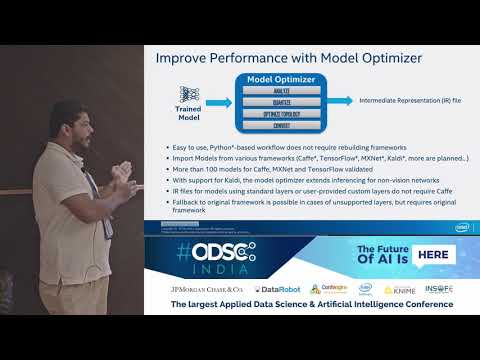](https://www.youtube.com/watch?v=RfRCrq35LXg)
|
||||
<iframe width="560" height="315" src="https://www.youtube.com/embed/RfRCrq35LXg" frameborder="0" allow="accelerometer; autoplay; encrypted-media; gyroscope; picture-in-picture" allowfullscreen></iframe>
|
||||
|
||||
|
||||
## Model optimizer concept
|
||||
|
||||
[](https://www.youtube.com/watch?v=Kl1ptVb7aI8)
|
||||
<iframe width="560" height="315" src="https://www.youtube.com/embed/Kl1ptVb7aI8" frameborder="0" allow="accelerometer; autoplay; encrypted-media; gyroscope; picture-in-picture" allowfullscreen></iframe>
|
||||
|
||||
## Computer Vision with Intel
|
||||
|
||||
[](https://www.youtube.com/watch?v=FZZD4FCvO9c)
|
||||
<iframe width="560" height="315" src="https://www.youtube.com/embed/FZZD4FCvO9c" frameborder="0" allow="accelerometer; autoplay; encrypted-media; gyroscope; picture-in-picture" allowfullscreen></iframe>
|
||||
|
||||
|
||||
|
||||

@@ -1,3 +1,3 @@
|
||||
version https://git-lfs.github.com/spec/v1
|
||||
oid sha256:00ec72e982f658698b599dd8cbcbd50996a1982c4223bce93b807fa6b0c0c825
|
||||
size 233866
|
||||
oid sha256:93dd39fa3196a41ff6d1523ef473c5d0c5c584c24074b4b628e80bc09bd80fbe
|
||||
size 112452
|
||||
|
||||
3
docs/img/caching_enabled.png
Normal file
3
docs/img/caching_enabled.png
Normal file

@@ -0,0 +1,3 @@
|
||||
version https://git-lfs.github.com/spec/v1
|
||||
oid sha256:488a7a47e5086a6868c22219bc9d58a3508059e5a1dc470f2653a12552dea82f
|
||||
size 36207
|
||||
3
docs/img/caching_times.png
Normal file
3
docs/img/caching_times.png
Normal file

@@ -0,0 +1,3 @@
|
||||
version https://git-lfs.github.com/spec/v1
|
||||
oid sha256:2eed189f9cb3d30fe13b4ba4515edd4e6da5d01545660e65fa8a33d945967281
|
||||
size 28894
|
||||

@@ -1,3 +1,3 @@
|
||||
version https://git-lfs.github.com/spec/v1
|
||||
oid sha256:e14f77f61f12c96ccf302667d51348a1e03579679155199910e3ebdf7d6adf06
|
||||
size 37915
|
||||
oid sha256:8cbe1a1c1dc477edc6909a011c1467b375f4f2ba868007befa4b2eccbaa2f2b1
|
||||
size 28229
|
||||
|
||||

@@ -1,3 +1,3 @@
|
||||
version https://git-lfs.github.com/spec/v1
|
||||
oid sha256:e5a472a62de53998194bc1471539139807e00cbb75fd9edc605e7ed99b5630af
|
||||
size 18336
|
||||
oid sha256:d4cbf542d393f920c5731ce973f09836e08aaa35987ef0a19355e3e895179936
|
||||
size 17981
|
||||
|
||||

@@ -1,3 +1,3 @@
|
||||
version https://git-lfs.github.com/spec/v1
|
||||
oid sha256:2f7c58da93fc7966e154bdade48d408401b097f4b0306b7c85aa4256ad72b59d
|
||||
size 18118
|
||||
oid sha256:c57a6e967b6515a34e0c62c4dd850bebc2e009f75f17ddd0a5d74a1028e84668
|
||||
size 19028
|
||||
|
||||

@@ -1,3 +1,3 @@
|
||||
version https://git-lfs.github.com/spec/v1
|
||||
oid sha256:104d8cd5eac2d1714db85df9cba5c2cfcc113ec54d428cd6e979e75e10473be6
|
||||
size 17924
|
||||
oid sha256:690e57d94f5c0c0ea31fc04a214b56ab618eac988a72c89b3542f52b4f44d513
|
||||
size 19507
|
||||
|
||||
3
docs/img/throughput_ovms_bertsmall_fp32.png
Normal file
3
docs/img/throughput_ovms_bertsmall_fp32.png
Normal file

@@ -0,0 +1,3 @@
|
||||
version https://git-lfs.github.com/spec/v1
|
||||
oid sha256:5663cfab7a1611e921fc0b775d946009d6f7a7019e5e9dc6ebe96ccb6c6f1d7f
|
||||
size 20145
|
||||
3
docs/img/throughput_ovms_bertsmall_int8.png
Normal file
3
docs/img/throughput_ovms_bertsmall_int8.png
Normal file

@@ -0,0 +1,3 @@
|
||||
version https://git-lfs.github.com/spec/v1
|
||||
oid sha256:aad18293f64089992862e6a17b5271cc982da89b6b7493516a59252368945c87
|
||||
size 20998
|
||||
3
docs/img/throughput_ovms_mobilenet3large_fp32.png
Normal file
3
docs/img/throughput_ovms_mobilenet3large_fp32.png
Normal file

@@ -0,0 +1,3 @@
|
||||
version https://git-lfs.github.com/spec/v1
|
||||
oid sha256:70daf9e0016e56d8c7bb2f0efe2ac592434962bb8bea95f9120acd7b14d8b5b0
|
||||
size 21763
|
||||
3
docs/img/throughput_ovms_mobilenet3small_fp32.png
Normal file
3
docs/img/throughput_ovms_mobilenet3small_fp32.png
Normal file

@@ -0,0 +1,3 @@
|
||||
version https://git-lfs.github.com/spec/v1
|
||||
oid sha256:3db1f5acdad5880e44965eb71a33ac47aee331ee2f4318e2214786ea5a1e5289
|
||||
size 21923
|
||||
3
docs/img/throughput_ovms_resnet50_fp32_bs_1.png
Normal file
3
docs/img/throughput_ovms_resnet50_fp32_bs_1.png
Normal file

@@ -0,0 +1,3 @@
|
||||
version https://git-lfs.github.com/spec/v1
|
||||
oid sha256:67a7444a934da6e70c77c937fc7a830d1ba2fbde99f3f3260479c39b9b7b1cee
|
||||
size 20279
|
||||

@@ -1,3 +1,3 @@
|
||||
version https://git-lfs.github.com/spec/v1
|
||||
oid sha256:32116d6d1acc20d8cb2fa10e290e052e3146ba1290f1c5e4aaf16a85388b6ec6
|
||||
size 19387
|
||||
oid sha256:5d96e146a1b7d4e48b683de3ed7665c41244ec68cdad94eb79ac497948af9b08
|
||||
size 21255
|
||||
|
||||
3
docs/img/throughput_ovms_ssdmobilenet1_fp32.png
Normal file
3
docs/img/throughput_ovms_ssdmobilenet1_fp32.png
Normal file

@@ -0,0 +1,3 @@
|
||||
version https://git-lfs.github.com/spec/v1
|
||||
oid sha256:d1ab823ea109f908b3e38bf88a7004cfdc374746b5ec4870547fade0f7684035
|
||||
size 20084
|
||||
3
docs/img/throughput_ovms_yolo3_fp32.png
Normal file
3
docs/img/throughput_ovms_yolo3_fp32.png
Normal file

@@ -0,0 +1,3 @@
|
||||
version https://git-lfs.github.com/spec/v1
|
||||
oid sha256:b16674fabd80d73e455c276ef262f3d0a1cf6b00152340dd4e2645330f358432
|
||||
size 19341
|
||||
3
docs/img/throughput_ovms_yolo3tiny_fp32.png
Normal file
3
docs/img/throughput_ovms_yolo3tiny_fp32.png
Normal file

@@ -0,0 +1,3 @@
|
||||
version https://git-lfs.github.com/spec/v1
|
||||
oid sha256:48bc60c34f141a3cb232ae8370468f2861ac36cb926be981ff3153f05d4d5187
|
||||
size 19992
|
||||
3
docs/img/throughput_ovms_yolo4_fp32.png
Normal file
3
docs/img/throughput_ovms_yolo4_fp32.png
Normal file

@@ -0,0 +1,3 @@
|
||||
version https://git-lfs.github.com/spec/v1
|
||||
oid sha256:f472d1fa6058d7ce988e9a2da8b5c6c106d8aa7e90bf2d383d2eaf685a725ab4
|
||||
size 19107
|
||||

@@ -1,3 +1,3 @@
|
||||
version https://git-lfs.github.com/spec/v1
|
||||
oid sha256:b630a7deb8bbcf1d5384c351baff7505dc96a1a5d59b5f6786845d549d93d9ab
|
||||
size 36881
|
||||
oid sha256:5281f26cbaa468dc4cafa4ce2fde35d338fe0f658bbb796abaaf793e951939f6
|
||||
size 13943
|
||||
|
||||
@@ -19,7 +19,7 @@ The following diagram illustrates the typical OpenVINO™ workflow (click to see
|
||||
### Model Preparation, Conversion and Optimization
|
||||
|
||||
You can use your framework of choice to prepare and train a deep learning model or just download a pre-trained model from the Open Model Zoo. The Open Model Zoo includes deep learning solutions to a variety of vision problems, including object recognition, face recognition, pose estimation, text detection, and action recognition, at a range of measured complexities.
|
||||
Several of these pre-trained models are used also in the [code samples](IE_DG/Samples_Overview.md) and [application demos](@ref omz_demos_README). To download models from the Open Model Zoo, the [Model Downloader](@ref omz_tools_downloader_README) tool is used.
|
||||
Several of these pre-trained models are used also in the [code samples](IE_DG/Samples_Overview.md) and [application demos](@ref omz_demos). To download models from the Open Model Zoo, the [Model Downloader](@ref omz_tools_downloader) tool is used.
|
||||
|
||||
One of the core component of the OpenVINO™ toolkit is the [Model Optimizer](MO_DG/Deep_Learning_Model_Optimizer_DevGuide.md) a cross-platform command-line
|
||||
tool that converts a trained neural network from its source framework to an open-source, nGraph-compatible [Intermediate Representation (IR)](MO_DG/IR_and_opsets.md) for use in inference operations. The Model Optimizer imports models trained in popular frameworks such as Caffe*, TensorFlow*, MXNet*, Kaldi*, and ONNX* and performs a few optimizations to remove excess layers and group operations when possible into simpler, faster graphs.
|
||||
@@ -89,17 +89,17 @@ Intel® Distribution of OpenVINO™ toolkit includes the following components:
|
||||
- [Deep Learning Inference Engine](IE_DG/Deep_Learning_Inference_Engine_DevGuide.md): A unified API to allow high performance inference on many hardware types including Intel® CPU, Intel® Integrated Graphics, Intel® Neural Compute Stick 2, Intel® Vision Accelerator Design with Intel® Movidius™ vision processing unit (VPU).
|
||||
- [Inference Engine Samples](IE_DG/Samples_Overview.md): A set of simple console applications demonstrating how to use the Inference Engine in your applications.
|
||||
- [Deep Learning Workbench](@ref workbench_docs_Workbench_DG_Introduction): A web-based graphical environment that allows you to easily use various sophisticated OpenVINO™ toolkit components.
|
||||
- [Post-training Optimization Tool](@ref pot_README): A tool to calibrate a model and then execute it in the INT8 precision.
|
||||
- [Post-Training Optimization Tool](@ref pot_README): A tool to calibrate a model and then execute it in the INT8 precision.
|
||||
- Additional Tools: A set of tools to work with your models including [Benchmark App](../inference-engine/tools/benchmark_tool/README.md), [Cross Check Tool](../inference-engine/tools/cross_check_tool/README.md), [Compile tool](../inference-engine/tools/compile_tool/README.md).
|
||||
- [Open Model Zoo](@ref omz_models_group_intel)
|
||||
- [Demos](@ref omz_demos): Console applications that provide robust application templates to help you implement specific deep learning scenarios.
|
||||
- Additional Tools: A set of tools to work with your models including [Accuracy Checker Utility](@ref omz_tools_accuracy_checker) and [Model Downloader](@ref omz_tools_downloader).
|
||||
- [Documentation for Pretrained Models](@ref omz_models_group_intel): Documentation for pre-trained models that are available in the [Open Model Zoo repository](https://github.com/opencv/open_model_zoo).
|
||||
- Deep Learning Streamer (DL Streamer): Streaming analytics framework, based on GStreamer, for constructing graphs of media analytics components. DL Streamer can be installed by the Intel® Distribution of OpenVINO™ toolkit installer. Its open-source version is available on [GitHub](https://github.com/opencv/gst-video-analytics). For the DL Streamer documentation, see:
|
||||
- [Documentation for Pre-trained Models](@ref omz_models_group_intel): Documentation for pre-trained models that are available in the [Open Model Zoo repository](https://github.com/openvinotoolkit/open_model_zoo).
|
||||
- Deep Learning Streamer (DL Streamer): Streaming analytics framework, based on GStreamer, for constructing graphs of media analytics components. DL Streamer can be installed by the Intel® Distribution of OpenVINO™ toolkit installer. Its open-source version is available on [GitHub](https://github.com/openvinotoolkit/dlstreamer_gst). For the DL Streamer documentation, see:
|
||||
- [DL Streamer Samples](@ref gst_samples_README)
|
||||
- [API Reference](https://openvinotoolkit.github.io/dlstreamer_gst/)
|
||||
- [Elements](https://github.com/opencv/gst-video-analytics/wiki/Elements)
|
||||
- [Tutorial](https://github.com/opencv/gst-video-analytics/wiki/DL%20Streamer%20Tutorial)
|
||||
- [Elements](https://github.com/openvinotoolkit/dlstreamer_gst/wiki/Elements)
|
||||
- [Tutorial](https://github.com/openvinotoolkit/dlstreamer_gst/wiki/DL-Streamer-Tutorial)
|
||||
- [OpenCV](https://docs.opencv.org/master/) : OpenCV* community version compiled for Intel® hardware
|
||||
- [Intel® Media SDK](https://software.intel.com/en-us/media-sdk) (in Intel® Distribution of OpenVINO™ toolkit for Linux only)
|
||||
|
||||
|
||||
@@ -4,7 +4,16 @@ This guide provides installation steps for Intel® Distribution of OpenVINO™ t
|
||||
|
||||
> **IMPORTANT**: By downloading and using this container and the included software, you agree to the terms and conditions of the [software license agreements](https://software.intel.com/content/dam/develop/external/us/en/documents/intel-openvino-license-agreements.pdf). Please, review the content inside the `<openvino_install_root>/licensing` folder for more details.
|
||||
|
||||
> **NOTE**: Intel® Graphics Compute Runtime for OpenCL™ is not a part of OpenVINO™ APT distribution. You can install it from the [Intel® Graphics Compute Runtime for OpenCL™ GitHub repo](https://github.com/intel/compute-runtime).
|
||||
> **NOTE**: Intel® Graphics Compute Runtime for OpenCL™ is not a part of OpenVINO™ APT distribution. You can install it from the [Intel® Graphics Compute Runtime for OpenCL™ GitHub repo](https://github.com/intel/compute-runtime).
|
||||
|
||||
## System Requirements
|
||||
|
||||
The complete list of supported hardware is available in the [Release Notes](https://software.intel.com/content/www/us/en/develop/articles/openvino-relnotes.html#inpage-nav-8).
|
||||
|
||||
**Operating Systems**
|
||||
|
||||
- Ubuntu 18.04.x long-term support (LTS), 64-bit
|
||||
- Ubuntu 20.04.0 long-term support (LTS), 64-bit
|
||||
|
||||
## Included with Runtime Package
|
||||
|
||||
@@ -14,7 +23,7 @@ The following components are installed with the OpenVINO runtime package:
|
||||
|-----------|------------|
|
||||
| [Inference Engine](../IE_DG/Deep_Learning_Inference_Engine_DevGuide.md)| The engine that runs a deep learning model. It includes a set of libraries for an easy inference integration into your applications. |
|
||||
| [OpenCV*](https://docs.opencv.org/master/) | OpenCV* community version compiled for Intel® hardware. |
|
||||
| Deep Learning Streamer (DL Streamer) | Streaming analytics framework, based on GStreamer, for constructing graphs of media analytics components. For the DL Streamer documentation, see [DL Streamer Samples](@ref gst_samples_README), [API Reference](https://openvinotoolkit.github.io/dlstreamer_gst/), [Elements](https://github.com/opencv/gst-video-analytics/wiki/Elements), [Tutorial](https://github.com/opencv/gst-video-analytics/wiki/DL%20Streamer%20Tutorial). |
|
||||
| Deep Learning Streamer (DL Streamer) | Streaming analytics framework, based on GStreamer, for constructing graphs of media analytics components. For the DL Streamer documentation, see [DL Streamer Samples](@ref gst_samples_README), [API Reference](https://openvinotoolkit.github.io/dlstreamer_gst/), [Elements](https://github.com/openvinotoolkit/dlstreamer_gst/wiki/Elements), [Tutorial](https://github.com/openvinotoolkit/dlstreamer_gst/wiki/DL-Streamer-Tutorial). |
|
||||
|
||||
## Included with Developer Package
|
||||
|
||||
@@ -28,53 +37,49 @@ The following components are installed with the OpenVINO developer package:
|
||||
| [Sample Applications](../IE_DG/Samples_Overview.md) | A set of simple console applications demonstrating how to use the Inference Engine in your applications. |
|
||||
| [Demo Applications](@ref omz_demos) | A set of console applications that demonstrate how you can use the Inference Engine in your applications to solve specific use cases. |
|
||||
| Additional Tools | A set of tools to work with your models including [Accuracy Checker utility](@ref omz_tools_accuracy_checker), [Post-Training Optimization Tool Guide](@ref pot_README), [Model Downloader](@ref omz_tools_downloader) and other |
|
||||
| [Documentation for Pre-Trained Models ](@ref omz_models_group_intel) | Documentation for the pre-trained models available in the [Open Model Zoo repo](https://github.com/opencv/open_model_zoo). |
|
||||
| Deep Learning Streamer (DL Streamer) | Streaming analytics framework, based on GStreamer\*, for constructing graphs of media analytics components. For the DL Streamer documentation, see [DL Streamer Samples](@ref gst_samples_README), [API Reference](https://openvinotoolkit.github.io/dlstreamer_gst/), [Elements](https://github.com/opencv/gst-video-analytics/wiki/Elements), [Tutorial](https://github.com/opencv/gst-video-analytics/wiki/DL%20Streamer%20Tutorial). |
|
||||
| [Documentation for Pre-Trained Models ](@ref omz_models_group_intel) | Documentation for the pre-trained models available in the [Open Model Zoo repo](https://github.com/openvinotoolkit/open_model_zoo). |
|
||||
| Deep Learning Streamer (DL Streamer) | Streaming analytics framework, based on GStreamer\*, for constructing graphs of media analytics components. For the DL Streamer documentation, see [DL Streamer Samples](@ref gst_samples_README), [API Reference](https://openvinotoolkit.github.io/dlstreamer_gst/), [Elements](https://github.com/openvinotoolkit/dlstreamer_gst/wiki/Elements), [Tutorial](https://github.com/openvinotoolkit/dlstreamer_gst/wiki/DL-Streamer-Tutorial). |
|
||||
|
||||
## Set up the Repository
|
||||
### Install the GPG key for the repository
|
||||
|
||||
## Install Packages
|
||||
|
||||
### Set up the OpenVINO™ Toolkit APT Repository
|
||||
|
||||
#### Install the GPG key for the Repository
|
||||
|
||||
1. Download the public key from [https://apt.repos.intel.com/openvino/2021/GPG-PUB-KEY-INTEL-OPENVINO-2021](https://apt.repos.intel.com/openvino/2021/GPG-PUB-KEY-INTEL-OPENVINO-2021) and save it to a file.
|
||||
2. Add this key to the system keyring:
|
||||
```sh
|
||||
sudo apt-key add <PATH_TO_DOWNLOADED_GPG_KEY>
|
||||
```
|
||||
> **NOTE**: You might need to install GnuPG: `sudo apt-get install gnupg`
|
||||
|
||||
3. Check the list of APT keys running the following command:
|
||||
```sh
|
||||
sudo apt-key list
|
||||
```
|
||||
|
||||
### Add the APT Repository
|
||||
#### Add the Repository
|
||||
|
||||
Run the following command:
|
||||
```sh
|
||||
echo "deb https://apt.repos.intel.com/openvino/2021 all main" | sudo tee /etc/apt/sources.list.d/intel-openvino-2021.list
|
||||
```
|
||||
|
||||
### Update the list of packages
|
||||
#### Update the List of Packages
|
||||
|
||||
Run the `update` command:
|
||||
```sh
|
||||
sudo apt update
|
||||
```
|
||||
There are full release Runtime and Developer packages, and also some available components.
|
||||
|
||||
**Runtime Packages**
|
||||
- Ubuntu 18.04: `intel-openvino-runtime-ubuntu18`
|
||||
- Ubuntu 20.04: `intel-openvino-runtime-ubuntu20`
|
||||
|
||||
**Developer Packages**
|
||||
- Ubuntu 18.04: `intel-openvino-dev-ubuntu18`
|
||||
- Ubuntu 20.04: `intel-openvino-dev-ubuntu20`
|
||||
|
||||
### Get the list of available packages
|
||||
#### Verify that the APT Repository is Properly Set Up
|
||||
|
||||
Run the `apt-cache` command to see a list of all available OpenVINO packages and components:
|
||||
```sh
|
||||
apt-cache search openvino
|
||||
```
|
||||
|
||||
#### Examples
|
||||
See the example commands below:
|
||||
|
||||
* **Runtime Packages**
|
||||
|
||||
@@ -97,29 +102,23 @@ apt-cache search openvino
|
||||
sudo apt-cache search intel-openvino-dev-ubuntu20
|
||||
```
|
||||
|
||||
|
||||
## Install the runtime or developer packages using the APT Package Manager
|
||||
Intel® OpenVINO will be installed in: `/opt/intel/openvino_<VERSION>.<UPDATE>.<BUILD_NUM>`
|
||||
### Install Runtime or Developer Packages using the APT Package Manager
|
||||
Intel® OpenVINO™ Toolkit will be installed in: `/opt/intel/openvino_<VERSION>.<UPDATE>.<BUILD_NUM>`
|
||||
|
||||
A symlink will be created: `/opt/intel/openvino_<VERSION>`
|
||||
|
||||
---
|
||||
### To Install a specific version
|
||||
|
||||
To get a list of OpenVINO packages available for installation:
|
||||
#### To Install a Specific Version
|
||||
|
||||
1. Get a list of OpenVINO packages available for installation:
|
||||
```sh
|
||||
sudo apt-cache search intel-openvino-runtime-ubuntu18
|
||||
```
|
||||
|
||||
To install a specific version of an OpenVINO package:
|
||||
2. Install a specific version of an OpenVINO package:
|
||||
```sh
|
||||
sudo apt install intel-openvino-<PACKAGE_TYPE>-ubuntu<OS_VERSION>-<VERSION>.<UPDATE>.<BUILD_NUM>
|
||||
```
|
||||
|
||||
#### Examples
|
||||
* **Runtime Package**
|
||||
|
||||
See the example commands below:
|
||||
* **Runtime Package**<br>
|
||||
On Ubuntu 18.04:
|
||||
```sh
|
||||
sudo apt install intel-openvino-runtime-ubuntu18-2021.1.105
|
||||
@@ -138,10 +137,17 @@ sudo apt install intel-openvino-<PACKAGE_TYPE>-ubuntu<OS_VERSION>-<VERSION>.<UPD
|
||||
sudo apt install intel-openvino-dev-ubuntu20-2021.1.105
|
||||
```
|
||||
|
||||
---
|
||||
### To Uninstall a specific version
|
||||
#### To check for Installed Packages and Versions
|
||||
|
||||
To uninstall a specific full runtime package:
|
||||
To get a list of installed OpenVINO packages:
|
||||
|
||||
```sh
|
||||
apt list --installed | grep openvino
|
||||
```
|
||||
|
||||
#### To Uninstall a Specific Version
|
||||
|
||||
To uninstall a specific package:
|
||||
```sh
|
||||
sudo apt autoremove intel-openvino-<PACKAGE_TYPE>-ubuntu<OS_VERSION>-<VERSION>.<UPDATE>.<BUILD_NUM>
|
||||
```
|
||||
|
||||
@@ -2,22 +2,39 @@
|
||||
|
||||
This guide provides installation steps for Intel® Distribution of OpenVINO™ toolkit distributed through the Anaconda* Cloud.
|
||||
|
||||
> **NOTE**: Only runtime packages are available from Anaconda* Cloud.
|
||||
|
||||
## Introduction
|
||||
|
||||
OpenVINO™ toolkit is a comprehensive toolkit for quickly developing applications and solutions that solve a variety of tasks including emulation of human vision, automatic speech recognition, natural language processing, recommendation systems, and many others. Based on latest generations of artificial neural networks, including Convolutional Neural Networks (CNNs), recurrent and attention-based networks, the toolkit extends computer vision and non-vision workloads across Intel® hardware, maximizing performance. It accelerates applications with high-performance, AI and deep learning inference deployed from edge to cloud.
|
||||
|
||||
The Intel® Distribution of OpenVINO™ toolkit\*:
|
||||
- Enables CNN-based deep learning inference on the edge
|
||||
- Supports heterogeneous execution across Intel® CPU, Intel® Integrated Graphics, Intel® Neural Compute Stick 2, and Intel® Vision Accelerator Design with Intel® Movidius™ VPUs
|
||||
- Speeds time-to-market via an easy-to-use library of computer vision functions and pre-optimized kernels
|
||||
The **runtime package** includes the following components installed by default:
|
||||
|
||||
| Component | Description |
|
||||
|-----------------------------------------------------------------------------------------------------|---------------------------------------------------------------------------------------------------------------------------------------------------------------------------------------------------------------------------------------------------------------------------------------------------------------|
|
||||
| [Inference Engine](../IE_DG/Deep_Learning_Inference_Engine_DevGuide.md) | This is the engine that runs the deep learning model. It includes a set of libraries for an easy inference integration into your applications. |
|
||||
|
||||
## System Requirements
|
||||
|
||||
**Software**
|
||||
|
||||
- [Anaconda* distribution](https://www.anaconda.com/products/individual/)
|
||||
|
||||
**Operating Systems**
|
||||
|
||||
- Ubuntu* 18.04 long-term support (LTS), 64-bit
|
||||
- CentOS* 7.6, 64-bit
|
||||
- macOS* 10.14.x versions.
|
||||
- Windows 10*, 64-bit Pro, Enterprise or Education (1607 Anniversary Update, Build 14393 or higher) editions
|
||||
- Windows Server* 2016 or higher
|
||||
| Supported Operating System | [Python* Version (64-bit)](https://www.python.org/) |
|
||||
| :------------------------------------------------------------| :---------------------------------------------------|
|
||||
| Ubuntu* 18.04 long-term support (LTS), 64-bit | 3.6, 3.7 |
|
||||
| Ubuntu* 20.04 long-term support (LTS), 64-bit | 3.6, 3.7 |
|
||||
| CentOS* 7.6, 64-bit | 3.6, 3.7 |
|
||||
| macOS* 10.15.x | 3.6, 3.7 |
|
||||
| Windows 10*, 64-bit | 3.6, 3.7 |
|
||||
|
||||
|
||||
|
||||
## Install the runtime package using the Anaconda* Package Manager
|
||||
## Install the Runtime Package using the Anaconda* Package Manager
|
||||
|
||||
1. Set up the Anaconda* environment:
|
||||
```sh
|
||||
@@ -26,12 +43,20 @@ This guide provides installation steps for Intel® Distribution of OpenVINO™ t
|
||||
```sh
|
||||
conda activate py37
|
||||
```
|
||||
2. Updated conda to the latest version:
|
||||
2. Update Anaconda environment to the latest version:
|
||||
```sh
|
||||
conda update --all
|
||||
```
|
||||
3. Install the Intel® Distribution of OpenVINO™ Toolkit:
|
||||
- Ubuntu* 18.04
|
||||
3. Install pre-requisites:
|
||||
```sh
|
||||
conda install numpy
|
||||
```
|
||||
4. Install the Intel® Distribution of OpenVINO™ Toolkit:
|
||||
- Ubuntu* 20.04
|
||||
```sh
|
||||
conda install openvino-ie4py-ubuntu20 -c intel
|
||||
```
|
||||
- Ubuntu* 18.04
|
||||
```sh
|
||||
conda install openvino-ie4py-ubuntu18 -c intel
|
||||
```
|
||||
@@ -43,19 +68,13 @@ This guide provides installation steps for Intel® Distribution of OpenVINO™ t
|
||||
```sh
|
||||
conda install openvino-ie4py -c intel
|
||||
```
|
||||
4. Verify the package installed:
|
||||
5. Verify the package is installed:
|
||||
```sh
|
||||
python -c "import openvino"
|
||||
python -c "from openvino.inference_engine import IECore"
|
||||
```
|
||||
|
||||
Now you can start to develop and run your application.
|
||||
|
||||
|
||||
## Known Issues and Limitations
|
||||
|
||||
- You cannot use Python bindings included in Intel® Distribution of OpenVINO™ toolkit with [Anaconda* distribution](https://www.anaconda.com/products/individual/)
|
||||
- You cannot use Python OpenVINO™ bindings included in Anaconda* package with official [Python distribution](https://www.python.org/).
|
||||
If installation was successful, you will not see any error messages (no console output).
|
||||
|
||||
Now you can start developing your application.
|
||||
|
||||
## Additional Resources
|
||||
|
||||
|
||||
@@ -27,8 +27,9 @@ Prebuilt images are available on:
|
||||
|
||||
## Build a Docker* Image
|
||||
|
||||
You can use [available Dockerfiles](https://github.com/openvinotoolkit/docker_ci/tree/master/dockerfiles) or generate a Dockerfile with your setting via [DockerHub CI Framework](https://github.com/openvinotoolkit/docker_ci). The Framework can generate a Dockerfile, build, test, and deploy an image with the Intel® Distribution of OpenVINO™ toolkit.
|
||||
You can also try our [Tutorials](https://github.com/openvinotoolkit/docker_ci/tree/master/docs/tutorials) which demonstrate the usage of OpenVINO™ Docker containers.
|
||||
You can use [available Dockerfiles](https://github.com/openvinotoolkit/docker_ci/tree/master/dockerfiles) or generate a Dockerfile with your setting via [DockerHub CI Framework](https://github.com/openvinotoolkit/docker_ci).
|
||||
The Framework can generate a Dockerfile, build, test, and deploy an image with the Intel® Distribution of OpenVINO™ toolkit.
|
||||
You can also try our [Tutorials](https://github.com/openvinotoolkit/docker_ci/tree/master/docs/tutorials) which demonstrate the usage of Docker containers with Intel® Distribution of OpenVINO™ toolkit. You can find device specific steps to configure an Intel® Distribution of OpenVINO™ toolkit Dockerfile below.
|
||||
|
||||
## Use Docker* Image for CPU
|
||||
|
||||
@@ -36,34 +37,40 @@ You can also try our [Tutorials](https://github.com/openvinotoolkit/docker_ci/tr
|
||||
- All instructions that are available to host process available for process in container, including, for example, AVX2, AVX512. No restrictions.
|
||||
- Docker\* does not use virtualization or emulation. The process in Docker* is just a regular Linux process, but it is isolated from external world on kernel level. Performance penalty is small.
|
||||
|
||||
### <a name="building-for-cpu"></a>Build a Docker* Image for CPU
|
||||
### <a name="configuring-for-cpu"></a>Configure a Docker* Image for CPU
|
||||
|
||||
You can use [available Dockerfiles](https://github.com/openvinotoolkit/docker_ci/tree/master/dockerfiles) or generate a Dockerfile with your setting via [DockerHub CI Framework](https://github.com/openvinotoolkit/docker_ci) for Intel® Distribution of OpenVINO™ toolkit.
|
||||
The Framework can generate a Dockerfile, build, test, and deploy an image with the Intel® Distribution of OpenVINO™ toolkit.
|
||||
You don't need to do specific steps to configure an Intel® Distribution of OpenVINO™ toolkit Dockerfile for CPU. You can use [available Dockerfiles](https://github.com/openvinotoolkit/docker_ci/tree/master/dockerfiles) or generate a Dockerfile with your setting via [DockerHub CI Framework](https://github.com/openvinotoolkit/docker_ci).
|
||||
|
||||
### Run the Docker* Image for CPU
|
||||
|
||||
Run the image with the following command:
|
||||
|
||||
```sh
|
||||
docker run -it --rm <image_name>
|
||||
```
|
||||
|
||||
## Use a Docker* Image for GPU
|
||||
### Build a Docker* Image for GPU
|
||||
|
||||
### Configure a Docker* Image for GPU
|
||||
|
||||
> **NOTE**: Only Intel® integrated graphics are supported.
|
||||
|
||||
**Prerequisites:**
|
||||
|
||||
- GPU is not available in container by default, you must attach it to the container.
|
||||
- Kernel driver must be installed on the host.
|
||||
- Intel® OpenCL™ runtime package must be included into the container.
|
||||
- In the container, non-root user must be in the `video` and `render` groups. To add a user to the render group, follow the [Configuration Guide for the Intel® Graphics Compute Runtime for OpenCL™ on Ubuntu* 20.04](https://github.com/openvinotoolkit/docker_ci/blob/master/configure_gpu_ubuntu20.md).
|
||||
- In the container, non-root user must be in the `video` and `render` groups. To add a user to the render group, follow the [Configuration Guide for the Intel® Graphics Compute Runtime for OpenCL™ on Ubuntu* 20.04](https://github.com/openvinotoolkit/docker_ci/blob/master/configure_gpu_ubuntu20.md).
|
||||
|
||||
|
||||
Before building a Docker* image on GPU, add the following commands to a Dockerfile:
|
||||
To configure a OpenVINO Docker* image with access to GPU, add the following commands to a Dockerfile:
|
||||
|
||||
**Ubuntu 18.04/20.04**:
|
||||
|
||||
```sh
|
||||
WORKDIR /tmp/opencl
|
||||
RUN useradd -ms /bin/bash -G video,users openvino && \
|
||||
chown openvino -R /home/openvino
|
||||
|
||||
RUN apt-get update && \
|
||||
apt-get install -y --no-install-recommends ocl-icd-libopencl1 && \
|
||||
rm -rf /var/lib/apt/lists/* && \
|
||||
@@ -76,7 +83,24 @@ RUN apt-get update && \
|
||||
ldconfig && \
|
||||
rm /tmp/opencl
|
||||
```
|
||||
|
||||
or you can use the installation script `install_NEO_OCL_driver.sh` if you previously installed OpenVINO in the Dockerfile, where `INTEL_OPENCL` is the variable to store the default version of Intel® Graphics Compute Runtime for OpenCL™ Driver:
|
||||
|
||||
```sh
|
||||
WORKDIR /tmp/opencl
|
||||
RUN useradd -ms /bin/bash -G video,users openvino && \
|
||||
chown openvino -R /home/openvino
|
||||
|
||||
# Please use `20.35.17767` for 10th generation Intel® Core™ processor (formerly Ice Lake) or 11th generation Intel® Core™ processor (formerly Tiger Lake)
|
||||
ARG INTEL_OPENCL=19.41.14441
|
||||
|
||||
WORKDIR ${INTEL_OPENVINO_DIR}/install_dependencies
|
||||
RUN ./install_NEO_OCL_driver.sh --no_numa -y --install_driver ${INTEL_OPENCL} && \
|
||||
rm -rf /var/lib/apt/lists/*
|
||||
```
|
||||
|
||||
**CentOS 7/RHEL 8**:
|
||||
|
||||
```sh
|
||||
WORKDIR /tmp/opencl
|
||||
RUN useradd -ms /bin/bash -G video,users openvino && \
|
||||
@@ -98,9 +122,27 @@ RUN yum update -y && yum install -y https://dl.fedoraproject.org/pub/epel/epel-r
|
||||
yum remove -y epel-release
|
||||
```
|
||||
|
||||
or you can use the installation script `install_NEO_OCL_driver.sh` if you previously installed OpenVINO in the Dockerfile, where `INTEL_OPENCL` is the variable to store the default version of Intel® Graphics Compute Runtime for OpenCL™ Driver:
|
||||
|
||||
```sh
|
||||
WORKDIR /tmp/opencl
|
||||
RUN useradd -ms /bin/bash -G video,users openvino && \
|
||||
chown openvino -R /home/openvino
|
||||
RUN groupmod -g 44 video
|
||||
|
||||
# Please use `20.35.17767` for 10th generation Intel® Core™ processor (formerly Ice Lake) or 11th generation Intel® Core™ processor (formerly Tiger Lake)
|
||||
ARG INTEL_OPENCL=19.41.14441
|
||||
|
||||
WORKDIR ${INTEL_OPENVINO_DIR}/install_dependencies
|
||||
RUN ./install_NEO_OCL_driver.sh --no_numa -y --install_driver ${INTEL_OPENCL} && \
|
||||
yum clean all && rm -rf /var/cache/yum && \
|
||||
yum remove -y epel-release
|
||||
```
|
||||
|
||||
### Run the Docker* Image for GPU
|
||||
|
||||
To make GPU available in the container, attach the GPU to the container using `--device /dev/dri` option and run the container:
|
||||
|
||||
```sh
|
||||
docker run -it --rm --device /dev/dri <image_name>
|
||||
```
|
||||
@@ -108,7 +150,7 @@ docker run -it --rm --device /dev/dri <image_name>
|
||||
|
||||
## Use a Docker* Image for Intel® Neural Compute Stick 2
|
||||
|
||||
### Build and Run the Docker* Image for Intel® Neural Compute Stick 2
|
||||
### Configure and Run the Docker* Image for Intel® Neural Compute Stick 2
|
||||
|
||||
**Known limitations:**
|
||||
|
||||
@@ -118,7 +160,8 @@ docker run -it --rm --device /dev/dri <image_name>
|
||||
|
||||
Use one of the following options as **Possible solutions for Intel® Neural Compute Stick 2:**
|
||||
|
||||
#### Option #1
|
||||
#### Option 1
|
||||
|
||||
1. Get rid of UDEV by rebuilding `libusb` without UDEV support in the Docker* image (add the following commands to a `Dockerfile`):
|
||||
- **Ubuntu 18.04/20.04**:
|
||||
```sh
|
||||
@@ -192,22 +235,23 @@ RUN /usr/bin/install -c -m 644 libusb-1.0.pc '/usr/local/lib/pkgconfig' && \
|
||||
docker run -it --rm --device-cgroup-rule='c 189:* rmw' -v /dev/bus/usb:/dev/bus/usb <image_name>
|
||||
```
|
||||
|
||||
#### Option #2
|
||||
#### Option 2
|
||||
Run container in the privileged mode, enable the Docker network configuration as host, and mount all devices to the container:
|
||||
```sh
|
||||
docker run -it --rm --privileged -v /dev:/dev --network=host <image_name>
|
||||
```
|
||||
> **NOTES**:
|
||||
>
|
||||
> - It is not secure.
|
||||
> - Conflicts with Kubernetes* and other tools that use orchestration and private networks may occur.
|
||||
|
||||
## Use a Docker* Image for Intel® Vision Accelerator Design with Intel® Movidius™ VPUs
|
||||
|
||||
### Build Docker* Image for Intel® Vision Accelerator Design with Intel® Movidius™ VPUs
|
||||
### Configure Docker* Image for Intel® Vision Accelerator Design with Intel® Movidius™ VPUs
|
||||
To use the Docker container for inference on Intel® Vision Accelerator Design with Intel® Movidius™ VPUs:
|
||||
|
||||
1. Set up the environment on the host machine, that is going to be used for running Docker*.
|
||||
It is required to execute `hddldaemon`, which is responsible for communication between the HDDL plugin and the board.
|
||||
1. Set up the environment on the host machine, that is going to be used for running Docker*.
|
||||
It is required to execute `hddldaemon`, which is responsible for communication between the HDDL plugin and the board.
|
||||
To learn how to set up the environment (the OpenVINO package or HDDL package must be pre-installed), see [Configuration guide for HDDL device](https://github.com/openvinotoolkit/docker_ci/blob/master/install_guide_vpu_hddl.md) or [Configuration Guide for Intel® Vision Accelerator Design with Intel® Movidius™ VPUs](installing-openvino-linux-ivad-vpu.md).
|
||||
2. Prepare the Docker* image (add the following commands to a Dockerfile).
|
||||
- **Ubuntu 18.04**:
|
||||
@@ -255,50 +299,57 @@ $HDDL_INSTALL_DIR/hddldaemon
|
||||
### Run the Docker* Image for Intel® Vision Accelerator Design with Intel® Movidius™ VPUs
|
||||
|
||||
To run the built Docker* image for Intel® Vision Accelerator Design with Intel® Movidius™ VPUs, use the following command:
|
||||
|
||||
```sh
|
||||
docker run -it --rm --device=/dev/ion:/dev/ion -v /var/tmp:/var/tmp <image_name>
|
||||
```
|
||||
|
||||
> **NOTES**:
|
||||
>
|
||||
> - The device `/dev/ion` need to be shared to be able to use ion buffers among the plugin, `hddldaemon` and the kernel.
|
||||
>
|
||||
> - The device `/dev/ion` needs to be shared to be able to use ion buffers among the plugin, `hddldaemon` and the kernel.
|
||||
> - Since separate inference tasks share the same HDDL service communication interface (the service creates mutexes and a socket file in `/var/tmp`), `/var/tmp` needs to be mounted and shared among them.
|
||||
|
||||
In some cases, the ion driver is not enabled (for example, due to a newer kernel version or iommu incompatibility). `lsmod | grep myd_ion` returns empty output. To resolve, use the following command:
|
||||
In some cases, the ion driver is not enabled (for example, due to a newer kernel version or iommu (Input-Output Memory Management Unit) incompatibility). `lsmod | grep myd_ion` returns empty output. To resolve, use the following command:
|
||||
|
||||
```sh
|
||||
docker run -it --rm --net=host -v /var/tmp:/var/tmp –ipc=host <image_name>
|
||||
docker run -it --rm --net=host -v /var/tmp:/var/tmp –-ipc=host <image_name>
|
||||
```
|
||||
|
||||
> **NOTES**:
|
||||
>
|
||||
> - When building docker images, create a user in the docker file that has the same UID and GID as the user which runs hddldaemon on the host.
|
||||
> - Run the application in the docker with this user.
|
||||
>
|
||||
> - When building Docker images, create a user in the Dockerfile that has the same UID(User Identifier) and GID(Group Identifier) as the user which runs hddldaemon on the host.
|
||||
> - Run the application in the Docker image with this user.
|
||||
> - Alternatively, you can start hddldaemon with the root user on host, but this approach is not recommended.
|
||||
|
||||
### Run Demos in the Docker* Image
|
||||
### Run Demos in the Docker* Image
|
||||
|
||||
To run the Security Barrier Camera Demo on a specific inference device, run the following commands with the root privileges (additional third-party dependencies will be installed):
|
||||
|
||||
**CPU**:
|
||||
|
||||
```sh
|
||||
docker run -itu root:root --rm --device=/dev/ion:/dev/ion -v /var/tmp:/var/tmp --device /dev/dri:/dev/dri --device-cgroup-rule='c 189:* rmw' -v /dev/bus/usb:/dev/bus/usb <image_name>
|
||||
docker run -itu root:root --rm <image_name>
|
||||
/bin/bash -c "apt update && apt install sudo && deployment_tools/demo/demo_security_barrier_camera.sh -d CPU -sample-options -no_show"
|
||||
```
|
||||
|
||||
**GPU**:
|
||||
|
||||
```sh
|
||||
docker run -itu root:root --rm --device=/dev/ion:/dev/ion -v /var/tmp:/var/tmp --device /dev/dri:/dev/dri --device-cgroup-rule='c 189:* rmw' -v /dev/bus/usb:/dev/bus/usb <image_name>
|
||||
docker run -itu root:root --rm --device /dev/dri:/dev/dri <image_name>
|
||||
/bin/bash -c "apt update && apt install sudo && deployment_tools/demo/demo_security_barrier_camera.sh -d GPU -sample-options -no_show"
|
||||
```
|
||||
|
||||
**MYRIAD**:
|
||||
|
||||
```sh
|
||||
docker run -itu root:root --rm --device=/dev/ion:/dev/ion -v /var/tmp:/var/tmp --device /dev/dri:/dev/dri --device-cgroup-rule='c 189:* rmw' -v /dev/bus/usb:/dev/bus/usb <image_name>
|
||||
docker run -itu root:root --rm --device-cgroup-rule='c 189:* rmw' -v /dev/bus/usb:/dev/bus/usb <image_name>
|
||||
/bin/bash -c "apt update && apt install sudo && deployment_tools/demo/demo_security_barrier_camera.sh -d MYRIAD -sample-options -no_show"
|
||||
```
|
||||
|
||||
**HDDL**:
|
||||
|
||||
```sh
|
||||
docker run -itu root:root --rm --device=/dev/ion:/dev/ion -v /var/tmp:/var/tmp --device /dev/dri:/dev/dri --device-cgroup-rule='c 189:* rmw' -v /dev/bus/usb:/dev/bus/usb <image_name>
|
||||
docker run -itu root:root --rm --device=/dev/ion:/dev/ion -v /var/tmp:/var/tmp <image_name>
|
||||
/bin/bash -c "apt update && apt install sudo && deployment_tools/demo/demo_security_barrier_camera.sh -d HDDL -sample-options -no_show"
|
||||
```
|
||||
|
||||
@@ -312,12 +363,12 @@ For instructions for previous releases with FPGA Support, see documentation for
|
||||
|
||||
## Troubleshooting
|
||||
|
||||
If you got proxy issues, please setup proxy settings for Docker. See the Proxy section in the [Install the DL Workbench from Docker Hub* ](@ref workbench_docs_Workbench_DG_Install_from_Docker_Hub) topic.
|
||||
If you got proxy issues, please setup proxy settings for Docker. See the Proxy section in the [Install the DL Workbench from Docker Hub* ](@ref workbench_docs_Workbench_DG_Run_Locally) topic.
|
||||
|
||||
## Additional Resources
|
||||
|
||||
* [DockerHub CI Framework](https://github.com/openvinotoolkit/docker_ci) for Intel® Distribution of OpenVINO™ toolkit. The Framework can generate a Dockerfile, build, test, and deploy an image with the Intel® Distribution of OpenVINO™ toolkit. You can reuse available Dockerfiles, add your layer and customize the image of OpenVINO™ for your needs.
|
||||
- [DockerHub CI Framework](https://github.com/openvinotoolkit/docker_ci) for Intel® Distribution of OpenVINO™ toolkit. The Framework can generate a Dockerfile, build, test, and deploy an image with the Intel® Distribution of OpenVINO™ toolkit. You can reuse available Dockerfiles, add your layer and customize the image of OpenVINO™ for your needs.
|
||||
|
||||
* Intel® Distribution of OpenVINO™ toolkit home page: [https://software.intel.com/en-us/openvino-toolkit](https://software.intel.com/en-us/openvino-toolkit)
|
||||
- Intel® Distribution of OpenVINO™ toolkit home page: [https://software.intel.com/en-us/openvino-toolkit](https://software.intel.com/en-us/openvino-toolkit)
|
||||
|
||||
* Intel® Neural Compute Stick 2 Get Started: [https://software.intel.com/en-us/neural-compute-stick/get-started](https://software.intel.com/en-us/neural-compute-stick/get-started)
|
||||
- Intel® Neural Compute Stick 2 Get Started: [https://software.intel.com/en-us/neural-compute-stick/get-started](https://software.intel.com/en-us/neural-compute-stick/get-started)
|
||||
|
||||
@@ -2,13 +2,14 @@
|
||||
|
||||
The Intel® Distribution of OpenVINO™ toolkit quickly deploys applications and solutions that emulate human vision. Based on Convolutional Neural Networks (CNN), the toolkit extends computer vision (CV) workloads across Intel® hardware, maximizing performance. The Intel® Distribution of OpenVINO™ toolkit includes the Intel® Deep Learning Deployment Toolkit.
|
||||
|
||||
This guide provides device specifics for a Docker* image creation with Intel® Distribution of OpenVINO™ toolkit for Linux* and its further usage.
|
||||
This guide provides device specifics for a Docker* image creation with Intel® Distribution of OpenVINO™ toolkit for Windows* and its further usage.
|
||||
|
||||
## System Requirements
|
||||
|
||||
**Target Operating Systems**
|
||||
|
||||
- Windows Server Core*
|
||||
- Windows Server Core* OS
|
||||
- Windows base* OS
|
||||
|
||||
**Host Operating Systems**
|
||||
|
||||
@@ -21,43 +22,46 @@ Prebuilt images are available on [Docker Hub](https://hub.docker.com/u/openvino)
|
||||
|
||||
## Build a Docker* Image
|
||||
|
||||
You can use [available Dockerfiles](https://github.com/openvinotoolkit/docker_ci/tree/master/dockerfiles) or generate a Dockerfile with your setting via [DockerHub CI Framework](https://github.com/openvinotoolkit/docker_ci). The Framework can generate a Dockerfile, build, test, and deploy an image with the Intel® Distribution of OpenVINO™ toolkit.
|
||||
You can use [available Dockerfiles](https://github.com/openvinotoolkit/docker_ci/tree/master/dockerfiles) or generate a Dockerfile with your setting via [DockerHub CI Framework](https://github.com/openvinotoolkit/docker_ci).
|
||||
The Framework can generate a Dockerfile, build, test, and deploy an image with the Intel® Distribution of OpenVINO™ toolkit. You can find device specific steps to configure an Intel® Distribution of OpenVINO™ toolkit Dockerfile below.
|
||||
|
||||
## Build and Run the Docker* Image for CPU
|
||||
## Configure and Run the Docker* Image for CPU
|
||||
|
||||
## Install Additional Dependencies
|
||||
|
||||
### Install CMake
|
||||
|
||||
To add CMake to the image, add the following commands to the Dockerfile:
|
||||
~~~
|
||||
|
||||
```bat
|
||||
RUN powershell.exe -Command `
|
||||
Invoke-WebRequest -URI https://cmake.org/files/v3.14/cmake-3.14.7-win64-x64.msi -OutFile %TMP%\\cmake-3.14.7-win64-x64.msi ; `
|
||||
Start-Process %TMP%\\cmake-3.14.7-win64-x64.msi -ArgumentList '/quiet /norestart' -Wait ; `
|
||||
Remove-Item %TMP%\\cmake-3.14.7-win64-x64.msi -Force
|
||||
|
||||
RUN SETX /M PATH "C:\Program Files\CMake\Bin;%PATH%"
|
||||
~~~
|
||||
In case of proxy issues, please add the `ARG HTTPS_PROXY` and `-Proxy %%HTTPS_PROXY%` settings to the `powershell.exe` command to the Dockerfile. Then build a docker image:
|
||||
~~~
|
||||
```
|
||||
|
||||
In case of proxy issues, please add the `ARG HTTPS_PROXY` and `-Proxy %%HTTPS_PROXY%` settings to the `powershell.exe` command to the Dockerfile. Then build a Docker image:
|
||||
|
||||
```bat
|
||||
docker build . -t <image_name> `
|
||||
--build-arg HTTPS_PROXY=<https://your_proxy_server:port>
|
||||
~~~
|
||||
```
|
||||
|
||||
### Install Microsoft Visual Studio* Build Tools
|
||||
|
||||
You can add Microsoft Visual Studio Build Tools* to a Windows* OS Docker image. Available options are to use offline installer for Build Tools
|
||||
(follow the [Instruction for the offline installer](https://docs.microsoft.com/en-us/visualstudio/install/create-an-offline-installation-of-visual-studio?view=vs-2019)) or
|
||||
to use the online installer for Build Tools (follow [Instruction for the online installer](https://docs.microsoft.com/en-us/visualstudio/install/build-tools-container?view=vs-2019)).
|
||||
Microsoft Visual Studio Build Tools* are licensed as a supplement your existing Microsoft Visual Studio* license.
|
||||
You can add Microsoft Visual Studio Build Tools* to a Windows* OS Docker image using the [offline](https://docs.microsoft.com/en-us/visualstudio/install/create-an-offline-installation-of-visual-studio?view=vs-2019) or [online](https://docs.microsoft.com/en-us/visualstudio/install/build-tools-container?view=vs-2019) installers for Build Tools.
|
||||
Microsoft Visual Studio Build Tools* are licensed as a supplement your existing Microsoft Visual Studio* license.
|
||||
Any images built with these tools should be for your personal use or for use in your organization in accordance with your existing Visual Studio* and Windows* licenses.
|
||||
|
||||
To add MSBuild 2019 to the image, add the following commands to the Dockerfile:
|
||||
~~~
|
||||
|
||||
```bat
|
||||
RUN powershell.exe -Command Invoke-WebRequest -URI https://aka.ms/vs/16/release/vs_buildtools.exe -OutFile %TMP%\\vs_buildtools.exe
|
||||
|
||||
RUN %TMP%\\vs_buildtools.exe --quiet --norestart --wait --nocache `
|
||||
--installPath "C:\Program Files (x86)\Microsoft Visual Studio\2019\BuildTools" `
|
||||
--installPath "C:\Program Files (x86)\Microsoft Visual Studio\2019\BuildTools" `
|
||||
--add Microsoft.VisualStudio.Workload.MSBuildTools `
|
||||
--add Microsoft.VisualStudio.Workload.UniversalBuildTools `
|
||||
--add Microsoft.VisualStudio.Workload.VCTools --includeRecommended `
|
||||
@@ -65,86 +69,88 @@ RUN %TMP%\\vs_buildtools.exe --quiet --norestart --wait --nocache `
|
||||
--remove Microsoft.VisualStudio.Component.Windows10SDK.10586 `
|
||||
--remove Microsoft.VisualStudio.Component.Windows10SDK.14393 `
|
||||
--remove Microsoft.VisualStudio.Component.Windows81SDK || IF "%ERRORLEVEL%"=="3010" EXIT 0 && powershell set-executionpolicy remotesigned
|
||||
~~~
|
||||
In case of proxy issues, please use an offline installer for Build Tools (follow [Instruction for the offline installer](https://docs.microsoft.com/en-us/visualstudio/install/create-an-offline-installation-of-visual-studio?view=vs-2019).
|
||||
```
|
||||
|
||||
In case of proxy issues, please use the [offline installer for Build Tools](https://docs.microsoft.com/en-us/visualstudio/install/create-an-offline-installation-of-visual-studio?view=vs-2019).
|
||||
|
||||
## Run the Docker* Image for CPU
|
||||
|
||||
To install the OpenVINO toolkit from the prepared Docker image, run the image with the following command:
|
||||
~~~
|
||||
To start the interactive session, run the following command allows inference on the CPU:
|
||||
|
||||
```bat
|
||||
docker run -it --rm <image_name>
|
||||
~~~
|
||||
```
|
||||
|
||||
If you want to try some demos then run image with the root privileges (some additional 3-rd party dependencies will be installed):
|
||||
~~~
|
||||
docker run -itu ContainerAdministrator --rm <image_name> cmd /S /C "cd deployment_tools\demo && demo_security_barrier_camera.bat -d CPU -sample-options -no_show"
|
||||
~~~
|
||||
|
||||
## Build and Run the Docker* Image for GPU
|
||||
```bat
|
||||
docker run -itu ContainerAdministrator --rm <image_name> cmd /S /C "cd deployment_tools\demo && demo_security_barrier_camera.bat -d CPU -sample-options -no_show"
|
||||
```
|
||||
|
||||
## Configure and Run the Docker* Image for GPU
|
||||
|
||||
GPU Acceleration in Windows containers feature requires to meet Windows host, OpenVINO toolkit and Docker* requirements:
|
||||
|
||||
* [Windows requirements](https://docs.microsoft.com/en-us/virtualization/windowscontainers/deploy-containers/gpu-acceleration):
|
||||
* The container host must be running Windows Server 2019 or Windows 10 of version 1809 or higher.
|
||||
* The container base image must be `mcr.microsoft.com/windows:1809` or higher. Windows Server Core and Nano Server container images are not currently supported.
|
||||
* The container host must be running Docker Engine 19.03 or higher.
|
||||
* The container host must have GPU running display drivers of version WDDM 2.5 or higher.
|
||||
* [OpenVINO™ GPU requirement](https://docs.openvinotoolkit.org/latest/openvino_docs_install_guides_installing_openvino_windows.html#Install-GPU):
|
||||
* Intel Graphics Driver for Windows of version 15.65 or higher.
|
||||
* [Docker isolation mode requirement](https://docs.microsoft.com/en-us/virtualization/windowscontainers/manage-containers/hyperv-container):
|
||||
* Windows host and container version tags must match.
|
||||
* [Windows host and container isolation process support](https://docs.microsoft.com/en-us/virtualization/windowscontainers/deploy-containers/version-compatibility)
|
||||
- [Windows requirements](https://docs.microsoft.com/en-us/virtualization/windowscontainers/deploy-containers/gpu-acceleration):
|
||||
- The container host must be running Windows Server 2019 or Windows 10 of version 1809 or higher.
|
||||
- The container base image must be `mcr.microsoft.com/windows:1809` or higher. Windows Server Core and Nano Server container images are not currently supported.
|
||||
- The container host must be running Docker Engine 19.03 or higher.
|
||||
- The container host must have GPU running display drivers of version WDDM 2.5 or higher.
|
||||
- [OpenVINO™ GPU requirement](https://docs.openvinotoolkit.org/latest/openvino_docs_install_guides_installing_openvino_windows.html#Install-GPU):
|
||||
- Intel Graphics Driver for Windows of version 15.65 or higher.
|
||||
- [Docker isolation mode requirement](https://docs.microsoft.com/en-us/virtualization/windowscontainers/manage-containers/hyperv-container):
|
||||
- Windows host and container version tags must match.
|
||||
- [Windows host and container isolation process support](https://docs.microsoft.com/en-us/virtualization/windowscontainers/deploy-containers/version-compatibility)
|
||||
|
||||
## Build a Docker* Image for Your Host System
|
||||
|
||||
1. Reuse one of [available Dockerfiles](https://github.com/openvinotoolkit/docker_ci/tree/master/dockerfiles). You can also use your own Dockerfile.
|
||||
1. Reuse one of [available Dockerfiles](https://github.com/openvinotoolkit/docker_ci/tree/releases/2021/4/dockerfiles). You can also use your own Dockerfile.
|
||||
2. Check your [Windows host and container isolation process compatibility](https://docs.microsoft.com/en-us/virtualization/windowscontainers/deploy-containers/version-compatibility).
|
||||
3. Find the appropriate Windows container base image on [DockerHub*](https://hub.docker.com/_/microsoft-windows) and set up your host/container version in the `FROM` Dockerfile instruction.
|
||||
For example, in [openvino_c_dev_2021.dockerfile](https://github.com/openvinotoolkit/docker_ci/blob/master/dockerfiles/winserver2019/openvino_c_dev_2021.dockerfile), change:
|
||||
~~~
|
||||
For example, in [openvino_c_dev_2021.4.dockerfile](https://github.com/openvinotoolkit/docker_ci/blob/releases/2021/4/dockerfiles/winserver2019/openvino_c_dev_2021.4.dockerfile), change:
|
||||
```bat
|
||||
FROM mcr.microsoft.com/windows/servercore:ltsc2019 AS ov_base
|
||||
~~~
|
||||
to
|
||||
~~~
|
||||
```
|
||||
to:
|
||||
```bat
|
||||
FROM mcr.microsoft.com/windows:20H2
|
||||
~~~
|
||||
4. Build the Docker image
|
||||
~~~
|
||||
```
|
||||
4. Build the Docker image
|
||||
```bat
|
||||
docker build --build-arg package_url=<OpenVINO pkg> -f <Dockerfile> -t <image_name> .
|
||||
~~~
|
||||
```
|
||||
5. Copy `OpenCL.dll` from your `C:\Windows\System32` host folder to any `temp` directory:
|
||||
~~~
|
||||
```bat
|
||||
mkdir C:\tmp
|
||||
copy C:\Windows\System32\OpenCL.dll C:\tmp
|
||||
~~~
|
||||
|
||||
```
|
||||
|
||||
## Run the Docker* Image for GPU
|
||||
|
||||
1. To try inference on a GPU, run the image with the following command:
|
||||
~~~
|
||||
1. To try inference on a GPU, run the image with the following command:
|
||||
```bat
|
||||
docker run -it --rm -u ContainerAdministrator --isolation process --device class/5B45201D-F2F2-4F3B-85BB-30FF1F953599 -v C:\Windows\System32\DriverStore\FileRepository\iigd_dch.inf_amd64_518f2921ba495409:C:\Windows\System32\DriverStore\FileRepository\iigd_dch.inf_amd64_518f2921ba495409 -v C:\tmp:C:\tmp <image_name>
|
||||
~~~
|
||||
where
|
||||
* `--device class/5B45201D-F2F2-4F3B-85BB-30FF1F953599` is a reserved interface class GUID for a GPU device.
|
||||
* `C:\Windows\System32\DriverStore\FileRepository\iigd_dch.inf_amd64_518f2921ba495409` is the path to OpenCL driver home directory. To find it on your PC, run the `C:\Windows\System32\DriverStore\FileRepository\iigd_dch.inf_amd64_*` regular expression.
|
||||
* `C:\tmp` is the folder with the copy of `OpenCL.dll` from your `C:\Windows\System32` host folder.
|
||||
|
||||
```
|
||||
where
|
||||
- `--device class/5B45201D-F2F2-4F3B-85BB-30FF1F953599` is a reserved interface class GUID for a GPU device.
|
||||
- `C:\Windows\System32\DriverStore\FileRepository\iigd_dch.inf_amd64_518f2921ba495409` is the path to OpenCL driver home directory. To find it on your PC, run the `C:\Windows\System32\DriverStore\FileRepository\iigd_dch.inf_amd64_*` regular expression.
|
||||
- `C:\tmp` is the folder with the copy of `OpenCL.dll` from your `C:\Windows\System32` host folder.
|
||||
2. Copy `OpenCL.dll` to the `C:\Windows\System32` folder inside the container and set appropriate registry entry. Now you can run inference on a GPU device:
|
||||
~~~
|
||||
```bat
|
||||
copy C:\tmp\OpenCL.dll C:\Windows\System32\ && reg add "HKLM\SOFTWARE\Khronos\OpenCL\Vendors" /v "C:\Windows\System32\DriverStore\FileRepository\iigd_dch.inf_amd64_518f2921ba495409\ocl\bin\x64\intelocl64.dll" /t REG_DWORD /d 0
|
||||
~~~
|
||||
3. For example, run the `demo_security_barrier_camera` demo with the command below:
|
||||
~~~
|
||||
```
|
||||
3. For example, run the `demo_security_barrier_camera` demo with the command below:
|
||||
```bat
|
||||
cd bin && setupvars.bat && cd ../ && cd deployment_tools\demo && demo_security_barrier_camera.bat -d GPU -sample-options -no_show
|
||||
~~~
|
||||
```
|
||||
> **NOTE**: Addittional third-party dependencies will be installed.
|
||||
|
||||
## Troubleshooting
|
||||
|
||||
If you got proxy issues, please setup proxy settings for Docker. See the Proxy section in the [Install the DL Workbench from Docker Hub* ](@ref workbench_docs_Workbench_DG_Install_from_Docker_Hub) topic.
|
||||
If you got proxy issues, please setup proxy settings for Docker. See the Proxy section in the [Install the DL Workbench from Docker Hub* ](@ref workbench_docs_Workbench_DG_Run_Locally) topic.
|
||||
|
||||
## Additional Resources
|
||||
|
||||
* [DockerHub CI Framework](https://github.com/openvinotoolkit/docker_ci) for Intel® Distribution of OpenVINO™ toolkit. The Framework can generate a Dockerfile, build, test, and deploy an image with the Intel® Distribution of OpenVINO™ toolkit. You can reuse available Dockerfiles, add your layer and customize the image of OpenVINO™ for your needs.
|
||||
- [DockerHub CI Framework](https://github.com/openvinotoolkit/docker_ci) for Intel® Distribution of OpenVINO™ toolkit. The Framework can generate a Dockerfile, build, test, and deploy an image with the Intel® Distribution of OpenVINO™ toolkit. You can reuse available Dockerfiles, add your layer and customize the image of OpenVINO™ for your needs.
|
||||
|
||||
* Intel® Distribution of OpenVINO™ toolkit home page: [https://software.intel.com/en-us/openvino-toolkit](https://software.intel.com/en-us/openvino-toolkit)
|
||||
- Intel® Distribution of OpenVINO™ toolkit home page: [https://software.intel.com/en-us/openvino-toolkit](https://software.intel.com/en-us/openvino-toolkit)
|
||||
|
||||
@@ -3,7 +3,7 @@
|
||||
You may install Intel® Distribution of OpenVINO™ toolkit from images and repositories using the **Install OpenVINO™** button above or directly from the [Get the Intel® Distribution of OpenVINO™ Toolkit](https://software.intel.com/content/www/us/en/develop/tools/openvino-toolkit/download.html) page. Use the documentation below if you need additional support:
|
||||
|
||||
* [Docker](installing-openvino-docker-linux.md)
|
||||
* [Docker with DL Workbench](@ref workbench_docs_Workbench_DG_Install_from_Docker_Hub)
|
||||
* [Docker with DL Workbench](@ref workbench_docs_Workbench_DG_Run_Locally)
|
||||
* [APT](installing-openvino-apt.md)
|
||||
* [YUM](installing-openvino-yum.md)
|
||||
* [Anaconda Cloud](installing-openvino-conda.md)
|
||||
|
||||
@@ -5,7 +5,14 @@
|
||||
> - If you are using Intel® Distribution of OpenVINO™ toolkit on Windows\* OS, see the [Installation Guide for Windows*](installing-openvino-windows.md).
|
||||
> - CentOS and Yocto installations will require some modifications that are not covered in this guide.
|
||||
> - An internet connection is required to follow the steps in this guide.
|
||||
> - [Intel® System Studio](https://software.intel.com/en-us/system-studio) is an all-in-one, cross-platform tool suite, purpose-built to simplify system bring-up and improve system and IoT device application performance on Intel® platforms. If you are using the Intel® Distribution of OpenVINO™ with Intel® System Studio, go to [Get Started with Intel® System Studio](https://software.intel.com/en-us/articles/get-started-with-openvino-and-intel-system-studio-2019).
|
||||
|
||||
|
||||
> **TIP**: If you want to [quick start with OpenVINO™ toolkit](@ref
|
||||
> openvino_docs_get_started_get_started_dl_workbench), you can use
|
||||
> the OpenVINO™ [Deep Learning Workbench](@ref workbench_docs_Workbench_DG_Introduction) (DL Workbench). DL Workbench is the OpenVINO™ toolkit UI
|
||||
> that enables you to import a
|
||||
> model, analyze its performance and accuracy, visualize the outputs, optimize and prepare the model for deployment
|
||||
> on various Intel® platforms.
|
||||
|
||||
## Introduction
|
||||
|
||||
@@ -13,7 +20,7 @@ OpenVINO™ toolkit is a comprehensive toolkit for quickly developing applicatio
|
||||
|
||||
The Intel® Distribution of OpenVINO™ toolkit for Linux\*:
|
||||
- Enables CNN-based deep learning inference on the edge
|
||||
- Supports heterogeneous execution across Intel® CPU, Intel® Integrated Graphics, Intel® Neural Compute Stick 2, and Intel® Vision Accelerator Design with Intel® Movidius™ VPUs
|
||||
- Supports heterogeneous execution across Intel® CPU, Intel® GPU, Intel® Neural Compute Stick 2, and Intel® Vision Accelerator Design with Intel® Movidius™ VPUs
|
||||
- Speeds time-to-market via an easy-to-use library of computer vision functions and pre-optimized kernels
|
||||
- Includes optimized calls for computer vision standards including OpenCV\* and OpenCL™
|
||||
|
||||
@@ -28,21 +35,8 @@ The Intel® Distribution of OpenVINO™ toolkit for Linux\*:
|
||||
| [Inference Engine Code Samples](../IE_DG/Samples_Overview.md) | A set of simple console applications demonstrating how to utilize specific OpenVINO capabilities in an application and how to perform specific tasks, such as loading a model, running inference, querying specific device capabilities, and more. |
|
||||
| [Demo Applications](@ref omz_demos) | A set of simple console applications that provide robust application templates to help you implement specific deep learning scenarios. |
|
||||
| Additional Tools | A set of tools to work with your models including [Accuracy Checker utility](@ref omz_tools_accuracy_checker), [Post-Training Optimization Tool Guide](@ref pot_README), [Model Downloader](@ref omz_tools_downloader) and other |
|
||||
| [Documentation for Pre-Trained Models ](@ref omz_models_group_intel) | Documentation for the pre-trained models available in the [Open Model Zoo repo](https://github.com/opencv/open_model_zoo). |
|
||||
| Deep Learning Streamer (DL Streamer) | Streaming analytics framework, based on GStreamer, for constructing graphs of media analytics components. For the DL Streamer documentation, see [DL Streamer Samples](@ref gst_samples_README), [API Reference](https://openvinotoolkit.github.io/dlstreamer_gst/), [Elements](https://github.com/opencv/gst-video-analytics/wiki/Elements), [Tutorial](https://github.com/opencv/gst-video-analytics/wiki/DL%20Streamer%20Tutorial). |
|
||||
|
||||
**Could Be Optionally Installed**
|
||||
|
||||
[Deep Learning Workbench](@ref workbench_docs_Workbench_DG_Introduction) (DL Workbench) is a platform built upon OpenVINO™ and provides a web-based graphical environment that enables you to optimize, fine-tune, analyze, visualize, and compare performance of deep learning models on various Intel® architecture
|
||||
configurations. In the DL Workbench, you can use most of OpenVINO™ toolkit components:
|
||||
* [Model Downloader](@ref omz_tools_downloader)
|
||||
* [Intel® Open Model Zoo](@ref omz_models_group_intel)
|
||||
* [Model Optimizer](../MO_DG/Deep_Learning_Model_Optimizer_DevGuide.md)
|
||||
* [Post-training Optimization Tool](@ref pot_README)
|
||||
* [Accuracy Checker](@ref omz_tools_accuracy_checker)
|
||||
* [Benchmark Tool](../../inference-engine/samples/benchmark_app/README.md)
|
||||
|
||||
Proceed to an [easy installation from Docker](@ref workbench_docs_Workbench_DG_Install_from_Docker_Hub) to get started.
|
||||
| [Documentation for Pre-Trained Models ](@ref omz_models_group_intel) | Documentation for the pre-trained models available in the [Open Model Zoo repo](https://github.com/openvinotoolkit/open_model_zoo). |
|
||||
| Deep Learning Streamer (DL Streamer) | Streaming analytics framework, based on GStreamer, for constructing graphs of media analytics components. For the DL Streamer documentation, see [DL Streamer Samples](@ref gst_samples_README), [API Reference](https://openvinotoolkit.github.io/dlstreamer_gst/), [Elements](https://github.com/openvinotoolkit/dlstreamer_gst/wiki/Elements), [Tutorial](https://github.com/openvinotoolkit/dlstreamer_gst/wiki/DL-Streamer-Tutorial). |
|
||||
|
||||
## System Requirements
|
||||
|
||||
@@ -53,6 +47,7 @@ Proceed to an [easy installation from Docker](@ref workbench_docs_Workbench_DG_I
|
||||
* Intel® Xeon® Scalable processor (formerly Skylake and Cascade Lake)
|
||||
* Intel Atom® processor with support for Intel® Streaming SIMD Extensions 4.1 (Intel® SSE4.1)
|
||||
* Intel Pentium® processor N4200/5, N3350/5, or N3450/5 with Intel® HD Graphics
|
||||
* Intel® Iris® Xe MAX Graphics
|
||||
* Intel® Neural Compute Stick 2
|
||||
* Intel® Vision Accelerator Design with Intel® Movidius™ VPUs
|
||||
|
||||
@@ -69,6 +64,10 @@ Proceed to an [easy installation from Docker](@ref workbench_docs_Workbench_DG_I
|
||||
- Ubuntu 20.04.0 long-term support (LTS), 64-bit
|
||||
- CentOS 7.6, 64-bit (for target only)
|
||||
- Yocto Project v3.0, 64-bit (for target only and requires modifications)
|
||||
- For deployment scenarios on Red Hat* Enterprise Linux* 8.2 (64 bit), you can use the of Intel® Distribution of OpenVINO™ toolkit run-time package that includes the Inference Engine core libraries, nGraph, OpenCV, Python bindings, CPU and GPU plugins. The package is available as:
|
||||
- [Downloadable archive](https://storage.openvinotoolkit.org/repositories/openvino/packages/2021.3/l_openvino_toolkit_runtime_rhel8_p_2021.3.394.tgz)
|
||||
- [PyPi package](https://pypi.org/project/openvino/)
|
||||
- [Docker image](https://catalog.redhat.com/software/containers/intel/openvino-runtime/606ff4d7ecb5241699188fb3)
|
||||
|
||||
## Overview
|
||||
|
||||
@@ -285,20 +284,22 @@ The steps in this section are required only if you want to enable the toolkit co
|
||||
cd /opt/intel/openvino_2021/install_dependencies/
|
||||
```
|
||||
|
||||
2. Install the **Intel® Graphics Compute Runtime for OpenCL™** driver components required to use the GPU plugin and write custom layers for Intel® Integrated Graphics. The drivers are not included in the package, to install it, make sure you have the internet connection and run the installation script:
|
||||
```sh
|
||||
sudo -E ./install_NEO_OCL_driver.sh
|
||||
```
|
||||
The script compares the driver version on the system to the current version. If the driver version on the system is higher or equal to the current version, the script does
|
||||
not install a new driver. If the version of the driver is lower than the current version, the script uninstalls the lower and installs the current version with your permission:
|
||||
2. Install the **Intel® Graphics Compute Runtime for OpenCL™** driver components required to use the GPU plugin and write custom layers for Intel® Integrated Graphics. The drivers are not included in the package and must be installed separately.
|
||||
> **NOTE**: To use the **Intel® Iris® Xe MAX Graphics**, see the [Intel® Iris® Xe MAX Graphics with Linux*](https://dgpu-docs.intel.com/devices/iris-xe-max-graphics/index.html) page for driver installation instructions.
|
||||
|
||||
To install the drivers, make sure you have the internet connection and run the installation script:
|
||||
```sh
|
||||
sudo -E ./install_NEO_OCL_driver.sh
|
||||
```
|
||||
The script compares the driver version on the system to the current version. If the driver version on the system is higher or equal to the current version, the script does not install a new driver. If the version of the driver is lower than the current version, the script uninstalls the lower and installs the current version with your permission:
|
||||

|
||||
Higher hardware versions require a higher driver version, namely 20.35 instead of 19.41. If the script fails to uninstall the driver, uninstall it manually. During the script execution, you may see the following command line output:
|
||||
```sh
|
||||
Add OpenCL user to video group
|
||||
```
|
||||
Ignore this suggestion and continue.<br>You can also find the most recent version of the driver, installation procedure and other information in the [https://github.com/intel/compute-runtime/](https://github.com/intel/compute-runtime/) repository.
|
||||
Ignore this suggestion and continue.<br>You can also find the most recent version of the driver, installation procedure and other information on the [Intel® software for general purpose GPU capabilities](https://dgpu-docs.intel.com/index.html) site.
|
||||
|
||||
4. **Optional** Install header files to allow compiling a new code. You can find the header files at [Khronos OpenCL™ API Headers](https://github.com/KhronosGroup/OpenCL-Headers.git).
|
||||
3. **Optional** Install header files to allow compiling a new code. You can find the header files at [Khronos OpenCL™ API Headers](https://github.com/KhronosGroup/OpenCL-Headers.git).
|
||||
|
||||
You've completed all required configuration steps to perform inference on processor graphics.
|
||||
Proceed to the <a href="#get-started">Get Started</a> to get started with running code samples and demo applications.
|
||||
|
||||
Some files were not shown because too many files have changed in this diff Show More
Reference in New Issue
Block a user