Compare commits
102 Commits
dev-cpu/20
...
releases/2
| Author | SHA1 | Date | |
|---|---|---|---|

|
0e55117a42 | ||

|
62601251c7 | ||

|
bff33818bb | ||

|
f5e2fff67d | ||
|
|
f2a3d6b497 | ||
|
|
6adaad64d9 | ||

|
20fd0bc738 | ||
|
|
9d5b2002d2 | ||
|
|
57eee6a583 | ||
|
|
751ef42424 | ||

|
43a6e4cfa0 | ||
|
|
38892b24fc | ||

|
bd3ba38e96 | ||
|
|
78f8b6a36c | ||
|
|
d2dc54fc37 | ||
|
|
14aa83f4d9 | ||
|
|
313d88931a | ||
|
|
a7ab76e78e | ||
|
|
a081dfea0f | ||
|
|
2cf8999d23 | ||
|
|
eec2fd8a8b | ||
|
|
4a46be7631 | ||
|
|
c112547a50 | ||
|
|
41e7475731 | ||

|
f050de86dd | ||
|
|
3c4b116895 | ||
|
|
a5f538462d | ||
|
|
0731f67e9f | ||

|
4793774d18 | ||

|
ea06196afb | ||
|
|
f557dca475 | ||
|
|
185fe44080 | ||
|
|
2a1f43a64a | ||

|
f19d1d16f0 | ||

|
d98beb796b | ||

|
915858198e | ||
|
|
8d4545e1b2 | ||
|
|
e45272c714 | ||
|
|
fe3dc7d176 | ||
|
|
9c297a3174 | ||
|
|
f9c692b885 | ||
|
|
bbce6f5b3a | ||

|
2395f9f120 | ||

|
c88f838dfa | ||
|
|
ce6ce23eec | ||
|
|
6a32854ec4 | ||

|
bece22ac67 | ||

|
76606ba2fc | ||
|
|
1c538af62f | ||

|
3a720d188b | ||
|
|
70f619b5eb | ||
|
|
0dbaf078d8 | ||
|
|
3c5fa6f4b8 | ||
|
|
31ccf354dc | ||
|
|
bf9b649cdf | ||

|
84518964ba | ||
|
|
0b4846cfcc | ||
|
|
950388d9e8 | ||
|
|
f828b16f40 | ||

|
261bd3de6b | ||

|
31b3e356ab | ||
|
|
607982e79c | ||
|
|
c083e5b146 | ||

|
444301a1d6 | ||

|
f56ba0daa9 | ||
|
|
cd101085d7 | ||

|
2c79f74579 | ||
|
|
d7463eb216 | ||

|
74b13a0f74 | ||
|
|
1c8188908e | ||
|
|
86e39a6775 | ||

|
2645421df6 | ||

|
9b1961502b | ||
|
|
2023a7cd81 | ||

|
105cd18d0b | ||

|
92d19291c8 | ||

|
191e9f7f72 | ||

|
126c2600bb | ||
|
|
b922800ae2 | ||

|
272b17f5d9 | ||

|
b89e7d69dd | ||
|
|
528e6f9328 | ||

|
ebf009d1a1 | ||

|
d604a03ac0 | ||

|
e7e82b9eb7 | ||

|
f5bd16990e | ||
|
|
488f2dd916 | ||
|
|
79853baf28 | ||

|
6c5e0cfaa4 | ||
|
|
d239b2584c | ||

|
28a733b771 | ||
|
|
7bba2a9542 | ||
|
|
9b7e22f49a | ||
|
|
a4dc5c89f3 | ||
|
|
fef1803a86 | ||
|
|
e94393df10 | ||
|
|
2e4f46e1fd | ||

|
177906b99a | ||

|
6d38488462 | ||

|
db5aa551af | ||
|
|
6d90eedbd2 | ||

|
a91e256d27 |
118
.ci/azure/linux.yml
Normal file
118
.ci/azure/linux.yml
Normal file
@@ -0,0 +1,118 @@
|
||||
jobs:
|
||||
- job: Lin
|
||||
# About 150% of total time
|
||||
timeoutInMinutes: 85
|
||||
pool:
|
||||
name: LIN_VMSS_VENV_F8S_WU2
|
||||
variables:
|
||||
system.debug: true
|
||||
WORKERS_NUMBER: 8
|
||||
BUILD_TYPE: Release
|
||||
REPO_DIR: $(Build.Repository.LocalPath)
|
||||
WORK_DIR: $(Pipeline.Workspace)/_w
|
||||
BUILD_DIR: $(WORK_DIR)/build
|
||||
BIN_DIR: $(REPO_DIR)/bin/intel64/$(BUILD_TYPE)
|
||||
steps:
|
||||
- checkout: self
|
||||
clean: true
|
||||
fetchDepth: 1
|
||||
lfs: false
|
||||
submodules: recursive
|
||||
path: openvino
|
||||
- script: |
|
||||
curl -H Metadata:true --noproxy "*" "http://169.254.169.254/metadata/instance?api-version=2019-06-01"
|
||||
whoami
|
||||
uname -a
|
||||
which python3
|
||||
python3 --version
|
||||
gcc --version
|
||||
lsb_release
|
||||
env
|
||||
cat /proc/cpuinfo
|
||||
cat /proc/meminfo
|
||||
vmstat -s
|
||||
df
|
||||
displayName: 'System info'
|
||||
- script: |
|
||||
rm -rf $(WORK_DIR) ; mkdir $(WORK_DIR)
|
||||
rm -rf $(BUILD_DIR) ; mkdir $(BUILD_DIR)
|
||||
displayName: 'Make dir'
|
||||
- script: |
|
||||
sudo apt --assume-yes install libusb-1.0-0-dev
|
||||
python3 -m pip install -r ./inference-engine/ie_bridges/python/requirements.txt
|
||||
# For running Python API tests
|
||||
python3 -m pip install -r ./inference-engine/ie_bridges/python/src/requirements-dev.txt
|
||||
displayName: 'Install dependencies'
|
||||
- script: |
|
||||
wget https://github.com/ninja-build/ninja/releases/download/v1.10.0/ninja-linux.zip
|
||||
unzip ninja-linux.zip
|
||||
sudo cp -v ninja /usr/local/bin/
|
||||
workingDirectory: $(WORK_DIR)
|
||||
displayName: 'Install Ninja'
|
||||
- task: CMake@1
|
||||
inputs:
|
||||
# CMake must get Python 3.x version by default
|
||||
cmakeArgs: -GNinja -DVERBOSE_BUILD=ON -DCMAKE_BUILD_TYPE=$(BUILD_TYPE) -DENABLE_PYTHON=ON -DPYTHON_EXECUTABLE=/usr/bin/python3.6 -DENABLE_TESTS=ON $(REPO_DIR)
|
||||
workingDirectory: $(BUILD_DIR)
|
||||
- script: ninja
|
||||
workingDirectory: $(BUILD_DIR)
|
||||
displayName: 'Build Lin'
|
||||
- script: ls -alR $(REPO_DIR)/bin/
|
||||
displayName: 'List files'
|
||||
- script: $(BIN_DIR)/unit-test --gtest_print_time=1 --gtest_filter=-backend_api.config_unsupported:*IE_GPU*
|
||||
displayName: 'nGraph UT'
|
||||
continueOnError: false
|
||||
- script: $(BIN_DIR)/InferenceEngineUnitTests --gtest_print_time=1
|
||||
displayName: 'IE UT old'
|
||||
continueOnError: false
|
||||
- script: $(BIN_DIR)/ieUnitTests
|
||||
displayName: 'IE UT'
|
||||
continueOnError: false
|
||||
- script: $(BIN_DIR)/cpuUnitTests
|
||||
displayName: 'CPU UT'
|
||||
continueOnError: false
|
||||
- script: $(BIN_DIR)/gnaUnitTests
|
||||
displayName: 'GNA UT'
|
||||
continueOnError: false
|
||||
- script: $(BIN_DIR)/vpuUnitTests
|
||||
displayName: 'VPU UT'
|
||||
continueOnError: false
|
||||
- script: $(BIN_DIR)/ieFuncTests
|
||||
displayName: 'IE FuncTests'
|
||||
continueOnError: false
|
||||
- script: $(BIN_DIR)/cpuFuncTests --gtest_print_time=1
|
||||
displayName: 'CPU FuncTests'
|
||||
continueOnError: false
|
||||
- script: $(BIN_DIR)/MklDnnBehaviorTests
|
||||
displayName: 'MklDnnBehaviorTests'
|
||||
continueOnError: false
|
||||
- script: |
|
||||
git clone https://github.com/openvinotoolkit/testdata.git
|
||||
git clone https://github.com/google/gtest-parallel.git
|
||||
workingDirectory: $(WORK_DIR)
|
||||
displayName: 'Clone testdata & gtest-parallel'
|
||||
- script: |
|
||||
export DATA_PATH=$(WORK_DIR)/testdata
|
||||
export MODELS_PATH=$(WORK_DIR)/testdata
|
||||
python3 $(WORK_DIR)/gtest-parallel/gtest-parallel $(BIN_DIR)/MklDnnFunctionalTests --workers=$(WORKERS_NUMBER) --print_test_times --dump_json_test_results=MklDnnFunctionalTests.json -- --gtest_print_time=1
|
||||
workingDirectory: $(WORK_DIR)
|
||||
displayName: 'MklDnnFunctionalTests'
|
||||
continueOnError: false
|
||||
- script: |
|
||||
export DATA_PATH=$(WORK_DIR)/testdata
|
||||
export MODELS_PATH=$(WORK_DIR)/testdata
|
||||
$(BIN_DIR)/InferenceEngineCAPITests
|
||||
displayName: 'IE CAPITests'
|
||||
continueOnError: false
|
||||
- script: |
|
||||
export DATA_PATH=$(WORK_DIR)/testdata
|
||||
export MODELS_PATH=$(WORK_DIR)/testdata
|
||||
export LD_LIBRARY_PATH=$(BIN_DIR)/lib
|
||||
export PYTHONPATH=$(BIN_DIR)/lib/python_api/python3.6
|
||||
env
|
||||
cd $(REPO_DIR)/inference-engine/ie_bridges/python/tests
|
||||
pytest
|
||||
displayName: 'Python API Tests'
|
||||
continueOnError: false
|
||||
enabled: false
|
||||
|
||||
102
.ci/azure/mac.yml
Normal file
102
.ci/azure/mac.yml
Normal file
@@ -0,0 +1,102 @@
|
||||
jobs:
|
||||
- job: Mac
|
||||
# About 200% of total time (perfomace of Mac hosts is unstable)
|
||||
timeoutInMinutes: 180
|
||||
pool:
|
||||
vmImage: 'macOS-10.15'
|
||||
variables:
|
||||
system.debug: true
|
||||
WORKERS_NUMBER: 3
|
||||
BUILD_TYPE: Release
|
||||
REPO_DIR: $(Build.Repository.LocalPath)
|
||||
WORK_DIR: $(Pipeline.Workspace)/_w
|
||||
BUILD_DIR: $(WORK_DIR)/build
|
||||
BIN_DIR: $(REPO_DIR)/bin/intel64/$(BUILD_TYPE)
|
||||
steps:
|
||||
- checkout: self
|
||||
clean: true
|
||||
fetchDepth: 1
|
||||
lfs: false
|
||||
submodules: recursive
|
||||
path: openvino
|
||||
- script: |
|
||||
whoami
|
||||
uname -a
|
||||
which python3
|
||||
python3 --version
|
||||
gcc --version
|
||||
xcrun --sdk macosx --show-sdk-version
|
||||
env
|
||||
sysctl -a
|
||||
displayName: 'System info'
|
||||
- script: |
|
||||
rm -rf $(WORK_DIR) ; mkdir $(WORK_DIR)
|
||||
rm -rf $(BUILD_DIR) ; mkdir $(BUILD_DIR)
|
||||
displayName: 'Make dir'
|
||||
- task: UsePythonVersion@0
|
||||
inputs:
|
||||
versionSpec: '3.7'
|
||||
- script: |
|
||||
brew install cython
|
||||
brew install automake
|
||||
displayName: 'Install dependencies'
|
||||
- script: brew install ninja
|
||||
displayName: 'Install Ninja'
|
||||
- script: |
|
||||
export PATH="/usr/local/opt/cython/bin:$PATH"
|
||||
export CC=gcc
|
||||
export CXX=g++
|
||||
# Disable errors with Ninja
|
||||
export CXXFLAGS="-Wno-error=unused-command-line-argument"
|
||||
export CFLAGS="-Wno-error=unused-command-line-argument"
|
||||
cmake -GNinja -DVERBOSE_BUILD=ON -DCMAKE_BUILD_TYPE=$(BUILD_TYPE) -DENABLE_PYTHON=ON -DENABLE_TESTS=ON $(REPO_DIR)
|
||||
workingDirectory: $(BUILD_DIR)
|
||||
displayName: 'CMake'
|
||||
- script: ninja
|
||||
workingDirectory: $(BUILD_DIR)
|
||||
displayName: 'Build Mac'
|
||||
- script: ls -alR $(REPO_DIR)/bin/
|
||||
displayName: 'List files'
|
||||
- script: $(BIN_DIR)/unit-test --gtest_print_time=1 --gtest_filter=-backend_api.config_unsupported:*IE_GPU*:IE_CPU.onnx_model_sigmoid
|
||||
displayName: 'nGraph UT'
|
||||
continueOnError: false
|
||||
- script: $(BIN_DIR)/InferenceEngineUnitTests --gtest_print_time=1
|
||||
displayName: 'IE UT old'
|
||||
continueOnError: false
|
||||
- script: $(BIN_DIR)/ieUnitTests
|
||||
displayName: 'IE UT'
|
||||
continueOnError: false
|
||||
- script: $(BIN_DIR)/cpuUnitTests
|
||||
displayName: 'CPU UT'
|
||||
continueOnError: false
|
||||
- script: $(BIN_DIR)/vpuUnitTests
|
||||
displayName: 'VPU UT'
|
||||
continueOnError: false
|
||||
- script: $(BIN_DIR)/ieFuncTests
|
||||
displayName: 'IE FuncTests'
|
||||
continueOnError: false
|
||||
- script: $(BIN_DIR)/cpuFuncTests --gtest_print_time=1
|
||||
displayName: 'CPU FuncTests'
|
||||
continueOnError: false
|
||||
- script: $(BIN_DIR)/MklDnnBehaviorTests
|
||||
displayName: 'MklDnnBehaviorTests'
|
||||
continueOnError: false
|
||||
- script: |
|
||||
git clone https://github.com/openvinotoolkit/testdata.git
|
||||
git clone https://github.com/google/gtest-parallel.git
|
||||
workingDirectory: $(WORK_DIR)
|
||||
displayName: 'Clone testdata & gtest-parallel'
|
||||
- script: |
|
||||
export DATA_PATH=$(WORK_DIR)/testdata
|
||||
export MODELS_PATH=$(WORK_DIR)/testdata
|
||||
python3 $(WORK_DIR)/gtest-parallel/gtest-parallel $(BIN_DIR)/MklDnnFunctionalTests --workers=$(WORKERS_NUMBER) --print_test_times --dump_json_test_results=MklDnnFunctionalTests.json --gtest_filter=-smoke_MobileNet/ModelTransformationsTest.LPT/mobilenet_v2_tf_depthwise_batch1_inPluginDisabled_inTestDisabled_asymmetric* -- --gtest_print_time=1
|
||||
workingDirectory: $(WORK_DIR)
|
||||
displayName: 'MklDnnFunctionalTests'
|
||||
continueOnError: false
|
||||
- script: |
|
||||
export DATA_PATH=$(WORK_DIR)/testdata
|
||||
export MODELS_PATH=$(WORK_DIR)/testdata
|
||||
$(BIN_DIR)/InferenceEngineCAPITests
|
||||
displayName: 'IE CAPITests'
|
||||
continueOnError: false
|
||||
|
||||
133
.ci/azure/windows.yml
Normal file
133
.ci/azure/windows.yml
Normal file
@@ -0,0 +1,133 @@
|
||||
jobs:
|
||||
- job: Win
|
||||
# About 150% of total time
|
||||
timeoutInMinutes: 120
|
||||
pool:
|
||||
name: WIN_VMSS_VENV_F8S_WU2
|
||||
variables:
|
||||
system.debug: true
|
||||
WORKERS_NUMBER: 8
|
||||
BUILD_TYPE: Release
|
||||
REPO_DIR: $(Build.Repository.LocalPath)
|
||||
WORK_DIR: $(Pipeline.Workspace)\_w
|
||||
BUILD_DIR: D:\build
|
||||
BIN_DIR: $(REPO_DIR)\bin\intel64
|
||||
MSVS_VARS_PATH: C:\Program Files (x86)\Microsoft Visual Studio\2019\Enterprise\VC\Auxiliary\Build\vcvars64.bat
|
||||
MSVC_COMPILER_PATH: C:\Program Files (x86)\Microsoft Visual Studio\2019\Enterprise\VC\Tools\MSVC\14.24.28314\bin\Hostx64\x64\cl.exe
|
||||
steps:
|
||||
- checkout: self
|
||||
clean: true
|
||||
fetchDepth: 1
|
||||
lfs: false
|
||||
submodules: recursive
|
||||
path: openvino
|
||||
- script: |
|
||||
powershell -command "Invoke-RestMethod -Headers @{\"Metadata\"=\"true\"} -Method GET -Uri http://169.254.169.254/metadata/instance/compute?api-version=2019-06-01 | format-custom"
|
||||
where python3
|
||||
where python
|
||||
python --version
|
||||
wmic computersystem get TotalPhysicalMemory
|
||||
wmic cpu list
|
||||
wmic logicaldisk get description,name
|
||||
wmic VOLUME list
|
||||
set
|
||||
displayName: 'System info'
|
||||
- script: |
|
||||
rd /Q /S $(WORK_DIR) & mkdir $(WORK_DIR)
|
||||
rd /Q /S $(BUILD_DIR) & mkdir $(BUILD_DIR)
|
||||
displayName: 'Make dir'
|
||||
- script: |
|
||||
certutil -urlcache -split -f https://github.com/ninja-build/ninja/releases/download/v1.10.0/ninja-win.zip ninja-win.zip
|
||||
powershell -command "Expand-Archive -Force ninja-win.zip"
|
||||
workingDirectory: $(WORK_DIR)
|
||||
displayName: Install Ninja
|
||||
- script: |
|
||||
certutil -urlcache -split -f https://incredibuilddiag1wu2.blob.core.windows.net/incredibuild/IBSetupConsole_9_5_0.exe IBSetupConsole_9_5_0.exe
|
||||
call IBSetupConsole_9_5_0.exe /Install /Components=Agent,oneuse /Coordinator=11.1.0.4 /AGENT:OPENFIREWALL=ON /AGENT:AUTOSELECTPORTS=ON /ADDTOPATH=ON /AGENT:INSTALLADDINS=OFF
|
||||
workingDirectory: $(WORK_DIR)
|
||||
displayName: Install IncrediBuild
|
||||
- script: |
|
||||
echo Stop IncrediBuild_Agent && net stop IncrediBuild_Agent
|
||||
reg add HKEY_LOCAL_MACHINE\SOFTWARE\Wow6432Node\Xoreax\IncrediBuild\Builder /f /v LastEnabled /d 0 && echo Start IncrediBuild_Agent && net start IncrediBuild_Agent
|
||||
displayName: Start IncrediBuild
|
||||
- script: |
|
||||
set PATH=$(WORK_DIR)\ninja-win;%PATH%
|
||||
call "$(MSVS_VARS_PATH)" && cmake -GNinja -DCMAKE_BUILD_TYPE=$(BUILD_TYPE) -DENABLE_TESTS=ON -DCMAKE_C_COMPILER:PATH="$(MSVC_COMPILER_PATH)" -DCMAKE_CXX_COMPILER:PATH="$(MSVC_COMPILER_PATH)" $(REPO_DIR)
|
||||
workingDirectory: $(BUILD_DIR)
|
||||
displayName: 'CMake'
|
||||
- script: |
|
||||
set PATH=$(WORK_DIR)\ninja-win;%PATH%
|
||||
call "$(MSVS_VARS_PATH)" && "C:\Program Files (x86)\IncrediBuild\BuildConsole.exe" /COMMAND="ninja" /MaxCPUS=40
|
||||
workingDirectory: $(BUILD_DIR)
|
||||
displayName: 'Build Win'
|
||||
- script: echo Stop IncrediBuild_Agent && net stop IncrediBuild_Agent
|
||||
displayName: Stop IncrediBuild
|
||||
continueOnError: true
|
||||
- script: dir $(REPO_DIR)\bin\ /s /b
|
||||
displayName: 'List files'
|
||||
- script: |
|
||||
set PATH=$(REPO_DIR)\inference-engine\temp\tbb\bin;%PATH%
|
||||
$(BIN_DIR)\unit-test --gtest_print_time=1 --gtest_filter=-backend_api.config_unsupported:*IE_GPU*
|
||||
displayName: 'nGraph UT'
|
||||
continueOnError: false
|
||||
- script: |
|
||||
set PATH=$(REPO_DIR)\inference-engine\temp\tbb\bin;%PATH%
|
||||
$(BIN_DIR)\InferenceEngineUnitTests --gtest_print_time=1
|
||||
displayName: 'IE UT old'
|
||||
continueOnError: false
|
||||
- script: |
|
||||
set PATH=$(REPO_DIR)\inference-engine\temp\tbb\bin;%PATH%
|
||||
$(BIN_DIR)\ieUnitTests
|
||||
displayName: 'IE UT'
|
||||
continueOnError: false
|
||||
- script: |
|
||||
set PATH=$(REPO_DIR)\inference-engine\temp\tbb\bin;%PATH%
|
||||
$(BIN_DIR)\cpuUnitTests
|
||||
displayName: 'CPU UT'
|
||||
continueOnError: false
|
||||
- script: |
|
||||
set PATH=$(REPO_DIR)\inference-engine\temp\tbb\bin;%PATH%
|
||||
$(BIN_DIR)\gnaUnitTests
|
||||
displayName: 'GNA UT'
|
||||
continueOnError: false
|
||||
- script: |
|
||||
set PATH=$(REPO_DIR)\inference-engine\temp\tbb\bin;%PATH%
|
||||
$(BIN_DIR)\vpuUnitTests
|
||||
displayName: 'VPU UT'
|
||||
continueOnError: false
|
||||
- script: |
|
||||
set PATH=$(REPO_DIR)\inference-engine\temp\tbb\bin;%PATH%
|
||||
$(BIN_DIR)\ieFuncTests
|
||||
displayName: 'IE FuncTests'
|
||||
continueOnError: false
|
||||
- script: |
|
||||
set PATH=$(REPO_DIR)\inference-engine\temp\tbb\bin;%PATH%
|
||||
$(BIN_DIR)\cpuFuncTests --gtest_print_time=1
|
||||
displayName: 'CPU FuncTests'
|
||||
continueOnError: false
|
||||
- script: |
|
||||
set PATH=$(REPO_DIR)\inference-engine\temp\tbb\bin;%PATH%
|
||||
$(BIN_DIR)\MklDnnBehaviorTests
|
||||
displayName: 'MklDnnBehaviorTests'
|
||||
continueOnError: false
|
||||
- script: |
|
||||
git clone https://github.com/openvinotoolkit/testdata.git
|
||||
git clone https://github.com/google/gtest-parallel.git
|
||||
workingDirectory: $(BUILD_DIR)
|
||||
displayName: 'Clone testdata & gtest-parallel'
|
||||
# Add for gtest-parallel, it hangs now (CVS-33386)
|
||||
#python $(BUILD_DIR)\gtest-parallel\gtest-parallel $(BIN_DIR)\MklDnnFunctionalTests --workers=$(WORKERS_NUMBER) --print_test_times --dump_json_test_results=MklDnnFunctionalTests.json -- --gtest_print_time=1
|
||||
- script: |
|
||||
set PATH=$(REPO_DIR)\inference-engine\temp\tbb\bin;$(REPO_DIR)\inference-engine\temp\opencv_4.5.0\opencv\bin;%PATH%
|
||||
set DATA_PATH=$(BUILD_DIR)\testdata
|
||||
set MODELS_PATH=$(BUILD_DIR)\testdata
|
||||
$(BIN_DIR)\MklDnnFunctionalTests --gtest_print_time=1
|
||||
displayName: 'MklDnnFunctionalTests'
|
||||
continueOnError: false
|
||||
- script: |
|
||||
set PATH=$(REPO_DIR)\inference-engine\temp\tbb\bin;$(REPO_DIR)\inference-engine\temp\opencv_4.5.0\opencv\bin;%PATH%
|
||||
set DATA_PATH=$(BUILD_DIR)\testdata
|
||||
set MODELS_PATH=$(BUILD_DIR)\testdata
|
||||
$(BIN_DIR)\InferenceEngineCAPITests
|
||||
displayName: 'IE CAPITests'
|
||||
continueOnError: false
|
||||
@@ -79,5 +79,5 @@ ENV NGRAPH_CPP_BUILD_PATH=/openvino/dist
|
||||
ENV LD_LIBRARY_PATH=/openvino/dist/lib
|
||||
ENV NGRAPH_ONNX_IMPORT_ENABLE=TRUE
|
||||
ENV PYTHONPATH=/openvino/bin/intel64/Release/lib/python_api/python3.8:${PYTHONPATH}
|
||||
RUN git clone --recursive https://github.com/pybind/pybind11.git
|
||||
RUN git clone --recursive https://github.com/pybind/pybind11.git -b v2.5.0 --depth 1
|
||||
CMD tox
|
||||
|
||||
6
.ci/openvino-onnx/Jenkinsfile
vendored
6
.ci/openvino-onnx/Jenkinsfile
vendored
@@ -68,7 +68,7 @@ def buildDockerImage() {
|
||||
|
||||
def runTests() {
|
||||
sh """
|
||||
docker run --rm --name ${DOCKER_CONTAINER_NAME} \
|
||||
docker run --name ${DOCKER_CONTAINER_NAME} \
|
||||
--volume ${HOME}/ONNX_CI/onnx_models/.onnx:/root/.onnx ${DOCKER_IMAGE_TAG}
|
||||
"""
|
||||
}
|
||||
@@ -101,6 +101,9 @@ pipeline {
|
||||
}
|
||||
}
|
||||
stage("Run tests") {
|
||||
options {
|
||||
timeout(time: 10, unit: 'MINUTES')
|
||||
}
|
||||
steps{
|
||||
runTests()
|
||||
}
|
||||
@@ -118,6 +121,7 @@ pipeline {
|
||||
deleteDir()
|
||||
sh """
|
||||
docker image prune -f
|
||||
docker rm -f ${DOCKER_CONTAINER_NAME}
|
||||
"""
|
||||
}
|
||||
}
|
||||
|
||||
@@ -8,17 +8,7 @@ cmake_policy(SET CMP0054 NEW)
|
||||
# it allows to install targets created outside of current projects
|
||||
# See https://blog.kitware.com/cmake-3-13-0-available-for-download/
|
||||
|
||||
if (APPLE)
|
||||
if(CMAKE_GENERATOR STREQUAL "Xcode")
|
||||
# due to https://gitlab.kitware.com/cmake/cmake/issues/14254
|
||||
cmake_minimum_required(VERSION 3.12.0 FATAL_ERROR)
|
||||
else()
|
||||
# due to https://cmake.org/cmake/help/v3.12/policy/CMP0068.html
|
||||
cmake_minimum_required(VERSION 3.9 FATAL_ERROR)
|
||||
endif()
|
||||
else()
|
||||
cmake_minimum_required(VERSION 3.7.2 FATAL_ERROR)
|
||||
endif()
|
||||
cmake_minimum_required(VERSION 3.13 FATAL_ERROR)
|
||||
|
||||
project(OpenVINO)
|
||||
|
||||
|
||||
1
Jenkinsfile
vendored
1
Jenkinsfile
vendored
@@ -6,5 +6,4 @@ properties([
|
||||
name: 'failFast')
|
||||
])
|
||||
])
|
||||
|
||||
dldtPipelineEntrypoint(this)
|
||||
|
||||
@@ -1,5 +1,5 @@
|
||||
# [OpenVINO™ Toolkit](https://01.org/openvinotoolkit) - Deep Learning Deployment Toolkit repository
|
||||
[](https://github.com/openvinotoolkit/openvino/releases/tag/2020.4.0)
|
||||
[](https://github.com/openvinotoolkit/openvino/releases/tag/2021.1)
|
||||
[](LICENSE)
|
||||
|
||||
This toolkit allows developers to deploy pre-trained deep learning models
|
||||
|
||||
@@ -1,351 +0,0 @@
|
||||
jobs:
|
||||
- job: Lin
|
||||
# About 150% of total time
|
||||
timeoutInMinutes: 85
|
||||
pool:
|
||||
name: LIN_VMSS_VENV_F8S_WU2
|
||||
variables:
|
||||
system.debug: true
|
||||
WORKERS_NUMBER: 8
|
||||
BUILD_TYPE: Release
|
||||
REPO_DIR: $(Build.Repository.LocalPath)
|
||||
WORK_DIR: $(Pipeline.Workspace)/_w
|
||||
BUILD_DIR: $(WORK_DIR)/build
|
||||
BIN_DIR: $(REPO_DIR)/bin/intel64/$(BUILD_TYPE)
|
||||
steps:
|
||||
- checkout: self
|
||||
clean: true
|
||||
fetchDepth: 1
|
||||
lfs: false
|
||||
submodules: recursive
|
||||
path: openvino
|
||||
- script: |
|
||||
curl -H Metadata:true --noproxy "*" "http://169.254.169.254/metadata/instance?api-version=2019-06-01"
|
||||
whoami
|
||||
uname -a
|
||||
which python3
|
||||
python3 --version
|
||||
gcc --version
|
||||
lsb_release
|
||||
env
|
||||
cat /proc/cpuinfo
|
||||
cat /proc/meminfo
|
||||
vmstat -s
|
||||
df
|
||||
displayName: 'System properties'
|
||||
- script: |
|
||||
rm -rf $(WORK_DIR) ; mkdir $(WORK_DIR)
|
||||
rm -rf $(BUILD_DIR) ; mkdir $(BUILD_DIR)
|
||||
displayName: 'Make dir'
|
||||
- script: |
|
||||
sudo apt --assume-yes install libusb-1.0-0-dev
|
||||
python3 -m pip install -r ./inference-engine/ie_bridges/python/requirements.txt
|
||||
# For running Python API tests
|
||||
python3 -m pip install -r ./inference-engine/ie_bridges/python/src/requirements-dev.txt
|
||||
displayName: 'Install dependencies'
|
||||
- script: |
|
||||
wget https://github.com/ninja-build/ninja/releases/download/v1.10.0/ninja-linux.zip
|
||||
unzip ninja-linux.zip
|
||||
sudo cp -v ninja /usr/local/bin/
|
||||
workingDirectory: $(WORK_DIR)
|
||||
displayName: 'Install Ninja'
|
||||
- task: CMake@1
|
||||
inputs:
|
||||
# CMake must get Python 3.x version by default
|
||||
cmakeArgs: -GNinja -DVERBOSE_BUILD=ON -DCMAKE_BUILD_TYPE=$(BUILD_TYPE) -DENABLE_PYTHON=ON -DPYTHON_EXECUTABLE=/usr/bin/python3.6 -DENABLE_TESTS=ON $(REPO_DIR)
|
||||
workingDirectory: $(BUILD_DIR)
|
||||
- script: ninja
|
||||
workingDirectory: $(BUILD_DIR)
|
||||
displayName: 'Build Lin'
|
||||
- script: ls -alR $(REPO_DIR)/bin/
|
||||
displayName: 'List files'
|
||||
- script: $(BIN_DIR)/unit-test --gtest_print_time=1 --gtest_filter=-backend_api.config_unsupported:*IE_GPU*
|
||||
displayName: 'nGraph UT'
|
||||
continueOnError: false
|
||||
- script: $(BIN_DIR)/InferenceEngineUnitTests --gtest_print_time=1
|
||||
displayName: 'IE UT old'
|
||||
continueOnError: false
|
||||
- script: $(BIN_DIR)/ieUnitTests
|
||||
displayName: 'IE UT'
|
||||
continueOnError: false
|
||||
- script: $(BIN_DIR)/cpuUnitTests
|
||||
displayName: 'CPU UT'
|
||||
continueOnError: false
|
||||
- script: $(BIN_DIR)/gnaUnitTests
|
||||
displayName: 'GNA UT'
|
||||
continueOnError: false
|
||||
- script: $(BIN_DIR)/vpuUnitTests
|
||||
displayName: 'VPU UT'
|
||||
continueOnError: false
|
||||
- script: $(BIN_DIR)/ieFuncTests
|
||||
displayName: 'IE FuncTests'
|
||||
continueOnError: false
|
||||
- script: $(BIN_DIR)/cpuFuncTests --gtest_print_time=1
|
||||
displayName: 'CPU FuncTests'
|
||||
continueOnError: false
|
||||
- script: $(BIN_DIR)/MklDnnBehaviorTests
|
||||
displayName: 'MklDnnBehaviorTests'
|
||||
continueOnError: false
|
||||
- script: |
|
||||
git clone https://github.com/openvinotoolkit/testdata.git
|
||||
git clone https://github.com/google/gtest-parallel.git
|
||||
workingDirectory: $(WORK_DIR)
|
||||
displayName: 'Clone testdata & gtest-parallel'
|
||||
- script: |
|
||||
export DATA_PATH=$(WORK_DIR)/testdata
|
||||
export MODELS_PATH=$(WORK_DIR)/testdata
|
||||
python3 $(WORK_DIR)/gtest-parallel/gtest-parallel $(BIN_DIR)/MklDnnFunctionalTests --workers=$(WORKERS_NUMBER) --print_test_times --dump_json_test_results=MklDnnFunctionalTests.json -- --gtest_print_time=1
|
||||
workingDirectory: $(WORK_DIR)
|
||||
displayName: 'MklDnnFunctionalTests'
|
||||
continueOnError: false
|
||||
- script: |
|
||||
export DATA_PATH=$(WORK_DIR)/testdata
|
||||
export MODELS_PATH=$(WORK_DIR)/testdata
|
||||
$(BIN_DIR)/InferenceEngineCAPITests
|
||||
displayName: 'IE CAPITests'
|
||||
continueOnError: false
|
||||
- script: |
|
||||
export DATA_PATH=$(WORK_DIR)/testdata
|
||||
export MODELS_PATH=$(WORK_DIR)/testdata
|
||||
export LD_LIBRARY_PATH=$(BIN_DIR)/lib
|
||||
export PYTHONPATH=$(BIN_DIR)/lib/python_api/python3.6
|
||||
env
|
||||
cd $(REPO_DIR)/inference-engine/ie_bridges/python/tests
|
||||
pytest
|
||||
displayName: 'Python API Tests'
|
||||
continueOnError: false
|
||||
enabled: false
|
||||
|
||||
- job: Mac
|
||||
# About 200% of total time (perfomace of Mac hosts is unstable)
|
||||
timeoutInMinutes: 180
|
||||
pool:
|
||||
vmImage: 'macOS-10.15'
|
||||
variables:
|
||||
system.debug: true
|
||||
WORKERS_NUMBER: 3
|
||||
BUILD_TYPE: Release
|
||||
REPO_DIR: $(Build.Repository.LocalPath)
|
||||
WORK_DIR: $(Pipeline.Workspace)/_w
|
||||
BUILD_DIR: $(WORK_DIR)/build
|
||||
BIN_DIR: $(REPO_DIR)/bin/intel64/$(BUILD_TYPE)
|
||||
steps:
|
||||
- checkout: self
|
||||
clean: true
|
||||
fetchDepth: 1
|
||||
lfs: false
|
||||
submodules: recursive
|
||||
path: openvino
|
||||
- script: |
|
||||
whoami
|
||||
uname -a
|
||||
which python3
|
||||
python3 --version
|
||||
gcc --version
|
||||
xcrun --sdk macosx --show-sdk-version
|
||||
env
|
||||
sysctl -a
|
||||
displayName: 'System properties'
|
||||
- script: |
|
||||
rm -rf $(WORK_DIR) ; mkdir $(WORK_DIR)
|
||||
rm -rf $(BUILD_DIR) ; mkdir $(BUILD_DIR)
|
||||
displayName: 'Make dir'
|
||||
- task: UsePythonVersion@0
|
||||
inputs:
|
||||
versionSpec: '3.7'
|
||||
- script: |
|
||||
brew install cython
|
||||
brew install automake
|
||||
displayName: 'Install dependencies'
|
||||
- script: brew install ninja
|
||||
displayName: 'Install Ninja'
|
||||
- script: |
|
||||
export PATH="/usr/local/opt/cython/bin:$PATH"
|
||||
export CC=gcc
|
||||
export CXX=g++
|
||||
# Disable errors with Ninja
|
||||
export CXXFLAGS="-Wno-error=unused-command-line-argument"
|
||||
export CFLAGS="-Wno-error=unused-command-line-argument"
|
||||
cmake -GNinja -DVERBOSE_BUILD=ON -DCMAKE_BUILD_TYPE=$(BUILD_TYPE) -DENABLE_PYTHON=ON -DENABLE_TESTS=ON $(REPO_DIR)
|
||||
workingDirectory: $(BUILD_DIR)
|
||||
displayName: 'CMake'
|
||||
- script: ninja
|
||||
workingDirectory: $(BUILD_DIR)
|
||||
displayName: 'Build Mac'
|
||||
- script: ls -alR $(REPO_DIR)/bin/
|
||||
displayName: 'List files'
|
||||
- script: $(BIN_DIR)/unit-test --gtest_print_time=1 --gtest_filter=-backend_api.config_unsupported:*IE_GPU*:IE_CPU.onnx_model_sigmoid
|
||||
displayName: 'nGraph UT'
|
||||
continueOnError: false
|
||||
- script: $(BIN_DIR)/InferenceEngineUnitTests --gtest_print_time=1
|
||||
displayName: 'IE UT old'
|
||||
continueOnError: false
|
||||
- script: $(BIN_DIR)/ieUnitTests
|
||||
displayName: 'IE UT'
|
||||
continueOnError: false
|
||||
- script: $(BIN_DIR)/cpuUnitTests
|
||||
displayName: 'CPU UT'
|
||||
continueOnError: false
|
||||
- script: $(BIN_DIR)/vpuUnitTests
|
||||
displayName: 'VPU UT'
|
||||
continueOnError: false
|
||||
- script: $(BIN_DIR)/ieFuncTests
|
||||
displayName: 'IE FuncTests'
|
||||
continueOnError: false
|
||||
- script: $(BIN_DIR)/cpuFuncTests --gtest_print_time=1
|
||||
displayName: 'CPU FuncTests'
|
||||
continueOnError: false
|
||||
- script: $(BIN_DIR)/MklDnnBehaviorTests
|
||||
displayName: 'MklDnnBehaviorTests'
|
||||
continueOnError: false
|
||||
- script: |
|
||||
git clone https://github.com/openvinotoolkit/testdata.git
|
||||
git clone https://github.com/google/gtest-parallel.git
|
||||
workingDirectory: $(WORK_DIR)
|
||||
displayName: 'Clone testdata & gtest-parallel'
|
||||
- script: |
|
||||
export DATA_PATH=$(WORK_DIR)/testdata
|
||||
export MODELS_PATH=$(WORK_DIR)/testdata
|
||||
python3 $(WORK_DIR)/gtest-parallel/gtest-parallel $(BIN_DIR)/MklDnnFunctionalTests --workers=$(WORKERS_NUMBER) --print_test_times --dump_json_test_results=MklDnnFunctionalTests.json --gtest_filter=-smoke_MobileNet/ModelTransformationsTest.LPT/mobilenet_v2_tf_depthwise_batch1_inPluginDisabled_inTestDisabled_asymmetric* -- --gtest_print_time=1
|
||||
workingDirectory: $(WORK_DIR)
|
||||
displayName: 'MklDnnFunctionalTests'
|
||||
continueOnError: false
|
||||
- script: |
|
||||
export DATA_PATH=$(WORK_DIR)/testdata
|
||||
export MODELS_PATH=$(WORK_DIR)/testdata
|
||||
$(BIN_DIR)/InferenceEngineCAPITests
|
||||
displayName: 'IE CAPITests'
|
||||
continueOnError: false
|
||||
|
||||
- job: Win
|
||||
# About 150% of total time
|
||||
timeoutInMinutes: 120
|
||||
pool:
|
||||
name: WIN_VMSS_VENV_F8S_WU2
|
||||
variables:
|
||||
system.debug: true
|
||||
WORKERS_NUMBER: 8
|
||||
BUILD_TYPE: Release
|
||||
REPO_DIR: $(Build.Repository.LocalPath)
|
||||
WORK_DIR: $(Pipeline.Workspace)\_w
|
||||
BUILD_DIR: D:\build
|
||||
BIN_DIR: $(REPO_DIR)\bin\intel64
|
||||
MSVS_VARS_PATH: C:\Program Files (x86)\Microsoft Visual Studio\2019\Enterprise\VC\Auxiliary\Build\vcvars64.bat
|
||||
MSVC_COMPILER_PATH: C:\Program Files (x86)\Microsoft Visual Studio\2019\Enterprise\VC\Tools\MSVC\14.24.28314\bin\Hostx64\x64\cl.exe
|
||||
steps:
|
||||
- checkout: self
|
||||
clean: true
|
||||
fetchDepth: 1
|
||||
lfs: false
|
||||
submodules: recursive
|
||||
path: openvino
|
||||
- script: |
|
||||
powershell -command "Invoke-RestMethod -Headers @{\"Metadata\"=\"true\"} -Method GET -Uri http://169.254.169.254/metadata/instance/compute?api-version=2019-06-01 | format-custom"
|
||||
where python3
|
||||
where python
|
||||
python --version
|
||||
wmic computersystem get TotalPhysicalMemory
|
||||
wmic cpu list
|
||||
wmic logicaldisk get description,name
|
||||
wmic VOLUME list
|
||||
set
|
||||
displayName: 'System properties'
|
||||
- script: |
|
||||
rd /Q /S $(WORK_DIR) & mkdir $(WORK_DIR)
|
||||
rd /Q /S $(BUILD_DIR) & mkdir $(BUILD_DIR)
|
||||
displayName: 'Make dir'
|
||||
- script: |
|
||||
certutil -urlcache -split -f https://github.com/ninja-build/ninja/releases/download/v1.10.0/ninja-win.zip ninja-win.zip
|
||||
powershell -command "Expand-Archive -Force ninja-win.zip"
|
||||
workingDirectory: $(WORK_DIR)
|
||||
displayName: Install Ninja
|
||||
- script: |
|
||||
certutil -urlcache -split -f https://incredibuilddiag1wu2.blob.core.windows.net/incredibuild/IBSetupConsole_9_5_0.exe IBSetupConsole_9_5_0.exe
|
||||
call IBSetupConsole_9_5_0.exe /Install /Components=Agent,oneuse /Coordinator=11.1.0.4 /AGENT:OPENFIREWALL=ON /AGENT:AUTOSELECTPORTS=ON /ADDTOPATH=ON /AGENT:INSTALLADDINS=OFF
|
||||
workingDirectory: $(WORK_DIR)
|
||||
displayName: Install IncrediBuild
|
||||
- script: |
|
||||
echo Stop IncrediBuild_Agent && net stop IncrediBuild_Agent
|
||||
reg add HKEY_LOCAL_MACHINE\SOFTWARE\Wow6432Node\Xoreax\IncrediBuild\Builder /f /v LastEnabled /d 0 && echo Start IncrediBuild_Agent && net start IncrediBuild_Agent
|
||||
displayName: Start IncrediBuild
|
||||
- script: |
|
||||
set PATH=$(WORK_DIR)\ninja-win;%PATH%
|
||||
call "$(MSVS_VARS_PATH)" && cmake -GNinja -DCMAKE_BUILD_TYPE=$(BUILD_TYPE) -DENABLE_TESTS=ON -DCMAKE_C_COMPILER:PATH="$(MSVC_COMPILER_PATH)" -DCMAKE_CXX_COMPILER:PATH="$(MSVC_COMPILER_PATH)" $(REPO_DIR)
|
||||
workingDirectory: $(BUILD_DIR)
|
||||
displayName: 'CMake'
|
||||
- script: |
|
||||
set PATH=$(WORK_DIR)\ninja-win;%PATH%
|
||||
call "$(MSVS_VARS_PATH)" && "C:\Program Files (x86)\IncrediBuild\BuildConsole.exe" /COMMAND="ninja" /MaxCPUS=40
|
||||
workingDirectory: $(BUILD_DIR)
|
||||
displayName: 'Build Win'
|
||||
- script: echo Stop IncrediBuild_Agent && net stop IncrediBuild_Agent
|
||||
displayName: Stop IncrediBuild
|
||||
continueOnError: true
|
||||
- script: dir $(REPO_DIR)\bin\ /s /b
|
||||
displayName: 'List files'
|
||||
- script: |
|
||||
set PATH=$(REPO_DIR)\inference-engine\temp\tbb\bin;%PATH%
|
||||
$(BIN_DIR)\unit-test --gtest_print_time=1 --gtest_filter=-backend_api.config_unsupported:*IE_GPU*
|
||||
displayName: 'nGraph UT'
|
||||
continueOnError: false
|
||||
- script: |
|
||||
set PATH=$(REPO_DIR)\inference-engine\temp\tbb\bin;%PATH%
|
||||
$(BIN_DIR)\InferenceEngineUnitTests --gtest_print_time=1
|
||||
displayName: 'IE UT old'
|
||||
continueOnError: false
|
||||
- script: |
|
||||
set PATH=$(REPO_DIR)\inference-engine\temp\tbb\bin;%PATH%
|
||||
$(BIN_DIR)\ieUnitTests
|
||||
displayName: 'IE UT'
|
||||
continueOnError: false
|
||||
- script: |
|
||||
set PATH=$(REPO_DIR)\inference-engine\temp\tbb\bin;%PATH%
|
||||
$(BIN_DIR)\cpuUnitTests
|
||||
displayName: 'CPU UT'
|
||||
continueOnError: false
|
||||
- script: |
|
||||
set PATH=$(REPO_DIR)\inference-engine\temp\tbb\bin;%PATH%
|
||||
$(BIN_DIR)\gnaUnitTests
|
||||
displayName: 'GNA UT'
|
||||
continueOnError: false
|
||||
- script: |
|
||||
set PATH=$(REPO_DIR)\inference-engine\temp\tbb\bin;%PATH%
|
||||
$(BIN_DIR)\vpuUnitTests
|
||||
displayName: 'VPU UT'
|
||||
continueOnError: false
|
||||
- script: |
|
||||
set PATH=$(REPO_DIR)\inference-engine\temp\tbb\bin;%PATH%
|
||||
$(BIN_DIR)\ieFuncTests
|
||||
displayName: 'IE FuncTests'
|
||||
continueOnError: false
|
||||
- script: |
|
||||
set PATH=$(REPO_DIR)\inference-engine\temp\tbb\bin;%PATH%
|
||||
$(BIN_DIR)\cpuFuncTests --gtest_print_time=1
|
||||
displayName: 'CPU FuncTests'
|
||||
continueOnError: false
|
||||
- script: |
|
||||
set PATH=$(REPO_DIR)\inference-engine\temp\tbb\bin;%PATH%
|
||||
$(BIN_DIR)\MklDnnBehaviorTests
|
||||
displayName: 'MklDnnBehaviorTests'
|
||||
continueOnError: false
|
||||
- script: |
|
||||
git clone https://github.com/openvinotoolkit/testdata.git
|
||||
git clone https://github.com/google/gtest-parallel.git
|
||||
workingDirectory: $(BUILD_DIR)
|
||||
displayName: 'Clone testdata & gtest-parallel'
|
||||
# Add for gtest-parallel, it hangs now (CVS-33386)
|
||||
#python $(BUILD_DIR)\gtest-parallel\gtest-parallel $(BIN_DIR)\MklDnnFunctionalTests --workers=$(WORKERS_NUMBER) --print_test_times --dump_json_test_results=MklDnnFunctionalTests.json -- --gtest_print_time=1
|
||||
- script: |
|
||||
set PATH=$(REPO_DIR)\inference-engine\temp\tbb\bin;$(REPO_DIR)\inference-engine\temp\opencv_4.3.0\opencv\bin;%PATH%
|
||||
set DATA_PATH=$(BUILD_DIR)\testdata
|
||||
set MODELS_PATH=$(BUILD_DIR)\testdata
|
||||
$(BIN_DIR)\MklDnnFunctionalTests --gtest_print_time=1
|
||||
displayName: 'MklDnnFunctionalTests'
|
||||
continueOnError: false
|
||||
- script: |
|
||||
set PATH=$(REPO_DIR)\inference-engine\temp\tbb\bin;$(REPO_DIR)\inference-engine\temp\opencv_4.3.0\opencv\bin;%PATH%
|
||||
set DATA_PATH=$(BUILD_DIR)\testdata
|
||||
set MODELS_PATH=$(BUILD_DIR)\testdata
|
||||
$(BIN_DIR)\InferenceEngineCAPITests
|
||||
displayName: 'IE CAPITests'
|
||||
continueOnError: false
|
||||
@@ -46,21 +46,19 @@ The open source version of Inference Engine includes the following plugins:
|
||||
| MYRIAD plugin | Intel® Movidius™ Neural Compute Stick powered by the Intel® Movidius™ Myriad™ 2, Intel® Neural Compute Stick 2 powered by the Intel® Movidius™ Myriad™ X |
|
||||
| Heterogeneous plugin | Heterogeneous plugin enables computing for inference on one network on several Intel® devices. |
|
||||
|
||||
Inference Engine plugin for Intel® FPGA is distributed only in a binary form,
|
||||
as a part of [Intel® Distribution of OpenVINO™].
|
||||
|
||||
## Build on Linux\* Systems
|
||||
|
||||
The software was validated on:
|
||||
- Ubuntu\* 18.04 (64-bit) with default GCC\* 7.5.0
|
||||
- Ubuntu\* 16.04 (64-bit) with default GCC\* 5.4.0
|
||||
- CentOS\* 7.4 (64-bit) with default GCC\* 4.8.5
|
||||
- Ubuntu\* 20.04 (64-bit) with default GCC\* 9.3.0
|
||||
- CentOS\* 7.6 (64-bit) with default GCC\* 4.8.5
|
||||
|
||||
### Software Requirements
|
||||
- [CMake]\* 3.11 or higher
|
||||
- [CMake]\* 3.13 or higher
|
||||
- GCC\* 4.8 or higher to build the Inference Engine
|
||||
- Python 3.5 or higher for Inference Engine Python API wrapper
|
||||
- Python 3.6 or higher for Inference Engine Python API wrapper
|
||||
- (Optional) [Install Intel® Graphics Compute Runtime for OpenCL™ Driver package 19.41.14441].
|
||||
> **NOTE**: Building samples and demos from the Intel® Distribution of OpenVINO™ toolkit package requires CMake\* 3.10 or higher.
|
||||
|
||||
### Build Steps
|
||||
1. Clone submodules:
|
||||
@@ -68,13 +66,13 @@ The software was validated on:
|
||||
cd openvino
|
||||
git submodule update --init --recursive
|
||||
```
|
||||
2. Install build dependencies using the `install_dependencies.sh` script in the
|
||||
2. Install build dependencies using the `install_build_dependencies.sh` script in the
|
||||
project root folder.
|
||||
```sh
|
||||
chmod +x install_dependencies.sh
|
||||
chmod +x install_build_dependencies.sh
|
||||
```
|
||||
```sh
|
||||
./install_dependencies.sh
|
||||
./install_build_dependencies.sh
|
||||
```
|
||||
3. By default, the build enables the Inference Engine GPU plugin to infer models
|
||||
on your Intel® Processor Graphics. This requires you to
|
||||
@@ -331,14 +329,14 @@ You can use the following additional build options:
|
||||
## Build on Windows* Systems
|
||||
|
||||
The software was validated on:
|
||||
- Microsoft\* Windows\* 10 (64-bit) with Visual Studio 2017 and Intel® C++
|
||||
Compiler 2018 Update 3
|
||||
- Microsoft\* Windows\* 10 (64-bit) with Visual Studio 2019
|
||||
|
||||
### Software Requirements
|
||||
- [CMake]\*3.11 or higher
|
||||
- Microsoft\* Visual Studio 2017, 2019 or [Intel® C++ Compiler] 18.0
|
||||
- [CMake]\*3.13 or higher
|
||||
- Microsoft\* Visual Studio 2017, 2019
|
||||
- (Optional) Intel® Graphics Driver for Windows* (26.20) [driver package].
|
||||
- Python 3.5 or higher for Inference Engine Python API wrapper
|
||||
- Python 3.6 or higher for Inference Engine Python API wrapper
|
||||
> **NOTE**: Building samples and demos from the Intel® Distribution of OpenVINO™ toolkit package requires CMake\* 3.10 or higher.
|
||||
|
||||
### Build Steps
|
||||
|
||||
@@ -369,20 +367,13 @@ cmake -G "Visual Studio 15 2017 Win64" -DCMAKE_BUILD_TYPE=Release ..
|
||||
cmake -G "Visual Studio 16 2019" -A x64 -DCMAKE_BUILD_TYPE=Release ..
|
||||
```
|
||||
|
||||
For Intel® C++ Compiler 18:
|
||||
```sh
|
||||
cmake -G "Visual Studio 15 2017 Win64" -T "Intel C++ Compiler 18.0" ^
|
||||
-DCMAKE_BUILD_TYPE=Release ^
|
||||
-DICCLIB="C:\Program Files (x86)\IntelSWTools\compilers_and_libraries_2018\windows\compiler\lib" ..
|
||||
```
|
||||
|
||||
5. Build generated solution in Visual Studio or run
|
||||
`cmake --build . --config Release` to build from the command line.
|
||||
|
||||
6. Before running the samples, add paths to the TBB and OpenCV binaries used for
|
||||
the build to the `%PATH%` environment variable. By default, TBB binaries are
|
||||
downloaded by the CMake-based script to the `<openvino_repo>/inference-engine/temp/tbb/bin`
|
||||
folder, OpenCV binaries to the `<openvino_repo>/inference-engine/temp/opencv_4.3.0/opencv/bin`
|
||||
folder, OpenCV binaries to the `<openvino_repo>/inference-engine/temp/opencv_4.5.0/opencv/bin`
|
||||
folder.
|
||||
|
||||
### Additional Build Options
|
||||
@@ -448,13 +439,14 @@ cmake --build . --config Release
|
||||
inference on Intel CPUs only.
|
||||
|
||||
The software was validated on:
|
||||
- macOS\* 10.14, 64-bit
|
||||
- macOS\* 10.15, 64-bit
|
||||
|
||||
### Software Requirements
|
||||
|
||||
- [CMake]\* 3.11 or higher
|
||||
- [CMake]\* 3.13 or higher
|
||||
- Clang\* compiler from Xcode\* 10.1 or higher
|
||||
- Python\* 3.5 or higher for the Inference Engine Python API wrapper
|
||||
- Python\* 3.6 or higher for the Inference Engine Python API wrapper
|
||||
> **NOTE**: Building samples and demos from the Intel® Distribution of OpenVINO™ toolkit package requires CMake\* 3.10 or higher.
|
||||
|
||||
### Build Steps
|
||||
|
||||
@@ -463,19 +455,11 @@ The software was validated on:
|
||||
cd openvino
|
||||
git submodule update --init --recursive
|
||||
```
|
||||
2. Install build dependencies using the `install_dependencies.sh` script in the
|
||||
project root folder:
|
||||
```sh
|
||||
chmod +x install_dependencies.sh
|
||||
```
|
||||
```sh
|
||||
./install_dependencies.sh
|
||||
```
|
||||
3. Create a build folder:
|
||||
2. Create a build folder:
|
||||
```sh
|
||||
mkdir build
|
||||
mkdir build && cd build
|
||||
```
|
||||
4. Inference Engine uses a CMake-based build system. In the created `build`
|
||||
3. Inference Engine uses a CMake-based build system. In the created `build`
|
||||
directory, run `cmake` to fetch project dependencies and create Unix makefiles,
|
||||
then run `make` to build the project:
|
||||
```sh
|
||||
@@ -511,12 +495,17 @@ You can use the following additional build options:
|
||||
|
||||
- To build the Python API wrapper, use the `-DENABLE_PYTHON=ON` option. To
|
||||
specify an exact Python version, use the following options:
|
||||
```sh
|
||||
-DPYTHON_EXECUTABLE=/Library/Frameworks/Python.framework/Versions/3.7/bin/python3.7 \
|
||||
-DPYTHON_LIBRARY=/Library/Frameworks/Python.framework/Versions/3.7/lib/libpython3.7m.dylib \
|
||||
-DPYTHON_INCLUDE_DIR=/Library/Frameworks/Python.framework/Versions/3.7/include/python3.7m
|
||||
```
|
||||
|
||||
- If you installed Python through Homebrew*, set the following flags:
|
||||
```sh
|
||||
-DPYTHON_EXECUTABLE=/usr/local/Cellar/python/3.7.7/Frameworks/Python.framework/Versions/3.7/bin/python3.7m \
|
||||
-DPYTHON_LIBRARY=/usr/local/Cellar/python/3.7.7/Frameworks/Python.framework/Versions/3.7/lib/libpython3.7m.dylib \
|
||||
-DPYTHON_INCLUDE_DIR=/usr/local/Cellar/python/3.7.7/Frameworks/Python.framework/Versions/3.7/include/python3.7m
|
||||
```
|
||||
- If you installed Python another way, you can use the following commands to find where the `dylib` and `include_dir` are located, respectively:
|
||||
```sh
|
||||
find /usr/ -name 'libpython*m.dylib'
|
||||
find /usr/ -type d -name python3.7m
|
||||
```
|
||||
- nGraph-specific compilation options:
|
||||
`-DNGRAPH_ONNX_IMPORT_ENABLE=ON` enables the building of the nGraph ONNX importer.
|
||||
`-DNGRAPH_DEBUG_ENABLE=ON` enables additional debug prints.
|
||||
@@ -527,8 +516,9 @@ This section describes how to build Inference Engine for Android x86 (64-bit) op
|
||||
|
||||
### Software Requirements
|
||||
|
||||
- [CMake]\* 3.11 or higher
|
||||
- [CMake]\* 3.13 or higher
|
||||
- Android NDK (this guide has been validated with r20 release)
|
||||
> **NOTE**: Building samples and demos from the Intel® Distribution of OpenVINO™ toolkit package requires CMake\* 3.10 or higher.
|
||||
|
||||
### Build Steps
|
||||
|
||||
@@ -698,5 +688,4 @@ This target collects all dependencies, prepares the nGraph package and copies it
|
||||
[build instructions]:https://docs.opencv.org/master/df/d65/tutorial_table_of_content_introduction.html
|
||||
[driver package]:https://downloadcenter.intel.com/download/29335/Intel-Graphics-Windows-10-DCH-Drivers
|
||||
[Intel® Neural Compute Stick 2 Get Started]:https://software.intel.com/en-us/neural-compute-stick/get-started
|
||||
[Intel® C++ Compiler]:https://software.intel.com/en-us/intel-parallel-studio-xe
|
||||
[OpenBLAS]:https://sourceforge.net/projects/openblas/files/v0.2.14/OpenBLAS-v0.2.14-Win64-int64.zip/download
|
||||
|
||||
@@ -45,3 +45,6 @@ ie_dependent_option (ENABLE_AVX2 "Enable AVX2 optimizations" ON "X86_64 OR X86"
|
||||
ie_dependent_option (ENABLE_AVX512F "Enable AVX512 optimizations" ON "X86_64 OR X86" OFF)
|
||||
|
||||
ie_dependent_option (ENABLE_PROFILING_ITT "ITT tracing of IE and plugins internals" ON "NOT CMAKE_CROSSCOMPILING" OFF)
|
||||
|
||||
# Documentation build
|
||||
ie_option (ENABLE_DOCS "build docs using Doxygen" OFF)
|
||||
|
||||
@@ -2,59 +2,187 @@
|
||||
# SPDX-License-Identifier: Apache-2.0
|
||||
#
|
||||
|
||||
add_subdirectory(examples)
|
||||
if(NOT ENABLE_DOCKER)
|
||||
add_subdirectory(examples)
|
||||
|
||||
# Detect nGraph
|
||||
find_package(ngraph QUIET)
|
||||
if(NOT ngraph_FOUND)
|
||||
set(ngraph_DIR ${CMAKE_BINARY_DIR}/ngraph)
|
||||
endif()
|
||||
|
||||
# Detect InferenceEngine
|
||||
find_package(InferenceEngine QUIET)
|
||||
if(NOT InferenceEngine_FOUND)
|
||||
set(InferenceEngine_DIR ${CMAKE_BINARY_DIR})
|
||||
endif()
|
||||
|
||||
add_subdirectory(template_extension)
|
||||
|
||||
set(all_docs_targets
|
||||
ie_docs_examples
|
||||
template_extension
|
||||
templatePlugin TemplateBehaviorTests TemplateFunctionalTests)
|
||||
foreach(target_name IN LISTS all_docs_targets)
|
||||
if (TARGET ${target_name})
|
||||
set_target_properties(${target_name} PROPERTIES FOLDER docs)
|
||||
# Detect nGraph
|
||||
find_package(ngraph QUIET)
|
||||
if(NOT ngraph_FOUND)
|
||||
set(ngraph_DIR ${CMAKE_BINARY_DIR}/ngraph)
|
||||
endif()
|
||||
endforeach()
|
||||
|
||||
# OpenVINO docs
|
||||
# Detect InferenceEngine
|
||||
find_package(InferenceEngine QUIET)
|
||||
if(NOT InferenceEngine_FOUND)
|
||||
set(InferenceEngine_DIR ${CMAKE_BINARY_DIR})
|
||||
endif()
|
||||
|
||||
set(OPENVINO_DOCS_PATH "" CACHE PATH "Path to openvino-documentation local repository")
|
||||
set(args "")
|
||||
add_subdirectory(template_extension)
|
||||
|
||||
if(OPENVINO_DOCS_PATH)
|
||||
set(args "${args} ovinodoc_path:${OPENVINO_DOCS_PATH}")
|
||||
set(all_docs_targets
|
||||
ie_docs_examples
|
||||
template_extension
|
||||
templatePlugin TemplateBehaviorTests TemplateFunctionalTests)
|
||||
foreach(target_name IN LISTS all_docs_targets)
|
||||
if (TARGET ${target_name})
|
||||
set_target_properties(${target_name} PROPERTIES FOLDER docs)
|
||||
endif()
|
||||
endforeach()
|
||||
endif()
|
||||
|
||||
file(GLOB_RECURSE docs_files "${OpenVINO_MAIN_SOURCE_DIR}/docs")
|
||||
file(GLOB_RECURSE include_files "${OpenVINO_MAIN_SOURCE_DIR}/inference-engine/include")
|
||||
file(GLOB_RECURSE ovino_files "${OPENVINO_DOCS_PATH}")
|
||||
function(build_docs)
|
||||
find_package(Doxygen REQUIRED dot)
|
||||
find_package(Python3 COMPONENTS Interpreter)
|
||||
find_package(LATEX)
|
||||
|
||||
add_custom_target(ie_docs
|
||||
COMMAND ./build_docs.sh ${args}
|
||||
WORKING_DIRECTORY "${OpenVINO_MAIN_SOURCE_DIR}/docs/build_documentation"
|
||||
COMMENT "Generating OpenVINO documentation"
|
||||
SOURCES ${docs_files} ${include_files} ${ovino_files}
|
||||
VERBATIM)
|
||||
set_target_properties(ie_docs PROPERTIES FOLDER docs)
|
||||
if(NOT DOXYGEN_FOUND)
|
||||
message(FATAL_ERROR "Doxygen is required to build the documentation")
|
||||
endif()
|
||||
|
||||
find_program(browser NAMES xdg-open)
|
||||
if(browser)
|
||||
add_custom_target(ie_docs_open
|
||||
COMMAND ${browser} "${OpenVINO_MAIN_SOURCE_DIR}/doc/html/index.html"
|
||||
DEPENDS ie_docs
|
||||
COMMENT "Open OpenVINO documentation"
|
||||
if(NOT Python3_FOUND)
|
||||
message(FATAL_ERROR "Python3 is required to build the documentation")
|
||||
endif()
|
||||
|
||||
if(NOT LATEX_FOUND)
|
||||
message(FATAL_ERROR "LATEX is required to build the documentation")
|
||||
endif()
|
||||
|
||||
set(DOCS_BINARY_DIR "${CMAKE_CURRENT_BINARY_DIR}")
|
||||
set(DOXYGEN_DIR "${OpenVINO_MAIN_SOURCE_DIR}/docs/doxygen")
|
||||
set(IE_SOURCE_DIR "${OpenVINO_MAIN_SOURCE_DIR}/inference-engine")
|
||||
set(PYTHON_API_IN "${IE_SOURCE_DIR}/ie_bridges/python/src/openvino/inference_engine/ie_api.pyx")
|
||||
set(PYTHON_API_OUT "${DOCS_BINARY_DIR}/python_api/ie_api.pyx")
|
||||
set(C_API "${IE_SOURCE_DIR}/ie_bridges/c/include")
|
||||
set(PLUGIN_API_DIR "${DOCS_BINARY_DIR}/IE_PLUGIN_DG")
|
||||
|
||||
# Preprocessing scripts
|
||||
set(DOXY_MD_FILTER "${DOXYGEN_DIR}/doxy_md_filter.py")
|
||||
set(PYX_FILTER "${DOXYGEN_DIR}/pyx_filter.py")
|
||||
|
||||
file(GLOB_RECURSE doc_source_files
|
||||
LIST_DIRECTORIES true RELATIVE ${OpenVINO_MAIN_SOURCE_DIR}
|
||||
"${OpenVINO_MAIN_SOURCE_DIR}/docs/*.md"
|
||||
"${OpenVINO_MAIN_SOURCE_DIR}/docs/*.png"
|
||||
"${OpenVINO_MAIN_SOURCE_DIR}/docs/*.gif"
|
||||
"${OpenVINO_MAIN_SOURCE_DIR}/docs/*.jpg"
|
||||
"${OpenVINO_MAIN_SOURCE_DIR}/inference-engine/*.md"
|
||||
"${OpenVINO_MAIN_SOURCE_DIR}/inference-engine/*.png"
|
||||
"${OpenVINO_MAIN_SOURCE_DIR}/inference-engine/*.gif"
|
||||
"${OpenVINO_MAIN_SOURCE_DIR}/inference-engine/*.jpg")
|
||||
|
||||
configure_file(${PYTHON_API_IN} ${PYTHON_API_OUT} @ONLY)
|
||||
|
||||
set(IE_CONFIG_SOURCE "${DOXYGEN_DIR}/ie_docs.config")
|
||||
set(C_CONFIG_SOURCE "${DOXYGEN_DIR}/ie_c_api.config")
|
||||
set(PY_CONFIG_SOURCE "${DOXYGEN_DIR}/ie_py_api.config")
|
||||
set(PLUGIN_CONFIG_SOURCE "${DOXYGEN_DIR}/ie_plugin_api.config")
|
||||
|
||||
set(IE_CONFIG_BINARY "${DOCS_BINARY_DIR}/ie_docs.config")
|
||||
set(C_CONFIG_BINARY "${DOCS_BINARY_DIR}/ie_c_api.config")
|
||||
set(PY_CONFIG_BINARY "${DOCS_BINARY_DIR}/ie_py_api.config")
|
||||
set(PLUGIN_CONFIG_BINARY "${DOCS_BINARY_DIR}/ie_plugin_api.config")
|
||||
|
||||
set(IE_LAYOUT_SOURCE "${DOXYGEN_DIR}/ie_docs.xml")
|
||||
set(C_LAYOUT_SOURCE "${DOXYGEN_DIR}/ie_c_api.xml")
|
||||
set(PY_LAYOUT_SOURCE "${DOXYGEN_DIR}/ie_py_api.xml")
|
||||
set(PLUGIN_LAYOUT_SOURCE "${DOXYGEN_DIR}/ie_plugin_api.xml")
|
||||
|
||||
set(IE_LAYOUT_BINARY "${DOCS_BINARY_DIR}/ie_docs.xml")
|
||||
set(C_LAYOUT_BINARY "${DOCS_BINARY_DIR}/ie_c_api.xml")
|
||||
set(PY_LAYOUT_BINARY "${DOCS_BINARY_DIR}/ie_py_api.xml")
|
||||
set(PLUGIN_LAYOUT_BINARY "${DOCS_BINARY_DIR}/ie_plugin_api.xml")
|
||||
|
||||
# Tables of contents
|
||||
configure_file(${IE_LAYOUT_SOURCE} ${IE_LAYOUT_BINARY} @ONLY)
|
||||
configure_file(${C_LAYOUT_SOURCE} ${C_LAYOUT_BINARY} @ONLY)
|
||||
configure_file(${PY_LAYOUT_SOURCE} ${PY_LAYOUT_BINARY} @ONLY)
|
||||
configure_file(${PLUGIN_LAYOUT_SOURCE} ${PLUGIN_LAYOUT_BINARY} @ONLY)
|
||||
|
||||
# Doxygen config files
|
||||
configure_file(${IE_CONFIG_SOURCE} ${IE_CONFIG_BINARY} @ONLY)
|
||||
configure_file(${C_CONFIG_SOURCE} ${C_CONFIG_BINARY} @ONLY)
|
||||
configure_file(${PY_CONFIG_SOURCE} ${PY_CONFIG_BINARY} @ONLY)
|
||||
configure_file(${PLUGIN_CONFIG_SOURCE} ${PLUGIN_CONFIG_BINARY} @ONLY)
|
||||
|
||||
# Preprocessing scripts
|
||||
set(DOXY_MD_FILTER "${DOXYGEN_DIR}/doxy_md_filter.py")
|
||||
set(PYX_FILTER "${DOXYGEN_DIR}/pyx_filter.py")
|
||||
|
||||
# C API
|
||||
|
||||
add_custom_target(c_api
|
||||
COMMAND ${DOXYGEN_EXECUTABLE} ${C_CONFIG_BINARY}
|
||||
WORKING_DIRECTORY ${DOCS_BINARY_DIR}
|
||||
COMMENT "Generating C API Reference"
|
||||
VERBATIM)
|
||||
set_target_properties(ie_docs_open PROPERTIES FOLDER docs)
|
||||
|
||||
# Python API
|
||||
|
||||
add_custom_target(py_api
|
||||
COMMAND ${DOXYGEN_EXECUTABLE} ${PY_CONFIG_BINARY}
|
||||
WORKING_DIRECTORY ${DOCS_BINARY_DIR}
|
||||
COMMENT "Generating Python API Reference"
|
||||
VERBATIM)
|
||||
|
||||
add_custom_command(TARGET py_api
|
||||
PRE_BUILD
|
||||
COMMAND ${Python3_EXECUTABLE} ${PYX_FILTER} ${PYTHON_API_OUT}
|
||||
COMMENT "Pre-process Python API")
|
||||
|
||||
# Plugin API
|
||||
|
||||
add_custom_target(plugin_api
|
||||
COMMAND ${DOXYGEN_EXECUTABLE} ${PLUGIN_CONFIG_BINARY}
|
||||
WORKING_DIRECTORY ${DOCS_BINARY_DIR}
|
||||
COMMENT "Generating Plugin API Reference"
|
||||
VERBATIM)
|
||||
|
||||
# Preprocess docs
|
||||
|
||||
add_custom_target(preprocess_docs
|
||||
COMMENT "Pre-process docs"
|
||||
VERBATIM)
|
||||
|
||||
foreach(source_file ${doc_source_files})
|
||||
list(APPEND commands COMMAND ${CMAKE_COMMAND} -E copy
|
||||
"${OpenVINO_MAIN_SOURCE_DIR}/${source_file}" "${DOCS_BINARY_DIR}/${source_file}")
|
||||
endforeach()
|
||||
|
||||
add_custom_command(TARGET preprocess_docs
|
||||
PRE_BUILD
|
||||
${commands}
|
||||
COMMAND ${Python3_EXECUTABLE} ${DOXY_MD_FILTER} ${DOCS_BINARY_DIR}
|
||||
COMMENT "Pre-process markdown and image links")
|
||||
|
||||
# IE dev guide and C++ API
|
||||
|
||||
add_custom_target(ie_docs
|
||||
DEPENDS preprocess_docs
|
||||
COMMAND ${DOXYGEN_EXECUTABLE} ${IE_CONFIG_BINARY}
|
||||
WORKING_DIRECTORY ${DOCS_BINARY_DIR}
|
||||
VERBATIM)
|
||||
|
||||
# Umbrella OpenVINO target
|
||||
|
||||
add_custom_target(openvino_docs
|
||||
DEPENDS c_api py_api ie_docs plugin_api
|
||||
COMMENT "Generating OpenVINO documentation"
|
||||
VERBATIM)
|
||||
|
||||
set_target_properties(openvino_docs ie_docs c_api py_api preprocess_docs plugin_api
|
||||
PROPERTIES FOLDER docs)
|
||||
|
||||
find_program(browser NAMES xdg-open)
|
||||
if(browser)
|
||||
add_custom_target(ie_docs_open
|
||||
COMMAND ${browser} "${OpenVINO_MAIN_SOURCE_DIR}/docs/html/index.html"
|
||||
DEPENDS ie_docs
|
||||
COMMENT "Open OpenVINO documentation"
|
||||
VERBATIM)
|
||||
set_target_properties(ie_docs_open PROPERTIES FOLDER docs)
|
||||
endif()
|
||||
endfunction()
|
||||
|
||||
if(ENABLE_DOCS)
|
||||
build_docs()
|
||||
endif()
|
||||
|
||||
@@ -21,11 +21,11 @@ The original format will be a supported framework such as TensorFlow, Caffe, or
|
||||
|
||||
## Custom Layer Overview
|
||||
|
||||
The [Model Optimizer](https://docs.openvinotoolkit.org/2019_R1.1/_docs_MO_DG_Deep_Learning_Model_Optimizer_DevGuide.html) searches the list of known layers for each layer contained in the input model topology before building the model's internal representation, optimizing the model, and producing the Intermediate Representation files.
|
||||
The [Model Optimizer](../MO_DG/Deep_Learning_Model_Optimizer_DevGuide.md) searches the list of known layers for each layer contained in the input model topology before building the model's internal representation, optimizing the model, and producing the Intermediate Representation files.
|
||||
|
||||
The [Inference Engine](https://docs.openvinotoolkit.org/2019_R1.1/_docs_IE_DG_Deep_Learning_Inference_Engine_DevGuide.html) loads the layers from the input model IR files into the specified device plugin, which will search a list of known layer implementations for the device. If your topology contains layers that are not in the list of known layers for the device, the Inference Engine considers the layer to be unsupported and reports an error. To see the layers that are supported by each device plugin for the Inference Engine, refer to the [Supported Devices](https://docs.openvinotoolkit.org/2019_R1.1/_docs_IE_DG_supported_plugins_Supported_Devices.html) documentation.
|
||||
The [Inference Engine](../IE_DG/Deep_Learning_Inference_Engine_DevGuide.md) loads the layers from the input model IR files into the specified device plugin, which will search a list of known layer implementations for the device. If your topology contains layers that are not in the list of known layers for the device, the Inference Engine considers the layer to be unsupported and reports an error. To see the layers that are supported by each device plugin for the Inference Engine, refer to the [Supported Devices](../IE_DG/supported_plugins/Supported_Devices.md) documentation.
|
||||
<br>
|
||||
**Note:** If a device doesn't support a particular layer, an alternative to creating a new custom layer is to target an additional device using the HETERO plugin. The [Heterogeneous Plugin](https://docs.openvinotoolkit.org/2019_R1.1/_docs_IE_DG_supported_plugins_HETERO.html) may be used to run an inference model on multiple devices allowing the unsupported layers on one device to "fallback" to run on another device (e.g., CPU) that does support those layers.
|
||||
> **NOTE:** If a device doesn't support a particular layer, an alternative to creating a new custom layer is to target an additional device using the HETERO plugin. The [Heterogeneous Plugin](../IE_DG/supported_plugins/HETERO.md) may be used to run an inference model on multiple devices allowing the unsupported layers on one device to "fallback" to run on another device (e.g., CPU) that does support those layers.
|
||||
|
||||
## Custom Layer Implementation Workflow
|
||||
|
||||
@@ -40,7 +40,7 @@ The following figure shows the basic processing steps for the Model Optimizer hi
|
||||
|
||||
The Model Optimizer first extracts information from the input model which includes the topology of the model layers along with parameters, input and output format, etc., for each layer. The model is then optimized from the various known characteristics of the layers, interconnects, and data flow which partly comes from the layer operation providing details including the shape of the output for each layer. Finally, the optimized model is output to the model IR files needed by the Inference Engine to run the model.
|
||||
|
||||
The Model Optimizer starts with a library of known extractors and operations for each [supported model framework](https://docs.openvinotoolkit.org/2019_R1.1/_docs_MO_DG_prepare_model_Supported_Frameworks_Layers.html) which must be extended to use each unknown custom layer. The custom layer extensions needed by the Model Optimizer are:
|
||||
The Model Optimizer starts with a library of known extractors and operations for each [supported model framework](../MO_DG/prepare_model/Supported_Frameworks_Layers.md) which must be extended to use each unknown custom layer. The custom layer extensions needed by the Model Optimizer are:
|
||||
|
||||
- Custom Layer Extractor
|
||||
- Responsible for identifying the custom layer operation and extracting the parameters for each instance of the custom layer. The layer parameters are stored per instance and used by the layer operation before finally appearing in the output IR. Typically the input layer parameters are unchanged, which is the case covered by this tutorial.
|
||||
@@ -182,10 +182,10 @@ There are two options to convert your MXNet* model that contains custom layers:
|
||||
2. If you have sub-graphs that should not be expressed with the analogous sub-graph in the Intermediate Representation, but another sub-graph should appear in the model, the Model Optimizer provides such an option. In MXNet the function is actively used for ssd models provides an opportunity to for the necessary subgraph sequences and replace them. To read more, see [Sub-graph Replacement in the Model Optimizer](../MO_DG/prepare_model/customize_model_optimizer/Subgraph_Replacement_Model_Optimizer.md).
|
||||
|
||||
## Kaldi\* Models with Custom Layers <a name="Kaldi-models-with-custom-layers"></a>
|
||||
For information on converting your Kaldi* model containing custom layers see [Converting a Kaldi Model in the Model Optimizer Developer Guide](https://docs.openvinotoolkit.org/latest/_docs_MO_DG_prepare_model_convert_model_Convert_Model_From_Kaldi.html).
|
||||
For information on converting your Kaldi* model containing custom layers see [Converting a Kaldi Model in the Model Optimizer Developer Guide](../MO_DG/prepare_model/convert_model/Convert_Model_From_Kaldi.md).
|
||||
|
||||
## ONNX\* Models with Custom Layers <a name="ONNX-models-with-custom-layers"></a>
|
||||
For information on converting your ONNX* model containing custom layers see [Converting an ONNX Model in the Model Optimizer Developer Guide](https://docs.openvinotoolkit.org/latest/_docs_MO_DG_prepare_model_convert_model_Convert_Model_From_ONNX.html).
|
||||
For information on converting your ONNX* model containing custom layers see [Converting an ONNX Model in the Model Optimizer Developer Guide](../MO_DG/prepare_model/convert_model/Convert_Model_From_ONNX.md).
|
||||
|
||||
## Step-by-Step Custom Layers Tutorial
|
||||
For a step-by-step walk-through creating and executing a custom layer, see [Custom Layer Implementation Tutorial for Linux and Windows.](https://github.com/david-drew/OpenVINO-Custom-Layers/tree/master/2019.r2.0)
|
||||
@@ -194,10 +194,10 @@ For a step-by-step walk-through creating and executing a custom layer, see [Cust
|
||||
|
||||
- Intel® Distribution of OpenVINO™ toolkit home page: [https://software.intel.com/en-us/openvino-toolkit](https://software.intel.com/en-us/openvino-toolkit)
|
||||
- OpenVINO™ toolkit online documentation: [https://docs.openvinotoolkit.org](https://docs.openvinotoolkit.org)
|
||||
- [Model Optimizer Developer Guide](https://docs.openvinotoolkit.org/latest/_docs_MO_DG_Deep_Learning_Model_Optimizer_DevGuide.html)
|
||||
- [Kernel Extensivility in the Inference Engine Developer Guide](https://docs.openvinotoolkit.org/latest/_docs_IE_DG_Integrate_your_kernels_into_IE.html)
|
||||
- [Inference Engine Samples Overview](https://docs.openvinotoolkit.org/latest/_docs_IE_DG_Samples_Overview.html)
|
||||
- [Overview of OpenVINO™ Toolkit Pre-Trained Models](https://docs.openvinotoolkit.org/latest/_intel_models_index.html)
|
||||
- [Model Optimizer Developer Guide](../MO_DG/Deep_Learning_Model_Optimizer_DevGuide.md)
|
||||
- [Inference Engine Extensibility Mechanism](../IE_DG/Extensibility_DG/Intro.md)
|
||||
- [Inference Engine Samples Overview](../IE_DG/Samples_Overview.md)
|
||||
- [Overview of OpenVINO™ Toolkit Pre-Trained Models](@ref omz_models_intel_index)
|
||||
- [Inference Engine Tutorials](https://github.com/intel-iot-devkit/inference-tutorials-generic)
|
||||
- For IoT Libraries and Code Samples see the [Intel® IoT Developer Kit](https://github.com/intel-iot-devkit).
|
||||
|
||||
|
||||
@@ -2,23 +2,6 @@
|
||||
|
||||
The sections below contain detailed list of changes made to the Inference Engine API in recent releases.
|
||||
|
||||
## Deprecation Notice
|
||||
|
||||
<table>
|
||||
<tr>
|
||||
<td><strong>Deprecation Begins</strong></td>
|
||||
<td>June 1, 2020</td>
|
||||
</tr>
|
||||
<tr>
|
||||
<td><strong>Removal Date</strong></td>
|
||||
<td>December 1, 2020</td>
|
||||
</tr>
|
||||
</table>
|
||||
|
||||
Starting with the OpenVINO™ toolkit 2020.2 release, all of the features previously available through nGraph have been merged into the OpenVINO™ toolkit. As a result, all the features previously available through ONNX RT Execution Provider for nGraph have been merged with ONNX RT Execution Provider for OpenVINO™ toolkit.
|
||||
|
||||
Therefore, ONNX RT Execution Provider for nGraph will be deprecated starting June 1, 2020 and will be completely removed on December 1, 2020. Users are recommended to migrate to the ONNX RT Execution Provider for OpenVINO™ toolkit as the unified solution for all AI inferencing on Intel® hardware.
|
||||
|
||||
## 2021.1
|
||||
|
||||
### Deprecated API
|
||||
|
||||
@@ -22,7 +22,7 @@ The OpenVINO™ toolkit includes the following components:
|
||||
TensorFlow*, MXNet*, Kaldi*, ONNX* models.
|
||||
- [Deep Learning Inference Engine](inference_engine_intro.md) — A unified API to allow high performance inference on many hardware types
|
||||
including Intel® CPU, Intel® Processor Graphics, Intel® FPGA, Intel® Neural Compute Stick 2.
|
||||
- [nGraph](nGraph_Flow.md) — graph representation and manipulation engine which is used to represent a model inside Inference Engine and allows the run-time model construction without using Model Optimizer.
|
||||
- [nGraph](../nGraph_DG/nGraph_dg.md) — graph representation and manipulation engine which is used to represent a model inside Inference Engine and allows the run-time model construction without using Model Optimizer.
|
||||
* [OpenCV](https://docs.opencv.org/) — OpenCV* community version compiled for Intel® hardware.
|
||||
Includes PVL libraries for computer vision.
|
||||
* Drivers and runtimes for OpenCL™ version 2.1
|
||||
@@ -42,14 +42,10 @@ inference of a pre-trained and optimized deep learning model and a set of sample
|
||||
|
||||
## Table of Contents
|
||||
|
||||
* [Introduction to Intel® Deep Learning Deployment Toolkit](Introduction.md)
|
||||
|
||||
* [Inference Engine API Changes History](API_Changes.md)
|
||||
|
||||
* [Introduction to Inference Engine](inference_engine_intro.md)
|
||||
|
||||
* [Introduction to nGraph Flow](nGraph_Flow.md)
|
||||
|
||||
* [Understanding Inference Engine Memory Primitives](Memory_primitives.md)
|
||||
|
||||
* [Introduction to Inference Engine Device Query API](InferenceEngine_QueryAPI.md)
|
||||
@@ -78,7 +74,6 @@ inference of a pre-trained and optimized deep learning model and a set of sample
|
||||
* [Supported Devices](supported_plugins/Supported_Devices.md)
|
||||
* [GPU](supported_plugins/CL_DNN.md)
|
||||
* [CPU](supported_plugins/CPU.md)
|
||||
* [FPGA](supported_plugins/FPGA.md)
|
||||
* [VPU](supported_plugins/VPU.md)
|
||||
* [MYRIAD](supported_plugins/MYRIAD.md)
|
||||
* [HDDL](supported_plugins/HDDL.md)
|
||||
@@ -90,4 +85,4 @@ inference of a pre-trained and optimized deep learning model and a set of sample
|
||||
|
||||
* [Known Issues](Known_Issues_Limitations.md)
|
||||
|
||||
**Typical Next Step:** [Introduction to Intel® Deep Learning Deployment Toolkit](Introduction.md)
|
||||
**Typical Next Step:** [Introduction to Inference Engine](inference_engine_intro.md)
|
||||
|
||||
@@ -16,6 +16,8 @@ To add your custom nGraph operation, create a new class that extends `ngraph::Op
|
||||
|
||||
5. Override the `visit_attributes` method, which allows serialization and deserialization of attributes. An `AttributeVisitor` is passed to the method, and the implementation is expected to walk over all the attributes in the op using the type-aware `on_attribute` helper. Helpers are already implemented for standard C++ types like `int64_t`, `float`, `bool`, `vector` and for existing nGraph defined types.
|
||||
|
||||
6. Override `evaluate`, which is an optional method that enables the application of constant folding if there is a custom operation on the constant branch.
|
||||
|
||||
Based on that, declaration of a operation class can look as follows:
|
||||
|
||||
@snippet op.hpp op:header
|
||||
@@ -51,6 +53,12 @@ nGraph operation contains two constructors: a default constructor, which allows
|
||||
|
||||
@snippet op.cpp op:visit_attributes
|
||||
|
||||
### `evaluate()`
|
||||
|
||||
`ngraph::Node::evaluate` method allows to apply constant folding to an operation.
|
||||
|
||||
@snippet op.cpp op:evaluate
|
||||
|
||||
## Register Custom Operations in Extension Class
|
||||
|
||||
To add custom operations to the [Extension](Extension.md) class, create an operation set with custom operations and implement the `InferenceEngine::IExtension::getOpSets` method:
|
||||
@@ -70,20 +78,3 @@ When specifying opset names, follow the rules below:
|
||||
Operations from the default opset cannot be redefined.
|
||||
|
||||
Use a custom opset to create a new operation or extend functionality of an existing operation from another opset.
|
||||
|
||||
## Deprecation Notice
|
||||
|
||||
<table>
|
||||
<tr>
|
||||
<td><strong>Deprecation Begins</strong></td>
|
||||
<td>June 1, 2020</td>
|
||||
</tr>
|
||||
<tr>
|
||||
<td><strong>Removal Date</strong></td>
|
||||
<td>December 1, 2020</td>
|
||||
</tr>
|
||||
</table>
|
||||
|
||||
*Starting with the OpenVINO™ toolkit 2020.2 release, all of the features previously available through nGraph have been merged into the OpenVINO™ toolkit. As a result, all the features previously available through ONNX RT Execution Provider for nGraph have been merged with ONNX RT Execution Provider for OpenVINO™ toolkit.*
|
||||
|
||||
*Therefore, ONNX RT Execution Provider for nGraph will be deprecated starting June 1, 2020 and will be completely removed on December 1, 2020. Users are recommended to migrate to the ONNX RT Execution Provider for OpenVINO™ toolkit as the unified solution for all AI inferencing on Intel® hardware.*
|
||||
|
||||
@@ -64,7 +64,7 @@ Glossary of terms used in the Inference Engine
|
||||
| :--- | :--- |
|
||||
| Batch | Number of images to analyze during one call of infer. Maximum batch size is a property of the network and it is set before loading of the network to the plugin. In NHWC, NCHW and NCDHW image data layout representation, the N refers to the number of images in the batch |
|
||||
| Blob | Memory container used for storing inputs, outputs of the network, weights and biases of the layers |
|
||||
| Device (Affinitity) | A preferred Intel(R) hardware device to run the inference (CPU, GPU, FPGA, etc.) |
|
||||
| Device (Affinitity) | A preferred Intel(R) hardware device to run the inference (CPU, GPU, etc.) |
|
||||
| Extensibility mechanism, Custom layers | The mechanism that provides you with capabilities to extend the Inference Engine and Model Optimizer so that they can work with topologies containing layers that are not yet supported |
|
||||
| <code>ICNNNetwork</code> | An Interface of the Convolutional Neural Network that Inference Engine reads from IR. Consists of topology, weights and biases |
|
||||
| <code>IExecutableNetwork</code> | An instance of the loaded network which allows the Inference Engine to request (several) infer requests and perform inference synchronously or asynchronously |
|
||||
|
||||
@@ -1,49 +0,0 @@
|
||||
# Graph Debug Capabilities {#openvino_docs_IE_DG_Graph_debug_capabilities}
|
||||
|
||||
Inference Engine supports two different objects for a graph representation: the nGraph function and
|
||||
CNNNetwork. Both representations provide an API to get detailed information about the graph structure.
|
||||
|
||||
## nGraph Function
|
||||
|
||||
To receive additional messages about applied graph modifications, rebuild the nGraph library with
|
||||
the `-DNGRAPH_DEBUG_ENABLE=ON` option.
|
||||
|
||||
To visualize the nGraph function to the xDot format or to an image file, use the
|
||||
`ngraph::pass::VisualizeTree` graph transformation pass:
|
||||
```cpp
|
||||
#include <ngraph/pass/visualize_tree.hpp>
|
||||
|
||||
std::shared_ptr<ngraph::Function> nGraph;
|
||||
...
|
||||
ngraph::pass::VisualizeTree("after.png").run_on_function(nGraph); // Visualize the nGraph function to an image
|
||||
```
|
||||
|
||||
## CNNNetwork
|
||||
|
||||
To serialize the CNNNetwork to the Inference Engine Intermediate Representation (IR) format, use the
|
||||
`CNNNetwork::serialize(...)` method:
|
||||
```cpp
|
||||
std::shared_ptr<ngraph::Function> nGraph;
|
||||
...
|
||||
CNNNetwork network(nGraph);
|
||||
network.serialize("test_ir.xml", "test_ir.bin");
|
||||
```
|
||||
> **NOTE**: CNNNetwork created from the nGraph function might differ from the original nGraph
|
||||
> function because the Inference Engine applies some graph transformation.
|
||||
|
||||
## Deprecation Notice
|
||||
|
||||
<table>
|
||||
<tr>
|
||||
<td><strong>Deprecation Begins</strong></td>
|
||||
<td>June 1, 2020</td>
|
||||
</tr>
|
||||
<tr>
|
||||
<td><strong>Removal Date</strong></td>
|
||||
<td>December 1, 2020</td>
|
||||
</tr>
|
||||
</table>
|
||||
|
||||
*Starting with the OpenVINO™ toolkit 2020.2 release, all of the features previously available through nGraph have been merged into the OpenVINO™ toolkit. As a result, all the features previously available through ONNX RT Execution Provider for nGraph have been merged with ONNX RT Execution Provider for OpenVINO™ toolkit.*
|
||||
|
||||
*Therefore, ONNX RT Execution Provider for nGraph will be deprecated starting June 1, 2020 and will be completely removed on December 1, 2020. Users are recommended to migrate to the ONNX RT Execution Provider for OpenVINO™ toolkit as the unified solution for all AI inferencing on Intel® hardware.*
|
||||
@@ -269,7 +269,7 @@ build/ - build directory
|
||||
```
|
||||
|
||||
2. **Include Inference Engine, nGraph and OpenCV libraries** in `project/CMakeLists.txt`
|
||||
[OpenCV](https://docs.opencv.org/master/db/df5/tutorial_linux_gcc_cmake.html) integration is needed mostly for pre-processing input data and ngraph for more complex applications using [ngraph API](nGraph_Flow.md).
|
||||
[OpenCV](https://docs.opencv.org/master/db/df5/tutorial_linux_gcc_cmake.html) integration is needed mostly for pre-processing input data and ngraph for more complex applications using [ngraph API](../nGraph_DG/nGraph_dg.md).
|
||||
``` cmake
|
||||
cmake_minimum_required(VERSION 3.0.0)
|
||||
project(project_name)
|
||||
@@ -298,20 +298,3 @@ Redistributable and Intel® C++ Compiler 2017 Redistributable packages are insta
|
||||
application folder or accessible via `%PATH%` environment variable.
|
||||
|
||||
[integration_process]: img/integration_process.png
|
||||
|
||||
## Deprecation Notice
|
||||
|
||||
<table>
|
||||
<tr>
|
||||
<td><strong>Deprecation Begins</strong></td>
|
||||
<td>June 1, 2020</td>
|
||||
</tr>
|
||||
<tr>
|
||||
<td><strong>Removal Date</strong></td>
|
||||
<td>December 1, 2020</td>
|
||||
</tr>
|
||||
</table>
|
||||
|
||||
*Starting with the OpenVINO™ toolkit 2020.2 release, all of the features previously available through nGraph have been merged into the OpenVINO™ toolkit. As a result, all the features previously available through ONNX RT Execution Provider for nGraph have been merged with ONNX RT Execution Provider for OpenVINO™ toolkit.*
|
||||
|
||||
*Therefore, ONNX RT Execution Provider for nGraph will be deprecated starting June 1, 2020 and will be completely removed on December 1, 2020. Users are recommended to migrate to the ONNX RT Execution Provider for OpenVINO™ toolkit as the unified solution for all AI inferencing on Intel® hardware.*
|
||||
|
||||
@@ -27,7 +27,7 @@ latency penalty. So, for more real-time oriented usages, lower batch sizes (as l
|
||||
Refer to the [Benchmark App](../../inference-engine/samples/benchmark_app/README.md) sample, which allows latency vs. throughput measuring.
|
||||
|
||||
## Using Async API
|
||||
To gain better performance on accelerators, such as VPU or FPGA, the Inference Engine uses the asynchronous approach (see
|
||||
To gain better performance on accelerators, such as VPU, the Inference Engine uses the asynchronous approach (see
|
||||
[Integrating Inference Engine in Your Application (current API)](Integrate_with_customer_application_new_API.md)).
|
||||
The point is amortizing the costs of data transfers, by pipe-lining, see [Async API explained](@ref omz_demos_object_detection_demo_ssd_async_README).
|
||||
Since the pipe-lining relies on the availability of the parallel slack, running multiple inference requests in parallel is essential.
|
||||
|
||||
@@ -94,24 +94,7 @@ Refer to a dedicated description about [Intermediate Representation and Operatio
|
||||
OpenVINO toolkit is powered by nGraph capabilities for Graph construction API, Graph transformation engine and Reshape.
|
||||
nGraph Function is used as an intermediate representation for a model in the run-time underneath the CNNNetwork API.
|
||||
The conventional representation for CNNNetwork is still available if requested for backward compatibility when some conventional API methods are used.
|
||||
Please refer to the [Overview of nGraph Flow](nGraph_Flow.md) describing the details of nGraph integration into the Inference Engine and co-existence with the conventional representation.
|
||||
|
||||
**Deprecation Notice**
|
||||
|
||||
<table>
|
||||
<tr>
|
||||
<td><strong>Deprecation Begins</strong></td>
|
||||
<td>June 1, 2020</td>
|
||||
</tr>
|
||||
<tr>
|
||||
<td><strong>Removal Date</strong></td>
|
||||
<td>December 1, 2020</td>
|
||||
</tr>
|
||||
</table>
|
||||
|
||||
*Starting with the OpenVINO™ toolkit 2020.2 release, all of the features previously available through nGraph have been merged into the OpenVINO™ toolkit. As a result, all the features previously available through ONNX RT Execution Provider for nGraph have been merged with ONNX RT Execution Provider for OpenVINO™ toolkit.*
|
||||
|
||||
*Therefore, ONNX RT Execution Provider for nGraph will be deprecated starting June 1, 2020 and will be completely removed on December 1, 2020. Users are recommended to migrate to the ONNX RT Execution Provider for OpenVINO™ toolkit as the unified solution for all AI inferencing on Intel® hardware.*
|
||||
Please refer to the [Overview of nGraph](../nGraph_DG/nGraph_dg.md) describing the details of nGraph representation.
|
||||
|
||||
## Inference Engine <a name = "IE"></a>
|
||||
|
||||
@@ -133,7 +116,7 @@ For Intel® Distribution of OpenVINO™ toolkit, the Inference Engine package co
|
||||
[sample console applications](Samples_Overview.md) demonstrating how you can use
|
||||
the Inference Engine in your applications.
|
||||
|
||||
The open source version is available in the [OpenVINO™ toolkit GitHub repository](https://github.com/openvinotoolkit/openvino) and can be built for supported platforms using the <a href="https://github.com/openvinotoolkit/openvino/blob/master/build-instruction.md">Inference Engine Build Instructions</a>.
|
||||
The open source version is available in the [OpenVINO™ toolkit GitHub repository](https://github.com/openvinotoolkit/openvino) and can be built for supported platforms using the <a href="https://github.com/openvinotoolkit/openvino/wiki/BuildingCode">Inference Engine Build Instructions</a>.
|
||||
## See Also
|
||||
- [Inference Engine Samples](Samples_Overview.md)
|
||||
- [Intel® Deep Learning Deployment Toolkit Web Page](https://software.intel.com/en-us/computer-vision-sdk)
|
||||
|
||||
@@ -61,7 +61,7 @@ Refer to the sections below for details.
|
||||
> ```
|
||||
|
||||
Once you create the `ng_function`, you can use it to run computation on the Inference Engine.
|
||||
As it was shown in [Build a Model with nGraph Library](nGraphTutorial.md), `std::shared_ptr<ngraph::Function>` can be transformed into a `CNNNetwork`.
|
||||
As it was shown in [Build a Model with nGraph Library](../nGraph_DG/build_function.md), `std::shared_ptr<ngraph::Function>` can be transformed into a `CNNNetwork`.
|
||||
|
||||
|
||||
### <a name="stream">Stream as Input</a>
|
||||
@@ -98,21 +98,3 @@ const std::shared_ptr<ngraph::Function> ng_function = ngraph::onnx_import::impor
|
||||
|
||||
[onnx_header]: https://github.com/NervanaSystems/ngraph/blob/master/src/ngraph/frontend/onnx_import/onnx.hpp
|
||||
[onnx_model_zoo]: https://github.com/onnx/models
|
||||
|
||||
|
||||
## Deprecation Notice
|
||||
|
||||
<table>
|
||||
<tr>
|
||||
<td><strong>Deprecation Begins</strong></td>
|
||||
<td>June 1, 2020</td>
|
||||
</tr>
|
||||
<tr>
|
||||
<td><strong>Removal Date</strong></td>
|
||||
<td>December 1, 2020</td>
|
||||
</tr>
|
||||
</table>
|
||||
|
||||
*Starting with the OpenVINO™ toolkit 2020.2 release, all of the features previously available through nGraph have been merged into the OpenVINO™ toolkit. As a result, all the features previously available through ONNX RT Execution Provider for nGraph have been merged with ONNX RT Execution Provider for OpenVINO™ toolkit.*
|
||||
|
||||
*Therefore, ONNX RT Execution Provider for nGraph will be deprecated starting June 1, 2020 and will be completely removed on December 1, 2020. Users are recommended to migrate to the ONNX RT Execution Provider for OpenVINO™ toolkit as the unified solution for all AI inferencing on Intel® hardware.*
|
||||
@@ -12,4 +12,4 @@ The OpenVINO™ Python\* package includes the following sub-packages:
|
||||
- `openvino.tools.benchmark` - Measure latency and throughput.
|
||||
|
||||
## See Also
|
||||
* [Introduction to Intel's Deep Learning Inference Engine](Introduction.md)
|
||||
* [Introduction to Inference Engine](inference_engine_intro.md)
|
||||
|
||||
@@ -49,9 +49,11 @@ You can download the [pre-trained models](@ref omz_models_intel_index) using the
|
||||
|
||||
The officially supported Linux* build environment is the following:
|
||||
|
||||
* Ubuntu* 16.04 LTS 64-bit or CentOS* 7.4 64-bit
|
||||
* GCC* 5.4.0 (for Ubuntu* 16.04) or GCC* 4.8.5 (for CentOS* 7.4)
|
||||
* CMake* version 2.8.12 or higher
|
||||
* Ubuntu* 18.04 LTS 64-bit or CentOS* 7.6 64-bit
|
||||
* GCC* 7.5.0 (for Ubuntu* 18.04) or GCC* 4.8.5 (for CentOS* 7.6)
|
||||
* CMake* version 3.10 or higher
|
||||
|
||||
> **NOTE**: For building samples from the open-source version of OpenVINO™ toolkit, see the [build instructions on GitHub](https://github.com/openvinotoolkit/openvino/wiki/BuildingCode).
|
||||
|
||||
To build the C or C++ sample applications for Linux, go to the `<INSTALL_DIR>/inference_engine/samples/c` or `<INSTALL_DIR>/inference_engine/samples/cpp` directory, respectively, and run the `build_samples.sh` script:
|
||||
```sh
|
||||
@@ -99,7 +101,7 @@ for the debug configuration — in `<path_to_build_directory>/intel64/Debug/`.
|
||||
The recommended Windows* build environment is the following:
|
||||
* Microsoft Windows* 10
|
||||
* Microsoft Visual Studio* 2017, or 2019
|
||||
* CMake* version 2.8.12 or higher
|
||||
* CMake* version 3.10 or higher
|
||||
|
||||
> **NOTE**: If you want to use Microsoft Visual Studio 2019, you are required to install CMake 3.14.
|
||||
|
||||
@@ -181,4 +183,4 @@ sample, read the sample documentation by clicking the sample name in the samples
|
||||
list above.
|
||||
|
||||
## See Also
|
||||
* [Introduction to Intel's Deep Learning Inference Engine](Introduction.md)
|
||||
* [Introduction to Inference Engine](inference_engine_intro.md)
|
||||
|
||||
@@ -1,38 +1,61 @@
|
||||
Using Shape Inference {#openvino_docs_IE_DG_ShapeInference}
|
||||
==========================================
|
||||
|
||||
Inference Engine takes two kinds of model description as an input: [Intermediate Representation (IR)](../MO_DG/IR_and_opsets.md) and [nGraph::Function](nGraph_Flow.md) objects.
|
||||
Both should have fixed input shapes to be successfully loaded to the Inference Engine.
|
||||
To feed input data of a shape that is different from the model input shape, resize the model first.
|
||||
Inference Engine takes three kinds of a model description as an input, which are converted into an `InferenceEngine::CNNNetwork` object:
|
||||
1. [Intermediate Representation (IR)](../MO_DG/IR_and_opsets.md) through `InferenceEngine::Core::ReadNetwork`
|
||||
2. [ONNX model](../IE_DG/OnnxImporterTutorial.md) through `InferenceEngine::Core::ReadNetwork`
|
||||
3. [nGraph::Function](../nGraph_DG/nGraph_dg.md) through the constructor of `InferenceEngine::CNNNetwork`
|
||||
|
||||
Model resizing on the stage of <a href="_docs_MO_DG_prepare_model_convert_model_Converting_Model_General.html#when_to_specify_input_shapes">IR generation</a> or [nGraph::Function creation](nGraphTutorial.md) is the recommended approach.
|
||||
OpenVINO™ provides the following experimental methods for runtime model reshaping:
|
||||
`InferenceEngine::CNNNetwork` keeps an `ngraph::Function` object with the model description internally.
|
||||
The object should have fully defined input shapes to be successfully loaded to the Inference Engine plugins.
|
||||
To resolve undefined input dimensions of a model, call the `CNNNetwork::reshape` method providing new input shapes before loading to the Inference Engine plugin.
|
||||
|
||||
1. Setting a new input shape with the `InferenceEngine::CNNNetwork::reshape` method
|
||||
|
||||
`InferenceEngine::CNNNetwork::reshape` method updates input shapes and propagates them down to the outputs of the model through all intermediate layers.
|
||||
|
||||
Shape propagation for `InferenceEngine::CNNNetwork` objects created from `nGraph::Function` or IR of the version 10 works through the `nGraph` shape inference mechanism.
|
||||
`InferenceEngine::CNNNetwork` objects created from lower IR versions are considered deprecated and may be reshaped incorrectly or give unexpected results.
|
||||
|
||||
To keep the v10 IR resizable by the `InferenceEngine::CNNNetwork::reshape` method, convert the model with the additional Model Optimizer key `--keep_shape_ops`.
|
||||
|
||||
2. Setting a new batch dimension value with the `InferenceEngine::CNNNetwork::setBatchSize` method
|
||||
|
||||
The meaning of a model batch may vary depending on choices you made during the model designing.
|
||||
The `InferenceEngine::CNNNetwork::setBatchSize` method deduces index of batch dimension relying only on the input rank.
|
||||
This method does not work for models with a non-zero index batch placement or models with inputs without a batch dimension.
|
||||
Run the following code right after `InferenceEngine::CNNNetwork` creation to explicitly check for model input names and shapes:
|
||||
```cpp
|
||||
CNNNetwork network = ... // read IR / ONNX model or create from nGraph::Function explicitly
|
||||
const auto parameters = network.getFunction()->get_parameters();
|
||||
for (const auto & parameter : parameters) {
|
||||
std::cout << "name: " << parameter->get_friendly_name() << " shape: " << parameter->get_partial_shape() << std::endl;
|
||||
if (parameter->get_partial_shape().is_dynamic())
|
||||
std::cout << "ATTENTION: Input shape is not fully defined. Use the CNNNetwork::reshape method to resolve it." << std::endl;
|
||||
}
|
||||
```
|
||||
|
||||
Batch-setting algorithm does not involve shape inference mechanism.
|
||||
Batch of input and output shapes for all layers is set to a new batch value without layer validation.
|
||||
It may cause both positive and negative side effects.
|
||||
|
||||
Due to the limitations described above, the current method is recommended for simple image processing models only.
|
||||
To feed input data of a shape that is different from the model input shape, reshape the model first.
|
||||
|
||||
OpenVINO™ provides the following methods for runtime model reshaping:
|
||||
|
||||
Practically, some models are not ready to be resized. In this case, a new input shape cannot be set with the Model Optimizer or the `InferenceEngine::CNNNetwork::reshape` method.
|
||||
* **Set a new input shape** with the `InferenceEngine::CNNNetwork::reshape` method.<br>
|
||||
The `InferenceEngine::CNNNetwork::reshape` method updates input shapes and propagates them down to the outputs of the model through all intermediate layers.
|
||||
You can reshape a model multiple times like in this application scheme:
|
||||
```
|
||||
ReadNetwork -> reshape(input_1_shape) -> LoadNetwork -> infer(input_1)
|
||||
\
|
||||
-> reshape(input_2_shape) -> LoadNetwork -> infer(input_2)
|
||||
```
|
||||
> **NOTES**:
|
||||
> - Starting with the 2021.1 release, the Model Optimizer converts topologies keeping shape-calculating sub-graphs by default, which enables correct shape propagation during reshaping.
|
||||
> - Older versions of IRs are not guaranteed to reshape successfully. Please regenerate them with the Model Optimizer of the latest version of OpenVINO™.<br>
|
||||
> - If an ONNX model does not have a fully defined input shape and the model was imported with the ONNX importer, reshape the model before loading it to the plugin.
|
||||
* **Set a new batch dimension value** with the `InferenceEngine::CNNNetwork::setBatchSize` method.<br>
|
||||
The meaning of a model batch may vary depending on the model design.
|
||||
The `InferenceEngine::CNNNetwork::setBatchSize` method deduces the index of a batch dimension based only on the input rank.
|
||||
This method does not work for models with a non-zero index batch placement or models with inputs without a batch dimension.
|
||||
The batch-setting algorithm does not involve the shape inference mechanism.
|
||||
Batch of input and output shapes for all layers is set to a new batch value without layer validation.
|
||||
It may cause both positive and negative side effects.
|
||||
Due to the limitations described above, the current method is not recommended to use.
|
||||
If you need to set a new batch size for the model, use the `CNNNetwork::reshape` method instead.
|
||||
|
||||
## Troubleshooting Resize Errors
|
||||
Do not use runtime reshaping methods simultaneously, especially do not call the `CNNNetwork::reshape` method after you use `InferenceEngine::CNNNetwork::setBatchSize`.
|
||||
The `InferenceEngine::CNNNetwork::setBatchSize` method causes irreversible conversion of the internal model representation into the legacy model representation.
|
||||
The method does not use nGraph for shape inference which leads to reduced reshape opportunities and may affect the performance of the model.
|
||||
|
||||
There are other approaches to reshape the model during the stage of <a href="_docs_MO_DG_prepare_model_convert_model_Converting_Model_General.html#when_to_specify_input_shapes">IR generation</a> or [nGraph::Function creation](../nGraph_DG/build_function.md).
|
||||
|
||||
Practically, some models are not ready to be reshaped. In this case, a new input shape cannot be set with the Model Optimizer or the `InferenceEngine::CNNNetwork::reshape` method.
|
||||
|
||||
## Troubleshooting Reshape Errors
|
||||
|
||||
Operation semantics may impose restrictions on input shapes of the operation.
|
||||
Shape collision during shape propagation may be a sign that a new shape does not satisfy the restrictions.
|
||||
@@ -42,7 +65,7 @@ Examples of such operations:
|
||||
- <a href="_docs_MO_DG_prepare_model_convert_model_IR_V10_opset1.html#Reshape">`Reshape` operation</a> with a hard-coded output shape value
|
||||
- <a href="_docs_MO_DG_prepare_model_convert_model_IR_V10_opset1.html#MatMul">`MatMul` operation</a> with the `Const` second input cannot be resized by spatial dimensions due to operation semantics
|
||||
|
||||
Model structure and logic should not change significantly after resizing.
|
||||
Model structure and logic should not change significantly after model reshaping.
|
||||
- The Global Pooling operation is commonly used to reduce output feature map of classification models output.
|
||||
Having the input of the shape [N, C, H, W], Global Pooling returns the output of the shape [N, C, 1, 1].
|
||||
Model architects usually express Global Pooling with the help of the `Pooling` operation with the fixed kernel size [H, W].
|
||||
@@ -50,12 +73,12 @@ During spatial reshape, having the input of the shape [N, C, H1, W1], Pooling wi
|
||||
It breaks the classification model structure.
|
||||
For example, [publicly available Inception family models from TensorFlow*](https://github.com/tensorflow/models/tree/master/research/slim#pre-trained-models) have this issue.
|
||||
|
||||
- Resizing the model input shape may significantly affect its accuracy.
|
||||
- Changing the model input shape may significantly affect its accuracy.
|
||||
For example, Object Detection models from TensorFlow have resizing restrictions by design.
|
||||
To keep the model valid after the reshape, choose a new input shape that satisfies conditions listed in the `pipeline.config` file.
|
||||
For details, refer to the <a href="_docs_MO_DG_prepare_model_convert_model_tf_specific_Convert_Object_Detection_API_Models.html#tf_od_custom_input_shape">Tensorflow Object Detection API models resizing techniques</a>.
|
||||
|
||||
## Usage of Reshape Method
|
||||
## Usage of Reshape Method <a name="usage_of_reshape_method"></a>
|
||||
|
||||
The primary method of the feature is `InferenceEngine::CNNNetwork::reshape`.
|
||||
It gets new input shapes and propagates it from input to output for all intermediates layers of the given network.
|
||||
@@ -110,20 +133,3 @@ Shape Inference feature is used in [Smart classroom sample](@ref omz_demos_smart
|
||||
|
||||
Inference Engine provides a special mechanism that allows to add the support of shape inference for custom operations.
|
||||
This mechanism is described in the [Extensibility documentation](Extensibility_DG/Intro.md)
|
||||
|
||||
## Deprecation Notice
|
||||
|
||||
<table>
|
||||
<tr>
|
||||
<td><strong>Deprecation Begins</strong></td>
|
||||
<td>June 1, 2020</td>
|
||||
</tr>
|
||||
<tr>
|
||||
<td><strong>Removal Date</strong></td>
|
||||
<td>December 1, 2020</td>
|
||||
</tr>
|
||||
</table>
|
||||
|
||||
*Starting with the OpenVINO™ toolkit 2020.2 release, all of the features previously available through nGraph have been merged into the OpenVINO™ toolkit. As a result, all the features previously available through ONNX RT Execution Provider for nGraph have been merged with ONNX RT Execution Provider for OpenVINO™ toolkit.*
|
||||
|
||||
*Therefore, ONNX RT Execution Provider for nGraph will be deprecated starting June 1, 2020 and will be completely removed on December 1, 2020. Users are recommended to migrate to the ONNX RT Execution Provider for OpenVINO™ toolkit as the unified solution for all AI inferencing on Intel® hardware.*
|
||||
|
||||
@@ -14,4 +14,4 @@ The OpenVINO™ toolkit installation includes the following tools:
|
||||
|
||||
|
||||
## See Also
|
||||
* [Introduction to Deep Learning Inference Engine](Introduction.md)
|
||||
* [Introduction to Inference Engine](inference_engine_intro.md)
|
||||
|
||||
@@ -3,17 +3,17 @@ Introduction to Inference Engine {#openvino_docs_IE_DG_inference_engine_intro}
|
||||
|
||||
After you have used the Model Optimizer to create an Intermediate Representation (IR), use the Inference Engine to infer the result for a given input data.
|
||||
|
||||
Inference Engine is a set of C++ libraries providing a common API to deliver inference solutions on the platform of your choice: CPU, GPU, VPU, or FPGA. Use the Inference Engine API to read the Intermediate Representation, set the input and output formats, and execute the model on devices. While the C++ libraries is the primary implementation, C libraries and Python bindings are also available.
|
||||
Inference Engine is a set of C++ libraries providing a common API to deliver inference solutions on the platform of your choice: CPU, GPU, or VPU. Use the Inference Engine API to read the Intermediate Representation, set the input and output formats, and execute the model on devices. While the C++ libraries is the primary implementation, C libraries and Python bindings are also available.
|
||||
|
||||
For Intel® Distribution of OpenVINO™ toolkit, Inference Engine binaries are delivered within release packages.
|
||||
|
||||
The open source version is available in the [OpenVINO™ toolkit GitHub repository](https://github.com/openvinotoolkit/openvino) and can be built for supported platforms using the <a href="https://github.com/openvinotoolkit/openvino/blob/master/build-instruction.md">Inference Engine Build Instructions</a>.
|
||||
The open source version is available in the [OpenVINO™ toolkit GitHub repository](https://github.com/openvinotoolkit/openvino) and can be built for supported platforms using the <a href="https://github.com/openvinotoolkit/openvino/wiki/BuildingCode">Inference Engine Build Instructions</a>.
|
||||
|
||||
To learn about how to use the Inference Engine API for your application, see the [Integrating Inference Engine in Your Application](Integrate_with_customer_application_new_API.md) documentation.
|
||||
|
||||
For complete API Reference, see the [API Reference](usergroup29.html) section.
|
||||
For complete API Reference, see the [Inference Engine API References](./api_references.html) section.
|
||||
|
||||
Inference Engine uses a plugin architecture. Inference Engine plugin is a software component that contains complete implementation for inference on a certain Intel® hardware device: CPU, GPU, VPU, FPGA, etc. Each plugin implements the unified API and provides additional hardware-specific APIs.
|
||||
Inference Engine uses a plugin architecture. Inference Engine plugin is a software component that contains complete implementation for inference on a certain Intel® hardware device: CPU, GPU, VPU, etc. Each plugin implements the unified API and provides additional hardware-specific APIs.
|
||||
|
||||
Modules in the Inference Engine component
|
||||
---------------------------------------
|
||||
@@ -53,7 +53,6 @@ For each supported target device, Inference Engine provides a plugin — a DLL/s
|
||||
| ------------- | ------------- |
|
||||
|CPU| Intel® Xeon® with Intel® AVX2 and AVX512, Intel® Core™ Processors with Intel® AVX2, Intel® Atom® Processors with Intel® SSE |
|
||||
|GPU| Intel® Processor Graphics, including Intel® HD Graphics and Intel® Iris® Graphics
|
||||
|FPGA| Intel® Programmable Acceleration Card with Intel® Arria® 10 GX FPGA, Intel® Vision Accelerator Design with an Intel® Arria 10 FPGA (Speed Grade 2) |
|
||||
|MYRIAD| Intel® Neural Compute Stick 2 powered by the Intel® Movidius™ Myriad™ X|
|
||||
|GNA| Intel® Speech Enabling Developer Kit, Amazon Alexa* Premium Far-Field Developer Kit, Intel® Pentium® Silver J5005 Processor, Intel® Pentium® Silver N5000 Processor, Intel® Celeron® J4005 Processor, Intel® Celeron® J4105 Processor, Intel® Celeron® Processor N4100, Intel® Celeron® Processor N4000, Intel® Core™ i3-8121U Processor, Intel® Core™ i7-1065G7 Processor, Intel® Core™ i7-1060G7 Processor, Intel® Core™ i5-1035G4 Processor, Intel® Core™ i5-1035G7 Processor, Intel® Core™ i5-1035G1 Processor, Intel® Core™ i5-1030G7 Processor, Intel® Core™ i5-1030G4 Processor, Intel® Core™ i3-1005G1 Processor, Intel® Core™ i3-1000G1 Processor, Intel® Core™ i3-1000G4 Processor
|
||||
|HETERO|Automatic splitting of a network inference between several devices (for example if a device doesn't support certain layers|
|
||||
@@ -65,7 +64,6 @@ The table below shows the plugin libraries and additional dependencies for Linux
|
||||
|--------|------------------------|-------------------------------------------------|--------------------------|--------------------------------------------------------------------------------------------------------|
|
||||
| CPU | `libMKLDNNPlugin.so` | `libinference_engine_lp_transformations.so` | `MKLDNNPlugin.dll` | `inference_engine_lp_transformations.dll` |
|
||||
| GPU | `libclDNNPlugin.so` | `libinference_engine_lp_transformations.so`, `libOpenCL.so` | `clDNNPlugin.dll` | `OpenCL.dll`, `inference_engine_lp_transformations.dll` |
|
||||
| FPGA | `libdliaPlugin.so` | `libdla_compiler_core.so`, `libdla_runtime_core.so`, `libcrypto.so`, `libalteracl.so`, `liblpsolve5525.so`, `libprotobuf.so`, `libacl_emulator_kernel_rt.so` | `dliaPlugin.dll` | `dla_compiler_core.dll`, `dla_runtime_core.dll`, `crypto.dll`, `alteracl.dll`, `lpsolve5525.dll`, `protobuf.dll`, `acl_emulator_kernel_rt.dll`
|
||||
| MYRIAD | `libmyriadPlugin.so` | `libusb.so`, `libinference_engine_lp_transformations.so` | `myriadPlugin.dll` | `usb.dll`, `inference_engine_lp_transformations.dll` |
|
||||
| HDDL | `libHDDLPlugin.so` | `libbsl.so`, `libhddlapi.so`, `libmvnc-hddl.so`, `libinference_engine_lp_transformations.so`| `HDDLPlugin.dll` | `bsl.dll`, `hddlapi.dll`, `json-c.dll`, `libcrypto-1_1-x64.dll`, `libssl-1_1-x64.dll`, `mvnc-hddl.dll`, `inference_engine_lp_transformations.dll` |
|
||||
| GNA | `libGNAPlugin.so` | `libgna.so`, `libinference_engine_lp_transformations.so` | `GNAPlugin.dll` | `gna.dll`, `inference_engine_lp_transformations.dll` |
|
||||
|
||||
@@ -1,81 +0,0 @@
|
||||
# Build a Model with nGraph Library {#openvino_docs_IE_DG_nGraphTutorial}
|
||||
|
||||
This section illustrates how to construct an nGraph function
|
||||
composed of operations from the `opset3` namespace. Once created,
|
||||
it can wrap into a `CNNNetwork`, creating utility for data scientists
|
||||
or app developers to define a deep-learning model in a neutral way
|
||||
that does not depend on existing Deep Learning (DL) frameworks.
|
||||
|
||||
Operation Set `opsetX` integrates a list of nGraph pre-compiled operations that work
|
||||
for this purpose. In other words, `opsetX` defines a set of operations for building a graph.
|
||||
|
||||
For a complete list of operation sets supported by Inference Engine, see [Available Operations Sets](../ops/opset.md).
|
||||
|
||||
To add custom nGraph operations to an existing `CNNNetwork`, see
|
||||
the [Add Custom nGraph Operations](Extensibility_DG/Intro.md) document.
|
||||
|
||||
Now that you can build graphs with anything from the `opset3` definition, some
|
||||
parameters for shape-relevant (or shape-specific) inputs can be added. The
|
||||
following code prepares a graph for shape-relevant parameters.
|
||||
|
||||
> **NOTE**: `validate_nodes_and_infer_types(ops)` must be included for partial shape inference.
|
||||
|
||||
```cpp
|
||||
#include "ngraph/opsets/opset.hpp"
|
||||
#include "ngraph/opsets/opset3.hpp"
|
||||
|
||||
using namespace std;
|
||||
using namespace ngraph;
|
||||
|
||||
auto arg0 = make_shared<opset3::Parameter>(element::f32, Shape{7});
|
||||
auto arg1 = make_shared<opset3::Parameter>(element::f32, Shape{7});
|
||||
// Create an 'Add' operation with two inputs 'arg0' and 'arg1'
|
||||
auto add0 = make_shared<opset3::Add>(arg0, arg1);
|
||||
auto abs0 = make_shared<opset3::Abs>(add0);
|
||||
// Create a node whose inputs/attributes will be specified later
|
||||
auto acos0 = make_shared<opset3::Acos>();
|
||||
// Create a node using opset factories
|
||||
auto add1 = shared_ptr<Node>(get_opset3().create("Add"));
|
||||
// Set inputs to nodes explicitly
|
||||
acos0->set_argument(0, add0);
|
||||
add1->set_argument(0, acos0);
|
||||
add1->set_argument(1, abs0);
|
||||
|
||||
// Run shape inference on the nodes
|
||||
NodeVector ops{arg0, arg1, add0, abs0, acos0, add1};
|
||||
validate_nodes_and_infer_types(ops);
|
||||
|
||||
// Create a graph with one output (add1) and four inputs (arg0, arg1)
|
||||
auto ng_function = make_shared<Function>(OutputVector{add1}, ParameterVector{arg0, arg1});
|
||||
|
||||
```
|
||||
|
||||
To wrap it into a CNNNetwork, use:
|
||||
```cpp
|
||||
CNNNetwork net (ng_function);
|
||||
```
|
||||
|
||||
## Deprecation Notice
|
||||
|
||||
<table>
|
||||
<tr>
|
||||
<td><strong>Deprecation Begins</strong></td>
|
||||
<td>June 1, 2020</td>
|
||||
</tr>
|
||||
<tr>
|
||||
<td><strong>Removal Date</strong></td>
|
||||
<td>December 1, 2020</td>
|
||||
</tr>
|
||||
</table>
|
||||
|
||||
*Starting with the OpenVINO™ toolkit 2020.2 release, all of the features previously available through nGraph have been merged into the OpenVINO™ toolkit. As a result, all the features previously available through ONNX RT Execution Provider for nGraph have been merged with ONNX RT Execution Provider for OpenVINO™ toolkit.*
|
||||
|
||||
*Therefore, ONNX RT Execution Provider for nGraph will be deprecated starting June 1, 2020 and will be completely removed on December 1, 2020. Users are recommended to migrate to the ONNX RT Execution Provider for OpenVINO™ toolkit as the unified solution for all AI inferencing on Intel® hardware.*
|
||||
|
||||
## See Also
|
||||
|
||||
* [Available Operation Sets](../ops/opset.md)
|
||||
* [Operation Set `opset1` Specification](../ops/opset1.md)
|
||||
* [Operation Set `opset2` Specification](../ops/opset2.md)
|
||||
* [Operation Set `opset3` Specification](../ops/opset3.md)
|
||||
* [Inference Engine Extensibility Developer Guide](Extensibility_DG/Intro.md)
|
||||
@@ -1,151 +0,0 @@
|
||||
# Introduction to nGraph Flow in Inference Engine {#openvino_docs_IE_DG_nGraph_Flow}
|
||||
|
||||
## New Run-Time Intermediate Representation (IR): nGraph
|
||||
|
||||
Starting from the OpenVINO™ release 2020.1, the Inference Engine integrates the
|
||||
nGraph Core.
|
||||
That implies that the Inference Engine uses a new way to represent a model in run time underneath of
|
||||
the conventional `CNNNetwork` API, which is an instance of `ngraph::Function`.
|
||||
|
||||
Besides the representation update, nGraph integration resulted in the following changes and new features:
|
||||
|
||||
1. New operations sets. When operations from the nGraph Core were combined with conventional layers
|
||||
from `CNNNetwork`, there were created a [new sets of operations called `opset1`, `opset2` and etc.](../ops/opset.md),
|
||||
which covered both interfaces except several not very important cases.
|
||||
Operations from `opset3` are generated by the Model Optimizer and are accepted in the Inference Engine.
|
||||
|
||||
2. New version approach that attaches a version to each operation rather than to the entire IR file format.
|
||||
IR is still versioned but has a different meaning. For details, see [Deep Learning Network Intermediate Representation and Operation Sets in OpenVINO™](../MO_DG/IR_and_opsets.md).
|
||||
|
||||
3. Creating models in run-time without loading IR from an xml/binary file. You can enable it by creating
|
||||
`ngraph::Function` passing it to `CNNNetwork`.
|
||||
|
||||
4. Run-time reshape capability and constant folding are implemented through the nGraph code for more operations compared to previous releases.
|
||||
As a result, more models can be reshaped. For details, see the [dedicated guide about the reshape capability](ShapeInference.md).
|
||||
|
||||
5. Loading model from ONNX format without converting it to the Inference Engine IR.
|
||||
|
||||
The conventional flow that is not based on nGraph is still available.
|
||||
The complete picture of co-existence of legacy and new flows is presented below.
|
||||
The rest of the document describes the coexistence of legacy and new flows showed in the picture below:
|
||||
|
||||

|
||||
|
||||
|
||||
## Read the Intermediate Representation to `CNNNetwork`
|
||||
|
||||
As the new operation set is introduced, the Model Optimizer generates the IR version 10 using the new operations by default.
|
||||
Each layer generated in the IR has a semantics matching to the corresponding operation from the nGraph namespaces `opset1`, `opset2` etc.
|
||||
The IR version 10 automatically triggers the nGraph flow inside the Inference Engine.
|
||||
When such IR is read in an application, the Inference Engine IR reader produces `CNNNetwork` that encapsulates the `ngraph::Function` instance underneath.
|
||||
Thus the OpenVINO IR becomes a new serialization format for the nGraph IR, and it can be deserialized reading the `CNNNetwork`.
|
||||
|
||||
> **IMPORTANT**: Conventional interfaces are used (`CNNNetwork`, the reader), so no changes required in most applications.
|
||||
|
||||
> **NOTE**: While you still can use old APIs, there is an independent process of continuous improvements in the Inference Engine API.
|
||||
> These changes are independent of nGraph integration and do not enable or disable new features.
|
||||
|
||||
Interpretation of the IR version 10 differs from the old IR version.
|
||||
Besides having a different operations set, the IR version 10 ignores the shapes and data types assigned to the ports in an XML file.
|
||||
Both shapes and types are reinferred while loading to the Inference Engine using the nGraph shape and type propagation function that is a part of each nGraph operation.
|
||||
|
||||
### Legacy IR Versions
|
||||
|
||||
Starting from the OpenVINO™ release 2021.1 you cannot read IR version 7 and lower in the Inference Engine.
|
||||
|
||||
## Build a Model in the Application
|
||||
|
||||
Alternative method to feed the Inference Engine with a model is to create the model in the run time.
|
||||
It is achieved by creation of the `ngraph::Function` construction using nGraph operation classes and optionally user-defined operations.
|
||||
For details, see [Add Custom nGraph Operations](Extensibility_DG/AddingNGraphOps.md) and [examples](nGraphTutorial.md).
|
||||
At this stage, the code is completely independent of the rest of the Inference Engine code and can be built separately.
|
||||
After you construct an instance of `ngraph::Function`, you can use it to create `CNNNetwork` by passing it to the new constructor for this class.
|
||||
|
||||
Initializing `CNNNetwork` from the nGraph Function means encapsulating the object and not converting it to a conventional representation.
|
||||
Going to low-level details, technically it is achieved by using another class for the `CNNNetwork` internals.
|
||||
The old representation that is used for former versions of IR before version 10 uses `CNNNetworkImpl`.
|
||||
The new representation that is built around nGraph uses `CNNNetworkNGraphImpl`.
|
||||
|
||||

|
||||
|
||||
## Automatic Conversion to the Old Representation
|
||||
|
||||
The old representation is still required in the cases listed below.
|
||||
When old representation is required, the conversion from the `ngraph::Function` to the old representation is called automatically.
|
||||
The following methods lead to the automatic conversion:
|
||||
|
||||
1. Using the old API, which is expected to produce an old representation. Guaranteed to be read-only. Once you call such a method, the original nGraph representation is preserved and continues to be used in the successive calls.
|
||||
|
||||
1.1. `CNNNetwork::serialize`. Dumps the old representation after automatically called conversion. Cannot be used to dump IR V10. For details, see [Graph Debug Capabilities](Graph_debug_capabilities.md).
|
||||
|
||||
2. Calling `CNNNetwork` methods that modify the model. After that nGraph representation is lost and cannot be used afterwards.
|
||||
|
||||
1.1. `CNNNetwork::addLayer`
|
||||
|
||||
1.2. CNNNetwork::setBatchSize. Still implemented through old logic for backward compatibility without using nGraph capabilities.
|
||||
For details, see [Using Shape Inference](ShapeInference.md).
|
||||
|
||||
3. Using methods that return objects inside an old representation.
|
||||
Using these methods does not mean modification of the model, but you are not limited by the API to make read-only changes.
|
||||
These methods should be used in the read-only mode with respect to a model representation.
|
||||
If the model is changed, for example attribute of some layer is changed or layers are reconnected, the modification is lost whenever any method that uses nGraph is called, including methods inside plugins like CNNNetwork::reshape.
|
||||
It is hard to predict whether the nGraph function is used in a plugin or other methods of CNNNetworks, so modifying a network using the following methods is *strongly not recommended*.
|
||||
This is an important limitation that is introduced for the old API calls listed below:
|
||||
|
||||
1.1. `Data::getInputTo`
|
||||
|
||||
1.2. `Data::getCreatorLayer`
|
||||
|
||||
1.3. `CNNNetwork::getLayerByName`
|
||||
|
||||
1.4. Iterating over `CNNLayer` objects in `CNNNetwork`: `CNNNetwork::begin`, `details::CNNNetworkIterator` class.
|
||||
|
||||
4. Using a conventional plugin that accepts the old representation only.
|
||||
|
||||
Though the conversion is always a one-way process, which means there is no method to convert back, there are important caveats.
|
||||
|
||||
In the cases [1] and [3], both representations are held underneath and you should use the old representation in the read-only mode only from the caller side.
|
||||
It is hard to track from the Inference Engine side whether the API is used in the read-only mode or for modification of the model.
|
||||
|
||||
That is why when using potentially modifying methods listed in section [3] above, you should not modify the model via those methods.
|
||||
Use a direct manipulation of the nGraph function instead.
|
||||
|
||||
## Conversion Function
|
||||
|
||||
Inference Engine implements the conversion function that is used when the nGraph function is transformed to the old `CNNNetworkImpl` representation.
|
||||
This conversion function is hidden and you cannot call it directly from the application.
|
||||
Nevertheless, it is an important component of the model transformation pipeline in the Inference Engine.
|
||||
Some issues of models may be caught during the conversion process in this function.
|
||||
Exceptions are thrown in this function, and you should know what this function does to find a root cause.
|
||||
|
||||
The conversion function performs the following steps:
|
||||
|
||||
1. Convert and decompose some operations as the first step of the nGraph function preparation for optimization.
|
||||
Reduce operation set to easily optimize it at the next stages.
|
||||
For example, decomposing of BatchNormInference happens at this stage.
|
||||
|
||||
2. Optimizing transformations that usually happen in the Model Optimizer are called here, because the nGraph function is not always read from an already optimized IR.
|
||||
|
||||
3. Changing operation set from `opsetX` to legacy layer semantics described in the [Legacy Layers Catalog](../MO_DG/prepare_model/convert_model/Legacy_IR_Layers_Catalog_Spec.md).
|
||||
The model is still represented as the nGraph function at this stage, but the operation set is completely different.
|
||||
|
||||
4. One-to-one conversion of nGraph representation to the corresponding `CNNNetworkImpl` without changing its semantics.
|
||||
You can see the result of the conversion by calling the `CNNNetwork::serialize` method, which produces legacy IR semantics, which is not nGraph-based even if it is applied to `CNNNetwork` constructed from the nGraph Function.
|
||||
It may help in debugging, see [Graph Debug Capabilities](Graph_debug_capabilities.md) to view all options for dumping new and old IR representations.
|
||||
|
||||
## Deprecation Notice
|
||||
|
||||
<table>
|
||||
<tr>
|
||||
<td><strong>Deprecation Begins</strong></td>
|
||||
<td>June 1, 2020</td>
|
||||
</tr>
|
||||
<tr>
|
||||
<td><strong>Removal Date</strong></td>
|
||||
<td>December 1, 2020</td>
|
||||
</tr>
|
||||
</table>
|
||||
|
||||
*Starting with the OpenVINO™ toolkit 2020.2 release, all of the features previously available through nGraph have been merged into the OpenVINO™ toolkit. As a result, all the features previously available through ONNX RT Execution Provider for nGraph have been merged with ONNX RT Execution Provider for OpenVINO™ toolkit.*
|
||||
|
||||
*Therefore, ONNX RT Execution Provider for nGraph will be deprecated starting June 1, 2020 and will be completely removed on December 1, 2020. Users are recommended to migrate to the ONNX RT Execution Provider for OpenVINO™ toolkit as the unified solution for all AI inferencing on Intel® hardware.*
|
||||
@@ -63,9 +63,9 @@ CNNNetwork network = core.ReadNetwork(strModel, make_shared_blob<uint8_t>({Preci
|
||||
|
||||
- Intel® Distribution of OpenVINO™ toolkit home page: [https://software.intel.com/en-us/openvino-toolkit](https://software.intel.com/en-us/openvino-toolkit)
|
||||
- OpenVINO™ toolkit online documentation: [https://docs.openvinotoolkit.org](https://docs.openvinotoolkit.org)
|
||||
- Model Optimizer Developer Guide: [Model Optimizer Developer Guide](https://docs.openvinotoolkit.org/latest/_docs_MO_DG_Deep_Learning_Model_Optimizer_DevGuide.html)
|
||||
- Inference Engine Developer Guide: [Inference Engine Developer Guide](https://docs.openvinotoolkit.org/latest/_docs_IE_DG_Deep_Learning_Inference_Engine_DevGuide.html)
|
||||
- For more information on Sample Applications, see the [Inference Engine Samples Overview](https://docs.openvinotoolkit.org/latest/_docs_IE_DG_Samples_Overview.html)
|
||||
- Model Optimizer Developer Guide: [Model Optimizer Developer Guide](../MO_DG/Deep_Learning_Model_Optimizer_DevGuide.md)
|
||||
- Inference Engine Developer Guide: [Inference Engine Developer Guide](Deep_Learning_Inference_Engine_DevGuide.md)
|
||||
- For more information on Sample Applications, see the [Inference Engine Samples Overview](Samples_Overview.md)
|
||||
- For information on a set of pre-trained models, see the [Overview of OpenVINO™ Toolkit Pre-Trained Models](@ref omz_models_intel_index)
|
||||
- For information on Inference Engine Tutorials, see the [Inference Tutorials](https://github.com/intel-iot-devkit/inference-tutorials-generic)
|
||||
- For IoT Libraries and Code Samples see the [Intel® IoT Developer Kit](https://github.com/intel-iot-devkit).
|
||||
|
||||
@@ -14,8 +14,8 @@ OpenVINO™ toolkit is officially supported and validated on the following platf
|
||||
|
||||
| Host | OS (64-bit) |
|
||||
| :--- | :--- |
|
||||
| Development | Ubuntu* 16.04/CentOS* 7.4/MS Windows* 10 |
|
||||
| Target | Ubuntu* 16.04/CentOS* 7.4/MS Windows* 10 |
|
||||
| Development | Ubuntu* 18.04, CentOS* 7.5, MS Windows* 10 |
|
||||
| Target | Ubuntu* 18.04, CentOS* 7.5, MS Windows* 10 |
|
||||
|
||||
The CPU Plugin supports inference on Intel® Xeon® with Intel® Advanced Vector Extensions 2 (Intel® AVX2), Intel® Advanced Vector Extensions 512 (Intel® AVX-512), and AVX512_BF16, Intel® Core™
|
||||
Processors with Intel® AVX2, Intel Atom® Processors with Intel® Streaming SIMD Extensions (Intel® SSE).
|
||||
|
||||
@@ -19,294 +19,4 @@ Intel will be transitioning to the next-generation programmable deep-learning so
|
||||
|
||||
Intel® Distribution of OpenVINO™ toolkit 2020.3.X LTS release will continue to support Intel® Vision Accelerator Design with an Intel® Arria® 10 FPGA and the Intel® Programmable Acceleration Card with Intel® Arria® 10 GX FPGA. For questions about next-generation programmable deep-learning solutions based on FPGAs, please talk to your sales representative or contact us to get the latest FPGA updates.
|
||||
|
||||
## Introducing FPGA Plugin
|
||||
|
||||
The FPGA plugin provides an opportunity for high performance scoring of neural networks on Intel® FPGA devices.
|
||||
|
||||
> **NOTE**: Before using the FPGA plugin, ensure that you have installed and configured either the Intel® Vision Accelerator Design with an Intel® Arria® 10 FPGA (Speed Grade 2) or the Intel® Programmable Acceleration Card with Intel® Arria® 10 GX FPGA. For installation and configuration details, see [FPGA installation](Supported_Devices.md).
|
||||
|
||||
## Heterogeneous Execution
|
||||
|
||||
When your topology contains layers that are not supported by the Intel® FPGA plugin, use [Heterogeneous plugin](HETERO.md) with dedicated fallback device.
|
||||
|
||||
If a network has layers that are not supported in the Intel® FPGA plugin or in a fallback plugin, you can implement a custom layer on the CPU/GPU and use the [Extensibility mechanism](../Extensibility_DG/Intro.md).
|
||||
In addition to adding custom kernels, you must still point to the CPU plugin or the GPU plugin as fallback devices for heterogeneous plugin.
|
||||
|
||||
## Supported Networks
|
||||
|
||||
The following network topologies are supported in heterogeneous mode, running on FPGA with fallback to CPU or GPU devices.
|
||||
|
||||
> **IMPORTANT**: Use only bitstreams from the current version of the OpenVINO toolkit. Bitstreams from older versions of the OpenVINO toolkit are incompatible with later versions of the OpenVINO toolkit. For example, you cannot use the `1-0-1_A10DK_FP16_Generic` bitstream, when the OpenVINO toolkit supports the `2019R2_PL2_FP16_InceptionV1_SqueezeNet_VGG_YoloV3.aocx` bitstream.
|
||||
|
||||
|
||||
| Network | Bitstreams (Intel® Vision Accelerator Design with an Intel® Arria® 10 FPGA (Speed Grade 2)) | Bitstreams (Intel® Programmable Acceleration Card with Intel® Arria® 10 GX FPGA) |
|
||||
|:-------------------------------------|:-------------------------------------------------------------------|:---------------------------------------------------------------------------------------------|
|
||||
| AlexNet | 2020-4_PL2_FP16_AlexNet_GoogleNet_SSD300_Generic, 2020-4_PL2_FP11_AlexNet_GoogleNet_Generic | 2020-4_RC_FP16_AlexNet_GoogleNet_Generic, 2020-4_RC_FP11_AlexNet_GoogleNet_Generic |
|
||||
| GoogleNet v1 | 2020-4_PL2_FP16_AlexNet_GoogleNet_SSD300_Generic, 2020-4_PL2_FP11_AlexNet_GoogleNet_Generic | 2020-4_RC_FP16_AlexNet_GoogleNet_Generic, 2020-4_RC_FP11_AlexNet_GoogleNet_Generic |
|
||||
| VGG-16 | 2020-4_PL2_FP16_SqueezeNet_TinyYolo_VGG, 2020-4_PL2_FP11_InceptionV1_ResNet_VGG | 2020-4_RC_FP16_InceptionV1_SqueezeNet_TinyYolo_VGG, 2020-4_RC_FP16_ResNet_TinyYolo_VGG |
|
||||
| VGG-19 | 2020-4_PL2_FP16_SqueezeNet_TinyYolo_VGG, 2020-4_PL2_FP11_InceptionV1_ResNet_VGG | 2020-4_RC_FP16_InceptionV1_SqueezeNet_TinyYolo_VGG, 2020-4_RC_FP16_ResNet_TinyYolo_VGG |
|
||||
| SqueezeNet v 1.0 | 2020-4_PL2_FP16_SqueezeNet_TinyYolo_VGG, 2020-4_PL2_FP11_SqueezeNet | 2020-4_RC_FP16_InceptionV1_SqueezeNet_YoloV3, 2020-4_RC_FP16_InceptionV1_SqueezeNet_YoloV3 |
|
||||
| SqueezeNet v 1.1 | 2020-4_PL2_FP16_SqueezeNet_TinyYolo_VGG, 2020-4_PL2_FP11_SqueezeNet | 2020-4_RC_FP16_InceptionV1_SqueezeNet_YoloV3, 2020-4_RC_FP16_InceptionV1_SqueezeNet_YoloV3 |
|
||||
| ResNet-18 | 2020-4_PL2_FP16_ResNet_YoloV3, 2020-4_PL2_FP11_InceptionV1_ResNet_VGG | 2020-4_RC_FP16_ResNet_YoloV3, 2020-4_RC_FP16_ResNet_TinyYolo_VGG |
|
||||
| ResNet-50 | 2020-4_PL2_FP16_ResNet_YoloV3, 2020-4_PL2_FP11_InceptionV1_ResNet_VGG | 2020-4_RC_FP16_ResNet_YoloV3, 2020-4_RC_FP16_ResNet_TinyYolo_VGG |
|
||||
| ResNet-101 | 2020-4_PL2_FP16_ResNet_YoloV3, 2020-4_PL2_FP11_InceptionV1_ResNet_VGG | 2020-4_RC_FP16_ResNet_YoloV3, 2020-4_RC_FP16_ResNet_TinyYolo_VGG |
|
||||
| ResNet-152 | 2020-4_PL2_FP16_ResNet_YoloV3, 2020-4_PL2_FP11_InceptionV1_ResNet_VGG | 2020-4_RC_FP16_ResNet_YoloV3, 2020-4_RC_FP16_ResNet_TinyYolo_VGG |
|
||||
| MobileNet (Caffe) | 2020-4_PL2_FP16_MobileNet_Clamp, 2020-4_PL2_FP11_MobileNet_Clamp | 2020-4_RC_FP16_MobileNet_Clamp, 2020-4_RC_FP11_MobileNet_Clamp |
|
||||
| MobileNet (TensorFlow) | 2020-4_PL2_FP16_MobileNet_Clamp, 2020-4_PL2_FP11_MobileNet_Clamp | 2020-4_RC_FP16_MobileNet_Clamp, 2020-4_RC_FP11_MobileNet_Clamp|
|
||||
| SqueezeNet-based variant of the SSD* | 2020-4_PL2_FP16_SqueezeNet_TinyYolo_VGG, 2020-4_PL2_FP11_SqueezeNet | 2020-4_RC_FP16_InceptionV1_SqueezeNet_TinyYolo_VGG, 2020-4_RC_FP16_InceptionV1_SqueezeNet_YoloV3 |
|
||||
| ResNet-based variant of SSD | 2020-4_PL2_FP16_ResNet_YoloV3, 2020-4_PL2_FP11_InceptionV1_ResNet_VGG | 2020-4_RC_FP16_ResNet_YoloV3, 2020-4_RC_FP16_ResNet_TinyYolo_VGG |
|
||||
| RMNet | 2020-4_PL2_FP16_RMNet, 2020-4_PL2_FP11_RMNet | 2020-4_RC_FP16_RMNet, 2020-4_RC_FP11_RMNet |
|
||||
| Yolo v3 | 2020-4_PL2_FP16_ResNet_YoloV3, 2020-4_PL2_FP11_YoloV3_ELU | 2020-4_RC_FP16_ResNet_YoloV3, 2020-4_RC_FP16_InceptionV1_SqueezeNet_YoloV3 |
|
||||
|
||||
|
||||
In addition to the list above, arbitrary topologies having big continues subgraphs consisting of layers supported by FPGA plugin are recommended to be executed on FPGA plugin.
|
||||
|
||||
## Bitstreams that are Optimal to Use with the Intel's Pre-Trained Models
|
||||
|
||||
The table below provides you with a list of Intel® Vision Accelerator Design with an Intel® Arria® 10 FPGA (Speed Grade 2) bitstreams that are optimal to use for the Intel's pre-trained models.
|
||||
|
||||
<details>
|
||||
<summary><strong>Click to expand/collapse the table</strong></summary>
|
||||
|
||||
| Model Name | FP11 Bitstreams | FP16 Bitstreams |
|
||||
| :--- | :--- | :--- |
|
||||
| action-recognition-0001-decoder | 2020-3_PL2_FP11_AlexNet_GoogleNet_Generic.aocx | 2020-3_PL2_FP16_SwishExcitation.aocx |
|
||||
| action-recognition-0001-encoder | 2020-3_PL2_FP11_InceptionV1_ResNet_VGG.aocx | 2020-3_PL2_FP16_ResNet_YoloV3.aocx |
|
||||
| age-gender-recognition-retail-0013 | 2020-3_PL2_FP11_AlexNet_GoogleNet_Generic.aocx | 2020-3_PL2_FP16_MobileNet_Clamp.aocx |
|
||||
| asl-recognition-0004 | 2020-3_PL2_FP11_AlexNet_GoogleNet_Generic.aocx | 2020-3_PL2_FP16_AlexNet_GoogleNet_SSD300_Generic.aocx |
|
||||
| driver-action-recognition-adas-0002-decoder | 2020-3_PL2_FP11_AlexNet_GoogleNet_Generic.aocx | 2020-3_PL2_FP16_MobileNet_Clamp.aocx |
|
||||
| driver-action-recognition-adas-0002-encoder | 2020-3_PL2_FP11_YoloV3_ELU.aocx | 2020-3_PL2_FP16_SwishExcitation.aocx |
|
||||
| emotions-recognition-retail-0003 | 2020-3_PL2_FP11_AlexNet_GoogleNet_Generic.aocx | 2020-3_PL2_FP16_SqueezeNet_TinyYolo_VGG.aocx |
|
||||
| face-detection-0100 | 2020-3_PL2_FP11_MobileNet_Clamp.aocx | 2020-3_PL2_FP16_MobileNet_Clamp.aocx |
|
||||
| face-detection-0102 | 2020-3_PL2_FP11_MobileNet_Clamp.aocx | 2020-3_PL2_FP16_MobileNet_Clamp.aocx |
|
||||
| face-detection-0104 | 2020-3_PL2_FP11_MobileNet_Clamp.aocx | 2020-3_PL2_FP16_MobileNet_Clamp.aocx |
|
||||
| face-detection-0105 | 2020-3_PL2_FP11_MobileNet_Clamp.aocx | 2020-3_PL2_FP16_MobileNet_Clamp.aocx |
|
||||
| face-detection-0106 | 2020-3_PL2_FP11_InceptionV1_ResNet_VGG.aocx | 2020-3_PL2_FP16_ResNet_YoloV3.aocx |
|
||||
| face-detection-adas-0001 | 2020-3_PL2_FP11_YoloV3_ELU.aocx | 2020-3_PL2_FP16_SwishExcitation.aocx |
|
||||
| face-detection-adas-binary-0001 | 2020-3_PL2_FP11_AlexNet_GoogleNet_Generic.aocx | 2020-3_PL2_FP16_AlexNet_GoogleNet_SSD300_Generic.aocx |
|
||||
| face-detection-retail-0004 | 2020-3_PL2_FP11_TinyYolo_SSD300.aocx | 2020-3_PL2_FP16_AlexNet_GoogleNet_SSD300_Generic.aocx |
|
||||
| face-detection-retail-0005 | 2020-3_PL2_FP11_YoloV3_ELU.aocx | 2020-3_PL2_FP16_MobileNet_Clamp.aocx |
|
||||
| face-reidentification-retail-0095 | 2020-3_PL2_FP11_SqueezeNet.aocx | 2020-3_PL2_FP16_MobileNet_Clamp.aocx |
|
||||
| facial-landmarks-35-adas-0002 | 2020-3_PL2_FP11_AlexNet_GoogleNet_Generic.aocx | 2020-3_PL2_FP16_MobileNet_Clamp.aocx |
|
||||
| faster-rcnn-resnet101-coco-sparse-60-0001 | 2020-3_PL2_FP11_InceptionV1_ResNet_VGG.aocx | 2020-3_PL2_FP16_SwishExcitation.aocx |
|
||||
| gaze-estimation-adas-0002 | 2020-3_PL2_FP11_SqueezeNet.aocx | 2020-3_PL2_FP16_AlexNet_GoogleNet_SSD300_Generic.aocx |
|
||||
| handwritten-japanese-recognition-0001 | 2020-3_PL2_FP11_InceptionV1_ResNet_VGG.aocx | 2020-3_PL2_FP16_ResNet_YoloV3.aocx |
|
||||
| handwritten-score-recognition-0003 | 2020-3_PL2_FP11_InceptionV1_ResNet_VGG.aocx | 2020-3_PL2_FP16_SqueezeNet_TinyYolo_VGG.aocx |
|
||||
| head-pose-estimation-adas-0001 | 2020-3_PL2_FP11_SqueezeNet.aocx | 2020-3_PL2_FP16_AlexNet_GoogleNet_SSD300_Generic.aocx |
|
||||
| human-pose-estimation-0001 | 2020-3_PL2_FP11_YoloV3_ELU.aocx | 2020-3_PL2_FP16_SwishExcitation.aocx |
|
||||
| icnet-camvid-ava-0001 | 2020-3_PL2_FP11_AlexNet_GoogleNet_Generic.aocx | 2020-3_PL2_FP16_AlexNet_GoogleNet_SSD300_Generic.aocx |
|
||||
| icnet-camvid-ava-sparse-30-0001 | 2020-3_PL2_FP11_SqueezeNet.aocx | 2020-3_PL2_FP16_SwishExcitation.aocx |
|
||||
| icnet-camvid-ava-sparse-60-0001 | 2020-3_PL2_FP11_SqueezeNet.aocx | 2020-3_PL2_FP16_SwishExcitation.aocx |
|
||||
| image-retrieval-0001 | 2020-3_PL2_FP11_MobileNet_Clamp.aocx | 2020-3_PL2_FP16_MobileNet_Clamp.aocx |
|
||||
| instance-segmentation-security-0010 | 2020-3_PL2_FP11_InceptionV1_ResNet_VGG.aocx | 2020-3_PL2_FP16_SqueezeNet_TinyYolo_VGG.aocx |
|
||||
| instance-segmentation-security-0050 | 2020-3_PL2_FP11_InceptionV1_ResNet_VGG.aocx | 2020-3_PL2_FP16_ResNet_YoloV3.aocx |
|
||||
| instance-segmentation-security-0083 | 2020-3_PL2_FP11_AlexNet_GoogleNet_Generic.aocx | 2020-3_PL2_FP16_AlexNet_GoogleNet_SSD300_Generic.aocx |
|
||||
| instance-segmentation-security-1025 | 2020-3_PL2_FP11_InceptionV1_ResNet_VGG.aocx | 2020-3_PL2_FP16_AlexNet_GoogleNet_SSD300_Generic.aocx |
|
||||
| landmarks-regression-retail-0009 | 2020-3_PL2_FP11_SqueezeNet.aocx | 2020-3_PL2_FP16_AlexNet_GoogleNet_SSD300_Generic.aocx |
|
||||
| license-plate-recognition-barrier-0001 | 2020-3_PL2_FP11_SqueezeNet.aocx | 2020-3_PL2_FP16_SqueezeNet_TinyYolo_VGG.aocx |
|
||||
| pedestrian-and-vehicle-detector-adas-0001 | 2020-3_PL2_FP11_YoloV3_ELU.aocx | 2020-3_PL2_FP16_SwishExcitation.aocx |
|
||||
| pedestrian-detection-adas-0002 | 2020-3_PL2_FP11_YoloV3_ELU.aocx | 2020-3_PL2_FP16_SwishExcitation.aocx |
|
||||
| pedestrian-detection-adas-binary-0001 | 2020-3_PL2_FP11_AlexNet_GoogleNet_Generic.aocx | 2020-3_PL2_FP16_AlexNet_GoogleNet_SSD300_Generic.aocx |
|
||||
| person-attributes-recognition-crossroad-0230 | 2020-3_PL2_FP11_SqueezeNet.aocx | 2020-3_PL2_FP16_MobileNet_Clamp.aocx |
|
||||
| person-detection-action-recognition-0005 | 2020-3_PL2_FP11_YoloV3_ELU.aocx | 2020-3_PL2_FP16_MobileNet_Clamp.aocx |
|
||||
| person-detection-action-recognition-0006 | 2020-3_PL2_FP11_YoloV3_ELU.aocx | 2020-3_PL2_FP16_MobileNet_Clamp.aocx |
|
||||
| person-detection-action-recognition-teacher-0002 | 2020-3_PL2_FP11_YoloV3_ELU.aocx | 2020-3_PL2_FP16_MobileNet_Clamp.aocx |
|
||||
| person-detection-asl-0001 | 2020-3_PL2_FP11_AlexNet_GoogleNet_Generic.aocx | 2020-3_PL2_FP16_AlexNet_GoogleNet_SSD300_Generic.aocx |
|
||||
| person-detection-raisinghand-recognition-0001 | 2020-3_PL2_FP11_YoloV3_ELU.aocx | 2020-3_PL2_FP16_MobileNet_Clamp.aocx |
|
||||
| person-detection-retail-0002 | 2020-3_PL2_FP11_InceptionV1_ResNet_VGG.aocx | 2020-3_PL2_FP16_MobileNet_Clamp.aocx |
|
||||
| person-detection-retail-0013 | 2020-3_PL2_FP11_MobileNet_Clamp.aocx | 2020-3_PL2_FP16_MobileNet_Clamp.aocx |
|
||||
| person-reidentification-retail-0031 | 2020-3_PL2_FP11_YoloV3_ELU.aocx | 2020-3_PL2_FP16_ELU.aocx |
|
||||
| person-reidentification-retail-0248 | 2020-3_PL2_FP11_MobileNet_Clamp.aocx | 2020-3_PL2_FP16_MobileNet_Clamp.aocx |
|
||||
| person-reidentification-retail-0249 | 2020-3_PL2_FP11_MobileNet_Clamp.aocx | 2020-3_PL2_FP16_MobileNet_Clamp.aocx |
|
||||
| person-reidentification-retail-0300 | 2020-3_PL2_FP11_InceptionV1_ResNet_VGG.aocx | 2020-3_PL2_FP16_SwishExcitation.aocx |
|
||||
| person-vehicle-bike-detection-crossroad-0078 | 2020-3_PL2_FP11_YoloV3_ELU.aocx | 2020-3_PL2_FP16_ELU.aocx |
|
||||
| person-vehicle-bike-detection-crossroad-1016 | 2020-3_PL2_FP11_MobileNet_Clamp.aocx | 2020-3_PL2_FP16_SwishExcitation.aocx |
|
||||
| product-detection-0001 | 2020-3_PL2_FP11_MobileNet_Clamp.aocx | 2020-3_PL2_FP16_MobileNet_Clamp.aocx |
|
||||
| resnet18-xnor-binary-onnx-0001 | 2020-3_PL2_FP11_AlexNet_GoogleNet_Generic.aocx | 2020-3_PL2_FP16_RMNet.aocx |
|
||||
| resnet50-binary-0001 | 2020-3_PL2_FP11_AlexNet_GoogleNet_Generic.aocx | 2020-3_PL2_FP16_AlexNet_GoogleNet_SSD300_Generic.aocx |
|
||||
| road-segmentation-adas-0001 | 2020-3_PL2_FP11_MobileNet_Clamp.aocx | 2020-3_PL2_FP16_MobileNet_Clamp.aocx |
|
||||
| semantic-segmentation-adas-0001 | 2020-3_PL2_FP11_MobileNet_Clamp.aocx | 2020-3_PL2_FP16_AlexNet_GoogleNet_SSD300_Generic.aocx |
|
||||
| single-image-super-resolution-1032 | 2020-3_PL2_FP11_MobileNet_Clamp.aocx | 2020-3_PL2_FP16_RMNet.aocx |
|
||||
| single-image-super-resolution-1033 | 2020-3_PL2_FP11_MobileNet_Clamp.aocx | 2020-3_PL2_FP16_RMNet.aocx |
|
||||
| text-detection-0003 | 2020-3_PL2_FP11_MobileNet_Clamp.aocx | 2020-3_PL2_FP16_MobileNet_Clamp.aocx |
|
||||
| text-detection-0004 | 2020-3_PL2_FP11_MobileNet_Clamp.aocx | 2020-3_PL2_FP16_MobileNet_Clamp.aocx |
|
||||
| text-image-super-resolution-0001 | 2020-3_PL2_FP11_MobileNet_Clamp.aocx | 2020-3_PL2_FP16_RMNet.aocx |
|
||||
| text-recognition-0012 | 2020-3_PL2_FP11_AlexNet_GoogleNet_Generic.aocx | 2020-3_PL2_FP16_AlexNet_GoogleNet_SSD300_Generic.aocx |
|
||||
| text-spotting-0002-detector | 2020-3_PL2_FP11_InceptionV1_ResNet_VGG.aocx | 2020-3_PL2_FP16_ResNet_YoloV3.aocx |
|
||||
| text-spotting-0002-recognizer-decoder | 2020-3_PL2_FP11_AlexNet_GoogleNet_Generic.aocx | 2020-3_PL2_FP16_AlexNet_GoogleNet_SSD300_Generic.aocx |
|
||||
| text-spotting-0002-recognizer-encoder | 2020-3_PL2_FP11_InceptionV1_ResNet_VGG.aocx | 2020-3_PL2_FP16_SqueezeNet_TinyYolo_VGG.aocx |
|
||||
| unet-camvid-onnx-0001 | 2020-3_PL2_FP11_InceptionV1_ResNet_VGG.aocx | 2020-3_PL2_FP16_SwishExcitation.aocx |
|
||||
| vehicle-attributes-recognition-barrier-0039 | 2020-3_PL2_FP11_SqueezeNet.aocx | 2020-3_PL2_FP16_SqueezeNet_TinyYolo_VGG.aocx |
|
||||
| vehicle-detection-adas-0002 | 2020-3_PL2_FP11_YoloV3_ELU.aocx | 2020-3_PL2_FP16_SwishExcitation.aocx |
|
||||
| vehicle-detection-adas-binary-0001 | 2020-3_PL2_FP11_AlexNet_GoogleNet_Generic.aocx | 2020-3_PL2_FP16_AlexNet_GoogleNet_SSD300_Generic.aocx |
|
||||
| vehicle-license-plate-detection-barrier-0106 | 2020-3_PL2_FP11_MobileNet_Clamp.aocx | 2020-3_PL2_FP16_MobileNet_Clamp.aocx |
|
||||
| yolo-v2-ava-0001 | 2020-3_PL2_FP11_SqueezeNet.aocx | 2020-3_PL2_FP16_SqueezeNet_TinyYolo_VGG.aocx |
|
||||
| yolo-v2-ava-sparse-35-0001 | 2020-3_PL2_FP11_SqueezeNet.aocx | 2020-3_PL2_FP16_SqueezeNet_TinyYolo_VGG.aocx |
|
||||
| yolo-v2-ava-sparse-70-0001 | 2020-3_PL2_FP11_SqueezeNet.aocx | 2020-3_PL2_FP16_SqueezeNet_TinyYolo_VGG.aocx |
|
||||
| yolo-v2-tiny-ava-0001 | 2020-3_PL2_FP11_SqueezeNet.aocx | 2020-3_PL2_FP16_ResNet_YoloV3.aocx |
|
||||
| yolo-v2-tiny-ava-sparse-30-0001 | 2020-3_PL2_FP11_SqueezeNet.aocx | 2020-3_PL2_FP16_ResNet_YoloV3.aocx |
|
||||
| yolo-v2-tiny-ava-sparse-60-0001 | 2020-3_PL2_FP11_SqueezeNet.aocx | 2020-3_PL2_FP16_ResNet_YoloV3.aocx |
|
||||
|
||||
</details>
|
||||
|
||||
## <a name="TranslatingArchtoBitstream"></a>Translate from Architecture to FPGA Bitstream Files
|
||||
|
||||
Various FPGA bitstreams that support CNN are available in the OpenVINO™ toolkit package for FPGA.
|
||||
|
||||
To select the correct bitstream (`.aocx`) file for an architecture, select a network (for example, Resnet-18) from the table above for either the Intel® Vision Accelerator Design with an Intel® Arria 10 FPGA (Speed Grade 1), Intel® Vision Accelerator Design with an Intel® Arria 10 FPGA (Speed Grade 2) or the Intel® Programmable Acceleration Card (PAC) with Intel® Arria® 10 GX FPGA and note the corresponding architecture.
|
||||
|
||||
The following table describes several parameters that might help you to select the proper bitstream for your needs:
|
||||
|
||||
| Name | Board | Precision | LRN Support | Leaky ReLU Support | PReLU Support | Clamp Support | ELU Support |
|
||||
|:------------------------------------------|:--------------------------------------------------------------------------------|:----------|:------------|:-------------------|:--------------|:--------------|:------------|
|
||||
| 2020-4_PL2_FP11_AlexNet_GoogleNet_Generic | Intel® Vision Accelerator Design with an Intel® Arria® 10 FPGA (Speed Grade 2) | FP11 | true | true | true | false | false |
|
||||
| 2020-4_PL2_FP11_SqueezeNet | Intel® Vision Accelerator Design with an Intel® Arria® 10 FPGA (Speed Grade 2) | FP11 | false | true | true | false | false |
|
||||
| 2020-4_PL2_FP11_MobileNet_Clamp | Intel® Vision Accelerator Design with an Intel® Arria® 10 FPGA (Speed Grade 2) | FP11 | false | true | true | true | false |
|
||||
| 2020-4_PL2_FP11_InceptionV1_ResNet_VGG | Intel® Vision Accelerator Design with an Intel® Arria® 10 FPGA (Speed Grade 2) | FP11 | false | false | false | false | false |
|
||||
| 2020-4_PL2_FP11_RMNet | Intel® Vision Accelerator Design with an Intel® Arria® 10 FPGA (Speed Grade 2) | FP11 | false | true | true | false | true |
|
||||
| 2020-4_PL2_FP11_TinyYolo_SSD300 | Intel® Vision Accelerator Design with an Intel® Arria® 10 FPGA (Speed Grade 2) | FP11 | true | true | true | false | false |
|
||||
| 2020-4_PL2_FP11_YoloV3_ELU | Intel® Vision Accelerator Design with an Intel® Arria® 10 FPGA (Speed Grade 2) | FP11 | false | true | true | false | true |
|
||||
| 2020-4_PL2_FP11_Streaming_InternalUseOnly | Intel® Vision Accelerator Design with an Intel® Arria® 10 FPGA (Speed Grade 2) | FP11 | false | false | false | false | false |
|
||||
| 2020-4_PL2_FP11_Streaming_Slicing_InternalUseOnly | Intel® Vision Accelerator Design with an Intel® Arria® 10 FPGA (Speed Grade 2) | FP11 | false | false | false | false | false |
|
||||
| 2020-4_PL2_FP11_SwishExcitation | Intel® Vision Accelerator Design with an Intel® Arria® 10 FPGA (Speed Grade 2) | FP11 | false | false | false | false | false |
|
||||
| 2020-4_PL2_FP16_AlexNet_GoogleNet_SSD300_Generic | Intel® Vision Accelerator Design with an Intel® Arria® 10 FPGA (Speed Grade 2) | FP16 | true | true | true | false | false |
|
||||
| 2020-4_PL2_FP16_ELU | Intel® Vision Accelerator Design with an Intel® Arria® 10 FPGA (Speed Grade 2) | FP16 | false | true | true | false | true |
|
||||
| 2020-4_PL2_FP16_MobileNet_Clamp | Intel® Vision Accelerator Design with an Intel® Arria® 10 FPGA (Speed Grade 2) | FP16 | false | true | true | true | false |
|
||||
| 2020-4_PL2_FP16_ResNet_YoloV3 | Intel® Vision Accelerator Design with an Intel® Arria® 10 FPGA (Speed Grade 2) | FP16 | false | true | true | false | false |
|
||||
| 2020-4_PL2_FP16_RMNet | Intel® Vision Accelerator Design with an Intel® Arria® 10 FPGA (Speed Grade 2) | FP16 | false | true | true | false | true |
|
||||
| 2020-4_PL2_FP16_SqueezeNet_TinyYolo_VGG | Intel® Vision Accelerator Design with an Intel® Arria® 10 FPGA (Speed Grade 2) | FP16 | false | true | true | false | false |
|
||||
| 2020-4_PL2_FP16_SqueezeNet_TinyYolo_VGG | Intel® Vision Accelerator Design with an Intel® Arria® 10 FPGA (Speed Grade 2) | FP16 | false | false | false | false | false |
|
||||
| 2020-4_RC_FP11_AlexNet_GoogleNet_Generic | Intel® Programmable Acceleration Card with Intel® Arria® 10 GX FPGA | FP11 | true | true | true | false | false |
|
||||
| 2020-4_RC_FP11_RMNet | Intel® Programmable Acceleration Card with Intel® Arria® 10 GX FPGA | FP11 | false | true | true | false | true |
|
||||
| 2020-4_RC_FP11_Streaming_InternalUseOnly | Intel® Programmable Acceleration Card with Intel® Arria® 10 GX FPGA | FP11 | true | false | false | false | false |
|
||||
| 2020-4_RC_FP11_Streaming_Slicing_InternalUseOnly | Intel® Programmable Acceleration Card with Intel® Arria® 10 GX FPGA | FP11 | true | false | false | false | false |
|
||||
| 2020-4_RC_FP11_ELU | Intel® Programmable Acceleration Card with Intel® Arria® 10 GX FPGA | FP11 | false | true | true | false | true |
|
||||
| 2020-4_RC_FP11_SwishExcitation | Intel® Programmable Acceleration Card with Intel® Arria® 10 GX FPGA | FP11 | false | false | false | false | false |
|
||||
| 2020-4_RC_FP11_InceptionV1_ResNet_SqueezeNet_TinyYolo_YoloV3 | Intel® Programmable Acceleration Card with Intel® Arria® 10 GX FPGA | FP11 | false | true | true | false | false |
|
||||
| 2020-4_RC_FP11_MobileNet_Clamp | Intel® Programmable Acceleration Card with Intel® Arria® 10 GX FPGA | FP11 | false | true | true | true | false |
|
||||
| 2020-4_RC_FP16_AlexNet_GoogleNet_Generic | Intel® Programmable Acceleration Card with Intel® Arria® 10 GX FPGA | FP16 | true | true | true | false | false |
|
||||
| 2020-4_RC_FP16_InceptionV1_SqueezeNet_TinyYolo_VGG | Intel® Programmable Acceleration Card with Intel® Arria® 10 GX FPGA | FP16 | false | true | true | false | false |
|
||||
| 2020-4_RC_FP16_RMNet | Intel® Programmable Acceleration Card with Intel® Arria® 10 GX FPGA | FP16 | false | true | true | false | true |
|
||||
| 2020-4_RC_FP16_SwishExcitation | Intel® Programmable Acceleration Card with Intel® Arria® 10 GX FPGA | FP16 | false | false | false | false | false |
|
||||
| 2020-4_RC_FP16_MobileNet_Clamp | Intel® Programmable Acceleration Card with Intel® Arria® 10 GX FPGA | FP16 | false | true | true | true | false |
|
||||
| 2020-4_RC_FP16_ResNet_YoloV3 | Intel® Programmable Acceleration Card with Intel® Arria® 10 GX FPGA | FP16 | false | true | true | false | false |
|
||||
| 2020-4_RC_FP16_InceptionV1_SqueezeNet_YoloV3 | Intel® Programmable Acceleration Card with Intel® Arria® 10 GX FPGA | FP16 | false | true | true | false | false |
|
||||
|
||||
## Set Environment for Running the FPGA Plugin
|
||||
|
||||
To make the FPGA plugin run directly or through the heterogeneous plugin, set up the environment:
|
||||
1. Set up environment to access Intel® FPGA RTE for OpenCL:
|
||||
```
|
||||
source /opt/altera/aocl-pro-rte/aclrte-linux64/init_opencl.sh
|
||||
```
|
||||
2. Set the following environment variable and program the board with a DLA bitstream. Programming of the board is not supported during runtime and must be done before running an application.
|
||||
|
||||
| Variable | Setting |
|
||||
| :----------------------------------| :---------------------------------------------------------------------------------------------------------------------------------------------------------------------------------------------------------------------------------------------------------------------------------------------------------------------------------------------------------------------------------------------------------------------------------------------|
|
||||
| ACL_PCIE_USE_JTAG_PROGRAMMING | Set this variable to a value of 1 to force FPGA reprogramming using JTAG |
|
||||
|
||||
## Analyzing Heterogeneous Execution
|
||||
|
||||
Besides generation of .dot files, you can use the error listening mechanism:
|
||||
|
||||
```cpp
|
||||
class FPGA_ErrorListener : public InferenceEngine::IErrorListener
|
||||
{
|
||||
public:
|
||||
virtual void onError(const char *msg) noexcept override {
|
||||
std::cout << msg;
|
||||
}
|
||||
};
|
||||
...
|
||||
FPGA_ErrorListener err_listener;
|
||||
core.SetLogCallback(err_listener); // will be used for FPGA device as well
|
||||
```
|
||||
If during network loading some layers are decided to be executed on a fallback plugin, the following message is printed:
|
||||
|
||||
```cpp
|
||||
Layer (Name: detection_out, Type: DetectionOutput) is not supported:
|
||||
custom or unknown.
|
||||
Has (3) sets of inputs, must be 1, or 2.
|
||||
Input dimensions (2) should be 4.
|
||||
```
|
||||
|
||||
## Multiple FPGA Devices Support
|
||||
|
||||
The Inference Engine FPGA plugin provides an ability to load different networks on multiple FPGA devices. For example, to load two networks AlexNet and MobileNet v2 on two different FPGA devices, follow the steps below:
|
||||
|
||||
1. Program each FGPA device with a corresponding bitstream:
|
||||
```bash
|
||||
aocl program acl0 2019R3_PV_PL1_FP16_AlexNet_GoogleNet_InceptionV1_SSD300_Generic.aocx
|
||||
```
|
||||
```bash
|
||||
aocl program acl1 2019R3_PV_PL1_FP16_MobileNet_Clamp.aocx
|
||||
```
|
||||
For more information about bitstream programming instructions, refer to [Installation Guide for Linux* with Support for FPGA](Supported_Devices.md)
|
||||
2. All FPGA devices are enumerated with unique ID starting from `0`. By default, all networks are loaded to the default
|
||||
device with ID `0`. If you want to load a network on a particular non-default device, specify the `KEY_DEVICE_ID`
|
||||
parameter for C++ and `DEVICE_ID` parameter for Python\*.
|
||||
The following code snippets demonstrates how to load the AlexNet network on the FPGA device with ID `0` and the
|
||||
MobileNet v2 network on the device with ID `1`:
|
||||
* With C++:
|
||||
```cpp
|
||||
InferenceEngine::Core core;
|
||||
|
||||
// Load AlexNet network on the first FPGA device programmed with bitstream supporting AlexNet
|
||||
auto alexnetNetwork = core.ReadNetwork("alexnet.xml");
|
||||
auto exeNetwork1 = core.LoadNetwork(alexnetNetwork, "FPGA.0");
|
||||
|
||||
// Load MobileNet network on the second FPGA device programmed with MobileNet bitstream
|
||||
auto mobilenetNetwork = core.ReadNetwork("mobilenet_v2.xml");
|
||||
auto exeNetwork2 = core.LoadNetwork(mobilenetNetwork, "FPGA", { { KEY_DEVICE_ID, "1" } });
|
||||
```
|
||||
* With Python:
|
||||
```python
|
||||
# Load AlexNet network on the first FPGA device programmed with bitstream supporting AlexNet
|
||||
net1 = IENetwork(model="alexnet.xml", weights="alexnet.bin")
|
||||
plugin.load(network=net1, config={"DEVICE_ID": "0"})
|
||||
|
||||
# Load MobileNet network on the second FPGA device programmed with MobileNet bitstream
|
||||
net2 = IENetwork(model="mobilenet_v2.xml", weights="mobilenet_v2.bin")
|
||||
plugin.load(network=net2, config={"DEVICE_ID": "1"})
|
||||
```
|
||||
Note that you have to use asynchronous infer requests to utilize several FPGA devices, otherwise the execution on devices is performed sequentially.
|
||||
|
||||
## Import and Export Network Flow
|
||||
|
||||
Since the 2019 R4 release, FPGA and HETERO plugins support the export and import flow, which allows to export a compiled network from a plugin to a binary blob by running the command below:
|
||||
|
||||
```bash
|
||||
$ ./compile_tool -m resnet.xml -DLA_ARCH_NAME 4x2x16x32_fp16_sb9408_fcd1024_actk4_poolk4_normk1_owk2_image300x300x8192_mbfr -d HETERO:FPGA,CPU
|
||||
Inference Engine:
|
||||
API version ............ 2.1
|
||||
Build .................. 6db44e09a795cb277a63275ea1395bfcb88e46ac
|
||||
Description ....... API
|
||||
Done
|
||||
```
|
||||
|
||||
Once the command is executed, the binary blob named `resnet.blob` is created at the working directory. Refer to the [Compile tool](../../../inference-engine/tools/compile_tool/README.md) documentation for more details.
|
||||
|
||||
A compiled binary blob can be later imported via `InferenceEngine::Core::Import`:
|
||||
|
||||
```cpp
|
||||
InferenceEngine::Core core;
|
||||
std::ifstream strm("resnet.blob");
|
||||
auto execNetwork = core.Import(strm);
|
||||
```
|
||||
|
||||
## How to Interpret Performance Counters
|
||||
|
||||
As a result of collecting performance counters using <code>InferenceEngine::InferRequest::GetPerformanceCounts</code> you can find out performance data about execution on FPGA, pre-processing and post-processing data and data transferring from/to FPGA card.
|
||||
|
||||
If network is sliced to two parts that are executed on CPU, you can find performance data about Intel® MKL-DNN kernels, their types, and other useful information.
|
||||
|
||||
## Limitations of the FPGA Support for CNN
|
||||
|
||||
The Inference Engine FPGA plugin has limitations on network topologies, kernel parameters, and batch size.
|
||||
|
||||
* Depending on the bitstream loaded on the target device, the FPGA performs calculations with precision rates ranging from FP11 to FP16. This might have accuracy implications. Use the [Accuracy Checker](@ref omz_tools_accuracy_checker_README) to verify the network accuracy on the validation data set.
|
||||
* Networks that have many CNN layers that are not supported on FPGA stayed in topologies between supported layers might lead to dividing of graph to many subgraphs that might lead to `CL_OUT_OF_HOST_MEMORY` error. These topologies are not FPGA friendly for this release.
|
||||
* When you use the heterogeneous plugin, the affinity and distribution of nodes by devices depends on the FPGA bitstream that you use. Some layers might not be supported by a bitstream or parameters of the layer are not supported by the bitstream.
|
||||
|
||||
## See Also
|
||||
* [Supported Devices](Supported_Devices.md)
|
||||
For documentation for the FPGA plugin available in previous releases of Intel® Distribution of OpenVINO™ toolkit with FPGA Support, see documentation for the [2020.4 version](https://docs.openvinotoolkit.org/2020.4/openvino_docs_IE_DG_supported_plugins_FPGA.html) and lower.
|
||||
@@ -2,95 +2,98 @@
|
||||
|
||||
## Introducing the GNA Plugin
|
||||
|
||||
Intel® Gaussian & Neural Accelerator is a low-power neural coprocessor for continuous inference at the edge.
|
||||
Intel® Gaussian & Neural Accelerator is a low-power neural coprocessor for continuous inference at the edge.
|
||||
|
||||
Intel® GNA is not intended to replace classic inference devices such as
|
||||
CPU, graphics processing unit (GPU), or vision processing unit (VPU) . It is designed for offloading
|
||||
Intel® GNA is not intended to replace classic inference devices such as
|
||||
CPU, graphics processing unit (GPU), or vision processing unit (VPU). It is designed for offloading
|
||||
continuous inference workloads including but not limited to noise reduction or speech recognition
|
||||
to save power and free CPU resources.
|
||||
|
||||
The GNA plugin provides a way to run inference on Intel® GNA, as well as in the software execution mode on CPU.
|
||||
The GNA plugin provides a way to run inference on Intel® GNA, as well as in the software execution mode on CPU.
|
||||
|
||||
## Devices with Intel® GNA
|
||||
## Devices with Intel® GNA
|
||||
|
||||
Devices with Intel® GNA support:
|
||||
Devices with Intel® GNA support:
|
||||
|
||||
* [Intel® Speech Enabling Developer Kit](https://www.intel.com/content/www/us/en/support/articles/000026156/boards-and-kits/smart-home.html)
|
||||
* [Intel® Speech Enabling Developer Kit](https://www.intel.com/content/www/us/en/support/articles/000026156/boards-and-kits/smart-home.html)
|
||||
|
||||
* [Amazon Alexa* Premium Far-Field Developer Kit](https://developer.amazon.com/en-US/alexa/alexa-voice-service/dev-kits/amazon-premium-voice)
|
||||
* [Amazon Alexa\* Premium Far-Field Developer Kit](https://developer.amazon.com/en-US/alexa/alexa-voice-service/dev-kits/amazon-premium-voice)
|
||||
|
||||
* [Gemini Lake](https://ark.intel.com/content/www/us/en/ark/products/codename/83915/gemini-lake.html):
|
||||
- Intel® Pentium® Silver J5005 Processor
|
||||
- Intel® Pentium® Silver N5000 Processor
|
||||
- Intel® Celeron® J4005 Processor
|
||||
- Intel® Celeron® J4105 Processor
|
||||
- Intel® Celeron® Processor N4100
|
||||
- Intel® Celeron® Processor N4000
|
||||
* [Intel® Pentium® Silver Processors N5xxx, J5xxx and Intel® Celeron® Processors N4xxx, J4xxx](https://ark.intel.com/content/www/us/en/ark/products/codename/83915/gemini-lake.html):
|
||||
- Intel® Pentium® Silver J5005 Processor
|
||||
- Intel® Pentium® Silver N5000 Processor
|
||||
- Intel® Celeron® J4005 Processor
|
||||
- Intel® Celeron® J4105 Processor
|
||||
- Intel® Celeron® Processor N4100
|
||||
- Intel® Celeron® Processor N4000
|
||||
|
||||
* [Cannon Lake](https://ark.intel.com/content/www/us/en/ark/products/136863/intel-core-i3-8121u-processor-4m-cache-up-to-3-20-ghz.html):
|
||||
Intel® Core™ i3-8121U Processor
|
||||
* [Intel® Core™ Processors (formerly codenamed Cannon Lake)](https://ark.intel.com/content/www/us/en/ark/products/136863/intel-core-i3-8121u-processor-4m-cache-up-to-3-20-ghz.html):
|
||||
Intel® Core™ i3-8121U Processor
|
||||
|
||||
* [Ice Lake](https://ark.intel.com/content/www/us/en/ark/products/codename/74979/ice-lake.html):
|
||||
- Intel® Core™ i7-1065G7 Processor
|
||||
- Intel® Core™ i7-1060G7 Processor
|
||||
- Intel® Core™ i5-1035G4 Processor
|
||||
- Intel® Core™ i5-1035G7 Processor
|
||||
- Intel® Core™ i5-1035G1 Processor
|
||||
- Intel® Core™ i5-1030G7 Processor
|
||||
- Intel® Core™ i5-1030G4 Processor
|
||||
- Intel® Core™ i3-1005G1 Processor
|
||||
- Intel® Core™ i3-1000G1 Processor
|
||||
- Intel® Core™ i3-1000G4 Processor
|
||||
* [10th Generation Intel® Core™ Processors (formerly codenamed Ice Lake)](https://ark.intel.com/content/www/us/en/ark/products/codename/74979/ice-lake.html):
|
||||
- Intel® Core™ i7-1065G7 Processor
|
||||
- Intel® Core™ i7-1060G7 Processor
|
||||
- Intel® Core™ i5-1035G4 Processor
|
||||
- Intel® Core™ i5-1035G7 Processor
|
||||
- Intel® Core™ i5-1035G1 Processor
|
||||
- Intel® Core™ i5-1030G7 Processor
|
||||
- Intel® Core™ i5-1030G4 Processor
|
||||
- Intel® Core™ i3-1005G1 Processor
|
||||
- Intel® Core™ i3-1000G1 Processor
|
||||
- Intel® Core™ i3-1000G4 Processor
|
||||
|
||||
> **NOTE**: On platforms where Intel® GNA is not enabled in the BIOS, the driver cannot be installed, so the GNA plugin uses the software emulation mode only.
|
||||
* All [11th Generation Intel® Core™ Processors (formerly codenamed Tiger Lake)](https://ark.intel.com/content/www/us/en/ark/products/codename/88759/tiger-lake.html).
|
||||
|
||||
> **NOTE**: On platforms where Intel® GNA is not enabled in the BIOS, the driver cannot be installed, so the GNA plugin uses the software emulation mode only.
|
||||
|
||||
## Drivers and Dependencies
|
||||
|
||||
Intel® GNA hardware requires a driver to be installed on the system.
|
||||
Intel® GNA hardware requires a driver to be installed on the system.
|
||||
|
||||
* Linux\* OS:
|
||||
[Download Intel® GNA driver for Ubuntu Linux 18.04.3 LTS (with HWE Kernel version 5.0+)](https://download.01.org/opencv/drivers/gna/)
|
||||
[Download Intel® GNA driver for Ubuntu Linux 18.04.3 LTS (with HWE Kernel version 5.0+)](https://download.01.org/opencv/drivers/gna/)
|
||||
|
||||
* Windows\* OS:
|
||||
Intel® GNA driver for Windows is available through Windows Update\*
|
||||
Intel® GNA driver for Windows is available through Windows Update\*
|
||||
|
||||
## Models and Layers Limitations
|
||||
|
||||
Because of specifics of hardware architecture, Intel® GNA supports a limited set of layers, their kinds and combinations.
|
||||
For example, you should not expect the GNA Plugin to be able to run computer vision models, except those specifically adapted for the GNA Plugin, because the plugin does not fully support
|
||||
2D convolutions.
|
||||
Because of specifics of hardware architecture, Intel® GNA supports a limited set of layers, their kinds and combinations.
|
||||
For example, you should not expect the GNA Plugin to be able to run computer vision models, except those specifically adapted
|
||||
for the GNA Plugin, because the plugin does not fully support 2D convolutions.
|
||||
|
||||
For the list of supported layers, see the **GNA** column of the **Supported Layers** section in [Supported Devices](Supported_Devices.md).
|
||||
|
||||
The list of supported layers can be found
|
||||
[here](Supported_Devices.md) (see the GNA column of Supported Layers section).
|
||||
Limitations include:
|
||||
|
||||
- Only 1D convolutions (in the models converted from [Kaldi](../../MO_DG/prepare_model/convert_model/Convert_Model_From_Kaldi.md) framework) are natively supported
|
||||
- The number of output channels for convolutions must be a multiple of 4
|
||||
- Permute layer support is limited to the cases where no data reordering is needed, or when reordering is happening for 2 dimensions, at least one of which is not greater than 8
|
||||
- Power layer only supports the power parameter equal to 1
|
||||
- Only 1D convolutions are natively supported in the models converted from:
|
||||
- [Kaldi](../../MO_DG/prepare_model/convert_model/Convert_Model_From_Kaldi.md) framework
|
||||
- [TensorFlow](../../MO_DG/prepare_model/convert_model/Convert_Model_From_TensorFlow.md) framework. For TensorFlow models, use the `--disable_nhwc_to_nchw` option when running the Model Optimizer.
|
||||
- The number of output channels for convolutions must be a multiple of 4.
|
||||
- Permute layer support is limited to the cases where no data reordering is needed or when reordering is happening for two dimensions, at least one of which is not greater than 8.
|
||||
|
||||
#### Experimental Support for 2D Convolutions
|
||||
|
||||
The Intel® GNA hardware natively supports only 1D convolution.
|
||||
The Intel® GNA hardware natively supports only 1D convolution.
|
||||
|
||||
However, 2D convolutions can be mapped to 1D when a convolution kernel moves in a single direction. Such a transformation is performed by the GNA Plugin for Kaldi `nnet1` convolution. From this perspective, the Intel® GNA hardware convolution operation accepts a `NHWC` input and produces `NHWC` output. Because OpenVINO™ only supports the `NCHW` layout, it may be necessary to insert `Permute` layers before or after convolutions.
|
||||
However, 2D convolutions can be mapped to 1D when a convolution kernel moves in a single direction. GNA Plugin performs such a transformation for Kaldi `nnet1` convolution. From this perspective, the Intel® GNA hardware convolution operation accepts an `NHWC` input and produces an `NHWC` output. Because OpenVINO™ only supports the `NCHW` layout, you may need to insert `Permute` layers before or after convolutions.
|
||||
|
||||
For example, the Kaldi model optimizer inserts such a permute after convolution for the [rm_cnn4a network](https://download.01.org/openvinotoolkit/models_contrib/speech/kaldi/rm_cnn4a_smbr/). This `Permute` layer is automatically removed by the GNA Plugin, because the Intel® GNA hardware convolution layer already produces the required `NHWC` result.
|
||||
For example, the Kaldi model optimizer inserts such a permute after convolution for the [rm_cnn4a network](https://download.01.org/openvinotoolkit/models_contrib/speech/kaldi/rm_cnn4a_smbr/). This `Permute` layer is automatically removed by the GNA Plugin, because the Intel® GNA hardware convolution layer already produces the required `NHWC` result.
|
||||
|
||||
## Operation Precision
|
||||
|
||||
Intel® GNA essentially operates in the low-precision mode, which represents a mix of 8-bit (`I8`), 16-bit (`I16`), and 32-bit (`I32`) integer computations, so compared to 32-bit floating point (`FP32`) results – for example, calculated on CPU using Inference Engine [CPU Plugin](CPU.md) – outputs calculated using reduced integer precision are different from the scores calculated using floating point.
|
||||
Intel® GNA essentially operates in the low-precision mode, which represents a mix of 8-bit (`I8`), 16-bit (`I16`), and 32-bit (`I32`) integer computations. Outputs calculated using a reduced integer precision are different from the scores calculated using the floating point format, for example, `FP32` outputs calculated on CPU using the Inference Engine [CPU Plugin](CPU.md).
|
||||
|
||||
Unlike other plugins supporting low-precision execution, the GNA plugin calculates quantization factors at the model loading time, so a model can run without calibration.
|
||||
Unlike other plugins supporting low-precision execution, the GNA plugin calculates quantization factors at the model loading time, so you can run a model without calibration.
|
||||
|
||||
## <a name="execution-models">Execution Modes</a>
|
||||
## <a name="execution-modes">Execution Modes</a>
|
||||
|
||||
| Mode | Description |
|
||||
| :---------------------------------| :---------------------------------------------------------|
|
||||
| `GNA_AUTO` | Uses Intel® GNA if available, otherwise uses software execution mode on CPU. |
|
||||
| `GNA_HW` | Uses Intel® GNA if available, otherwise raises an error. |
|
||||
| `GNA_SW` | *Deprecated*. Executes the GNA-compiled graph on CPU performing calculations in the same precision as the Intel® GNA, but not in the bit-exact mode. |
|
||||
| `GNA_SW_EXACT` | Executes the GNA-compiled graph on CPU performing calculations in the same precision as the Intel® GNA in the bit-exact mode. |
|
||||
| `GNA_AUTO` | Uses Intel® GNA if available, otherwise uses software execution mode on CPU. |
|
||||
| `GNA_HW` | Uses Intel® GNA if available, otherwise raises an error. |
|
||||
| `GNA_SW` | *Deprecated*. Executes the GNA-compiled graph on CPU performing calculations in the same precision as the Intel® GNA, but not in the bit-exact mode. |
|
||||
| `GNA_SW_EXACT` | Executes the GNA-compiled graph on CPU performing calculations in the same precision as the Intel® GNA in the bit-exact mode. |
|
||||
| `GNA_SW_FP32` | Executes the GNA-compiled graph on CPU but substitutes parameters and calculations from low precision to floating point (`FP32`). |
|
||||
|
||||
## Supported Configuration Parameters
|
||||
@@ -98,42 +101,42 @@ Unlike other plugins supporting low-precision execution, the GNA plugin calculat
|
||||
The plugin supports the configuration parameters listed below.
|
||||
The parameters are passed as `std::map<std::string, std::string>` on `InferenceEngine::Core::LoadNetwork` or `InferenceEngine::SetConfig`.
|
||||
|
||||
The parameter `KEY_GNA_DEVICE_MODE` can also be changed at run time using `InferenceEngine::ExecutableNetwork::SetConfig` (for any values excluding `GNA_SW_FP32`). This allows switching the
|
||||
You can change the `KEY_GNA_DEVICE_MODE` parameter at run time using `InferenceEngine::ExecutableNetwork::SetConfig`, which works for any value excluding `GNA_SW_FP32`. This enables you to switch the
|
||||
execution between software emulation mode and hardware emulation mode after the model is loaded.
|
||||
|
||||
The parameter names below correspond to their usage through API keys, such as `GNAConfigParams::KEY_GNA_DEVICE_MODE` or `PluginConfigParams::KEY_PERF_COUNT`.
|
||||
When specifying key values as raw strings (that is, when using Python API), omit the `KEY_` prefix.
|
||||
When specifying key values as raw strings, that is, when using Python API, omit the `KEY_` prefix.
|
||||
|
||||
| Parameter Name | Parameter Values | Default Value | Description |
|
||||
| :---------------------------------| :---------------------------------------------------------| :-----------| :------------------------------------------------------------------------|
|
||||
| `KEY_GNA_COMPACT_MODE` | `YES`/`NO` | `YES` | Reuse I/O buffers to save space (makes debugging harder) |
|
||||
| `KEY_GNA_SCALE_FACTOR` | `FP32` number | 1.0 | Scale factor to use for input quantization |
|
||||
| `KEY_GNA_DEVICE_MODE` | `GNA_AUTO`/`GNA_HW`/`GNA_SW_EXACT`/`GNA_SW_FP32` | `GNA_AUTO` | One of the modes described <a name="execution-models">Execution Models</a> |
|
||||
| `KEY_GNA_FIRMWARE_MODEL_IMAGE` | `std::string` | `""` | Name for embedded model binary dump file |
|
||||
| `KEY_GNA_PRECISION` | `I16`/`I8` | `I16` | Hint to GNA plugin: preferred integer weight resolution for quantization |
|
||||
| `KEY_PERF_COUNT` | `YES`/`NO` | `NO` | Turn on performance counters reporting |
|
||||
| `KEY_GNA_LIB_N_THREADS` | 1-127 integer number | 1 | Sets the number of GNA accelerator library worker threads used for inference computation in software modes
|
||||
| `KEY_GNA_COMPACT_MODE` | `YES`/`NO` | `YES` | Enables I/O buffers reuse to save space. Makes debugging harder. |
|
||||
| `KEY_GNA_SCALE_FACTOR` | `FP32` number | 1.0 | Sets the scale factor to use for input quantization. |
|
||||
| `KEY_GNA_DEVICE_MODE` | `GNA_AUTO`/`GNA_HW`/`GNA_SW_EXACT`/`GNA_SW_FP32` | `GNA_AUTO` | One of the modes described in <a href="#execution-modes">Execution Modes</a> |
|
||||
| `KEY_GNA_FIRMWARE_MODEL_IMAGE` | `std::string` | `""` | Sets the name for the embedded model binary dump file. |
|
||||
| `KEY_GNA_PRECISION` | `I16`/`I8` | `I16` | Sets the preferred integer weight resolution for quantization. |
|
||||
| `KEY_PERF_COUNT` | `YES`/`NO` | `NO` | Turns on performance counters reporting. |
|
||||
| `KEY_GNA_LIB_N_THREADS` | 1-127 integer number | 1 | Sets the number of GNA accelerator library worker threads used for inference computation in software modes.
|
||||
|
||||
## How to Interpret Performance Counters
|
||||
|
||||
As a result of collecting performance counters using `InferenceEngine::InferRequest::GetPerformanceCounts`, you can find various performance data about execution on GNA.
|
||||
Returned map stores a counter description as a key, counter value is stored in the `realTime_uSec` field of the `InferenceEngineProfileInfo` structure. Current GNA implementation calculates counters for the whole utterance scoring and does not provide per-layer information. API allows to retrieve counter units in cycles, but they can be converted to seconds as follows:
|
||||
Returned map stores a counter description as a key, and a counter value in the `realTime_uSec` field of the `InferenceEngineProfileInfo` structure. Current GNA implementation calculates counters for the whole utterance scoring and does not provide per-layer information. The API enables you to retrieve counter units in cycles, you can convert cycles to seconds as follows:
|
||||
|
||||
```
|
||||
seconds = cycles / frequency
|
||||
```
|
||||
|
||||
Refer to the table below to learn about the frequency of Intel® GNA inside a particular processor.
|
||||
Processor | Frequency of Intel® GNA
|
||||
Refer to the table below to learn about the frequency of Intel® GNA inside a particular processor.
|
||||
Processor | Frequency of Intel® GNA
|
||||
---|---
|
||||
Intel® Ice Lake processors| 400MHz
|
||||
Intel® Core™ i3-8121U processor| 400MHz
|
||||
Intel® Gemini Lake processors | 200MHz
|
||||
Intel® Ice Lake processors| 400MHz
|
||||
Intel® Core™ i3-8121U processor| 400MHz
|
||||
Intel® Gemini Lake processors | 200MHz
|
||||
|
||||
Performance counters provided for the time being:
|
||||
|
||||
* Scoring request performance results
|
||||
* Number of total cycles spent on scoring in hardware (including compute and memory stall cycles)
|
||||
* Number of total cycles spent on scoring in hardware including compute and memory stall cycles
|
||||
* Number of stall cycles spent in hardware
|
||||
|
||||
## Multithreading Support in GNA Plugin
|
||||
@@ -148,16 +151,40 @@ The GNA plugin supports the following configuration parameters for multithreadin
|
||||
|
||||
## Network Batch Size
|
||||
|
||||
Intel® GNA plugin supports the processing of context-windowed speech frames in batches of 1-8 frames in one
|
||||
Intel® GNA plugin supports the processing of context-windowed speech frames in batches of 1-8 frames in one
|
||||
input blob using `InferenceEngine::ICNNNetwork::setBatchSize`. Increasing batch size only improves efficiency of `Fully Connected` layers.
|
||||
|
||||
> **NOTE**: For networks with `Convolutional`, `LSTM`, or `Memory` layers, the only supported batch size is 1.
|
||||
|
||||
## Compatibility with Heterogeneous Plugin
|
||||
|
||||
Heterogeneous plugin was tested with the Intel® GNA as a primary device and CPU as a secondary device. To run inference of networks with layers unsupported by the GNA plugin (for example, Softmax), use the Heterogeneous plugin with the `HETERO:GNA,CPU` configuration. For the list of supported networks, see the [Supported Frameworks](#supported-frameworks).
|
||||
Heterogeneous plugin was tested with the Intel® GNA as a primary device and CPU as a secondary device. To run inference of networks with layers unsupported by the GNA plugin, such as Softmax, use the Heterogeneous plugin with the `HETERO:GNA,CPU` configuration.
|
||||
|
||||
> **NOTE:** Due to limitation of the Intel® GNA backend library, heterogenous support is limited to cases where in the resulted sliced graph, only one subgraph is scheduled to run on GNA\_HW or GNA\_SW devices.
|
||||
> **NOTE:** Due to limitation of the Intel® GNA backend library, heterogenous support is limited to cases where in the resulted sliced graph, only one subgraph is scheduled to run on GNA\_HW or GNA\_SW devices.
|
||||
|
||||
## Recovery from Interruption by High-Priority Windows Audio Processes\*
|
||||
|
||||
GNA is designed for real-time workloads such as noise reduction.
|
||||
For such workloads, processing should be time constrained, otherwise extra delays may cause undesired effects such as
|
||||
*audio glitches*. To make sure that processing can satisfy real-time requirements, the GNA driver provides a Quality of Service
|
||||
(QoS) mechanism, which interrupts requests that might cause high-priority Windows audio processes to miss
|
||||
the schedule, thereby causing long running GNA tasks to terminate early.
|
||||
|
||||
Applications should be prepared for this situation.
|
||||
If an inference in the `GNA_HW` mode cannot be executed because of such an interruption, then `InferRequest::Wait()` returns status code
|
||||
`StatusCode::INFER_NOT_STARTED`. In future releases, it will be changed to a more meaningful status code.
|
||||
|
||||
Any application working with GNA must properly react to this code.
|
||||
One of the strategies to adapt an application:
|
||||
|
||||
1. Immediately switch to the GNA_SW emulation mode:
|
||||
```cpp
|
||||
std::map<std::string, Parameter> newConfig;
|
||||
newConfig[GNAConfigParams::KEY_GNA_DEVICE_MODE] = Parameter("GNA_SW_EXACT");
|
||||
executableNet.SetConfig(newConfig);
|
||||
|
||||
```
|
||||
2. Resubmit and switch back to GNA_HW expecting that the competing application has finished.
|
||||
|
||||
## See Also
|
||||
|
||||
|
||||
@@ -2,15 +2,15 @@
|
||||
|
||||
## Introducing HDDL Plugin
|
||||
|
||||
The Inference Engine HDDL plugin is developed for inference of neural networks on Intel® Vision Accelerator Design with Intel® Movidius™ VPUs which is designed for use cases those require large throughput of deep learning inference. It provides dozens amount of throughput as MYRIAD Plugin.
|
||||
The Inference Engine HDDL plugin is developed for inference of neural networks on the Intel® Vision Accelerator Design with Intel® Movidius™ VPUs. It is designed for use cases which require large throughputs of deep learning inference. It provides dozens of times the throughput as the MYRIAD Plugin does.
|
||||
|
||||
## Installation on Linux* OS
|
||||
|
||||
For installation instructions, refer to the [Installation Guide for Linux\*](VPU.md).
|
||||
For installation instructions, refer to the [Installation Guide for Linux*](VPU.md).
|
||||
|
||||
## Installation on Windows* OS
|
||||
|
||||
For installation instructions, refer to the [Installation Guide for Windows\*](Supported_Devices.md).
|
||||
For installation instructions, refer to the [Installation Guide for Windows*](Supported_Devices.md).
|
||||
|
||||
## Supported networks
|
||||
|
||||
@@ -30,7 +30,7 @@ In addition to common parameters for Myriad plugin and HDDL plugin, HDDL plugin
|
||||
| KEY_VPU_HDDL_STREAM_ID | string | empty string | Allows to execute inference on a specified device. |
|
||||
| KEY_VPU_HDDL_DEVICE_TAG | string | empty string | Allows to allocate/deallocate networks on specified devices. |
|
||||
| KEY_VPU_HDDL_BIND_DEVICE | YES/NO | NO | Whether the network should bind to a device. Refer to vpu_plugin_config.hpp. |
|
||||
| KEY_VPU_HDDL_RUNTIME_PRIORITY | singed int | 0 | Specify the runtime priority of a device among all devices that running a same network Refer to vpu_plugin_config.hpp. |
|
||||
| KEY_VPU_HDDL_RUNTIME_PRIORITY | singed int | 0 | Specify the runtime priority of a device among all devices that are running the same network. Refer to vpu_plugin_config.hpp. |
|
||||
|
||||
## See Also
|
||||
|
||||
|
||||
@@ -6,11 +6,12 @@ The Inference Engine MYRIAD plugin is developed for inference of neural networks
|
||||
|
||||
## Installation on Linux* OS
|
||||
|
||||
For installation instructions, refer to the [Installation Guide for Linux*](../../../inference-engine/samples/benchmark_app/README.md).
|
||||
For installation instructions, refer to the [Installation Guide for Linux*](../../install_guides/installing-openvino-linux.md).
|
||||
|
||||
|
||||
## Installation on Windows* OS
|
||||
|
||||
For installation instructions, refer to the [Installation Guide for Windows*](../../../inference-engine/samples/benchmark_app/README.md).
|
||||
For installation instructions, refer to the [Installation Guide for Windows*](../../install_guides/installing-openvino-windows.md).
|
||||
|
||||
## Supported networks
|
||||
|
||||
|
||||
@@ -11,7 +11,6 @@ The Inference Engine provides unique capabilities to infer deep learning models
|
||||
|------------------------------------------|-------------------------------------------------------------------------------------------------------------------------------------------------------------|
|
||||
|[GPU plugin](CL_DNN.md) |Intel® Processor Graphics, including Intel® HD Graphics and Intel® Iris® Graphics |
|
||||
|[CPU plugin](CPU.md) |Intel® Xeon® with Intel® Advanced Vector Extensions 2 (Intel® AVX2), Intel® Advanced Vector Extensions 512 (Intel® AVX-512), and AVX512_BF16, Intel® Core™ Processors with Intel® AVX2, Intel® Atom® Processors with Intel® Streaming SIMD Extensions (Intel® SSE) |
|
||||
|[FPGA plugin](FPGA.md) (available in the Intel® Distribution of OpenVINO™ toolkit) |Intel® Vision Accelerator Design with an Intel® Arria 10 FPGA (Speed Grade 2), Intel® Programmable Acceleration Card with Intel® Arria® 10 GX FPGA |
|
||||
|[VPU plugins](VPU.md) (available in the Intel® Distribution of OpenVINO™ toolkit) |Intel® Neural Compute Stick 2 powered by the Intel® Movidius™ Myriad™ X, Intel® Vision Accelerator Design with Intel® Movidius™ VPUs |
|
||||
|[GNA plugin](GNA.md) (available in the Intel® Distribution of OpenVINO™ toolkit) |Intel® Speech Enabling Developer Kit, Amazon Alexa* Premium Far-Field Developer Kit, Intel® Pentium® Silver J5005 Processor, Intel® Pentium® Silver N5000 Processor, Intel® Celeron® J4005 Processor, Intel® Celeron® J4105 Processor, Intel® Celeron® Processor N4100, Intel® Celeron® Processor N4000, Intel® Core™ i3-8121U Processor, Intel® Core™ i7-1065G7 Processor, Intel® Core™ i7-1060G7 Processor, Intel® Core™ i5-1035G4 Processor, Intel® Core™ i5-1035G7 Processor, Intel® Core™ i5-1035G1 Processor, Intel® Core™ i5-1030G7 Processor, Intel® Core™ i5-1030G4 Processor, Intel® Core™ i3-1005G1 Processor, Intel® Core™ i3-1000G1 Processor, Intel® Core™ i3-1000G4 Processor|
|
||||
|[Multi-Device plugin](MULTI.md) |Multi-Device plugin enables simultaneous inference of the same network on several Intel® devices in parallel |
|
||||
@@ -53,7 +52,6 @@ For example, the CHW value at index (c,h,w) is physically located at index (c\*H
|
||||
|:-------------|:----------------------:|:----------------------:|:----------------------:|
|
||||
|CPU plugin |Supported and preferred |Supported |Supported |
|
||||
|GPU plugin |Supported |Supported and preferred |Supported\* |
|
||||
|FPGA plugin |Supported |Supported |Not supported |
|
||||
|VPU plugins |Not supported |Supported |Not supported |
|
||||
|GNA plugin |Supported |Supported |Not supported |
|
||||
<br>\* - currently, only limited set of topologies might benefit from enabling I8 model on GPU<br>
|
||||
@@ -66,7 +64,6 @@ the supported models formats depends on the actual underlying devices. _Generall
|
||||
|:-------------|:--------:|:-------------:|:-------------:|:-------------:|:------------:|:-------------:|
|
||||
|CPU plugin |Supported |Not supported |Supported |Supported |Not supported |Supported |
|
||||
|GPU plugin |Supported |Supported\* |Supported\* |Supported\* |Not supported |Supported\* |
|
||||
|FPGA plugin |Supported |Supported\* |Supported |Supported |Not supported |Supported |
|
||||
|VPU plugins |Supported |Supported |Supported |Not supported |Not supported |Not supported |
|
||||
|GNA plugin |Supported |Not supported |Supported |Not supported |Supported |Supported |
|
||||
|
||||
@@ -80,7 +77,6 @@ the supported input precision depends on the actual underlying devices. _Genera
|
||||
|:-------------|:--------:|:------------:|
|
||||
|CPU plugin |Supported |Not supported |
|
||||
|GPU plugin |Supported |Supported |
|
||||
|FPGA plugin |Supported |Supported |
|
||||
|VPU plugins |Supported |Supported |
|
||||
|GNA plugin |Supported |Not supported |
|
||||
For [Multi-Device](MULTI.md) and [Heterogeneous](HETERO.md) execution
|
||||
@@ -92,9 +88,8 @@ the supported output precision depends on the actual underlying devices. _Gener
|
||||
|:-------------|:------------:|:------------:|:------------:|:------------:|
|
||||
|CPU plugin |Supported |Supported |Supported |Supported |
|
||||
|GPU plugin |Supported |Supported |Supported |Supported |
|
||||
|FPGA plugin |Not supported |Supported |Supported |Not supported |
|
||||
|VPU plugins |Not supported |Supported |Supported |Supported |
|
||||
|GNA plugin |Not supported |Not supported |Not supported |Supported |
|
||||
|GNA plugin |Not supported |Supported |Supported |Supported |
|
||||
|
||||
### Supported Output Layout
|
||||
|
||||
@@ -109,152 +104,152 @@ For setting relevant configuration, refer to the
|
||||
### Supported Layers
|
||||
The following layers are supported by the plugins and by [Shape Inference feature](../ShapeInference.md):
|
||||
|
||||
| Layers | GPU | CPU | VPU | GNA | FPGA | ShapeInfer |
|
||||
|:-------------------------------|:-------------:|:-------------:|:-------------:|:-------------:|:---------------:|:-------------:|
|
||||
| Abs | Supported | Supported\*\* | Supported | Not Supported | Not Supported | Supported |
|
||||
| Acos | Supported | Supported\*\* | Not Supported | Not Supported | Not Supported | Supported |
|
||||
| Acosh | Supported | Supported\*\* | Not Supported | Not Supported | Not Supported | Supported |
|
||||
| Activation-Clamp | Supported |Supported\*\*\*| Supported | Supported | Supported | Supported |
|
||||
| Activation-ELU | Supported |Supported\*\*\*| Supported | Not Supported | Supported | Supported |
|
||||
| Activation-Exp | Supported |Supported\*\*\*| Not Supported | Supported | Not Supported | Supported |
|
||||
| Activation-Leaky ReLU | Supported |Supported\*\*\*| Supported | Supported | Supported | Supported |
|
||||
| Activation-Not | Supported |Supported\*\*\*| Not Supported | Not Supported | Not Supported | Supported |
|
||||
| Activation-PReLU | Supported |Supported\*\*\*| Supported | Not Supported | Supported | Supported |
|
||||
| Activation-ReLU | Supported |Supported\*\*\*| Supported | Supported | Supported | Supported |
|
||||
| Activation-ReLU6 | Supported |Supported\*\*\*| Supported | Not Supported | Not Supported | Supported |
|
||||
| Activation-Sigmoid/Logistic | Supported |Supported\*\*\*| Supported | Supported | Not Supported | Supported |
|
||||
| Activation-TanH | Supported |Supported\*\*\*| Supported | Supported | Not Supported | Supported |
|
||||
| ArgMax | Supported | Supported\*\* | Supported | Not Supported | Not Supported | Supported |
|
||||
| Asin | Supported | Supported\*\* | Not Supported | Not Supported | Not Supported | Supported |
|
||||
| Asinh | Supported | Supported\*\* | Not Supported | Not Supported | Not Supported | Supported |
|
||||
| Atan | Supported | Supported\*\* | Not Supported | Not Supported | Not Supported | Supported |
|
||||
| Atanh | Supported | Supported\*\* | Not Supported | Not Supported | Not Supported | Supported |
|
||||
| BatchNormalization | Supported | Supported | Supported | Not Supported | Supported\* | Supported |
|
||||
| BinaryConvolution | Supported | Supported | Not Supported | Not Supported | Not Supported | Supported |
|
||||
| Broadcast | Supported | Supported\*\* | Supported | Not Supported | Not Supported | Supported |
|
||||
| Ceil | Supported | Supported\*\* | Not Supported | Not Supported | Not Supported | Supported |
|
||||
| Concat | Supported |Supported\*\*\*| Supported | Supported | Supported | Supported |
|
||||
| Const | Supported | Supported | Supported | Supported | Not Supported | Not Supported |
|
||||
| Convolution-Dilated | Supported | Supported | Supported | Not Supported | Supported | Supported |
|
||||
| Convolution-Dilated 3D | Supported | Supported | Not Supported | Not Supported | Not Supported | Not Supported |
|
||||
| Convolution-Grouped | Supported | Supported | Supported | Not Supported | Supported | Supported |
|
||||
| Convolution-Grouped 3D | Supported | Supported | Not Supported | Not Supported | Not Supported | Not Supported |
|
||||
| Convolution-Ordinary | Supported | Supported | Supported | Supported\* | Supported | Supported |
|
||||
| Convolution-Ordinary 3D | Supported | Supported | Not Supported | Not Supported | Not Supported | Not Supported |
|
||||
| Cos | Supported | Supported\*\* | Not Supported | Not Supported | Not Supported | Supported |
|
||||
| Cosh | Supported | Supported\*\* | Not Supported | Not Supported | Not Supported | Supported |
|
||||
| Crop | Supported | Supported | Supported | Supported | Not Supported | Supported |
|
||||
| CTCGreedyDecoder | Supported\*\* | Supported\*\* | Supported\* | Not Supported | Not Supported | Supported |
|
||||
| Deconvolution | Supported | Supported | Supported | Not Supported | Supported\* | Supported |
|
||||
| Deconvolution 3D | Supported | Supported | Not Supported | Not Supported | Not Supported | Not Supported |
|
||||
| DeformableConvolution | Supported | Supported | Not Supported | Not Supported | Not Supported | Supported |
|
||||
| DepthToSpace | Supported | Supported\*\* | Not Supported | Not Supported | Not Supported | Supported |
|
||||
| DetectionOutput | Supported | Supported\*\* | Supported\* | Not Supported | Not Supported | Supported |
|
||||
| Eltwise-And | Supported |Supported\*\*\*| Not Supported | Not Supported | Not Supported | Supported |
|
||||
| Eltwise-Add | Supported |Supported\*\*\*| Not Supported | Not Supported | Supported | Supported |
|
||||
| Eltwise-Div | Supported |Supported\*\*\*| Supported | Not Supported | Not Supported | Supported |
|
||||
| Eltwise-Equal | Supported |Supported\*\*\*| Supported | Not Supported | Not Supported | Supported |
|
||||
| Eltwise-FloorMod | Supported |Supported\*\*\*| Supported | Not Supported | Not Supported | Supported |
|
||||
| Eltwise-Greater | Supported |Supported\*\*\*| Supported | Not Supported | Not Supported | Supported |
|
||||
| Eltwise-GreaterEqual | Supported |Supported\*\*\*| Supported | Not Supported | Not Supported | Supported |
|
||||
| Eltwise-Less | Supported |Supported\*\*\*| Supported | Not Supported | Not Supported | Supported |
|
||||
| Eltwise-LessEqual | Supported |Supported\*\*\*| Supported | Not Supported | Not Supported | Supported |
|
||||
| Eltwise-LogicalAnd | Supported |Supported\*\*\*| Supported | Not Supported | Not Supported | Supported |
|
||||
| Eltwise-LogicalOr | Supported |Supported\*\*\*| Supported | Not Supported | Not Supported | Supported |
|
||||
| Eltwise-LogicalXor | Supported |Supported\*\*\*| Supported | Not Supported | Not Supported | Supported |
|
||||
| Eltwise-Max | Supported |Supported\*\*\*| Supported | Not Supported | Not Supported | Supported |
|
||||
| Eltwise-Min | Supported |Supported\*\*\*| Supported | Not Supported | Not Supported | Supported |
|
||||
| Eltwise-Mul | Supported |Supported\*\*\*| Supported | Supported | Not Supported | Supported |
|
||||
| Eltwise-NotEqual | Supported |Supported\*\*\*| Supported | Not Supported | Not Supported | Supported |
|
||||
| Eltwise-Pow | Supported |Supported\*\*\*| Supported | Not Supported | Not Supported | Supported |
|
||||
| Eltwise-Prod | Supported |Supported\*\*\*| Supported | Supported | Not Supported | Supported |
|
||||
| Eltwise-SquaredDiff | Supported |Supported\*\*\*| Supported | Not Supported | Not Supported | Supported |
|
||||
| Eltwise-Sub | Supported |Supported\*\*\*| Supported | Supported | Supported | Supported |
|
||||
| Eltwise-Sum | Supported |Supported\*\*\*| Supported | Supported | Supported | Supported |
|
||||
| Erf | Supported | Supported\*\* | Not Supported | Not Supported | Not Supported | Supported |
|
||||
| Exp | Supported | Supported | Not Supported | Supported | Not Supported | Supported |
|
||||
| FakeQuantize | Not Supported | Supported | Not Supported | Not Supported | Not Supported | Supported |
|
||||
| Fill | Not Supported | Supported\*\* | Not Supported | Not Supported | Not Supported | Supported |
|
||||
| Flatten | Supported | Supported | Supported | Not Supported | Not Supported | Supported |
|
||||
| Floor | Supported | Supported\*\* | Not Supported | Not Supported | Not Supported | Supported |
|
||||
| FullyConnected (Inner Product) | Supported |Supported\*\*\*| Supported | Supported | Supported | Supported |
|
||||
| Gather | Supported | Supported\*\* | Supported | Not Supported | Not Supported | Supported |
|
||||
| GatherTree | Not Supported | Supported\*\* | Not Supported | Not Supported | Not Supported | Supported |
|
||||
| Gemm | Supported | Supported | Supported | Not Supported | Not Supported | Supported |
|
||||
| GRN | Supported\*\* | Supported\*\* | Supported | Not Supported | Not Supported | Supported |
|
||||
| HardSigmoid | Supported | Supported\*\* | Not Supported | Not Supported | Not Supported | Supported |
|
||||
| Interp | Supported\*\* | Supported\*\* | Supported | Not Supported | Not Supported | Supported\* |
|
||||
| Log | Supported | Supported\*\* | Supported | Supported | Not Supported | Supported |
|
||||
| LRN (Norm) | Supported | Supported | Supported | Not Supported | Supported | Supported |
|
||||
| LSTMCell | Supported | Supported | Supported | Supported | Not Supported | Not Supported |
|
||||
| GRUCell | Supported | Supported | Not Supported | Not Supported | Not Supported | Not Supported |
|
||||
| RNNCell | Supported | Supported | Not Supported | Not Supported | Not Supported | Not Supported |
|
||||
| LSTMSequence | Supported | Supported | Supported | Not Supported | Not Supported | Not Supported |
|
||||
| GRUSequence | Supported | Supported | Not Supported | Not Supported | Not Supported | Not Supported |
|
||||
| RNNSequence | Supported | Supported | Not Supported | Not Supported | Not Supported | Not Supported |
|
||||
| LogSoftmax | Supported | Supported\*\* | Not Supported | Not Supported | Not Supported | Not Supported |
|
||||
| Memory | Not Supported | Supported | Not Supported | Supported | Not Supported | Supported |
|
||||
| MVN | Supported | Supported\*\* | Supported\* | Not Supported | Not Supported | Supported |
|
||||
| Neg | Supported | Supported\*\* | Not Supported | Not Supported | Not Supported | Supported |
|
||||
| NonMaxSuppression | Not Supported | Supported\*\* | Not Supported | Not Supported | Not Supported | Supported |
|
||||
| Normalize | Supported | Supported\*\* | Supported\* | Not Supported | Not Supported | Supported |
|
||||
| OneHot | Supported | Supported\*\* | Not Supported | Not Supported | Not Supported | Supported |
|
||||
| Pad | Supported | Supported\*\* | Supported\* | Not Supported | Not Supported | Supported |
|
||||
| Permute | Supported | Supported | Supported | Supported\* | Not Supported | Supported |
|
||||
| Pooling(AVG,MAX) | Supported | Supported | Supported | Supported | Supported | Supported |
|
||||
| Pooling(AVG,MAX) 3D | Supported | Supported | Not Supported | Not Supported | Not Supported | Not Supported |
|
||||
| Power | Supported | Supported\*\* | Supported | Supported\* | Supported\* | Supported |
|
||||
| PowerFile | Not Supported | Supported\*\* | Not Supported | Not Supported | Not Supported | Not Supported |
|
||||
| PriorBox | Supported | Supported\*\* | Supported | Not Supported | Not Supported | Supported |
|
||||
| PriorBoxClustered | Supported\*\* | Supported\*\* | Supported | Not Supported | Not Supported | Supported |
|
||||
| Proposal | Supported | Supported\*\* | Supported | Not Supported | Not Supported | Supported |
|
||||
| PSROIPooling | Supported | Supported\*\* | Supported | Not Supported | Not Supported | Supported |
|
||||
| Range | Not Supported | Supported\*\* | Not Supported | Not Supported | Not Supported | Supported |
|
||||
| Reciprocal | Supported | Supported\*\* | Not Supported | Not Supported | Not Supported | Supported |
|
||||
| ReduceAnd | Supported | Supported\*\* | Not Supported | Not Supported | Not Supported | Supported |
|
||||
| ReduceL1 | Supported | Supported\*\* | Not Supported | Not Supported | Not Supported | Supported |
|
||||
| ReduceL2 | Supported | Supported\*\* | Not Supported | Not Supported | Not Supported | Supported |
|
||||
| ReduceLogSum | Supported | Supported\*\* | Not Supported | Not Supported | Not Supported | Supported |
|
||||
| ReduceLogSumExp | Supported | Supported\*\* | Not Supported | Not Supported | Not Supported | Supported |
|
||||
| ReduceMax | Supported | Supported\*\* | Not Supported | Not Supported | Not Supported | Supported |
|
||||
| ReduceMean | Supported | Supported\*\* | Not Supported | Not Supported | Not Supported | Supported |
|
||||
| ReduceMin | Supported | Supported\*\* | Not Supported | Not Supported | Not Supported | Supported |
|
||||
| ReduceOr | Supported | Supported\*\* | Not Supported | Not Supported | Not Supported | Supported |
|
||||
| ReduceProd | Supported | Supported\*\* | Not Supported | Not Supported | Not Supported | Supported |
|
||||
| ReduceSum | Supported | Supported\*\* | Not Supported | Not Supported | Not Supported | Supported |
|
||||
| ReduceSumSquare | Supported | Supported\*\* | Not Supported | Not Supported | Not Supported | Supported |
|
||||
| RegionYolo | Supported | Supported\*\* | Supported | Not Supported | Not Supported | Supported |
|
||||
| ReorgYolo | Supported | Supported\*\* | Supported | Not Supported | Not Supported | Supported |
|
||||
| Resample | Supported | Supported\*\* | Supported | Not Supported | Supported\* | Supported |
|
||||
| Reshape | Supported |Supported\*\*\*| Supported | Supported | Not Supported | Supported\* |
|
||||
| ReverseSequence | Supported | Supported\*\* | Supported | Not Supported | Not Supported | Supported |
|
||||
| RNN | Not Supported | Supported | Supported | Not Supported | Not Supported | Not Supported |
|
||||
| ROIPooling | Supported\* | Supported | Supported | Not Supported | Not Supported | Supported |
|
||||
| ScaleShift | Supported |Supported\*\*\*| Supported\* | Supported | Supported | Supported |
|
||||
| ScatterUpdate | Not Supported | Supported\*\* | Not Supported | Not Supported | Not Supported | Supported |
|
||||
| Select | Supported | Supported | Supported | Not Supported | Not Supported | Supported |
|
||||
| Selu | Supported | Supported\*\* | Not Supported | Not Supported | Not Supported | Supported |
|
||||
| ShuffleChannels | Supported | Supported\*\* | Not Supported | Not Supported | Not Supported | Supported |
|
||||
| Sign | Supported | Supported\*\* | Supported | Not Supported | Not Supported | Supported |
|
||||
| Sin | Supported | Supported\*\* | Not Supported | Not Supported | Not Supported | Supported |
|
||||
| Sinh | Supported | Supported\*\* | Not Supported | Not Supported | Not Supported | Supported |
|
||||
| SimplerNMS | Supported | Supported\*\* | Not Supported | Not Supported | Not Supported | Supported |
|
||||
| Slice | Supported |Supported\*\*\*| Supported | Supported | Supported\* | Supported |
|
||||
| SoftMax | Supported |Supported\*\*\*| Supported | Not Supported | Not Supported | Supported |
|
||||
| Softplus | Supported | Supported\*\* | Not Supported | Not Supported | Not Supported | Supported |
|
||||
| Softsign | Supported | Supported\*\* | Not Supported | Supported | Not Supported | Supported |
|
||||
| SpaceToDepth | Not Supported | Supported\*\* | Not Supported | Not Supported | Not Supported | Supported |
|
||||
| SpatialTransformer | Not Supported | Supported\*\* | Not Supported | Not Supported | Not Supported | Supported |
|
||||
| Split | Supported |Supported\*\*\*| Supported | Supported | Supported\* | Supported |
|
||||
| Squeeze | Supported | Supported\*\* | Supported | Supported | Not Supported | Supported |
|
||||
| StridedSlice | Supported | Supported\*\* | Not Supported | Not Supported | Not Supported | Supported |
|
||||
| Tan | Supported | Supported\*\* | Not Supported | Not Supported | Not Supported | Supported |
|
||||
| TensorIterator | Not Supported | Supported | Supported | Supported | Not Supported | Not Supported |
|
||||
| Tile | Supported\*\* |Supported\*\*\*| Supported | Not Supported | Not Supported | Supported |
|
||||
| TopK | Supported | Supported\*\* | Not Supported | Not Supported | Not Supported | Supported |
|
||||
| Unpooling | Supported | Not Supported | Not Supported | Not Supported | Not Supported | Not Supported |
|
||||
| Unsqueeze | Supported | Supported\*\* | Supported | Supported | Not Supported | Supported |
|
||||
| Upsampling | Supported | Not Supported | Not Supported | Not Supported | Not Supported | Not Supported |
|
||||
| Layers | GPU | CPU | VPU | GNA | ShapeInfer |
|
||||
|:-------------------------------|:-------------:|:-------------:|:-------------:|:-------------:|:-------------:|
|
||||
| Abs | Supported | Supported\*\* | Supported | Not Supported | Supported |
|
||||
| Acos | Supported | Supported\*\* | Not Supported | Not Supported | Supported |
|
||||
| Acosh | Supported | Supported\*\* | Not Supported | Not Supported | Supported |
|
||||
| Activation-Clamp | Supported |Supported\*\*\*| Supported | Supported | Supported |
|
||||
| Activation-ELU | Supported |Supported\*\*\*| Supported | Not Supported | Supported |
|
||||
| Activation-Exp | Supported |Supported\*\*\*| Not Supported | Supported | Supported |
|
||||
| Activation-Leaky ReLU | Supported |Supported\*\*\*| Supported | Supported | Supported |
|
||||
| Activation-Not | Supported |Supported\*\*\*| Not Supported | Not Supported | Supported |
|
||||
| Activation-PReLU | Supported |Supported\*\*\*| Supported | Not Supported | Supported |
|
||||
| Activation-ReLU | Supported |Supported\*\*\*| Supported | Supported | Supported |
|
||||
| Activation-ReLU6 | Supported |Supported\*\*\*| Supported | Not Supported | Supported |
|
||||
| Activation-Sigmoid/Logistic | Supported |Supported\*\*\*| Supported | Supported | Supported |
|
||||
| Activation-TanH | Supported |Supported\*\*\*| Supported | Supported | Supported |
|
||||
| ArgMax | Supported | Supported\*\* | Supported | Not Supported | Supported |
|
||||
| Asin | Supported | Supported\*\* | Not Supported | Not Supported | Supported |
|
||||
| Asinh | Supported | Supported\*\* | Not Supported | Not Supported | Supported |
|
||||
| Atan | Supported | Supported\*\* | Not Supported | Not Supported | Supported |
|
||||
| Atanh | Supported | Supported\*\* | Not Supported | Not Supported | Supported |
|
||||
| BatchNormalization | Supported | Supported | Supported | Not Supported | Supported |
|
||||
| BinaryConvolution | Supported | Supported | Not Supported | Not Supported | Supported |
|
||||
| Broadcast | Supported | Supported\*\* | Supported | Not Supported | Supported |
|
||||
| Ceil | Supported | Supported\*\* | Not Supported | Not Supported | Supported |
|
||||
| Concat | Supported |Supported\*\*\*| Supported | Supported | Supported |
|
||||
| Const | Supported | Supported | Supported | Supported | Not Supported |
|
||||
| Convolution-Dilated | Supported | Supported | Supported | Not Supported | Supported |
|
||||
| Convolution-Dilated 3D | Supported | Supported | Not Supported | Not Supported | Not Supported |
|
||||
| Convolution-Grouped | Supported | Supported | Supported | Not Supported | Supported |
|
||||
| Convolution-Grouped 3D | Supported | Supported | Not Supported | Not Supported | Not Supported |
|
||||
| Convolution-Ordinary | Supported | Supported | Supported | Supported\* | Supported |
|
||||
| Convolution-Ordinary 3D | Supported | Supported | Not Supported | Not Supported | Not Supported |
|
||||
| Cos | Supported | Supported\*\* | Not Supported | Not Supported | Supported |
|
||||
| Cosh | Supported | Supported\*\* | Not Supported | Not Supported | Supported |
|
||||
| Crop | Supported | Supported | Supported | Supported | Supported |
|
||||
| CTCGreedyDecoder | Supported\*\* | Supported\*\* | Supported\* | Not Supported | Supported |
|
||||
| Deconvolution | Supported | Supported | Supported | Not Supported | Supported |
|
||||
| Deconvolution 3D | Supported | Supported | Not Supported | Not Supported | Not Supported |
|
||||
| DeformableConvolution | Supported | Supported | Not Supported | Not Supported | Supported |
|
||||
| DepthToSpace | Supported | Supported\*\* | Not Supported | Not Supported | Supported |
|
||||
| DetectionOutput | Supported | Supported\*\* | Supported\* | Not Supported | Supported |
|
||||
| Eltwise-And | Supported |Supported\*\*\*| Not Supported | Not Supported | Supported |
|
||||
| Eltwise-Add | Supported |Supported\*\*\*| Not Supported | Not Supported | Supported |
|
||||
| Eltwise-Div | Supported |Supported\*\*\*| Supported | Not Supported | Supported |
|
||||
| Eltwise-Equal | Supported |Supported\*\*\*| Supported | Not Supported | Supported |
|
||||
| Eltwise-FloorMod | Supported |Supported\*\*\*| Supported | Not Supported | Supported |
|
||||
| Eltwise-Greater | Supported |Supported\*\*\*| Supported | Not Supported | Supported |
|
||||
| Eltwise-GreaterEqual | Supported |Supported\*\*\*| Supported | Not Supported | Supported |
|
||||
| Eltwise-Less | Supported |Supported\*\*\*| Supported | Not Supported | Supported |
|
||||
| Eltwise-LessEqual | Supported |Supported\*\*\*| Supported | Not Supported | Supported |
|
||||
| Eltwise-LogicalAnd | Supported |Supported\*\*\*| Supported | Not Supported | Supported |
|
||||
| Eltwise-LogicalOr | Supported |Supported\*\*\*| Supported | Not Supported | Supported |
|
||||
| Eltwise-LogicalXor | Supported |Supported\*\*\*| Supported | Not Supported | Supported |
|
||||
| Eltwise-Max | Supported |Supported\*\*\*| Supported | Not Supported | Supported |
|
||||
| Eltwise-Min | Supported |Supported\*\*\*| Supported | Not Supported | Supported |
|
||||
| Eltwise-Mul | Supported |Supported\*\*\*| Supported | Supported | Supported |
|
||||
| Eltwise-NotEqual | Supported |Supported\*\*\*| Supported | Not Supported | Supported |
|
||||
| Eltwise-Pow | Supported |Supported\*\*\*| Supported | Not Supported | Supported |
|
||||
| Eltwise-Prod | Supported |Supported\*\*\*| Supported | Supported | Supported |
|
||||
| Eltwise-SquaredDiff | Supported |Supported\*\*\*| Supported | Not Supported | Supported |
|
||||
| Eltwise-Sub | Supported |Supported\*\*\*| Supported | Supported | Supported |
|
||||
| Eltwise-Sum | Supported |Supported\*\*\*| Supported | Supported | Supported |
|
||||
| Erf | Supported | Supported\*\* | Not Supported | Not Supported | Supported |
|
||||
| Exp | Supported | Supported | Not Supported | Supported | Supported |
|
||||
| FakeQuantize | Not Supported | Supported | Not Supported | Not Supported | Supported |
|
||||
| Fill | Not Supported | Supported\*\* | Not Supported | Not Supported | Supported |
|
||||
| Flatten | Supported | Supported | Supported | Not Supported | Supported |
|
||||
| Floor | Supported | Supported\*\* | Not Supported | Not Supported | Supported |
|
||||
| FullyConnected (Inner Product) | Supported |Supported\*\*\*| Supported | Supported | Supported |
|
||||
| Gather | Supported | Supported\*\* | Supported | Not Supported | Supported |
|
||||
| GatherTree | Not Supported | Supported\*\* | Not Supported | Not Supported | Supported |
|
||||
| Gemm | Supported | Supported | Supported | Not Supported | Supported |
|
||||
| GRN | Supported\*\* | Supported\*\* | Supported | Not Supported | Supported |
|
||||
| HardSigmoid | Supported | Supported\*\* | Not Supported | Not Supported | Supported |
|
||||
| Interp | Supported\*\* | Supported\*\* | Supported | Not Supported | Supported\* |
|
||||
| Log | Supported | Supported\*\* | Supported | Supported | Supported |
|
||||
| LRN (Norm) | Supported | Supported | Supported | Not Supported | Supported |
|
||||
| LSTMCell | Supported | Supported | Supported | Supported | Not Supported |
|
||||
| GRUCell | Supported | Supported | Not Supported | Not Supported | Not Supported |
|
||||
| RNNCell | Supported | Supported | Not Supported | Not Supported | Not Supported |
|
||||
| LSTMSequence | Supported | Supported | Supported | Not Supported | Not Supported |
|
||||
| GRUSequence | Supported | Supported | Not Supported | Not Supported | Not Supported |
|
||||
| RNNSequence | Supported | Supported | Not Supported | Not Supported | Not Supported |
|
||||
| LogSoftmax | Supported | Supported\*\* | Not Supported | Not Supported | Not Supported |
|
||||
| Memory | Not Supported | Supported | Not Supported | Supported | Supported |
|
||||
| MVN | Supported | Supported\*\* | Supported\* | Not Supported | Supported |
|
||||
| Neg | Supported | Supported\*\* | Not Supported | Not Supported | Supported |
|
||||
| NonMaxSuppression | Not Supported | Supported\*\* | Not Supported | Not Supported | Supported |
|
||||
| Normalize | Supported | Supported\*\* | Supported\* | Not Supported | Supported |
|
||||
| OneHot | Supported | Supported\*\* | Not Supported | Not Supported | Supported |
|
||||
| Pad | Supported | Supported\*\* | Supported\* | Not Supported | Supported |
|
||||
| Permute | Supported | Supported | Supported | Supported\* | Supported |
|
||||
| Pooling(AVG,MAX) | Supported | Supported | Supported | Supported | Supported |
|
||||
| Pooling(AVG,MAX) 3D | Supported | Supported | Not Supported | Not Supported | Not Supported |
|
||||
| Power | Supported | Supported\*\* | Supported | Supported\* | Supported |
|
||||
| PowerFile | Not Supported | Supported\*\* | Not Supported | Not Supported | Not Supported |
|
||||
| PriorBox | Supported | Supported\*\* | Supported | Not Supported | Supported |
|
||||
| PriorBoxClustered | Supported\*\* | Supported\*\* | Supported | Not Supported | Supported |
|
||||
| Proposal | Supported | Supported\*\* | Supported | Not Supported | Supported |
|
||||
| PSROIPooling | Supported | Supported\*\* | Supported | Not Supported | Supported |
|
||||
| Range | Not Supported | Supported\*\* | Not Supported | Not Supported | Supported |
|
||||
| Reciprocal | Supported | Supported\*\* | Not Supported | Not Supported | Supported |
|
||||
| ReduceAnd | Supported | Supported\*\* | Not Supported | Not Supported | Supported |
|
||||
| ReduceL1 | Supported | Supported\*\* | Not Supported | Not Supported | Supported |
|
||||
| ReduceL2 | Supported | Supported\*\* | Not Supported | Not Supported | Supported |
|
||||
| ReduceLogSum | Supported | Supported\*\* | Not Supported | Not Supported | Supported |
|
||||
| ReduceLogSumExp | Supported | Supported\*\* | Not Supported | Not Supported | Supported |
|
||||
| ReduceMax | Supported | Supported\*\* | Not Supported | Not Supported | Supported |
|
||||
| ReduceMean | Supported | Supported\*\* | Not Supported | Not Supported | Supported |
|
||||
| ReduceMin | Supported | Supported\*\* | Not Supported | Not Supported | Supported |
|
||||
| ReduceOr | Supported | Supported\*\* | Not Supported | Not Supported | Supported |
|
||||
| ReduceProd | Supported | Supported\*\* | Not Supported | Not Supported | Supported |
|
||||
| ReduceSum | Supported | Supported\*\* | Not Supported | Not Supported | Supported |
|
||||
| ReduceSumSquare | Supported | Supported\*\* | Not Supported | Not Supported | Supported |
|
||||
| RegionYolo | Supported | Supported\*\* | Supported | Not Supported | Supported |
|
||||
| ReorgYolo | Supported | Supported\*\* | Supported | Not Supported | Supported |
|
||||
| Resample | Supported | Supported\*\* | Supported | Not Supported | Supported |
|
||||
| Reshape | Supported |Supported\*\*\*| Supported | Supported | Supported\* |
|
||||
| ReverseSequence | Supported | Supported\*\* | Supported | Not Supported | Supported |
|
||||
| RNN | Not Supported | Supported | Supported | Not Supported | Not Supported |
|
||||
| ROIPooling | Supported\* | Supported | Supported | Not Supported | Supported |
|
||||
| ScaleShift | Supported |Supported\*\*\*| Supported\* | Supported | Supported |
|
||||
| ScatterUpdate | Not Supported | Supported\*\* | Not Supported | Not Supported | Supported |
|
||||
| Select | Supported | Supported | Supported | Not Supported | Supported |
|
||||
| Selu | Supported | Supported\*\* | Not Supported | Not Supported | Supported |
|
||||
| ShuffleChannels | Supported | Supported\*\* | Not Supported | Not Supported | Supported |
|
||||
| Sign | Supported | Supported\*\* | Supported | Not Supported | Supported |
|
||||
| Sin | Supported | Supported\*\* | Not Supported | Not Supported | Supported |
|
||||
| Sinh | Supported | Supported\*\* | Not Supported | Not Supported | Supported |
|
||||
| SimplerNMS | Supported | Supported\*\* | Not Supported | Not Supported | Supported |
|
||||
| Slice | Supported |Supported\*\*\*| Supported | Supported | Supported |
|
||||
| SoftMax | Supported |Supported\*\*\*| Supported | Not Supported | Supported |
|
||||
| Softplus | Supported | Supported\*\* | Not Supported | Not Supported | Supported |
|
||||
| Softsign | Supported | Supported\*\* | Not Supported | Supported | Supported |
|
||||
| SpaceToDepth | Not Supported | Supported\*\* | Not Supported | Not Supported | Supported |
|
||||
| SpatialTransformer | Not Supported | Supported\*\* | Not Supported | Not Supported | Supported |
|
||||
| Split | Supported |Supported\*\*\*| Supported | Supported | Supported |
|
||||
| Squeeze | Supported | Supported\*\* | Supported | Supported | Supported |
|
||||
| StridedSlice | Supported | Supported\*\* | Not Supported | Not Supported | Supported |
|
||||
| Tan | Supported | Supported\*\* | Not Supported | Not Supported | Supported |
|
||||
| TensorIterator | Not Supported | Supported | Supported | Supported | Not Supported |
|
||||
| Tile | Supported\*\* |Supported\*\*\*| Supported | Not Supported | Supported |
|
||||
| TopK | Supported | Supported\*\* | Not Supported | Not Supported | Supported |
|
||||
| Unpooling | Supported | Not Supported | Not Supported | Not Supported | Not Supported |
|
||||
| Unsqueeze | Supported | Supported\*\* | Supported | Supported | Supported |
|
||||
| Upsampling | Supported | Not Supported | Not Supported | Not Supported | Not Supported |
|
||||
|
||||
\*- support is limited to the specific parameters. Refer to "Known Layers Limitation" section for the device [from the list of supported](Supported_Devices.md).
|
||||
|
||||
|
||||
@@ -38,7 +38,7 @@ Detailed guides
|
||||
* [Build](@ref plugin_build) a plugin library using CMake\*
|
||||
* Plugin and its components [testing](@ref plugin_testing)
|
||||
* [Quantized networks](@ref quantized_networks)
|
||||
* [Writing ngraph transformations](@ref new_ngraph_transformation) guide
|
||||
* [Writing ngraph transformations](@ref ngraph_transformation) guide
|
||||
|
||||
API References
|
||||
-----------------------
|
||||
|
||||
@@ -5,7 +5,7 @@ Currently, there are two groups of optimization methods that can influence on th
|
||||
- **Quantization**. The rest of this document is dedicated to the representation of quantized models.
|
||||
|
||||
## Representation of quantized models
|
||||
The OpenVINO Toolkit represents all the quantized models using the so-called [FakeQuantize](https://docs.openvinotoolkit.org/latest/_docs_MO_DG_prepare_model_convert_model_Legacy_IR_Layers_Catalog_Spec.html#FakeQuantize) operation. This operation is very expressive and allows mapping values from arbitrary input and output ranges. The whole idea behind that is quite simple: we project (discretize) the input values to the low-precision data type using affine transformation (with clamp and rounding) and then reproject discrete values back to the original range and data type. It can be considered as an emulation of the quantization process which happens at runtime.
|
||||
The OpenVINO Toolkit represents all the quantized models using the so-called FakeQuantize operation (see the description in [this document](../MO_DG/prepare_model/convert_model/Legacy_IR_Layers_Catalog_Spec.md)). This operation is very expressive and allows mapping values from arbitrary input and output ranges. The whole idea behind that is quite simple: we project (discretize) the input values to the low-precision data type using affine transformation (with clamp and rounding) and then reproject discrete values back to the original range and data type. It can be considered as an emulation of the quantization process which happens at runtime.
|
||||
In order to be able to execute a particular DL operation in low-precision all its inputs should be quantized i.e. should have FakeQuantize between operation and data blobs. The figure below shows an example of quantized Convolution which contains two FakeQuantize nodes: one for weights and one for activations (bias is quantized using the same parameters).
|
||||
![quantized_convolution]
|
||||
<div align="center">Figure 1. Example of quantized Convolution operation.</div>
|
||||
|
||||
@@ -1,430 +0,0 @@
|
||||
# Writing ngraph transformations {#new_ngraph_transformation}
|
||||
|
||||
This guide contains all necessary information that could help you to start writing nGraph transformations.
|
||||
|
||||
First of all before writing transformation make sure that there is no transformation with the same functionality
|
||||
in [Transformation Library](group__ie__transformation__api.html). To start writing transformation it's good to know
|
||||
how [Transformation Library](group__ie__transformation__api.html) is structured, how transformations are organized
|
||||
and where to put your transformation code.
|
||||
|
||||
Let's start from reviewing transformations library structure.
|
||||
Transformations library is independent from InferenceEngine target library named as `inference_engine_transformations`
|
||||
and located in `inference-engine/src/transformations` directory.
|
||||
|
||||
Transformations root directory contains two folders:
|
||||
1. ngraph_ops - legacy opset operations needed for nGraph to CNNNetwork conversion.
|
||||
> **Note**: this operation are prohibited to use inside new plugins until they are not moved to separate directory with allowed operations.
|
||||
2. transformations - includes all transformations, utils, runtime info attributes and pass managers.
|
||||
> **Note**: do not use transformation that belongs to `ngraph::pass::ConvertOpSet1ToLegacy` transformations until they are not moved to separate directory with allowed transformations.
|
||||
|
||||
Transformation flow in transformation library has several layers:
|
||||
1. Pass managers - executes any type of transformations and provides additional debug capabilities.
|
||||
2. Transformations - performs particular transformation algorithm on `ngraph::Function`.
|
||||
3. Low level functions that takes set of nodes and performs some transformation action.
|
||||
They are not mandatory and all transformation code can be located inside transformation.
|
||||
But if some transformation parts can potentially be reused in other transformations we suggest to keep them as a separate functions.
|
||||
|
||||
To decide where to store your transformation code please follow these rules:
|
||||
1. If it's plugin specific transformation and can't be reused by other plugins keep source code inside plugin.
|
||||
2. If this transformation relates to OpSetXToOpSetY conversion or it's common optimization then keep sources inside transformation library.
|
||||
|
||||
After you decided where to store your transformation code you can start develop your own nGraph transformation.
|
||||
|
||||
## Table of Contents:
|
||||
|
||||
### 1. [`ngraph::Function` and graph representation](#ngraph_function)
|
||||
### 2. [Transformations types](#transformations_types)
|
||||
### 2.1 [Function pass](#function_pass)
|
||||
### 2.2 [Matcher pass](#matcher_pass)
|
||||
### 2.3 [GraphRewrite pass](#graph_rewrite_pass)
|
||||
### 3. [Pattern matching](#pattern_matching)
|
||||
### 4. [Working with ngraph::Function](#working_with_ngraph_function)
|
||||
### 5. [Transformation writing essentials](#transformation_writing_essentials)
|
||||
### 6. [Common mistakes in transformations](#common_mistakes)
|
||||
### 7. [Using pass manager](#using_pass_manager)
|
||||
### 8. [How to debug transformations](#how_to_debug_transformations)
|
||||
### 9. [Disabling/Enabling specific transformations for plugin X](#disabling_transformation)
|
||||
### 10. [Transformations testing](#transformations_testing)
|
||||
|
||||
## ngraph::Function and graph representation <a name="ngraph_function"></a>
|
||||
|
||||
nGraph function is a very simple thing: it stores shared pointers to `ngraph::op::Result` and `ngraph::op::Parameter` operations that are inputs and outputs of the graph.
|
||||
All other operations hold each other via shared pointers: child operation holds its parent (hard link). If operation has no consumers and it's not Result operation
|
||||
(shared pointer counter is zero) then it will be destructed and won't be accessible anymore. Each operation in `ngraph::Function` has a `std::shared_ptr<ngraph::Node>` type.
|
||||
|
||||
Below you can find examples how `ngraph::Function` can be created:
|
||||
|
||||
@snippet example_ngraph_utils.cpp ngraph_utils:simple_function
|
||||
|
||||
@snippet example_ngraph_utils.cpp ngraph_utils:advanced_function
|
||||
|
||||
## Transformations types <a name="transformations_types"></a>
|
||||
|
||||
nGraph has tree main transformation types: `ngraph::pass::FunctionPass` - strait forward way to work with `ngraph::Function` directly;
|
||||
`ngraph::pass::MatcherPass` - pattern based transformation approach; `ngraph::pass::GraphRewrite` - container for matcher passes.
|
||||
|
||||
###1. ngraph::pass::FunctionPass <a name="function_pass"></a>
|
||||
|
||||
`ngraph::pass::FunctionPass` is used for transformations that take entire `ngraph::Function` as input and process it.
|
||||
|
||||
Template for FunctionPass transformation class
|
||||
|
||||
@snippet src/template_function_transformation.hpp function_pass:template_transformation_hpp
|
||||
|
||||
@snippet src/template_function_transformation.cpp function_pass:template_transformation_cpp
|
||||
|
||||
Using `ngraph::FunctionPass` you need to override `run_on_function` method where you will write transformation code.
|
||||
Return value must be `true` if original function has changed during transformation (new operation were added or operations replacement was made or node attributes were changed) otherwise it must be `false`.
|
||||
For transformation API please follow [working with ngraph::Function](#working_with_ngraph_function) section.
|
||||
Also `ngraph::FunctionPass` based transformations can be executed via `pass::Manager`. See examples in [Using pass manager](#using_pass_manager) section.
|
||||
|
||||
###2. ngraph::pass::MatcherPass <a name="matcher_pass"></a>
|
||||
|
||||
`ngraph::pass::MatcherPass` is used for pattern based transformations.
|
||||
|
||||
Template for MatcherPass transformation class
|
||||
@snippet src/template_pattern_transformation.hpp graph_rewrite:template_transformation_hpp
|
||||
|
||||
@snippet src/template_pattern_transformation.cpp graph_rewrite:template_transformation_cpp
|
||||
|
||||
Using `ngraph::pass::MatcherPass` you need to complete these steps:
|
||||
1. Create pattern
|
||||
2. Implement callback
|
||||
3. Register pattern and Matcher
|
||||
4. MatcherPass execution
|
||||
|
||||
So let's go though each of this steps.
|
||||
|
||||
### Create pattern
|
||||
Pattern is a single root `ngraph::Function`. But the only difference is that you don't need to create function object, you just create and connect nGraph or special pattern operations.
|
||||
And then take the last created operation and put it as a root of the pattern. This root node will be used as a root node in pattern matching.
|
||||
> **Note**: any nodes in pattern that have no consumers and not registered as root won't be used in pattern matching.
|
||||
|
||||
@snippet example_ngraph_utils.cpp pattern:simple_example
|
||||
|
||||
You may have noticed that `Parameter` operation in example has type and shape specified. These attributes are needed only to create Parameter operation class and won't be used in pattern matching.
|
||||
|
||||
But what if we want to match pattern where `ShapeOf` takes any operation as input? To find an answer please follow [pattern matching](#pattern_matching) section.
|
||||
|
||||
### Implement callback
|
||||
Callback is an action applied to every pattern entrance. In general callback is lambda function that takes Matcher object with detected sub-graph.
|
||||
|
||||
@snippet example_ngraph_utils.cpp pattern:callback_example
|
||||
|
||||
Example above shows callback structure and how Matcher can be used for accessing nodes detected by pattern.
|
||||
Callback return value must be `true` if root node was replaced and another pattern can't be applied to the same root node otherwise it must be `false`.
|
||||
> **Note**: it's not recommended to manipulate with nodes that are under root node. This may affect GraphRewrite execution as it's expected that all nodes that comes after root node in topological order are valid and can be used in pattern matching.
|
||||
|
||||
MatcherPass also provides functionality that allows to report which newly created nodes can be used in additional pattern matching.
|
||||
If MatcherPass was registered in `pass::Manager` or `pass::GraphRewrite` then this registered nodes will be added for additional pattern matching.
|
||||
That means that matcher passes registered in `pass::GraphRewrite` will be applied to this nodes.
|
||||
|
||||
Example below shows how single MatcherPass can fuse sequence of operations using `register_new_node` method.
|
||||
|
||||
@snippet src/template_pattern_transformation.cpp matcher_pass:relu_fusion
|
||||
|
||||
> **Note**: if you register multiple nodes please add them in topological order. We do not topologically sort this nodes as it's time consuming operation.
|
||||
|
||||
### Register pattern and Matcher
|
||||
The last step is to register Matcher and callback inside MatcherPass pass. And to do this you need to call `register_matcher` method.
|
||||
> **Note**: Only one matcher can be registered for single MatcherPass class.
|
||||
|
||||
```cpp
|
||||
// Register matcher and callback
|
||||
this->register_matcher(m, callback);
|
||||
```
|
||||
### Matcher pass execution
|
||||
MatcherPass has multiple ways to be executed:
|
||||
1. Run on a single node - it can be useful if you want to run MatcherPass inside another transformation.
|
||||
@snippet src/template_pattern_transformation.cpp matcher_pass:run_on_node
|
||||
2. Run on `ngraph::Function` using GraphRewrite - this approach gives ability to run MatcherPass on whole `ngraph::Functoin`. Moreover multiple MatcherPass transformation can be registered in a single GraphRewite to be executed in a single graph traversal.
|
||||
@snippet src/template_pattern_transformation.cpp matcher_pass:graph_rewrite
|
||||
3. Run on `ngraph::Function` using `pass::Manager` - this approach helps you to register MatcherPass for execution on `ngraph::Function` as another transformation types.
|
||||
@snippet src/template_pattern_transformation.cpp matcher_pass:manager
|
||||
|
||||
|
||||
###3. ngraph::pass::GraphRewrite <a name="graph_rewrite_pass"></a>
|
||||
|
||||
GraphRewrite pass serves for running multiple matcher passes on `ngraph::Function` in a single graph traversal.
|
||||
Example:
|
||||
|
||||
@snippet src/template_pattern_transformation.cpp matcher_pass:graph_rewrite
|
||||
|
||||
In addition GraphRewrite handles nodes that were registered by MatcherPasses during their execution. This nodes will be added to the beginning of sequence with nodes for pattern matching.
|
||||
|
||||
> **Note**: when using `pass::Manager` temporary GraphRewrite is used to execute single MatcherPass.
|
||||
|
||||
## Pattern matching <a name="pattern_matching"></a>
|
||||
|
||||
Sometimes patterns can't be expressed via regular nGraph operations. For example if you want to detect Convolution->Add sub-graph without specifying particular input type for Convolution operation or you want to create pattern where some of operations can have different types.
|
||||
And for these cases nGraph provides additional helpers to construct patterns for GraphRewrite transformations.
|
||||
|
||||
There are two main helpers:
|
||||
1. `ngraph::pattern::op::Label` - helps to express inputs if their type is undefined.
|
||||
2. `ngraph::pattern::op::Any` - helps to express intermediate nodes of pattern if their type is unknown.
|
||||
|
||||
Let's go through example to have better understanding how it works:
|
||||
|
||||
> **Note**: node attributes do not participate in pattern matching and needed only for operations creation. Only operation types participate in pattern matching.
|
||||
|
||||
Example below shows basic usage of `pattern::op::Label` class.
|
||||
Here we construct Multiply pattern with arbitrary first input and Constant as a second input.
|
||||
|
||||
@snippet example_ngraph_utils.cpp pattern:label_example
|
||||
|
||||
This example show how we can construct pattern when operation has arbitrary number of inputs.
|
||||
|
||||
@snippet example_ngraph_utils.cpp pattern:concat_example
|
||||
|
||||
This example shows how to use predicate to construct pattern where operation has two different types. Also it shows how to match pattern manually on given node.
|
||||
|
||||
@snippet example_ngraph_utils.cpp pattern:predicate_example
|
||||
|
||||
> **Note**: be careful with manual matching because Matcher object holds matched nodes. To clear match use m->clear_state() method.
|
||||
|
||||
## Working with ngraph::Function <a name="working_with_ngraph_function"></a>
|
||||
|
||||
In this chapter we will review nGraph API that allows us to manipulate with `ngraph::Function`.
|
||||
|
||||
###1. ngraph::Node input and output ports
|
||||
|
||||
First of all let's talk about `ngraph::Node` input/output ports. Each nGraph operation has input and output ports except cases when operation has `Result`, `Parameter` or `Constant` type.
|
||||
|
||||
Every port belongs to its node so using port we can access parent node, get shape and type for particular input/output, get all consumers in case of output port and get producer node in case of input port.
|
||||
With output port we can set inputs for newly created operations.
|
||||
|
||||
Lets look at code example.
|
||||
|
||||
@snippet example_ngraph_utils.cpp ngraph:ports_example
|
||||
|
||||
You may notice that we usually construct operations in this way:
|
||||
```cpp
|
||||
std::shared_ptr<Node> neg_const = opset1::Constant::create(sub->get_input_element_type(1), Shape{1}, {-1}));
|
||||
Output<Node> data = node->input_value(0);
|
||||
auto neg = std::make_shared<ngraph::opset1::Multiply>(data, neg_const);
|
||||
```
|
||||
In this example `opset3::Multiply` operation takes `Output<Node>` and `std::shared_ptr<Node>` as inputs. But constructor takes both as `Output<Node>`.
|
||||
In this case `std::shared_ptr<Node>` will be automatically converted to `Output<Node>` if node has exactly one output port otherwise conversion will raise an exception.
|
||||
|
||||
###2. ngraph::Node replacement
|
||||
|
||||
nGraph provides two ways for node replacement: via nGraph helper function and directly via port methods. We are going to review both of them.
|
||||
|
||||
Let's start with nGraph helper functions. The most popular function is `ngraph::replace_node(old_node, new_node)`.
|
||||
|
||||
We will review real replacement case where Negative operation replaces with Multiply.
|
||||
|
||||
![ngraph_replace_node]
|
||||
|
||||
@snippet example_ngraph_utils.cpp ngraph:replace_node
|
||||
|
||||
`ngraph::replace_node` has a constraint that number of output ports for both of ops must be the same otherwise it will raise an exception.
|
||||
|
||||
|
||||
The alternative way to do the same replacement is next:
|
||||
```cpp
|
||||
// All neg->output(0) consumers will be moved to mul->output(0) port
|
||||
neg->output(0).replace(mul->output(0));
|
||||
```
|
||||
|
||||
Another transformation example is insertion.
|
||||
|
||||
![ngraph_insert_node]
|
||||
|
||||
@snippet example_ngraph_utils.cpp ngraph:insert_node
|
||||
|
||||
The alternative way to insert operation is to make a node copy and use `replace_node`:
|
||||
|
||||
@snippet example_ngraph_utils.cpp ngraph:insert_node_with_copy
|
||||
|
||||
###3. ngraph::Node elimination
|
||||
|
||||
Another type of node replacement is its elimination.
|
||||
|
||||
To eliminate operation nGraph has special method that consider all limitations related to InferenceEngine.
|
||||
|
||||
@snippet example_ngraph_utils.cpp ngraph:eliminate_node
|
||||
|
||||
`replace_output_update_name` in case of successful replacement it automatically preserves friendly name and runtime info.
|
||||
|
||||
|
||||
## Transformation writing essentials <a name="transformation_writing_essentials"></a>
|
||||
|
||||
When developing transformation we need to follow next transformation rules:
|
||||
|
||||
###1. Operation Set (OpSet)
|
||||
|
||||
Which OpSet to use in your transformation? The right answer is latest that exists at the moment. An exception is ConvertOpSetXToOpSetY transformations where operations from OpSetX and OpSetY are required to use.
|
||||
|
||||
@snippet example_ngraph_utils.cpp ngraph:include
|
||||
|
||||
###2. Dynamic Shape and Rank
|
||||
|
||||
nGraph has two types for shape representation:
|
||||
`ngraph::Shape` - represents static shape.
|
||||
`ngraph::PartialShape` - represents dynamic shape. That means that rank or some of dimensions are dynamic (undefined).
|
||||
`ngraph::PartialShape` can be converted to `ngraph::Shape` using `get_shape()` method if all dimensions are static otherwise conversion will raise an exception.
|
||||
|
||||
@snippet example_ngraph_utils.cpp ngraph:shape
|
||||
|
||||
But in most cases before getting static shape using `get_shape()` method you need to check that shape is static.
|
||||
|
||||
Also if your transformation requires only input shape rank or particular dimension value for some reason please do not use `get_shape()` method. See example below how not to use `get_shape()`
|
||||
|
||||
@snippet example_ngraph_utils.cpp ngraph:shape_check
|
||||
|
||||
Not using `get_shape()` method makes your transformation more flexible and applicable for more cases.
|
||||
|
||||
###3. Friendly Names
|
||||
|
||||
Each `ngraph::Node` has unique name (is used for nGraph internals) and friendly name. In transformations we care only about friendly name because it represents name from IR.
|
||||
Also friendly name is used as output tensor name (until we do not have other way to represent output tensor name) and user code that requests intermediate outputs based on this names.
|
||||
So not to loose friendly name when replacing node with other node or sub-graph we need to set original friendly name to the latest node in replacing sub-garph. See example below.
|
||||
|
||||
```cpp
|
||||
// Replace Div operation with Power and Multiply sub-graph and set original friendly name to Multiply operation
|
||||
auto pow = std::make_shared<ngraph::opset1::Power>(div->input(1).get_source_output(),
|
||||
op::Constant::create(div->get_input_element_type(1), Shape{1}, {-1}));
|
||||
auto mul = std::make_shared<ngraph::opset1::Multiply>(div->input(0).get_source_output(), pow);
|
||||
mul->set_friendly_name(div->get_friendly_name());
|
||||
ngraph::replace_node(div, mul);
|
||||
```
|
||||
|
||||
In more advanced cases when replaced operation has several outputs and we add additional consumers to its outputs we make decision how to set friendly name by arrangement.
|
||||
|
||||
###4. Runtime Info
|
||||
|
||||
Runtime info is a map `std::map<std::string, std::shared_ptr<Variant>>` located inside `ngraph::Node` class. It represents additional attributes in `ngraph::Node`.
|
||||
These attributes can be set by users or by plugins and when executing transformation that changes `ngraph::Function` we need to preserve this attributes as they won't be automatically propagated.
|
||||
In most cases transformations has next types: 1:1 (replace node with another node), 1:N (replace node with a sub-graph), N:1 (fuse sub-graph into a single node), N:M (any other transformation).
|
||||
Currently there is no mechanism that automatically detects transformation types so we need to propagate this runtime information manually. See examples below.
|
||||
|
||||
```cpp
|
||||
// Replace Transpose with Reshape operation (1:1)
|
||||
ngraph::copy_runtime_info(transpose, reshape);
|
||||
```
|
||||
|
||||
```cpp
|
||||
// Replace Div operation with Power and Multiply sub-graph (1:N)
|
||||
ngraph::copy_runtime_info(div, {pow, mul});
|
||||
```
|
||||
|
||||
```cpp
|
||||
// Fuse Convolution with Add operation (N:1)
|
||||
ngraph::copy_runtime_info({conv, bias}, {conv_ie});
|
||||
```
|
||||
|
||||
```cpp
|
||||
// Any other transformation that replaces one sub-graph with another sub-graph (N:M)
|
||||
ngraph::copy_runtime_info({a, b, c}, {e, f});
|
||||
```
|
||||
|
||||
When transformation has multiple fusions or decompositions `ngraph::copy_runtime_info` must be called multiple times for each case.
|
||||
|
||||
###5. Constant Folding
|
||||
|
||||
If your transformation inserts constant sub-graphs that needs to be folded do not forget to use `ngraph::pass::ConstantFolding()` after your transformation.
|
||||
Example below shows how constant sub-graph can be constructed.
|
||||
|
||||
```cpp
|
||||
// After ConstantFolding pass Power will be replaced with Constant
|
||||
auto pow = std::make_shared<ngraph::opset3::Power>(
|
||||
opset3::Constant::create(element::f32, Shape{1}, {2})
|
||||
opset3::Constant::create(element::f32, Shape{1}, {3}));
|
||||
auto mul = std::make_shared<ngraph::opset3::Multiply>(input /* not constant input */, pow);
|
||||
```
|
||||
|
||||
## Common mistakes in transformations <a name="common_mistakes"></a>
|
||||
|
||||
In transformation development process
|
||||
|
||||
* Do not use deprecated nGraph API. Deprecated methods has `NGRAPH_DEPRECATED` macros in its definition.
|
||||
* Do not pass `shared_ptr<Node>` as input for other node if type of node is unknown or it has multiple outputs. Use explicit output port.
|
||||
* If you replace node with another node that produce different shape you need to remember that new shape won't be propagated until first `validate_nodes_and_infer_types` call for `ngraph::Function`. If you are using `pass::Manager` it will automatically call this method after each transformation execution.
|
||||
* Do not forget to call `ngraph::ConstantFolding` pass if your transformation creates constant sub-graphs.
|
||||
* Use latest OpSet if you are not developing downgrade transformation pass.
|
||||
* When developing callback for `ngraph::pass::MatcherPass` do not change nodes that comes after root node in topological order.
|
||||
|
||||
## Using pass manager <a name="using_pass_manager"></a>
|
||||
|
||||
`ngraph::pass::Manager` is a container class that can store list of transformations and execute them. The main idea of this class is to have high-level representation for grouped list of transformations.
|
||||
It can register and apply any [transformation types](#transformations_types) on function.
|
||||
In addition `ngraph::pass::Manager` has extended debug capabilities (find more information in [how to debug transformations](#how_to_debug_transformations) section).
|
||||
|
||||
Example below shows basic usage of `ngraph::pass::Manager`
|
||||
|
||||
@snippet src/template_pattern_transformation.cpp matcher_pass:manager3
|
||||
|
||||
Another example how multiple matcher passes can be united into single GraphRewrite.
|
||||
|
||||
@snippet src/template_pattern_transformation.cpp matcher_pass:manager2
|
||||
|
||||
## How to debug transformations <a name="how_to_debug_transformations"></a>
|
||||
|
||||
The most popular tool for transformations debugging is `ngraph::pass::VisualizeTree` transformation that visualize ngraph::Function.
|
||||
|
||||
Usage example:
|
||||
|
||||
@snippet example_ngraph_utils.cpp ngraph:visualize
|
||||
|
||||
`ngraph::pass::VisualizeTree` can be parametrized via environment variables:
|
||||
|
||||
```
|
||||
NGRAPH_VISUALIZE_TREE_OUTPUT_SHAPES=1 - visualize shapes
|
||||
NGRAPH_VISUALIZE_TREE_OUTPUT_TYPES=1 - visualize types
|
||||
```
|
||||
|
||||
> **Note**: current VisualTree has not user friendly interface and it will be changed in nearest future. The intention is to move visualize abilities inside transformations.
|
||||
|
||||
If you are using `ngraph::pass::Manager` to run sequence of transformations you can get additional debug capabilities by using next environment variables:
|
||||
|
||||
```
|
||||
NGRAPH_PROFILE_PASS_ENABLE=1 - enables performance measurement for each transformation and prints execution status
|
||||
NGRAPH_ENABLE_VISUALIZE_TRACING=1 - enables visualization after each transformation. By default it saves dot and svg files.
|
||||
```
|
||||
|
||||
> **Note**: make sure that you have dot installed on your machine otherwise it will silently save only dot file without svg file.
|
||||
|
||||
## Disabling/Enabling specific transformations for plugin X <a name="disabling_transformation"></a>
|
||||
|
||||
This topic mostly related to conversion to legacy opset and plugins that based on CNNNetwork but still this mechanism can be applied for other cases.
|
||||
Let's suppose that plugin X enabled `opset3::StridedSlice` operation support and you want to disable `ngraph::pass::ConvertStridedSliceToCrop` transformation for plugin X.
|
||||
To do this you need to create callback on plugin side and pass it to transformation. And also you need to update particular transformation to use this callback.
|
||||
|
||||
```cpp
|
||||
// Update callback to be able to use m_transformation_callback if this transformation based on GraphRewrite.
|
||||
ngraph::graph_rewrite_callback callback = [this](pattern::Matcher &m) {
|
||||
...
|
||||
}
|
||||
|
||||
// Use transformation_callback not to execute transformation if callback returns true for given node
|
||||
if (m_transformation_callback(node)) {
|
||||
return false;
|
||||
}
|
||||
|
||||
// Implement transformation callback and pass it directly to transformation or pass::Manager
|
||||
const auto transformations_callback = [](const std::shared_ptr<const ::ngraph::Node> &node) -> bool {
|
||||
return std::dynamic_pointer_cast<const ::ngraph::opset3::StridedSlice>(node) != nullptr;
|
||||
};
|
||||
|
||||
// Register transformation and pass callback to pass::Manager
|
||||
ngraph::pass::Manager manager;
|
||||
manager.register_pass<ngraph::pass::ConvertStridedSliceToCrop>();
|
||||
// pass::Manager will set callback to all reistered transformations automatically
|
||||
manager.set_callback(transformations_callback);
|
||||
manager.run_passes(f);
|
||||
```
|
||||
|
||||
## Transformations testing <a name="transformations_testing"></a>
|
||||
|
||||
If you are developing new transformation inside plugin you need to add test into `template_plugin/tests/functional/transformations` folder.
|
||||
We have two types of tests: nGraph reader tests located in `inference-engine/tests/functional/inference_engine/ngraph_reader` and transformation tests located in `inference-engine/tests/functional/inference_engine/transformations`
|
||||
Reader tests are IR based and test end to end conversion from IR to CNNNetwork. Transformation tests test single ngraph transformations or low level functiont that are used inside transformations.
|
||||
|
||||
The basic transformation test looks like this:
|
||||
|
||||
@snippet tests/functional/transformations/template_transformations_test.cpp transformation:test
|
||||
|
||||
|
||||
[ngraph_replace_node]: ../images/ngraph_replace_node.png
|
||||
[ngraph_insert_node]: ../images/ngraph_insert_node.png
|
||||
@@ -80,7 +80,7 @@ Actual graph compilation is done in the `ExecutableNetwork` constructor. Refer t
|
||||
The function accepts a const shared pointer to `ngraph::Function` object and performs the following steps:
|
||||
|
||||
1. Deep copies a const object to a local object, which can later be modified.
|
||||
2. Applies common and plugin-specific transformations on a copied graph to make the graph more friendly to hardware operations. For details how to write custom plugin-specific transformation, please, refer to [Writing ngraph transformations](@ref new_ngraph_transformation) guide. See detailed topics about network representation:
|
||||
2. Applies common and plugin-specific transformations on a copied graph to make the graph more friendly to hardware operations. For details how to write custom plugin-specific transformation, please, refer to [Writing ngraph transformations](@ref ngraph_transformation) guide. See detailed topics about network representation:
|
||||
* [Intermediate Representation and Operation Sets](../_docs_MO_DG_IR_and_opsets.html)
|
||||
* [Quantized networks](@ref quantized_networks).
|
||||
|
||||
|
||||
@@ -43,7 +43,7 @@ To build test binaries together with other build artifacts, use the `make all` c
|
||||
|
||||
### Tests for plugin-specific ngraph transformations
|
||||
|
||||
Please, refer to [Transformation testing](@ref new_ngraph_transformation) guide.
|
||||
Please, refer to [Transformation testing](@ref ngraph_transformation) guide.
|
||||
|
||||
### How to Extend Inference Engine Plugin Tests
|
||||
|
||||
@@ -55,4 +55,4 @@ as input graphs used by tests. In this case, to test a new layer with layer test
|
||||
the `IE::ngraphFunctions` library, which is also included in the Inference Engine Developer package, with a new nGraph function
|
||||
including the corresponding operation.
|
||||
|
||||
> **NOTE**: When implementing a new subgraph test, add new single-layer tests for each operation of the subgraph if such test does not exist.
|
||||
> **NOTE**: When implementing a new subgraph test, add new single-layer tests for each operation of the subgraph if such test does not exist.
|
||||
|
||||
@@ -9,7 +9,7 @@ For more details about low-precision model representation please refer to this [
|
||||
During the model load each plugin can interpret quantization rules expressed in *FakeQuantize* operations:
|
||||
- Independently based on the definition of *FakeQuantize* operation.
|
||||
- Using a special library of low-precision transformations (LPT) which applies common rules for generic operations,
|
||||
such as Convolution, Fully-Connected, Eltwise, etc., and translates "fake-quantized" models into the models with low-precision operations. For more information about low-precision flow please refer to the following [document](https://docs.openvinotoolkit.org/latest/_docs_IE_DG_Int8Inference.html).
|
||||
such as Convolution, Fully-Connected, Eltwise, etc., and translates "fake-quantized" models into the models with low-precision operations. For more information about low-precision flow please refer to the following [document](../IE_DG/Int8Inference.md).
|
||||
|
||||
Here we provide only a high-level overview of the interpretation rules of FakeQuantize.
|
||||
At runtime each FakeQuantize can be split into two independent operations: **Quantize** and **Dequantize**.
|
||||
@@ -46,8 +46,4 @@ Below we define these rules as follows:
|
||||
- Non-unified quantization parameters for Eltwise and Concat operations.
|
||||
- Non-quantized network output, i.e. there are no quantization parameters for it.
|
||||
|
||||
## Quantized model inference
|
||||
|
||||
!!! Need details from the runtime team.
|
||||
|
||||
[qdq_propagation]: ../images/qdq_propagation.png
|
||||
|
||||
@@ -14,7 +14,6 @@
|
||||
<tab type="user" url="@ref plugin_build" visibile="yes" title="Build Your Plugin with CMake*"/>
|
||||
<tab type="user" url="@ref plugin_testing" visibile="yes" title="Test Your Plugin"/>
|
||||
<tab type="user" url="@ref quantized_networks" visibile="yes" title="Quantized networks guide"/>
|
||||
<tab type="user" url="@ref new_ngraph_transformation" visibile="yes" title="Writing ngraph transformations"/>
|
||||
</tab>
|
||||
<!-- API References -->
|
||||
<tab type="usergroup" title="API REFERENCE">
|
||||
@@ -23,4 +22,4 @@
|
||||
</tab>
|
||||
<tab type="usergroup" title="MAIN OPENVINO™ DOCS" url="../index.html"/>
|
||||
</navindex>
|
||||
</doxygenlayout>
|
||||
</doxygenlayout>
|
||||
|
||||
@@ -1,7 +1,7 @@
|
||||
# Inference Engine development configuration document {#openvino_docs_Inference_Engine_Development_Procedure_CONTRIBUTING}
|
||||
|
||||
To create MakeFiles use following process or run build-after-clone.sh script located in the root
|
||||
folder if you use Ubuntu 16.04.
|
||||
folder if you use Ubuntu 18.04.
|
||||
To create Visual Studio project run create_vs_proj_x64.cmd from scripts folder.
|
||||
|
||||
## Setting up the environment for development
|
||||
|
||||
@@ -30,7 +30,6 @@
|
||||
* [IE TESTS]
|
||||
* [IE DOCS]
|
||||
* [IE MKLDNN]
|
||||
* [IE FPGA]
|
||||
* [IE GNA]
|
||||
* [IE CLDNN]
|
||||
* [IE MYRIAD]
|
||||
|
||||
@@ -15,3 +15,10 @@ Your costs and results may vary.
|
||||
Intel technologies may require enabled hardware, software or service activation.
|
||||
|
||||
© Intel Corporation. Intel, the Intel logo, and other Intel marks are trademarks of Intel Corporation or its subsidiaries. \*Other names and brands may be claimed as the property of others.
|
||||
|
||||
## OpenVINO™ Logo
|
||||
To build equity around the project, the OpenVINO logo was created for both Intel and community usage. The logo may only be used to represent the OpenVINO toolkit and offerings built using the OpenVINO toolkit.
|
||||
|
||||
## Logo Usage Guidelines
|
||||
The OpenVINO logo must be used in connection with truthful, non-misleading references to the OpenVINO toolkit, and for no other purpose.
|
||||
Modification of the logo or use of any separate element(s) of the logo alone is not allowed.
|
||||
|
||||
@@ -12,51 +12,64 @@ Model Optimizer produces an Intermediate Representation (IR) of the network, whi
|
||||
|
||||
* <code>.bin</code> - Contains the weights and biases binary data.
|
||||
|
||||
> **TIP**: You also can work with the Model Optimizer inside the OpenVINO™ [Deep Learning Workbench](@ref workbench_docs_Workbench_DG_Introduction) (DL Workbench).
|
||||
> [DL Workbench](@ref workbench_docs_Workbench_DG_Introduction) is a platform built upon OpenVINO™ and provides a web-based graphical environment that enables you to optimize, fine-tune, analyze, visualize, and compare
|
||||
> performance of deep learning models on various Intel® architecture
|
||||
> configurations. In the DL Workbench, you can use most of OpenVINO™ toolkit components.
|
||||
> <br>
|
||||
> Proceed to an [easy installation from Docker](@ref workbench_docs_Workbench_DG_Install_from_Docker_Hub) to get started.
|
||||
|
||||
## What's New in the Model Optimizer in this Release?
|
||||
|
||||
**Deprecation Notice**
|
||||
|
||||
<table>
|
||||
<tr>
|
||||
<td><strong>Deprecation Begins</strong></td>
|
||||
<td>June 1, 2020</td>
|
||||
</tr>
|
||||
<tr>
|
||||
<td><strong>Removal Date</strong></td>
|
||||
<td>December 1, 2020</td>
|
||||
</tr>
|
||||
</table>
|
||||
|
||||
*Starting with the OpenVINO™ toolkit 2020.2 release, all of the features previously available through nGraph have been merged into the OpenVINO™ toolkit. As a result, all the features previously available through ONNX RT Execution Provider for nGraph have been merged with ONNX RT Execution Provider for OpenVINO™ toolkit.*
|
||||
|
||||
*Therefore, ONNX RT Execution Provider for nGraph will be deprecated starting June 1, 2020 and will be completely removed on December 1, 2020. Users are recommended to migrate to the ONNX RT Execution Provider for OpenVINO™ toolkit as the unified solution for all AI inferencing on Intel® hardware.*
|
||||
|
||||
* Common changes:
|
||||
* Implemented generation of a compressed OpenVINO IR suitable for INT8 inference, which takes up to 4 times less disk space than an expanded one. Use the `--disable_weights_compression` Model Optimizer command-line parameter to get an expanded version.
|
||||
* Implemented an optimization transformation to replace a sub-graph with the `Erf` operation into the `GeLU` operation.
|
||||
* Implemented an optimization transformation to replace an upsamping pattern that is represented as a sequence of `Split` and `Concat` operations to a single `Interpolate` operation.
|
||||
* Fixed a number of Model Optimizer bugs to generate reshape-able IRs of many models with the command line parameter `--keep_shape_ops`.
|
||||
* Fixed a number of Model Optimizer transformations to set operations name in an IR equal to the original framework model operation name.
|
||||
* The following operations are no longer generated with `version="opset1"`: `MVN`, `ROIPooling`, `ReorgYolo`. They became a part of new `opset2` operation set and generated with `version="opset2"`. Before this fix, the operations were generated with `version="opset1"` by mistake, they were not a part of `opset1` nGraph namespace; `opset1` specification was fixed accordingly.
|
||||
|
||||
* Implemented several optimization transformations to replace sub-graphs of operations with HSwish, Mish, Swish and SoftPlus operations.
|
||||
* Model Optimizer generates IR keeping shape-calculating sub-graphs **by default**. Previously, this behavior was triggered if the "--keep_shape_ops" command line parameter was provided. The key is ignored in this release and will be deleted in the next release. To trigger the legacy behavior to generate an IR for a fixed input shape (folding ShapeOf operations and shape-calculating sub-graphs to Constant), use the "--static_shape" command line parameter. Changing model input shape using the Inference Engine API in runtime may fail for such an IR.
|
||||
* Fixed Model Optimizer conversion issues resulted in non-reshapeable IR using the Inference Engine reshape API.
|
||||
* Enabled transformations to fix non-reshapeable patterns in the original networks:
|
||||
* Hardcoded Reshape
|
||||
* In Reshape(2D)->MatMul pattern
|
||||
* Reshape->Transpose->Reshape when the pattern can be fused to the ShuffleChannels or DepthToSpace operation
|
||||
* Hardcoded Interpolate
|
||||
* In Interpolate->Concat pattern
|
||||
* Added a dedicated requirements file for TensorFlow 2.X as well as the dedicated install prerequisites scripts.
|
||||
* Replaced the SparseToDense operation with ScatterNDUpdate-4.
|
||||
* ONNX*:
|
||||
* Added support for the following operations: `MeanVarianceNormalization` if normalization is performed over spatial dimensions.
|
||||
|
||||
* Enabled an ability to specify the model output **tensor** name using the "--output" command line parameter.
|
||||
* Added support for the following operations:
|
||||
* Acosh
|
||||
* Asinh
|
||||
* Atanh
|
||||
* DepthToSpace-11, 13
|
||||
* DequantizeLinear-10 (zero_point must be constant)
|
||||
* HardSigmoid-1,6
|
||||
* QuantizeLinear-10 (zero_point must be constant)
|
||||
* ReduceL1-11, 13
|
||||
* ReduceL2-11, 13
|
||||
* Resize-11, 13 (except mode="nearest" with 5D+ input, mode="tf_crop_and_resize", and attributes exclude_outside and extrapolation_value with non-zero values)
|
||||
* ScatterND-11, 13
|
||||
* SpaceToDepth-11, 13
|
||||
* TensorFlow*:
|
||||
* Added support for the TensorFlow Object Detection models version 1.15.X.
|
||||
* Added support for the following operations: `BatchToSpaceND`, `SpaceToBatchND`, `Floor`.
|
||||
|
||||
* Added support for the following operations:
|
||||
* Acosh
|
||||
* Asinh
|
||||
* Atanh
|
||||
* CTCLoss
|
||||
* EuclideanNorm
|
||||
* ExtractImagePatches
|
||||
* FloorDiv
|
||||
* MXNet*:
|
||||
* Added support for the following operations:
|
||||
* `Reshape` with input shape values equal to -2, -3, and -4.
|
||||
* Acosh
|
||||
* Asinh
|
||||
* Atanh
|
||||
* Kaldi*:
|
||||
* Fixed bug with ParallelComponent support. Now it is fully supported with no restrictions.
|
||||
|
||||
> **NOTE:**
|
||||
> [Intel® System Studio](https://software.intel.com/en-us/system-studio) is an all-in-one, cross-platform tool suite, purpose-built to simplify system bring-up and improve system and IoT device application performance on Intel® platforms. If you are using the Intel® Distribution of OpenVINO™ with Intel® System Studio, go to [Get Started with Intel® System Studio](https://software.intel.com/en-us/articles/get-started-with-openvino-and-intel-system-studio-2019).
|
||||
|
||||
## Table of Content
|
||||
|
||||
* [Introduction to OpenVINO™ Deep Learning Deployment Toolkit](../IE_DG/Introduction.md)
|
||||
|
||||
* [Preparing and Optimizing your Trained Model with Model Optimizer](prepare_model/Prepare_Trained_Model.md)
|
||||
* [Configuring Model Optimizer](prepare_model/Config_Model_Optimizer.md)
|
||||
* [Converting a Model to Intermediate Representation (IR)](prepare_model/convert_model/Converting_Model.md)
|
||||
@@ -99,4 +112,4 @@ Model Optimizer produces an Intermediate Representation (IR) of the network, whi
|
||||
|
||||
* [Known Issues](Known_Issues_Limitations.md)
|
||||
|
||||
**Typical Next Step:** [Introduction to Intel® Deep Learning Deployment Toolkit](../IE_DG/Introduction.md)
|
||||
**Typical Next Step:** [Preparing and Optimizing your Trained Model with Model Optimizer](prepare_model/Prepare_Trained_Model.md)
|
||||
|
||||
@@ -242,20 +242,8 @@ To differentiate versions of the same operation type, like `ReLU`, the suffix `-
|
||||
`N` usually refers to the first `opsetN` where this version of the operation is introduced.
|
||||
It is not guaranteed that new operations will be named according to that rule, the naming convention might be changed, but not for old operations which are frozen completely.
|
||||
|
||||
## Deprecation Notice
|
||||
---
|
||||
## See Also
|
||||
|
||||
<table>
|
||||
<tr>
|
||||
<td><strong>Deprecation Begins</strong></td>
|
||||
<td>June 1, 2020</td>
|
||||
</tr>
|
||||
<tr>
|
||||
<td><strong>Removal Date</strong></td>
|
||||
<td>December 1, 2020</td>
|
||||
</tr>
|
||||
</table>
|
||||
|
||||
*Starting with the OpenVINO™ toolkit 2020.2 release, all of the features previously available through nGraph have been merged into the OpenVINO™ toolkit. As a result, all the features previously available through ONNX RT Execution Provider for nGraph have been merged with ONNX RT Execution Provider for OpenVINO™ toolkit.*
|
||||
|
||||
*Therefore, ONNX RT Execution Provider for nGraph will be deprecated starting June 1, 2020 and will be completely removed on December 1, 2020. Users are recommended to migrate to the ONNX RT Execution Provider for OpenVINO™ toolkit as the unified solution for all AI inferencing on Intel® hardware.*
|
||||
* [Cut Off Parts of a Model](prepare_model/convert_model/Cutting_Model.md)
|
||||
|
||||
|
||||
@@ -45,3 +45,8 @@ Possible workaround is to upgrade default protobuf compiler (libprotoc 2.5.0) to
|
||||
libprotoc 2.6.1.
|
||||
|
||||
[protobuf_issue]: https://github.com/google/protobuf/issues/4272
|
||||
|
||||
---
|
||||
## See Also
|
||||
|
||||
* [Known Issues and Limitations in the Inference Engine](../IE_DG/Known_Issues_Limitations.md)
|
||||
|
||||
@@ -260,6 +260,14 @@ python3 -m easy_install dist/protobuf-3.6.1-py3.6-win-amd64.egg
|
||||
set PROTOCOL_BUFFERS_PYTHON_IMPLEMENTATION=cpp
|
||||
```
|
||||
|
||||
---
|
||||
## See Also
|
||||
docs\MO_DG\prepare_model\Config_Model_Optimizer.md
|
||||
docs\install_guides\installing-openvino-raspbian.md
|
||||
|
||||
* [Converting a Model to Intermediate Representation (IR)](convert_model/Converting_Model.md)
|
||||
* [Install OpenVINO™ toolkit for Raspbian* OS](../../install_guides/installing-openvino-raspbian.md)
|
||||
* [Install Intel® Distribution of OpenVINO™ toolkit for Windows* 10](../../install_guides/installing-openvino-windows.md)
|
||||
* [Install Intel® Distribution of OpenVINO™ toolkit for Windows* with FPGA Support](../../install_guides/installing-openvino-windows-fpga.md)
|
||||
* [Install Intel® Distribution of OpenVINO™ toolkit for macOS*](../../install_guides/installing-openvino-macos.md)
|
||||
* [Configuration Guide for the Intel® Distribution of OpenVINO™ toolkit 2020.4 and the Intel® Vision Accelerator Design with an Intel® Arria® 10 FPGA SG2 (IEI's Mustang-F100-A10) on Linux* ](../../install_guides/VisionAcceleratorFPGA_Configure.md)
|
||||
|
||||
@@ -365,7 +365,7 @@ Keep in mind that there is no space between and inside the brackets for input sh
|
||||
|
||||
#### 58. What does the message "Please provide input layer names for input layer shapes" mean? <a name="question-58"></a>
|
||||
|
||||
When specifying input shapes for several layers, you must provide names for inputs, whose shapes will be overwritten. For usage examples, see [Converting a Caffe\* Model](https://docs.openvinotoolkit.org/latest/_docs_MO_DG_prepare_model_convert_model_Convert_Model_From_Caffe.html). Additional information for `--input_shape` is in FAQ [#57](#question-57).
|
||||
When specifying input shapes for several layers, you must provide names for inputs, whose shapes will be overwritten. For usage examples, see [Converting a Caffe* Model](convert_model/Convert_Model_From_Caffe.md. Additional information for `--input_shape` is in FAQ [#57](#question-57).
|
||||
|
||||
#### 59. What does the message "Values cannot be parsed" mean? <a name="question-59"></a>
|
||||
|
||||
@@ -615,3 +615,16 @@ You need to specify values for each input of the model. For more information, re
|
||||
#### 102. What does the message "Operation _contrib_box_nms is not supported ..." mean? <a name="question-102"></a>
|
||||
|
||||
It means that you trying to convert the topology which contains '_contrib_box_nms' operation which is not supported directly. However the sub-graph of operations including the '_contrib_box_nms' could be replaced with DetectionOutput layer if your topology is one of the gluoncv topologies. Specify '--enable_ssd_gluoncv' command line parameter for the Model Optimizer to enable this transformation.
|
||||
|
||||
\htmlonly
|
||||
|
||||
<script>
|
||||
window.addEventListener('load', function(){
|
||||
var questionID = getURLParameter('question'); /* this function is defined in openvino-layout.js */
|
||||
if (questionID) {
|
||||
window.location = window.location.pathname + '#' + encodeURI(questionID);
|
||||
}
|
||||
});
|
||||
</script>
|
||||
|
||||
\endhtmlonly
|
||||
@@ -376,7 +376,7 @@ Standard ONNX\* operators:
|
||||
| ReduceSum | No |
|
||||
| Relu | No |
|
||||
| Reshape | No |
|
||||
| Resize | Opset-10 version is supported |
|
||||
| Resize | transformation mode `tf_crop_and_resize` is not supported, mode `nearest` is not supported for 5D+ inputs. |
|
||||
| ReverseSequence | No |
|
||||
| Scatter | Supported if fuse-able to ScatterUpdate. MYRIAD only |
|
||||
| ScatterND | No |
|
||||
|
||||
@@ -144,3 +144,13 @@ In this document, you learned:
|
||||
* Basic information about how the Model Optimizer works with Caffe\* models
|
||||
* Which Caffe\* models are supported
|
||||
* How to convert a trained Caffe\* model using the Model Optimizer with both framework-agnostic and Caffe-specific command-line options
|
||||
|
||||
---
|
||||
## See Also
|
||||
|
||||
* [Converting a TensorFlow* Model](Convert_Model_From_TensorFlow.md)
|
||||
* [Converting an MXNet* Model](Convert_Model_From_MxNet.md)
|
||||
* [Converting a Kaldi* Model](Convert_Model_From_Kaldi.md)
|
||||
* [Converting an ONNX* Model](Convert_Model_From_ONNX.md)
|
||||
* [Converting a Model Using General Conversion Parameters](Converting_Model_General.md)
|
||||
* [Custom Layers in the Model Optimizer ](../customize_model_optimizer/Customize_Model_Optimizer.md)
|
||||
|
||||
@@ -106,3 +106,12 @@ must be copied to `Parameter_0_for_Offset_fastlstm2.r_trunc__2Offset_fastlstm2.r
|
||||
|
||||
## Supported Kaldi\* Layers
|
||||
Refer to [Supported Framework Layers ](../Supported_Frameworks_Layers.md) for the list of supported standard layers.
|
||||
|
||||
---
|
||||
## See Also
|
||||
|
||||
* [Converting a TensorFlow* Model](Convert_Model_From_TensorFlow.md)
|
||||
* [Converting an MXNet* Model](Convert_Model_From_MxNet.md)
|
||||
* [Converting a Caffe* Model](Convert_Model_From_Caffe.md)
|
||||
* [Converting an ONNX* Model](Convert_Model_From_ONNX.md)
|
||||
* [Custom Layers Guide](../../../HOWTO/Custom_Layers_Guide.md)
|
||||
|
||||
@@ -103,3 +103,12 @@ In this document, you learned:
|
||||
* Basic information about how the Model Optimizer works with MXNet\* models
|
||||
* Which MXNet\* models are supported
|
||||
* How to convert a trained MXNet\* model using the Model Optimizer with both framework-agnostic and MXNet-specific command-line options
|
||||
|
||||
---
|
||||
## See Also
|
||||
|
||||
* [Converting a TensorFlow* Model](Convert_Model_From_TensorFlow.md)
|
||||
* [Converting a Caffe* Model](Convert_Model_From_Caffe.md)
|
||||
* [Converting a Kaldi* Model](Convert_Model_From_Kaldi.md)
|
||||
* [Converting an ONNX* Model](Convert_Model_From_ONNX.md)
|
||||
* [Custom Layers in the Model Optimizer](../customize_model_optimizer/Customize_Model_Optimizer.md)
|
||||
|
||||
@@ -78,3 +78,12 @@ There are no ONNX\* specific parameters, so only [framework-agnostic parameters]
|
||||
|
||||
## Supported ONNX\* Layers
|
||||
Refer to [Supported Framework Layers](../Supported_Frameworks_Layers.md) for the list of supported standard layers.
|
||||
|
||||
---
|
||||
## See Also
|
||||
|
||||
* [Converting a TensorFlow* Model](Convert_Model_From_TensorFlow.md)
|
||||
* [Converting an MXNet* Model](Convert_Model_From_MxNet.md)
|
||||
* [Converting a Caffe* Model](Convert_Model_From_Caffe.md)
|
||||
* [Converting a Kaldi* Model](Convert_Model_From_Kaldi.md)
|
||||
* [Convert TensorFlow* BERT Model to the Intermediate Representation ](tf_specific/Convert_BERT_From_Tensorflow.md)
|
||||
|
||||
@@ -375,3 +375,12 @@ In this document, you learned:
|
||||
* Which TensorFlow models are supported
|
||||
* How to freeze a TensorFlow model
|
||||
* How to convert a trained TensorFlow model using the Model Optimizer with both framework-agnostic and TensorFlow-specific command-line options
|
||||
|
||||
---
|
||||
## See Also
|
||||
|
||||
* [Converting a Caffe* Model](Convert_Model_From_Caffe.md)
|
||||
* [Converting an MXNet* Model](Convert_Model_From_MxNet.md)
|
||||
* [Converting a Kaldi* Model](Convert_Model_From_Kaldi.md)
|
||||
* [Converting an ONNX* Model](Convert_Model_From_ONNX.md)
|
||||
* [Converting a Model Using General Conversion Parameters](Converting_Model_General.md)
|
||||
|
||||
@@ -126,8 +126,10 @@ Framework-agnostic parameters:
|
||||
value, for example: "node_name->True". It will be
|
||||
DEPRECATED in future releases. Use --input option to
|
||||
specify a value for freezing.
|
||||
--static_shape Enables `ShapeOf` operation with all children folding to `Constant`.
|
||||
This option makes model not reshapable in Inference Engine
|
||||
--static_shape Enables IR generation for fixed input shape (folding
|
||||
`ShapeOf` operations and shape-calculating sub-graphs
|
||||
to `Constant`). Changing model input shape using
|
||||
the Inference Engine API in runtime may fail for such an IR.
|
||||
--disable_weights_compression
|
||||
Disable compression and store weights with original
|
||||
precision.
|
||||
@@ -231,3 +233,13 @@ Otherwise, it will be casted to data type passed to `--data_type` parameter (by
|
||||
```sh
|
||||
python3 mo.py --input_model FaceNet.pb --input "placeholder_layer_name->[0.1 1.2 2.3]"
|
||||
```
|
||||
|
||||
---
|
||||
## See Also
|
||||
|
||||
* [Converting a Cafee* Model](Convert_Model_From_Caffe.md)
|
||||
* [Converting a TensorFlow* Model](Convert_Model_From_TensorFlow.md)
|
||||
* [Converting an MXNet* Model](Convert_Model_From_MxNet.md)
|
||||
* [Converting an ONNX* Model](Convert_Model_From_ONNX.md)
|
||||
* [Converting a Kaldi* Model](Convert_Model_From_Kaldi.md)
|
||||
* [Using Shape Inference](../../../IE_DG/ShapeInference.md)
|
||||
|
||||
@@ -389,4 +389,11 @@ In this case, when `--input_shape` is specified and the node contains multiple i
|
||||
The correct command line is:
|
||||
```sh
|
||||
python3 mo.py --input_model=inception_v1.pb --input=0:InceptionV1/InceptionV1/Conv2d_1a_7x7/convolution --input_shape=[1,224,224,3]
|
||||
```
|
||||
```
|
||||
|
||||
---
|
||||
## See Also
|
||||
|
||||
* [Sub-Graph Replacement in the Model Optimizer](../customize_model_optimizer/Subgraph_Replacement_Model_Optimizer.md)
|
||||
* [Extending the Model Optimizer with New Primitives](../customize_model_optimizer/Extending_Model_Optimizer_with_New_Primitives.md)
|
||||
* [Converting a Model Using General Conversion Parameters](Converting_Model_General.md)
|
||||
|
||||
@@ -34,4 +34,11 @@ Weights compression leaves `FakeQuantize` output arithmetically the same and wei
|
||||
See the visualization of `Convolution` with the compressed weights:
|
||||

|
||||
|
||||
Both Model Optimizer and Post-Training Optimization tool generate a compressed IR by default. To generate an expanded INT8 IR, use `--disable_weights_compression`.
|
||||
Both Model Optimizer and Post-Training Optimization tool generate a compressed IR by default. To generate an expanded INT8 IR, use `--disable_weights_compression`.
|
||||
|
||||
---
|
||||
## See Also
|
||||
|
||||
* [Quantization](@ref pot_compression_algorithms_quantization_README)
|
||||
* [Optimization Guide](../../../optimization_guide/dldt_optimization_guide.md)
|
||||
* [Low Precision Optimization Guide](@ref pot_docs_LowPrecisionOptimizationGuide)
|
||||
|
||||
@@ -110,3 +110,8 @@ speech_sample -i feats.ark,ivector_online_ie.ark -m final.xml -d CPU -o predicti
|
||||
|
||||
Results can be decoded as described in "Use of Sample in Kaldi* Speech Recognition Pipeline" chapter
|
||||
in [the Speech Recognition Sample description](../../../../../inference-engine/samples/speech_sample/README.md).
|
||||
|
||||
---
|
||||
## See Also
|
||||
|
||||
* [Converting a Kaldi Model](../Convert_Model_From_Kaldi.md)
|
||||
|
||||
@@ -1,9 +1,7 @@
|
||||
# Converting TensorFlow* Object Detection API Models {#openvino_docs_MO_DG_prepare_model_convert_model_tf_specific_Convert_Object_Detection_API_Models}
|
||||
|
||||
> **NOTES**:
|
||||
>
|
||||
> * Starting with the 2019 R1 release, the Model Optimizer supports the `--keep_shape_ops` command line parameter that allows you to convert the TensorFlow\* Object Detection API Faster and Mask RCNNs topologies so they can be re-shaped in the Inference Engine using dedicated reshape API. Refer to [Using Shape Inference](../../../../IE_DG/ShapeInference.md) for more information on how to use this feature. It is possible to change the both spatial dimensions of the input image and batch size.
|
||||
> * Starting with the 2018 R4 release, the Model Optimizer supports the `--input_shape` command line parameter for the TensorFlow\* Object Detection API topologies. Refer to the [Custom Input Shape](#tf_od_custom_input_shape) for more information.
|
||||
> * Starting with the 2021.1 release, the Model Optimizer converts the TensorFlow\* Object Detection API SSDs, Faster and Mask RCNNs topologies keeping shape-calculating sub-graphs by default, so topologies can be re-shaped in the Inference Engine using dedicated reshape API. Refer to [Using Shape Inference](../../../../IE_DG/ShapeInference.md) for more information on how to use this feature. It is possible to change the both spatial dimensions of the input image and batch size.
|
||||
> * To generate IRs for SSD topologies, the Model Optimizer creates a number of `PriorBoxClustered` layers instead of a constant node with prior boxes calculated for the particular input image size. This change allows you to reshape the topology in the Inference Engine using dedicated Inference Engine API. The reshaping is supported for all SSD topologies except FPNs which contain hardcoded shapes for some operations preventing from changing topology input shape.
|
||||
|
||||
## How to Convert a Model
|
||||
|
||||
@@ -2,117 +2,97 @@
|
||||
|
||||
## Increase Performance for Deep Learning Inference
|
||||
|
||||
The [Intel® Distribution of OpenVINO™ toolkit](https://software.intel.com/en-us/openvino-toolkit) helps accelerate deep learning inference across a variety of Intel® processors and accelerators. Rather than a one-size-fits-all solution, Intel offers a powerful portfolio of scalable hardware and software solutions, powered by the Intel® Distribution of OpenVINO™ toolkit, to meet the various performance, power, and price requirements of any use case. The benchmarks below demonstrate high performance gains on several public neural networks for a streamlined, quick deployment on **Intel® CPU, VPU and FPGA** platforms. Use this data to help you decide which hardware is best for your applications and solutions, or to plan your AI workload on the Intel computing already included in your solutions.
|
||||
The [Intel® Distribution of OpenVINO™ toolkit](https://software.intel.com/en-us/openvino-toolkit) helps accelerate deep learning inference across a variety of Intel® processors and accelerators. Rather than a one-size-fits-all solution, Intel offers a powerful portfolio of scalable hardware and software solutions, powered by the Intel® Distribution of OpenVINO™ toolkit, to meet the various performance, power, and price requirements of any use case. The benchmarks below demonstrate high performance gains on several public neural networks for a streamlined, quick deployment on **Intel® CPU and VPU** platforms. Use this data to help you decide which hardware is best for your applications and solutions, or to plan your AI workload on the Intel computing already included in your solutions.
|
||||
|
||||
Measuring inference performance involves many variables and is extremely use-case and application dependent. We use the below four parameters for measurements, which are key elements to consider for a successful deep learning inference application:
|
||||
|
||||
1. **Throughput** - Measures the number of inferences delivered within a latency threshold. (for example, number of frames per second). When deploying a system with deep learning inference, select the throughput that delivers the best trade-off between latency and power for the price and performance that meets your requirements.
|
||||
1. **Throughput** - Measures the number of inferences delivered within a latency threshold. (for example, number of Frames Per Second - FPS). When deploying a system with deep learning inference, select the throughput that delivers the best trade-off between latency and power for the price and performance that meets your requirements.
|
||||
2. **Value** - While throughput is important, what is more critical in edge AI deployments is the performance efficiency or performance-per-cost. Application performance in throughput per dollar of system cost is the best measure of value.
|
||||
3. **Efficiency** - System power is a key consideration from the edge to the data center. When selecting deep learning solutions, power efficiency (throughput/watt) is a critical factor to consider. Intel designs provide excellent power efficiency for running deep learning workloads.
|
||||
4. **Total Benefit** (Most applicable for Intel® VPU Platforms) - Combining the factors of value and efficiency can be a good way to compare which hardware yields the best performance per watt and per dollar for your particular use case.
|
||||
4. **Latency** - This measures the synchronous execution of inference requests and is reported in milliseconds. Each inference request (for example: preprocess, infer, postprocess) is allowed to complete before the next is started. This performance metric is relevant in usage scenarios where a single image input needs to be acted upon as soon as possible. An example would be the healthcare sector where medical personnel only request analysis of a single ultra sound scanning image or in real-time or near real-time applications for example an industrial robot's response to actions in its environment or obstacle avoidance for autonomous vehicles.
|
||||
|
||||
---
|
||||
\htmlonly
|
||||
<!-- these CDN links and scripts are required. Add them to the <head> of your website -->
|
||||
<link href="https://fonts.googleapis.com/css2?family=Roboto:wght@100;300;400;500;600;700;900&display=swap" rel="stylesheet" type="text/css">
|
||||
<link rel="stylesheet" href="https://maxcdn.bootstrapcdn.com/font-awesome/4.7.0/css/font-awesome.min.css" type="text/css">
|
||||
<script src="https://cdn.jsdelivr.net/npm/chart.js@2.9.3/dist/Chart.min.js"></script>
|
||||
<script src="https://cdn.jsdelivr.net/npm/chartjs-plugin-datalabels"></script>
|
||||
<script src="https://cdnjs.cloudflare.com/ajax/libs/chartjs-plugin-annotation/0.5.7/chartjs-plugin-annotation.min.js"></script>
|
||||
<script src="https://cdn.jsdelivr.net/npm/chartjs-plugin-barchart-background@1.3.0/build/Plugin.Barchart.Background.min.js"></script>
|
||||
<script src="https://cdn.jsdelivr.net/npm/chartjs-plugin-deferred@1"></script>
|
||||
<!-- download this file and place on your server (or include the styles inline) -->
|
||||
<link rel="stylesheet" href="ovgraphs.css" type="text/css">
|
||||
\endhtmlonly
|
||||
|
||||
## Intel® Xeon® E-2124G<a name="xeon-e"></a>
|
||||
|
||||

|
||||

|
||||

|
||||
\htmlonly
|
||||
<script src="bert-large-uncased-whole-word-masking-squad-int8-0001-ov-2021-1-096.js" id="bert-large-uncased-whole-word-masking-squad-int8-0001-ov-2021-1-096"></script>
|
||||
\endhtmlonly
|
||||
|
||||
---
|
||||
\htmlonly
|
||||
<script src="deeplabv3-tf-ov-2021-1-096.js" id="deeplabv3-tf-ov-2021-1-096"></script>
|
||||
\endhtmlonly
|
||||
|
||||
## Intel® Xeon® Silver 4216R <a name="xeon-silver"></a>
|
||||
\htmlonly
|
||||
<script src="densenet-121-tf-ov-2021-1-096.js" id="densenet-121-tf-ov-2021-1-096"></script>
|
||||
\endhtmlonly
|
||||
|
||||

|
||||

|
||||

|
||||
\htmlonly
|
||||
<script src="faster-rcnn-resnet50-coco-tf-ov-2021-1-096.js" id="faster-rcnn-resnet50-coco-tf-ov-2021-1-096"></script>
|
||||
\endhtmlonly
|
||||
|
||||
---
|
||||
\htmlonly
|
||||
<script src="googlenet-v1-tf-ov-2021-1-096.js" id="googlenet-v1-tf-ov-2021-1-096"></script>
|
||||
\endhtmlonly
|
||||
|
||||
## Intel® Xeon® Gold 5218T <a name="xeon-gold"></a>
|
||||
\htmlonly
|
||||
<script src="inception-v3-tf-ov-2021-1-096.js" id="inception-v3-tf-ov-2021-1-096"></script>
|
||||
\endhtmlonly
|
||||
|
||||

|
||||

|
||||

|
||||
\htmlonly
|
||||
<script src="mobilenet-ssd-cf-ov-2021-1-096.js" id="mobilenet-ssd-cf-ov-2021-1-096"></script>
|
||||
\endhtmlonly
|
||||
|
||||
---
|
||||
\htmlonly
|
||||
<script src="mobilenet-v1-1-0-224-tf-ov-2021-1-096.js" id="mobilenet-v1-1-0-224-tf-ov-2021-1-096"></script>
|
||||
\endhtmlonly
|
||||
|
||||
## Intel® Xeon® Platinum 8270 <a name="xeon-platinum"></a>
|
||||
\htmlonly
|
||||
<script src="mobilenet-v2-pytorch-ov-2021-1-096.js" id="mobilenet-v2-pytorch-ov-2021-1-096"></script>
|
||||
\endhtmlonly
|
||||
|
||||

|
||||

|
||||

|
||||
\htmlonly
|
||||
<script src="resnet-18-pytorch-ov-2021-1-096.js" id="resnet-18-pytorch-ov-2021-1-096"></script>
|
||||
\endhtmlonly
|
||||
|
||||
---
|
||||
\htmlonly
|
||||
<script src="resnet-50-tf-ov-2021-1-096.js" id="resnet-50-tf-ov-2021-1-096"></script>
|
||||
\endhtmlonly
|
||||
|
||||
## Intel® Atom™ x5-E3940 <a name="atom"></a>
|
||||
|
||||

|
||||

|
||||

|
||||
\htmlonly
|
||||
<script src="se-resnext-50-cf-ov-2021-1-096.js" id="se-resnext-50-cf-ov-2021-1-096"></script>
|
||||
\endhtmlonly
|
||||
|
||||
---
|
||||
\htmlonly
|
||||
<script src="squeezenet1-1-cf-ov-2021-1-096.js" id="squeezenet1-1-cf-ov-2021-1-096"></script>
|
||||
\endhtmlonly
|
||||
|
||||
## Intel® Core™ i3-8100 <a name="core-i3"></a>
|
||||
|
||||

|
||||

|
||||

|
||||
\htmlonly
|
||||
<script src="ssd300-cf-ov-2021-1-096.js" id="ssd300-cf-ov-2021-1-096"></script>
|
||||
\endhtmlonly
|
||||
|
||||
---
|
||||
\htmlonly
|
||||
<script src="yolo-v3-tf-ov-2021-1-096.js" id="yolo-v3-tf-ov-2021-1-096"></script>
|
||||
\endhtmlonly
|
||||
|
||||
## Intel® Core™ i5-8500 <a name="core-i5"></a>
|
||||
|
||||

|
||||

|
||||

|
||||
|
||||
---
|
||||
|
||||
## Intel® Core™ i7-8700T <a name="core-i7"></a>
|
||||
|
||||

|
||||

|
||||

|
||||
|
||||
---
|
||||
|
||||
## Intel® Core™ i9-10920X <a name="core-i9"></a>
|
||||
|
||||

|
||||

|
||||

|
||||
|
||||
---
|
||||
|
||||
## Intel® Neural Compute Stick 2 <a name="intel-ncs2"></a>
|
||||
|
||||

|
||||

|
||||

|
||||

|
||||
|
||||
---
|
||||
|
||||
## Intel® Vision Accelerator Design with Intel® Movidius™ VPUs (Uzel* UI-AR8) <a name="ivad-vpu"></a>
|
||||
|
||||

|
||||

|
||||

|
||||
|
||||
---
|
||||
|
||||
## Intel® Vision Accelerator Design with Intel® Arria® 10 FPGA
|
||||
|
||||

|
||||

|
||||

|
||||
|
||||
## Platform Configurations
|
||||
|
||||
Intel® Distribution of OpenVINO™ toolkit performance benchmark numbers are based on release 2020.4.
|
||||
Intel® Distribution of OpenVINO™ toolkit performance benchmark numbers are based on release 2021.1.
|
||||
|
||||
Intel technologies’ features and benefits depend on system configuration and may require enabled hardware, software or service activation. Learn more at intel.com, or from the OEM or retailer. Performance results are based on testing as of July 8, 2020 and may not reflect all publicly available security updates. See configuration disclosure for details. No product can be absolutely secure.
|
||||
Intel technologies’ features and benefits depend on system configuration and may require enabled hardware, software or service activation. Learn more at intel.com, or from the OEM or retailer. Performance results are based on testing as of September 25, 2020 and may not reflect all publicly available security updates. See configuration disclosure for details. No product can be absolutely secure.
|
||||
|
||||
Software and workloads used in performance tests may have been optimized for performance only on Intel microprocessors. Performance tests, such as SYSmark and MobileMark, are measured using specific computer systems, components, software, operations and functions. Any change to any of those factors may cause the results to vary. You should consult other information and performance tests to assist you in fully evaluating your contemplated purchases, including the performance of that product when combined with other products. For more complete information, see [Performance Benchmark Test Disclosure](https://www.intel.com/content/www/us/en/benchmarks/benchmark.html).
|
||||
|
||||
@@ -142,31 +122,31 @@ Testing by Intel done on: see test date for each HW platform below.
|
||||
| Batch size | 1 | 1 | 1 | 1 |
|
||||
| Precision | INT8 | INT8 | INT8 | INT8 |
|
||||
| Number of concurrent inference requests | 4 | 32 | 32 | 52 |
|
||||
| Test Date | July 8, 2020 | July 8, 2020 | July 8, 2020 | July 8, 2020 |
|
||||
| Test Date | September 25, 2020 | September 25, 2020 | September 25, 2020 | September 25, 2020 |
|
||||
| Power dissipation, TDP in Watt | [71](https://ark.intel.com/content/www/us/en/ark/products/134854/intel-xeon-e-2124g-processor-8m-cache-up-to-4-50-ghz.html#tab-blade-1-0-1) | [125](https://ark.intel.com/content/www/us/en/ark/products/193394/intel-xeon-silver-4216-processor-22m-cache-2-10-ghz.html#tab-blade-1-0-1) | [105](https://ark.intel.com/content/www/us/en/ark/products/193953/intel-xeon-gold-5218t-processor-22m-cache-2-10-ghz.html#tab-blade-1-0-1) | [205](https://ark.intel.com/content/www/us/en/ark/products/192482/intel-xeon-platinum-8270-processor-35-75m-cache-2-70-ghz.html#tab-blade-1-0-1) |
|
||||
| CPU Price on July 8, 2020, USD<br>Prices may vary | [213](https://ark.intel.com/content/www/us/en/ark/products/134854/intel-xeon-e-2124g-processor-8m-cache-up-to-4-50-ghz.html) | [1,002](https://ark.intel.com/content/www/us/en/ark/products/193394/intel-xeon-silver-4216-processor-22m-cache-2-10-ghz.html) | [1,349](https://ark.intel.com/content/www/us/en/ark/products/193953/intel-xeon-gold-5218t-processor-22m-cache-2-10-ghz.html) | [7,405](https://ark.intel.com/content/www/us/en/ark/products/192482/intel-xeon-platinum-8270-processor-35-75m-cache-2-70-ghz.html) |
|
||||
| CPU Price on September 29, 2020, USD<br>Prices may vary | [213](https://ark.intel.com/content/www/us/en/ark/products/134854/intel-xeon-e-2124g-processor-8m-cache-up-to-4-50-ghz.html) | [1,002](https://ark.intel.com/content/www/us/en/ark/products/193394/intel-xeon-silver-4216-processor-22m-cache-2-10-ghz.html) | [1,349](https://ark.intel.com/content/www/us/en/ark/products/193953/intel-xeon-gold-5218t-processor-22m-cache-2-10-ghz.html) | [7,405](https://ark.intel.com/content/www/us/en/ark/products/192482/intel-xeon-platinum-8270-processor-35-75m-cache-2-70-ghz.html) |
|
||||
|
||||
**CPU Inference Engines (continue)**
|
||||
|
||||
| | Intel® Core™ i5-8500 | Intel® Core™ i7-8700T | Intel® Core™ i9-10920X |
|
||||
| -------------------- | ---------------------------------- | ----------------------------------- |--------------------------------------|
|
||||
| Motherboard | ASUS* PRIME Z370-A | GIGABYTE* Z370M DS3H-CF | ASUS* PRIME X299-A II |
|
||||
| CPU | Intel® Core™ i5-8500 CPU @ 3.00GHz | Intel® Core™ i7-8700T CPU @ 2.40GHz | Intel® Core™ i9-10920X CPU @ 3.50GHz |
|
||||
| Hyper Threading | OFF | ON | ON |
|
||||
| Turbo Setting | ON | ON | ON |
|
||||
| Memory | 2 x 16 GB DDR4 2666MHz | 4 x 16 GB DDR4 2400MHz | 4 x 16 GB DDR4 2666MHz |
|
||||
| Operating System | Ubuntu* 18.04 LTS | Ubuntu* 18.04 LTS | Ubuntu* 18.04 LTS |
|
||||
| Kernel Version | 5.3.0-24-generic | 5.0.0-23-generic | 5.0.0-23-generic |
|
||||
| BIOS Vendor | American Megatrends Inc.* | American Megatrends Inc.* | American Megatrends Inc.* |
|
||||
| BIOS Version | 2401 | F11 | 505 |
|
||||
| BIOS Release | July 12, 2019 | March 13, 2019 | December 17, 2019 |
|
||||
| BIOS Settings | Select optimized default settings, <br>save & exit | Select optimized default settings, <br>set OS type to "other", <br>save & exit | Default Settings |
|
||||
| Batch size | 1 | 1 | 1 |
|
||||
| Precision | INT8 | INT8 | INT8 |
|
||||
| Number of concurrent inference requests | 3 | 4 | 24 |
|
||||
| Test Date | July 8, 2020 | July 8, 2020 | July 8, 2020 |
|
||||
| Power dissipation, TDP in Watt | [65](https://ark.intel.com/content/www/us/en/ark/products/129939/intel-core-i5-8500-processor-9m-cache-up-to-4-10-ghz.html#tab-blade-1-0-1) | [35](https://ark.intel.com/content/www/us/en/ark/products/129948/intel-core-i7-8700t-processor-12m-cache-up-to-4-00-ghz.html#tab-blade-1-0-1) | [165](https://ark.intel.com/content/www/us/en/ark/products/198012/intel-core-i9-10920x-x-series-processor-19-25m-cache-3-50-ghz.html) |
|
||||
| CPU Price on July 8, 2020, USD<br>Prices may vary | [192](https://ark.intel.com/content/www/us/en/ark/products/129939/intel-core-i5-8500-processor-9m-cache-up-to-4-10-ghz.html) | [303](https://ark.intel.com/content/www/us/en/ark/products/129948/intel-core-i7-8700t-processor-12m-cache-up-to-4-00-ghz.html) | [700](https://ark.intel.com/content/www/us/en/ark/products/198012/intel-core-i9-10920x-x-series-processor-19-25m-cache-3-50-ghz.html)
|
||||
| | Intel® Core™ i5-8500 | Intel® Core™ i7-8700T | Intel® Core™ i9-10920X | 11th Gen Intel® Core™ i5-1145G7E |
|
||||
| -------------------- | ---------------------------------- | ----------------------------------- |--------------------------------------|-----------------------------------|
|
||||
| Motherboard | ASUS* PRIME Z370-A | GIGABYTE* Z370M DS3H-CF | ASUS* PRIME X299-A II | Intel Corporation<br>internal/Reference Validation Platform |
|
||||
| CPU | Intel® Core™ i5-8500 CPU @ 3.00GHz | Intel® Core™ i7-8700T CPU @ 2.40GHz | Intel® Core™ i9-10920X CPU @ 3.50GHz | 11th Gen Intel® Core™ i5-1145G7E @ 2.60GHz |
|
||||
| Hyper Threading | OFF | ON | ON | ON |
|
||||
| Turbo Setting | ON | ON | ON | ON |
|
||||
| Memory | 2 x 16 GB DDR4 2666MHz | 4 x 16 GB DDR4 2400MHz | 4 x 16 GB DDR4 2666MHz | 2 x 8 GB DDR4 3200MHz |
|
||||
| Operating System | Ubuntu* 18.04 LTS | Ubuntu* 18.04 LTS | Ubuntu* 18.04 LTS | Ubuntu* 18.04 LTS |
|
||||
| Kernel Version | 5.3.0-24-generic | 5.0.0-23-generic | 5.0.0-23-generic | 5.8.0-05-generic |
|
||||
| BIOS Vendor | American Megatrends Inc.* | American Megatrends Inc.* | American Megatrends Inc.* | Intel Corporation |
|
||||
| BIOS Version | 2401 | F11 | 505 | TGLIFUI1.R00.3243.A04.2006302148 |
|
||||
| BIOS Release | July 12, 2019 | March 13, 2019 | December 17, 2019 | June 30, 2020 |
|
||||
| BIOS Settings | Select optimized default settings, <br>save & exit | Select optimized default settings, <br>set OS type to "other", <br>save & exit | Default Settings | Default Settings |
|
||||
| Batch size | 1 | 1 | 1 | 1 |
|
||||
| Precision | INT8 | INT8 | INT8 | INT8 |
|
||||
| Number of concurrent inference requests | 3 | 4 | 24 | 4 |
|
||||
| Test Date | September 25, 2020 | September 25, 2020 | September 25, 2020 | September 25, 2020 |
|
||||
| Power dissipation, TDP in Watt | [65](https://ark.intel.com/content/www/us/en/ark/products/129939/intel-core-i5-8500-processor-9m-cache-up-to-4-10-ghz.html#tab-blade-1-0-1) | [35](https://ark.intel.com/content/www/us/en/ark/products/129948/intel-core-i7-8700t-processor-12m-cache-up-to-4-00-ghz.html#tab-blade-1-0-1) | [165](https://ark.intel.com/content/www/us/en/ark/products/198012/intel-core-i9-10920x-x-series-processor-19-25m-cache-3-50-ghz.html) | [28](https://ark.intel.com/content/www/us/en/ark/products/208081/intel-core-i5-1145g7e-processor-8m-cache-up-to-4-10-ghz.html) |
|
||||
| CPU Price on September 29, 2020, USD<br>Prices may vary | [192](https://ark.intel.com/content/www/us/en/ark/products/129939/intel-core-i5-8500-processor-9m-cache-up-to-4-10-ghz.html) | [303](https://ark.intel.com/content/www/us/en/ark/products/129948/intel-core-i7-8700t-processor-12m-cache-up-to-4-00-ghz.html) | [700](https://ark.intel.com/content/www/us/en/ark/products/198012/intel-core-i9-10920x-x-series-processor-19-25m-cache-3-50-ghz.html) | [309](https://mysamples.intel.com/SAM_U_Product/ProductDetail.aspx?InputMMID=99A3D1&RequestID=0&ProductID=1213750) |
|
||||
|
||||
**CPU Inference Engines (continue)**
|
||||
|
||||
@@ -186,37 +166,37 @@ Testing by Intel done on: see test date for each HW platform below.
|
||||
| Batch size | 1 | 1 |
|
||||
| Precision | INT8 | INT8 |
|
||||
| Number of concurrent inference requests | 4 | 4 |
|
||||
| Test Date | July 8, 2020 | July 8, 2020 |
|
||||
| Test Date | September 25, 2020 | September 25, 2020 |
|
||||
| Power dissipation, TDP in Watt | [9.5](https://ark.intel.com/content/www/us/en/ark/products/96485/intel-atom-x5-e3940-processor-2m-cache-up-to-1-80-ghz.html) | [65](https://ark.intel.com/content/www/us/en/ark/products/126688/intel-core-i3-8100-processor-6m-cache-3-60-ghz.html#tab-blade-1-0-1)|
|
||||
| CPU Price on July 8, 2020, USD<br>Prices may vary | [34](https://ark.intel.com/content/www/us/en/ark/products/96485/intel-atom-x5-e3940-processor-2m-cache-up-to-1-80-ghz.html) | [117](https://ark.intel.com/content/www/us/en/ark/products/126688/intel-core-i3-8100-processor-6m-cache-3-60-ghz.html) |
|
||||
| CPU Price on September 29, 2020, USD<br>Prices may vary | [34](https://ark.intel.com/content/www/us/en/ark/products/96485/intel-atom-x5-e3940-processor-2m-cache-up-to-1-80-ghz.html) | [117](https://ark.intel.com/content/www/us/en/ark/products/126688/intel-core-i3-8100-processor-6m-cache-3-60-ghz.html) |
|
||||
|
||||
|
||||
|
||||
**Accelerator Inference Engines**
|
||||
|
||||
| | Intel® Neural Compute Stick 2 | Intel® Vision Accelerator Design<br>with Intel® Movidius™ VPUs (Uzel* UI-AR8) | Intel® Vision Accelerator Design<br>with Intel® Arria® 10 FPGA - IEI/SAF3*|
|
||||
| -------------------- | ------------------------------------- | ------------------------------------- | ------------------------- |
|
||||
| VPU | 1 X Intel® Movidius™ Myriad™ X MA2485 | 8 X Intel® Movidius™ Myriad™ X MA2485 | 1 X Intel® Arria® 10 FPGA |
|
||||
| Connection | USB 2.0/3.0 | PCIe X4 | PCIe X8 |
|
||||
| Batch size | 1 | 1 | 1 |
|
||||
| Precision | FP16 | FP16 | FP11 |
|
||||
| Number of concurrent inference requests | 4 | 32 | 5 |
|
||||
| Power dissipation, TDP in Watt | 2.5 | [30](https://www.mouser.com/ProductDetail/IEI/MUSTANG-V100-MX8-R10?qs=u16ybLDytRaZtiUUvsd36w%3D%3D) | [60](https://www.mouser.com/ProductDetail/IEI/MUSTANG-F100-A10-R10?qs=sGAEpiMZZMtNlGR3Dbecs5Qs0RmP5oxxCbTJPjyRuMXthliRUwiVGw%3D%3D) |
|
||||
| CPU Price, USD<br>Prices may vary | [69](https://ark.intel.com/content/www/us/en/ark/products/140109/intel-neural-compute-stick-2.html) (from July 8, 2020) | [768](https://www.mouser.com/ProductDetail/IEI/MUSTANG-V100-MX8-R10?qs=u16ybLDytRaZtiUUvsd36w%3D%3D) (from May 15, 2020) | [1,650](https://www.bhphotovideo.com/c/product/1477989-REG/qnap_mustang_f100_a10_r10_pcie_fpga_highest_performance.html/?ap=y&ap=y&smp=y&msclkid=371b373256dd1a52beb969ecf5981bf8) (from July 8, 2020) |
|
||||
| Host Computer | Intel® Core™ i7 | Intel® Core™ i5 | Intel® Xeon® E3 |
|
||||
| Motherboard | ASUS* Z370-A II | Uzelinfo* / US-E1300 | IEI/SAF3* |
|
||||
| CPU | Intel® Core™ i7-8700 CPU @ 3.20GHz | Intel® Core™ i5-6600 CPU @ 3.30GHz | Intel® Xeon® CPU E3-1268L v5 @ 2.40GHz |
|
||||
| Hyper Threading | ON | OFF | OFF |
|
||||
| Turbo Setting | ON | ON | ON |
|
||||
| Memory | 4 x 16 GB DDR4 2666MHz | 2 x 16 GB DDR4 2400MHz | 2 x 16 GB DDR4 2666MHz |
|
||||
| Operating System | Ubuntu* 18.04 LTS | Ubuntu* 18.04 LTS | Ubuntu* 16.04 LTS |
|
||||
| Kernel Version | 5.0.0-23-generic | 5.0.0-23-generic | 4.13.0-45-generic |
|
||||
| BIOS Vendor | American Megatrends Inc.* | American Megatrends Inc.* | American Megatrends Inc.* |
|
||||
| BIOS Version | 411 | 5.12 | V2RMAR15 |
|
||||
| BIOS Release | September 21, 2018 | September 21, 2018 | December 03, 2019 |
|
||||
| Test Date | July 8, 2020 | July 8, 2020 | July 8, 2020 |
|
||||
| | Intel® Neural Compute Stick 2 | Intel® Vision Accelerator Design<br>with Intel® Movidius™ VPUs (Uzel* UI-AR8) |
|
||||
| --------------------------------------- | ------------------------------------- | ------------------------------------- |
|
||||
| VPU | 1 X Intel® Movidius™ Myriad™ X MA2485 | 8 X Intel® Movidius™ Myriad™ X MA2485 |
|
||||
| Connection | USB 2.0/3.0 | PCIe X4 |
|
||||
| Batch size | 1 | 1 |
|
||||
| Precision | FP16 | FP16 |
|
||||
| Number of concurrent inference requests | 4 | 32 |
|
||||
| Power dissipation, TDP in Watt | 2.5 | [30](https://www.mouser.com/ProductDetail/IEI/MUSTANG-V100-MX8-R10?qs=u16ybLDytRaZtiUUvsd36w%3D%3D) |
|
||||
| CPU Price, USD<br>Prices may vary | [69](https://ark.intel.com/content/www/us/en/ark/products/140109/intel-neural-compute-stick-2.html) (from September 29, 2020) | [768](https://www.mouser.com/ProductDetail/IEI/MUSTANG-V100-MX8-R10?qs=u16ybLDytRaZtiUUvsd36w%3D%3D) (from May 15, 2020) |
|
||||
| Host Computer | Intel® Core™ i7 | Intel® Core™ i5 |
|
||||
| Motherboard | ASUS* Z370-A II | Uzelinfo* / US-E1300 |
|
||||
| CPU | Intel® Core™ i7-8700 CPU @ 3.20GHz | Intel® Core™ i5-6600 CPU @ 3.30GHz |
|
||||
| Hyper Threading | ON | OFF |
|
||||
| Turbo Setting | ON | ON |
|
||||
| Memory | 4 x 16 GB DDR4 2666MHz | 2 x 16 GB DDR4 2400MHz |
|
||||
| Operating System | Ubuntu* 18.04 LTS | Ubuntu* 18.04 LTS |
|
||||
| Kernel Version | 5.0.0-23-generic | 5.0.0-23-generic |
|
||||
| BIOS Vendor | American Megatrends Inc.* | American Megatrends Inc.* |
|
||||
| BIOS Version | 411 | 5.12 |
|
||||
| BIOS Release | September 21, 2018 | September 21, 2018 |
|
||||
| Test Date | September 25, 2020 | September 25, 2020 |
|
||||
|
||||
Please follow this link for more detailed configuration descriptions: [Configuration Details](https://docs.openvinotoolkit.org/resources/benchmark_files/system_configurations_2020.4.html)
|
||||
Please follow this link for more detailed configuration descriptions: [Configuration Details](https://docs.openvinotoolkit.org/resources/benchmark_files/system_configurations_2021.1.html)
|
||||
|
||||
\htmlonly
|
||||
<style>
|
||||
|
||||
@@ -1,6 +1,6 @@
|
||||
# Performance Information Frequently Asked Questions {#openvino_docs_performance_benchmarks_faq}
|
||||
|
||||
The following questions and answers are related to performance benchmarks published on the [Performance Information](https://docs.openvinotoolkit.org/latest/_docs_performance_benchmarks.html) documentation site.
|
||||
The following questions and answers are related to [performance benchmarks](./performance_benchmarks.md) published on the documentation site.
|
||||
|
||||
#### 1. How often do performance benchmarks get updated?
|
||||
New performance benchmarks are typically published on every `major.minor` release of the Intel® Distribution of OpenVINO™ toolkit.
|
||||
@@ -15,36 +15,53 @@ The models used in the performance benchmarks were chosen based on general adopt
|
||||
CF means Caffe*, while TF means TensorFlow*.
|
||||
|
||||
#### 5. How can I run the benchmark results on my own?
|
||||
All of the performance benchmarks were generated using the open-sourced tool within the Intel® Distribution of OpenVINO™ toolkit called `benchmark_app`, which is available in both [C++](https://docs.openvinotoolkit.org/latest/_inference_engine_samples_benchmark_app_README.html) and [Python](https://docs.openvinotoolkit.org/latest/_inference_engine_tools_benchmark_tool_README.html).
|
||||
All of the performance benchmarks were generated using the open-sourced tool within the Intel® Distribution of OpenVINO™ toolkit called `benchmark_app`, which is available in both [C++](../../inference-engine/samples/benchmark_app/README.md) and [Python](../../inference-engine/tools/benchmark_tool/README.md).
|
||||
|
||||
#### 6. What image sizes are used for the classification network models?
|
||||
The image size used in the inference depends on the network being benchmarked. The following table shows the list of input sizes for each network model.
|
||||
| **Model** | **Public Network** | **Task** | **Input Size** (Height x Width) |
|
||||
|------------------------------------------------------------------------------------------------------------------------------------|-----------------------------------------|-----------------------------|-----------------------------------|
|
||||
| [faster_rcnn_resnet50_coco-TF](https://github.com/opencv/open_model_zoo/tree/master/models/public/faster_rcnn_resnet50_coco) | Faster RCNN Tf | object detection | 600x1024 |
|
||||
| [googlenet-v1-CF](https://github.com/opencv/open_model_zoo/tree/master/models/public/googlenet-v1) | GoogLeNet_ILSVRC-2012_Caffe | classification | 224x224 |
|
||||
| [googlenet-v3-TF](https://github.com/opencv/open_model_zoo/tree/master/models/public/googlenet-v3) | Inception v3 Tf | classification | 299x299 |
|
||||
| [mobilenet-ssd-CF](https://github.com/opencv/open_model_zoo/tree/master/models/public/mobilenet-ssd) | SSD (MobileNet)_COCO-2017_Caffe | object detection | 300x300 |
|
||||
| [bert-large-uncased-whole-word-masking-squad](https://github.com/opencv/open_model_zoo/tree/develop/models/intel/bert-large-uncased-whole-word-masking-squad-int8-0001) | BERT-large |question / answer |384|
|
||||
| [deeplabv3-TF](https://github.com/opencv/open_model_zoo/tree/master/models/public/deeplabv3) | DeepLab v3 Tf |semantic segmentation | 513x513 |
|
||||
| [densenet-121-TF](https://github.com/openvinotoolkit/open_model_zoo/tree/master/models/public/densenet-121-tf) | Densenet-121 Tf |classification | 224x224 |
|
||||
| [facenet-20180408-102900-TF](https://github.com/opencv/open_model_zoo/tree/master/models/public/facenet-20180408-102900) | FaceNet TF | face recognition | 160x160 |
|
||||
| [faster_rcnn_resnet50_coco-TF](https://github.com/opencv/open_model_zoo/tree/master/models/public/faster_rcnn_resnet50_coco) | Faster RCNN Tf | object detection | 600x1024 |
|
||||
| [googlenet-v1-TF](https://github.com/openvinotoolkit/open_model_zoo/tree/master/models/public/googlenet-v1-tf) | GoogLeNet_ILSVRC-2012 | classification | 224x224 |
|
||||
| [inception-v3-TF](https://github.com/opencv/open_model_zoo/tree/master/models/public/googlenet-v3) | Inception v3 Tf | classification | 299x299 |
|
||||
| [mobilenet-ssd-CF](https://github.com/opencv/open_model_zoo/tree/master/models/public/mobilenet-ssd) | SSD (MobileNet)_COCO-2017_Caffe | object detection | 300x300 |
|
||||
| [mobilenet-v1-1.0-224-TF](https://github.com/openvinotoolkit/open_model_zoo/tree/master/models/public/mobilenet-v1-1.0-224-tf) | MobileNet v1 Tf | classification | 224x224 |
|
||||
| [mobilenet-v2-1.0-224-TF](https://github.com/opencv/open_model_zoo/tree/master/models/public/mobilenet-v2-1.0-224) | MobileNet v2 Tf | classification | 224x224 |
|
||||
| [mobilenet-v2-CF](https://github.com/opencv/open_model_zoo/tree/master/models/public/mobilenet-v2) | Mobilenet V2 Caffe | classification | 224x224 |
|
||||
| [resnet-101-CF](https://github.com/opencv/open_model_zoo/tree/master/models/public/resnet-101) | ResNet-101_ILSVRC-2012_Caffe | classification | 224x224 |
|
||||
| [resnet-50-CF](https://github.com/opencv/open_model_zoo/tree/master/models/public/resnet-50) | ResNet-50_v1_ILSVRC-2012_Caffe | classification | 224x224 |
|
||||
| [mobilenet-v2-pytorch](https://github.com/openvinotoolkit/open_model_zoo/tree/master/models/public/mobilenet-v2-pytorch ) | Mobilenet V2 PyTorch | classification | 224x224 |
|
||||
| [resnet-18-pytorch](https://github.com/opencv/open_model_zoo/tree/master/models/public/resnet-18-pytorch) | ResNet-18 PyTorch | classification | 224x224 |
|
||||
| [resnet-50-pytorch](https://github.com/openvinotoolkit/open_model_zoo/tree/master/models/public/resnet-50-pytorch) | ResNet-50 v1 PyTorch | classification | 224x224 |
|
||||
| [resnet-50-TF](https://github.com/opencv/open_model_zoo/tree/master/models/public/resnet-50-tf) | ResNet-50_v1_ILSVRC-2012 | classification | 224x224 |
|
||||
| [se-resnext-50-CF](https://github.com/opencv/open_model_zoo/tree/master/models/public/se-resnext-50) | Se-ResNext-50_ILSVRC-2012_Caffe | classification | 224x224 |
|
||||
| [squeezenet1.1-CF](https://github.com/opencv/open_model_zoo/tree/master/models/public/squeezenet1.1) | SqueezeNet_v1.1_ILSVRC-2012_Caffe | classification | 227x227 |
|
||||
| [ssd300-CF](https://github.com/opencv/open_model_zoo/tree/master/models/public/ssd300) | SSD (VGG-16)_VOC-2007_Caffe | object detection | 300x300 |
|
||||
| [yolo_v3-TF](https://github.com/openvinotoolkit/open_model_zoo/tree/master/models/public/yolo-v3-tf) | TF Keras YOLO v3 Modelset | object detection | 300x300 |
|
||||
| [ssd_mobilenet_v1_coco-TF](https://github.com/openvinotoolkit/open_model_zoo/tree/master/models/public/ssd_mobilenet_v1_coco) | ssd_mobilenet_v1_coco | object detection | 300x300 |
|
||||
| [ssdlite_mobilenet_v2-TF](https://github.com/openvinotoolkit/open_model_zoo/tree/master/models/public/ssdlite_mobilenet_v2) | ssd_mobilenet_v2 | object detection | 300x300 |
|
||||
|
||||
#### 7. Where can I purchase the specific hardware used in the benchmarking?
|
||||
Intel partners with various vendors all over the world. Visit the [Intel® AI: In Production Partners & Solutions Catalog](https://www.intel.com/content/www/us/en/internet-of-things/ai-in-production/partners-solutions-catalog.html) for a list of Equipment Makers and the [Supported Devices](https://docs.openvinotoolkit.org/latest/_docs_IE_DG_supported_plugins_Supported_Devices.html) documentation. You can also remotely test and run models before purchasing any hardware by using [Intel® DevCloud for the Edge](http://devcloud.intel.com/edge/).
|
||||
Intel partners with various vendors all over the world. Visit the [Intel® AI: In Production Partners & Solutions Catalog](https://www.intel.com/content/www/us/en/internet-of-things/ai-in-production/partners-solutions-catalog.html) for a list of Equipment Makers and the [Supported Devices](../IE_DG/supported_plugins/Supported_Devices.md) documentation. You can also remotely test and run models before purchasing any hardware by using [Intel® DevCloud for the Edge](http://devcloud.intel.com/edge/).
|
||||
|
||||
#### 8. How can I optimize my models for better performance or accuracy?
|
||||
We published a set of guidelines and recommendations to optimize your models available in an [introductory](https://docs.openvinotoolkit.org/latest/_docs_IE_DG_Intro_to_Performance.html) guide and an [advanced](https://docs.openvinotoolkit.org/latest/_docs_optimization_guide_dldt_optimization_guide.html) guide. For further support, please join the conversation in the [Community Forum](https://software.intel.com/en-us/forums/intel-distribution-of-openvino-toolkit).
|
||||
We published a set of guidelines and recommendations to optimize your models available in an [introductory](../IE_DG/Intro_to_Performance.md) guide and an [advanced](../optimization_guide/dldt_optimization_guide.md) guide. For further support, please join the conversation in the [Community Forum](https://software.intel.com/en-us/forums/intel-distribution-of-openvino-toolkit).
|
||||
|
||||
#### 9. Why are INT8 optimized models used for benchmarking on CPUs with no VNNI support?
|
||||
The benefit of low-precision optimization using the OpenVINO™ toolkit model optimizer extends beyond processors supporting VNNI through Intel® DL Boost. The reduced bit width of INT8 compared to FP32 allows Intel® CPU to process the data faster and thus offers better throughput on any converted model agnostic of the intrinsically supported low-precision optimizations within Intel® hardware. Please refer to [INT8 vs. FP32 Comparison on Select Networks and Platforms](https://docs.openvinotoolkit.org/latest/_docs_performance_int8_vs_fp32.html) for comparison on boost factors for different network models and a selection of Intel® CPU architectures, including AVX-2 with Intel® Core™ i7-8700T, and AVX-512 (VNNI) with Intel® Xeon® 5218T and Intel® Xeon® 8270.
|
||||
The benefit of low-precision optimization using the OpenVINO™ toolkit model optimizer extends beyond processors supporting VNNI through Intel® DL Boost. The reduced bit width of INT8 compared to FP32 allows Intel® CPU to process the data faster and thus offers better throughput on any converted model agnostic of the intrinsically supported low-precision optimizations within Intel® hardware. Please refer to [INT8 vs. FP32 Comparison on Select Networks and Platforms](./performance_int8_vs_fp32.html) for comparison on boost factors for different network models and a selection of Intel® CPU architectures, including AVX-2 with Intel® Core™ i7-8700T, and AVX-512 (VNNI) with Intel® Xeon® 5218T and Intel® Xeon® 8270.
|
||||
|
||||
#### 10. Previous releases included benchmarks on googlenet-v1. Why is there no longer benchmarks on this neural network model?
|
||||
We replaced googlenet-v1 to [resnet-18-pytorch](https://github.com/opencv/open_model_zoo/blob/master/models/public/resnet-18-pytorch/resnet-18-pytorch.md) due to changes in developer usage. The public model resnet-18 is used by many developers as an Image Classification model. This pre-optimized model was also trained on the ImageNet database, similar to googlenet-v1. Both googlenet-v1 and resnet-18 will remain part of the Open Model Zoo. Developers are encouraged to utilize resnet-18-pytorch for Image Classification use cases.
|
||||
#### 10. Previous releases included benchmarks on googlenet-v1-CF (Caffe). Why is there no longer benchmarks on this neural network model?
|
||||
We replaced googlenet-v1-CF to resnet-18-pytorch due to changes in developer usage. The public model resnet-18 is used by many developers as an Image Classification model. This pre-optimized model was also trained on the ImageNet database, similar to googlenet-v1-CF. Both googlenet-v1-CF and resnet-18 will remain part of the Open Model Zoo. Developers are encouraged to utilize resnet-18-pytorch for Image Classification use cases.
|
||||
|
||||
#### 11. Why have resnet-50-CF, mobilenet-v1-1.0-224-CF, mobilenet-v2-CF and resnet-101-CF been removed?
|
||||
The CAFFE version of resnet-50, mobilenet-v1-1.0-224 and mobilenet-v2 have been replaced with their TensorFlow and PyTorch counterparts. Resnet-50-CF is replaced by resnet-50-TF, mobilenet-v1-1.0-224-CF is replaced by mobilenet-v1-1.0-224-TF and mobilenet-v2-CF is replaced by mobilenetv2-PyTorch. Resnet-50-CF an resnet-101-CF are no longer maintained at their public source repos.
|
||||
|
||||
#### 12. Where can I search for OpenVINO™ performance results based on HW-platforms?
|
||||
The web site format has changed in order to support the more common search approach of looking for the performance of a given neural network model on different HW-platforms. As opposed to review a given HW-platform's performance on different neural network models.
|
||||
|
||||
#### 13. How is Latency measured?
|
||||
Latency is measured by running the OpenVINO™ inference engine in synchronous mode. In synchronous mode each frame or image is processed through the entire set of stages (pre-processing, inference, post-processing) before the next frame or image is processed. This KPI is relevant for applications where the inference on a single image is required, for example the analysis of an ultra sound image in a medical application or the analysis of a seismic image in the oil & gas industry. Other use cases include real-time or near real-time applications like an industrial robot's response to changes in its environment and obstacle avoidance for autonomous vehicles where a quick response to the result of the inference is required.
|
||||
|
||||
\htmlonly
|
||||
<style>
|
||||
|
||||
@@ -10,6 +10,7 @@ The table below illustrates the speed-up factor for the performance gain by swit
|
||||
<th>Intel® Xeon® <br>Gold <br>5218T</th>
|
||||
<th>Intel® Xeon® <br>Platinum <br>8270</th>
|
||||
<th>Intel® Core™ <br>i7-1065G7</th>
|
||||
<th>Intel® Core™ <br>i5-1145G7E</th>
|
||||
</tr>
|
||||
<tr align="left">
|
||||
<th>OpenVINO <br>benchmark <br>model name</th>
|
||||
@@ -19,106 +20,110 @@ The table below illustrates the speed-up factor for the performance gain by swit
|
||||
<tr>
|
||||
<td>bert-large-<br>uncased-whole-word-<br>masking-squad-0001</td>
|
||||
<td>SQuAD</td>
|
||||
<td>1.5</td>
|
||||
<td>1.6</td>
|
||||
<td>2.5</td>
|
||||
<td>2.0</td>
|
||||
<td>N/A</td>
|
||||
<td>2.8</td>
|
||||
</tr>
|
||||
<tr>
|
||||
<td>brain-tumor-<br>segmentation-<br>0001-mxnet</td>
|
||||
<td>brain-tumor-<br>segmentation-<br>0001-MXNET</td>
|
||||
<td>BraTS</td>
|
||||
<td>1.5</td>
|
||||
<td>1.7</td>
|
||||
<td>1.6</td>
|
||||
<td>1.9</td>
|
||||
<td>1.8</td>
|
||||
</tr>
|
||||
<tr>
|
||||
<td>brain-tumor-<br>segmentation-<br>0002-cf2</td>
|
||||
<td>BraTS<br>2017</td>
|
||||
<td>1.2</td>
|
||||
<td>1.7</td>
|
||||
<td>1.4</td>
|
||||
<td>2.2</td>
|
||||
</tr>
|
||||
<tr>
|
||||
<td>deeplabv3-tf</td>
|
||||
<td>deeplabv3-TF</td>
|
||||
<td>VOC 2012<br>Segmentation</td>
|
||||
<td>1.5</td>
|
||||
<td>1.4</td>
|
||||
<td>2.4</td>
|
||||
<td>2.6</td>
|
||||
<td>2.8</td>
|
||||
</tr>
|
||||
<tr>
|
||||
<td>facenet-<br>20180408-<br>102900-tf</td>
|
||||
<td>LFW</td>
|
||||
<td>2.0</td>
|
||||
<td>3.5</td>
|
||||
<td>3.5</td>
|
||||
<td>3.5</td>
|
||||
</tr>
|
||||
<tr>
|
||||
<td>faster_rcnn_<br>resnet50_coco-tf</td>
|
||||
<td>MS COCO</td>
|
||||
<td>1.7</td>
|
||||
<td>3.4</td>
|
||||
<td>3.4</td>
|
||||
<td>3.6</td>
|
||||
</tr>
|
||||
<tr>
|
||||
<td>googlenet-v1-caffe</td>
|
||||
<td>ImageNet</td>
|
||||
<td>1.5</td>
|
||||
<td>2.9</td>
|
||||
<td>2.2</td>
|
||||
</tr>
|
||||
<tr>
|
||||
<td>densenet-121-TF</td>
|
||||
<td>ImageNet</td>
|
||||
<td>1.6</td>
|
||||
<td>3.2</td>
|
||||
<td>3.2</td>
|
||||
<td>3.0</td>
|
||||
<td>3.2</td>
|
||||
</tr>
|
||||
<tr>
|
||||
<td>inception-v3-tf</td>
|
||||
<td>facenet-<br>20180408-<br>102900-TF</td>
|
||||
<td>LFW</td>
|
||||
<td>2.0</td>
|
||||
<td>3.6</td>
|
||||
<td>3.5</td>
|
||||
<td>3.2</td>
|
||||
<td>3.5</td>
|
||||
</tr>
|
||||
<tr>
|
||||
<td>faster_rcnn_<br>resnet50_coco-TF</td>
|
||||
<td>MS COCO</td>
|
||||
<td>1.7</td>
|
||||
<td>3.5</td>
|
||||
<td>3.4</td>
|
||||
<td>3.6</td>
|
||||
<td>3.6</td>
|
||||
</tr>
|
||||
<tr>
|
||||
<td>googlenet-v1-TF</td>
|
||||
<td>ImageNet</td>
|
||||
<td>1.8</td>
|
||||
<td>3.6</td>
|
||||
<td>3.7</td>
|
||||
<td>3.5</td>
|
||||
<td>3.6</td>
|
||||
</tr>
|
||||
<tr>
|
||||
<td>inception-v3-TF</td>
|
||||
<td>ImageNet</td>
|
||||
<td>1.8</td>
|
||||
<td>3.8</td>
|
||||
<td>4.0</td>
|
||||
<td>3.7</td>
|
||||
<td>3.7</td>
|
||||
</tr>
|
||||
<tr>
|
||||
<td>mobilenet-<br>ssd-caffe</td>
|
||||
<td>mobilenet-<br>ssd-CF</td>
|
||||
<td>VOC2012</td>
|
||||
<td>1.5</td>
|
||||
<td>3.0</td>
|
||||
<td>3.3</td>
|
||||
<td>3.1</td>
|
||||
<td>3.3</td>
|
||||
</tr>
|
||||
<tr>
|
||||
<td>mobilenet-v1-1.0-<br>224-caffe</td>
|
||||
<td>mobilenet-v1-1.0-<br>224-TF</td>
|
||||
<td>ImageNet</td>
|
||||
<td>1.5</td>
|
||||
<td>3.2</td>
|
||||
<td>3.9</td>
|
||||
<td>2.9</td>
|
||||
<td>3.2</td>
|
||||
</tr>
|
||||
<tr>
|
||||
<td>mobilenet-v2-1.0-<br>224-tf</td>
|
||||
<td>mobilenet-v2-1.0-<br>224-TF</td>
|
||||
<td>ImageNet</td>
|
||||
<td>1.3</td>
|
||||
<td>2.6</td>
|
||||
<td>2.7</td>
|
||||
<td>3.8</td>
|
||||
<td>2.2</td>
|
||||
</tr>
|
||||
<tr>
|
||||
<td>mobilenet-v2-<br>caffe</td>
|
||||
<td>ImageNet</td>
|
||||
<td>1.3</td>
|
||||
<td>2.5</td>
|
||||
<td>3.4</td>
|
||||
<td>2.2</td>
|
||||
</tr>
|
||||
<tr>
|
||||
<td>resnet-101-<br>caffe</td>
|
||||
<td>mobilenet-v2-<br>pytorch</td>
|
||||
<td>ImageNet</td>
|
||||
<td>1.8</td>
|
||||
<td>3.7</td>
|
||||
<td>3.7</td>
|
||||
<td>1.4</td>
|
||||
<td>2.6</td>
|
||||
<td>3.6</td>
|
||||
<td>2.3</td>
|
||||
<td>2.4</td>
|
||||
</tr>
|
||||
<tr>
|
||||
<td>resnet-18-<br>pytorch</td>
|
||||
@@ -127,54 +132,70 @@ The table below illustrates the speed-up factor for the performance gain by swit
|
||||
<td>3.7</td>
|
||||
<td>3.8</td>
|
||||
<td>3.6</td>
|
||||
</tr>
|
||||
<tr>
|
||||
<td>resnet-50-<br>caffe</td>
|
||||
<td>ImageNet</td>
|
||||
<td>1.8</td>
|
||||
<td>3.6</td>
|
||||
<td>3.9</td>
|
||||
<td>3.5</td>
|
||||
</tr>
|
||||
<tr>
|
||||
<td>resnet-50-<br>pytorch</td>
|
||||
<td>ImageNet</td>
|
||||
<td>1.8</td>
|
||||
<td>3.6</td>
|
||||
<td>3.9</td>
|
||||
<td>3.8</td>
|
||||
<td>3.5</td>
|
||||
<td>3.6</td>
|
||||
</tr>
|
||||
<tr>
|
||||
<td>squeezenet1.1-<br>caffe</td>
|
||||
<td>resnet-50-<br>TF</td>
|
||||
<td>ImageNet</td>
|
||||
<td>1.8</td>
|
||||
<td>3.5</td>
|
||||
<td>3.8</td>
|
||||
<td>3.4</td>
|
||||
<td>4.0</td>
|
||||
</tr>
|
||||
<tr>
|
||||
<td>squeezenet1.1-<br>CF</td>
|
||||
<td>ImageNet</td>
|
||||
<td>1.6</td>
|
||||
<td>2.9</td>
|
||||
<td>3.2</td>
|
||||
<td>3.0</td>
|
||||
<td>3.2</td>
|
||||
</tr>
|
||||
<tr>
|
||||
<td>ssd_mobilenet_<br>v1_coco-tf</td>
|
||||
<td>MS COCO</td>
|
||||
<td>VOC2012</td>
|
||||
<td>1.6</td>
|
||||
<td>3.0</td>
|
||||
<td>3.4</td>
|
||||
<td>3.1</td>
|
||||
<td>3.3</td>
|
||||
</tr>
|
||||
<tr>
|
||||
<td>ssd300-caffe</td>
|
||||
<td>ssd300-CF</td>
|
||||
<td>MS COCO</td>
|
||||
<td>1.8</td>
|
||||
<td>3.7</td>
|
||||
<td>3.7</td>
|
||||
<td>3.6</td>
|
||||
<td>3.8</td>
|
||||
<td>4.0</td>
|
||||
</tr>
|
||||
<tr>
|
||||
<td>ssdlite_<br>mobilenet_<br>v2-tf</td>
|
||||
<td>ssdlite_<br>mobilenet_<br>v2-TF</td>
|
||||
<td>MS COCO</td>
|
||||
<td>1.4</td>
|
||||
<td>2.3</td>
|
||||
<td>3.0</td>
|
||||
<td>3.1</td>
|
||||
<td>2.4</td>
|
||||
<td>2.6</td>
|
||||
</tr>
|
||||
<tr>
|
||||
<td>yolo_v3-TF</td>
|
||||
<td>MS COCO</td>
|
||||
<td>1.8</td>
|
||||
<td>3.8</td>
|
||||
<td>3.9</td>
|
||||
<td>3.7</td>
|
||||
<td>3.8</td>
|
||||
</tr>
|
||||
</table>
|
||||
|
||||
@@ -199,60 +220,60 @@ The following table shows the absolute accuracy drop that is calculated as the d
|
||||
<td>bert-large-<br>uncased-whole-word-<br>masking-squad-0001</td>
|
||||
<td>SQuAD</td>
|
||||
<td>F1</td>
|
||||
<td>0.46</td>
|
||||
<td>0.70</td>
|
||||
<td>0.64</td>
|
||||
<td>0.65</td>
|
||||
<td>0.57</td>
|
||||
<td>0.83</td>
|
||||
</tr>
|
||||
<tr>
|
||||
<td>brain-tumor-<br>segmentation-<br>0001-mxnet</td>
|
||||
<td>brain-tumor-<br>segmentation-<br>0001-MXNET</td>
|
||||
<td>BraTS</td>
|
||||
<td>Dice-index@ <br>Mean@ <br>Overall Tumor</td>
|
||||
<td>0.08</td>
|
||||
<td>0.08</td>
|
||||
<td>0.14</td>
|
||||
<td>0.9</td>
|
||||
</tr>
|
||||
<tr>
|
||||
<td>brain-tumor-<br>segmentation-<br>0002-cf2</td>
|
||||
<td>BraTS<br>2017</td>
|
||||
<td>Dice-index@ <br>Mean@ <br>Overall Tumor</td>
|
||||
<td>0.16</td>
|
||||
<td>0.14</td>
|
||||
<td>0.13</td>
|
||||
</tr>
|
||||
<tr>
|
||||
<td>deeplabv3-tf</td>
|
||||
<td>deeplabv3-TF</td>
|
||||
<td>VOC 2012<br>Segmentation</td>
|
||||
<td>mean_iou</td>
|
||||
<td>0.28</td>
|
||||
<td>0.71</td>
|
||||
<td>0.71</td>
|
||||
<td>0.73</td>
|
||||
<td>0.73</td>
|
||||
<td>1.11</td>
|
||||
</tr>
|
||||
<tr>
|
||||
<td>facenet-<br>20180408-<br>102900-tf</td>
|
||||
<td>densenet-121-TF</td>
|
||||
<td>ImageNet</td>
|
||||
<td>acc@top-1</td>
|
||||
<td>0.74</td>
|
||||
<td>0.74</td>
|
||||
<td>0.76</td>
|
||||
</tr>
|
||||
<tr>
|
||||
<td>facenet-<br>20180408-<br>102900-TF</td>
|
||||
<td>LFW</td>
|
||||
<td>pairwise_<br>accuracy<br>_subsets</td>
|
||||
<td>0.02</td>
|
||||
<td>0.05</td>
|
||||
<td>0.05</td>
|
||||
<td>0.02</td>
|
||||
<td>0.02</td>
|
||||
</tr>
|
||||
<tr>
|
||||
<td>faster_rcnn_<br>resnet50_coco-tf</td>
|
||||
<td>faster_rcnn_<br>resnet50_coco-TF</td>
|
||||
<td>MS COCO</td>
|
||||
<td>coco_<br>precision</td>
|
||||
<td>0.21</td>
|
||||
<td>0.20</td>
|
||||
<td>0.21</td>
|
||||
<td>0.20</td>
|
||||
</tr>
|
||||
<tr>
|
||||
<td>googlenet-v1-caffe</td>
|
||||
<td>googlenet-v1-TF</td>
|
||||
<td>ImageNet</td>
|
||||
<td>acc@top-1</td>
|
||||
<td>0.24</td>
|
||||
<td>0.19</td>
|
||||
<td>0.20</td>
|
||||
<td>0.03</td>
|
||||
<td>0.03</td>
|
||||
<td>0.01</td>
|
||||
</tr>
|
||||
<tr>
|
||||
<td>inception-v3-tf</td>
|
||||
<td>inception-v3-TF</td>
|
||||
<td>ImageNet</td>
|
||||
<td>acc@top-1</td>
|
||||
<td>0.03</td>
|
||||
@@ -260,7 +281,7 @@ The following table shows the absolute accuracy drop that is calculated as the d
|
||||
<td>0.01</td>
|
||||
</tr>
|
||||
<tr>
|
||||
<td>mobilenet-<br>ssd-caffe</td>
|
||||
<td>mobilenet-<br>ssd-CF</td>
|
||||
<td>VOC2012</td>
|
||||
<td>mAP</td>
|
||||
<td>0.35</td>
|
||||
@@ -268,15 +289,15 @@ The following table shows the absolute accuracy drop that is calculated as the d
|
||||
<td>0.34</td>
|
||||
</tr>
|
||||
<tr>
|
||||
<td>mobilenet-v1-1.0-<br>224-caffe</td>
|
||||
<td>mobilenet-v1-1.0-<br>224-TF</td>
|
||||
<td>ImageNet</td>
|
||||
<td>acc@top-1</td>
|
||||
<td>0.19</td>
|
||||
<td>0.18</td>
|
||||
<td>0.18</td>
|
||||
<td>0.27</td>
|
||||
<td>0.20</td>
|
||||
<td>0.20</td>
|
||||
</tr>
|
||||
<tr>
|
||||
<td>mobilenet-v2-1.0-<br>224-tf</td>
|
||||
<td>mobilenet-v2-1.0-<br>224-TF</td>
|
||||
<td>ImageNet</td>
|
||||
<td>acc@top-1</td>
|
||||
<td>0.45</td>
|
||||
@@ -284,20 +305,12 @@ The following table shows the absolute accuracy drop that is calculated as the d
|
||||
<td>0.94</td>
|
||||
</tr>
|
||||
<tr>
|
||||
<td>mobilenet-v2-<br>caffe</td>
|
||||
<td>mobilenet-v2-<br>PYTORCH</td>
|
||||
<td>ImageNet</td>
|
||||
<td>acc@top-1</td>
|
||||
<td>0.24</td>
|
||||
<td>1.45</td>
|
||||
<td>1.45</td>
|
||||
</tr>
|
||||
<tr>
|
||||
<td>resnet-101-<br>caffe</td>
|
||||
<td>ImageNet</td>
|
||||
<td>acc@top-1</td>
|
||||
<td>0.00</td>
|
||||
<td>0.02</td>
|
||||
<td>0.02</td>
|
||||
<td>0.35</td>
|
||||
<td>0.63</td>
|
||||
<td>0.63</td>
|
||||
</tr>
|
||||
<tr>
|
||||
<td>resnet-18-<br>pytorch</td>
|
||||
@@ -308,52 +321,60 @@ The following table shows the absolute accuracy drop that is calculated as the d
|
||||
<td>0.25</td>
|
||||
</tr>
|
||||
<tr>
|
||||
<td>resnet-50-<br>caffe</td>
|
||||
<td>resnet-50-<br>PYTORCH</td>
|
||||
<td>ImageNet</td>
|
||||
<td>acc@top-1</td>
|
||||
<td>0.16</td>
|
||||
<td>0.12</td>
|
||||
<td>0.12</td>
|
||||
<td>0.18</td>
|
||||
<td>0.19</td>
|
||||
<td>0.19</td>
|
||||
</tr>
|
||||
<tr>
|
||||
<td>resnet-50-<br>pytorch</td>
|
||||
<td>resnet-50-<br>TF</td>
|
||||
<td>ImageNet</td>
|
||||
<td>acc@top-1</td>
|
||||
<td>0.20</td>
|
||||
<td>0.17</td>
|
||||
<td>0.17</td>
|
||||
<td>0.15</td>
|
||||
<td>0.15</td>
|
||||
<td>0.10</td>
|
||||
</tr>
|
||||
<tr>
|
||||
<td>squeezenet1.1-<br>caffe</td>
|
||||
<td>squeezenet1.1-<br>CF</td>
|
||||
<td>ImageNet</td>
|
||||
<td>acc@top-1</td>
|
||||
<td>0.66</td>
|
||||
<td>0.64</td>
|
||||
<td>0.66</td>
|
||||
<td>0.64</td>
|
||||
</tr>
|
||||
<tr>
|
||||
<td>ssd_mobilenet_<br>v1_coco-tf</td>
|
||||
<td>MS COCO</td>
|
||||
<td>VOC2012</td>
|
||||
<td>COCO mAp</td>
|
||||
<td>0.24</td>
|
||||
<td>3.07</td>
|
||||
<td>0.24</td>
|
||||
<td>3.07</td>
|
||||
</tr>
|
||||
<tr>
|
||||
<td>ssd300-caffe</td>
|
||||
<td>ssd300-CF</td>
|
||||
<td>MS COCO</td>
|
||||
<td>COCO mAp</td>
|
||||
<td>0.06</td>
|
||||
<td>0.05</td>
|
||||
<td>0.06</td>
|
||||
<td>0.05</td>
|
||||
</tr>
|
||||
<tr>
|
||||
<td>ssdlite_<br>mobilenet_<br>v2-tf</td>
|
||||
<td>ssdlite_<br>mobilenet_<br>v2-TF</td>
|
||||
<td>MS COCO</td>
|
||||
<td>COCO mAp</td>
|
||||
<td>0.14</td>
|
||||
<td>0.14</td>
|
||||
<td>0.47</td>
|
||||
<td>0.47</td>
|
||||
</tr>
|
||||
<tr>
|
||||
<td>yolo_v3-TF</td>
|
||||
<td>MS COCO</td>
|
||||
<td>COCO mAp</td>
|
||||
<td>0.20</td>
|
||||
<td>0.20</td>
|
||||
<td>0.36</td>
|
||||
</tr>
|
||||
</table>
|
||||
|
||||
|
||||
94
docs/doxygen/doxy_md_filter.py
Normal file
94
docs/doxygen/doxy_md_filter.py
Normal file
@@ -0,0 +1,94 @@
|
||||
import os
|
||||
import re
|
||||
import glob
|
||||
import argparse
|
||||
|
||||
|
||||
def get_label(file):
|
||||
"""
|
||||
Read lines of a file and try to find a doxygen label.
|
||||
If the label is not found return None.
|
||||
"""
|
||||
for line in file:
|
||||
label = re.search(r'\{\#(.+)\}', line)
|
||||
if label:
|
||||
return label.group(1)
|
||||
return
|
||||
|
||||
|
||||
def replace_links(content, items, folder, labels, docs_folder):
|
||||
"""
|
||||
Replace markdown links with doxygen labels.
|
||||
"""
|
||||
for item in items:
|
||||
link = item[0]
|
||||
ext = item[1]
|
||||
link_path = os.path.abspath(os.path.join(folder, link))
|
||||
if os.path.exists(link_path):
|
||||
if ext == 'md':
|
||||
if link_path in labels:
|
||||
label = labels.get(link_path)
|
||||
else:
|
||||
with open(link_path, 'r', encoding='utf-8') as file:
|
||||
lines = []
|
||||
i = 0
|
||||
while i < 5:
|
||||
try:
|
||||
lines.append(next(file))
|
||||
except StopIteration:
|
||||
break
|
||||
i += 1
|
||||
label = get_label(lines)
|
||||
labels[link_path] = label
|
||||
if label:
|
||||
content = content.replace(link, '@ref ' + label)
|
||||
else:
|
||||
rel_path = os.path.relpath(link_path, docs_folder).replace('\\', '/')
|
||||
content = content.replace(link, rel_path)
|
||||
return content
|
||||
|
||||
|
||||
def process_github_md_links(content, items):
|
||||
"""
|
||||
This is a workaround to support github markdown links in doxygen 1.8.12.
|
||||
"""
|
||||
for item in items:
|
||||
orig = item[0]
|
||||
link_name = item[1]
|
||||
link_url = item[2]
|
||||
html_link = '<a href="{}">{}</a>'.format(link_url, link_name)
|
||||
content = content.replace(orig, html_link)
|
||||
return content
|
||||
|
||||
|
||||
def process(docs_folder):
|
||||
"""
|
||||
Recursively find markdown files in docs_folder and
|
||||
replace links to markdown files with doxygen labels (ex. @ref label_name).
|
||||
"""
|
||||
labels = dict() # store labels in dictionary
|
||||
md_files = glob.glob(os.path.join(docs_folder, '**/*.md'), recursive=True)
|
||||
for md_file in md_files:
|
||||
md_folder = os.path.dirname(md_file)
|
||||
with open(md_file, 'r', encoding='utf-8') as f:
|
||||
content = f.read()
|
||||
inline_links = set(re.findall(r'!?\[.*?\]\(([\w\/\-\.]+\.(md|png|jpg|gif|svg))\)', content, flags=re.IGNORECASE))
|
||||
github_md_links = set(re.findall(r'(\[(.+?)\]\((https:[\w\.\/-]+?\.md)\))', content, flags=re.IGNORECASE))
|
||||
reference_links = set(re.findall(r'\[.+\]\:\s*?([\w\/\-\.]+\.(md|png|jpg|gif|svg))', content, flags=re.IGNORECASE))
|
||||
content = replace_links(content, inline_links, md_folder, labels, docs_folder)
|
||||
content = replace_links(content, reference_links, md_folder, labels, docs_folder)
|
||||
content = process_github_md_links(content, github_md_links)
|
||||
if inline_links or reference_links or github_md_links:
|
||||
with open(md_file, 'w', encoding='utf-8') as f:
|
||||
f.write(content)
|
||||
|
||||
|
||||
def main():
|
||||
parser = argparse.ArgumentParser()
|
||||
parser.add_argument('docs', type=str, help='Path to a folder containing .md files.')
|
||||
args = parser.parse_args()
|
||||
process(args.docs)
|
||||
|
||||
|
||||
if __name__ == '__main__':
|
||||
main()
|
||||
25
docs/doxygen/ie_c_api.config
Normal file
25
docs/doxygen/ie_c_api.config
Normal file
@@ -0,0 +1,25 @@
|
||||
@INCLUDE = @IE_CONFIG_BINARY@
|
||||
|
||||
EXCLUDE_SYMBOLS = INFERENCE_ENGINE_C_API_EXTERN \
|
||||
INFERENCE_ENGINE_C_API \
|
||||
IE_NODISCARD
|
||||
|
||||
PREDEFINED = "__attribute__(x)=" \
|
||||
"__VA_ARGS__=" \
|
||||
"INFERENCE_ENGINE_C_API_EXTERN=" \
|
||||
"INFERENCE_ENGINE_C_API=" \
|
||||
"IE_NODISCARD=" \
|
||||
"__cdecl=" \
|
||||
"__declspec(x)=" \
|
||||
"__GNUC__=" \
|
||||
"_WIN32"
|
||||
|
||||
FILE_PATTERNS = *.h
|
||||
|
||||
LAYOUT_FILE = "@C_LAYOUT_BINARY@"
|
||||
|
||||
INPUT = "@C_API@"
|
||||
|
||||
HTML_OUTPUT = ie_c_api
|
||||
|
||||
GENERATE_TAGFILE = "@DOCS_BINARY_DIR@/ie_c_api.tag"
|
||||
@@ -3,12 +3,10 @@
|
||||
<!-- Navigation index tabs for HTML output -->
|
||||
<navindex>
|
||||
<tab type="mainpage" title="OpenVINO Home" url="../index.html"/>
|
||||
<tab type="user" title="GETTING STARTED" url="../index.html"/>
|
||||
<tab type="user" title="HOW TOs" url="../openvino_docs_how_tos_how_to_links.html"/>
|
||||
<tab type="user" title="GUIDES" url="../openvino_docs_IE_DG_Introduction.html"/>
|
||||
<tab type="user" title="RESOURCES" url="../openvino_docs_resources_introduction.html"/>
|
||||
<tab type="user" title="PERFORMANCE BENCHMARKS" url="../openvino_docs_performance_benchmarks.html"/>
|
||||
<tab type="usergroup" title="API REFERENCES" url="../usergroup14.html">
|
||||
<tab type="user" title="Get Started" url="../index.html"/>
|
||||
<tab type="user" title="Documentation" url="../documentation.html"/>
|
||||
<tab type="user" title="Examples" url="../examples.html"/>
|
||||
<tab type="usergroup" title="API REFERENCES" url="../api_references.html">
|
||||
<!-- OpenVX -->
|
||||
<tab type="user" title="OpenVX Developer Guide" url="https://khronos.org/openvx"/>
|
||||
<!-- OpenCV -->
|
||||
@@ -29,6 +27,12 @@
|
||||
</tab>
|
||||
<tab type="user" title="Inference Engine С++ API Reference" url="../annotated.html"/>
|
||||
<tab type="user" title="Inference Engine Python API Reference" url="../ie_python_api/annotated.html"/>
|
||||
<!-- DL Streamer -->
|
||||
<tab type="user" title="DL Streamer API Reference" url="https://openvinotoolkit.github.io/dlstreamer_gst/"/>
|
||||
<!-- nGraph C++ API -->
|
||||
<tab type="user" title="nGraph C++ API Reference" url="../ngraph_cpp_api/annotated.html"/>
|
||||
<!-- nGraph Python API -->
|
||||
<tab type="user" title="nGraph Python API Reference" url="../ngraph_python_api/files.html"/>
|
||||
</tab>
|
||||
<!-- Chinese docs -->
|
||||
<tab type="user" title="中文文件" url="https://docs.openvinotoolkit.org/cn/index.html"/>
|
||||
|
||||
2596
docs/doxygen/ie_docs.config
Normal file
2596
docs/doxygen/ie_docs.config
Normal file
File diff suppressed because it is too large
Load Diff
File diff suppressed because it is too large
Load Diff
52
docs/doxygen/ie_plugin_api.config
Normal file
52
docs/doxygen/ie_plugin_api.config
Normal file
@@ -0,0 +1,52 @@
|
||||
@INCLUDE = @IE_CONFIG_BINARY@
|
||||
|
||||
LAYOUT_FILE = "@PLUGIN_LAYOUT_BINARY@"
|
||||
|
||||
HTML_OUTPUT = ie_plugin_api
|
||||
|
||||
GENERATE_TAGFILE = "@DOCS_BINARY_DIR@/ie_plugin_api.tag"
|
||||
|
||||
EXTRACT_LOCAL_CLASSES = NO
|
||||
|
||||
INPUT = "@DOCS_BINARY_DIR@/docs/IE_PLUGIN_DG" \
|
||||
"@IE_SOURCE_DIR@/src/plugin_api"
|
||||
|
||||
FILE_PATTERNS = *.c \
|
||||
*.cpp \
|
||||
*.c++ \
|
||||
*.h \
|
||||
*.hpp \
|
||||
*.md
|
||||
|
||||
EXCLUDE_PATTERNS = cnn_network_ngraph_impl.hpp \
|
||||
ie_imemory_state_internal.hpp \
|
||||
ie_memory_state_internal.hpp \
|
||||
ie_memory_state_base.hpp \
|
||||
convert_function_to_cnn_network.hpp \
|
||||
generic_ie.hpp
|
||||
|
||||
EXCLUDE_SYMBOLS =
|
||||
|
||||
EXAMPLE_PATH = "@CMAKE_CURRENT_SOURCE_DIR@/template_plugin/src" \
|
||||
"@CMAKE_CURRENT_SOURCE_DIR@/template_plugin/include" \
|
||||
"@CMAKE_CURRENT_SOURCE_DIR@/template_plugin/src/CMakeLists.txt" \
|
||||
"@CMAKE_CURRENT_SOURCE_DIR@/template_plugin/tests/functional/"
|
||||
CMakeLists.txt \
|
||||
"@CMAKE_CURRENT_SOURCE_DIR@/examples"
|
||||
|
||||
EXAMPLE_PATTERNS = *.cpp \
|
||||
*.hpp
|
||||
|
||||
ENUM_VALUES_PER_LINE = 1
|
||||
|
||||
EXPAND_ONLY_PREDEF = YES
|
||||
|
||||
PREDEFINED = INFERENCE_ENGINE_API \
|
||||
INFERENCE_ENGINE_API_CPP \
|
||||
INFERENCE_ENGINE_API_CLASS \
|
||||
INFERENCE_ENGINE_DEPRECATED \
|
||||
IE_SUPPRESS_DEPRECATED_START \
|
||||
IE_SUPPRESS_DEPRECATED_END \
|
||||
IE_SUPPRESS_DEPRECATED_START_WIN \
|
||||
IE_SUPPRESS_DEPRECATED_END_WIN \
|
||||
IE_THREAD=IE_THREAD_TBB
|
||||
35
docs/doxygen/ie_py_api.config
Normal file
35
docs/doxygen/ie_py_api.config
Normal file
@@ -0,0 +1,35 @@
|
||||
@INCLUDE = @IE_CONFIG_BINARY@
|
||||
|
||||
EXCLUDE_SYMBOLS = ie_api::BlobBuffer \
|
||||
*impl* \
|
||||
*device_name* \
|
||||
*num_requests* \
|
||||
*exec_net* \
|
||||
*c_config* \
|
||||
*ie_core_impl* \
|
||||
*plugin_impl* \
|
||||
*extension_str* \
|
||||
*buffer* \
|
||||
*__cinit__*
|
||||
|
||||
PREDEFINED = "__attribute__(x)=" \
|
||||
"__VA_ARGS__=" \
|
||||
"INFERENCE_ENGINE_C_API_EXTERN=" \
|
||||
"INFERENCE_ENGINE_C_API=" \
|
||||
"IE_NODISCARD=" \
|
||||
"__cdecl=" \
|
||||
"__declspec(x)=" \
|
||||
"__GNUC__=" \
|
||||
"_WIN32"
|
||||
|
||||
EXTENSION_MAPPING = pyx=Python
|
||||
|
||||
FILE_PATTERNS = *.pyx
|
||||
|
||||
LAYOUT_FILE = "@PY_LAYOUT_BINARY@"
|
||||
|
||||
INPUT = "@PYTHON_API_OUT@"
|
||||
|
||||
HTML_OUTPUT = ie_python_api
|
||||
|
||||
GENERATE_TAGFILE = "@DOCS_BINARY_DIR@/ie_python_api.tag"
|
||||
@@ -3,18 +3,16 @@
|
||||
<!-- Navigation index tabs for HTML output -->
|
||||
<navindex>
|
||||
<tab type="mainpage" title="OpenVINO Home" url="../index.html"/>
|
||||
<tab type="user" title="GETTING STARTED" url="../index.html"/>
|
||||
<tab type="user" title="HOW TOs" url="../openvino_docs_how_tos_how_to_links.html"/>
|
||||
<tab type="user" title="GUIDES" url="../openvino_docs_IE_DG_Introduction.html"/>
|
||||
<tab type="user" title="RESOURCES" url="../openvino_docs_resources_introduction.html"/>
|
||||
<tab type="user" title="PERFORMANCE BENCHMARKS" url="../openvino_docs_performance_benchmarks.html"/>
|
||||
<tab type="usergroup" title="API REFERENCES" url="../usergroup14.html">
|
||||
<tab type="user" title="Get Started" url="../index.html"/>
|
||||
<tab type="user" title="Documentation" url="../documentation.html"/>
|
||||
<tab type="user" title="Examples" url="../examples.html"/>
|
||||
<tab type="usergroup" title="API REFERENCES" url="../api_references.html">
|
||||
<!-- OpenVX -->
|
||||
<tab type="user" title="OpenVX Developer Guide" url="https://khronos.org/openvx"/>
|
||||
<!-- OpenCV -->
|
||||
<tab type="user" title="OpenCV Developer Guide" url="https://docs.opencv.org/master/"/>
|
||||
<!-- IE C -->
|
||||
<tab type="usergroup" title="Inference Engine C API Reference" url="../ie_c_api/groups.html"/>
|
||||
<tab type="usergroup" title="Inference Engine C API Reference" url="../ie_c_api/modules.html"/>
|
||||
<!-- IE C++-->
|
||||
<tab type="user" title="Inference Engine С++ API Reference" url="../annotated.html"/>
|
||||
<!-- IE Python -->
|
||||
@@ -27,6 +25,12 @@
|
||||
<tab type="filelist" visible="no"/>
|
||||
<tab type="globals" visible="no"/>
|
||||
</tab>
|
||||
<!-- DL Streamer -->
|
||||
<tab type="user" title="DL Streamer API Reference" url="https://openvinotoolkit.github.io/dlstreamer_gst/"/>
|
||||
<!-- nGraph C++ API -->
|
||||
<tab type="user" title="nGraph C++ API Reference" url="../ngraph_cpp_api/annotated.html"/>
|
||||
<!-- nGraph Python API -->
|
||||
<tab type="user" title="nGraph Python API Reference" url="../ngraph_python_api/files.html"/>
|
||||
</tab>
|
||||
<!-- Chinese docs -->
|
||||
<tab type="user" title="中文文件" url="https://docs.openvinotoolkit.org/cn/index.html"/>
|
||||
|
||||
206
docs/doxygen/ngraph_cpp_api.xml
Normal file
206
docs/doxygen/ngraph_cpp_api.xml
Normal file
@@ -0,0 +1,206 @@
|
||||
<doxygenlayout version="1.0">
|
||||
<!-- Generated by doxygen 1.8.12 -->
|
||||
<!-- Navigation index tabs for HTML output -->
|
||||
<navindex>
|
||||
<tab type="mainpage" title="OpenVINO Home" url="../index.html"/>
|
||||
<tab type="user" title="Get Started" url="../index.html"/>
|
||||
<tab type="user" title="Documentation" url="../documentation.html"/>
|
||||
<tab type="user" title="Examples" url="../examples.html"/>
|
||||
<tab type="usergroup" title="API References" url="../api_references.html">
|
||||
<!-- OpenVX -->
|
||||
<tab type="user" title="OpenVX Developer Guide" url="https://khronos.org/openvx"/>
|
||||
<!-- OpenCV -->
|
||||
<tab type="user" title="OpenCV Developer Guide" url="https://docs.opencv.org/master/"/>
|
||||
<!-- IE C -->
|
||||
<tab type="usergroup" title="Inference Engine C API Reference" url="../ie_c_api/groups.html"/>
|
||||
<tab type="user" title="Inference Engine С++ API Reference" url="../annotated.html"/>
|
||||
<tab type="user" title="Inference Engine Python API Reference" url="../ie_python_api/annotated.html"/>
|
||||
<!-- DL Streamer -->
|
||||
<tab type="user" title="DL Streamer API Reference" url="https://openvinotoolkit.github.io/dlstreamer_gst/"/>
|
||||
<!-- nGraph C++ API Reference -->
|
||||
<tab type="classes" visible="yes" title="nGraph С++ API Reference">
|
||||
<tab type="classlist" visible="yes" title=""/>
|
||||
<tab type="hierarchy" visible="yes" title=""/>
|
||||
<tab type="namespacemembers" visible="yes" title="" intro=""/>
|
||||
<tab type="pages" visible="no"/>
|
||||
<tab type="files" visible="no"/>
|
||||
<tab type="filelist" visible="no"/>
|
||||
<tab type="globals" visible="no"/>
|
||||
</tab>
|
||||
<!-- nGraph Python API -->
|
||||
<tab type="user" title="nGraph Python API Reference" url="../ngraph_python_api/files.html"/>
|
||||
</tab>
|
||||
<!-- Chinese docs -->
|
||||
<tab type="user" title="中文文件" url="https://docs.openvinotoolkit.org/cn/index.html"/>
|
||||
</navindex>
|
||||
|
||||
<!-- Layout definition for a class page -->
|
||||
<class>
|
||||
<briefdescription visible="yes"/>
|
||||
<includes visible="$SHOW_INCLUDE_FILES"/>
|
||||
<inheritancegraph visible="$CLASS_GRAPH"/>
|
||||
<collaborationgraph visible="$COLLABORATION_GRAPH"/>
|
||||
<memberdecl>
|
||||
<nestedclasses visible="yes" title=""/>
|
||||
<publictypes title=""/>
|
||||
<services title=""/>
|
||||
<interfaces title=""/>
|
||||
<publicslots title=""/>
|
||||
<signals title=""/>
|
||||
<publicmethods title=""/>
|
||||
<publicstaticmethods title=""/>
|
||||
<publicattributes title=""/>
|
||||
<publicstaticattributes title=""/>
|
||||
<protectedtypes title=""/>
|
||||
<protectedslots title=""/>
|
||||
<protectedmethods title=""/>
|
||||
<protectedstaticmethods title=""/>
|
||||
<protectedattributes title=""/>
|
||||
<protectedstaticattributes title=""/>
|
||||
<packagetypes title=""/>
|
||||
<packagemethods title=""/>
|
||||
<packagestaticmethods title=""/>
|
||||
<packageattributes title=""/>
|
||||
<packagestaticattributes title=""/>
|
||||
<properties title=""/>
|
||||
<events title=""/>
|
||||
<privatetypes title=""/>
|
||||
<privateslots title=""/>
|
||||
<privatemethods title=""/>
|
||||
<privatestaticmethods title=""/>
|
||||
<privateattributes title=""/>
|
||||
<privatestaticattributes title=""/>
|
||||
<friends title=""/>
|
||||
<related title="" subtitle=""/>
|
||||
<membergroups visible="yes"/>
|
||||
</memberdecl>
|
||||
<detaileddescription title=""/>
|
||||
<memberdef>
|
||||
<inlineclasses title=""/>
|
||||
<typedefs title=""/>
|
||||
<enums title=""/>
|
||||
<services title=""/>
|
||||
<interfaces title=""/>
|
||||
<constructors title=""/>
|
||||
<functions title=""/>
|
||||
<related title=""/>
|
||||
<variables title=""/>
|
||||
<properties title=""/>
|
||||
<events title=""/>
|
||||
</memberdef>
|
||||
<allmemberslink visible="yes"/>
|
||||
<usedfiles visible="$SHOW_USED_FILES"/>
|
||||
<authorsection visible="yes"/>
|
||||
</class>
|
||||
|
||||
<!-- Layout definition for a namespace page -->
|
||||
<namespace>
|
||||
<briefdescription visible="yes"/>
|
||||
<memberdecl>
|
||||
<nestednamespaces visible="yes" title=""/>
|
||||
<constantgroups visible="yes" title=""/>
|
||||
<classes visible="yes" title=""/>
|
||||
<typedefs title=""/>
|
||||
<enums title=""/>
|
||||
<functions title=""/>
|
||||
<variables title=""/>
|
||||
<membergroups visible="yes"/>
|
||||
</memberdecl>
|
||||
<detaileddescription title=""/>
|
||||
<memberdef>
|
||||
<inlineclasses title=""/>
|
||||
<typedefs title=""/>
|
||||
<enums title=""/>
|
||||
<functions title=""/>
|
||||
<variables title=""/>
|
||||
</memberdef>
|
||||
<authorsection visible="yes"/>
|
||||
</namespace>
|
||||
|
||||
<!-- Layout definition for a file page -->
|
||||
<file>
|
||||
<briefdescription visible="yes"/>
|
||||
<includes visible="$SHOW_INCLUDE_FILES"/>
|
||||
<includegraph visible="$INCLUDE_GRAPH"/>
|
||||
<includedbygraph visible="$INCLUDED_BY_GRAPH"/>
|
||||
<sourcelink visible="yes"/>
|
||||
<memberdecl>
|
||||
<classes visible="yes" title=""/>
|
||||
<namespaces visible="yes" title=""/>
|
||||
<constantgroups visible="yes" title=""/>
|
||||
<defines title=""/>
|
||||
<typedefs title=""/>
|
||||
<enums title=""/>
|
||||
<functions title=""/>
|
||||
<variables title=""/>
|
||||
<membergroups visible="yes"/>
|
||||
</memberdecl>
|
||||
<detaileddescription title=""/>
|
||||
<memberdef>
|
||||
<inlineclasses title=""/>
|
||||
<defines title=""/>
|
||||
<typedefs title=""/>
|
||||
<enums title=""/>
|
||||
<functions title=""/>
|
||||
<variables title=""/>
|
||||
</memberdef>
|
||||
<authorsection/>
|
||||
</file>
|
||||
|
||||
<!-- Layout definition for a group page -->
|
||||
<group>
|
||||
<briefdescription visible="yes"/>
|
||||
<groupgraph visible="$GROUP_GRAPHS"/>
|
||||
<memberdecl>
|
||||
<nestedgroups visible="yes" title=""/>
|
||||
<dirs visible="yes" title=""/>
|
||||
<files visible="yes" title=""/>
|
||||
<namespaces visible="yes" title=""/>
|
||||
<classes visible="yes" title=""/>
|
||||
<defines title=""/>
|
||||
<typedefs title=""/>
|
||||
<enums title=""/>
|
||||
<enumvalues title=""/>
|
||||
<functions title=""/>
|
||||
<variables title=""/>
|
||||
<signals title=""/>
|
||||
<publicslots title=""/>
|
||||
<protectedslots title=""/>
|
||||
<privateslots title=""/>
|
||||
<events title=""/>
|
||||
<properties title=""/>
|
||||
<friends title=""/>
|
||||
<membergroups visible="yes"/>
|
||||
</memberdecl>
|
||||
<detaileddescription title=""/>
|
||||
<memberdef>
|
||||
<pagedocs/>
|
||||
<inlineclasses title=""/>
|
||||
<defines title=""/>
|
||||
<typedefs title=""/>
|
||||
<enums title=""/>
|
||||
<enumvalues title=""/>
|
||||
<functions title=""/>
|
||||
<variables title=""/>
|
||||
<signals title=""/>
|
||||
<publicslots title=""/>
|
||||
<protectedslots title=""/>
|
||||
<privateslots title=""/>
|
||||
<events title=""/>
|
||||
<properties title=""/>
|
||||
<friends title=""/>
|
||||
</memberdef>
|
||||
<authorsection visible="yes"/>
|
||||
</group>
|
||||
|
||||
<!-- Layout definition for a directory page -->
|
||||
<directory>
|
||||
<briefdescription visible="yes"/>
|
||||
<directorygraph visible="yes"/>
|
||||
<memberdecl>
|
||||
<dirs visible="yes"/>
|
||||
<files visible="yes"/>
|
||||
</memberdecl>
|
||||
<detaileddescription title=""/>
|
||||
</directory>
|
||||
</doxygenlayout>
|
||||
200
docs/doxygen/ngraph_py_api.xml
Normal file
200
docs/doxygen/ngraph_py_api.xml
Normal file
@@ -0,0 +1,200 @@
|
||||
<doxygenlayout version="1.0">
|
||||
<!-- Generated by doxygen 1.8.12 -->
|
||||
<!-- Navigation index tabs for HTML output -->
|
||||
<navindex>
|
||||
<tab type="mainpage" title="OpenVINO Home" url="../index.html"/>
|
||||
<tab type="user" title="Get Started" url="../index.html"/>
|
||||
<tab type="user" title="Documentation" url="../documentation.html"/>
|
||||
<tab type="user" title="Examples" url="../examples.html"/>
|
||||
<tab type="usergroup" title="API REFERENCES" url="../api_references.html">
|
||||
<!-- OpenVX -->
|
||||
<tab type="user" title="OpenVX Developer Guide" url="https://khronos.org/openvx"/>
|
||||
<!-- OpenCV -->
|
||||
<tab type="user" title="OpenCV Developer Guide" url="https://docs.opencv.org/master/"/>
|
||||
<!-- IE C -->
|
||||
<tab type="usergroup" title="Inference Engine C API Reference" url="../ie_c_api/groups.html"/>
|
||||
<tab type="user" title="Inference Engine С++ API Reference" url="../annotated.html"/>
|
||||
<tab type="user" title="Inference Engine Python API Reference" url="../ie_python_api/annotated.html"/>
|
||||
<!-- DL Streamer -->
|
||||
<tab type="user" title="DL Streamer API Reference" url="https://openvinotoolkit.github.io/dlstreamer_gst/"/>
|
||||
<tab type="user" title="nGraph С++ API Reference" url="../ngraph_cpp_api/annotated.html"/>
|
||||
<!-- nGraph Python API Reference -->
|
||||
<tab type="files" visible="yes" title="nGraph Python API Reference">
|
||||
<tab type="filelist" visible="yes" title="nGraph Python API Reference" intro=""/>
|
||||
<tab type="globals" visible="yes" title="" intro=""/>
|
||||
</tab>
|
||||
</tab>
|
||||
<!-- Chinese docs -->
|
||||
<tab type="user" title="中文文件" url="https://docs.openvinotoolkit.org/cn/index.html"/>
|
||||
</navindex>
|
||||
|
||||
<!-- Layout definition for a class page -->
|
||||
<class>
|
||||
<briefdescription visible="yes"/>
|
||||
<includes visible="$SHOW_INCLUDE_FILES"/>
|
||||
<inheritancegraph visible="$CLASS_GRAPH"/>
|
||||
<collaborationgraph visible="$COLLABORATION_GRAPH"/>
|
||||
<memberdecl>
|
||||
<nestedclasses visible="yes" title=""/>
|
||||
<publictypes title=""/>
|
||||
<services title=""/>
|
||||
<interfaces title=""/>
|
||||
<publicslots title=""/>
|
||||
<signals title=""/>
|
||||
<publicmethods title=""/>
|
||||
<publicstaticmethods title=""/>
|
||||
<publicattributes title=""/>
|
||||
<publicstaticattributes title=""/>
|
||||
<protectedtypes title=""/>
|
||||
<protectedslots title=""/>
|
||||
<protectedmethods title=""/>
|
||||
<protectedstaticmethods title=""/>
|
||||
<protectedattributes title=""/>
|
||||
<protectedstaticattributes title=""/>
|
||||
<packagetypes title=""/>
|
||||
<packagemethods title=""/>
|
||||
<packagestaticmethods title=""/>
|
||||
<packageattributes title=""/>
|
||||
<packagestaticattributes title=""/>
|
||||
<properties title=""/>
|
||||
<events title=""/>
|
||||
<privatetypes title=""/>
|
||||
<privateslots title=""/>
|
||||
<privatemethods title=""/>
|
||||
<privatestaticmethods title=""/>
|
||||
<privateattributes title=""/>
|
||||
<privatestaticattributes title=""/>
|
||||
<friends title=""/>
|
||||
<related title="" subtitle=""/>
|
||||
<membergroups visible="yes"/>
|
||||
</memberdecl>
|
||||
<detaileddescription title=""/>
|
||||
<memberdef>
|
||||
<inlineclasses title=""/>
|
||||
<typedefs title=""/>
|
||||
<enums title=""/>
|
||||
<services title=""/>
|
||||
<interfaces title=""/>
|
||||
<constructors title=""/>
|
||||
<functions title=""/>
|
||||
<related title=""/>
|
||||
<variables title=""/>
|
||||
<properties title=""/>
|
||||
<events title=""/>
|
||||
</memberdef>
|
||||
<allmemberslink visible="yes"/>
|
||||
<usedfiles visible="$SHOW_USED_FILES"/>
|
||||
<authorsection visible="yes"/>
|
||||
</class>
|
||||
|
||||
<!-- Layout definition for a namespace page -->
|
||||
<namespace>
|
||||
<briefdescription visible="yes"/>
|
||||
<memberdecl>
|
||||
<nestednamespaces visible="yes" title=""/>
|
||||
<constantgroups visible="yes" title=""/>
|
||||
<classes visible="yes" title=""/>
|
||||
<typedefs title=""/>
|
||||
<enums title=""/>
|
||||
<functions title=""/>
|
||||
<variables title=""/>
|
||||
<membergroups visible="yes"/>
|
||||
</memberdecl>
|
||||
<detaileddescription title=""/>
|
||||
<memberdef>
|
||||
<inlineclasses title=""/>
|
||||
<typedefs title=""/>
|
||||
<enums title=""/>
|
||||
<functions title=""/>
|
||||
<variables title=""/>
|
||||
</memberdef>
|
||||
<authorsection visible="yes"/>
|
||||
</namespace>
|
||||
|
||||
<!-- Layout definition for a file page -->
|
||||
<file>
|
||||
<briefdescription visible="yes"/>
|
||||
<includes visible="$SHOW_INCLUDE_FILES"/>
|
||||
<includegraph visible="$INCLUDE_GRAPH"/>
|
||||
<includedbygraph visible="$INCLUDED_BY_GRAPH"/>
|
||||
<sourcelink visible="yes"/>
|
||||
<memberdecl>
|
||||
<classes visible="yes" title=""/>
|
||||
<namespaces visible="yes" title=""/>
|
||||
<constantgroups visible="yes" title=""/>
|
||||
<defines title=""/>
|
||||
<typedefs title=""/>
|
||||
<enums title=""/>
|
||||
<functions title=""/>
|
||||
<variables title=""/>
|
||||
<membergroups visible="yes"/>
|
||||
</memberdecl>
|
||||
<detaileddescription title=""/>
|
||||
<memberdef>
|
||||
<inlineclasses title=""/>
|
||||
<defines title=""/>
|
||||
<typedefs title=""/>
|
||||
<enums title=""/>
|
||||
<functions title=""/>
|
||||
<variables title=""/>
|
||||
</memberdef>
|
||||
<authorsection/>
|
||||
</file>
|
||||
|
||||
<!-- Layout definition for a group page -->
|
||||
<group>
|
||||
<briefdescription visible="yes"/>
|
||||
<groupgraph visible="$GROUP_GRAPHS"/>
|
||||
<memberdecl>
|
||||
<nestedgroups visible="yes" title=""/>
|
||||
<dirs visible="yes" title=""/>
|
||||
<files visible="yes" title=""/>
|
||||
<namespaces visible="yes" title=""/>
|
||||
<classes visible="yes" title=""/>
|
||||
<defines title=""/>
|
||||
<typedefs title=""/>
|
||||
<enums title=""/>
|
||||
<enumvalues title=""/>
|
||||
<functions title=""/>
|
||||
<variables title=""/>
|
||||
<signals title=""/>
|
||||
<publicslots title=""/>
|
||||
<protectedslots title=""/>
|
||||
<privateslots title=""/>
|
||||
<events title=""/>
|
||||
<properties title=""/>
|
||||
<friends title=""/>
|
||||
<membergroups visible="yes"/>
|
||||
</memberdecl>
|
||||
<detaileddescription title=""/>
|
||||
<memberdef>
|
||||
<pagedocs/>
|
||||
<inlineclasses title=""/>
|
||||
<defines title=""/>
|
||||
<typedefs title=""/>
|
||||
<enums title=""/>
|
||||
<enumvalues title=""/>
|
||||
<functions title=""/>
|
||||
<variables title=""/>
|
||||
<signals title=""/>
|
||||
<publicslots title=""/>
|
||||
<protectedslots title=""/>
|
||||
<privateslots title=""/>
|
||||
<events title=""/>
|
||||
<properties title=""/>
|
||||
<friends title=""/>
|
||||
</memberdef>
|
||||
<authorsection visible="yes"/>
|
||||
</group>
|
||||
|
||||
<!-- Layout definition for a directory page -->
|
||||
<directory>
|
||||
<briefdescription visible="yes"/>
|
||||
<directorygraph visible="yes"/>
|
||||
<memberdecl>
|
||||
<dirs visible="yes"/>
|
||||
<files visible="yes"/>
|
||||
</memberdecl>
|
||||
<detaileddescription title=""/>
|
||||
</directory>
|
||||
</doxygenlayout>
|
||||
308
docs/doxygen/openvino_docs.xml
Normal file
308
docs/doxygen/openvino_docs.xml
Normal file
@@ -0,0 +1,308 @@
|
||||
<doxygenlayout version="1.0" xmlns:xi="http://www.w3.org/2001/XInclude">
|
||||
<!-- Navigation index tabs for HTML output -->
|
||||
<navindex>
|
||||
<tab type="mainpage" title="OpenVINO Home" url="@ref index"/>
|
||||
|
||||
<!-- GET STARTED category -->
|
||||
<tab type="usergroup" title="GET STARTED" url="index.html">
|
||||
<!-- Install Directly -->
|
||||
<tab type="usergroup" title="Installation Guides" url=""><!--automatically generated-->
|
||||
<tab type="usergroup" title="Linux" url="@ref openvino_docs_install_guides_installing_openvino_linux">
|
||||
<tab type="user" title="Install Intel® Distribution of OpenVINO™ toolkit for Linux* OS" url="@ref openvino_docs_install_guides_installing_openvino_linux"/>
|
||||
<tab type="user" title="[DEPRECATED] Install Intel® Distribution of OpenVINO™ toolkit for Linux with FPGA Support" url="@ref openvino_docs_install_guides_installing_openvino_linux_fpga"/>
|
||||
</tab>
|
||||
<tab type="usergroup" title="Windows" url="@ref openvino_docs_install_guides_installing_openvino_windows">
|
||||
<tab type="user" title="Install Intel® Distribution of OpenVINO™ toolkit for Windows* 10" url="@ref openvino_docs_install_guides_installing_openvino_windows"/>
|
||||
<tab type="user" title="[DEPRECATED] Install Intel® Distribution of OpenVINO™ toolkit for Windows* with FPGA support" url="@ref openvino_docs_install_guides_installing_openvino_windows_fpga"/>
|
||||
</tab>
|
||||
<tab type="user" title="macOS" url="@ref openvino_docs_install_guides_installing_openvino_macos"/>
|
||||
<tab type="user" title="Raspbian OS" url="@ref openvino_docs_install_guides_installing_openvino_raspbian"/>
|
||||
<tab type="user" title="DL Workbench Installation Guide" url="./workbench_docs_Workbench_DG_Install_Workbench.html"/><!-- Link to the original Workbench topic -->
|
||||
</tab>
|
||||
<!-- Install From Images and Repositories -->
|
||||
<tab type="usergroup" title="Install From Images and Repositories" url="@ref openvino_docs_install_guides_installing_openvino_images">
|
||||
<tab type="usergroup" title="Docker" url="@ref openvino_docs_install_guides_installing_openvino_docker_linux">
|
||||
<tab type="user" title="Install Intel® Distribution of OpenVINO™ toolkit for Linux* from a Docker* Image" url="@ref openvino_docs_install_guides_installing_openvino_docker_linux"/>
|
||||
<tab type="user" title="Install Intel® Distribution of OpenVINO™ toolkit for Windows* from a Docker* Image" url="@ref openvino_docs_install_guides_installing_openvino_docker_windows"/>
|
||||
</tab>
|
||||
<tab type="user" title="Docker with DL Workbench" url="./workbench_docs_Workbench_DG_Install_from_Docker_Hub.html"/><!-- Link to the original Workbench topic -->
|
||||
<tab type="user" title="APT" url="@ref openvino_docs_install_guides_installing_openvino_apt"/>
|
||||
<tab type="user" title="YUM" url="@ref openvino_docs_install_guides_installing_openvino_yum"/>
|
||||
<tab type="user" title="Anaconda Cloud" url="@ref openvino_docs_install_guides_installing_openvino_conda"/>
|
||||
<tab type="user" title="Yocto" url="@ref openvino_docs_install_guides_installing_openvino_yocto"/>
|
||||
<tab type="user" title="PyPI" url="@ref openvino_docs_install_guides_installing_openvino_pip"/>
|
||||
<tab type="user" title="Build from Source" url="https://github.com/openvinotoolkit/openvino/wiki/BuildingCode"/>
|
||||
</tab>
|
||||
<!-- Get Started Guides-->
|
||||
<tab type="usergroup" title="Get Started Guides" url=""><!--automatically generated-->
|
||||
<tab type="user" title="OpenVINO™ Toolkit Overview" url="@ref index"/>
|
||||
<tab type="user" title="Linux" url="@ref openvino_docs_get_started_get_started_linux"/>
|
||||
<tab type="user" title="Windows" url="@ref openvino_docs_get_started_get_started_windows"/>
|
||||
<tab type="user" title="macOS" url="@ref openvino_docs_get_started_get_started_macos"/>
|
||||
<tab type="user" title="Get Started with OpenVINO via DL Workbench" url="@ref openvino_docs_get_started_get_started_dl_workbench"/>
|
||||
<tab type="user" title="Legal Information" url="@ref openvino_docs_Legal_Information"/>
|
||||
</tab>
|
||||
<!-- Configuration for Hardware -->
|
||||
<tab type="usergroup" title="Configuration for Hardware" url=""><!--automatically generated-->
|
||||
<tab type="usergroup" title="VPUs" url="@ref openvino_docs_install_guides_movidius_setup_guide">
|
||||
<tab type="user" title="Configuration Guide for Intel® Vision Accelerator Design with Intel® Movidius™ VPUs on Linux" url="@ref openvino_docs_install_guides_installing_openvino_linux_ivad_vpu"/>
|
||||
<tab type="user" title="Intel® Movidius™ VPUs Setup Guide" url="@ref openvino_docs_install_guides_movidius_setup_guide"/>
|
||||
<tab type="user" title="Intel® Movidius™ VPUs Programming Guide" url="@ref openvino_docs_install_guides_movidius_programming_guide"/>
|
||||
</tab>
|
||||
<tab type="usergroup" title="[DEPRECATED] FPGAs" url="@ref openvino_docs_install_guides_VisionAcceleratorFPGA_Configure">
|
||||
<tab type="user" title="[DEPRECATED] Configuration Guide for Intel® Vision Accelerator Design with an Intel® Arria 10 FPGA SG2 (IEIs Mustang-F100-A10) on Linux" url="@ref openvino_docs_install_guides_VisionAcceleratorFPGA_Configure"/>
|
||||
<tab type="user" title="[DEPRECATED] Configuration Guide for Intel® Programmable Acceleration Card with Intel® Arria® 10 FPGA GX on CentOS or Ubuntu*" url="@ref openvino_docs_install_guides_PAC_Configure"/>
|
||||
</tab>
|
||||
</tab>
|
||||
<!-- Security -->
|
||||
<tab type="usergroup" title="Security" url="@ref openvino_docs_security_guide_introduction"><!--automatically generated-->
|
||||
<tab type="user" title="Introduction" url="@ref openvino_docs_security_guide_introduction"/>
|
||||
<tab type="user" title="Using DL Workbench Securely" url="@ref openvino_docs_security_guide_workbench"/>
|
||||
<tab type="user" title="Using Encrypted Models" url="@ref openvino_docs_IE_DG_protecting_model_guide"/>
|
||||
</tab>
|
||||
</tab>
|
||||
|
||||
<!-- DOCUMENTATION category -->
|
||||
<tab type="usergroup" title="DOCUMENTATION"><!--automatically generated-->
|
||||
<!-- DLDT Documentation-->
|
||||
<xi:include href="ie_docs.xml" xpointer="xpointer(//tab[@id='converting_and_preparing_models'])"/>
|
||||
<xi:include href="ie_docs.xml" xpointer="xpointer(//tab[@id='intermediate_representaton_and_operations_sets'])"/>
|
||||
<xi:include href="ie_docs.xml" xpointer="xpointer(//tab[@id='deploying_inference'])"/>
|
||||
<!-- Workbench -->
|
||||
<xi:include href="workbench_docs.xml" xpointer="xpointer(//tab[@id='deep_learning_workbench'])"/>
|
||||
<!-- Optimization docs -->
|
||||
<xi:include href="optimization_docs.xml" xpointer="xpointer(//tab[@id='tuning_for_performance'])"/>
|
||||
<tab type="usergroup" title="Media Processing">
|
||||
<!-- DL Streamer -->
|
||||
<tab type="user" title="DL Streamer API Reference" url="https://openvinotoolkit.github.io/dlstreamer_gst/"/>
|
||||
<!-- DL Streamer Examples -->
|
||||
<tab type="usergroup" title="DL Streamer Examples" url="@ref gst_samples_README">
|
||||
</tab>
|
||||
<!-- OpenVX -->
|
||||
<tab type="user" title="OpenVX Developer Guide" url="https://software.intel.com/en-us/openvino-ovx-guide"/>
|
||||
<tab type="user" title="OpenVX API Reference" url="https://khronos.org/openvx"/>
|
||||
<!-- OpenCV -->
|
||||
<tab type="user" title="OpenCV* Developer Guide" url="https://docs.opencv.org/master/"/>
|
||||
<!-- OpenCL -->
|
||||
<tab type="user" title="OpenCL™ Developer Guide" url="https://software.intel.com/en-us/openclsdk-devguide"/>
|
||||
</tab>
|
||||
</tab>
|
||||
|
||||
<!-- RESOURCES category -->
|
||||
<tab type="usergroup" title="RESOURCES">
|
||||
<!-- Models and Demos Documentation-->
|
||||
<xi:include href="omz_docs.xml" xpointer="xpointer(//tab[@id='trained_models'])"/>
|
||||
<xi:include href="omz_docs.xml" xpointer="xpointer(//tab[@id='application_demos'])"/>
|
||||
<!-- IE Code Samples -->
|
||||
<tab type="usergroup" title="Inference Engine Code Samples" url="@ref openvino_docs_IE_DG_Samples_Overview">
|
||||
<tab type="user" title="Image Classification C++ Sample Async" url="@ref openvino_inference_engine_samples_classification_sample_async_README"/>
|
||||
<tab type="user" title="Image Classification Python* Sample Async" url="@ref openvino_inference_engine_ie_bridges_python_sample_classification_sample_async_README"/>
|
||||
<tab type="user" title="Hello Classification C++ Sample" url="@ref openvino_inference_engine_samples_hello_classification_README"/>
|
||||
<tab type="user" title="Hello Classification C Sample" url="@ref openvino_inference_engine_ie_bridges_c_samples_hello_classification_README"/>
|
||||
<tab type="user" title="Image Classification Python* Sample" url="@ref openvino_inference_engine_ie_bridges_python_sample_classification_sample_README"/>
|
||||
<tab type="user" title="Hello Reshape SSD C++ Sample" url="@ref openvino_inference_engine_samples_hello_reshape_ssd_README"/>
|
||||
<tab type="user" title="Hello NV12 Input Classification C++ Sample" url="@ref openvino_inference_engine_samples_hello_nv12_input_classification_README"/>
|
||||
<tab type="user" title="Hello NV12 Input Classification C Sample" url="@ref openvino_inference_engine_ie_bridges_c_samples_hello_nv12_input_classification_README"/>
|
||||
<tab type="user" title="Hello Query Device C++ Sample" url="@ref openvino_inference_engine_samples_hello_query_device_README"/>
|
||||
<tab type="user" title="Hello Query Device Python* Sample" url="@ref openvino_inference_engine_ie_bridges_python_sample_hello_query_device_README"/>
|
||||
<tab type="user" title="nGraph Function C++ Sample" url="@ref openvino_inference_engine_samples_ngraph_function_creation_sample_README"/>
|
||||
<tab type="user" title="Object Detection C++ Sample SSD" url="@ref openvino_inference_engine_samples_object_detection_sample_ssd_README"/>
|
||||
<tab type="user" title="Object Detection Python* Sample SSD" url="@ref openvino_inference_engine_ie_bridges_python_sample_object_detection_sample_ssd_README"/>
|
||||
<tab type="user" title="Object Detection C Sample SSD" url="@ref openvino_inference_engine_ie_bridges_c_samples_object_detection_sample_ssd_README"/>
|
||||
<tab type="user" title="Automatic Speech Recognition C++ Sample" url="@ref openvino_inference_engine_samples_speech_sample_README"/>
|
||||
<tab type="user" title="Neural Style Transfer C++ Sample" url="@ref openvino_inference_engine_samples_style_transfer_sample_README"/>
|
||||
<tab type="user" title="Neural Style Transfer Python* Sample" url="@ref openvino_inference_engine_ie_bridges_python_sample_style_transfer_sample_README"/>
|
||||
<tab type="user" title="Benchmark C++ Tool" url="@ref openvino_inference_engine_samples_benchmark_app_README"/>
|
||||
<tab type="user" title="Benchmark Python* Tool" url="@ref openvino_inference_engine_tools_benchmark_tool_README"/>
|
||||
</tab>
|
||||
|
||||
<!-- DL Streamer Examples -->
|
||||
<tab type="usergroup" title="DL Streamer Examples" url="@ref gst_samples_README">
|
||||
<tab type="usergroup" title="Command Line Samples" url="">
|
||||
<tab type="user" title="Audio Detection Sample" url="@ref gst_samples_gst_launch_audio_detect_README"/>
|
||||
<tab type="user" title="Face Detection And Classification Sample" url="@ref gst_samples_gst_launch_face_detection_and_classification_README"/>
|
||||
<tab type="user" title="Vehicle and Pedestrian Tracking Sample" url="@ref gst_samples_gst_launch_vehicle_pedestrian_tracking_README"/>
|
||||
<tab type="usergroup" title="Metadata Publishing Sample" url="@ref gst_samples_gst_launch_metapublish_README">
|
||||
<tab type="user" title="MetaPublish Listeners" url="@ref gst_samples_gst_launch_metapublish_listener"/>
|
||||
</tab>
|
||||
<tab type="user" title="gvapython Sample" url="@ref gst_samples_gst_launch_gvapython_face_detection_and_classification_README"/>
|
||||
</tab>
|
||||
<tab type="user" title="Draw Face Attributes C++ Sample" url="@ref gst_samples_cpp_draw_face_attributes_README"/>
|
||||
<tab type="user" title="Draw Face Attributes Python Sample" url="@ref gst_samples_python_draw_face_attributes_README"/>
|
||||
<tab type="user" title="Benchmark Sample" url="@ref gst_samples_benchmark_README"/>
|
||||
</tab>
|
||||
<tab type="usergroup" title="Add-Ons" url="">
|
||||
<tab type="user" title="Model Server" url="@ref openvino_docs_ovms"/>
|
||||
</tab>
|
||||
</tab>
|
||||
|
||||
<!-- Chinese docs -->
|
||||
<tab type="user" title="中文文件" url="https://docs.openvinotoolkit.org/cn/index.html"/>
|
||||
</navindex>
|
||||
|
||||
<!-- Layout definition for a class page -->
|
||||
<class>
|
||||
<briefdescription visible="yes"/>
|
||||
<includes visible="$SHOW_INCLUDE_FILES"/>
|
||||
<inheritancegraph visible="$CLASS_GRAPH"/>
|
||||
<collaborationgraph visible="$COLLABORATION_GRAPH"/>
|
||||
<memberdecl>
|
||||
<nestedclasses visible="yes" title=""/>
|
||||
<publictypes title=""/>
|
||||
<services title=""/>
|
||||
<interfaces title=""/>
|
||||
<publicslots title=""/>
|
||||
<signals title=""/>
|
||||
<publicmethods title=""/>
|
||||
<publicstaticmethods title=""/>
|
||||
<publicattributes title=""/>
|
||||
<publicstaticattributes title=""/>
|
||||
<protectedtypes title=""/>
|
||||
<protectedslots title=""/>
|
||||
<protectedmethods title=""/>
|
||||
<protectedstaticmethods title=""/>
|
||||
<protectedattributes title=""/>
|
||||
<protectedstaticattributes title=""/>
|
||||
<packagetypes title=""/>
|
||||
<packagemethods title=""/>
|
||||
<packagestaticmethods title=""/>
|
||||
<packageattributes title=""/>
|
||||
<packagestaticattributes title=""/>
|
||||
<properties title=""/>
|
||||
<events title=""/>
|
||||
<privatetypes title=""/>
|
||||
<privateslots title=""/>
|
||||
<privatemethods title=""/>
|
||||
<privatestaticmethods title=""/>
|
||||
<privateattributes title=""/>
|
||||
<privatestaticattributes title=""/>
|
||||
<friends title=""/>
|
||||
<related title="" subtitle=""/>
|
||||
<membergroups visible="yes"/>
|
||||
</memberdecl>
|
||||
<detaileddescription title=""/>
|
||||
<memberdef>
|
||||
<inlineclasses title=""/>
|
||||
<typedefs title=""/>
|
||||
<enums title=""/>
|
||||
<services title=""/>
|
||||
<interfaces title=""/>
|
||||
<constructors title=""/>
|
||||
<functions title=""/>
|
||||
<related title=""/>
|
||||
<variables title=""/>
|
||||
<properties title=""/>
|
||||
<events title=""/>
|
||||
</memberdef>
|
||||
<allmemberslink visible="yes"/>
|
||||
<usedfiles visible="$SHOW_USED_FILES"/>
|
||||
<authorsection visible="yes"/>
|
||||
</class>
|
||||
<!-- Layout definition for a namespace page -->
|
||||
<namespace>
|
||||
<briefdescription visible="yes"/>
|
||||
<memberdecl>
|
||||
<nestednamespaces visible="yes" title=""/>
|
||||
<constantgroups visible="yes" title=""/>
|
||||
<classes visible="yes" title=""/>
|
||||
<typedefs title=""/>
|
||||
<enums title=""/>
|
||||
<functions title=""/>
|
||||
<variables title=""/>
|
||||
<membergroups visible="yes"/>
|
||||
</memberdecl>
|
||||
<detaileddescription title=""/>
|
||||
<memberdef>
|
||||
<inlineclasses title=""/>
|
||||
<typedefs title=""/>
|
||||
<enums title=""/>
|
||||
<functions title=""/>
|
||||
<variables title=""/>
|
||||
</memberdef>
|
||||
<authorsection visible="yes"/>
|
||||
</namespace>
|
||||
<!-- Layout definition for a file page -->
|
||||
<file>
|
||||
<briefdescription visible="yes"/>
|
||||
<includes visible="$SHOW_INCLUDE_FILES"/>
|
||||
<includegraph visible="$INCLUDE_GRAPH"/>
|
||||
<includedbygraph visible="$INCLUDED_BY_GRAPH"/>
|
||||
<sourcelink visible="yes"/>
|
||||
<memberdecl>
|
||||
<classes visible="yes" title=""/>
|
||||
<namespaces visible="yes" title=""/>
|
||||
<constantgroups visible="yes" title=""/>
|
||||
<defines title=""/>
|
||||
<typedefs title=""/>
|
||||
<enums title=""/>
|
||||
<functions title=""/>
|
||||
<variables title=""/>
|
||||
<membergroups visible="yes"/>
|
||||
</memberdecl>
|
||||
<detaileddescription title=""/>
|
||||
<memberdef>
|
||||
<inlineclasses title=""/>
|
||||
<defines title=""/>
|
||||
<typedefs title=""/>
|
||||
<enums title=""/>
|
||||
<functions title=""/>
|
||||
<variables title=""/>
|
||||
</memberdef>
|
||||
<authorsection/>
|
||||
</file>
|
||||
<!-- Layout definition for a group page -->
|
||||
<group>
|
||||
<briefdescription visible="yes"/>
|
||||
<groupgraph visible="$GROUP_GRAPHS"/>
|
||||
<memberdecl>
|
||||
<nestedgroups visible="yes" title=""/>
|
||||
<dirs visible="yes" title=""/>
|
||||
<files visible="yes" title=""/>
|
||||
<namespaces visible="yes" title=""/>
|
||||
<classes visible="yes" title=""/>
|
||||
<defines title=""/>
|
||||
<typedefs title=""/>
|
||||
<enums title=""/>
|
||||
<enumvalues title=""/>
|
||||
<functions title=""/>
|
||||
<variables title=""/>
|
||||
<signals title=""/>
|
||||
<publicslots title=""/>
|
||||
<protectedslots title=""/>
|
||||
<privateslots title=""/>
|
||||
<events title=""/>
|
||||
<properties title=""/>
|
||||
<friends title=""/>
|
||||
<membergroups visible="yes"/>
|
||||
</memberdecl>
|
||||
<detaileddescription title=""/>
|
||||
<memberdef>
|
||||
<pagedocs/>
|
||||
<inlineclasses title=""/>
|
||||
<defines title=""/>
|
||||
<typedefs title=""/>
|
||||
<enums title=""/>
|
||||
<enumvalues title=""/>
|
||||
<functions title=""/>
|
||||
<variables title=""/>
|
||||
<signals title=""/>
|
||||
<publicslots title=""/>
|
||||
<protectedslots title=""/>
|
||||
<privateslots title=""/>
|
||||
<events title=""/>
|
||||
<properties title=""/>
|
||||
<friends title=""/>
|
||||
</memberdef>
|
||||
<authorsection visible="yes"/>
|
||||
</group>
|
||||
<!-- Layout definition for a directory page -->
|
||||
<directory>
|
||||
<briefdescription visible="yes"/>
|
||||
<directorygraph visible="yes"/>
|
||||
<memberdecl>
|
||||
<dirs visible="yes"/>
|
||||
<files visible="yes"/>
|
||||
</memberdecl>
|
||||
<detaileddescription title=""/>
|
||||
</directory>
|
||||
</doxygenlayout>
|
||||
129
docs/doxygen/pyx_filter.py
Normal file
129
docs/doxygen/pyx_filter.py
Normal file
@@ -0,0 +1,129 @@
|
||||
import re
|
||||
import argparse
|
||||
|
||||
|
||||
def process_pyx(pyx_file):
|
||||
"""
|
||||
Convert .pyx file to a more readable format for doxygen.
|
||||
"""
|
||||
with open(pyx_file, 'r') as f:
|
||||
source = f.readlines()
|
||||
idx = 0
|
||||
while idx < len(source):
|
||||
line = source[idx]
|
||||
striped_line = line.lstrip()
|
||||
tabs = ' ' * (len(line) - len(striped_line)) # Keep indentation
|
||||
striped_line = striped_line.rstrip()
|
||||
if striped_line == '@property': # Python functions wrapped with @property decorator
|
||||
new_getter = convert_getter(source, idx)
|
||||
if new_getter:
|
||||
indent = tabs + ' ' * 4
|
||||
new_func, comments, shift = new_getter
|
||||
func_name = re.search(r'def\s+?([A-Za-z0-9_]+)\s*?\(', new_func).group(1)
|
||||
source[idx + 1] = tabs + new_func + '\n'
|
||||
for i in range(shift):
|
||||
source.pop(idx + 2)
|
||||
# This is a workaround to help Doxygen understand "@property" functions as class properties.
|
||||
for comm in comments:
|
||||
source.insert(idx + 2, '{indent}{comment}\n'.format(indent=indent, comment=comm))
|
||||
idx += 1
|
||||
source.insert(idx + 2, '{indent}self.{func_name} = {func_name}\n'.format(
|
||||
indent=indent,
|
||||
func_name=func_name
|
||||
))
|
||||
idx += 1
|
||||
if re.search(r'c?p?def.+\(', striped_line): # Convert cython functions to python format
|
||||
new_sign = get_signature(source, idx)
|
||||
if new_sign:
|
||||
new_func, shift = new_sign
|
||||
args = re.search(r'\((.+)\)', new_func)
|
||||
if args:
|
||||
new_func = new_func.replace(args.group(1), process_args(args.group(1))).replace('cpdef', 'def')
|
||||
source[idx] = tabs + new_func + '\n'
|
||||
for i in range(shift):
|
||||
source.pop(idx + 1)
|
||||
if '__cinit__' in striped_line: # Doxygen only interprets "__init__" constructors
|
||||
source[idx] = source[idx].replace('__cinit__', '__init__')
|
||||
idx += 1
|
||||
|
||||
with open(pyx_file, 'w') as f:
|
||||
f.writelines(source)
|
||||
|
||||
|
||||
def process_args(str_args):
|
||||
"""
|
||||
Convert function arguments to the doxygen readable format.
|
||||
"""
|
||||
args = re.sub(r'\[.*?\]', r'', str_args)
|
||||
args = re.sub(r'\(.*?\)', r'', args)
|
||||
args = args.split(',')
|
||||
for idx, arg in enumerate(args):
|
||||
arg = arg.replace('&', '').strip()
|
||||
if arg.startswith('const'):
|
||||
arg = arg.replace('const', '').strip()
|
||||
if ':' in arg:
|
||||
arg = arg.split(':')[0]
|
||||
match = re.match(r'^[\w\.]+\s+(\w.+)', arg)
|
||||
if match:
|
||||
arg = match.group(1)
|
||||
args[idx] = arg.strip()
|
||||
return ', '.join(args)
|
||||
|
||||
|
||||
def convert_getter(source, start):
|
||||
"""
|
||||
Process a function that is wrapped with @property decorator
|
||||
"""
|
||||
current = source[start + 1].strip()
|
||||
if not current.startswith('def'): # Base Case
|
||||
return
|
||||
new_sign = get_signature(source, start + 1)
|
||||
if new_sign:
|
||||
new_func, shift = new_sign
|
||||
new_func += ':'
|
||||
# get comments
|
||||
comments = []
|
||||
if start > 1:
|
||||
idx = start - 1
|
||||
while source[idx].lstrip().startswith('#') and idx >= 0:
|
||||
comments.append(source[idx].strip())
|
||||
idx -= 1
|
||||
comments.reverse()
|
||||
return new_func, comments, shift
|
||||
|
||||
|
||||
def get_signature(source, start):
|
||||
"""
|
||||
Get function signature and process it
|
||||
"""
|
||||
match = re.search(r'c?p?def.+\(', source[start].strip())
|
||||
if not match:
|
||||
return
|
||||
start_j = match.span()[1]
|
||||
open_brackets = 1
|
||||
new_sign = match.group()
|
||||
|
||||
for i in range(start, len(source)):
|
||||
line = source[i].strip()
|
||||
for j in range(start_j, len(line)):
|
||||
char = line[j]
|
||||
if char == ')':
|
||||
open_brackets -= 1
|
||||
if char == '(':
|
||||
open_brackets += 1
|
||||
new_sign += char
|
||||
if not open_brackets:
|
||||
return new_sign + ':\n', i - start
|
||||
start_j = 0
|
||||
|
||||
|
||||
def main():
|
||||
parser = argparse.ArgumentParser()
|
||||
parser.add_argument('pyx_file', type=str, nargs='+', help='Path to a .pyx file.')
|
||||
args = parser.parse_args()
|
||||
for pyx in args.pyx_file:
|
||||
process_pyx(pyx)
|
||||
|
||||
|
||||
if __name__ == '__main__':
|
||||
main()
|
||||
@@ -4,6 +4,8 @@
|
||||
|
||||
#include <memory>
|
||||
|
||||
#include <ngraph/pattern/op/wrap_type.hpp>
|
||||
|
||||
// ! [ngraph:include]
|
||||
#include <ngraph/ngraph.hpp>
|
||||
#include <ngraph/opsets/opset3.hpp>
|
||||
@@ -89,7 +91,7 @@ ngraph::graph_rewrite_callback callback = [](pattern::Matcher& m) {
|
||||
// ! [pattern:label_example]
|
||||
// Detect Multiply with arbitrary first input and second as Constant
|
||||
// ngraph::pattern::op::Label - represent arbitrary input
|
||||
auto input = std::make_shared<ngraph::pattern::op::Label>(ngraph::element::f32, ngraph::Shape{1});
|
||||
auto input = ngraph::pattern::any_input();
|
||||
auto value = ngraph::opset3::Constant::create(ngraph::element::f32, ngraph::Shape{1}, {0.5});
|
||||
auto mul = std::make_shared<ngraph::opset3::Multiply>(input, value);
|
||||
auto m = std::make_shared<ngraph::pattern::Matcher>(mul, "MultiplyMatcher");
|
||||
@@ -99,20 +101,17 @@ auto m = std::make_shared<ngraph::pattern::Matcher>(mul, "MultiplyMatcher");
|
||||
{
|
||||
// ! [pattern:concat_example]
|
||||
// Detect Concat operation with arbitrary number of inputs
|
||||
auto concat = std::make_shared<ngraph::pattern::op::Label>(ngraph::element::f32, ngraph::Shape{}, ngraph::pattern::has_class<ngraph::opset3::Concat>());
|
||||
auto concat = ngraph::pattern::wrap_type<ngraph::opset3::Concat>();
|
||||
auto m = std::make_shared<ngraph::pattern::Matcher>(concat, "ConcatMatcher");
|
||||
// ! [pattern:concat_example]
|
||||
}
|
||||
|
||||
{
|
||||
// ! [pattern:predicate_example]
|
||||
// Detect Multiply or Add operation
|
||||
auto lin_op = std::make_shared<ngraph::pattern::op::Label>(ngraph::element::f32, ngraph::Shape{},
|
||||
[](const std::shared_ptr<ngraph::Node> & node) -> bool {
|
||||
return std::dynamic_pointer_cast<ngraph::opset3::Multiply>(node) ||
|
||||
std::dynamic_pointer_cast<ngraph::opset3::Add>(node);
|
||||
});
|
||||
auto m = std::make_shared<ngraph::pattern::Matcher>(lin_op, "MultiplyOrAddMatcher");
|
||||
// Detect Multiply->Add sequence where mul has exactly one consumer
|
||||
auto mul = ngraph::pattern::wrap_type<ngraph::opset3::Multiply>(ngraph::pattern::consumers_count(1)/*сheck consumers count*/);
|
||||
auto add = ngraph::pattern::wrap_type<ngraph::opset3::Add>({mul, ngraph::pattern::any_input()});
|
||||
auto m = std::make_shared<ngraph::pattern::Matcher>(add, "MultiplyAddMatcher");
|
||||
// Matcher can be used to match pattern manually on given node
|
||||
if (m->match(node->output(0))) {
|
||||
// Successfully matched
|
||||
|
||||
3
docs/get_started/dl_workbench_img/DL_Workbench.jpg
Normal file
3
docs/get_started/dl_workbench_img/DL_Workbench.jpg
Normal file

@@ -0,0 +1,3 @@
|
||||
version https://git-lfs.github.com/spec/v1
|
||||
oid sha256:6675f4b68df7eaa3d6188ecc8b5d53be572cf9c92f53abac3bc6416e6b428d0c
|
||||
size 196146
|
||||
3
docs/get_started/dl_workbench_img/Get_Started_Page-b.png
Normal file
3
docs/get_started/dl_workbench_img/Get_Started_Page-b.png
Normal file

@@ -0,0 +1,3 @@
|
||||
version https://git-lfs.github.com/spec/v1
|
||||
oid sha256:539deb67a7d1c0e8b0c037f8e7488445be0895e8e717bed5cfec64131936870c
|
||||
size 198207
|
||||
3
docs/get_started/dl_workbench_img/convert_model.png
Normal file
3
docs/get_started/dl_workbench_img/convert_model.png
Normal file

@@ -0,0 +1,3 @@
|
||||
version https://git-lfs.github.com/spec/v1
|
||||
oid sha256:2925e58a71d684e23776e6ed55cc85d9085b3ba5e484720528aeac5fa59f9e3a
|
||||
size 55404
|
||||

@@ -0,0 +1,3 @@
|
||||
version https://git-lfs.github.com/spec/v1
|
||||
oid sha256:f4a52661c05977d878c614c4f8510935982ce8a0e120e05690307d7c95e4ab31
|
||||
size 73999
|
||||
3
docs/get_started/dl_workbench_img/dataset_loading.png
Normal file
3
docs/get_started/dl_workbench_img/dataset_loading.png
Normal file

@@ -0,0 +1,3 @@
|
||||
version https://git-lfs.github.com/spec/v1
|
||||
oid sha256:ddb0550f3f04c177ec116d6c41e6d3a2ac1fedea7121e10ad3836f84c86a5c78
|
||||
size 35278
|
||||
3
docs/get_started/dl_workbench_img/generate_dataset.png
Normal file
3
docs/get_started/dl_workbench_img/generate_dataset.png
Normal file

@@ -0,0 +1,3 @@
|
||||
version https://git-lfs.github.com/spec/v1
|
||||
oid sha256:f1e329304ff3d586bb2b8e2442333ede085593f40b1567bd5250508d33d3b9f9
|
||||
size 32668
|
||||
3
docs/get_started/dl_workbench_img/import_model_01.png
Normal file
3
docs/get_started/dl_workbench_img/import_model_01.png
Normal file

@@ -0,0 +1,3 @@
|
||||
version https://git-lfs.github.com/spec/v1
|
||||
oid sha256:605515f25a746579d3622b7a274c7dece95e4fbfc6c1817f99431c1abf116070
|
||||
size 55409
|
||||
3
docs/get_started/dl_workbench_img/import_model_02.png
Normal file
3
docs/get_started/dl_workbench_img/import_model_02.png
Normal file

@@ -0,0 +1,3 @@
|
||||
version https://git-lfs.github.com/spec/v1
|
||||
oid sha256:0ca48900ca8f6733c4a8ebc957517fbed80f3c080f53d251eeebb01f082c8f83
|
||||
size 55646
|
||||
3
docs/get_started/dl_workbench_img/inference_banner.png
Normal file
3
docs/get_started/dl_workbench_img/inference_banner.png
Normal file

@@ -0,0 +1,3 @@
|
||||
version https://git-lfs.github.com/spec/v1
|
||||
oid sha256:ba94c2c0e0cb98b9e43c876d060d8a7965182461b0d505167eb71134d4975b8f
|
||||
size 58204
|
||||
3
docs/get_started/dl_workbench_img/inference_complete.png
Normal file
3
docs/get_started/dl_workbench_img/inference_complete.png
Normal file

@@ -0,0 +1,3 @@
|
||||
version https://git-lfs.github.com/spec/v1
|
||||
oid sha256:75628b7d02f1fe5c25a233fa16ae1c6c3d5060bf3d15bc7b1e5b9ea71ce50b73
|
||||
size 50227
|
||||
3
docs/get_started/dl_workbench_img/model_loading.png
Normal file
3
docs/get_started/dl_workbench_img/model_loading.png
Normal file

@@ -0,0 +1,3 @@
|
||||
version https://git-lfs.github.com/spec/v1
|
||||
oid sha256:72ab36115cecfee4b215e1b21911ebac3706e513b72eea7bb829932f7bdb3a19
|
||||
size 70515
|
||||
3
docs/get_started/dl_workbench_img/selected.png
Normal file
3
docs/get_started/dl_workbench_img/selected.png
Normal file

@@ -0,0 +1,3 @@
|
||||
version https://git-lfs.github.com/spec/v1
|
||||
oid sha256:70aee6f0fd30c8e2139950c6bc831dc11b2616ea8f04b991efc9b3f5b7b11ce6
|
||||
size 88891
|
||||
3
docs/get_started/dl_workbench_img/validation_dataset.png
Normal file
3
docs/get_started/dl_workbench_img/validation_dataset.png
Normal file

@@ -0,0 +1,3 @@
|
||||
version https://git-lfs.github.com/spec/v1
|
||||
oid sha256:c1e297da7f7dfd2af7a0ba47ba1e5c14376f21b15dfcde1fe6f5ad3412ad8feb
|
||||
size 21296
|
||||
140
docs/get_started/get_started_dl_workbench.md
Normal file
140
docs/get_started/get_started_dl_workbench.md
Normal file
@@ -0,0 +1,140 @@
|
||||
# Get Started with OpenVINO™ Toolkit via Deep Learning Workbench {#openvino_docs_get_started_get_started_dl_workbench}
|
||||
|
||||
The OpenVINO™ toolkit optimizes and runs Deep Learning Neural Network models on Intel® hardware. This guide helps you get started with the OpenVINO™ toolkit via the Deep Learning Workbench (DL Workbench) on Linux\*, Windows\*, or macOS\*.
|
||||
|
||||
In this guide, you will:
|
||||
* Learn the OpenVINO™ inference workflow.
|
||||
* Start DL Workbench on Linux. Links to instructions for other operating systems are provided as well.
|
||||
* Create a project and run a baseline inference.
|
||||
|
||||
[DL Workbench](@ref workbench_docs_Workbench_DG_Introduction) is a web-based graphical environment that enables you to easily use various sophisticated
|
||||
OpenVINO™ toolkit components:
|
||||
* [Model Downloader](@ref omz_tools_downloader_README) to download models from the [Intel® Open Model Zoo](@ref omz_models_intel_index)
|
||||
with pretrained models for a range of different tasks
|
||||
* [Model Optimizer](../MO_DG/Deep_Learning_Model_Optimizer_DevGuide.md) to transform models into
|
||||
the Intermediate Representation (IR) format
|
||||
* [Post-Training Optimization toolkit](@ref pot_README) to calibrate a model and then execute it in the
|
||||
INT8 precision
|
||||
* [Accuracy Checker](@ref omz_tools_accuracy_checker_README) to determine the accuracy of a model
|
||||
* [Benchmark Tool](@ref openvino_inference_engine_samples_benchmark_app_README) to estimate inference performance on supported devices
|
||||
|
||||

|
||||
|
||||
DL Workbench supports the following scenarios:
|
||||
1. [Calibrate the model in INT8 precision](@ref workbench_docs_Workbench_DG_Int_8_Quantization)
|
||||
2. [Find the best combination](@ref workbench_docs_Workbench_DG_View_Inference_Results) of inference parameters: [number of streams and batches](../optimization_guide/dldt_optimization_guide.md)
|
||||
3. [Analyze inference results](@ref workbench_docs_Workbench_DG_Visualize_Model) and [compare them across different configurations](@ref workbench_docs_Workbench_DG_Compare_Performance_between_Two_Versions_of_Models)
|
||||
4. [Implement an optimal configuration into your application](@ref workbench_docs_Workbench_DG_Deploy_and_Integrate_Performance_Criteria_into_Application)
|
||||
|
||||
## Prerequisites
|
||||
|
||||
Prerequisite | Linux* | Windows* | macOS*
|
||||
:----- | :----- |:----- |:-----
|
||||
Operating system|Ubuntu\* 18.04. Other Linux distributions, such as Ubuntu\* 16.04 and CentOS\* 7, are not validated.|Windows\* 10 | macOS\* 10.15 Catalina
|
||||
CPU | Intel® Core™ i5| Intel® Core™ i5 | Intel® Core™ i5
|
||||
GPU| Intel® Pentium® processor N4200/5 with Intel® HD Graphics | Not supported| Not supported
|
||||
HDDL, Myriad| Intel® Neural Compute Stick 2 <br> Intel® Vision Accelerator Design with Intel® Movidius™ VPUs| Not supported | Not supported
|
||||
Available RAM space| 4 GB| 4 GB| 4 GB
|
||||
Available storage space | 8 GB + space for imported artifacts| 8 GB + space for imported artifacts| 8 GB + space for imported artifacts
|
||||
Docker\*| Docker CE 18.06.1 | Docker Desktop 2.1.0.1|Docker CE 18.06.1
|
||||
Web browser| Google Chrome\* 76 <br> Browsers like Mozilla Firefox\* 71 or Apple Safari\* 12 are not validated. <br> Microsoft Internet Explorer\* is not supported.| Google Chrome\* 76 <br> Browsers like Mozilla Firefox\* 71 or Apple Safari\* 12 are not validated. <br> Microsoft Internet Explorer\* is not supported.| Google Chrome\* 76 <br>Browsers like Mozilla Firefox\* 71 or Apple Safari\* 12 are not validated. <br> Microsoft Internet Explorer\* is not supported.
|
||||
Resolution| 1440 x 890|1440 x 890|1440 x 890
|
||||
Internet|Optional|Optional|Optional
|
||||
Installation method| From Docker Hub <br> From OpenVINO™ toolkit package|From Docker Hub|From Docker Hub
|
||||
|
||||
## Start DL Workbench
|
||||
|
||||
This section provides instructions to run the DL Workbench on Linux from Docker Hub.
|
||||
|
||||
Use the command below to pull the latest Docker image with the application and run it:
|
||||
|
||||
```bash
|
||||
wget https://raw.githubusercontent.com/openvinotoolkit/workbench_aux/master/start_workbench.sh && bash start_workbench.sh
|
||||
```
|
||||
DL Workbench uses [authentication tokens](@ref workbench_docs_Workbench_DG_Authentication) to access the application. A token
|
||||
is generated automatically and displayed in the console output when you run the container for the first time. Once the command is executed, follow the link with the token. The **Get Started** page opens:
|
||||

|
||||
|
||||
For details and more installation options, visit the links below:
|
||||
* [Install DL Workbench from Docker Hub* on Linux* OS](@ref workbench_docs_Workbench_DG_Install_from_DockerHub_Linux)
|
||||
* [Install DL Workbench from Docker Hub on Windows*](@ref workbench_docs_Workbench_DG_Install_from_Docker_Hub_Win)
|
||||
* [Install DL Workbench from Docker Hub on macOS*](@ref workbench_docs_Workbench_DG_Install_from_Docker_Hub_mac)
|
||||
* [Install DL Workbench from the OpenVINO toolkit package on Linux](@ref workbench_docs_Workbench_DG_Install_from_Package)
|
||||
|
||||
## <a name="workflow-overview"></a>OpenVINO™ DL Workbench Workflow Overview
|
||||
|
||||
The simplified OpenVINO™ DL Workbench workflow is:
|
||||
1. **Get a trained model** for your inference task. Example inference tasks: pedestrian detection, face detection, vehicle detection, license plate recognition, head pose.
|
||||
2. **Run the trained model through the Model Optimizer** to convert the model to an Intermediate Representation, which consists of a pair of `.xml` and `.bin` files that are used as the input for Inference Engine.
|
||||
3. **Run inference against the Intermediate Representation** (optimized model) and output inference results.
|
||||
|
||||
## Run Baseline Inference
|
||||
|
||||
This section illustrates a sample use case of how to infer a pretrained model from the [Intel® Open Model Zoo](@ref omz_models_intel_index) with an autogenerated noise dataset on a CPU device.
|
||||
|
||||
<iframe width="560" height="315" src="https://www.youtube.com/embed/9TRJwEmY0K4" frameborder="0" allow="accelerometer; autoplay; encrypted-media; gyroscope; picture-in-picture" allowfullscreen></iframe>
|
||||
|
||||
|
||||
Once you log in to the DL Workbench, create a project, which is a combination of a model, a dataset, and a target device. Follow the steps below:
|
||||
|
||||
### Step 1. Open a New Project
|
||||
|
||||
On the the **Active Projects** page, click **Create** to open the **Create Project** page:
|
||||

|
||||
|
||||
### Step 2. Choose a Pretrained Model
|
||||
|
||||
Click **Import** next to the **Model** table on the **Create Project** page. The **Import Model** page opens. Select the squeezenet1.1 model from the Open Model Zoo and click **Import**.
|
||||

|
||||
|
||||
### Step 3. Convert the Model into Intermediate Representation
|
||||
|
||||
The **Convert Model to IR** tab opens. Keep the FP16 precision and click **Convert**.
|
||||

|
||||
|
||||
You are directed back to the **Create Project** page where you can see the status of the chosen model.
|
||||

|
||||
|
||||
### Step 4. Generate a Noise Dataset
|
||||
|
||||
Scroll down to the **Validation Dataset** table. Click **Generate** next to the table heading.
|
||||

|
||||
|
||||
The **Autogenerate Dataset** page opens. Click **Generate**.
|
||||

|
||||
|
||||
You are directed back to the **Create Project** page where you can see the status of the dataset.
|
||||

|
||||
|
||||
### Step 5. Create the Project and Run a Baseline Inference
|
||||
|
||||
On the **Create Project** page, select the imported model, CPU target, and the generated dataset. Click **Create**.
|
||||

|
||||
|
||||
The inference starts and you cannot proceed until it is done.
|
||||

|
||||
|
||||
Once the inference is complete, the **Projects** page opens automatically. Find your inference job in the **Projects Settings** table indicating all jobs.
|
||||

|
||||
|
||||
Congratulations, you have performed your first inference in the OpenVINO DL Workbench. Now you can proceed to:
|
||||
* [Select the inference](@ref workbench_docs_Workbench_DG_Run_Single_Inference)
|
||||
* [Visualize statistics](@ref workbench_docs_Workbench_DG_Visualize_Model)
|
||||
* [Experiment with model optimization](@ref workbench_docs_Workbench_DG_Int_8_Quantization)
|
||||
and inference options to profile the configuration
|
||||
|
||||
For detailed instructions to create a new project, visit the links below:
|
||||
* [Select a model](@ref workbench_docs_Workbench_DG_Select_Model)
|
||||
* [Select a dataset](@ref workbench_docs_Workbench_DG_Select_Datasets)
|
||||
* [Select a target and an environment](@ref workbench_docs_Workbench_DG_Select_Environment). This can be your local workstation or a remote target. If you use a remote target, [register the remote machine](@ref workbench_docs_Workbench_DG_Add_Remote_Target) first.
|
||||
|
||||
## Additional Resources
|
||||
|
||||
* [OpenVINO™ Release Notes](https://software.intel.com/en-us/articles/OpenVINO-RelNotes)
|
||||
* [OpenVINO™ Toolkit Overview](../index.md)
|
||||
* [DL Workbench Installation Guide](@ref workbench_docs_Workbench_DG_Install_Workbench)
|
||||
* [Inference Engine Developer Guide](../IE_DG/Deep_Learning_Inference_Engine_DevGuide.md)
|
||||
* [Model Optimizer Developer Guide](../MO_DG/Deep_Learning_Model_Optimizer_DevGuide.md)
|
||||
* [Inference Engine Samples Overview](../IE_DG/Samples_Overview.md)
|
||||
* [Overview of OpenVINO™ Toolkit Pre-Trained Models](https://software.intel.com/en-us/openvino-toolkit/documentation/pretrained-models)
|
||||
* [OpenVINO™ Hello World Face Detection Exercise](https://github.com/intel-iot-devkit/inference-tutorials-generic)
|
||||
@@ -15,17 +15,23 @@ The toolkit consists of three primary components:
|
||||
|
||||
In addition, demo scripts, code samples and demo applications are provided to help you get up and running with the toolkit:
|
||||
* **Demo Scripts** - Shell scripts that automatically perform the workflow steps to demonstrate running inference pipelines for different scenarios.
|
||||
* [**Code Samples**](https://docs.openvinotoolkit.org/latest/_docs_IE_DG_Samples_Overview.html) - Small console applications that show you how to:
|
||||
* **[Code Samples](../IE_DG/Samples_Overview.md)** - Small console applications that show you how to:
|
||||
* Utilize specific OpenVINO capabilities in an application
|
||||
* Perform specific tasks, such as loading a model, running inference, querying specific device capabilities, and more.
|
||||
* [**Demo Applications**](https://docs.openvinotoolkit.org/latest/_demos_README.html) - Console applications that provide robust application templates to help you implement specific deep learning scenarios. These applications involve increasingly complex processing pipelines that gather analysis data from several models that run inference simultaneously, such as detecting a person in a video stream along with detecting the person's physical attributes, such as age, gender, and emotional state.
|
||||
* **[Demo Applications](@ref omz_demos_README)** - Console applications that provide robust application templates to help you implement specific deep learning scenarios. These applications involve increasingly complex processing pipelines that gather analysis data from several models that run inference simultaneously, such as detecting a person in a video stream along with detecting the person's physical attributes, such as age, gender, and emotional state.
|
||||
|
||||
## <a name="openvino-installation"></a>Intel® Distribution of OpenVINO™ toolkit Installation and Deployment Tools Directory Structure
|
||||
This guide assumes you completed all Intel® Distribution of OpenVINO™ toolkit installation and configuration steps. If you have not yet installed and configured the toolkit, see [Install Intel® Distribution of OpenVINO™ toolkit for Linux*](https://docs.openvinotoolkit.org/latest/_docs_install_guides_installing_openvino_linux.html).
|
||||
This guide assumes you completed all Intel® Distribution of OpenVINO™ toolkit installation and configuration steps. If you have not yet installed and configured the toolkit, see [Install Intel® Distribution of OpenVINO™ toolkit for Linux*](../install_guides/installing-openvino-linux.md).
|
||||
|
||||
By default, the installation directory is `/opt/intel/openvino`, but the installation gave you the option to use the directory of your choice. If you installed the Intel® Distribution of OpenVINO™ toolkit to a directory other than the default, replace `/opt/intel` with the directory in which you installed the software.
|
||||
By default, the Intel® Distribution of OpenVINO™ is installed to the following directory, referred to as `<INSTALL_DIR>`:
|
||||
* For root or administrator: `/opt/intel/openvino_<version>/`
|
||||
* For regular users: `/home/<USER>/intel/openvino_<version>/`
|
||||
|
||||
The primary tools for deploying your models and applications are installed to the `/opt/intel/openvino/deployment_tools` directory.
|
||||
For simplicity, a symbolic link to the latest installation is also created: `/home/<user>/intel/openvino_2021/`
|
||||
|
||||
If you installed the Intel® Distribution of OpenVINO™ toolkit to a directory other than the default, replace `/opt/intel` or `/home/<USER>/` with the directory in which you installed the software.
|
||||
|
||||
The primary tools for deploying your models and applications are installed to the `/opt/intel/openvino_2021/deployment_tools` directory.
|
||||
<details>
|
||||
<summary><strong>Click for the Intel® Distribution of OpenVINO™ toolkit directory structure</strong></summary>
|
||||
|
||||
@@ -57,7 +63,7 @@ The simplified OpenVINO™ workflow is:
|
||||
|
||||
## Use the Demo Scripts to Learn the Workflow
|
||||
|
||||
The demo scripts in `/opt/intel/openvino/deployment_tools/demo` give you a starting point to learn the OpenVINO workflow. These scripts automatically perform the workflow steps to demonstrate running inference pipelines for different scenarios. The demo steps let you see how to:
|
||||
The demo scripts in `/opt/intel/openvino_2021/deployment_tools/demo` give you a starting point to learn the OpenVINO workflow. These scripts automatically perform the workflow steps to demonstrate running inference pipelines for different scenarios. The demo steps let you see how to:
|
||||
* Compile several samples from the source files delivered as part of the OpenVINO toolkit.
|
||||
* Download trained models.
|
||||
* Perform pipeline steps and see the output on the console.
|
||||
@@ -70,7 +76,9 @@ The demo scripts can run inference on any [supported target device](https://soft
|
||||
./<script_name> -d [CPU, GPU, MYRIAD, HDDL]
|
||||
```
|
||||
|
||||
Before running the demo applications on Intel® Processor Graphics or on an Intel® Neural Compute Stick 2 device, you must complete the [Steps for Intel® Processor Graphics (GPU)](https://docs.openvinotoolkit.org/2020.1/_docs_install_guides_installing_openvino_linux.html#additional-GPU-steps) or [Steps for Intel® Neural Compute Stick 2](https://docs.openvinotoolkit.org/2020.1/_docs_install_guides_installing_openvino_linux.html#additional-NCS-steps).
|
||||
Before running the demo applications on Intel® Processor Graphics or on an Intel® Neural Compute Stick 2 device, you must complete the additional configuration steps. For details, see:
|
||||
* Steps for Intel® Processor Graphics (GPU) section in the [installation instructions](../install_guides/installing-openvino-linux.md)
|
||||
* Steps for Intel® Neural Compute Stick 2 section in the [installation instructions](../install_guides/installing-openvino-linux.md).
|
||||
|
||||
The following paragraphs describe each demo script.
|
||||
|
||||
@@ -149,7 +157,7 @@ To run the script performing inference on Intel® Processor Graphics:
|
||||
|
||||
When the verification script completes, you see an image that displays the resulting frame with detections rendered as bounding boxes, and text:
|
||||
|
||||

|
||||

|
||||
|
||||
</details>
|
||||
|
||||
@@ -187,21 +195,21 @@ You will perform the following steps:
|
||||
|
||||
Each demo and code sample is a separate application, but they use the same behavior and components. The code samples and demo applications are:
|
||||
|
||||
* [Code Samples](https://docs.openvinotoolkit.org/latest/_docs_IE_DG_Samples_Overview.html) - Small console applications that show how to utilize specific OpenVINO capabilities within an application and execute specific tasks such as loading a model, running inference, querying specific device capabilities, and more.
|
||||
* [Code Samples](../IE_DG/Samples_Overview.md) - Small console applications that show how to utilize specific OpenVINO capabilities within an application and execute specific tasks such as loading a model, running inference, querying specific device capabilities, and more.
|
||||
|
||||
* [Demo Applications](https://docs.openvinotoolkit.org/latest/_demos_README.html) - Console applications that provide robust application templates to support developers in implementing specific deep learning scenarios. They may also involve more complex processing pipelines that gather analysis from several models that run inference simultaneously. For example concurrently detecting a person in a video stream and detecting attributes such as age, gender and/or emotions.
|
||||
* [Demo Applications](@ref omz_demos_README) - Console applications that provide robust application templates to support developers in implementing specific deep learning scenarios. They may also involve more complex processing pipelines that gather analysis from several models that run inference simultaneously. For example concurrently detecting a person in a video stream and detecting attributes such as age, gender and/or emotions.
|
||||
|
||||
Inputs you'll need to specify:
|
||||
- **A compiled OpenVINO™ code sample or demo application** that runs inferencing against a model that has been run through the Model Optimizer, resuiting in an IR, using the other inputs you provide.
|
||||
- **One or more models** in the Intermediate Representation format. Each model is trained for a specific task. Examples include pedestrian detection, face detection, vehicle detection, license plate recognition, head pose, and others. Different models are used for different applications. Models can be chained together to provide multiple features; for example vehicle + make/model + license plate recognition.
|
||||
- **One or more media files**. The media is typically a video file, but can be a still photo.
|
||||
- **One or more target device** on which you run inference. The target device can be the CPU, GPU, FPGA, or VPU accelerator.
|
||||
- **One or more target device** on which you run inference. The target device can be the CPU, GPU, or VPU accelerator.
|
||||
|
||||
### Build the Code Samples and Demo Applications
|
||||
|
||||
To perform sample inference, run the Image Classification code sample and Security Barrier Camera demo application that were automatically compiled when you ran the Image Classification and Inference Pipeline demo scripts. The binary files are in the `~/inference_engine_cpp_samples_build/intel64/Release` and `~/inference_engine_demos_build/intel64/Release` directories, respectively.
|
||||
|
||||
To run other sample code or demo applications, build them from the source files delivered as part of the OpenVINO toolkit. To learn how to build these, see the [Inference Engine Code Samples Overview](https://docs.openvinotoolkit.org/latest/_docs_IE_DG_Samples_Overview.html#build_samples_linux) and the [Demo Applications Overview](https://docs.openvinotoolkit.org/latest/_demos_README.html#build_the_demo_applications) sections.
|
||||
To run other sample code or demo applications, build them from the source files delivered as part of the OpenVINO toolkit. To learn how to build these, see the [Inference Engine Code Samples Overview](../IE_DG/Samples_Overview.md) and [Demo Applications Overview](@ref omz_demos_README) sections.
|
||||
|
||||
### <a name="download-models"></a> Step 1: Download the Models
|
||||
|
||||
@@ -211,7 +219,7 @@ You must have a model that is specific for you inference task. Example model typ
|
||||
- Custom (Often based on SSD)
|
||||
|
||||
Options to find a model suitable for the OpenVINO™ toolkit are:
|
||||
- Download public and Intel's pre-trained models from the [Open Model Zoo](https://github.com/opencv/open_model_zoo) using [Model Downloader tool](https://docs.openvinotoolkit.org/latest/_tools_downloader_README.html#model_downloader_usage).
|
||||
- Download public and Intel's pre-trained models from the [Open Model Zoo](https://github.com/opencv/open_model_zoo) using [Model Downloader tool](@ref omz_tools_downloader_README).
|
||||
- Download from GitHub*, Caffe* Zoo, TensorFlow* Zoo, etc.
|
||||
- Train your own model.
|
||||
|
||||
@@ -219,7 +227,7 @@ This guide uses the Model Downloader to get pre-trained models. You can use one
|
||||
|
||||
* **List the models available in the downloader**:
|
||||
```sh
|
||||
cd /opt/intel/openvino/deployment_tools/tools/model_downloader/
|
||||
cd /opt/intel/openvino_2021/deployment_tools/tools/model_downloader/
|
||||
```
|
||||
```sh
|
||||
python3 info_dumper.py --print_all
|
||||
@@ -323,7 +331,7 @@ The `vehicle-license-plate-detection-barrier-0106`, `vehicle-attributes-recognit
|
||||
|
||||
3. Run the Model Optimizer script:
|
||||
```sh
|
||||
cd /opt/intel/openvino/deployment_tools/model_optimizer
|
||||
cd /opt/intel/openvino_2021/deployment_tools/model_optimizer
|
||||
```
|
||||
```sh
|
||||
python3 ./mo.py --input_model <model_dir>/<model_file> --data_type <model_precision> --output_dir <ir_dir>
|
||||
@@ -336,7 +344,7 @@ The `vehicle-license-plate-detection-barrier-0106`, `vehicle-attributes-recognit
|
||||
The following command converts the public SqueezeNet 1.1 Caffe\* model to the FP16 IR and saves to the `~/models/public/squeezenet1.1/ir` output directory:
|
||||
|
||||
```sh
|
||||
cd /opt/intel/openvino/deployment_tools/model_optimizer
|
||||
cd /opt/intel/openvino_2021/deployment_tools/model_optimizer
|
||||
```
|
||||
```sh
|
||||
python3 ./mo.py --input_model ~/models/public/squeezenet1.1/squeezenet1.1.caffemodel --data_type FP16 --output_dir ~/models/public/squeezenet1.1/ir
|
||||
@@ -344,9 +352,9 @@ The following command converts the public SqueezeNet 1.1 Caffe\* model to the FP
|
||||
|
||||
After the Model Optimizer script is completed, the produced IR files (`squeezenet1.1.xml`, `squeezenet1.1.bin`) are in the specified `~/models/public/squeezenet1.1/ir` directory.
|
||||
|
||||
Copy the `squeezenet1.1.labels` file from the `/opt/intel/openvino/deployment_tools/demo/` to `<ir_dir>`. This file contains the classes that ImageNet uses. Therefore, the inference results show text instead of classification numbers:
|
||||
Copy the `squeezenet1.1.labels` file from the `/opt/intel/openvino_2021/deployment_tools/demo/` to `<ir_dir>`. This file contains the classes that ImageNet uses. Therefore, the inference results show text instead of classification numbers:
|
||||
```sh
|
||||
cp /opt/intel/openvino/deployment_tools/demo/squeezenet1.1.labels <ir_dir>
|
||||
cp /opt/intel/openvino_2021/deployment_tools/demo/squeezenet1.1.labels <ir_dir>
|
||||
```
|
||||
</details>
|
||||
|
||||
@@ -357,18 +365,18 @@ Many sources are available from which you can download video media to use the co
|
||||
- https://images.google.com
|
||||
|
||||
As an alternative, the Intel® Distribution of OpenVINO™ toolkit includes two sample images that you can use for running code samples and demo applications:
|
||||
* `/opt/intel/openvino/deployment_tools/demo/car.png`
|
||||
* `/opt/intel/openvino/deployment_tools/demo/car_1.bmp`
|
||||
* `/opt/intel/openvino_2021/deployment_tools/demo/car.png`
|
||||
* `/opt/intel/openvino_2021/deployment_tools/demo/car_1.bmp`
|
||||
|
||||
### <a name="run-image-classification"></a>Step 4: Run the Image Classification Code Sample
|
||||
|
||||
> **NOTE**: The Image Classification code sample is automatically compiled when you ran the Image Classification demo script. If you want to compile it manually, see the [Inference Engine Code Samples Overview](https://docs.openvinotoolkit.org/latest/_docs_IE_DG_Samples_Overview.html#build_samples_linux) section.
|
||||
> **NOTE**: The Image Classification code sample is automatically compiled when you ran the Image Classification demo script. If you want to compile it manually, see the *Build the Sample Applications on Linux* section in the [Inference Engine Code Samples Overview](../IE_DG/Samples_Overview.md).
|
||||
|
||||
To run the **Image Classification** code sample with an input image on the IR:
|
||||
|
||||
1. Set up the OpenVINO environment variables:
|
||||
```sh
|
||||
source /opt/intel/openvino/bin/setupvars.sh
|
||||
source /opt/intel/openvino_2021/bin/setupvars.sh
|
||||
```
|
||||
2. Go to the code samples build directory:
|
||||
```sh
|
||||
@@ -381,29 +389,33 @@ To run the **Image Classification** code sample with an input image on the IR:
|
||||
<details>
|
||||
<summary><strong>Click for examples of running the Image Classification code sample on different devices</strong></summary>
|
||||
|
||||
The following commands run the Image Classification Code Sample using the `car.png` file from the `/opt/intel/openvino/deployment_tools/demo/` directory as an input image, the IR of your model from `~/models/public/squeezenet1.1/ir` and on different hardware devices:
|
||||
The following commands run the Image Classification Code Sample using the `car.png` file from the `/opt/intel/openvino_2021/deployment_tools/demo/` directory as an input image, the IR of your model from `~/models/public/squeezenet1.1/ir` and on different hardware devices:
|
||||
|
||||
**CPU:**
|
||||
```sh
|
||||
./classification_sample_async -i /opt/intel/openvino/deployment_tools/demo/car.png -m ~/models/public/squeezenet1.1/ir/squeezenet1.1.xml -d CPU
|
||||
./classification_sample_async -i /opt/intel/openvino_2021/deployment_tools/demo/car.png -m ~/models/public/squeezenet1.1/ir/squeezenet1.1.xml -d CPU
|
||||
```
|
||||
|
||||
**GPU:**
|
||||
|
||||
> **NOTE**: Running inference on Intel® Processor Graphics (GPU) requires
|
||||
[additional hardware configuration steps](https://docs.openvinotoolkit.org/latest/_docs_install_guides_installing_openvino_linux.html#additional-GPU-steps).
|
||||
> **NOTE**: Running inference on Intel® Processor Graphics (GPU) requires additional hardware configuration steps. For details, see the Steps for Intel® Processor Graphics (GPU) section in the [installation instructions](../install_guides/installing-openvino-linux.md).
|
||||
```sh
|
||||
./classification_sample_async -i /opt/intel/openvino/deployment_tools/demo/car.png -m ~/models/public/squeezenet1.1/ir/squeezenet1.1.xml -d GPU
|
||||
./classification_sample_async -i /opt/intel/openvino_2021/deployment_tools/demo/car.png -m ~/models/public/squeezenet1.1/ir/squeezenet1.1.xml -d GPU
|
||||
```
|
||||
|
||||
**MYRIAD:**
|
||||
|
||||
> **NOTE**: Running inference on VPU devices (Intel® Movidius™ Neural Compute
|
||||
Stick or Intel® Neural Compute Stick 2) with the MYRIAD plugin requires
|
||||
[additional hardware configuration steps](inference-engine/README.md#optional-additional-installation-steps-for-the-intel-movidius-neural-compute-stick-and-neural-compute-stick-2).
|
||||
> **NOTE**: Running inference on VPU devices (Intel® Neural Compute Stick 2) with the MYRIAD plugin requires additional hardware configuration steps. For details, see the Steps for Intel® Neural Compute Stick 2 section in the [installation instructions](../install_guides/installing-openvino-linux.md).
|
||||
```sh
|
||||
./classification_sample_async -i /opt/intel/openvino/deployment_tools/demo/car.png -m ~/models/public/squeezenet1.1/ir/squeezenet1.1.xml -d MYRIAD
|
||||
./classification_sample_async -i /opt/intel/openvino_2021/deployment_tools/demo/car.png -m ~/models/public/squeezenet1.1/ir/squeezenet1.1.xml -d MYRIAD
|
||||
```
|
||||
|
||||
**HDDL:**
|
||||
|
||||
> **NOTE**: Running inference on the Intel® Vision Accelerator Design with Intel® Movidius™ VPUs device with the HDDL plugin requires additional hardware configuration steps. For details, see the Steps for Intel® Vision Accelerator Design with Intel® Movidius™ VPUs section in the [installation instructions](../install_guides/installing-openvino-linux.md).
|
||||
```sh
|
||||
./classification_sample_async -i /opt/intel/openvino_2021/deployment_tools/demo/car.png -m ~/models/public/squeezenet1.1/ir/squeezenet1.1.xml -d HDDL
|
||||
```
|
||||
|
||||
When the Sample Application completes, you see the label and confidence for the top-10 categories on the display. Below is a sample output with inference results on CPU:
|
||||
```sh
|
||||
@@ -437,13 +449,13 @@ Throughput: 375.3339402 FPS
|
||||
|
||||
### <a name="run-security-barrier"></a>Step 5: Run the Security Barrier Camera Demo Application
|
||||
|
||||
> **NOTE**: The Security Barrier Camera Demo Application is automatically compiled when you ran the Inference Pipeline demo scripts. If you want to build it manually, see the [Demo Applications Overview](https://docs.openvinotoolkit.org/latest/_demos_README.html#build_the_demo_applications) section.
|
||||
> **NOTE**: The Security Barrier Camera Demo Application is automatically compiled when you ran the Inference Pipeline demo scripts. If you want to build it manually, see the [Demo Applications Overview](@ref omz_demos_README) section.
|
||||
|
||||
To run the **Security Barrier Camera Demo Application** using an input image on the prepared IRs:
|
||||
|
||||
1. Set up the OpenVINO environment variables:
|
||||
```sh
|
||||
source /opt/intel/openvino/bin/setupvars.sh
|
||||
source /opt/intel/openvino_2021/bin/setupvars.sh
|
||||
```
|
||||
2. Go to the demo application build directory:
|
||||
```sh
|
||||
@@ -460,25 +472,30 @@ To run the **Security Barrier Camera Demo Application** using an input image on
|
||||
**CPU:**
|
||||
|
||||
```sh
|
||||
./security_barrier_camera_demo -i /opt/intel/openvino/deployment_tools/demo/car_1.bmp -m /home/username/models/intel/vehicle-license-plate-detection-barrier-0106/FP16/vehicle-license-plate-detection-barrier-0106.xml -m_va /home/username/models/intel/vehicle-attributes-recognition-barrier-0039/FP16/vehicle-attributes-recognition-barrier-0039.xml -m_lpr /home/username/models/intel/license-plate-recognition-barrier-0001/FP16/license-plate-recognition-barrier-0001.xml -d CPU
|
||||
./security_barrier_camera_demo -i /opt/intel/openvino_2021/deployment_tools/demo/car_1.bmp -m /home/username/models/intel/vehicle-license-plate-detection-barrier-0106/FP16/vehicle-license-plate-detection-barrier-0106.xml -m_va /home/username/models/intel/vehicle-attributes-recognition-barrier-0039/FP16/vehicle-attributes-recognition-barrier-0039.xml -m_lpr /home/username/models/intel/license-plate-recognition-barrier-0001/FP16/license-plate-recognition-barrier-0001.xml -d CPU
|
||||
```
|
||||
|
||||
**GPU:**
|
||||
|
||||
> **NOTE**: Running inference on Intel® Processor Graphics (GPU) requires [additional hardware configuration steps](https://docs.openvinotoolkit.org/latest/_docs_install_guides_installing_openvino_linux.html#additional-GPU-steps).
|
||||
> **NOTE**: Running inference on Intel® Processor Graphics (GPU) requires additional hardware configuration steps. For details, see the Steps for Intel® Processor Graphics (GPU) section in the [installation instructions](../install_guides/installing-openvino-linux.md).
|
||||
```sh
|
||||
./security_barrier_camera_demo -i /opt/intel/openvino/deployment_tools/demo/car_1.bmp -m <path_to_model>/vehicle-license-plate-detection-barrier-0106.xml -m_va <path_to_model>/vehicle-attributes-recognition-barrier-0039.xml -m_lpr <path_to_model>/license-plate-recognition-barrier-0001.xml -d GPU
|
||||
./security_barrier_camera_demo -i /opt/intel/openvino_2021/deployment_tools/demo/car_1.bmp -m <path_to_model>/vehicle-license-plate-detection-barrier-0106.xml -m_va <path_to_model>/vehicle-attributes-recognition-barrier-0039.xml -m_lpr <path_to_model>/license-plate-recognition-barrier-0001.xml -d GPU
|
||||
```
|
||||
|
||||
**MYRIAD:**
|
||||
|
||||
> **NOTE**: Running inference on VPU devices (Intel® Movidius™ Neural Compute
|
||||
Stick or Intel® Neural Compute Stick 2) with the MYRIAD plugin requires
|
||||
[additional hardware configuration steps](https://docs.openvinotoolkit.org/latest/_docs_install_guides_installing_openvino_linux.html#additional-NCS-steps).
|
||||
> **NOTE**: Running inference on the Intel® Neural Compute Stick 2 device with the MYRIAD plugin requires additional hardware configuration steps. For details, see the Steps for Intel® Neural Compute Stick 2 section in the [installation instructions](../install_guides/installing-openvino-linux.md).
|
||||
```sh
|
||||
./classification_sample_async -i <DLDT_DIR>/inference-engine/samples/sample_data/car.png -m <ir_dir>/squeezenet1.1.xml -d MYRIAD
|
||||
```
|
||||
|
||||
**HDDL:**
|
||||
|
||||
> **NOTE**: Running inference on the Intel® Vision Accelerator Design with Intel® Movidius™ VPUs device with the HDDL plugin requires additional hardware configuration steps. For details, see the Steps for Intel® Vision Accelerator Design with Intel® Movidius™ VPUs section in the [installation instructions](../install_guides/installing-openvino-linux.md).
|
||||
```sh
|
||||
./classification_sample_async -i <DLDT_DIR>/inference-engine/samples/sample_data/car.png -m <ir_dir>/squeezenet1.1.xml -d HDDL
|
||||
```
|
||||
|
||||
</details>
|
||||
|
||||
## <a name="basic-guidelines-sample-application"></a>Basic Guidelines for Using Code Samples and Demo Applications
|
||||
@@ -487,7 +504,7 @@ Following are some basic guidelines for executing the OpenVINO™ workflow using
|
||||
|
||||
1. Before using the OpenVINO™ samples, always set up the environment:
|
||||
```sh
|
||||
source /opt/intel/openvino/bin/setupvars.sh
|
||||
source /opt/intel/openvino_2021/bin/setupvars.sh
|
||||
```
|
||||
2. Have the directory path for the following:
|
||||
- Code Sample binaries located in `~/inference_engine_cpp_samples_build/intel64/Release`
|
||||
@@ -548,9 +565,9 @@ You can see all the sample application’s parameters by adding the `-h` or `--h
|
||||
Use these resources to learn more about the OpenVINO™ toolkit:
|
||||
|
||||
* [OpenVINO™ Release Notes](https://software.intel.com/en-us/articles/OpenVINO-RelNotes)
|
||||
* [Introduction to Intel® Deep Learning Deployment Toolkit](https://docs.openvinotoolkit.org/latest/_docs_IE_DG_Introduction.html)
|
||||
* [Inference Engine Developer Guide](https://docs.openvinotoolkit.org/latest/_docs_IE_DG_Deep_Learning_Inference_Engine_DevGuide.html)
|
||||
* [Model Optimizer Developer Guide](https://docs.openvinotoolkit.org/latest/_docs_MO_DG_Deep_Learning_Model_Optimizer_DevGuide.html)
|
||||
* [Inference Engine Samples Overview](https://docs.openvinotoolkit.org/latest/_docs_IE_DG_Samples_Overview.html)
|
||||
* [OpenVINO™ Toolkit Overview](../index.md)
|
||||
* [Inference Engine Developer Guide](../IE_DG/Deep_Learning_Inference_Engine_DevGuide.md)
|
||||
* [Model Optimizer Developer Guide](../MO_DG/Deep_Learning_Model_Optimizer_DevGuide.md)
|
||||
* [Inference Engine Samples Overview](../IE_DG/Samples_Overview.md)
|
||||
* [Overview of OpenVINO™ Toolkit Pre-Trained Models](https://software.intel.com/en-us/openvino-toolkit/documentation/pretrained-models)
|
||||
* [OpenVINO™ Hello World Face Detection Exercise](https://github.com/intel-iot-devkit/inference-tutorials-generic)
|
||||
|
||||
532
docs/get_started/get_started_macos.md
Normal file
532
docs/get_started/get_started_macos.md
Normal file
@@ -0,0 +1,532 @@
|
||||
# Get Started with OpenVINO™ Toolkit on macOS* {#openvino_docs_get_started_get_started_macos}
|
||||
|
||||
The OpenVINO™ toolkit optimizes and runs Deep Learning Neural Network models on Intel® hardware. This guide helps you get started with the OpenVINO™ toolkit you installed on macOS*.
|
||||
|
||||
In this guide, you will:
|
||||
* Learn the OpenVINO™ inference workflow
|
||||
* Run demo scripts that illustrate the workflow and perform the steps for you
|
||||
* Run the workflow steps yourself, using detailed instructions with a code sample and demo application
|
||||
|
||||
## <a name="openvino-components"></a>OpenVINO™ toolkit Components
|
||||
The toolkit consists of three primary components:
|
||||
* **Model Optimizer:** Optimizes models for Intel® architecture, converting models into a format compatible with the Inference Engine. This format is called an Intermediate Representation (IR).
|
||||
* **Intermediate Representation:** The Model Optimizer output. A model converted to a format that has been optimized for Intel® architecture and is usable by the Inference Engine.
|
||||
* **Inference Engine:** The software libraries that run inference against the IR (optimized model) to produce inference results.
|
||||
|
||||
In addition, demo scripts, code samples and demo applications are provided to help you get up and running with the toolkit:
|
||||
* **Demo Scripts** - Batch scripts that automatically perform the workflow steps to demonstrate running inference pipelines for different scenarios.
|
||||
* **[Code Samples](../IE_DG/Samples_Overview.md)** - Small console applications that show you how to:
|
||||
* Utilize specific OpenVINO capabilities in an application.
|
||||
* Perform specific tasks, such as loading a model, running inference, querying specific device capabilities, and more.
|
||||
* **[Demo Applications](@ref omz_demos_README)** - Console applications that provide robust application templates to help you implement specific deep learning scenarios. These applications involve increasingly complex processing pipelines that gather analysis data from several models that run inference simultaneously, such as detecting a person in a video stream along with detecting the person's physical attributes, such as age, gender, and emotional state.
|
||||
|
||||
## <a name="openvino-installation"></a>Intel® Distribution of OpenVINO™ toolkit Installation and Deployment Tools Directory Structure
|
||||
This guide assumes you completed all Intel® Distribution of OpenVINO™ toolkit installation and configuration steps. If you have not yet installed and configured the toolkit, see [Install Intel® Distribution of OpenVINO™ toolkit for macOS*](../install_guides/installing-openvino-macos.md).
|
||||
|
||||
By default, the Intel® Distribution of OpenVINO™ is installed to the following directory, referred to as `<INSTALL_DIR>`:
|
||||
* For root or administrator: `/opt/intel/openvino_<version>/`
|
||||
* For regular users: `/home/<USER>/intel/openvino_<version>/`
|
||||
|
||||
For simplicity, a symbolic link to the latest installation is also created: `/home/<user>/intel/openvino_2021/`.
|
||||
|
||||
If you installed the Intel® Distribution of OpenVINO™ toolkit to a directory other than the default, replace `/opt/intel` or `/home/<USER>/` with the directory in which you installed the software.
|
||||
|
||||
The primary tools for deploying your models and applications are installed to the `<INSTALL_DIR>/deployment_tools` directory.
|
||||
<details>
|
||||
<summary><strong>Click for the Intel® Distribution of OpenVINO™ toolkit directory structure</strong></summary>
|
||||
|
||||
|
||||
| Directory | Description |
|
||||
|:----------------------------------------|:--------------------------------------------------------------------------------------|
|
||||
| `demo/` | Demo scripts. Demonstrate pipelines for inference scenarios, automatically perform steps and print detailed output to the console. For more information, see the [Use OpenVINO: Demo Scripts](#use-openvino-demo-scripts) section.|
|
||||
| `inference_engine/` | Inference Engine directory. Contains Inference Engine API binaries and source files, samples and extensions source files, and resources like hardware drivers.|
|
||||
| `external/` | Third-party dependencies and drivers.|
|
||||
| `include/` | Inference Engine header files. For API documentation, see the [Inference Engine API Reference](./annotated.html). |
|
||||
| `lib/` | Inference Engine static libraries.|
|
||||
| `samples/` | Inference Engine samples. Contains source code for C++ and Python* samples and build scripts. See the [Inference Engine Samples Overview](../IE_DG/Samples_Overview.md). |
|
||||
| `share/` | CMake configuration files for linking with Inference Engine.|
|
||||
| `~intel_models/` | Symbolic link to the `intel_models` subfolder of the `open_model_zoo` folder.|
|
||||
| `model_optimizer/` | Model Optimizer directory. Contains configuration scripts, scripts to run the Model Optimizer and other files. See the [Model Optimizer Developer Guide](../MO_DG/Deep_Learning_Model_Optimizer_DevGuide.md).|
|
||||
| `ngraph/` | nGraph directory. Includes the nGraph header and library files. |
|
||||
| `open_model_zoo/` | Open Model Zoo directory. Includes the Model Downloader tool to download [pre-trained OpenVINO](@ref omz_models_intel_index) and public models, OpenVINO models documentation, demo applications and the Accuracy Checker tool to evaluate model accuracy.|
|
||||
| `demos/` | Demo applications for inference scenarios. Also includes documentation and build scripts.|
|
||||
| `intel_models/` | Pre-trained OpenVINO models and associated documentation. See the [Overview of OpenVINO™ Toolkit Pre-Trained Models](@ref omz_models_intel_index).|
|
||||
| `models` | Intel's trained and public models that can be obtained with Model Downloader.|
|
||||
| `tools/` | Model Downloader and Accuracy Checker tools. |
|
||||
| `tools/` | Contains a symbolic link to the Model Downloader folder and auxiliary tools to work with your models: Calibration tool, Benchmark and Collect Statistics tools.|
|
||||
|
||||
</details>
|
||||
|
||||
## <a name="workflow-overview"></a>OpenVINO™ Workflow Overview
|
||||
|
||||
The simplified OpenVINO™ workflow is:
|
||||
1. **Get a trained model** for your inference task. Example inference tasks: pedestrian detection, face detection, vehicle detection, license plate recognition, head pose.
|
||||
2. **Run the trained model through the Model Optimizer** to convert the model to an IR, which consists of a pair of `.xml` and `.bin` files that are used as the input for Inference Engine.
|
||||
3. **Use the Inference Engine API in the application** to run inference against the IR (optimized model) and output inference results. The application can be an OpenVINO™ sample, demo, or your own application.
|
||||
|
||||
## Use the Demo Scripts to Learn the Workflow
|
||||
|
||||
The demo scripts in `<INSTALL_DIR>/deployment_tools/demo` give you a starting point to learn the OpenVINO workflow. These scripts automatically perform the workflow steps to demonstrate running inference pipelines for different scenarios. The demo steps let you see how to:
|
||||
* Compile several samples from the source files delivered as part of the OpenVINO toolkit
|
||||
* Download trained models
|
||||
* Perform pipeline steps and see the output on the console
|
||||
|
||||
> **NOTE**: You must have Internet access to run the demo scripts. If your Internet access is through a proxy server, make sure the operating system environment proxy information is configured.
|
||||
|
||||
The demo scripts can run inference on any [supported target device](https://software.intel.com/en-us/openvino-toolkit/hardware). Although the default inference device is CPU, you can use the `-d` parameter to change the inference device. The general command to run the scripts looks as follows:
|
||||
|
||||
```sh
|
||||
./<script_name> -d [CPU, MYRIAD]
|
||||
```
|
||||
|
||||
Before running the demo applications on Intel® Neural Compute Stick 2 device, you must complete additional configuration steps. For details, see the Steps for Intel® Neural Compute Stick 2 section in the [installation instructions](../install_guides/installing-openvino-macos.md).
|
||||
|
||||
The following paragraphs describe each demo script.
|
||||
|
||||
### Image Classification Demo Script
|
||||
The `demo_squeezenet_download_convert_run` script illustrates the image classification pipeline.
|
||||
|
||||
The script:
|
||||
1. Downloads a SqueezeNet model.
|
||||
2. Runs the Model Optimizer to convert the model to the IR.
|
||||
3. Builds the Image Classification Sample Async application.
|
||||
4. Runs the compiled sample with the `car.png` image located in the `demo` directory.
|
||||
|
||||
<details>
|
||||
<summary><strong>Click for an example of running the Image Classification demo script</strong></summary>
|
||||
|
||||
To run the script to perform inference on a CPU:
|
||||
|
||||
```sh
|
||||
./demo_squeezenet_download_convert_run.sh
|
||||
```
|
||||
|
||||
When the script completes, you see the label and confidence for the top-10 categories:
|
||||
|
||||
```sh
|
||||
|
||||
Top 10 results:
|
||||
|
||||
Image /opt/intel/openvino_2021/deployment_tools/demo/car.png
|
||||
|
||||
classid probability label
|
||||
------- ----------- -----
|
||||
817 0.6853030 sports car, sport car
|
||||
479 0.1835197 car wheel
|
||||
511 0.0917197 convertible
|
||||
436 0.0200694 beach wagon, station wagon, wagon, estate car, beach waggon, station waggon, waggon
|
||||
751 0.0069604 racer, race car, racing car
|
||||
656 0.0044177 minivan
|
||||
717 0.0024739 pickup, pickup truck
|
||||
581 0.0017788 grille, radiator grille
|
||||
468 0.0013083 cab, hack, taxi, taxicab
|
||||
661 0.0007443 Model T
|
||||
|
||||
[ INFO ] Execution successful
|
||||
```
|
||||
|
||||
</details>
|
||||
|
||||
### Inference Pipeline Demo Script
|
||||
The `demo_security_barrier_camera` uses vehicle recognition in which vehicle attributes build on each other to narrow in on a specific attribute.
|
||||
|
||||
The script:
|
||||
1. Downloads three pre-trained model IRs.
|
||||
2. Builds the Security Barrier Camera Demo application.
|
||||
3. Runs the application with the downloaded models and the `car_1.bmp` image from the `demo` directory to show an inference pipeline.
|
||||
|
||||
This application:
|
||||
|
||||
1. Identifies an object identified as a vehicle.
|
||||
2. Uses the vehicle identification as input to the second model, which identifies specific vehicle attributes, including the license plate.
|
||||
3. Uses the the license plate as input to the third model, which recognizes specific characters in the license plate.
|
||||
|
||||
<details>
|
||||
<summary><strong>Click for an example of Running the Pipeline demo script</strong></summary>
|
||||
|
||||
To run the script performing inference on a CPU:
|
||||
|
||||
```sh
|
||||
./demo_security_barrier_camera.sh
|
||||
```
|
||||
|
||||
When the verification script completes, you see an image that displays the resulting frame with detections rendered as bounding boxes, and text:
|
||||
|
||||

|
||||
|
||||
</details>
|
||||
|
||||
### Benchmark Demo Script
|
||||
The `demo_benchmark_app` script illustrates how to use the Benchmark Application to estimate deep learning inference performance on supported devices.
|
||||
|
||||
The script:
|
||||
1. Downloads a SqueezeNet model.
|
||||
2. Runs the Model Optimizer to convert the model to the IR.
|
||||
3. Builds the Inference Engine Benchmark tool.
|
||||
4. Runs the tool with the `car.png` image located in the `demo` directory.
|
||||
|
||||
<details>
|
||||
<summary><strong>Click for an example of running the Benchmark demo script</strong></summary>
|
||||
|
||||
To run the script that performs inference on a CPU:
|
||||
|
||||
```sh
|
||||
./demo_squeezenet_download_convert_run.sh
|
||||
```
|
||||
When the verification script completes, you see the performance counters, resulting latency, and throughput values displayed on the screen.
|
||||
</details>
|
||||
|
||||
## <a name="using-sample-application"></a>Use Code Samples and Demo Applications to Learn the Workflow
|
||||
|
||||
This section guides you through a simplified workflow for the Intel® Distribution of OpenVINO™ toolkit using code samples and demo applications.
|
||||
|
||||
You will perform the following steps:
|
||||
|
||||
1. <a href="#download-models">Use the Model Downloader to download suitable models.</a>
|
||||
2. <a href="#convert-models-to-intermediate-representation">Convert the models with the Model Optimizer.</a>
|
||||
3. <a href="#download-media">Download media files to run inference on.</a>
|
||||
4. <a href="#run-image-classification">Run inference on the Image Classification Code Sample and see the results.</a>
|
||||
5. <a href="#run-security-barrier">Run inference on the Security Barrier Camera Demo application and see the results.</a>
|
||||
|
||||
Each demo and code sample is a separate application, but they use the same behavior and components.
|
||||
|
||||
Inputs you need to specify when using a code sample or demo application:
|
||||
- **A compiled OpenVINO™ code sample or demo application** that runs inferencing against a model that has been run through the Model Optimizer, resulting in an IR, using the other inputs you provide.
|
||||
- **One or more models** in the IR format. Each model is trained for a specific task. Examples include pedestrian detection, face detection, vehicle detection, license plate recognition, head pose, and others. Different models are used for different applications. Models can be chained together to provide multiple features; for example, vehicle + make/model + license plate recognition.
|
||||
- **One or more media files**. The media is typically a video file, but can be a still photo.
|
||||
- **One or more target device** on which you run inference. The target device can be the CPU, or VPU accelerator.
|
||||
|
||||
### Build the Code Samples and Demo Applications
|
||||
|
||||
To perform sample inference, run the Image Classification code sample and Security Barrier Camera demo application that are automatically compiled when you run the Image Classification and Inference Pipeline demo scripts. The binary files are in the `~/inference_engine_samples_build/intel64/Release` and `~/inference_engine_demos_build/intel64/Release` directories, respectively.
|
||||
|
||||
You can also build all available sample code and demo applications from the source files delivered with the OpenVINO toolkit. To learn how to do this, see the instructions in the [Inference Engine Code Samples Overview](../IE_DG/Samples_Overview.md) and [Demo Applications Overview](@ref omz_demos_README) sections.
|
||||
|
||||
### <a name="download-models"></a> Step 1: Download the Models
|
||||
|
||||
You must have a model that is specific for you inference task. Example model types are:
|
||||
- Classification (AlexNet, GoogleNet, SqueezeNet, others) - Detects one type of element in a frame.
|
||||
- Object Detection (SSD, YOLO) - Draws bounding boxes around multiple types of objects.
|
||||
- Custom (Often based on SSD)
|
||||
|
||||
Options to find a model suitable for the OpenVINO™ toolkit are:
|
||||
- Download public and Intel's pre-trained models from the [Open Model Zoo](https://github.com/opencv/open_model_zoo) using [Model Downloader tool](@ref omz_tools_downloader_README).
|
||||
- Download from GitHub*, Caffe* Zoo, TensorFlow* Zoo, and other resources.
|
||||
- Train your own model.
|
||||
|
||||
This guide uses the Model Downloader to get pre-trained models. You can use one of the following options to find a model:
|
||||
|
||||
* **List the models available in the downloader**:
|
||||
```sh
|
||||
cd /opt/intel/openvino_2021/deployment_tools/tools/model_downloader/
|
||||
```
|
||||
```sh
|
||||
python3 info_dumper.py --print_all
|
||||
```
|
||||
|
||||
* **Use `grep` to list models that have a specific name pattern**:
|
||||
```sh
|
||||
python3 info_dumper.py --print_all | grep <model_name>
|
||||
```
|
||||
|
||||
Use the Model Downloader to download the models to a models directory. This guide uses `<models_dir>` as the models directory and `<models_name>` as the model name:
|
||||
```sh
|
||||
sudo python3 ./downloader.py --name <model_name> --output_dir <models_dir>
|
||||
```
|
||||
> **NOTE:** Always run the downloader with `sudo`.
|
||||
|
||||
Download the following models if you want to run the Image Classification Sample and Security Barrier Camera Demo application:
|
||||
|
||||
|Model Name | Code Sample or Demo App |
|
||||
|-----------------------------------------------|-----------------------------------------------------|
|
||||
|`squeezenet1.1` | Image Classification Sample |
|
||||
|`vehicle-license-plate-detection-barrier-0106` | Security Barrier Camera Demo application |
|
||||
|`vehicle-attributes-recognition-barrier-0039` | Security Barrier Camera Demo application |
|
||||
|`license-plate-recognition-barrier-0001` | Security Barrier Camera Demo application |
|
||||
|
||||
<details>
|
||||
<summary><strong>Click for an example of downloading the SqueezeNet Caffe* model</strong></summary>
|
||||
|
||||
To download the SqueezeNet 1.1 Caffe* model to the `~/models` folder:
|
||||
|
||||
```sh
|
||||
sudo python3 ./downloader.py --name squeezenet1.1 --output_dir ~/models
|
||||
```
|
||||
|
||||
Your screen looks similar to this after the download:
|
||||
```
|
||||
###############|| Downloading models ||###############
|
||||
|
||||
========= Downloading /Users/username/models/public/squeezenet1.1/squeezenet1.1.prototxt
|
||||
... 100%, 9 KB, 44058 KB/s, 0 seconds passed
|
||||
|
||||
========= Downloading /Users/username/models/public/squeezenet1.1/squeezenet1.1.caffemodel
|
||||
... 100%, 4834 KB, 4877 KB/s, 0 seconds passed
|
||||
|
||||
###############|| Post processing ||###############
|
||||
|
||||
========= Replacing text in /Users/username/models/public/squeezenet1.1/squeezenet1.1.prototxt =========
|
||||
```
|
||||
</details>
|
||||
|
||||
<details>
|
||||
<summary><strong>Click for an example of downloading models for the Security Barrier Camera Demo application</strong></summary>
|
||||
|
||||
To download all three pre-trained models in FP16 precision to the `~/models` folder:
|
||||
|
||||
```sh
|
||||
./downloader.py --name vehicle-license-plate-detection-barrier-0106,vehicle-attributes-recognition-barrier-0039,license-plate-recognition-barrier-0001 --output_dir ~/models --precisions FP16
|
||||
```
|
||||
Your screen looks similar to this after the download:
|
||||
```
|
||||
################|| Downloading models ||################
|
||||
|
||||
========== Downloading /Users/username/models/intel/vehicle-license-plate-detection-barrier-0106/FP16/vehicle-license-plate-detection-barrier-0106.xml
|
||||
... 100%, 207 KB, 313926 KB/s, 0 seconds passed
|
||||
|
||||
========== Downloading /Users/username/models/intel/vehicle-license-plate-detection-barrier-0106/FP16/vehicle-license-plate-detection-barrier-0106.bin
|
||||
... 100%, 1256 KB, 2552 KB/s, 0 seconds passed
|
||||
|
||||
========== Downloading /Users/username/models/intel/vehicle-attributes-recognition-barrier-0039/FP16/vehicle-attributes-recognition-barrier-0039.xml
|
||||
... 100%, 32 KB, 172042 KB/s, 0 seconds passed
|
||||
|
||||
========== Downloading /Users/username/models/intel/vehicle-attributes-recognition-barrier-0039/FP16/vehicle-attributes-recognition-barrier-0039.bin
|
||||
... 100%, 1222 KB, 2712 KB/s, 0 seconds passed
|
||||
|
||||
========== Downloading /Users/username/models/intel/license-plate-recognition-barrier-0001/FP16/license-plate-recognition-barrier-0001.xml
|
||||
... 100%, 47 KB, 217130 KB/s, 0 seconds passed
|
||||
|
||||
========== Downloading /Users/username/models/intel/license-plate-recognition-barrier-0001/FP16/license-plate-recognition-barrier-0001.bin
|
||||
... 100%, 2378 KB, 4222 KB/s, 0 seconds passed
|
||||
|
||||
################|| Post-processing ||################
|
||||
```
|
||||
|
||||
</details>
|
||||
|
||||
### <a name="convert-models-to-intermediate-representation"></a> Step 2: Convert the Models to the Intermediate Representation
|
||||
|
||||
In this step, your trained models are ready to run through the Model Optimizer to convert them to the Intermediate Representation (IR) format. This is required before using the Inference Engine with the model.
|
||||
|
||||
Models in the Intermediate Representation format always include a pair of `.xml` and `.bin` files. Make sure you have these files for the Inference Engine to find them.
|
||||
- **REQUIRED:** `model_name.xml`
|
||||
- **REQUIRED:** `model_name.bin`
|
||||
|
||||
This guide uses the public SqueezeNet 1.1 Caffe\* model to run the Image Classification Sample. See the example to download a model in the <a href="#download-models">Download Models</a> section to learn how to download this model.
|
||||
|
||||
The `squeezenet1.1` model is downloaded in the Caffe* format. You must use the Model Optimizer to convert the model to the IR.
|
||||
The `vehicle-license-plate-detection-barrier-0106`, `vehicle-attributes-recognition-barrier-0039`, `license-plate-recognition-barrier-0001` models are downloaded in the Intermediate Representation format. You don't need to use the Model Optimizer to convert these models.
|
||||
|
||||
1. Create an `<ir_dir>` directory to contain the model's IR.
|
||||
|
||||
2. The Inference Engine can perform inference on different precision formats, such as `FP32`, `FP16`, `INT8`. To prepare an IR with specific precision, run the Model Optimizer with the appropriate `--data_type` option.
|
||||
|
||||
3. Run the Model Optimizer script:
|
||||
```sh
|
||||
cd /opt/intel/openvino_2021/deployment_tools/model_optimizer
|
||||
```
|
||||
```sh
|
||||
python3 ./mo.py --input_model <model_dir>/<model_file> --data_type <model_precision> --output_dir <ir_dir>
|
||||
```
|
||||
The produced IR files are in the `<ir_dir>` directory.
|
||||
|
||||
<details>
|
||||
<summary><strong>Click for an example of converting the SqueezeNet Caffe* model</strong></summary>
|
||||
|
||||
The following command converts the public SqueezeNet 1.1 Caffe\* model to the FP16 IR and saves to the `~/models/public/squeezenet1.1/ir` output directory:
|
||||
|
||||
```sh
|
||||
cd /opt/intel/openvino_2021/deployment_tools/model_optimizer
|
||||
```
|
||||
```sh
|
||||
python3 ./mo.py --input_model ~/models/public/squeezenet1.1/squeezenet1.1.caffemodel --data_type FP16 --output_dir ~/models/public/squeezenet1.1/ir
|
||||
```
|
||||
|
||||
After the Model Optimizer script is completed, the produced IR files (`squeezenet1.1.xml`, `squeezenet1.1.bin`) are in the specified `~/models/public/squeezenet1.1/ir` directory.
|
||||
|
||||
Copy the `squeezenet1.1.labels` file from the `/opt/intel/openvino_2021/deployment_tools/demo/` to `<ir_dir>`. This file contains the classes that ImageNet uses. Therefore, the inference results show text instead of classification numbers:
|
||||
```sh
|
||||
cp /opt/intel/openvino_2021/deployment_tools/demo/squeezenet1.1.labels <ir_dir>
|
||||
```
|
||||
</details>
|
||||
|
||||
### <a name="download-media"></a> Step 3: Download a Video or a Still Photo as Media
|
||||
|
||||
Many sources are available from which you can download video media to use the code samples and demo applications. Possibilities include:
|
||||
- https://videos.pexels.com
|
||||
- https://images.google.com
|
||||
|
||||
As an alternative, the Intel® Distribution of OpenVINO™ toolkit includes two sample images that you can use for running code samples and demo applications:
|
||||
* `/opt/intel/openvino_2021/deployment_tools/demo/car.png`
|
||||
* `/opt/intel/openvino_2021/deployment_tools/demo/car_1.bmp`
|
||||
|
||||
### <a name="run-image-classification"></a>Step 4: Run the Image Classification Code Sample
|
||||
|
||||
> **NOTE**: The Image Classification code sample is automatically compiled when you ran the Image Classification demo script. If you want to compile it manually, see the [Inference Engine Code Samples Overview](../IE_DG/Samples_Overview.md) document.
|
||||
|
||||
To run the **Image Classification** code sample with an input image on the IR:
|
||||
|
||||
1. Set up the OpenVINO environment variables:
|
||||
```sh
|
||||
source /opt/intel/openvino_2021/bin/setupvars.sh
|
||||
```
|
||||
2. Go to the code samples build directory:
|
||||
```sh
|
||||
cd ~/inference_engine_samples_build/intel64/Release
|
||||
```
|
||||
3. Run the code sample executable, specifying the input media file, the IR of your model, and a target device on which you want to perform inference:
|
||||
```sh
|
||||
classification_sample_async -i <path_to_media> -m <path_to_model> -d <target_device>
|
||||
```
|
||||
<details>
|
||||
<summary><strong>Click for examples of running the Image Classification code sample on different devices</strong></summary>
|
||||
|
||||
The following commands run the Image Classification Code Sample using the `car.png` file from the `/opt/intel/openvino_2021/deployment_tools/demo/` directory as an input image, the IR of your model from `~/models/public/squeezenet1.1/ir` and on different hardware devices:
|
||||
|
||||
**CPU:**
|
||||
```sh
|
||||
./classification_sample_async -i /opt/intel/openvino_2021/deployment_tools/demo/car.png -m ~/models/public/squeezenet1.1/ir/squeezenet1.1.xml -d CPU
|
||||
```
|
||||
|
||||
|
||||
**MYRIAD:**
|
||||
|
||||
> **NOTE**: Running inference on VPU devices (Intel® Neural Compute Stick 2) with the MYRIAD plugin requires additional hardware configuration steps. For details, see the Steps for Intel® Neural Compute Stick 2 section in the [installation instructions](../install_guides/installing-openvino-macos.md).
|
||||
```sh
|
||||
./classification_sample_async -i /opt/intel/openvino_2021/deployment_tools/demo/car.png -m ~/models/public/squeezenet1.1/ir/squeezenet1.1.xml -d MYRIAD
|
||||
```
|
||||
|
||||
When the Sample Application completes, you see the label and confidence for the top-10 categories on the display. Below is a sample output with inference results on CPU:
|
||||
```sh
|
||||
Top 10 results:
|
||||
|
||||
Image /opt/intel/openvino_2021/deployment_tools/demo/car.png
|
||||
|
||||
classid probability label
|
||||
------- ----------- -----
|
||||
817 0.8364177 sports car, sport car
|
||||
511 0.0945683 convertible
|
||||
479 0.0419195 car wheel
|
||||
751 0.0091233 racer, race car, racing car
|
||||
436 0.0068038 beach wagon, station wagon, wagon, estate car, beach waggon, station waggon, waggon
|
||||
656 0.0037315 minivan
|
||||
586 0.0025940 half track
|
||||
717 0.0016044 pickup, pickup truck
|
||||
864 0.0012045 tow truck, tow car, wrecker
|
||||
581 0.0005833 grille, radiator grille
|
||||
|
||||
[ INFO ] Execution successful
|
||||
```
|
||||
|
||||
</details>
|
||||
|
||||
### <a name="run-security-barrier"></a>Step 5: Run the Security Barrier Camera Demo Application
|
||||
|
||||
> **NOTE**: The Security Barrier Camera Demo Application is automatically compiled when you run the Inference Pipeline demo scripts. If you want to build it manually, see the instructions in the [Demo Applications Overview](@ref omz_demos_README) section.
|
||||
|
||||
To run the **Security Barrier Camera Demo Application** using an input image on the prepared IRs:
|
||||
|
||||
1. Set up the OpenVINO environment variables:
|
||||
```sh
|
||||
source /opt/intel/openvino_2021/bin/setupvars.sh
|
||||
```
|
||||
2. Go to the demo application build directory:
|
||||
```sh
|
||||
cd ~/inference_engine_demos_build/intel64/Release
|
||||
```
|
||||
3. Run the demo executable, specifying the input media file, list of model IRs, and a target device on which to perform inference:
|
||||
```sh
|
||||
./security_barrier_camera_demo -i <path_to_media> -m <path_to_vehicle-license-plate-detection_model_xml> -m_va <path_to_vehicle_attributes_model_xml> -m_lpr <path_to_license_plate_recognition_model_xml> -d <target_device>
|
||||
```
|
||||
|
||||
<details>
|
||||
<summary><strong>Click for examples of running the Security Barrier Camera demo application on different devices</strong></summary>
|
||||
|
||||
**CPU:**
|
||||
|
||||
```sh
|
||||
./security_barrier_camera_demo -i /opt/intel/openvino_2021/deployment_tools/demo/car_1.bmp -m ~/models/intel/vehicle-license-plate-detection-barrier-0106/FP16/vehicle-license-plate-detection-barrier-0106.xml -m_va ~/models/intel/vehicle-attributes-recognition-barrier-0039/FP16/vehicle-attributes-recognition-barrier-0039.xml -m_lpr ~/models/intel/license-plate-recognition-barrier-0001/FP16/license-plate-recognition-barrier-0001.xml -d CPU
|
||||
```
|
||||
|
||||
**MYRIAD:**
|
||||
|
||||
> **NOTE**: Running inference on VPU devices (Intel® Neural Compute Stick 2) with the MYRIAD plugin requires additional hardware configuration steps. For details, see the Steps for Intel® Neural Compute Stick 2 section in the [installation instructions](../install_guides/installing-openvino-macos.md).
|
||||
```sh
|
||||
./classification_sample_async -i <INSTALL_DIR>/inference-engine/samples/sample_data/car.png -m <ir_dir>/squeezenet1.1.xml -d MYRIAD
|
||||
```
|
||||
|
||||
</details>
|
||||
|
||||
## <a name="basic-guidelines-sample-application"></a>Basic Guidelines for Using Code Samples and Demo Applications
|
||||
|
||||
Following are some basic guidelines for executing the OpenVINO™ workflow using the code samples and demo applications:
|
||||
|
||||
1. Before using the OpenVINO™ samples, always set up the environment:
|
||||
```sh
|
||||
source /opt/intel/openvino_2021/bin/setupvars.sh
|
||||
```
|
||||
2. Have the directory path for the following:
|
||||
- Code Sample binaries located in `~/inference_engine_cpp_samples_build/intel64/Release`
|
||||
- Demo Application binaries located in `~/inference_engine_demos_build/intel64/Release`
|
||||
- Media: Video or image. See <a href="#download-media">Download Media</a>.
|
||||
- Model: Neural Network topology converted with the Model Optimizer to the IR format (.bin and .xml files). See <a href="#download-models">Download Models</a> for more information.
|
||||
|
||||
## <a name="syntax-examples"></a> Typical Code Sample and Demo Application Syntax Examples
|
||||
|
||||
Template to call sample code or a demo application:
|
||||
|
||||
```sh
|
||||
<path_to_app> -i <path_to_media> -m <path_to_model> -d <target_device>
|
||||
```
|
||||
|
||||
With the sample information specified, the command might look like this:
|
||||
|
||||
```sh
|
||||
./object_detection_demo_ssd_async -i ~/Videos/catshow.mp4 \
|
||||
-m ~/ir/fp32/mobilenet-ssd.xml -d CPU
|
||||
```
|
||||
|
||||
## <a name="advanced-samples"></a> Advanced Demo Use
|
||||
|
||||
Some demo applications let you use multiple models for different purposes. In these cases, the output of the first model is usually used as the input for later models.
|
||||
|
||||
For example, an SSD will detect a variety of objects in a frame, then age, gender, head pose, emotion recognition and similar models target the objects classified by the SSD to perform their functions.
|
||||
|
||||
In these cases, the use pattern in the last part of the template above is usually:
|
||||
|
||||
`-m_<acronym> … -d_<acronym> …`
|
||||
|
||||
For head pose:
|
||||
|
||||
`-m_hp <headpose model> -d_hp <headpose hardware target>`
|
||||
|
||||
**Example of an Entire Command (object_detection + head pose):**
|
||||
|
||||
```sh
|
||||
./object_detection_demo_ssd_async -i ~/Videos/catshow.mp4 \
|
||||
-m ~/ir/fp32/mobilenet-ssd.xml -d CPU -m_hp headpose.xml \
|
||||
-d_hp CPU
|
||||
```
|
||||
|
||||
**Example of an Entire Command (object_detection + head pose + age-gender):**
|
||||
|
||||
```sh
|
||||
./object_detection_demo_ssd_async -i ~/Videos/catshow.mp4 \
|
||||
-m ~/r/fp32/mobilenet-ssd.xml -d CPU -m_hp headpose.xml \
|
||||
-d_hp CPU -m_ag age-gender.xml -d_ag CPU
|
||||
```
|
||||
|
||||
You can see all the sample application’s parameters by adding the `-h` or `--help` option at the command line.
|
||||
|
||||
|
||||
## Additional Resources
|
||||
|
||||
Use these resources to learn more about the OpenVINO™ toolkit:
|
||||
|
||||
* [OpenVINO™ Release Notes](https://software.intel.com/en-us/articles/OpenVINO-RelNotes)
|
||||
* [OpenVINO™ Toolkit Overview](../index.md)
|
||||
* [Inference Engine Developer Guide](../IE_DG/Deep_Learning_Inference_Engine_DevGuide.md)
|
||||
* [Model Optimizer Developer Guide](../MO_DG/Deep_Learning_Model_Optimizer_DevGuide.md)
|
||||
* [Inference Engine Samples Overview](../IE_DG/Samples_Overview.md)
|
||||
* [Overview of OpenVINO™ Toolkit Pre-Trained Models](https://software.intel.com/en-us/openvino-toolkit/documentation/pretrained-models)
|
||||
* [OpenVINO™ Hello World Face Detection Exercise](https://github.com/intel-iot-devkit/inference-tutorials-generic)
|
||||
@@ -16,15 +16,15 @@ The toolkit consists of three primary components:
|
||||
|
||||
In addition, demo scripts, code samples and demo applications are provided to help you get up and running with the toolkit:
|
||||
* **Demo Scripts** - Batch scripts that automatically perform the workflow steps to demonstrate running inference pipelines for different scenarios.
|
||||
* [**Code Samples**](../IE_DG/Samples_Overview.md) - Small console applications that show you how to:
|
||||
* **[Code Samples](../IE_DG/Samples_Overview.md)** - Small console applications that show you how to:
|
||||
* Utilize specific OpenVINO capabilities in an application.
|
||||
* Perform specific tasks, such as loading a model, running inference, querying specific device capabilities, and more.
|
||||
* [**Demo Applications**](@ref omz_demos_README) - Console applications that provide robust application templates to help you implement specific deep learning scenarios. These applications involve increasingly complex processing pipelines that gather analysis data from several models that run inference simultaneously, such as detecting a person in a video stream along with detecting the person's physical attributes, such as age, gender, and emotional state.
|
||||
* **[Demo Applications](@ref omz_demos_README)** - Console applications that provide robust application templates to help you implement specific deep learning scenarios. These applications involve increasingly complex processing pipelines that gather analysis data from several models that run inference simultaneously, such as detecting a person in a video stream along with detecting the person's physical attributes, such as age, gender, and emotional state.
|
||||
|
||||
## <a name="openvino-installation"></a>Intel® Distribution of OpenVINO™ toolkit Installation and Deployment Tools Directory Structure
|
||||
This guide assumes you completed all Intel® Distribution of OpenVINO™ toolkit installation and configuration steps. If you have not yet installed and configured the toolkit, see [Install Intel® Distribution of OpenVINO™ toolkit for Windows*](../install_guides/installing-openvino-windows.md).
|
||||
|
||||
By default, the installation directory is `C:\Program Files (x86)\IntelSWTools\openvino`, referred to as `<INSTALL_DIR>`. If you installed the Intel® Distribution of OpenVINO™ toolkit to a directory other than the default, replace `C:\Program Files (x86)\IntelSWTools` with the directory in which you installed the software.
|
||||
By default, the installation directory is `C:\Program Files (x86)\Intel\openvino_<version>`, referred to as `<INSTALL_DIR>`. If you installed the Intel® Distribution of OpenVINO™ toolkit to a directory other than the default, replace `C:\Program Files (x86)\Intel` with the directory in which you installed the software. For simplicity, a shortcut to the latest installation is also created: `C:\Program Files (x86)\Intel\openvino_2021`.
|
||||
|
||||
The primary tools for deploying your models and applications are installed to the `<INSTALL_DIR>\deployment_tools` directory.
|
||||
<details>
|
||||
@@ -42,7 +42,7 @@ The primary tools for deploying your models and applications are installed to th
|
||||
| `samples\` | Inference Engine samples. Contains source code for C++ and Python* samples and build scripts. See the [Inference Engine Samples Overview](../IE_DG/Samples_Overview.md). |
|
||||
| `share\` | CMake configuration files for linking with Inference Engine.|
|
||||
| `src\` | Source files for CPU extensions.|
|
||||
| `~intel_models\` | Symbolic link to the `intel_models` subfolder of the `open_model-zoo` folder |
|
||||
| `~intel_models\` | Symbolic link to the `intel_models` subfolder of the `open_model_zoo` folder. |
|
||||
| `model_optimizer\` | Model Optimizer directory. Contains configuration scripts, scripts to run the Model Optimizer and other files. See the [Model Optimizer Developer Guide](../MO_DG/Deep_Learning_Model_Optimizer_DevGuide.md). |
|
||||
| `ngraph\` | nGraph directory. Includes the nGraph header and library files. |
|
||||
| `open_model_zoo\` | Open Model Zoo directory. Includes the Model Downloader tool to download [pre-trained OpenVINO](@ref omz_models_intel_index) and public models, OpenVINO models documentation, demo applications and the Accuracy Checker tool to evaluate model accuracy.|
|
||||
@@ -76,9 +76,9 @@ The demo scripts can run inference on any [supported target device](https://soft
|
||||
.\<script_name> -d [CPU, GPU, MYRIAD, HDDL]
|
||||
```
|
||||
|
||||
Before running the demo applications on Intel® Processor Graphics, you must complete the [Steps for Intel® Processor Graphics (GPU)](../install_guides/installing-openvino-windows.md#Install-GPU).
|
||||
|
||||
Before running the demo applications on Intel® Vision Accelerator Design with Intel® Movidius™ VPUs, you must complete the [Steps for [Steps for Intel® Vision Accelerator Design with Intel® Movidius™ VPUs](../install_guides/installing-openvino-windows.md#hddl-myriad).
|
||||
Before running the demo applications on Intel® Processor Graphics or Intel® Vision Accelerator Design with Intel® Movidius™ VPUs, you must complete additional hardware configuration steps. For details, see the following sections in the [installation instructions](../install_guides/installing-openvino-windows.md):
|
||||
* Additional Installation Steps for Intel® Processor Graphics (GPU)
|
||||
* Additional Installation Steps for Intel® Vision Accelerator Design with Intel® Movidius™ VPUs
|
||||
|
||||
The following paragraphs describe each demo script.
|
||||
|
||||
@@ -106,7 +106,7 @@ When the script completes, you see the label and confidence for the top-10 categ
|
||||
|
||||
Top 10 results:
|
||||
|
||||
Image C:\Program Files (x86)\IntelSWTools\openvino\deployment_tools\demo\car.png
|
||||
Image C:\Program Files (x86)\Intel\openvino_2021\deployment_tools\demo\car.png
|
||||
|
||||
classid probability label
|
||||
------- ----------- -----
|
||||
@@ -184,8 +184,8 @@ You will perform the following steps:
|
||||
1. <a href="#download-models">Use the Model Downloader to download suitable models.</a>
|
||||
2. <a href="#convert-models-to-intermediate-representation">Convert the models with the Model Optimizer.</a>
|
||||
3. <a href="#download-media">Download media files to run inference on.</a>
|
||||
4. <a href="#run-image-classification">Run inference on the Image Classification Code Sample and see the results</a>.
|
||||
5. <a href="#run-security-barrier">Run inference on the Security Barrier Camera Demo application and see the results</a>.
|
||||
4. <a href="#run-image-classification">Run inference on the Image Classification Code Sample and see the results.</a>
|
||||
5. <a href="#run-security-barrier">Run inference on the Security Barrier Camera Demo application and see the results.</a>
|
||||
|
||||
Each demo and code sample is a separate application, but they use the same behavior and components.
|
||||
|
||||
@@ -193,13 +193,13 @@ Inputs you need to specify when using a code sample or demo application:
|
||||
- **A compiled OpenVINO™ code sample or demo application** that runs inferencing against a model that has been run through the Model Optimizer, resulting in an IR, using the other inputs you provide.
|
||||
- **One or more models** in the IR format. Each model is trained for a specific task. Examples include pedestrian detection, face detection, vehicle detection, license plate recognition, head pose, and others. Different models are used for different applications. Models can be chained together to provide multiple features; for example, vehicle + make/model + license plate recognition.
|
||||
- **One or more media files**. The media is typically a video file, but can be a still photo.
|
||||
- **One or more target device** on which you run inference. The target device can be the CPU, GPU, FPGA, or VPU accelerator.
|
||||
- **One or more target device** on which you run inference. The target device can be the CPU, GPU, or VPU accelerator.
|
||||
|
||||
### Build the Code Samples and Demo Applications
|
||||
|
||||
To perform sample inference, run the Image Classification code sample and Security Barrier Camera demo application that are automatically compiled when you run the Image Classification and Inference Pipeline demo scripts. The binary files are in the `C:\Users\<USER_ID>\Intel\OpenVINO\inference_engine_cpp_samples_build\intel64\Release` and `C:\Users\<USER_ID>\Intel\OpenVINO\inference_engine_demos_build\intel64\Release` directories, respectively.
|
||||
|
||||
You can also build all available sample code and demo applications from the source files delivered with the OpenVINO toolkit. To learn how to do this, see the [Inference Engine Code Samples Overview](../IE_DG/Samples_Overview.md#build_samples_linux) and the [Demo Applications Overview](@ref omz_demos_README#build_the_demo_applications) sections.
|
||||
You can also build all available sample code and demo applications from the source files delivered with the OpenVINO™ toolkit. To learn how to do this, see the instruction in the [Inference Engine Code Samples Overview](../IE_DG/Samples_Overview.md) and [Demo Applications Overview](@ref omz_demos_README) sections.
|
||||
|
||||
### <a name="download-models"></a> Step 1: Download the Models
|
||||
|
||||
@@ -209,7 +209,7 @@ You must have a model that is specific for you inference task. Example model typ
|
||||
- Custom (Often based on SSD)
|
||||
|
||||
Options to find a model suitable for the OpenVINO™ toolkit are:
|
||||
- Download public and Intel's pre-trained models from the [Open Model Zoo](https://github.com/opencv/open_model_zoo) using [Model Downloader tool](@ref omz_tools_downloader_README#model_downloader_usage).
|
||||
- Download public and Intel's pre-trained models from the [Open Model Zoo](https://github.com/opencv/open_model_zoo) using the [Model Downloader tool](@ref omz_tools_downloader_README).
|
||||
- Download from GitHub*, Caffe* Zoo, TensorFlow* Zoo, and other resources.
|
||||
- Train your own model.
|
||||
|
||||
@@ -360,7 +360,7 @@ As an alternative, the Intel® Distribution of OpenVINO™ toolkit includes two
|
||||
|
||||
### <a name="run-image-classification"></a>Step 4: Run the Image Classification Code Sample
|
||||
|
||||
> **NOTE**: The Image Classification code sample is automatically compiled when you run the Image Classification demo script. If you want to compile it manually, see the [Inference Engine Code Samples Overview](../IE_DG/Samples_Overview.md#build_samples_windows) section.
|
||||
> **NOTE**: The Image Classification code sample is automatically compiled when you run the Image Classification demo script. If you want to compile it manually, see the Build the Sample Applications on Microsoft Windows* OS section in [Inference Engine Code Samples Overview](../IE_DG/Samples_Overview.md).
|
||||
|
||||
To run the **Image Classification** code sample with an input image on the IR:
|
||||
|
||||
@@ -388,7 +388,7 @@ The following commands run the Image Classification Code Sample using the `car.p
|
||||
|
||||
**GPU:**
|
||||
|
||||
> **NOTE**: Running inference on Intel® Processor Graphics (GPU) requires [additional hardware configuration steps](../install_guides/installing-openvino-windows.md#Install-GPU).
|
||||
> **NOTE**: Running inference on Intel® Processor Graphics (GPU) requires additional hardware configuration steps. For details, see the Steps for Intel® Processor Graphics (GPU) section in the [installation instructions](../install_guides/installing-openvino-windows.md).
|
||||
```bat
|
||||
.\classification_sample_async -i <INSTALL_DIR>\deployment_tools\demo\car.png -m C:\Users\<USER_ID>\models\public\squeezenet1.1\ir\squeezenet1.1.xml -d GPU
|
||||
```
|
||||
@@ -403,7 +403,7 @@ When the Sample Application completes, you see the label and confidence for the
|
||||
```bat
|
||||
Top 10 results:
|
||||
|
||||
Image C:\Program Files (x86)\IntelSWTools\openvino\deployment_tools\demo\car.png
|
||||
Image C:\Program Files (x86)\Intel\openvino_2021\deployment_tools\demo\car.png
|
||||
|
||||
classid probability label
|
||||
------- ----------- -----
|
||||
@@ -425,7 +425,7 @@ classid probability label
|
||||
|
||||
### <a name="run-security-barrier"></a>Step 5: Run the Security Barrier Camera Demo Application
|
||||
|
||||
> **NOTE**: The Security Barrier Camera Demo Application is automatically compiled when you run the Inference Pipeline demo scripts. If you want to build it manually, see the [Demo Applications Overview](@ref omz_demos_README#build_the_demo_applications) section.
|
||||
> **NOTE**: The Security Barrier Camera Demo Application is automatically compiled when you run the Inference Pipeline demo scripts. If you want to build it manually, see the instructions in the [Demo Applications Overview](@ref omz_demos_README) section.
|
||||
|
||||
To run the **Security Barrier Camera Demo Application** using an input image on the prepared IRs:
|
||||
|
||||
@@ -453,7 +453,7 @@ To run the **Security Barrier Camera Demo Application** using an input image on
|
||||
|
||||
**GPU:**
|
||||
|
||||
> **NOTE**: Running inference on Intel® Processor Graphics (GPU) requires [additional hardware configuration steps](../install_guides/installing-openvino-windows.md#Install-GPU).
|
||||
> **NOTE**: Running inference on Intel® Processor Graphics (GPU) requires additional hardware configuration steps. For details, see the Steps for Intel® Processor Graphics (GPU) section in the [installation instructions](../install_guides/installing-openvino-windows.md).
|
||||
```bat
|
||||
.\security_barrier_camera_demo -i <INSTALL_DIR>\deployment_tools\demo\car_1.bmp -m <path_to_model>/vehicle-license-plate-detection-barrier-0106.xml -m_va <path_to_model>/vehicle-attributes-recognition-barrier-0039.xml -m_lpr <path_to_model>/license-plate-recognition-barrier-0001.xml -d GPU
|
||||
```
|
||||
@@ -533,9 +533,9 @@ You can see all the sample application’s parameters by adding the `-h` or `--h
|
||||
Use these resources to learn more about the OpenVINO™ toolkit:
|
||||
|
||||
* [OpenVINO™ Release Notes](https://software.intel.com/en-us/articles/OpenVINO-RelNotes)
|
||||
* [Introduction to Intel® Deep Learning Deployment Toolkit](https://docs.openvinotoolkit.org/latest/_docs_IE_DG_Introduction.html)
|
||||
* [Inference Engine Developer Guide](https://docs.openvinotoolkit.org/latest/_docs_IE_DG_Deep_Learning_Inference_Engine_DevGuide.html)
|
||||
* [Model Optimizer Developer Guide](https://docs.openvinotoolkit.org/latest/_docs_MO_DG_Deep_Learning_Model_Optimizer_DevGuide.html)
|
||||
* [Inference Engine Samples Overview](https://docs.openvinotoolkit.org/latest/_docs_IE_DG_Samples_Overview.html)
|
||||
* [OpenVINO™ Toolkit Overview](../index.md)
|
||||
* [Inference Engine Developer Guide](../IE_DG/Deep_Learning_Inference_Engine_DevGuide.md)
|
||||
* [Model Optimizer Developer Guide](../MO_DG/Deep_Learning_Model_Optimizer_DevGuide.md)
|
||||
* [Inference Engine Samples Overview](../IE_DG/Samples_Overview.md)
|
||||
* [Overview of OpenVINO™ Toolkit Pre-Trained Models](https://software.intel.com/en-us/openvino-toolkit/documentation/pretrained-models)
|
||||
* [OpenVINO™ Hello World Face Detection Exercise](https://github.com/intel-iot-devkit/inference-tutorials-generic)
|
||||
@@ -33,13 +33,6 @@ To learn about what is *custom layers* and how to work with them in the Deep Lea
|
||||
<iframe width="560" height="315" src="https://www.youtube.com/embed/1_iI_4Zgufw" frameborder="0" allow="accelerometer; autoplay; encrypted-media; gyroscope; picture-in-picture" allowfullscreen></iframe>
|
||||
|
||||
|
||||
## Deploying Intel® FPGAs for Deep Learning Inferencing with OpenVINO™ Toolkit
|
||||
|
||||
[](https://www.youtube.com/watch?v=7yh1c8kJn1A)
|
||||
|
||||
<iframe width="560" height="315" src="https://www.youtube.com/embed/7yh1c8kJn1A" frameborder="0" allow="accelerometer; autoplay; encrypted-media; gyroscope; picture-in-picture" allowfullscreen></iframe>
|
||||
|
||||
|
||||
## Computer Vision at the Edge with OpenVINO by Krishnakumar Shetti at ODSC_India
|
||||
|
||||
[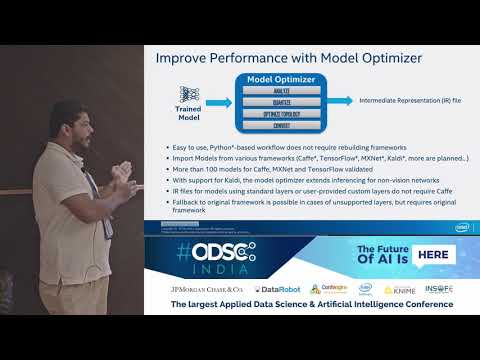](https://www.youtube.com/watch?v=RfRCrq35LXg)
|
||||
|
||||
3
docs/img/NEO_check_agreement.png
Normal file
3
docs/img/NEO_check_agreement.png
Normal file

@@ -0,0 +1,3 @@
|
||||
version https://git-lfs.github.com/spec/v1
|
||||
oid sha256:091e5320ed2179aeea5da02d26f89b510d6f7b832aa1c98ac5ced65ce55d99a0
|
||||
size 14219
|
||||
3
docs/img/OV-diagram-step2.png
Normal file
3
docs/img/OV-diagram-step2.png
Normal file

@@ -0,0 +1,3 @@
|
||||
version https://git-lfs.github.com/spec/v1
|
||||
oid sha256:8a5e64956ea61461c3bf942cd3802c16b33188e7bef8955384d46dd08a84f4d3
|
||||
size 46658
|
||||
3
docs/img/OV-diagram-step3.png
Normal file
3
docs/img/OV-diagram-step3.png
Normal file

@@ -0,0 +1,3 @@
|
||||
version https://git-lfs.github.com/spec/v1
|
||||
oid sha256:2f7083e9eff7158ca99990daa1a9ee33c73c09e7a2f3d6c6da316aa9be3ad1ec
|
||||
size 50327
|
||||
3
docs/img/OpenVINO-diagram.png
Normal file
3
docs/img/OpenVINO-diagram.png
Normal file

@@ -0,0 +1,3 @@
|
||||
version https://git-lfs.github.com/spec/v1
|
||||
oid sha256:00ec72e982f658698b599dd8cbcbd50996a1982c4223bce93b807fa6b0c0c825
|
||||
size 233866
|
||||
Some files were not shown because too many files have changed in this diff Show More
Reference in New Issue
Block a user