
62 lines
1.9 KiB
Markdown
62 lines
1.9 KiB
Markdown
# CloudInit
|
|
|
|
> CloudInit support is available from 4.11 release
|
|
|
|
Cloud-init is a program "that handles early initialization of a cloud instance"[^n]. In other words, you can, on a "cloud-init"-ready template VM, pass a lot of data at first boot:
|
|
|
|
* setting hostname
|
|
* add ssh keys
|
|
* grow automatically the file system
|
|
* create users
|
|
* and a lot more!
|
|
|
|
This tool is pretty standard and used everywhere. A lot of existing cloud templates are using it.
|
|
|
|
So it means customizing very easily your VM when you create it from a compatible template. It brings you closer to the "instance" principle, like in Amazon cloud or OpenStack.
|
|
|
|
## Requirement
|
|
|
|
You only need to use a template of a VM with CloudInit installed inside it. [Check this blog post to learn how to install CloudInit](https://xen-orchestra.com/blog/centos-cloud-template-for-xenserver/).
|
|
|
|
## Usage
|
|
|
|
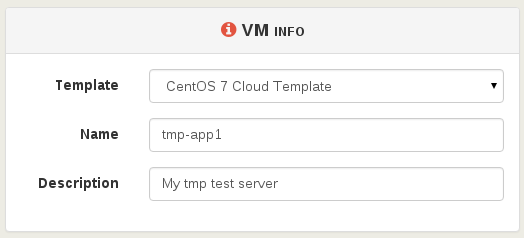
First, select your compatible template (CloudInit ready) and name it:
|
|
|
|
|
|
|
|
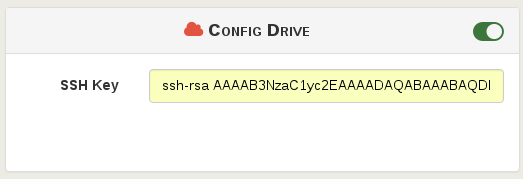
Then, activate the config drive and put your SSH key:
|
|
|
|
|
|
|
|
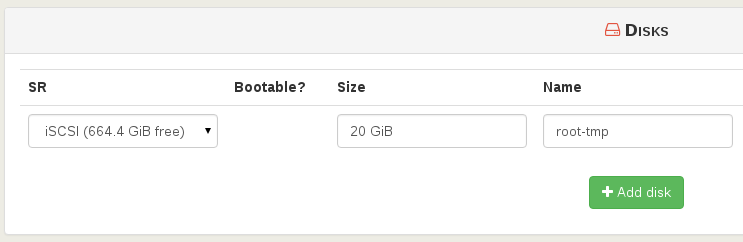
You can extend the disk size (**in this case, the template disk was 8 GiB originally**):
|
|
|
|
|
|
|
|
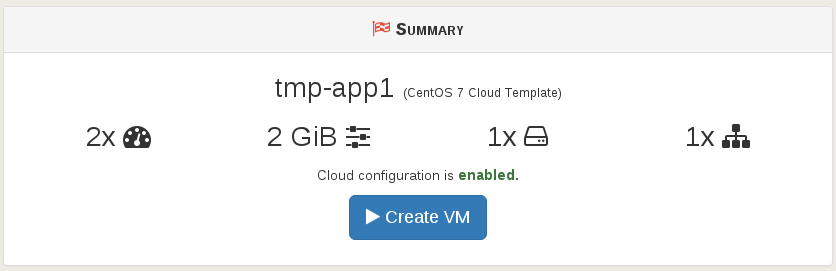
Finally, create the VM:
|
|
|
|
|
|
|
|
Now start the VM and SSH on its IP:
|
|
|
|
* **the system got the right VM hostname** (from VM name)
|
|
* you don't have to use a password to access it (thanks to your SSH key):
|
|
|
|
```
|
|
$ ssh centos@192.168.100.226
|
|
[centos@tmp-app1 ~]$
|
|
```
|
|
|
|
The default `cloud-init` configuration could allow you to be to be a sudoer directly:
|
|
|
|
```
|
|
[centos@tmp-app1 ~]$ sudo -s
|
|
[root@tmp-app1 centos]#
|
|
```
|
|
|
|
Check the root file system size: indeed, **it was automatically grown** to what you need:
|
|
|
|
```
|
|
[centos@tmp-app1 ~]$ df -h
|
|
/dev/xvda1 20G 1,2G 18G 6% /
|
|
```
|