
39 lines
1.8 KiB
Markdown
39 lines
1.8 KiB
Markdown
# Disaster recovery
|
|
|
|
Disaster Recovery (DR) regroup all the means to recover after losing hosts or storage repositories.
|
|
|
|
In this documentation, we'll only see the technical aspect of DR, which is a small part of this vast topic.
|
|
|
|
## Best practices
|
|
|
|
We strongly encourage you to read some literature on this very topic. Basically, you should be able to recover a major disaster with appropriate amount of time and minimal acceptable data loss.
|
|
|
|
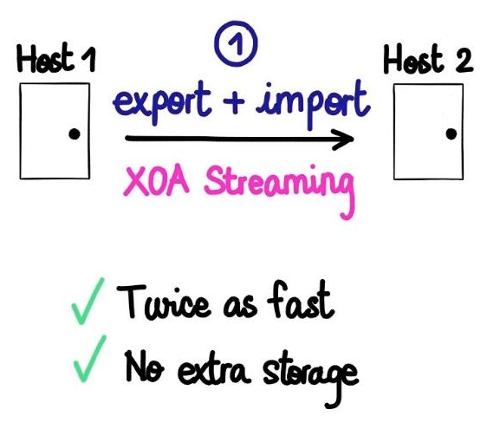
To avoid a potentially very long import process (restoring all your backup VMs), we created a specific feature. This is possible thanks to the XO capability to [stream export and import on the same time](https://xen-orchestra.com/blog/vm-streaming-export-in-xenserver/).
|
|
|
|
**The goal is to have your DR VMs ready to boot on a dedicated host. This is also a mean to check if you export was fine (if the VM boots).**
|
|
|
|
|
|
|
|
|
|
|
|
## Schedule a DR task
|
|
|
|
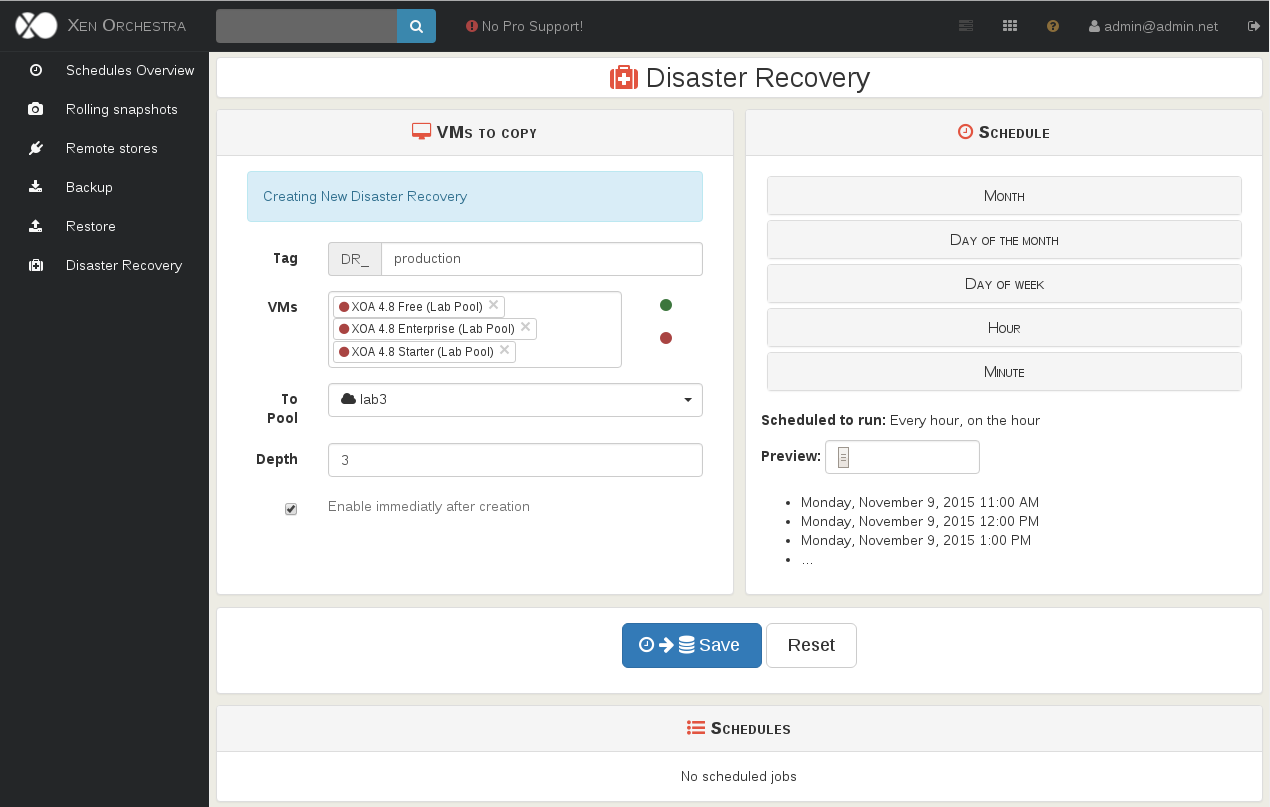
Planning a DR task is very similar to plan a backup or a snapshot. The only difference is that you choose a destination pool.
|
|
|
|
|
|
|
|
**Warning**: you should have a default SR configured on your targeted pool.
|
|
|
|
You DR VMs will be visible "on the other side" as soon the task is done.
|
|
|
|
### Retention
|
|
|
|
Retention, or **depth**, will apply with the VM name. **If you change the VM name for any reason, it won't be rotated anymore.** This way, you can play with your DR VM without fearing to lose it.
|
|
|
|
Also, by default, the DR VM will have a "Disaster Recovery" tag.
|
|
|
|
## Network conflicts
|
|
|
|
If you boot a copy of your production VM, be careful: if they share the same static IP, you'll have troubles.
|
|
|
|
A good way to avoid this kind of problems is to remove the network interface and check if the export is correctly done. |